Long videos without chapters are a quiet killer for watch time. Viewers can't skip to what they need, can't find the specific segment they came for, and leave. Most creators know this is a problem, but manually writing timestamps for a 45-minute video is tedious, error-prone, and slow enough that it becomes the task that never gets done.
AI tools now read your video, transcribe the speech, detect topic transitions, and generate chapter titles with timestamps automatically. What used to take 30 to 45 minutes per video now takes under 5 minutes. And the output is often more accurate than what a human would write while scrubbing through a timeline.
This article breaks down how these systems work, which tools are worth using, and how to build a reliable chapter workflow for any long-form video.
Why Long Videos Without Chapters Bleed Watch Time
Viewers Leave When They Can't Navigate
The average viewer of a long-form video is not watching linearly. They're looking for a specific answer, a particular timestamp, or a section they half-watched before. Without chapters, navigation is nearly impossible — they either scrub blindly through the timeline or abandon the video entirely.
Videos with chapters consistently show higher average view duration and stronger re-engagement, meaning viewers come back to re-watch specific sections. Chapters turn a passive video into a structured, searchable resource.

The Manual Timestamp Problem
Writing chapters by hand means watching your own video again from start to finish, noting every topic shift down to the second, writing a descriptive but short title for each section, and formatting it correctly for each platform. For a 30-minute video, that's easily 45 minutes of work. For a series of long-form content, it becomes a full-time task.
This bottleneck is why most creators skip chapters entirely, even knowing it hurts their metrics. AI removes the bottleneck completely.
How AI Reads Your Video to Build Chapters
Transcription Is the First Step
Every AI chapter generation system starts with speech-to-text. The model transcribes your entire video audio into a text document. Modern transcription models, especially Whisper-based systems, handle accents, technical vocabulary, and fast speech with 95%+ accuracy.
Once the transcript exists, the AI has something substantive to work with. Instead of analyzing raw video frames, which is computationally expensive and imprecise, it processes text — far more efficient for detecting topic shifts.

Topic Detection and Scene Shifts
After transcription, the AI runs topic segmentation to find natural breakpoints. It looks for:
- Vocabulary shifts: When a speaker moves from "setup" to "results," the vocabulary changes measurably
- Pause patterns: Longer pauses often signal the end of one section and the start of another
- Signal phrases: Language like "now let's move to," "another important point," or "wrapping up this part" are strong boundary markers
- Sentence density changes: Dense information-heavy sections contrast with transitional sentences that wrap up one topic before introducing the next
The combination of these signals places chapter boundaries with surprising accuracy. For most content, you'll spend 2 to 3 minutes reviewing instead of 45 minutes writing from scratch.
Chapter Title Generation
Once boundaries are set, a language model generates a short, human-readable title for each segment. It examines the first few sentences of each section, identifies the dominant vocabulary clusters, and produces something like "Setting Up Your Workspace" or "Running the First Test" rather than a generic, meaningless label.
What Separates Them
Not all AI chapter tools deliver the same quality. Here's what separates the ones worth using from the ones that waste your time:
| Feature | Basic Tools | Pro-Grade AI Tools |
|---|
| Transcription accuracy | 70-80% | 95%+ |
| Topic detection | Fixed time intervals only | Semantic boundary detection |
| Title quality | Generic labels | Descriptive, human-readable |
| Edit control | None | Manual adjustment layer |
| Processing speed | 10-15 min per hour of video | 2-5 min per hour |
| Platform export | Copy-paste text | YouTube, Vimeo, direct API |
The biggest red flag is fixed-interval splitting. If a tool cuts chapters every 5 minutes regardless of content, it's not using AI at all. Real AI chapter generation places boundaries where topics actually change, not where a timer fires.
3 Things to Check Before Committing to Any Tool
- Does it use semantic segmentation or just time-based splitting?
- Can you edit the output before exporting, or is it fully locked?
- What are the input format and file size limits? Some tools silently block long videos without warning.
💡 The most useful chapter systems export a flat text file with timestamps and titles. This format works across YouTube, Vimeo, Notion, and any documentation platform — giving you flexibility as your distribution strategy changes.
How to Split Long Videos into Chapters on PicassoIA
PicassoIA's Video Split tool breaks any long video into precisely timed clips with clean cuts. It's the practical foundation for a chapter-based editing workflow, giving you individually publishable segments for each section of your content.

Step 1: Upload Your Long Video
Go to Video Split on PicassoIA and upload your video file. The tool accepts standard formats and handles long-form content without degrading quality during the split process.
Before uploading, have your chapter timestamps ready — from your AI chapter tool output or from your own content review.
Step 2: Define Your Split Points
Enter the timestamps where you want each chapter to begin and end. The tool cuts precisely at those points without re-encoding the untouched portions, so every output clip maintains the original video quality.
If your AI chapter tool produced timestamps like these:
- 00:00 Introduction
- 04:22 The Core Problem
- 11:47 The Solution
- 24:05 Live Demo
- 38:19 Final Results
Input those as your split points. Each segment becomes a clean, independent clip ready for individual use.
Step 3: Export and Distribute Your Clips
Each clip can be uploaded independently, used as chapter preview content, or repurposed for short-form social media. Long tutorials split this way become a searchable library of shorter reference videos, each indexed and surfaced independently by platform algorithms.
💡 Name each exported clip with the chapter title before uploading. Descriptive filenames directly improve how platforms index and surface your content in search results.
Captions That Double as Chapter Markers
Autocaption Builds Your Text Record
Adding captions to long-form videos delivers two wins simultaneously: accessibility compliance and a time-coded text record that AI tools can process. Autocaption on PicassoIA generates accurate, time-synced captions for any video automatically.

Captions do more than meet accessibility requirements. They create a full text record that:
- Search engines index: Platforms read your captions to understand video content at the sentence level, improving how your video ranks for specific queries
- AI tools can process directly: Caption files include timestamps, making them ideal input for chapter generation without any additional conversion step
- Viewers can follow without audio: Critical for content consumed in offices, public spaces, or alongside other audio
From Captions to a Navigation Structure
A well-captioned video gives you a direct path to chapters. Export the caption file, run it through any AI language model, and ask it to identify topic transitions and suggest chapter titles with timestamps. The time-coded SRT or VTT format means the AI can output usable timestamps immediately.
This two-step workflow: Autocaption first, then LLM chapter extraction, is one of the most reliable methods for adding high-quality chapters to any existing video library, including content you published months or years ago.
A 4-Step Workflow That Takes Under 10 Minutes
Extract Audio First
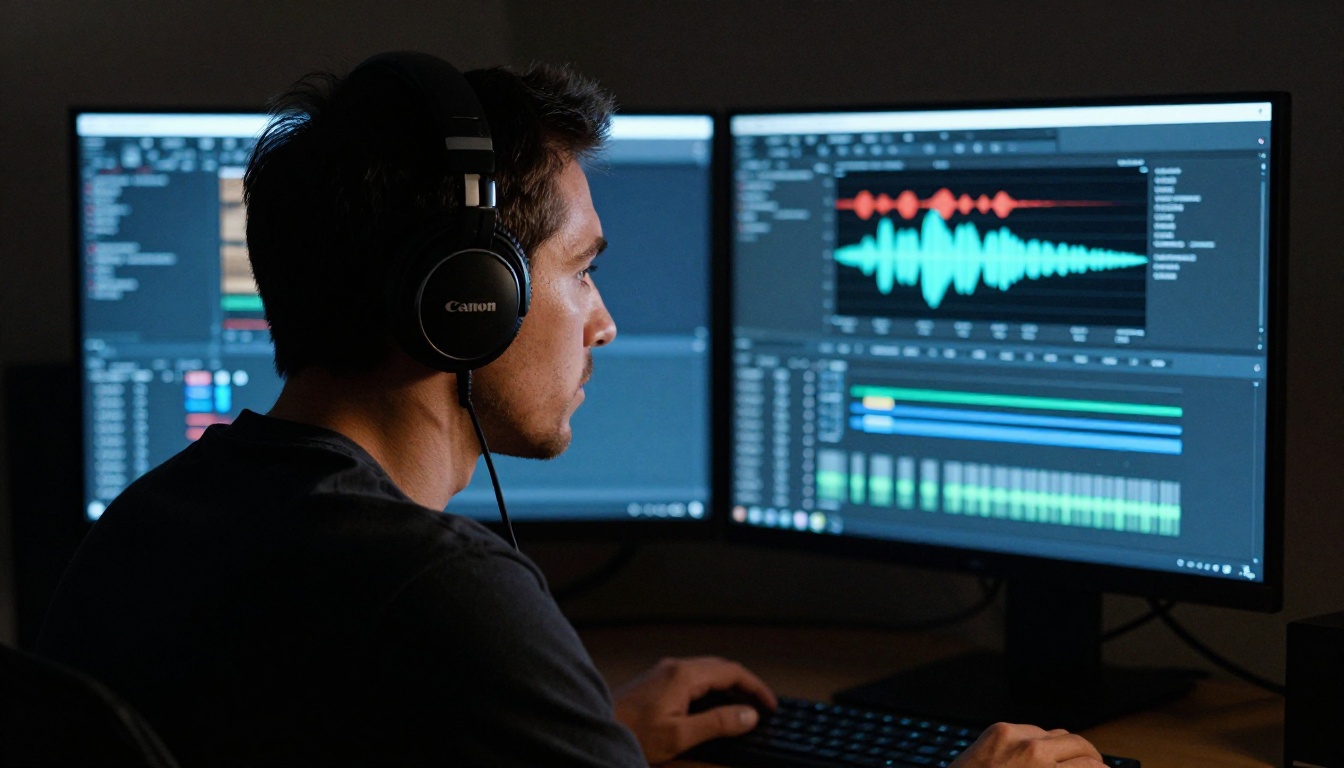
For long videos, audio-only processing is significantly faster. Extract Audio on PicassoIA strips the audio track from any video in seconds. The resulting file is typically 10 to 20 times smaller than the source video, which means faster uploads, lower processing costs on volume-based APIs, and the ability to run multiple transcription passes without re-uploading the full file.
The Full Pipeline
Here's the repeatable workflow for any long-form video:
- Extract audio using Extract Audio on PicassoIA
- Transcribe the audio file using a Whisper-based transcription service
- Generate chapters by running the transcript through a language model with a chapter-detection prompt
- Split the video using Video Split at the detected breakpoints, or paste timestamps directly into your platform's description field
For a 60-minute video, this entire pipeline takes under 10 minutes once established. Compare that to 45 to 90 minutes of manual timestamp writing per video.
3 Mistakes That Break Auto Chapter Quality
Poor Audio Kills Transcription Accuracy
AI chapter generation is only as good as the transcript underneath it. Background noise, inconsistent audio levels, or overlapping speakers drop transcription accuracy from 95% to 75% or lower — and bad transcription produces bad chapter boundaries, splitting mid-sentence or merging sections that should be separate.
Fix this at the source: use a directional microphone, record in a quiet environment, and run a basic noise reduction pass before processing. One noise reduction step can be the difference between chapters that work and chapters that frustrate your viewers.
Skipping the Review Step
AI chapter tools are fast but not infallible. Common errors include:
- Splitting mid-sentence when a natural pause happens to fall at the wrong moment
- Merging two distinct topics that happen to share overlapping vocabulary
- Generating vague titles like "More on This" or "Part 3" instead of descriptive labels
A 2-minute review before publishing catches these problems. Read through every title and spot-check 2 to 3 boundaries in the actual video. One corrected chapter split takes 2 minutes and protects every viewer who will use those chapters over the full lifespan of the video.
Ignoring Platform Formatting Rules
YouTube chapters require:
- A timestamp at 00:00 as the very first entry in the list
- A minimum of 3 chapters to activate the navigation feature in the progress bar
- A blank line between the video description and the chapter list
Vimeo chapters work differently. LinkedIn and most social platforms don't support chapters at all. Know the exact format requirements before exporting your AI-generated output — a chapter list formatted correctly for YouTube will not function on Vimeo without adjustments.
💡 After adding chapters to YouTube, watch your own video in a private tab before setting it public. Confirm the chapter markers appear in the progress bar and that each one jumps precisely to the correct timestamp.
Once chapters are defined, the tools surrounding them matter for final quality. Trim Video on PicassoIA lets you cut dead air from the start or end of each chapter segment with frame-level precision. Video Merge combines trimmed clips back into a single polished file when you need one clean output.
For creators who work with text-driven video edits, Lucy Edit 2 by Decart lets you describe a video change in plain text and applies it directly to the footage. This is particularly powerful for updating or correcting a single chapter section without re-editing the entire timeline from scratch.
Start With One Video
If you produce long-form content regularly, chapters are not optional — they're infrastructure. They determine whether a viewer who finds your video six months from now can locate what they need in 30 seconds, or bounces in ten.
The workflow exists. It takes under 10 minutes per video. The only reason not to have chapters on every long-form video you've published is that the process felt too manual before AI tools made it fast.

Pick one video from your existing library. Run Extract Audio, transcribe it, generate your chapters, then split with Video Split. Check your watch time and re-engagement data two weeks after updating the chapters. Then apply the same workflow to your back catalog.
PicassoIA brings the full pipeline into one place: Autocaption for time-coded captions, Video Split for clean chapter segments, Trim Video for polishing each clip, and Extract Audio for fast pre-processing. The complete workflow runs without switching between multiple platforms or managing different accounts.
Your viewers are already scanning for the section that matters to them. Give them a way to find it.


