You type one sentence, wait a few seconds, and a picture that did not exist a minute ago appears on your screen. That is the promise of AI art free online, and in 2027 it is mostly true. The catch is in the small print: daily caps, watermarks, slow queues, and licence terms that nobody reads until a client asks about them.
This article gives you the honest version. You will see what "no sign up" actually means, how to write prompts that produce usable images on the first or second try, four worked examples with copy-ready wording, and the limits you should expect from any free AI art generator. No hype, no promises that cannot be kept.
💡 Quick answer: Several free text to image tools let you generate without an account, but almost all of them cap usage, compress output, or restrict commercial use. Treat free as a way to test ideas fast, then decide what deserves a higher-quality run.
What "No Sign Up" Really Means
"No sign up" sounds simple. You open a page, type a sentence, press a button. But the phrase hides at least three different setups, and they behave very differently once you start using them seriously.
Instant tools vs account tools
An instant tool gives you a prompt box the moment the page loads. Craiyon, DeepAI, Perchance and Raphael AI have all been described this way, and DuckDuckGo's Duck.ai also offers image creation without an account. Nothing is stored against your name, so there is no history to return to unless you save files yourself.
An account tool asks for an email, a login, or a social profile before you can generate anything. In return you usually get a gallery, better models, higher resolution and a clearer record of what you made.
| Setup | Speed to first image | History saved | Typical limit |
|---|
| No login, anonymous | Seconds | No | Daily cap or queue |
| Free account | A minute | Yes | Credits per day or week |
| Paid plan | A minute | Yes | Much higher, often unlimited |
Where the catch hides
Be careful with the word "unlimited". Some pages advertise unlimited generations with no login, yet slow your requests when traffic is high, shrink image size, or add a watermark. Others are honest about daily caps. I could not verify exact current quotas for any single tool, and limits change often, so check the page itself before you plan a project around it.
A no sign up generator is a fine place to test one prompt. It is not proof that the service is private, that the images are yours to sell, or that quality stays consistent from one day to the next.
How to Write Prompts That Work
The biggest difference between a muddy result and a sharp one is rarely the tool. It is the sentence you feed it. A good AI art prompt is specific, ordered, and written like a photographer briefing an assistant.
The five-part prompt formula
Build your prompt in this order. Each part removes guesswork for the model.
- Subject and action: who or what is in the frame, and what they are doing.
- Setting: where it happens, time of day, weather.
- Light: direction and quality, such as "soft window light from the left" or "low golden sun behind the subject".
- Camera: lens and distance, such as "85mm f/1.8, shallow depth of field".
- Texture and mood: skin, fabric, stone, steam, film grain, a calm or tense atmosphere.
Compare two prompts. The first: a woman at a desk. The second: a woman with dark wavy hair at an oak desk, morning light from tall windows on the left, 35mm lens, shallow depth of field, soft film grain, calm mood. The second one gives the generator a plan.
Words that add realism
If you want images that look photographed rather than painted, steer with photographic language. Words that consistently help:
- Lens and aperture: 24mm for wide scenes, 50mm for natural perspective, 85mm for portraits.
- Light vocabulary: golden hour, overcast, rim light, raking light, blue hour.
- Surface detail: pores, wood grain, wet cobblestone, crusty bread, woven denim.
- Film feel: fine grain, Kodak Portra palette, natural color.
Skip stacked buzzwords like "ultra HD masterpiece trending". They add noise, not information.
Fixing a prompt that fails
When the output is wrong, change one thing at a time. Otherwise you will never know which edit helped.
| Problem | What to change |
|---|
| Faces look waxy | Add "natural skin texture, visible pores" and name a lens |
| Background is messy | Add "simple uncluttered background" or name one setting only |
| Colors look flat | Specify the light source and time of day |
| Wrong composition | Add "wide shot", "close-up", "low angle" or "aerial view" |
| Strange hands or text | Hide hands in frame or avoid written words entirely |
💡 Tip: Keep prompts between 40 and 80 words. Shorter ones leave too much open, and much longer ones start to contradict themselves.
Prompt Examples You Can Copy
The four examples below show how the same formula changes with the subject. Each prompt can be pasted into almost any free generator, then adjusted to taste.
Landscape prompt
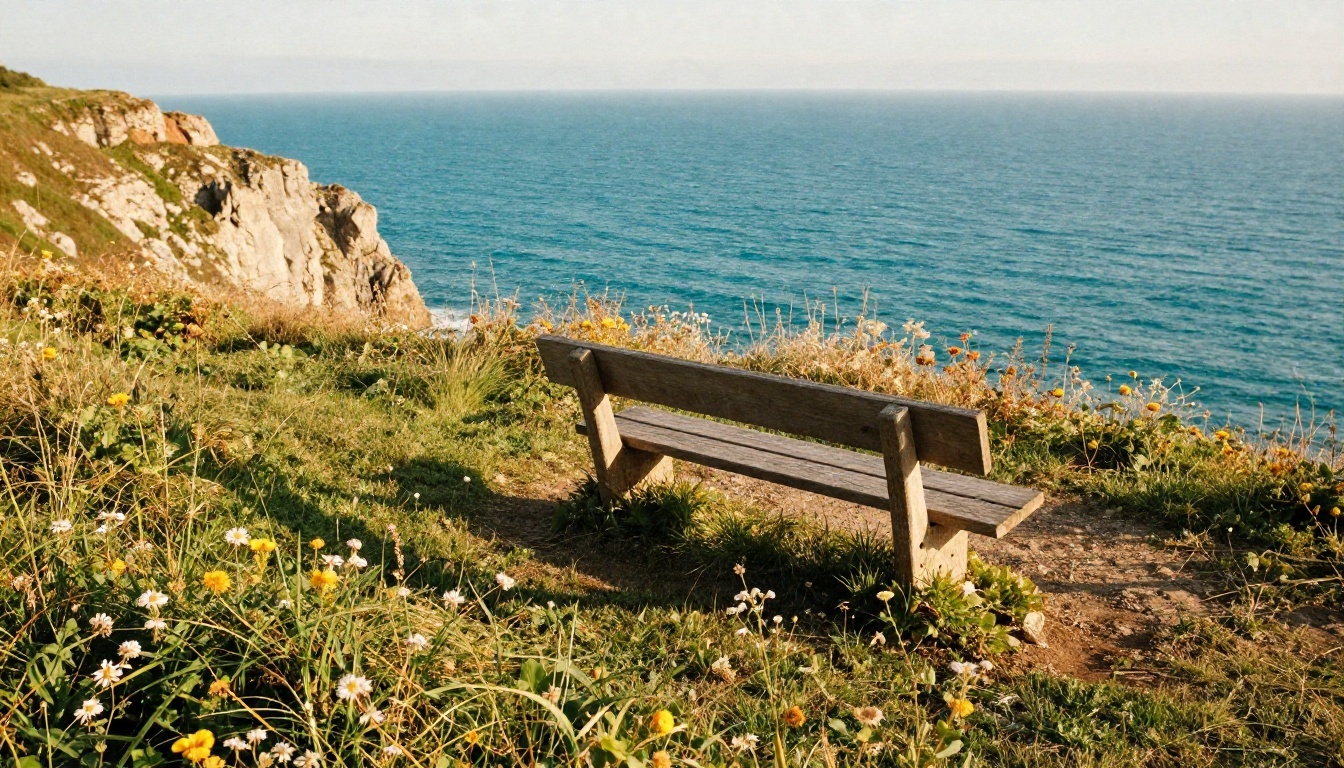
Prompt: Wide shot of a coastal cliff at golden hour, turquoise sea below, wildflowers in the foreground and a single wooden bench, long soft shadows, light haze above the water, 24mm lens with deep focus, crisp grass and rock texture, Kodak Portra color palette, fine film grain.
Why it works: the foreground gives depth, the bench gives scale, and the lens note keeps everything sharp from front to back. Landscapes are the easiest category for free tools, so start here if you are new.
Portrait prompt
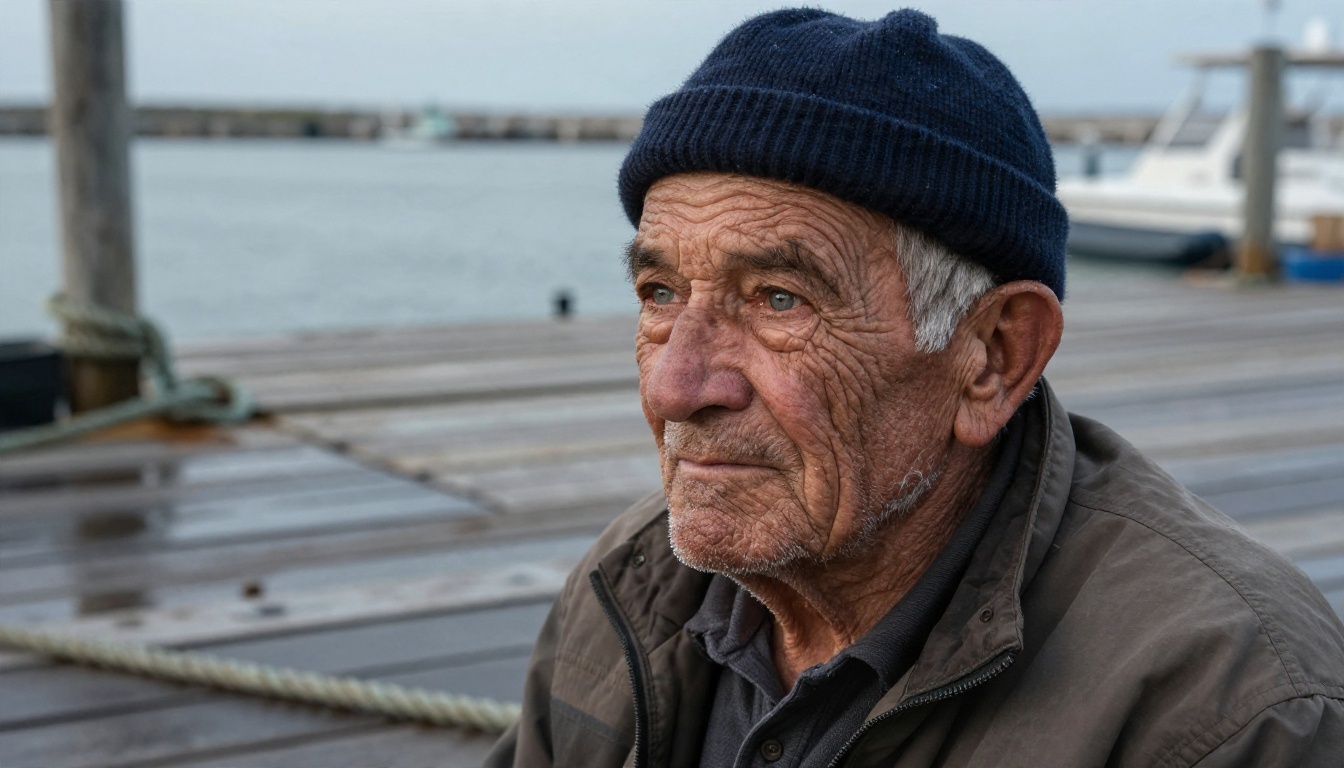
Prompt: Intimate portrait of an elderly fisherman with deep wrinkles and white stubble, navy wool cap, looking just past the camera, harbor dock in overcast morning light, rope and wet planks softly blurred behind him, 85mm f/1.4, detailed skin texture, catchlights in grey eyes, documentary photography.
Portraits expose weak models fast. Free generators often struggle with skin, eyes and symmetry, so the explicit lens and "detailed skin texture" cues matter more here than anywhere else.
Product prompt
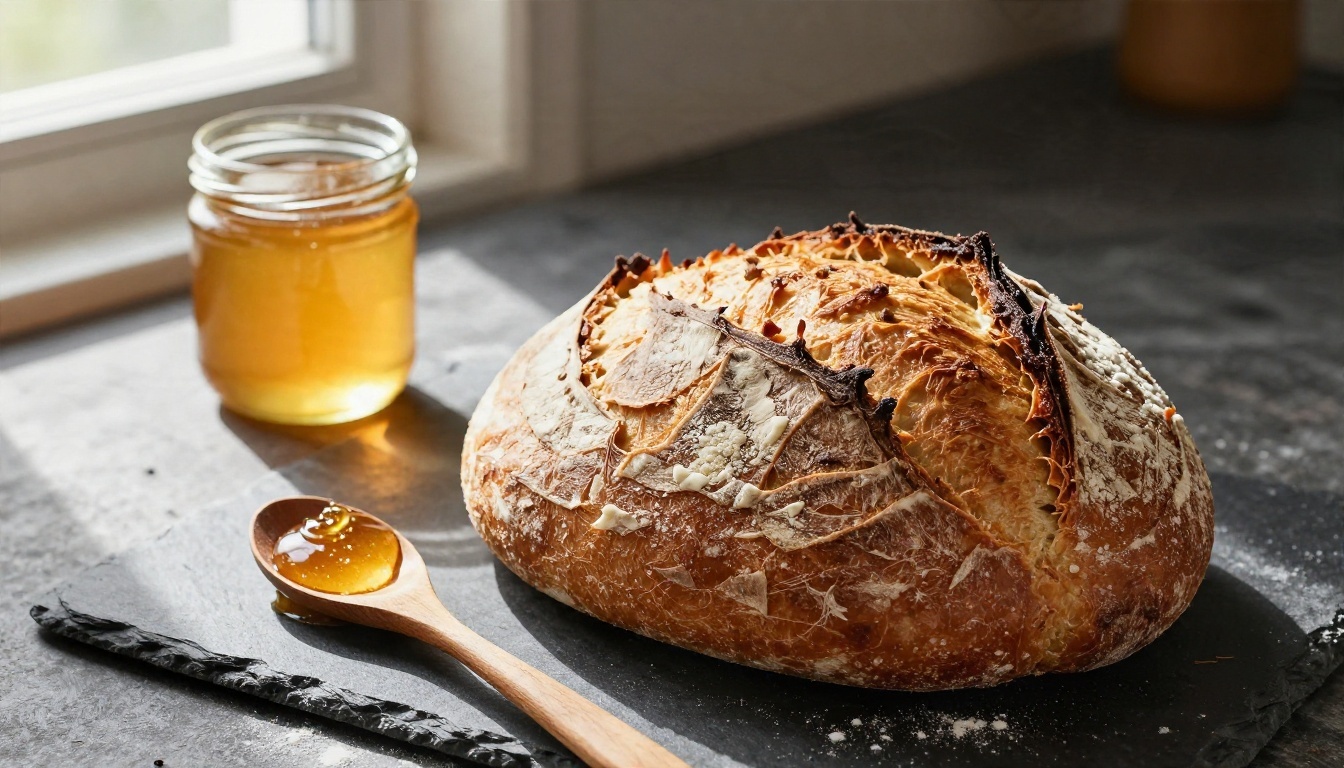
Prompt: Tilted close-up of a fresh sourdough loaf beside a glass jar of honey on a rustic kitchen table, wooden spoon dripping honey, flour dusted on dark slate, warm window light from the left with raking shadows, 100mm macro lens, crisp crust texture, glossy honey highlights.
For small shops and food bloggers, this is where free AI art earns its keep. You can mock up a product scene before booking a photographer, then decide whether the concept deserves a real shoot.
Street scene prompt
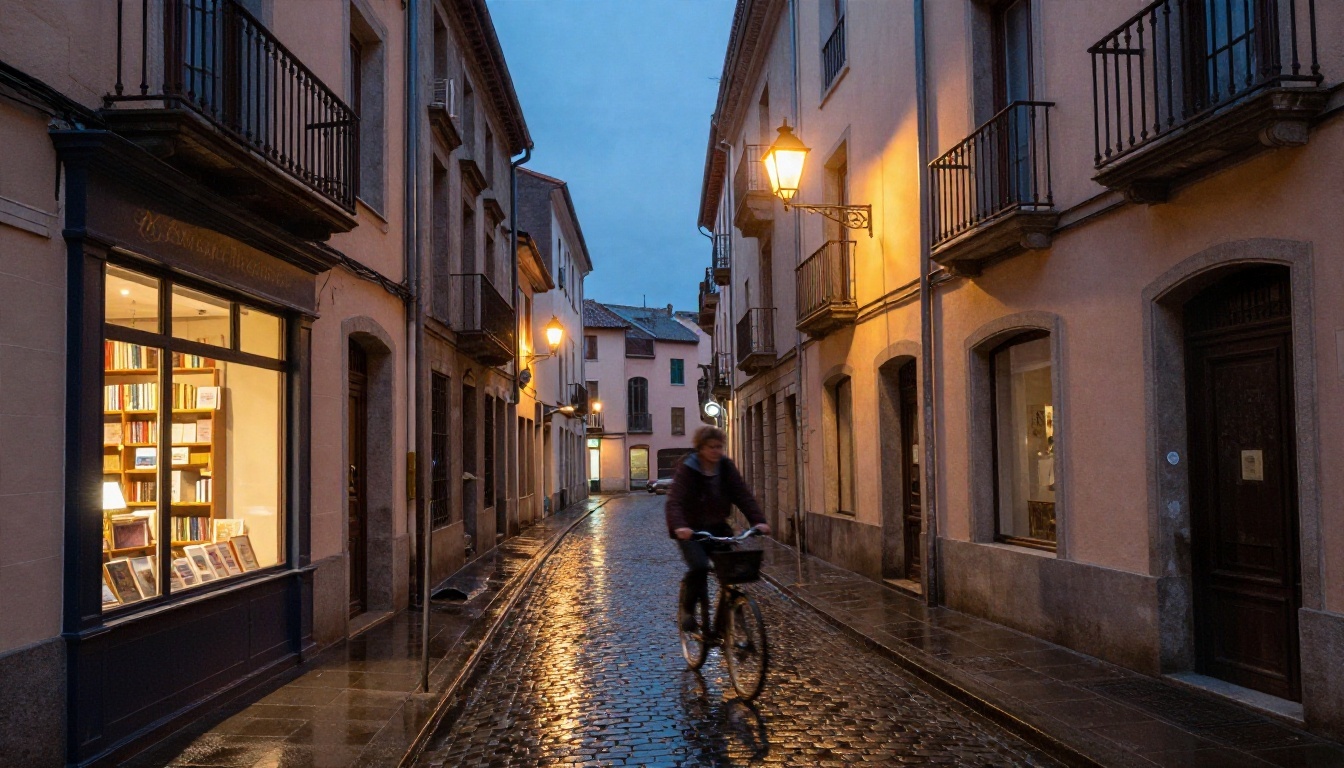
Prompt: Street-level wide shot of a narrow European alley after rain, warm lamp light from a bookshop window spilling over wet cobblestones, a cyclist passing in soft motion blur, pastel stucco facades with iron balconies, blue hour sky, 35mm lens, reflections in puddles, fine grain.
Wet surfaces, mixed light and a moving subject test how well a model handles reflections and motion. If your free tool gets this right, it is a solid daily driver.
Free Limits You Will Hit
Free is never free of rules. Here are the four limits that show up again and again.
Daily caps and queues
Anonymous tools usually count by device or IP address. After a certain number of images you see a wait timer, a prompt to log in, or a polite refusal. Peak hours make it worse: queues stretch from seconds to minutes. If you have a deadline, generate your batch early in the day.
Resolution and watermarks
Many free outputs are small, often around 1024 pixels on the long side or less. That is fine for a social post, but it looks soft on a printed poster. Some tools stamp a small logo in a corner. Before you invest an hour in a free generator, run one test image and look at the pixels closely.
If an image is almost right but too small, a super resolution model can upscale it two to four times without starting over.
Commercial use
This is the limit people skip. Terms differ from tool to tool: some allow commercial use, some restrict it to paid tiers, and some say nothing at all. If an image will appear on a product, an ad, or a client site, read the licence page. When it is unclear, assume personal use only.
Consistency across runs
Free tiers often use lighter models, so the same prompt can give very different quality from one day to the next. Save the best outputs and the exact wording that produced them. A prompt you cannot reproduce is only a lucky accident.
Picking the Right Model

Not every model suits every job. Speed-focused models are great for drafting. Larger ones deliver detail for the final pick. Here are several you can try on PicassoIA, matched to what they do best.
If you want to edit an existing picture instead of starting fresh, Nano Banana handles both generating and editing. For people who want to train a personal style, Flux 2 Klein 4B Base is a good starting point to fine-tune.
💡 Rule of thumb: Draft with a fast model, pick the best composition, then re-run that one prompt on a larger model for the final image. You waste fewer credits and get better results.
A Simple Workflow That Saves Time
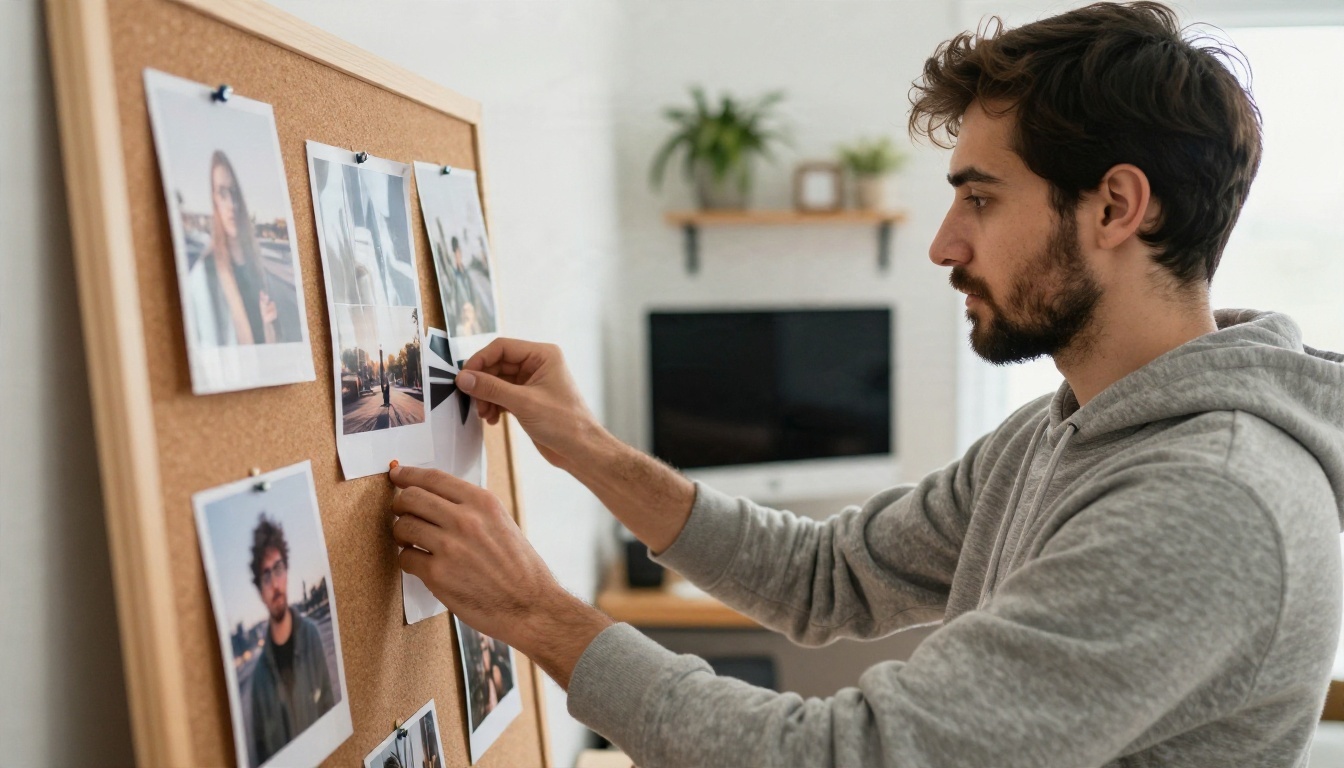
Random prompting burns through free generations. A tiny bit of structure saves a lot of them.
Draft small, refine later
Start with four quick drafts of the same idea, each with a different camera angle: wide, close-up, low angle, aerial. Pick the one where the composition feels right. Only then add detail to the prompt about light and texture. Changing composition late is much harder than changing it early.
Keep a prompt notebook
Write down every prompt that gave a good result, plus a note on what you changed. After ten entries you will see patterns: the lens you like, the light that flatters your subjects, the phrases that cause trouble. That notebook becomes worth more than any single image.
Use the right tool for the second step
A generator makes the picture. Other tools fix it. Inpainting repairs a bad hand or a stray object. Outpainting extends the canvas for a banner. Background removal prepares a product shot for a store page. Upscaling sharpens a good image for print. Treat generation as step one of a short chain, not the whole job.
Privacy and Safety Basics
An anonymous page can still log your prompts and keep your images. Do not paste personal data, private photos of other people, or confidential client details into a free tool you know nothing about. Avoid generating realistic images of real, identifiable people without their consent, and never present AI images as documentary proof of an event.
Two habits keep you safe:
- Label AI images when they could be mistaken for real photographs, especially in news, product reviews or testimonials.
- Check the terms on storage and reuse before uploading a reference image.
Make Your First Image Today
You now have the formula, four prompts to copy, and a realistic picture of what free tools can and cannot do. The fastest way to improve is to run the experiment yourself. Pick one of the prompts above, change the subject to something from your own life, and generate four versions with different camera angles.
On Picasso IA you can try fast drafting models like Z Image Turbo and Flux Schnell, then move your best prompt to Seedream 4.5 or Nano Banana Pro for a sharper final. Compare the results side by side, keep the winner, and save the prompt in your notebook.
Browse the full list of image, editing and upscaling models at picassoia.com/en/all-models, pick one, and write your first prompt now. Your next favorite image is one sentence away.


