You searched for a ComfyUI workflow, spent two evenings installing custom nodes, and got a red error box and a GPU fan that sounds like a jet engine. You are not alone. ComfyUI is brilliant for people who enjoy wiring graphs, but a lot of adults who just want a sultry, cinematic clip of a glamour subject in a silk robe or a bikini do not want to become pipeline engineers. This article shows the free online alternatives that skip the install, the prompts that give believable motion, and the exact settings worth copying when you do stay on a local setup.
A quick note on scope. Everything here stays suggestive and non-explicit: lingerie, swimwear, silk, golden light, slow camera moves. Only generate adult characters, never use a real person's face without their consent, and follow the rules of whichever platform you use.
Why People Leave ComfyUI
ComfyUI gives you total control. It also gives you total responsibility. Most people who abandon it for video work hit one of three walls.
The Hardware Wall
Modern open video models such as Wan 2.2 are heavy. A 14B image-to-video model wants a lot of VRAM, and even with quantized files you wait several minutes for a five second clip. If your card has 8 GB, you are juggling GGUF files, offloading and lower resolutions before you have rendered a single frame worth keeping.
Node Spaghetti
A video workflow is rarely one clean chain. You have a loader, a text encoder, a high noise sampler, a low noise sampler, a VAE decode, a frame interpolation step and a video combine node. One missing custom node, one version mismatch, and the whole graph turns red. Sharing a workflow with a friend usually means sharing a list of dependencies too.
Model and LoRA Hunting
Open source video also means collecting checkpoints, speed LoRAs, text encoders and VAEs from different places, then placing each in the right folder. It is fun for tinkerers. It is a chore for anyone who wants a result tonight.
💡 Reality check: the quality of a ComfyUI clip comes from the model and the prompt, not from how complicated the graph looks. A simpler tool running the same class of model gives you the same class of result.
What "Free Online" Really Means
The phrase hides a few different things, and mixing them up is how people waste an afternoon.
Free Tier vs Unlimited
A free tier gives you a small number of credits, then asks for a card. Unlimited access means you can iterate without watching a counter. For video, iteration is everything, because the first generation is rarely the best one. Plan on three to six attempts per clip.
Privacy and Consent
Upload only images you have the right to use. Keep your characters fictional or generated. Do not animate photos of real people who have not agreed to it. This is not just a policy line: it is the thing that keeps the whole hobby from getting shut down.
| Option | Setup time | Hardware | Iteration cost | Best for |
|---|
| Local ComfyUI | Hours to days | Strong GPU | Electricity and patience | Tinkerers |
| Rented cloud GPU | 30 to 60 minutes | None | Hourly billing | Heavy users |
| Hosted ComfyUI workflow | Minutes | None | Per run | Fans of existing graphs |
| Online image and video models | Seconds | None | Low or unlimited | Most people |
Best Online Alternatives Compared
The cleanest way to replace a ComfyUI video graph is to split the job in two: make a strong still image, then animate it. That is exactly what most Wan 2.2 image-to-video graphs do anyway, only here the two steps are separate tools.
Seedream 4.5 for First Frames
Seedream 4.5 is the model to lead with for glamour stills. It handles skin texture, fabric sheen and window light very well, and it follows long, descriptive prompts closely. Since the first frame decides about 80 percent of how the final video looks, this is where you spend your effort.
Image Editor Pro for Fixes and Variations
PicassoIA Image Editor Pro offers unlimited generations, which makes it ideal for the boring but necessary work: changing an outfit colour, fixing a hand, adjusting the background, or making three variations of the same pose before you commit to animating one of them.
Any ComfyUI Workflow Online
If you already have a graph you love, Any ComfyUI Workflow lets you run ComfyUI style workflows without owning the hardware. It suits people who want the exact look of a community graph but not the install.
Wan 2.2 for Image to Video
Wan 2.2 I2V A14B is the same family of model that most ComfyUI video graphs are built around. You upload your still, write a motion prompt, and get a clip back. For a lighter and faster option, Wan 2.2 5B Fast produces 720p clips quickly, which is perfect for testing motion ideas.
Kling and Hailuo for Smoother Motion
When you want fabric, hair and body movement to feel less floaty, try Kling v2.5 Turbo Pro or Hailuo 2.3 Fast. Both are good at gentle, realistic motion from a single photograph, and for a higher resolution result Hailuo 02 is worth a run.
| Model | Role | Strength | Link |
|---|
| Seedream 4.5 | First frame | Skin, fabric, lighting | Open |
| Image Editor Pro | Edits, variations | Unlimited generations | Open |
| Wan 2.2 I2V A14B | Animation | Same family as ComfyUI graphs | Open |
| Kling v2.5 Turbo Pro | Animation | Natural body and cloth motion | Open |
| Hailuo 2.3 Fast | Animation | Fast iterations | Open |
How to Get Similar Results on PicassoIA
Here is the two step workflow I use with Seedream 4.5 and Wan 2.2 I2V A14B. It replaces an entire ComfyUI graph.
Step 1: Build the First Frame
- Open Seedream 4.5 and write a prompt with a subject, an outfit, a place, a light direction and a lens. Example: a woman in her late twenties in a black silk slip dress on a velvet armchair, warm lamp light from the left, 85mm f/1.4, natural skin texture, Kodak Portra 400 grain.
- Choose a 16:9 ratio so the video matches a normal screen.
- Generate four images and keep the one with the cleanest hands and face.
- If something is off, send it to Image Editor Pro and fix only that detail instead of rerolling the whole picture.
Step 2: Animate the Still
- Open Wan 2.2 I2V A14B and upload your chosen image.
- Write a motion prompt (examples below), not a description of the picture again. The image already holds the look.
- Pick the highest resolution offered, usually 720p, and keep the clip short.
- Generate, watch it twice, and change one thing at a time before the next run.
Step 3: Polish and Upscale
If the clip is good but soft, run it through a video enhancer or an upscaler, then trim it in a video editor. Always change the prompt before you change the settings. Nine times out of ten the fix is in the words.
💡 Tip: keep a text file of motion prompts that worked. Reusing a proven sentence on a new first frame is faster than inventing a new one.
Prompts That Actually Work
Video models respond to chronology. Describe what happens first, what happens next, and what the camera does. Short and concrete beats long and poetic.
First Frame Prompt Formula
Use this order: subject and pose, outfit and fabric, environment, light direction, lens, texture, film stock. Here is a ready example:
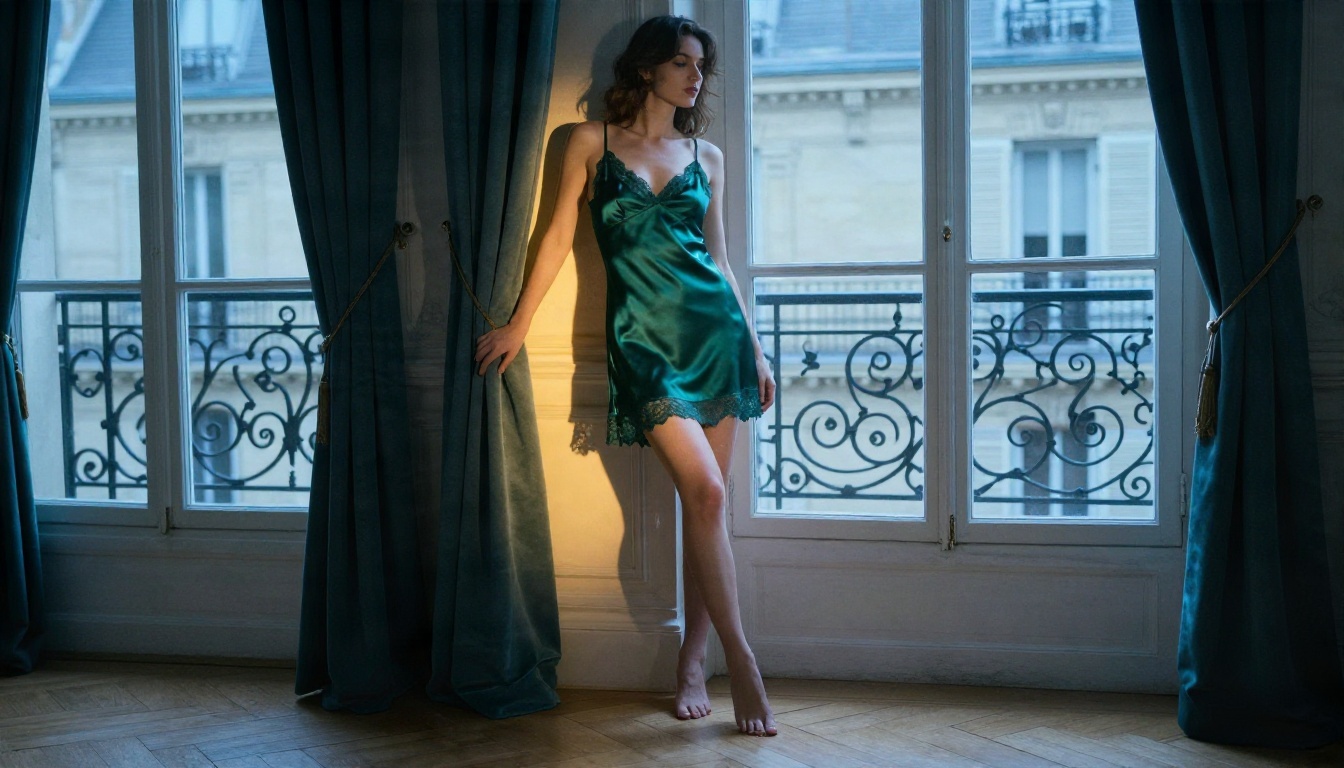
A woman in a short emerald silk nightgown with a lace hem leans against a tall window frame in a Parisian apartment at dawn, one hand holding the curtain aside, cool blue window light mixed with a warm bedside lamp, 35mm f/2, realistic silk folds and skin pores, subtle haze, Kodak Portra 400 grain.
Motion Prompt Formula
Use: subject action over time, then camera move, then atmosphere. Examples that stay tasteful:
- She slowly turns her head toward the camera and smiles, the curtain sways in a light breeze, slow dolly in, soft morning haze.
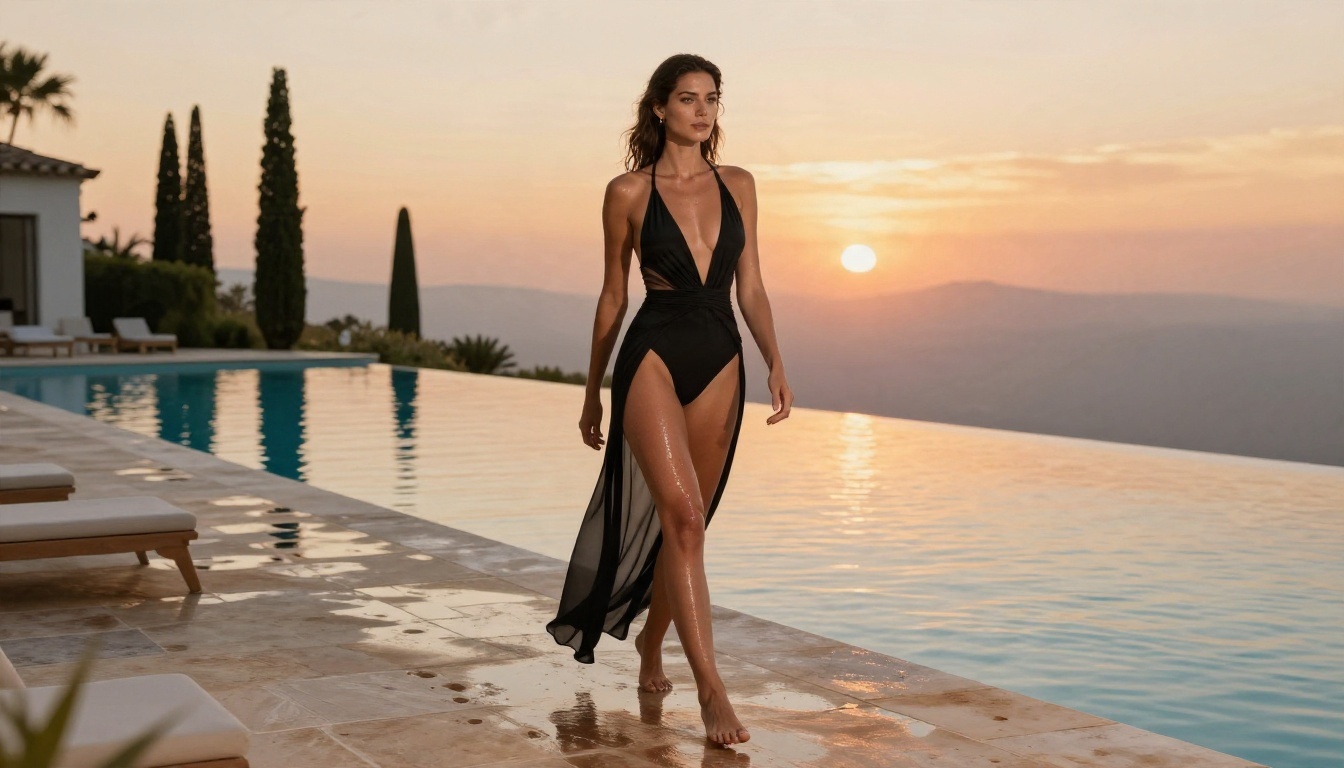
- She walks along the pool edge, the sarong flutters behind her, camera tracks sideways at walking pace, warm sunset reflections on the water.
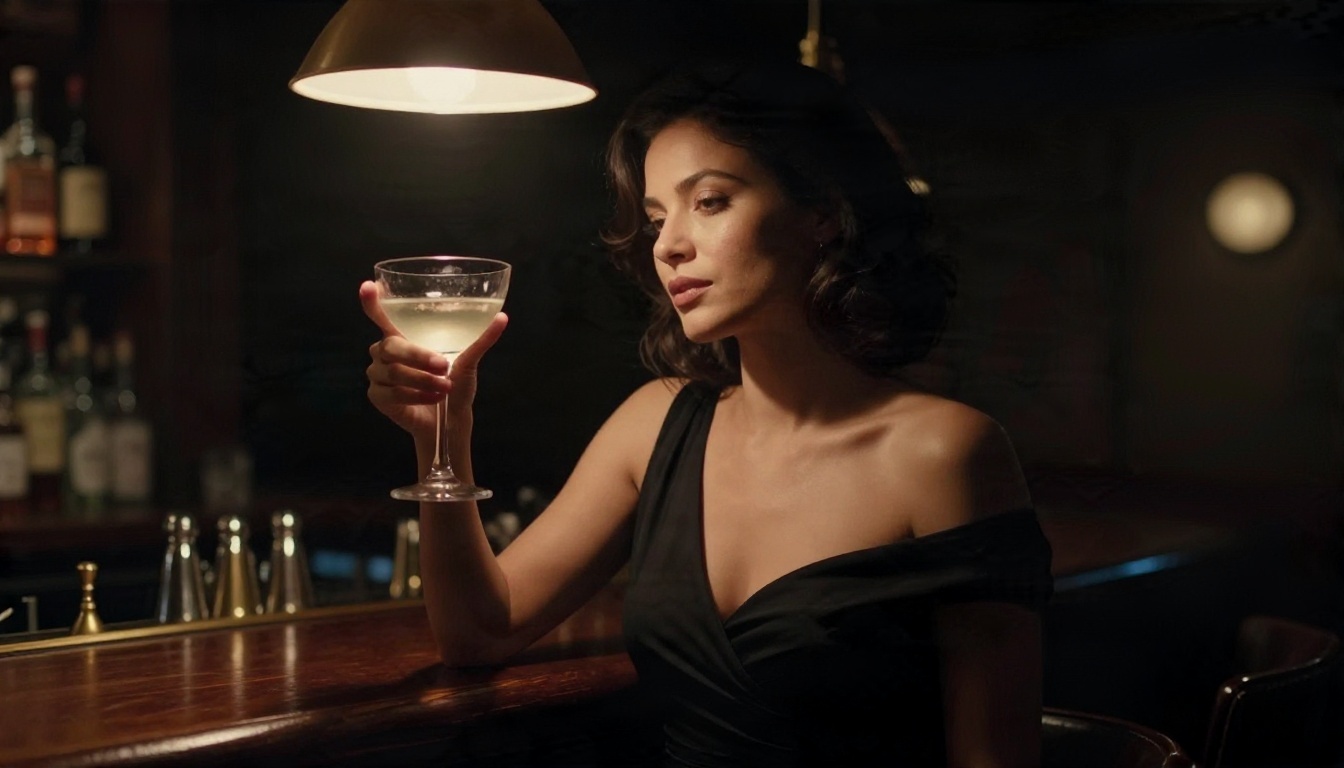
- She lifts a coupe glass, the pendant lamp light slides across her shoulders, gentle push in, shallow depth of field.
Words That Help and Hurt
| Use | Avoid |
|---|
| slow dolly in, gentle pan | fast whip pan, shaky cam |
| light breeze, fabric sways | wild wind, explosion |
| soft smile, glance over shoulder | rapid expression changes |
| warm tungsten, window light | glowing, neon, hyper stylized |
| one action per clip | five actions in five seconds |
A frequent surprise: adding more adjectives rarely helps. Adding one clear verb does. If the character does nothing, the model invents something, and that something is usually a distortion.
Settings Cheat Sheet
If you stay local with ComfyUI and Wan 2.2, community workflows disagree on exact defaults, so treat the numbers below as starting points and adjust from there.
| Setting | Typical starting value | Why it matters |
|---|
| Frame count | 81 frames for about 5 seconds | Wan style models like lengths of 16n + 1 |
| Longer clip | 121 frames | More motion, more chances for drift |
| Frame rate | 16 fps native, often 24 fps on export | Check your video combine node |
| Steps with a speed LoRA | 6 to 8 total | Fast, but softer detail |
| Steps without one | About 20 | Slower, usually cleaner |
| CFG with a speed LoRA | 1 | Higher values can burn the image |
| CFG without one | Around 3.5 | Balanced prompt adherence |
| Resolution | 720p first, upscale later | Saves time and VRAM |
| Seed | Fixed while testing | Lets you compare prompt changes fairly |
What to Change First
- Motion looks stiff: rewrite the motion prompt with a clearer verb and a camera move.
- Face drifts: use a sharper first frame with a front facing, well lit face.
- Image looks washed out: lower CFG if you use a speed LoRA.
- Clip is too slow or too fast: adjust the frame count, not the prompt.
On a hosted model such as Wan 2.2 or Kling, you will not see most of these dials. That is a feature. The platform has already picked sane defaults, so you spend your time on the prompt and the first frame, which is where the quality comes from.

Common Mistakes
Starting From a Weak Image
A blurry or oddly posed first frame gives you a blurry, oddly posed video. Fix the still before animating. Check hands, jewelry, straps and edges of fabric.
Asking for Too Much Motion
Five seconds is short. A turn, a smile and a camera push is plenty. A dance routine will melt. Keep clothing simple too: complex lace and patterned fabric are more likely to shimmer.
Changing Five Things at Once
If you edit the prompt, the seed, the resolution and the model in one go, you will never know what helped. Change one variable per run and keep notes.
Ignoring the Light
Video models keep the light of the source image. A flat, overexposed still gives a flat clip. Warm directional light, like a lamp or low sun, produces depth and a more cinematic result.
Skipping Consent and Rules
Use fictional adult characters, avoid real faces without permission, and respect each platform's content settings. Staying within them keeps your account and your work safe.
Try It Yourself
You do not need a graph, a 24 GB graphics card or a weekend. Start with one still in Seedream 4.5, refine it in PicassoIA Image Editor Pro with unlimited generations, then bring it to life with Wan 2.2 I2V A14B, Kling v2.5 Turbo Pro or Hailuo 2.3 Fast. Copy the prompts above, swap in your own character and setting, and run three variations. If you love a particular community graph, try it through Any ComfyUI Workflow.
Ready to see more options? Browse every image and video model at picassoia.com/en/all-models, pick the one that suits your style, and create your first clip today.


