Producing a full audiobook a few years ago meant budgeting thousands of dollars for studio time, a professional narrator, editing, and mastering. Today, a writer with a finished manuscript can have Chapter 1 sounding like a polished audiobook within the hour. AI voices have reached the point where listeners genuinely cannot tell the difference on casual listening, and in many cases even on close inspection.
This is not about cutting corners. It is about removing the barriers that kept most authors from the audiobook market entirely. With the right workflow and the right models, you can create audiobook chapters with AI voices that meet platform standards for ACX, Findaway Voices, and every major distributor.

Why Audiobooks Are Worth Making Right Now
The audiobook market crossed $1.8 billion in the United States alone in 2024 and has posted double-digit growth every year for the past decade. More than half of Americans over 18 have listened to an audiobook in the last year. That is not a niche format anymore.
For self-published authors and content creators, the gap has always been production cost. A professionally narrated audiobook typically runs between $200 and $400 per finished hour of audio. A 70,000-word novel takes roughly 7-8 hours to narrate. Do the math and you are looking at $1,400 to $3,200 before you sell a single copy.
AI narration eliminates that upfront investment entirely. The tradeoff used to be quality. That tradeoff is gone for most use cases.
💡 Non-fiction, business books, and educational content perform especially well with AI narration because listeners prioritize information density over emotional performance. Fiction with heavy dialogue benefits from models with strong emotional range.
The formats that distribute best
Most major platforms accept audiobook files in these specs:
| Spec | Requirement |
|---|
| Format | MP3 or WAV |
| Bitrate | 192 kbps minimum (ACX requires 192 kbps) |
| Sample Rate | 44.1 kHz |
| Channels | Mono (ACX standard), Stereo (some platforms) |
| Noise Floor | Below -60 dBFS |
| Peak Level | -3 dBFS maximum |
AI TTS outputs generally need light post-processing to hit these specs. That is covered later in this article.
What AI Voices Actually Sound Like Today
The gap between robotic text-to-speech from five years ago and current models is enormous. Today's best models produce voices with natural prosody, correct emphasis, emotional modulation, and convincing pacing across long passages.
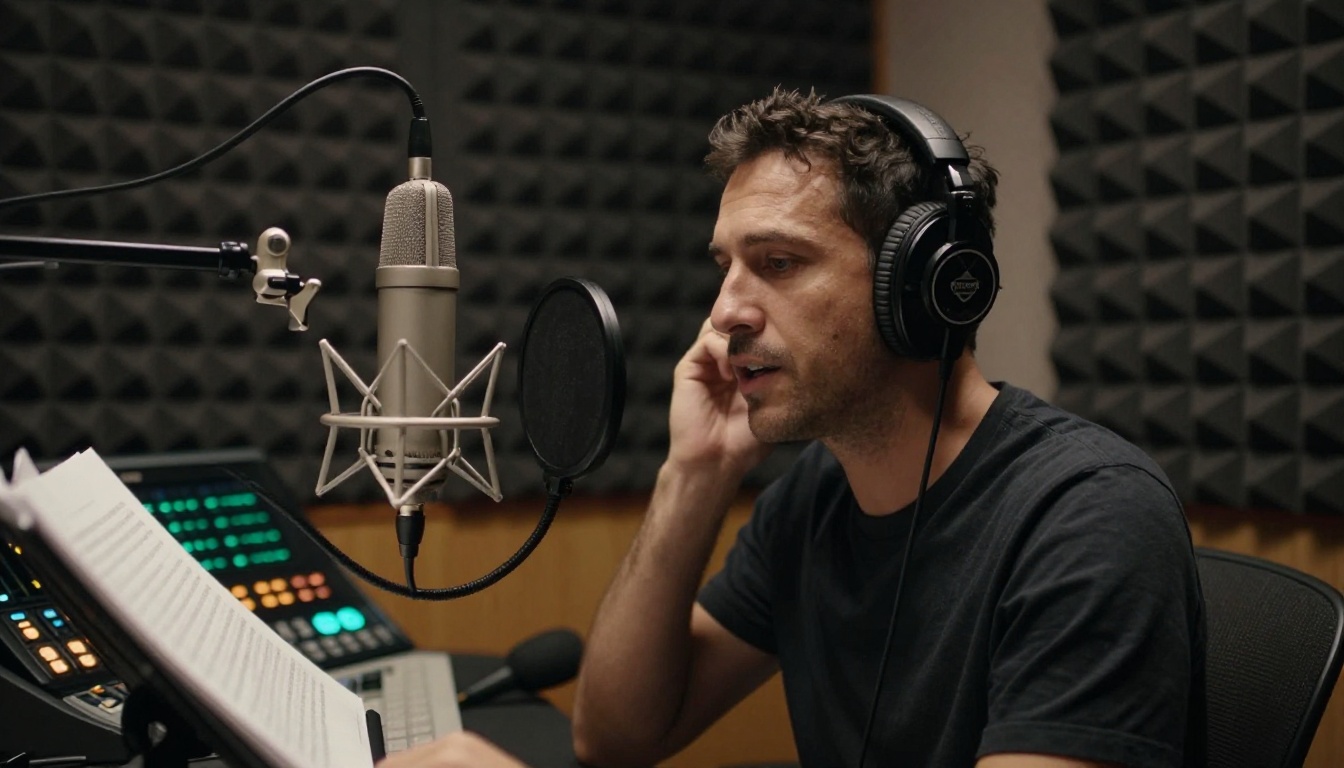
The two axes that matter most for audiobook work are naturalness and consistency. Naturalness refers to how human the voice sounds on any individual sentence. Consistency refers to whether the voice sounds identical across 50 separate generation runs, which is what you need when producing a 30-chapter book over multiple sessions.
What separates the top models
The best text-to-speech models for audiobook production share these characteristics:
- Accurate prosody on long sentences: They do not flatten into monotone when processing 60-word sentences
- Correct emphasis without coaching: They naturally stress the right words without you manually marking every phrase
- Stable voice identity: The same voice ID produces consistent timbre run after run
- Clean silence handling: They do not clip the beginning or end of audio segments
- Punctuation responsiveness: Commas, periods, and em dash equivalents produce natural pauses
Models like ElevenLabs V3 and Minimax Speech 2.8 HD sit at the top of this category for long-form narration work. Both handle chapter-length text with consistent quality that holds up across full books.
Picking the Right Voice for Your Chapters
Voice selection is the decision that most authors get wrong. They pick the voice that sounds most impressive in a 10-second demo, but impressive demo voices often struggle with 20 minutes of continuous narration.

Match voice to genre
Different genres have different listener expectations:
| Genre | Voice Characteristics |
|---|
| Business / Self-help | Clear, measured, mid-range pitch, authoritative |
| Literary Fiction | Warm, nuanced, slight variation in pacing |
| Thriller / Mystery | Controlled tension, slightly lower register |
| Romance | Warm, intimate, expressive emotional range |
| Children's / YA | Brighter tone, higher energy, clear articulation |
| Academic / Technical | Neutral, precise, steady pacing |
Testing before committing
Before producing a full chapter, run the same 300-word test passage through at least three different models. Include:
- A long, complex sentence with multiple clauses
- A short, punchy sentence
- A passage with dialogue (if applicable)
- A sentence with a proper noun, title, or unusual word
This reveals how each model handles the range of sentence structures your book actually contains.
ElevenLabs V2 Multilingual is worth testing if your book contains non-English words, foreign names, or phrases from other languages. It handles cross-language pronunciation far better than most English-only models.
For speed-focused batch work, ElevenLabs Flash v2.5 and Minimax Speech 2.8 Turbo process long texts significantly faster without a major quality drop, making them practical for first-pass drafts of all chapters before doing a final quality pass.
How to Structure Each Chapter Before Converting
The quality of your text input directly determines the quality of your audio output. AI voices read exactly what you give them, including every typo, every ambiguous abbreviation, and every misplaced comma.

Pre-processing your manuscript
Before pasting any chapter into a TTS model, run through this checklist:
- Expand all abbreviations: "Dr." becomes "Doctor", "St." becomes "Saint" or "Street" depending on context
- Spell out numbers: "42" becomes "forty-two", "$3.5M" becomes "three point five million dollars"
- Remove markdown formatting: Headers, bold markers, and bullet point characters produce artifacts in audio
- Mark pronunciation for proper nouns: If your main character is named "Aoife", add a phonetic note or replace with a phonetic spelling for TTS purposes only
- Add pause markers: Use commas or ellipses to create breathing room after chapter headings and scene breaks
- Split at chapter boundaries: Each chapter should be its own text file and its own generation job
💡 Chapter length sweet spot: Most models perform best on inputs between 1,000 and 3,000 words. If your chapters run longer, split at natural scene breaks. You will assemble the segments in post-production anyway.
File naming for sanity
When you are producing 30 chapters across multiple sessions, naming discipline saves hours. Use a format like:
BookTitle_Ch01_Part1.txt / BookTitle_Ch01_Part1.mp3
This keeps everything sortable and makes chapter assembly straightforward in any audio editor.
How to Use ElevenLabs V3 on PicassoIA
ElevenLabs V3 is currently one of the most capable models available for long-form narration. It produces natural prosody, handles complex sentence structures well, and maintains consistent voice identity across repeated generations, which makes it well-suited for multi-chapter audiobook production.

Step-by-step: generating a chapter
Step 1: Open the model page
Go to ElevenLabs V3 on PicassoIA and log in to your account.
Step 2: Paste your chapter text
Copy your pre-processed chapter text from your manuscript file. Paste it into the text input field. Keep each submission under 3,000 words for best results.
Step 3: Select your voice
Choose from the available voice presets. For audiobook narration, look for voices labeled as "Narrative", "Storyteller", or with descriptors like "warm", "measured", or "authoritative". Run a short test generation of your first paragraph before committing to a full chapter.
Step 4: Adjust pacing settings
V3 responds well to punctuation-based pacing. If you want slightly slower delivery, add commas at clause boundaries in your input text. This is more reliable than using speed sliders for long passages.
Step 5: Generate and download
Click generate and wait for processing. For a 2,500-word chapter, generation typically completes within 30-60 seconds. Download the output file immediately and save it to your chapter folder with the correct naming convention.
Step 6: Quality check
Listen to the first 60 seconds and the last 60 seconds of each generated file. Beginnings and endings are where clipping and artifacts most commonly occur. If anything sounds off, regenerate that segment with slightly adjusted text punctuation.
Parameter tips for V3
| Setting | Recommendation for Audiobooks |
|---|
| Stability | 0.7-0.85 (higher = more consistent but less expressive) |
| Clarity | 0.75-0.90 (higher = cleaner, less background texture) |
| Style Exaggeration | 0.1-0.25 (low for narration, higher for character voices) |
| Speaker Boost | On for single-narrator work |
Voice Cloning for a Consistent Narrator
If you are producing a series or want a truly unique narrator voice, voice cloning lets you define a custom voice and use it consistently across every chapter of every book.

Minimax Voice Cloning allows you to create a custom AI voice from a reference audio sample. For audiobook work, you need a clean reference recording, ideally 30-60 seconds of speech with no background noise, consistent microphone distance, and natural pacing.
What makes a good reference recording
- Recorded in a quiet room (a closet works well for deadening reflections)
- No music or background ambience
- Natural speaking pace, not slowed down or performed
- Includes varied sentence types: declarative, interrogative, and some emotional variation
- Minimum 30 seconds, ideally 2-3 minutes for best cloning accuracy
Resemble AI Chatterbox also offers voice cloning with emotion control, which is particularly useful for fiction where you need the same voice to shift between calm narration and heightened dramatic moments without changing the core voice identity.
Chatterbox Pro extends this with finer-grained control over emotional intensity parameters, giving you more precision when producing chapters with significant tonal variation.
Cloned voice consistency across sessions
Once you have a cloned voice set up, save the voice ID. Use the exact same voice ID for every chapter. Do not re-clone from a different reference recording mid-project. Even small differences in the reference audio produce audible timbre shifts that listeners will notice across chapters.
💡 Pro tip: Generate a short "calibration chapter" of about 500 words at the beginning of each production session using your cloned voice. This gives you an immediate reference to compare against your previous sessions and catch any drift before generating a full chapter.
Batch Processing Multiple Chapters Fast
When you have 20 or 30 chapters to produce, speed becomes a real factor. A few models are specifically designed for high-throughput text-to-speech with minimal latency.
ElevenLabs Turbo v2.5 is built for low-latency generation. It processes text significantly faster than standard quality models while maintaining very good naturalness scores. For a first-pass run through all chapters, Turbo v2.5 lets you produce the full book quickly, review for any chapters that need quality upgrades, and then re-generate only those chapters with a higher-quality model.
Minimax Speech 2.8 Turbo follows the same principle. Generate fast, review, selectively upgrade.
A practical batch workflow
- First pass with Turbo: Generate all chapters using a fast model. This gives you a complete draft to review.
- Mark problem chapters: Listen through at 1.25x speed and flag chapters with pacing issues, mispronunciations, or tonal mismatches.
- Second pass with HD: Re-generate flagged chapters using Speech 2.8 HD or ElevenLabs V3.
- Assemble and master: Bring all files into an audio editor, normalize levels, and export at platform specifications.
This workflow is typically 40-60% faster than trying to get every chapter perfect in a single pass.
For books with extensive dialogue between multiple characters, Play Dialog offers a unique dual-voice dialogue generation capability where two AI voices interact naturally. This works particularly well for interview-format non-fiction or fiction with two dominant characters.
Quality Control Before You Publish
Generating audio is the middle step. What you do before and after determines whether your audiobook actually sells.

Post-processing essentials
Every AI-generated audiobook chapter needs at least a light post-processing pass:
Noise floor check: Import into Audacity or Adobe Audition and check that the noise floor sits below -60 dBFS. Most AI TTS outputs are very clean, but occasionally artifact noise appears.
Normalization: Normalize peak levels to -3 dBFS. This keeps your audio within the acceptable range for every platform without clipping.
Silence trimming: Check the beginning and end of each file. Add 0.5 seconds of silence at the start and 1 second at the end of each chapter. This gives listeners a natural pause between chapters in sequential playback.
Export settings: MP3 at 192 kbps, 44.1 kHz sample rate, mono channel is the baseline that all major platforms accept.
Listening before submitting
Listen to at least the first and last 2 minutes of every chapter file before assembling your final deliverable. Chapters that sound perfect at the sentence level sometimes have pacing issues at the chapter level where the cumulative effect of slightly rushed sentences creates listener fatigue.
If your book targets ACX specifically, download their retail audio check tool and run every file through it before submission. It catches technical issues automatically and saves you from rejection cycles.
💡 Multilingual audiobooks: If your target market includes non-English speakers, Gemini 3.1 Flash TTS supports 70+ languages with native prosody, and ElevenLabs V2 Multilingual covers 30+ languages. Both can produce complete chapter narration in languages other than English with the same workflow described above.
Metadata and chapter markers
When assembling your final audiobook file:
- Add ID3 tags: Title, Author, Narrator, Year, Genre
- Include chapter markers if your distributor supports them (Findaway Voices and direct distribution platforms do)
- Write a short narrator bio noting it is AI narration if required by your distributor (ACX requires disclosure for AI-generated narration as of 2024)
Start Making Your First Chapter
The only thing standing between your manuscript and a finished audiobook chapter is a text input field and the right model. Every workflow described in this article is available right now through the text-to-speech collection on PicassoIA.
Start with a single chapter. Paste it in, choose a voice, generate, and listen. The first time you hear your manuscript read back to you in a clear, natural narrator voice, the full possibility of what you can produce becomes concrete.
From there, the workflow scales. One chapter becomes five. Five becomes a full book. A full book becomes a series with a consistent cloned narrator voice that listeners recognize across every title you publish.
The tools to do this professionally, at scale, without a recording studio or a production budget, are all in one place. Pick a model from the text-to-speech collection and start with your first chapter today.


