Stop paying music licensing fees and losing ad revenue to copyright claims you never saw coming. AI music generators can now produce original, royalty-free tracks from a single text prompt in under a minute. Whether you need background music for a video, an intro for a podcast, or a full song for a short film, the tools exist right now and they work. This article covers the best models available, how to write prompts that actually get results, and which tool fits your specific project.
Why Music Licensing Breaks More Projects Than It Helps
The Real Cost of Stock Music
Royalty-free does not mean free. Most well-known stock music platforms charge monthly subscriptions ranging from $15 to $200, and that still does not guarantee you own the track outright. Licensing tiers vary wildly. A track cleared for YouTube may not be cleared for broadcast, commercial use, or distribution on Spotify. You often do not realize the restriction exists until a project is already done and deployed.
The situation is worse for small creators. If you produce one video per week on a modest budget, spending $50 a month on a music subscription eats into margins fast. Many platforms layer per-track pricing on top of subscriptions, especially for anything that sounds professionally produced.
💡 The hidden trap: Many "royalty-free" tracks are not copyright-free. Royalty-free means you pay once without owing ongoing royalties. But the copyright still belongs to the original creator, which means Content ID claims can still happen at any time.
Copyright Strikes Do Real Damage
A single Content ID match on YouTube can strip ad revenue from your video, redirect monetization to the rights holder, or take the video down entirely during a dispute. On TikTok and Instagram, tracks get muted without warning, and there is often no appeal process. Twitch DMCA takedowns have permanently deleted years of VOD archives for major streamers.
The problem is not that creators are doing anything wrong. It is that the system was never built for individual creators, and the penalties are disproportionate.
What "Royalty-Free" Actually Means for AI Music
License Types Explained Simply
The term royalty-free refers to a licensing model, not an ownership status. When you generate a track with an AI tool, the output is original and does not match any pre-existing copyrighted work. That is fundamentally different from downloading a pre-made stock track.
Here is how the main license categories compare:
| License Type | You Pay | Ongoing Royalties | Copyright Strike Risk |
|---|
| Traditional stock (e.g., Epidemic Sound) | Monthly subscription | None | Low |
| Per-track licensing | Per download | None | Low |
| Free music libraries | Nothing | Sometimes | High |
| AI-generated music | Per generation / subscription | None | Very Low |
AI-generated music sits in its own category. Because the output is synthesized from your specific prompt and does not copy any existing song, the track you generate is original by construction. Most platforms explicitly grant commercial usage rights for generated audio.
AI Music and Ownership
This is still an evolving legal area, but most major AI music platforms have terms of service that grant users rights to the audio they produce. Reading the terms of the specific tool you use is always worth the two minutes it takes. Look specifically for language around commercial use, distribution, and monetization.
The Best AI Music Models Available Right Now
The AI music generation space has grown fast. These are the models currently available, organized by what they do best.
Google Lyria 3 Pro
Google Lyria 3 Pro is the most capable music generation model currently available. It produces full-length songs with exceptional audio quality, handling complex arrangements and maintaining musical coherence across long outputs. If you need tracks that sound like they were recorded in a professional studio, this is the model to reach for first.
Its prompt understanding is noticeably stronger than earlier models. You can specify tempo in BPM, describe instrumentation precisely, and include detailed mood references. The results are consistently usable without heavy post-processing.
Google Lyria 3
Google Lyria 3 offers the same family of outputs at a slightly faster generation speed. It works well for batch generation when you need multiple versions of a track and want to compare options quickly. The quality is excellent, and it handles genre-blending prompts particularly well. For creators who want a fast iteration loop, Lyria 3 is the more practical daily driver.
Google Lyria 2
Google Lyria 2 remains a solid option for straightforward instrumental generation. It is lighter on resource requirements and produces clean, usable results for background music applications. A reliable fallback when speed matters more than maximum fidelity.
MiniMax Music 2.6
MiniMax Music 2.6 excels at generating full songs with vocals. You can write lyrics directly into the prompt and receive a finished song with a singing voice. For creators who want original songs rather than instrumentals, this changes the workflow significantly. The vocal quality is remarkably natural, and the model handles rhythm and melody in a way that sounds intentional rather than random.
💡 When to use it: Music 2.6 is the best choice when you want a complete song with lyrics for a brand video, short film, or any project where vocals are essential.
ElevenLabs Music
ElevenLabs Music is optimized for composing AI songs directly from text prompts. ElevenLabs built their reputation on voice synthesis, and their music tool reflects that strength in audio fidelity. The outputs have a particularly clean, broadcast-ready quality that suits professional productions and ad placements.
Stability AI Stable Audio 2.5
Stable Audio 2.5 from Stability AI focuses on instrumental composition. It is particularly strong for ambient music, cinematic scores, and electronic production. If you need background music without vocals getting in the way, Stable Audio 2.5 is one of the most reliable options for clean, professional results. Loop-friendly outputs make it especially useful for game and app development.
MiniMax Music 01 and Music 2.5
MiniMax Music 01 introduced the write-your-lyrics approach that later versions built upon. Music 2.5 adds stability and polish to that foundation. Both remain strong options when you are comparing outputs across model versions to find the exact tone your project needs.
MiniMax Music 1.5
MiniMax Music 1.5 is the earlier generation full-song model from MiniMax. It still produces solid results for vocal and instrumental tracks and is worth including in comparisons when you want to see how the model family has evolved.
MiniMax Music Cover
MiniMax Music Cover takes a different approach: it restyls existing songs by genre. Provide a source track and a genre target, and it produces a version of that song in the new style. For creators who want to put a specific sonic spin on a reference track, this is the tool built for it.
How to Create Your First AI Music Track
The process is simpler than most people expect. Here is exactly how to go from nothing to a finished track.
Step 1: Define What You Need
Before you open any tool, answer three questions:
- Vocals or instrumental? Vocals narrow the best options to MiniMax Music 2.6 or Music 01. Instrumental opens every model.
- Length? Most AI models generate 30-second to 3-minute outputs. Know whether you need a short sting, a loop, or a full song before you start.
- Mood or reference? The more specific you are, the better the results. "Upbeat" is vague. "120 BPM acoustic guitar with clap percussion, warm and optimistic, like a summer morning drive" is specific enough to work with.
Step 2: Write a Strong Prompt
The quality of your prompt determines the quality of your output more than any other factor. Include these elements:
- Genre: Jazz, lo-fi, cinematic, ambient, folk, electronic
- Tempo: Give BPM if possible, or use descriptors like "slow and brooding" or "fast and driving"
- Instruments: "Piano" is acceptable. "Upright piano with slight room reverb" is better.
- Mood: Describe the emotional quality. Tense, melancholic, triumphant, playful, mysterious.
- Vocals: State clearly if you want vocals, and describe the vocal style.
💡 Prompt that works: "Lo-fi hip hop instrumental, 85 BPM, warm vinyl crackle, muted trumpet melody, soft Rhodes piano chords, gentle brushed drums, relaxed and focused atmosphere, no vocals"
Step 3: Generate, Listen, Iterate
Generate your first version and listen critically. Does the tempo match what you need? Is the instrumentation right? Most prompts need one or two adjustments. Add or remove details based on what you hear. Once you have a version that works, download it. Most platforms provide WAV or high-quality MP3 output ready to drop into your project.
Matching the Right Model to Your Project
Not every model suits every project. Here is a clear breakdown by use case.
For Background Music Without Vocals
Stable Audio 2.5 or Google Lyria 3 are the right starting points. Both handle instrumental generation cleanly, with Lyria 3 being the stronger choice for anything that needs to feel emotionally nuanced or melodically rich.
For Full Songs with Lyrics
MiniMax Music 2.6 is the clear choice. Write your lyrics into the prompt, specify the vocal style and genre, and the model handles the arrangement. The vocal integration is natural enough that the output does not sound like a prototype or test generation.
For Remixing Existing Tracks
MiniMax Music Cover is purpose-built for this. Upload your source track, specify the target genre or style, and generate. It preserves the identity of the original while applying the new sonic character throughout.
For Maximum Output Quality
Google Lyria 3 Pro is the benchmark for audio fidelity. If your project will be heard through professional monitors, in a theater, or anywhere that quality differences are noticeable, Pro is the model to use.
Who Actually Benefits Most from AI Music
YouTube and Video Creators
This is the most immediately impactful use case. A YouTube creator who generates their own intro music, background tracks, and transition stings owns every piece of audio in their content. No Content ID claims, no demonetization, no retroactive flags on videos published months ago.
Beyond protection, it also means consistent branding. Your channel can have a sound identity that is genuinely yours and matches your visual style exactly, rather than being borrowed from a library everyone else also uses.
Podcast Producers
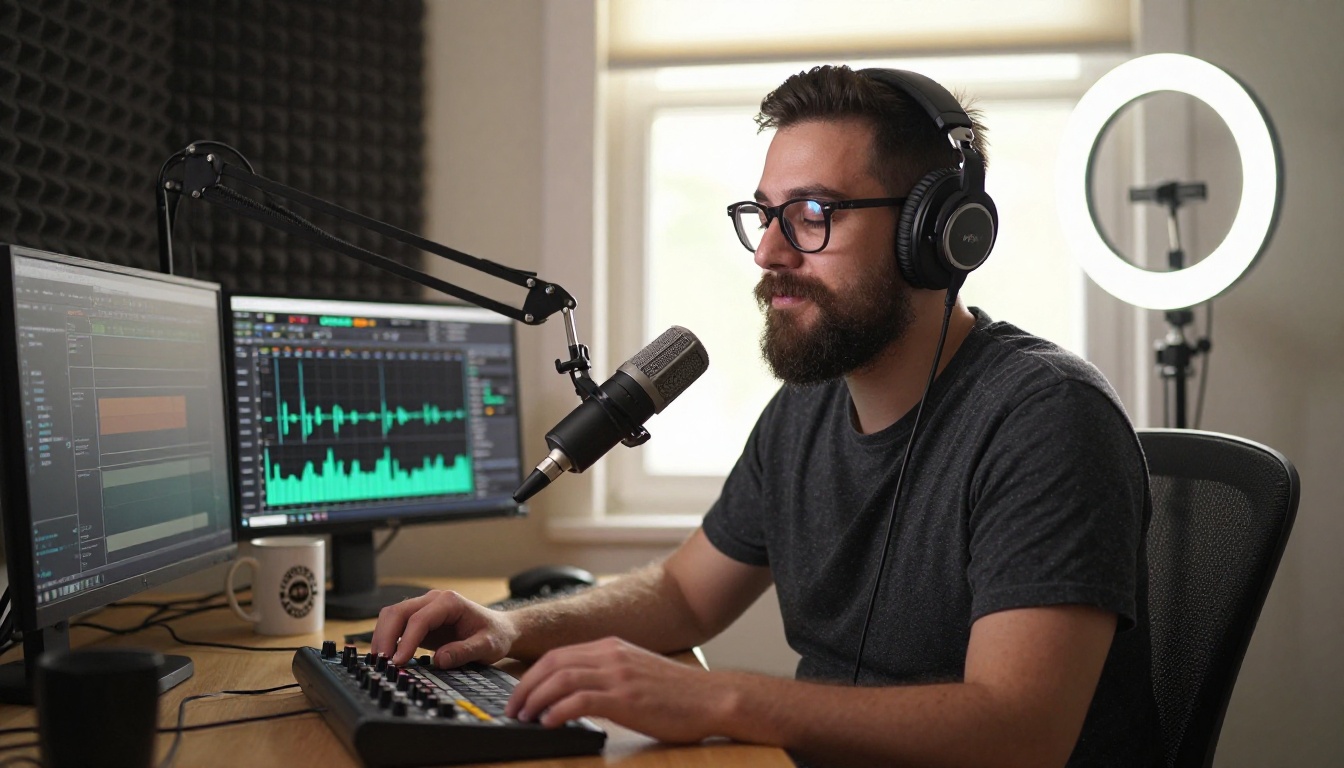
Podcast intros and outros are often the first and last thing a listener hears. An AI-generated track tailored to your show's tone costs nothing beyond the generation itself, and it will never be licensed to a competing show. Background music under interviews, ambient sound beds, and transitional stings are all straightforward applications.
Game and App Developers
Indie developers often do not have budgets for a composer, but they need music that fits their game's mood precisely. AI generation lets a solo developer produce hours of adaptive music without licensing complications. Loop-friendly outputs from Stable Audio 2.5 are particularly useful for game environments that need seamless looping playback across long sessions.
Brands and Social Media Teams
Social content needs music constantly: short reels, product videos, ads. AI generation lets a social team produce a matching track for every piece of content rather than reaching for the same few library tracks everyone else uses. The result is consistency and originality at the same time, without the licensing overhead.
Writing Prompts That Actually Get Results
Bad prompts produce generic outputs. Good prompts produce tracks you want to use. Here are the principles that make the difference.
Describe Emotion, Not Just Genre
"Sad piano" tells the model something. "Piano in a minor key, slow 65 BPM, sparse notes with long sustain and silence between phrases, the feeling of an empty apartment after someone has left" tells it much more. The more specific the emotional context, the more coherent the result.
Specify Tempo and Time Signatures
BPM matters enormously. "Energetic" can mean 100 BPM or 180 BPM. Giving a number anchors the model to a specific feel and makes the output more predictable and repeatable across multiple generations.
Name the Instruments Precisely
Generic terms give the model too much latitude. "Solo cello with bow pressure variations and slight room ambience" produces something specific. The more instrument detail you include, the more intentional the arrangement sounds.
Reference Sonic Qualities, Not Artists
Referencing a specific artist's name produces inconsistent results and is sometimes filtered entirely. Describing the sonic qualities you want works more reliably: "warm analog synths, slightly detuned, with slow filter sweeps and heavy low end" is cleaner and more effective than naming a producer or band.
💡 Prompt template: [Genre] [Tempo BPM], [Key Instruments], [Mood/Emotion], [Specific Sonic Details], [Vocal: yes/no/style]
Here is a reference table for structuring your prompts:
| Component | Example |
|---|
| Genre | Lo-fi hip hop |
| Tempo | 85 BPM |
| Key instruments | Muted trumpet, Rhodes piano |
| Mood | Relaxed, focused |
| Texture | Vinyl crackle, brush kit |
| Vocals | None (instrumental) |
Common Mistakes Worth Avoiding
Prompts That Are Too Short
A three-word prompt gives the model almost no direction. You will get something generic that requires heavy revision or rejection. Spend 60 seconds writing a detailed prompt and the output quality improves dramatically. Most experienced users write prompts between 30 and 80 words.
Not Iterating on the First Result
First generations rarely need to be the final output. Treat the first version as a rough draft. Listen once, identify what is off, adjust the prompt, generate again. Most usable tracks come from the second or third attempt, not the first.
Ignoring Model Selection
Different models have genuine strengths. Using a model built for vocal songs when you need a clean instrumental gives you worse results than choosing the right tool from the start. The comparison breakdown above exists for exactly this reason.
Skipping the Terms of Service
It takes two minutes. Some platforms have restrictions on specific commercial uses like broadcast advertising or streaming distribution. Know what you are permitted to do before you use a track commercially. This is especially important if you are generating music for client work.

Make Your Own Music Right Now
Every tool covered in this article is available on Picasso IA. You do not need a music background, a production setup, or anything beyond a browser. Write a prompt, generate, and download a track that is entirely yours.
Start with Google Lyria 3 Pro if you want the highest quality output, or MiniMax Music 2.6 if you need a full song with vocals. If you are not sure where to start, Stable Audio 2.5 is a reliable entry point for background music that works across almost any context.
You can also try Google Lyria 3 for fast iteration, ElevenLabs Music for broadcast-quality outputs, MiniMax Music Cover for genre restyling, or MiniMax Music 2.5 for full-song generation with strong vocal integration. The range of tools available means there is a right model for almost every project type and budget.
The days of hoping a stock track does not get you flagged are over. Your content deserves music that was made for it, by you.