Getting Started with Google Antigravity: What It Is, How It Works, and Why Millions Search for It
Google Antigravity is one of the most-searched browser physics tricks on the internet, turning the world's most famous search page into a floating, gravity-defying playground. This article breaks down exactly how it works, the science behind simulated physics in browsers, and how AI image tools can help you create your own zero-gravity visuals for social media, blogs, and creative projects.
The internet has a few tricks that never get old. Type "Google Gravity" into your browser and something unexpected happens: the page falls apart. Everything collapses downward as if physics suddenly kicked in. Now flip it. "Google Antigravity" takes that same idea and reverses it, making everything rise, drift, and float in a weightless simulation that people have been watching in disbelief since it first appeared. Millions search for it every year, not because it does anything practical, but because it is genuinely surprising.
This article explains exactly what Google Antigravity is, how it works at a technical level, why the floating effect has stayed culturally relevant for over fifteen years, and how you can use AI image generation to create your own zero-gravity visuals that carry that same jaw-dropping quality.
What Google Antigravity Actually Does
Google Antigravity is not an official Google product and has never been part of Google's real search interface. What it actually is: a series of browser-based experiments, sometimes called "gravity simulators," that recreate the visual design of Google's homepage but replace the static layout with a physics engine written in JavaScript.
When you land on a Google Antigravity page, the JavaScript reads every visible HTML element on the page and applies simulated physics properties to each one. Text blocks, the search bar, buttons, and images all become rigid bodies in a virtual physics world. Instead of falling downward like they do in the original Google Gravity version, the antigravity variant reverses the force vector so that everything accelerates upward, bumping and drifting against the top of the viewport before eventually settling in a tangled floating pile.
The Original Experiment vs. the Clone Sites
The original experiment that sparked this was created by Ricardo Cabello (known online as mrdoob) in 2009. His "Google Gravity" version was built on an open-source 2D physics library and went massively viral. The antigravity version followed as one of many remixes built by developers who modified the force direction and collision behavior.
Today there are dozens of clones and variations. Some float objects upward. Some create a zero-gravity effect where items drift slowly in all directions. Others add bounce physics, chain reactions, or interactive mouse repulsion. All of them share one thing: they run entirely in your browser, require no downloads, and are written in JavaScript.
How JavaScript Simulates Gravity
At the core of every Google Antigravity experiment is a physics library, typically something like Matter.js or Box2D. These libraries work by treating every object on screen as a rigid body with properties like mass, velocity, and angular momentum. Each animation frame, the library updates the position of every body based on the forces applied to it.
For gravity, the force is a constant downward acceleration of around 9.8 units per second squared, mirroring real-world physics. For antigravity, that same constant is set to a negative value pointing upward. The visual effect is identical in quality but opposite in direction.
That single line is the entire difference between gravity and antigravity in most of these experiments.
💡 These experiments feel so satisfying because they use real physics math, not just a visual animation. The collisions, momentum, and object stacking all behave the way you would expect in the real world, just in the wrong direction.
Why This Google Trick Went Viral
The Google Antigravity trick spread because it does something very specific: it takes something you have seen thousands of times and makes it do something physically impossible. That pattern, familiar subject behaving impossibly, is one of the most reliable triggers for sharing behavior online.
Search volume data backs this up. The terms "Google gravity," "Google antigravity," and related variations collect millions of monthly searches globally. They spike whenever someone shares the trick on social media for the first time, creating a perpetual rediscovery cycle where each new wave of users encounters the experiment fresh.
What People Are Really Looking For
When someone searches "Google Antigravity," they are usually doing one of three things:
Watching it for the first time after seeing a screenshot or video clip from a friend
Trying to recreate it in their browser after forgetting the URL
Researching how it works because they want to build something similar themselves
Very few people searching this term are looking for anything related to actual physics research. The intent is almost entirely curiosity-driven and entertainment-focused.
Search Intent
Share of Traffic
What They Actually Want
Entertainment / curiosity
~65%
To see it work in their browser
Recreation
~25%
To find the website again
Technical research
~10%
To understand the JavaScript behind it
The Physics Behind Floating Elements
The word "antigravity" gets used loosely in the context of this Google experiment, but real antigravity is a concept with serious scientific history. In physics, antigravity would require either negative mass (which has never been observed in nature) or a way to generate a gravitational field that repels rather than attracts matter.
What JavaScript physics engines do is not antigravity in the physical sense. They apply a negative gravitational constant, which is mathematically equivalent to inverting the direction of a gravitational field. In practice, the result looks identical to what true antigravity would look like if it existed, which is exactly why the visual effect is so compelling.
Real Physics vs. Browser Magic
Real weightlessness, the kind experienced by astronauts on the International Space Station, is not the absence of gravity but the result of continuous free fall around Earth. Objects in orbit are falling toward Earth constantly, but moving sideways fast enough that they keep missing it.
The floating effect in Google Antigravity experiments is neither of these things. It is a simplified physics simulation that produces a convincing visual approximation. Accurate enough to feel real, surprising enough to be memorable, which is why it has stayed culturally relevant for over fifteen years.
Why Collision Physics Matters
One of the reasons these experiments feel so tactile is that they include collision detection between all elements on the page. Each floating object is not just floating in isolation, it is pushing and bumping against everything else. When you interact with the page, the cursor acts as a force source, scattering nearby objects the way a hand scattering papers on a desk would.
This interactive collision behavior is what separates a good gravity experiment from a basic float animation. The objects respond to each other and to user input, which creates the illusion of a real physical system rather than a scripted animation.
Zero Gravity Photography in the Real World
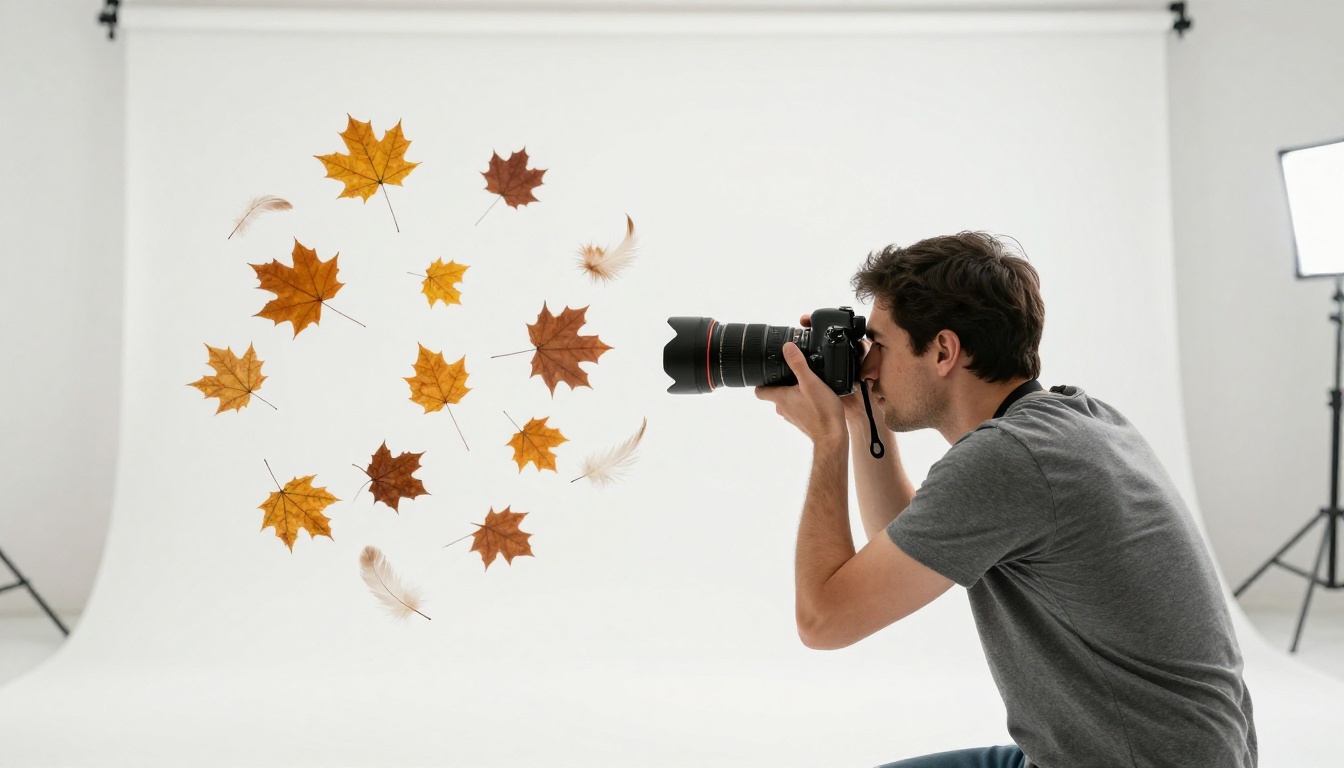
Long before browser experiments existed, photographers were faking levitation using practical techniques that created the same zero-gravity aesthetic. The results could be so convincing that viewers spent minutes trying to work out how the shot was achieved, often assuming heavy post-processing was involved when the real method was much simpler.
How Photographers Fake Levitation
The most common practical method is the composite shot approach. The photographer takes two frames from the exact same position on a tripod:
Frame 1: The background scene with no subject present
Frame 2: The subject mid-jump or held up by thin wire against the same background
In post-processing, the support mechanism is removed by blending the two frames. Shadows are either painted in manually or caught naturally during the jump at its peak, where the body position looks most relaxed and effortless.
3 Methods That Actually Work
Wire rigs and harnesses remain the standard for commercial levitation photography. The wires are attached at multiple body points to distribute weight and prevent the unnatural stiffness that comes from single-point suspension. Modern digital wire removal is a straightforward post-processing step that takes minutes.
Trampoline timing is the simplest option for natural-looking mid-air poses. The subject bounces and the photographer shoots rapid bursts at the peak of the bounce where vertical velocity drops to near zero. The resulting body position looks genuinely weightless rather than stiff because the person is not holding any pose at all.
Table and glass composites are the standard for object levitation shots. Objects are placed on a sheet of clear glass elevated above the background surface. From the camera's angle, the glass is invisible, and the object appears to float above the surface below it. Shadows are photographed separately or painted digitally to match the lighting direction.
The AI Shortcut for Antigravity Visuals
This is where things get interesting for anyone who wants the visual impact of levitation photography without the physical setup, the harnesses, the tripods, the studio time, or the post-processing hours. AI image generation has reached a quality level where photorealistic floating scenes are possible through text prompts alone.
The models available on AI platforms today can produce images of floating objects, levitating subjects, and zero-gravity environments that are indistinguishable from professionally shot composite photography. The difference between an average result and a stunning one comes from how you write the prompt.
Why Prompts Matter
The gap between an AI-generated levitation image that looks like a generic stock photo and one that looks like something shot for a magazine comes down to a few specific details in the prompt:
Shadows are everything. Any floating object in a convincing scene must have a visible shadow projected onto the surface below it in the correct direction. A prompt that specifies "casting a soft shadow on the surface below" will produce dramatically more believable results than one that does not mention shadows at all. Without a ground shadow, floating objects look pasted-in rather than physically present.
Camera lens details change the feel entirely. The difference between "85mm f/1.4 shallow depth of field" and "wide angle lens" produces images that feel completely different. The 85mm focal length compresses depth in a way that reads as professional portrait photography. The shallow f-stop creates bokeh that signals "this is a real camera lens, not a render."
Lighting direction anchors the physics. Specifying where the light comes from ("morning sunlight from the upper left") means every object in the scene will have consistent lighting and shadow direction, which is the biggest visual tell in fake levitation photography. Inconsistent shadows destroy the illusion immediately; consistent shadows sell it completely.
What Makes a Good Floating Scene Prompt
Here is a prompt structure that reliably produces high-quality levitation imagery:
For example: "A ceramic coffee cup floating exactly twelve centimeters above a white oak table, casting a soft circular shadow directly below it, morning side-light from the upper left at 20 degrees, 85mm f/2.0, Kodak Portra 400 film grain, RAW 8K photography."
That level of specificity is what separates a generic AI image from something that looks like it came from a commercial shoot. The more physical detail you include, the more physically convincing the result.
PicassoIA Models for Antigravity Visuals
Several models available on PicassoIA are particularly well-suited for creating photorealistic floating scene imagery. Each has different strengths depending on the specific look you are after.
Models That Produce Photorealistic Results
PicassoIA Image is the platform's primary text-to-image model and handles physics-based prompts exceptionally well. When given detailed shadow and lighting specifications, it produces consistent, realistic shadow projection beneath floating objects that passes as real photography at first glance.
GPT Image 2 by OpenAI has strong instruction-following for multi-object scenes. If your prompt involves several floating objects each with individual shadows and specific lighting conditions, this model tends to honor all of those specifications simultaneously without simplifying the scene or merging shadows incorrectly.
Seedream 4.5 from ByteDance produces 4K output and handles fine texture detail particularly well. For levitation scenes where surface texture matters, such as fabric, ceramic, or aged leather floating near each other, this model renders the material differences convincingly and at high resolution.
Wan 2.7 Image Pro is another 4K option with strong capacity for complex spatial arrangements. Scenes with many floating objects at different heights and depths benefit from this model's spatial coherence across the entire composition.
Edit and Extend Your Floating Scenes
Once you have a base levitation image you are happy with, a few editing models can push it further:
Flux Fill Pro lets you extend the canvas of an existing image or fill in specific areas. If your floating scene has an object cut off at the frame edge, you can extend the composition outward while matching the existing lighting direction and surface texture.
Flux Depth Pro uses depth-aware editing to make changes that respect the three-dimensional space in the image. For levitation scenes where you want to adjust a specific floating element without disturbing the rest of the composition, this model's depth awareness keeps edits spatially consistent.
Flux Kontext Fast is the speed-optimized option for quick iterations. When testing multiple prompt variations to get the floating scene exactly right, this model gives you fast results to narrow in on the best version before switching to a higher-fidelity model for the final output.
A Prompt Recipe for Floating Scenes
If you want to create a zero-gravity scene right now, here are three ready-to-use prompt formulas broken down by subject type:
For Object Levitation:
"[Specific object] floating [X] centimeters above [specific surface], casting a [soft/hard] directional shadow below it, [lighting source and direction], shot at [focal length] [f-stop], Kodak Portra 400 film grain, RAW 8K photography, photorealistic, no digital effects --ar 16:9 --style raw"
For Person Levitation:
"[Person description] appearing to float [height] above [surface/environment], [body position and expression], [lighting conditions], [clothing texture details], [lens and f-stop], shallow depth of field with [background] in bokeh, Kodak Portra 400, RAW 8K photography, no CGI --ar 16:9 --style raw"
For Aerial Scatter:
"Aerial overhead shot of [objects] all hovering [height] above [surface], each casting a precise circular shadow below it, [lighting from directly above], shot from [height] with [wide-angle lens], deep focus, RAW 8K photography, Kodak Portra 400 grain --ar 16:9 --style raw"
The consistency that matters most across all three formulas: specify the shadow, specify the lighting direction, and specify the lens. Those three elements account for roughly 80% of what makes a levitation image look real versus artificial.
Why Stable Diffusion 3 Changed What Is Possible
Stable Diffusion 3 from Stability AI was a significant step forward in training models on photographs with physically accurate lighting and shadow data. Models that followed inherited that improved understanding of how light behaves in three-dimensional space, which is exactly what makes floating-scene prompts work as well as they do today.
The physics accuracy of current AI image models is not accidental. It is the result of training on millions of real photographs where shadows, reflections, and light behavior are all physically correct. When you prompt a model with "casting a shadow on the surface below," it has seen that relationship in real photographs often enough to reproduce it convincingly without additional instruction.
💡 The best AI levitation images are convincing because the AI was trained on real physics, not because the AI understands physics. Specify the physical details in your prompt and the model will reproduce the relationships it learned from actual photography.
Two Things Most People Get Wrong
Wrong shadow direction. When you specify lighting from the left but do not explicitly mention shadows, AI models sometimes generate shadows that do not match the stated lighting direction. The fix is always explicit: state where the shadow falls and in which direction. "Casting a shadow directly below and slightly to the right" when the light source is stated as coming from the left reinforces the physical relationship and produces consistently correct results.
No specific surface. Prompts that say "floating in the air" without specifying what surface is below the floating object tend to produce generic background fills rather than convincing levitation. A floating object above nothing does not read as levitation. A floating object above a specific surface with a visible shadow below it reads as levitation immediately. The surface is not background decoration; it is the proof that the object is defying something.
Create Your Own Zero-Gravity Images Now
The Google Antigravity browser experiment has been making people stop and stare since 2009 because it takes something completely familiar and breaks the rules of it. That same quality, familiar subject, impossible physics, convincing execution, is exactly what makes AI-generated levitation photography so shareable today.
You do not need a studio, a wire rig, or hours in post-processing. You need a well-structured prompt and access to the right model. PicassoIA Image is where to start. Take one of the prompt formulas above, adjust the subject and surface to what you actually want, and run a few variations. The Gemini 2.5 Flash Image model is also worth trying for its speed and the natural quality of its lighting rendering, particularly for scenes with complex multi-object floating arrangements where lighting consistency across many items matters most.
The physics might be simulated. The results are real.