Sora 2 Pro represents a genuine inflection point in AI video generation. Not because it produces clips that look "good for AI" - but because the output, at its best, is flat-out hard to distinguish from real footage. Prompts that would have produced muddy, stuttering clips a year ago now yield scenes with correct physics, persistent character identity, and cinematic motion that holds across every frame. If you've been watching text-to-video models and waiting for one to actually deliver, this is the one.
What Sora 2 Pro Actually Does
Sora 2 Pro is OpenAI's highest-tier video generation model. It accepts a plain-language text prompt and returns a short video clip at resolutions up to 1080p, with native synchronized audio included automatically. The model is built on a diffusion transformer architecture - similar to how image generators work, but extended across time to produce temporally coherent sequences of frames.
What separates Sora 2 Pro from the standard Sora 2 tier is compute allocation and output quality ceiling. Pro runs longer inference passes, allows higher resolution output, and handles complex scene transitions that the standard model struggles with. The native audio layer generates synchronized ambient sound, dialogue presence, and music based on the visual content, removing one post-production step entirely.
The Physics Problem, Solved
Early text-to-video models had a consistent tell: physics was wrong. Water would flow upward, hair would clip through shoulders, hands would morph uncontrollably at frame edges. Sora 2 Pro has meaningfully advanced past this. It was trained on a large dataset of real video footage specifically to internalize how objects move, how light changes across time, and how gravity affects materials in motion.
The result is that scenes involving liquid, cloth, smoke, fire, and crowd movement now hold up frame-by-frame. This isn't just about aesthetics - it's what makes the footage usable in real production contexts rather than strictly for social content that viewers scroll past quickly.
What Changed Across Generations
| Feature | Sora 1 | Sora 2 | Sora 2 Pro |
|---|
| Max Resolution | 1080p | 1080p | 1080p |
| Scene Consistency | Moderate | Good | Excellent |
| Physics Accuracy | Poor | Moderate | Strong |
| Prompt Fidelity | 60-70% | 75-85% | 90%+ |
| Duration Support | Up to 20s | Up to 20s | Up to 20s |
| Native Audio | No | Yes | Yes |
| Character Persistence | Weak | Moderate | Strong |
Character persistence is worth highlighting specifically. Many models generate a person in frame A and produce a subtly different person in frame B. Sora 2 Pro maintains consistent facial structure, clothing, and body proportions throughout a clip - essential for narrative or branded content.
Sora 2 Pro vs. The Competition
The text-to-video space in 2027 is genuinely competitive. Multiple models have reached professional-grade quality, and Sora 2 Pro does not win every comparison. It has specific areas where no other model comes close, and areas where competitors hold real advantages.
Sora 2 Pro vs. Kling v3
Kling v3 from Kwai is fast, versatile, and produces strong results across most content types. It handles portrait video particularly well and returns clips faster than Sora 2 Pro with lower credit consumption.
Where Sora 2 Pro pulls ahead: cinematic realism in complex lighting conditions, physics-accurate scenes involving water or fire, and prompt fidelity on longer or more abstract descriptions. When the prompt involves nuance - "a figure crossing a crowded market at dusk as light shifts across her face" - Sora 2 Pro interprets it with more precision.
For rapid iteration or high-volume social-format short clips, Kling v2.6 is a strong choice. For hero content where quality is the single priority, Sora 2 Pro is the answer.
Sora 2 Pro vs. Veo 3
Veo 3 from Google has excellent color science and handles documentary-style footage particularly well. Its audio generation is arguably the strongest of any model right now - voice presence, ambient sound, and music sync are all polished in ways that Sora 2 Pro's audio doesn't always match.
Sora 2 Pro counters with better character consistency across a single scene and superior handling of abstract or creative prompts. For narrative content with recurring subjects, Sora 2 Pro maintains those subjects more reliably from shot to shot.
💡 Worth knowing: Veo 3 and Sora 2 Pro each excel in areas the other doesn't. Running both on the same prompt consistently produces better results than committing to one model for everything - and PicassoIA makes that practical on a single platform.
Sora 2 Pro vs. Seedance 2.0
Seedance 2.0 from ByteDance is built for speed. It produces good-quality clips in a fraction of the time Sora 2 Pro requires, and its native audio punches above its weight class. For everyday social video at volume, Seedance 2.0 is extremely practical.
The gap: Seedance 2.0 handles everyday content well but drifts on unusual scene compositions or highly specific lighting conditions. When the prompt calls for unusual specificity - "close-up of rain droplets hitting a still pond surface at dawn, slow motion" - Sora 2 Pro holds form where Seedance produces more generic output.
How to Use Sora 2 Pro on PicassoIA

PicassoIA makes Sora 2 Pro accessible without API accounts, separate billing setup, or technical configuration. The entire workflow runs in a browser with no installation required.
Step 1: Open the model page
Navigate to the Sora 2 Pro page on PicassoIA. The interface shows a prompt field plus optional parameters for duration, resolution, and aspect ratio.
Step 2: Write your prompt
This is the most important step. Prompt structure determines output quality more than any other variable. See the section below for specifics.
Step 3: Set resolution
For high-quality output intended for real use, choose 1080p. For fast previews during prompt iteration, 720p returns results faster with comparable visual quality at small display sizes.
Step 4: Set duration
Start at 5-10 seconds. Longer clips consume more credits and take longer to generate. Once your prompt is producing the right scene, then extend the duration.
Step 5: Submit and review
Generation at 1080p typically takes 60-180 seconds. The output appears as a downloadable MP4 file directly on the page, ready to use or iterate from.
Prompt Writing That Actually Works

Most Sora 2 Pro prompts that fail don't fail because of the model - they fail because of vague language. The model responds strongly to specificity and weakly to generality.
Weak prompt: "a city at night"
Strong prompt: "Aerial drone shot of Tokyo at night from 400 meters altitude, neon signs reflecting off wet street pavement below, light rain falling, slow forward dolly movement, 5 seconds, cinematic, photorealistic"
The core elements to include in every prompt:
- Shot type: Aerial, close-up, tracking, wide angle, POV, over-the-shoulder
- Subject action: What is happening in the scene, not just what exists in it
- Lighting: Time of day, direction, quality (hard sunlight vs. soft overcast)
- Camera movement: Dolly, pan, tilt, static, handheld
- Motion quality: "Slow motion", "real-time", "timelapse feel"
- Style marker: "Photorealistic", "cinematic", "documentary"
💡 Prompt tip: Describe motion explicitly. Sora 2 Pro generates much more dynamic footage when you specify what moves, not just what exists. "Leaves falling" versus "leaves spiraling downward in a slow gust of wind, tumbling over each other" produces visibly different output.
What Breaks a Sora 2 Pro Prompt
A few patterns consistently produce weak results regardless of how capable the model is:
- Multiple competing subjects: One primary subject and one supporting element works. Three subjects with different actions produces confusion in the output.
- Abstract emotions without visual translation: "A feeling of longing" gives the model nothing to work with. "A man standing at a rain-streaked window, staring outward as traffic passes" gives it everything.
- Overloaded descriptions: Two to three sentences of detail is the sweet spot. Beyond 150 words, the model begins averaging across conflicting instructions rather than executing any one of them.
- Vague style references: "Make it look like a movie" is not actionable. "Cinematic, 24fps, anamorphic lens flare, warm tones, shallow depth of field" is.
5 Video Types Where Sora 2 Pro Dominates
Not every use case requires the Pro tier. These five content types specifically benefit from what Sora 2 Pro does differently from lighter models.
1. Cinematic Nature Footage
Sora 2 Pro's physics modeling handles natural environments better than most competitors. Scenes with water, wind through trees, storm clouds, ocean swells, and wildlife movement maintain realistic behavior across the full clip duration rather than looping or drifting into incorrect motion.
The result is footage that reads as documentary-quality rather than AI-generated, which matters significantly when the goal is to produce content for commercial or editorial use.
2. Urban Lifestyle Scenes
Street scenes, cafe interiors, market crowds, and architectural shots all benefit from Sora 2 Pro's scene coherence. Characters don't morph or glitch at frame edges. Lighting stays consistent as the camera moves. Reflections in glass and puddles update correctly as the viewpoint shifts, which is where most lighter models introduce visible artifacts.
3. Underwater Cinematography
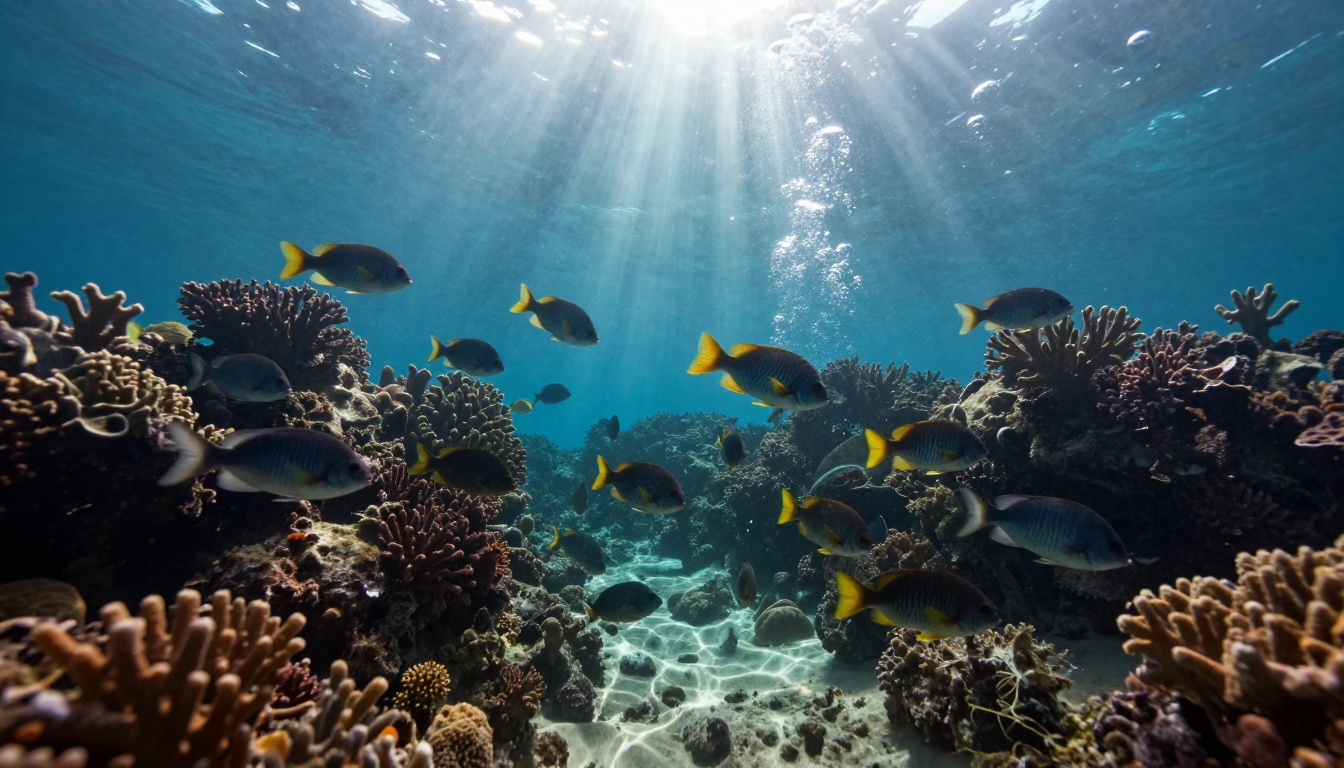
Underwater footage is notoriously difficult for AI models because of complex light refraction, particle suspension, and fluid dynamics. Sora 2 Pro handles it with a level of realism that previously required expensive practical filming setups or full CGI production. The caustic light patterns on the seafloor, bubbles rising correctly, and marine life moving with natural irregularity - all of this holds across the clip duration.
4. Concert and Event Coverage
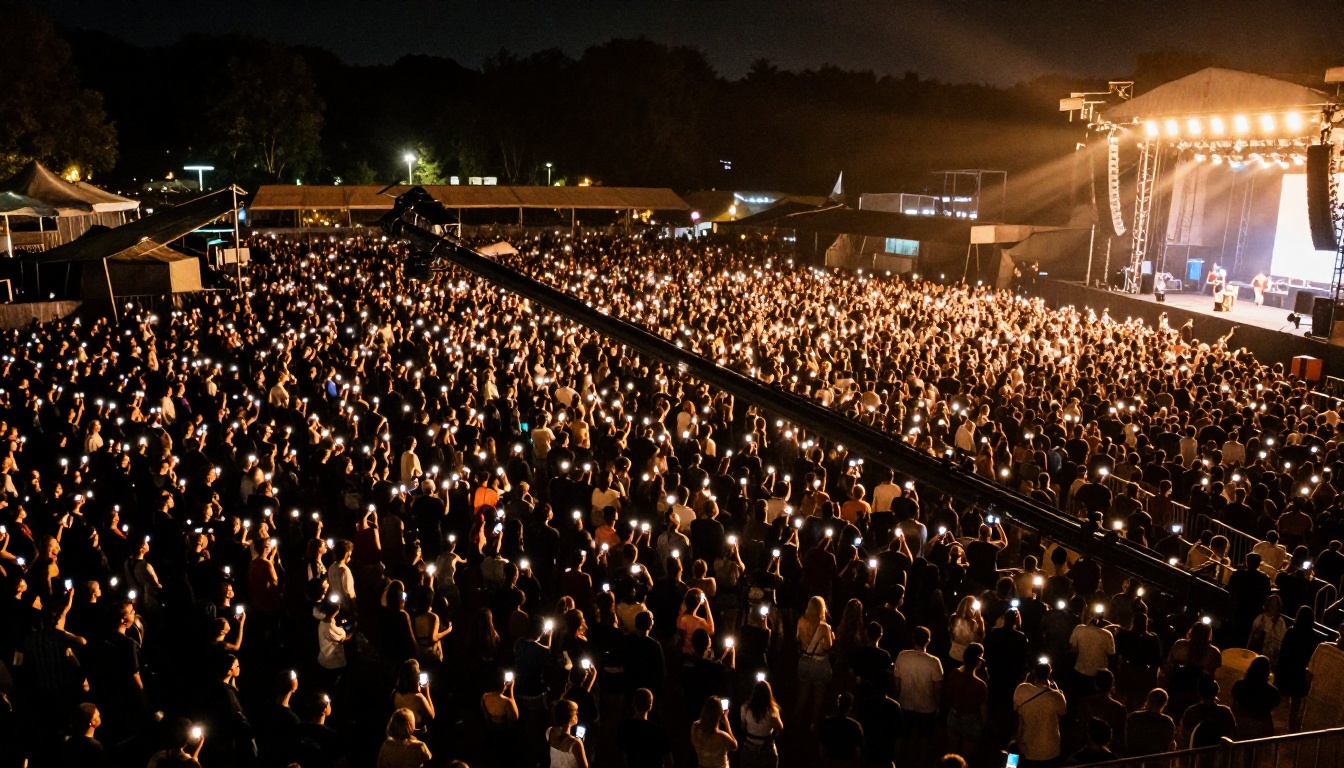
Large crowd scenes with varied motion patterns - concerts, sporting events, festivals - are where many models produce muddy, repetitive movement. Sora 2 Pro maintains individual variation in crowd behavior while holding overall scene coherence. Each person in frame moves slightly differently, which is what makes crowd footage look real rather than simulated.
5. Science and Technical Settings

Laboratory settings, industrial machinery, precision instrument close-ups - Sora 2 Pro renders these with detail that makes them viable for professional contexts, not just social content. The model handles reflective surfaces, glass transparency, and fine mechanical detail better than lighter models that tend to flatten or blur these elements into generic shapes.
Where Sora 2 Pro Falls Short
Knowing the model's real limits matters as much as knowing its strengths.
Long-form continuity: Past 20 seconds, character and scene drift becomes visible. Sora 2 Pro is a short-form tool by architecture. For anything approaching a minute of runtime, clips need to be stitched together in post-production.
Text rendering: This is a weakness shared across every current text-to-video model. If your scene requires legible text on a screen, signage, or banner, you'll need to composite it in post. The model approximates typography but does not produce clean, readable letterforms reliably.
Specific faces: Without a reference image, the model won't reproduce a specific person's likeness reliably across shots. For talent-specific or brand-spokesperson content, image-to-video workflows produce better results. PicassoIA offers multiple image-to-video models, including Wan 2.7 I2V, which handles reference-based animation with strong fidelity.
Volume economics: The Pro tier costs more credits per clip than lighter models. For high-volume production - dozens or hundreds of short clips - consider Seedance 2.0 or Wan 2.7 T2V for bulk work and reserve Sora 2 Pro for the clips that will actually be seen at full quality.
Other Models Worth Adding to Your Stack
A single-model video workflow is rarely the most efficient approach. These models complement Sora 2 Pro for specific jobs without replacing it for the work it does best.
Fast Iteration: Wan 2.7 T2V
Wan 2.7 T2V produces 1080p output quickly and handles a wide range of content types well. The practical workflow: run 5-10 prompt variations through Wan 2.7 T2V first, identify the phrasing that produces the right scene composition, then take that final refined prompt into Sora 2 Pro for the high-quality output. This approach cuts wasted credits significantly.
Audio-Synced Content: Seedance 1.5 Pro
Seedance 1.5 Pro combines fast generation with audio synchronization that stands among the best available right now. For social content where the audio track drives the edit rhythm, this model earns a permanent spot in the production rotation.
Premium Color Grade: LTX 2 Pro
LTX 2 Pro from Lightricks produces 4K output with distinctive color rendering that works particularly well for fashion, beauty, and high-end brand content. When Sora 2 Pro's aesthetic isn't the right fit for a specific creative brief, LTX 2 Pro often is.
Volume Production: Hailuo 2.3
Hailuo 2.3 from MiniMax delivers solid 1080p output with native audio at a lower credit cost than tier-1 models. For content that needs to be produced at scale without a premium budget, it's a practical anchor for the bulk of a production pipeline.
Quick Model Comparison
Create Your First Sora 2 Pro Video
The barrier to producing genuinely cinematic AI video is lower than it has ever been. You don't need a render farm, a separate subscription for each model, or a technical background to get professional results from Sora 2 Pro.
PicassoIA puts Sora 2 Pro alongside 100+ video and image models on a single platform - with no setup beyond creating an account. You can run the same prompt through Kling v3, Veo 3, and Seedance 2.0 to find the model that fits your content - without switching between five different tools or managing five different billing relationships.
The fastest way to calibrate your prompt-writing is to run the same scene through multiple models and compare the output side by side. What Sora 2 Pro does with a given prompt versus what Kling v3 does with identical text is consistently informative, and often surprising in the directions each model interprets the same words.
Browse the full range of text-to-video models on PicassoIA at picassoia.com/en/all-models.


