The image generation race between OpenAI and Google has never been this tight. GPT Image 2.0 and Gemini 3.2 Pro are the two most-discussed multimodal models right now, and the gap between them is smaller than most people expect. If you're trying to decide which one to use for your actual work, this comparison cuts through the noise with specifics: real quality differences, prompt behavior, speed data, and the exact scenarios where each model wins.

Two Giants, One Question
Both GPT Image 2.0 and Gemini 3.2 Pro arrived with a similar pitch: native multimodal image generation baked directly into the language model, not bolted on as an afterthought. That's a meaningful shift from earlier generations where image capabilities felt like a separate pipeline wearing a multimodal costume. The architecture decisions each company made here directly shape how the models behave when you put them to work.
What GPT Image 2.0 Actually Is
GPT Image 2.0 is OpenAI's second-generation native image synthesis capability, integrated directly into the GPT architecture. Unlike DALL-E 3, which was a separate diffusion model called via API, GPT Image 2.0 reasons about the image request in the same token space as text. This means the model can interpret nuanced, layered prompts, track context from prior conversation turns, and apply logical consistency to visual outputs in ways that standalone image generators cannot.
The practical result is that GPT Image 2.0 handles prompt complexity much better than any earlier system. You can say "show me the same kitchen but in winter light" and the model actually remembers what the kitchen looked like. That kind of contextual continuity is something diffusion-based models cannot do without external scaffolding.
GPT Image 2.0 also benefits from OpenAI's investment in safety and content moderation at the generation level, which means fewer unexpected refusals for legitimate creative prompts compared to earlier GPT-based systems.
What Gemini 3.2 Pro Brings
Gemini 3.1 Pro set the stage, but Gemini 3.2 Pro is where Google's image generation reached genuine parity with top-tier outputs. Gemini 3.2 Pro uses a hybrid approach: a large multimodal transformer handles semantic understanding while a separate but tightly integrated image synthesis module handles the pixel output. The handoff is seamless to users, but it explains why Gemini sometimes produces outputs with slightly different stylistic tendencies than GPT Image 2.0.
Google's strength here is its massive training corpus, especially real-world photography, scientific imagery, and geographic diversity. Gemini 3.2 Pro's photorealism in scenes like cityscapes, product shots, and food photography is notably consistent across many different cultural and geographic contexts, something GPT Image 2.0 still occasionally struggles with in non-Western visual settings.
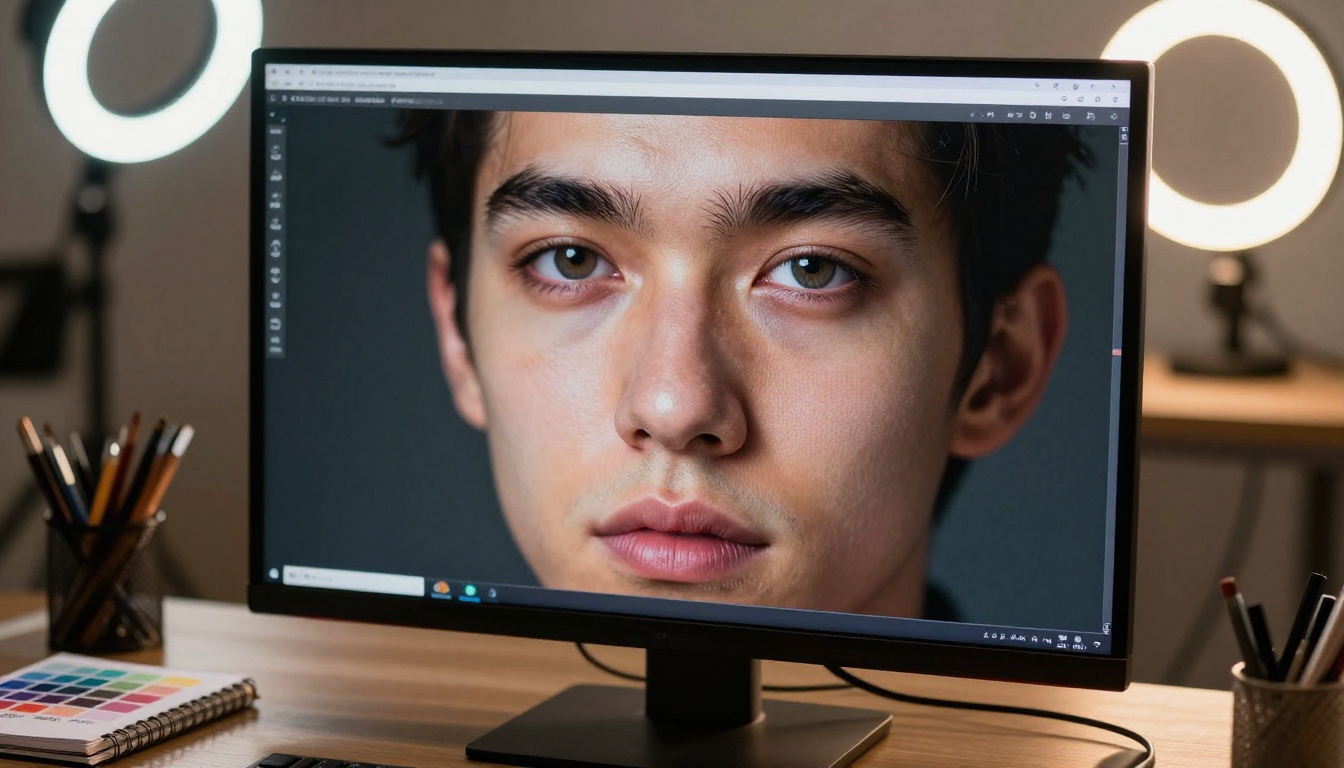
Image Quality Side by Side
Photorealism and Color Accuracy
In direct tests across portrait photography, landscape images, and product shots, GPT Image 2.0 consistently produces warmer, slightly more saturated outputs. This isn't a flaw; it's a stylistic calibration that performs well for social media content, advertising, and marketing assets where vibrancy draws the eye.
Gemini 3.2 Pro skews neutral. Its color accuracy is technically closer to what a calibrated camera would capture, making it preferable for scientific imagery, documentation, and cases where color fidelity to the real world matters more than visual appeal. A product photographed with Gemini 3.2 Pro will look closer to how it appears in person; one generated with GPT Image 2.0 will look more like a polished advertisement photo.
| Criteria | GPT Image 2.0 | Gemini 3.2 Pro |
|---|
| Color Warmth | Warm, saturated | Neutral, accurate |
| Skin Tones | Flattering, soft | True-to-life |
| Landscape Vibrancy | High | Moderate |
| Product Accuracy | Very Good | Excellent |
| Scientific Scenes | Good | Very Good |
| Food Photography | Excellent | Very Good |
| Architectural Shots | Good | Excellent |
Fine Detail and Texture Rendering
Both models struggle with some of the same edge cases that have plagued AI image generation for years: hands, highly detailed text embedded in images, and complex geometric patterns. GPT Image 2.0 has improved hand generation significantly, producing naturalistic finger joints and nail textures in most prompts. Gemini 3.2 Pro is slightly behind on hands but shows better consistency with fabric textures, architectural stonework, and surface materials.
💡 Tip: For images that require accurate text within the visual (storefronts, signs, product labels), Gemini 3.2 Pro currently has a small but consistent edge over GPT Image 2.0.
The texture gap matters most in close-up or macro-style shots. At wider focal lengths where texture isn't scrutinized, both models are effectively indistinguishable to most viewers. It's only when you're generating hero images that will be zoomed into or printed large that the texture differences become noticeable.
Prompt Adherence That Matters
How GPT Image 2.0 Handles Complex Prompts
This is where GPT Image 2.0 shines most clearly. Because image generation happens within the same reasoning space as text, the model can hold multiple simultaneous constraints. "A woman sitting at a café table, left hand holding a phone showing a map of Paris, afternoon light through a window, shallow depth of field, no sunglasses." Most diffusion models would drop at least one of those constraints. GPT Image 2.0 usually honors all five.
The model is also genuinely better at iterative prompt refinement. If you say "make the light warmer" after seeing the first output, GPT Image 2.0 preserves everything else and adjusts only the lighting. This makes it substantially more productive for iterative workflows where a designer is going back and forth to get an image exactly right. Each refinement pass takes seconds instead of requiring a full new prompt from scratch.
Gemini 3.2 Pro's Interpretation Style
Gemini 3.2 Pro takes a more interpretive approach. When given a complex prompt, it sometimes makes aesthetic choices that weren't specified, filling gaps in ways that feel creative but occasionally diverge from user intent. This behavior is a double-edged sword: for users who want the AI to exercise creative judgment, it's a feature. For those who need precise control, it requires more back-and-forth.
Where Gemini 3.2 Pro clearly wins on prompt adherence is with spatial relationships. Requests like "object A to the left of object B, with object C in the background, partially occluded" are consistently honored at a higher rate than GPT Image 2.0. Scene composition accuracy, meaning where things are positioned relative to each other in the frame, is a measurable Gemini advantage.
Gemini 3.2 Pro also handles multi-subject scenes better. When you ask for three distinct people in a scene, each with different clothing and activities, Gemini is less likely to blur or hybridize their characteristics. GPT Image 2.0 occasionally produces subtle homogenization across subjects in crowded scenes.

Speed and Latency in Real Use
Generation Time Comparisons
In API contexts, GPT Image 2.0 averages 8 to 12 seconds per image at standard quality settings. Gemini 3.2 Pro's image generation runs at 10 to 15 seconds for comparable outputs. The difference is small enough to be irrelevant for most use cases but becomes meaningful at scale when running batch generation pipelines that produce hundreds of images.
On consumer-facing interfaces, both models tend to be faster, with most latency variance coming from server load rather than intrinsic model speed. Gemini 3.2 Pro tends to feel slightly snappier during off-peak hours, while GPT Image 2.0 maintains more consistent latency across high-traffic periods thanks to OpenAI's larger infrastructure investment.
Neither model benefits from caching in the same way text generation does, since every image generation request is fundamentally unique. This means there's no warm-up period or amortization across similar prompts.
API Response and Rate Limits
GPT Image 2.0 via the OpenAI API allows higher burst rates for paid tiers, making it better suited for production applications that need to generate many images in short windows. Gemini 3.2 Pro's API access through Google AI Studio and Vertex AI has tighter default rate limits but more favorable pricing at high volumes through enterprise agreements.
💡 Tip: If you're building a production app that generates images on demand with spiky traffic patterns, GPT Image 2.0's API burst handling makes it the more practical choice. For sustained batch-heavy workflows with predictable volume, Gemini 3.2 Pro's pricing structure can be significantly cheaper at scale.

What They're Best At
GPT Image 2.0 Strengths
- Multi-constraint prompt handling: holds five or more simultaneous visual requirements better than any competitor
- Iterative refinement: adjusts specific attributes without breaking the rest of the image composition
- Warm, commercial aesthetics: images look polished, vibrant, and ready for marketing use
- Conversational context: uses prior chat turns to generate contextually consistent images across a session
- Human subject quality: skin textures, expressions, and hands are reliably natural
- API burst tolerance: better for high-demand production applications with spiky request patterns
Gemini 3.2 Pro's Sweet Spots
- Spatial composition accuracy: object placement within the frame is reliably correct even in complex scenes
- Color neutrality: better for scientific, technical, and documentation images requiring true-to-life color
- Text within images: higher accuracy on embedded text in signs, labels, interfaces, and storefronts
- Architectural and product photography: building exteriors and product shots with precise geometric accuracy
- Multi-subject scenes: maintains distinct characteristics across multiple people or objects
- Style variety: broader range of aesthetic treatments available within a single generation pass

Real Use Cases, Real Results
Marketing and Commercial Images
For marketing teams generating social media content, product advertisements, and email assets, GPT Image 2.0 is the stronger pick. Its natural tendency toward warm, saturated, attention-grabbing images aligns with what performs well in digital advertising. The iterative workflow also maps well to typical creative review cycles where a team refines outputs through multiple rounds of feedback.
A team producing 50 social assets per week will find GPT Image 2.0 faster to work with in practice. Gemini 3.2 Pro's more literal interpretation style sometimes requires more explicit prompt engineering to reach the same visual result, which adds friction to high-cadence production workflows.
Creative and Artistic Projects
For concept art, mood boards, and projects where the AI's own aesthetic judgment adds value, Gemini 3.2 Pro's interpretive tendencies become an asset. It's more likely to surprise you with a composition choice that actually improves the output. Artists working on editorial illustration, visual development, or personal creative projects often prefer Gemini 3.2 Pro's willingness to fill creative gaps with interesting choices rather than defaulting to the most literal interpretation.
GPT Image 2.0 is the better choice when the creative vision is already fully formed and the goal is faithful execution. Gemini 3.2 Pro is better when you want the AI to collaborate on filling out an incomplete idea.
Documentation and Technical Images
Gemini 3.2 Pro wins this category clearly. Technical diagrams with accurate spatial relationships, product documentation images with precise component placement, and infographic-style visuals where accuracy matters more than aesthetics all benefit from Gemini's literal interpretation approach and superior text-in-image handling. For anything going into a manual, data sheet, or scientific publication, Gemini 3.2 Pro is the more reliable choice.
E-Commerce Product Photography
This is a close call. GPT Image 2.0 wins on lifestyle shots, where the product appears in a real-world context with flattering light and attractive surroundings. Gemini 3.2 Pro wins on pure product isolation shots, particularly those with complex geometry like electronic devices, furniture, or industrial equipment, where geometric accuracy outweighs aesthetic warmth.
Try These Models on PicassoIA
PicassoIA gives you direct access to both GPT-4o and Gemini 3 Pro without needing separate API accounts or developer setup. You can switch between models in the same session, compare outputs side by side, and find your personal preference within minutes of starting.
The Gemini 3.5 Flash model on PicassoIA is worth testing for speed-sensitive workflows where you need faster turnaround without sacrificing too much quality. For high-volume generation where cost matters, Gemini 3 Flash gives you fast outputs with solid quality at lower computational cost.
On the OpenAI side, if you want the latest reasoning improvements combined with strong image generation, GPT 5.4 and GPT 5 are both available directly on PicassoIA. These models combine stronger multimodal reasoning with GPT Image 2.0 generation capabilities for the most demanding prompt scenarios.

PicassoIA's Image Generation Ecosystem
Beyond GPT and Gemini, PicassoIA's image generation catalog gives you access to 91 text-to-image models, ControlNet for pose and structure control, inpainting and outpainting tools for editing existing images, and face swap capabilities. This means you can start with a GPT Image 2.0-generated base image and then polish it further with super resolution, object replacement, or background removal without leaving the platform.
The comparison between GPT Image 2.0 and Gemini 3.2 Pro is actually most interesting not as a binary choice, but as a starting point for a multi-model workflow. Generate the initial concept with whichever model suits the brief, then refine with the specialized tools available across the platform.
💡 Tip: Use GPT 4.1 on PicassoIA for drafting detailed image prompts first. The model is excellent at breaking down visual concepts into precise language, which then feeds much better results into either GPT Image 2.0 or Gemini 3.2 Pro. Better prompts produce better images, regardless of which model you choose.
For users who want to work with Gemini 3.1 Pro as a baseline or compare Gemini 2.5 Flash for faster iteration, PicassoIA has all of them in one place. The Gemini 3 Flash model is particularly useful for rapid prototyping sessions where you're running 20 or 30 variations of a concept before committing to a final direction.
Which One Should You Choose?
The honest answer is that for most people doing most things, the quality difference between GPT Image 2.0 and Gemini 3.2 Pro is smaller than the workflow difference. The model that produces better results for you is the one whose prompt interpretation style matches how you naturally describe images.
GPT Image 2.0 rewards precise, multi-layered prompts and shines in workflows that involve conversation, context, and iteration. Gemini 3.2 Pro rewards spatially specific prompts and works better when you want the AI to apply its own aesthetic judgment to fill in underdefined areas.
| Who Should Use It | GPT Image 2.0 | Gemini 3.2 Pro |
|---|
| Marketing teams | Best choice | Good |
| Creative projects | Good | Best choice |
| Product documentation | Good | Best choice |
| Social media content | Best choice | Good |
| Technical imagery | Good | Best choice |
| E-commerce lifestyle | Best choice | Good |
| E-commerce product isolation | Good | Best choice |
| API production apps | Best choice | Good at high volume |
The fastest way to settle the question for your specific use case is to run the same three prompts through both models and see which outputs require less correction. Both GPT-4o and Gemini 3 Pro are available on PicassoIA right now, alongside Gemini 3.5 Flash, GPT 5, and the full model catalog at picassoia.com/en/all-models. You don't need to commit to one. The most effective creators run both, pick the output they prefer, and use the right tool for each brief.
Start with a prompt you know well, something you've described to an image generator before and have strong opinions about. Run it through both models on PicassoIA, look at what each one prioritizes, and you'll have a much clearer picture of which model's instincts align with yours. That one test will tell you more than any written comparison.


