Every week, someone with no camera experience publishes a video that earns six figures in ad revenue. They never appear on screen, their voice might be synthetic, and the footage is AI-generated. The infrastructure exists right now to build exactly this kind of channel. What it takes is the right workflow, the right tools, and consistency.
Faceless content channels operate on a simple premise: produce valuable video content without ever revealing who you are. The channel might cover personal finance, world history, health science, true crime, technology news, or motivational topics. The creator stays invisible. The content does the work.
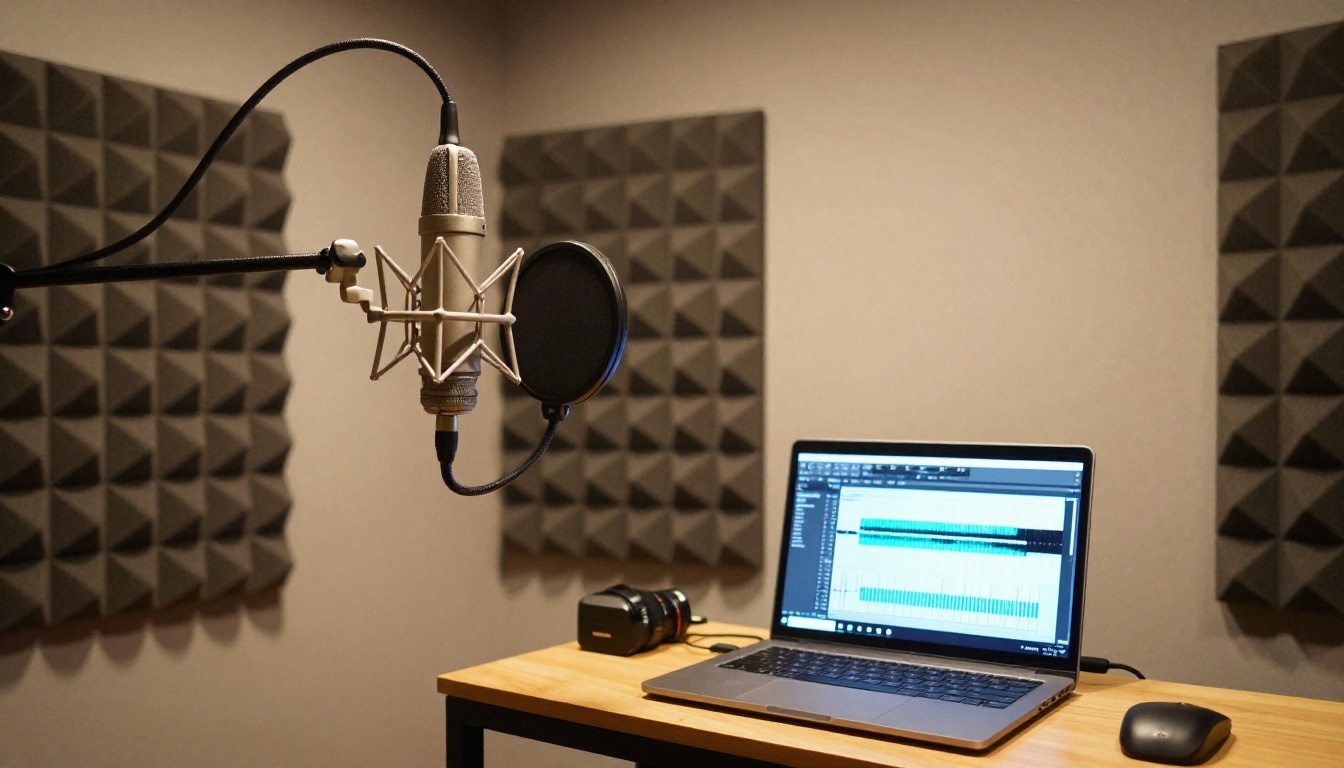
This model works because audiences follow topics, not faces. The most-watched educational channels on YouTube often have no presenter. It is the value of the information and the quality of the presentation that drives retention and subscriber growth. AI now handles both at a fraction of the cost it used to require.
What a Faceless Channel Actually Is
A faceless channel is any content channel where the creator never appears on camera. Instead of a talking-head presenter, the video uses:
- Stock footage or AI-generated visuals as the background layer
- AI voiceovers or synthetic narrators for audio
- Text overlays, captions, or animated graphics for emphasis
- Music and sound effects to control pacing and mood
The creator's role shifts from performer to director. You write the scripts, choose the visuals, and make editorial decisions. AI executes the production.
No Camera Required
This is the first thing most people miss. A faceless channel does not require you to own a camera, rent studio space, or manage lighting. The entire production pipeline can happen on a single laptop. The content is assembled digitally, rendered digitally, and distributed digitally.
This matters because it removes the two biggest barriers to content creation: self-consciousness and equipment cost. Both disappear entirely once you adopt this model.
Who Is Already Doing This
The format is not new. Channels covering history, science documentaries, financial education, and motivational content have operated this way for years. What has changed is that AI tools now make it possible for a single person to produce the same volume of content that previously required a team.
Channels in niches like personal finance, true crime, productivity, and world events regularly hit 100,000+ subscribers within their first year using fully automated or semi-automated workflows.
The Right Niche Changes Everything
Before picking tools or writing a single script, niche selection is the decision that determines your revenue ceiling.

High-CPM Niches Worth Targeting
CPM (cost per mille) is how much advertisers pay per 1,000 video views. The higher the CPM, the more revenue you earn per view. These niches consistently deliver high CPMs:
| Niche | Avg. CPM Range | Why It Pays Well |
|---|
| Personal Finance | $12–$40 | Financial product advertisers |
| Software and SaaS | $10–$35 | B2B ad budgets are large |
| Health and Wellness | $8–$25 | Supplement and pharma spend |
| Legal and Law | $15–$50 | High-value client acquisition |
| Real Estate | $10–$30 | High ticket product ads |
| True Crime | $4–$12 | Broad mass audience |
Low-CPM niches like gaming or reaction content can still work at scale, but for a solo creator relying on AI to produce content, a high-CPM niche with targeted traffic is far more efficient.
3 Questions Before You Commit
Ask yourself three things before locking in your niche:
- Can I produce 100 pieces of content in this niche without running dry? If the answer is no, the niche is too narrow.
- Is there existing search demand on YouTube? Use TubeBuddy or vidIQ to validate monthly search volume before investing time.
- Can I describe the target audience in one sentence? If you cannot, the niche is too vague to target with ads.
A well-chosen niche is the asset. Everything else is execution.
The faceless channel workflow relies on four categories of tools: script writing, voiceover generation, visual production, and video assembly. Each category now has strong AI options.

Script Writing with AI
Your script is the skeleton of every video. A solid faceless video script runs between 800 and 2,500 words depending on target length. AI writing tools can produce a full draft from a single prompt, but the best results come from treating AI output as a first draft, not a final script.
Structure every script using this formula:
- Hook (first 30 seconds): State the specific outcome the viewer will get. Not vague, not broad. Specific.
- Body (middle 70–80%): Deliver the information in chronological or logical order. One idea per segment.
- Payoff (last 10%): Summarize the value delivered. Invite the viewer to watch another video or subscribe.
AI handles the heavy lifting. You edit for accuracy, tone, and pacing.
AI Voiceovers That Sound Real
Two years ago, AI voiceovers sounded robotic and distracted viewers. That gap has closed significantly. Current AI voice generation tools produce audio indistinguishable from human narration in many cases.
Popular tools include ElevenLabs for voice cloning and custom voice creation, and Murf for studio-quality narration across dozens of accents and styles. For channels targeting broad audiences, a neutral, warm, professional voice works best.
💡 Tip: Record your first 10 videos using your own voice even if you are shy about it. This establishes authenticity while you refine the AI workflow. Switch to synthetic voice once your content quality is consistent.
Visual Content Without Filming
This is where AI video models and stock footage libraries come in. The aim is to pair every narrated segment with relevant visuals that hold viewer attention. Options include:
- Stock footage libraries: Pexels, Pixabay, and Storyblocks offer extensive royalty-free libraries
- AI image generation: Tools on PicassoIA let you create photorealistic images and then animate them into video clips
- AI text-to-video: Models on PicassoIA can generate original video clips from text prompts, eliminating the need for stock libraries entirely
💡 Tip: Aim for a visual cut every 3–5 seconds. Long static shots drop retention sharply, especially on YouTube Shorts and TikTok.
Writing Scripts That Actually Convert
Script quality is the single biggest variable in watch time. Watch time drives the YouTube algorithm. The algorithm drives discovery. Discovery drives subscribers and revenue.
The Hook Problem
Most new channels lose 60–80% of viewers in the first 30 seconds. The hook is almost always the cause. A weak hook is one that:
- States the topic broadly ("Today we are talking about personal finance")
- Opens with filler phrases ("Hey guys, welcome back to the channel")
- Delays getting to the value ("Before we dive in, do not forget to subscribe")
A strong hook is one that:
- States a specific, surprising fact ("The average American pays $18,000 more in taxes than they legally have to every year")
- Poses a problem the viewer already has ("If your savings account earns less than 5%, you are losing money right now")
- Makes a bold, falsifiable claim ("Most productivity advice actively makes you less productive, and here is the data")
AI can generate 20 different hook options in seconds. Test different approaches by analyzing your audience retention curve in YouTube Analytics. The hook that retains viewers past the 30-second mark is the one to use more of.
Pacing and Sentence Length
Faceless video scripts read differently than articles. Short sentences work better. One idea per line. Rhythmic pacing keeps the narrator from sounding rushed or monotonous, and it keeps viewers from zoning out.
Write for audio, not for reading. Read every line aloud or generate an AI voiceover preview before finalizing. If a sentence sounds awkward at speaking speed, rewrite it.
Voiceovers and Visual B-Roll
Once the script is ready, the production phase begins. The aim is to produce a finished video without ever sitting in front of a camera.
Getting the Audio Right
Whether you record your own voice or use an AI narrator, audio quality directly affects perceived production value. Viewers tolerate average visuals but rarely tolerate poor audio.
For AI narration, the output quality depends on the tool and the text input. Clean, well-punctuated scripts produce better AI narration. Break long sentences into shorter ones. Use commas and periods to control pacing.
For self-recorded narration, a $50–$100 USB microphone placed 6–8 inches from the mouth in a small carpeted room eliminates most audio quality issues without acoustic treatment.
Syncing Visuals to Audio
After generating your narration, export it as an MP3 or WAV file and import it into your video editor (CapCut, DaVinci Resolve, or Premiere Pro all work). The narration track becomes the timeline backbone.
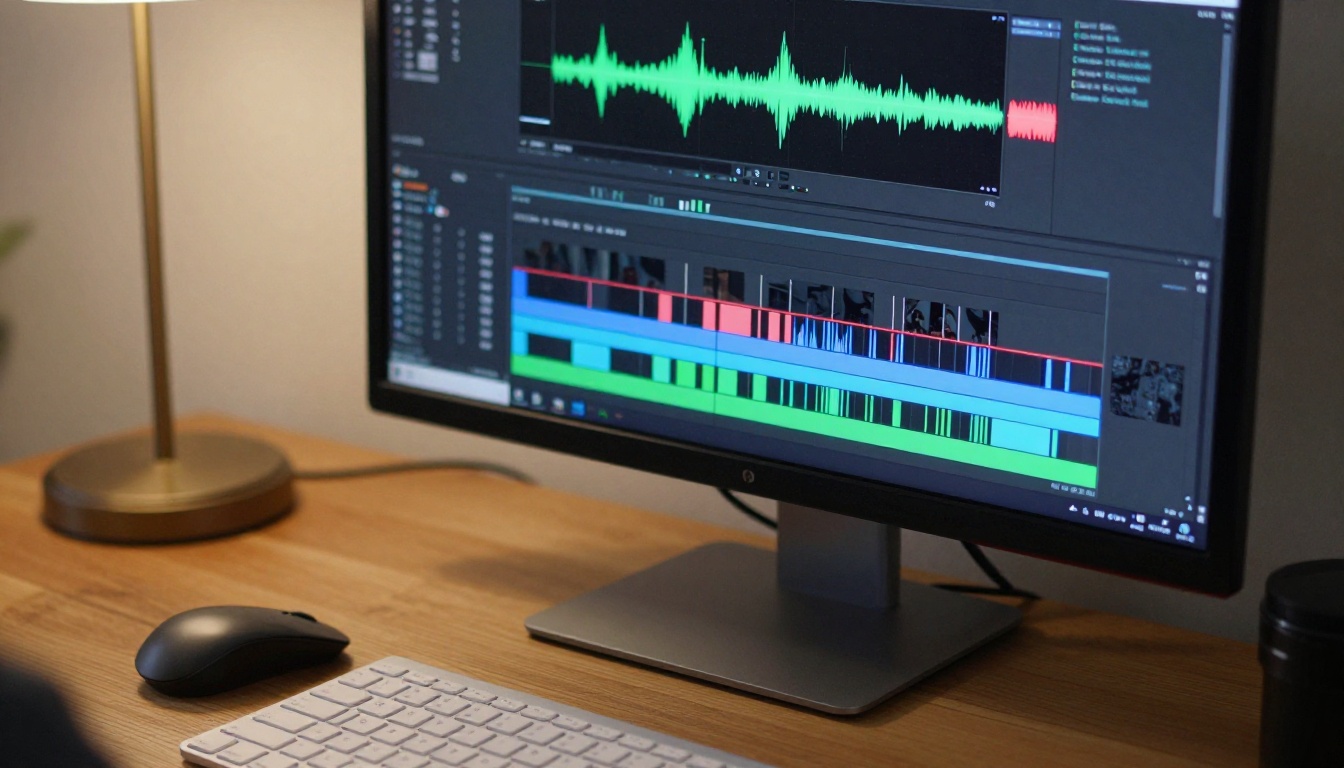
From there, you add visual clips to match the narration:
- Segment the audio by topic or idea (one segment = one visual clip)
- Place visuals on the video track timed to match narration
- Add captions using auto-caption features or tools like Captions.ai
- Add background music at 10–20% of narration volume for pacing
The result is a polished video produced entirely from a laptop.
AI Video Models Worth Using
This is where the production quality ceiling rises significantly. Instead of relying entirely on stock footage, you can now generate original video clips from text prompts or from images you have already created.

Text-to-Video for Original B-Roll
PicassoIA gives access to over 87 text-to-video models. For faceless channel production, the most useful are:
- Seedance 2.0 by ByteDance: produces 1080p video with native audio from a text prompt, strong for cinematic establishing shots.
- Veo 3 by Google: native audio sync, realistic motion, excellent for documentary-style b-roll.
- Kling v3 Video by Kwai VGI: cinematic output at 1080p, strong for narrative B-roll in finance and documentary niches.
- Wan 2.7 T2V: reliable HD output from text, strong at environment and lifestyle clips.
- Hailuo 02: 1080p output, fast iteration when you need many clips quickly.
- P Video: flexible text-to-video and image-to-video, solid for general channel content.
Image-to-Video for Visual Control
When you need exact visual control, the image-to-video workflow is more reliable. Generate a precise image first, then animate it into a video clip. This gives you creative control over composition, color, and subject that pure text-to-video does not always deliver.
Top image-to-video models on PicassoIA:
- Wan 2.7 I2V: animate any photo into HD video with consistent motion and lighting.
- Kling v2.6: strong cinematic motion from still images, 1080p output.
- LTX 2 Pro: 4K video output, the highest resolution option for premium productions.
Using image-to-video also means you can reuse assets across multiple videos, reducing generation time while maintaining visual consistency across your channel brand.
How to Use PicassoIA for Faceless Video Content
PicassoIA is the platform that brings all of these video models together in one place. Instead of juggling accounts across five different AI tools, you access the full suite from a single interface.
Here is the practical workflow for generating video content on PicassoIA:
Step 1: Choose Your Model
Go to PicassoIA and browse the video generation section. For documentary-style faceless content, start with Seedance 2.0 or Veo 3 Fast. For image-based control, use Wan 2.7 I2V.
Step 2: Write a Specific Prompt
Vague prompts produce vague output. Every video prompt should include:
- Subject: what or who is in the frame
- Action or movement: what is happening
- Environment: where the scene is set
- Lighting and mood: how the scene should feel
- Camera style: close-up, wide shot, aerial, panning
Bad prompt: "a city at night"
Good prompt: "slow aerial dolly-in over a rain-soaked city street at night, warm amber streetlamps reflecting on wet asphalt, light traffic below, cinematic atmosphere, photorealistic"
Step 3: Set Resolution and Generate
Select your resolution (720p or 1080p depending on your plan). Click generate. Wait time varies by model, typically between 30 seconds and 3 minutes per clip.
Step 4: Review and Retry If Needed
Watch the output before downloading. If the motion is jittery, the lighting is off, or the subject does not match the prompt, regenerate with a revised prompt. Most models produce strong results on the first or second attempt with a well-structured prompt.
Step 5: Batch Your Generation
For a 10-minute video, you typically need 40–80 individual clips, each 3–10 seconds. Batch your prompt writing before generation sessions. Write all 50 prompts in one sitting, then generate in batches. This is far more efficient than writing and generating one clip at a time.
💡 Tip: Save prompt templates that work. A strong environmental scene prompt for one video can be adapted with minor changes for dozens of future videos in the same niche.
Thumbnails, Titles, and the SEO Side
Thumbnails and titles are the first things a viewer sees before they decide to watch. No amount of great content matters if nobody clicks.
What Makes a Thumbnail Work
The best faceless channel thumbnails share these traits:
- Bold, large text (3–5 words max) that restates the hook
- High-contrast visuals that pop in a small, crowded YouTube grid
- A single focal point, not a collage of images
- Curiosity or contrast: show something the viewer has not seen, or a situation that feels unresolved
Use AI image generation to create dramatic, photorealistic thumbnail backgrounds, then overlay text in Canva or Photoshop. The combination gives you professional-level results without a photography studio.
Title SEO Without Stuffing
Your video title should contain the exact phrase people search for. Use TubeBuddy or vidIQ to find titles with high search volume and low competition. Structure titles like this:
- Question format: "Why Do Americans Work More Than Anyone Else?"
- Number format: "7 Tax Deductions Most People Completely Miss"
- Comparison format: "Cash vs. Index Funds: Which One Actually Wins?"
Avoid stuffing multiple keywords into one title. One specific search phrase is stronger than three vague ones.
Video Description and Tags
Fill your description with a natural summary of the video content. Include the target keyword in the first two sentences. Add a table of contents with timestamps for longer videos. This directly improves search ranking.
Monetization Without Showing Your Face
A faceless channel is not a lesser version of a traditional channel. The monetization ceiling is the same.
YouTube AdSense
Once you reach 1,000 subscribers and 4,000 watch hours (or 10 million Shorts views), you qualify for the YouTube Partner Program. Revenue ranges from $2 to $50+ per 1,000 views depending on niche, audience geography, and ad market seasonality.
Affiliate Marketing
Every niche has affiliate programs. Finance channels promote savings accounts and investing apps. Tech channels promote software tools. Health channels promote supplements and programs. A single well-placed affiliate link in a viral video can generate revenue for years.
Digital Products
Script templates, niche research reports, prompt libraries, and workflow courses are all digital products that faceless channel audiences buy. You have already built authority by publishing content. Selling a $29–$197 product to your existing audience is a direct extension of that authority.
Sponsorships
Brands do not need to see your face to pay for a sponsored slot. They need your audience and your interaction rate. A faceless channel with 50,000 engaged subscribers in a specific niche can command $500–$5,000 per sponsored integration.
Start Generating Content Right Now
The workflow is real, the tools are here, and the channels making money from faceless content are already live on every major platform. The only difference between those channels and yours is timing.
PicassoIA puts over 87 text-to-video models, image generation tools, voiceover capabilities, and production assets in one place. You can generate your first batch of video clips, experiment with different model styles for your niche, and produce a full rough draft of your first video today.
Go to picassoia.com/en/all-models and start with one prompt. See what the output looks like. Adjust. Iterate. The first video is always the hardest, and every one after that gets faster.
The channel you build from this process is an asset. A portfolio of videos that generates views, subscribers, and revenue every day without requiring you to film anything new. Build the asset. AI handles the rest.


