Reaching a global audience used to mean one thing: hire translators, book recording studios, and spend weeks producing audio for each language. That model is broken. AI voice synthesis has made it possible to produce natural-sounding, multilingual voiceovers in minutes, at a fraction of the cost, with no studio required. Whether you run a YouTube channel, sell online courses, or produce marketing content, the workflow for going global has fundamentally changed.
This article walks through how AI multilingual voiceovers work, which models perform best, and how to produce your first one today using tools available right now on PicassoIA.

Why Global Audio Is No Longer Optional
The reach problem every creator faces
English speakers represent roughly 17% of the world's internet users. If your content only exists in English, you are invisible to the other 83%. That is not a niche problem. It is the default state for most creators, brands, and educators who produce content without thinking about voice localization.
The traditional fix was expensive and slow. A professional dubbing studio charges between $300 and $1,200 per finished minute of audio, depending on the language and voice talent. For a single 10-minute YouTube video in five languages, you could spend $15,000 before editing a single frame. Most creators and small teams simply cannot afford that, so they default to subtitles and hope the algorithm rewards them anyway.
💡 The math changes entirely with AI. A multilingual voiceover that once took weeks and thousands of dollars can now be produced in under an hour using neural text-to-speech models trained on native-speaker data.
What voice localization actually costs
Voice localization is not just translation. It is about making your message feel native to the listener. That means matching tone, pacing, regional accent expectations, and emotional register. A Spanish voiceover that sounds robotic in Madrid will lose the audience in Buenos Aires even faster than a subtitle track would.
The cost of poor localization is invisible but real: lower watch time, higher drop-off rates, and an audience that never converts. When listeners feel that content was produced for them, in their language, with appropriate vocal energy for their culture, retention increases significantly. That is the actual goal of multilingual audio production.

How Neural TTS Works Under the Hood
From text tokens to waveforms
Modern AI voiceover models are built on neural text-to-speech architectures. The process works like this: your input text gets tokenized and analyzed for phonetic patterns, sentence stress, and prosody. The model then maps those linguistic features onto a trained voice profile, producing a raw audio waveform that sounds like a real human speaking.
Older TTS systems produced robotic, flat audio because they relied on concatenating pre-recorded phoneme snippets. Neural models, by contrast, generate audio from scratch, allowing for natural intonation rises and falls, breath pauses, and the micro-variations that make a voice sound alive. The best current models are indistinguishable from human narrators in double-blind listening tests for most languages.
The best multilingual models are trained on native-speaker audio across dozens of languages simultaneously. This matters because cross-lingual transfer is hard: a model trained only on English data will produce accented, unnatural speech when generating Spanish, Mandarin, or Arabic. Native training data is what separates a convincing multilingual TTS from an obviously artificial one.
Why accent and phonetics matter
Every language has phonemes that do not exist in others. Spanish has a rolled "r." Mandarin has four tonal registers that completely change word meaning. Arabic has pharyngeal consonants. When an AI model is trained on native-speaker data, it captures these phonetic features accurately. When it is not, you get a voiceover that native speakers immediately identify as synthetic or foreign-accented.
This is why choosing a model trained specifically for multilingual output is not optional. It is the difference between content that sounds localized and content that sounds like it went through a low-quality translation pipeline. For content aimed at earning trust from a new regional audience, phonetic accuracy is as important as visual quality.
The Best AI Models for Multilingual Voiceovers
PicassoIA has a robust catalog of text-to-speech models. These are the ones that stand out specifically for multilingual work across different use cases.
ElevenLabs v2 Multilingual
ElevenLabs v2 Multilingual supports 30+ languages with some of the most natural-sounding output currently available. It handles emotional nuance well, making it suitable for storytelling, marketing copy, and long-form narration. The voice consistency across languages is strong: if you clone a voice in English and switch to French, the vocal identity holds across both outputs.
Best for: YouTube narration, audiobook production, brand voice content.
Gemini 3.1 Flash TTS
Gemini 3.1 Flash TTS offers 30 voices across 70+ languages, which is the widest language support in the entire catalog. It is fast, optimized for real-time use, and handles low-resource languages better than most alternatives. If you need Swahili, Hindi, or Indonesian alongside English and Spanish, this model should be your starting point.
Best for: E-learning platforms, applications requiring broad language support, rapid content prototyping.
Minimax Speech 2.8 HD
Minimax Speech 2.8 HD targets studio-quality output. The audio fidelity is noticeably higher than turbo-mode alternatives, with crisp sibilants, natural breath control, and minimal compression artifacts. It takes slightly longer to generate, but the output feels broadcast-ready without any post-processing.
Best for: Product demos, professional explainer videos, brand campaigns requiring premium audio quality.
Qwen3 TTS for Custom Voices
Qwen3 TTS brings a distinctive capability: voice cloning and custom voice design. You can feed it a short audio reference and it will replicate that voice's timbre, pacing, and character across any language output. For brands that have an established voice talent and want to scale that voice globally, this is the most practical solution available.
Best for: Brand voice cloning, custom character voices, personalized content at scale.
How to Use ElevenLabs v2 Multilingual on PicassoIA
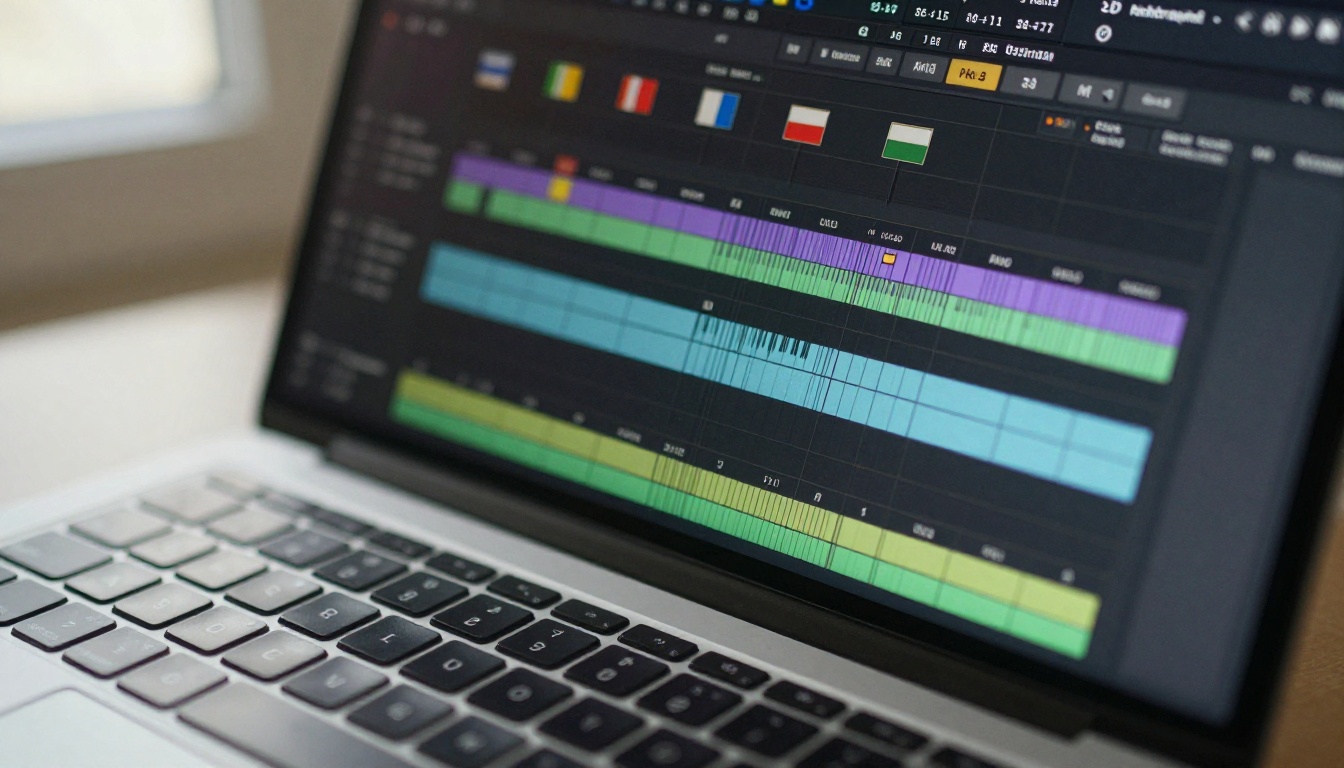
Since ElevenLabs v2 Multilingual is available directly on PicassoIA, here is a full step-by-step walkthrough for producing your first multilingual voiceover.
Step 1: Write and format your script
Before touching any settings, get your script into the right shape. AI TTS models read exactly what you give them, so punctuation becomes your prosody control system:
- Commas create short, natural breathing pauses
- Periods produce full stops with falling intonation
- Ellipses (...) introduce a longer, more dramatic pause between thoughts
- Question marks trigger a natural rising intonation at the end of a phrase
Avoid writing in all-caps unless you want heavy stress on a specific word. Do not use domain-specific abbreviations unless you are confident the model expands them correctly. Most modern TTS models handle common ones like "Dr.", "USA", and "etc." correctly, but technical acronyms may be read letter by letter.
💡 Script tip: Read your script aloud before generating. If you would pause somewhere, add a comma. If you would drop your voice at a natural break, end the sentence there. Your speaking intuition is the best prosody editor available.
Step 2: Select your target language
On PicassoIA, open the ElevenLabs v2 Multilingual model page. In the language selector, choose your target output language.
If your script is in English but you want the voiceover in Spanish, you have two options:
- Auto-translate mode: Provide the English text and select Spanish as the output language. The model handles translation and voice synthesis in one step.
- Pre-translated script: Provide text already written in Spanish for maximum phonetic and linguistic control.
Option 2 gives you more control over word choice, regional dialect, and pacing. If accuracy matters (medical, legal, or educational content), always use a pre-translated script reviewed by a native speaker before generation.
Step 3: Choose and tune your voice
ElevenLabs v2 Multilingual offers multiple voice profiles across different age ranges, gender presentations, and emotional registers. Three settings make the biggest difference:
- Stability: Higher values produce a more consistent, formal delivery. Lower values introduce natural variation that sounds more conversational.
- Similarity Boost: Controls how closely the output matches the reference voice. Set this high if you are cloning a specific voice identity.
- Style Exaggeration: Amplifies the expressive characteristics of the voice. Useful for advertising copy and character narration; keep it low for documentary-style or instructional content.
Start with the default settings and adjust from there. A 30-second test clip will tell you more than any parameter description.
Step 4: Export and embed
Generated audio downloads as a high-quality MP3 or WAV file. From there, the options are broad:
- Drop it directly into your video editor (Premiere Pro, DaVinci Resolve, CapCut)
- Upload to podcast platforms (Spotify, Apple Podcasts, RSS feeds)
- Embed in e-learning modules (Articulate, Rise 360, Teachable)
- Pair with PicassoIA's Lipsync tools to create a synchronized talking-head video from the audio track
Picking the Right Voice for Each Language
Tone, accent, and regional expectations
A voiceover that works in Spain may feel off in Mexico, even though both speak Spanish. Regional varieties carry cultural weight that goes beyond grammar. In Brazilian Portuguese, a Rio de Janeiro accent sounds casual and energetic. A São Paulo accent reads as more corporate and measured. These differences are subtle but immediately felt by native listeners.
When producing content for a specific region, consider:
- Regional vocabulary: Use localized terms, not just grammatically correct translations. "Computer" in Spanish is "computador" in Colombia and "ordenador" in Spain.
- Speech pace: Japanese audiences typically expect measured, deliberate pacing. Brazilian Portuguese listeners tend to prefer a faster, more energetic delivery rhythm.
- Gender and formality registers: Some markets respond better to female voices in instructional contexts. Others associate deeper male voices with authority and expertise.
💡 If you are not a native speaker of the target language, ask someone who is to listen to the generated audio before publishing. A single awkward phrase can signal "outsider content" to the entire audience and damage trust immediately.
When to use voice cloning
Voice cloning is the practice of training an AI model on a specific person's voice to reproduce their vocal identity across new text. The Qwen3 TTS model and Minimax Voice Cloning on PicassoIA both offer this capability with short reference audio clips.
Use voice cloning when:
- You have an established brand voice (a spokesperson, founder, or character) that needs to scale across languages
- You want consistent voice identity across multiple languages without re-recording sessions
- You are producing personalized content at volume (sales outreach, training modules, localized advertising campaigns)
The baseline rule: only clone voices with explicit consent from the voice talent. Unauthorized voice cloning raises serious legal and reputational risks.
Real-World Use Cases That Work
YouTube channels going global
The most direct application is YouTube channel localization. A creator with 200,000 English subscribers can produce Spanish, Portuguese, and French versions of every video without hiring voice talent. With ElevenLabs v2 Multilingual, the voiceover quality is convincing enough that most viewers do not identify it as synthetic when paired with proper captions.
The workflow: export your English script, run it through ElevenLabs v2 Multilingual in three languages, drop the audio over your existing video cut with language-specific captions, and upload as separate language versions. Total additional production time: under two hours per video, regardless of how many language versions you produce.
E-learning and online courses
Online education is one of the highest-impact applications of multilingual TTS. A course on financial literacy, built in English, becomes accessible to 500 million Spanish speakers with one afternoon of work. A coding bootcamp in French can reach Vietnamese and Arabic markets without building a new course from scratch.
Gemini 3.1 Flash TTS is particularly well-suited here because of its 70+ language support and fast generation speed. A 40-minute course can be re-voiced in six languages in a single session without leaving your browser.
💡 For e-learning, use a slightly slower speech rate than you would for marketing content. Learners need processing time, especially when absorbing material in a second language.
Product demos and marketing campaigns
Product demos need a voice that sounds confident and clear without feeling over-produced. Minimax Speech 2.8 HD delivers broadcast-quality output that holds up against professional production standards without any post-processing.
For marketing campaigns running across multiple regions simultaneously, Minimax Speech 2.8 Turbo provides faster generation while maintaining strong audio quality. When speed matters for a campaign launch, turbo mode is the practical choice.

Mistakes That Kill Your Voiceover Quality
Wrong tone for the region
This is the most common failure mode in multilingual audio production. A high-energy, fast-paced delivery that works in American English sounds aggressive and pushy to Japanese audiences. A formal register appropriate for German business content feels stiff and distant in Brazilian Portuguese.
The fix: research the content norms of the specific region you are targeting before writing your script. Watch locally produced YouTube videos in your category from that country. Listen to how native speakers pace their sentences, where they put emphasis, and what emotional register they use for similar topics. Match that energy in your script before you generate a single line of audio.
Skipping phonetic review
AI models occasionally mispronounce proper nouns, brand names, domain-specific terms, and words with irregular stress patterns. A pharmaceutical brand name may be read with stress on the wrong syllable. A city name may be anglicized when the local pronunciation is entirely different. A number like "2,500" may be read as "two thousand five hundred" when "twenty-five hundred" would sound more natural in context.
The fix: after generating audio, listen to the full output before publishing. Flag any mispronounced terms and use SSML phonetic override tags if the model supports them. ElevenLabs v2 Multilingual accepts SSML input, allowing you to manually specify pronunciation for individual words.
Using one voice for all languages
Different languages have different natural speaking rhythms, pitch ranges, and energy levels. A voice profile that sounds natural and warm in English may not have been trained on sufficient data for Mandarin or Arabic. Always test a voice in your target language before committing to a full production run.
💡 Generate a 30-second test with a few challenging sentences in your target language, including proper nouns, numbers, and any industry-specific terms, before producing the full piece. Ten minutes of testing will save hours of re-work.

Matching AI Audio with Video
Multilingual voiceover production does not stop at the audio file. Once you have the voice track, you can take the output further using PicassoIA's video capabilities in a straightforward post-production pipeline.
Lipsync: If your video features a human presenter or character, PicassoIA's lipsync tools can synchronize mouth movements to match your new language audio. This creates a fully dubbed experience where the speaker appears to actually be speaking the target language, not just reading it.
Super Resolution: If you are repurposing older video assets for new markets, use super resolution tools to upscale and sharpen the video to match modern quality expectations before pairing it with a fresh AI voiceover.
Speech to Text: If you are working with existing video that has no script, PicassoIA's speech-to-text models can generate accurate transcriptions from the existing audio. You can then translate and re-voice those transcriptions in any language, giving you a multilingual version of content that was never scripted in the first place.
These tools work together fluidly. The audio quality from models like Minimax Speech 2.8 HD and ElevenLabs v2 Multilingual is high enough to match professional-grade video without the audio feeling like an afterthought or a budget workaround.
More Models Worth Testing
Beyond the four highlighted in the comparison table, the PicassoIA catalog has several other TTS models worth trying for specific use cases:
- ElevenLabs Flash v2.5: Optimized for minimal latency. The right choice for real-time applications or tight production deadlines where speed matters more than maximum fidelity.
- ElevenLabs Turbo v2.5: Fast AI voiceovers across 32 languages with a strong quality-to-speed balance. A reliable workhorse for high-volume production pipelines.
- Minimax Speech 2.6 Turbo: A previous generation model that still delivers natural-sounding output at fast generation times. Good for budget-conscious production runs.
- PlayHT Play Dialog: Designed specifically for natural conversational dialogue. The right choice for podcast-style content, multi-character narration, or any script where two voices need to interact naturally.
- Resemble AI Chatterbox Pro: Offers fine-grained emotion control. Useful for expressive, character-driven voiceovers where a single voice needs to shift between warmth, urgency, humor, and seriousness across different parts of a script.
- Grok Text to Speech: xAI's TTS entry with strong natural cadence and clear articulation across supported languages.
Each model has its own character and acoustic signature. Testing two or three on a sample script before full production is always worth the 10 minutes it takes, and will often reveal a clear winner for your specific content type and target audience.
Create Your First Voiceover Right Now
The barrier to producing professional multilingual audio is lower than it has ever been. You do not need a recording studio, a voice actor roster, or a translation budget. You need a well-structured script, the right model for your target language, and a browser.
PicassoIA has every TTS model covered in this article available to use directly, with no software installation required. Start with ElevenLabs v2 Multilingual if you want the broadest language support with the most natural output. Move to Gemini 3.1 Flash TTS if you need coverage across 70+ languages. Use Minimax Speech 2.8 HD when the output needs to sound broadcast-ready from the first render. And reach for Qwen3 TTS when you need a specific voice identity replicated across every language you produce.
Pick a script you already have, generate a 30-second test in a language your target audience speaks, and listen to what comes back. The results will change how you think about the size of your potential audience and what it actually costs to reach them.


