How to Keep the Same Character Across AI Images Without Starting Over Each Time
Every AI image generation creates a slightly different person. These methods lock your character's face, features, and identity across dozens of scenes: from fixed seeds and detailed prompts to LoRA training and IP-Adapter workflows that preserve every facial detail.
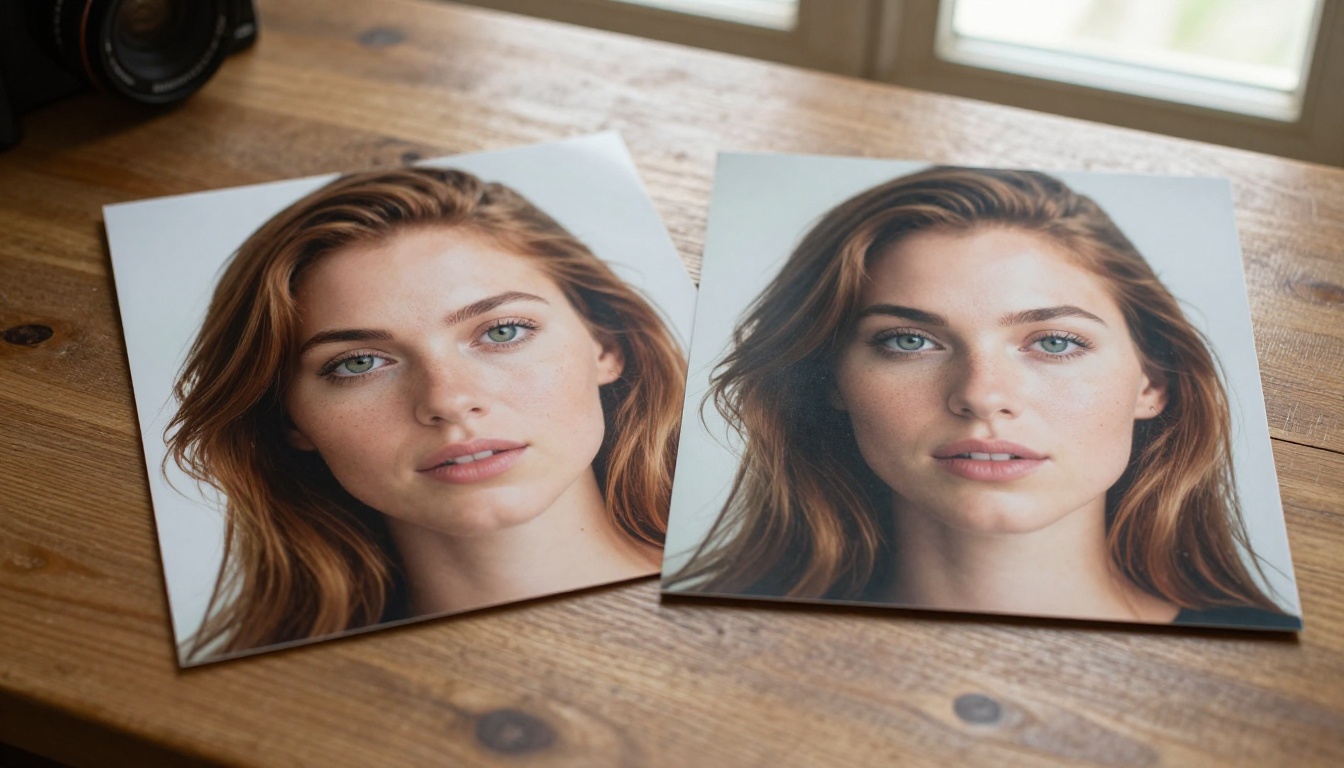
You generate an image. The face looks perfect. You try again with the same prompt, different scene, and suddenly the cheekbones shifted, the eye color drifted, and you are looking at a completely different person.
This is the most common frustration in AI image generation, and it prevents most creators from building work with any visual continuity. The good news: there are concrete, repeatable methods for locking a character's identity across multiple images. None of them are magic, but all of them work when applied with intention.
Why Characters Keep Changing
How diffusion models actually work
Every image a diffusion model generates starts from pure random noise. The model has no memory of previous outputs. It does not know what your character looked like in the last generation. What it has is your text prompt, and it interprets that prompt probabilistically, meaning slight variations in interpretation produce slight variations in the result.
Even with an identical prompt, two separate generations will produce two different people. That is not a bug. It is by design. Diffusion models are optimized for variety, not repeatability.
Understanding this is the first step toward working around it.
What breaks character consistency
Three core factors cause character drift between generations:
Randomness (seed variation): Each generation uses a different random starting point. Change the seed, change the person.
Prompt interpretation variance: The same words get weighted differently each time. "Brown eyes" might generate hazel, amber, or dark chocolate depending on the run.
Model switches: If you change models mid-project, facial structures, proportions, and skin tones will shift regardless of your prompt.
The solution is not to fight the model's nature. It is to constrain the randomness until the only variable left is the one you are intentionally changing.
Fixed Seeds and Detailed Prompts
This is the zero-cost, no-extra-tools method. It works better than most creators expect when executed properly.
The seed trick explained
Every AI image generation uses a numerical seed to initialize its random noise pattern. If you use the exact same seed with the exact same prompt, you get the exact same image every time. The useful part: if you keep the seed constant and only change elements like background, outfit, or lighting, the character's core features remain significantly more stable across variations.
💡 Pro tip: Find a seed that produces a great version of your character, write it down, and treat it as that character's permanent ID. Use it as your starting point for every new scene in that series.
Write descriptions, not moods
Vague prompts are the primary enemy of consistency. If your character description is "a young woman with brown hair," you will get a different young woman every time. Specificity is what forces the model into a narrow interpretation.
A strong character description includes:
Feature
Vague (Avoid)
Specific (Use)
Hair
"brown hair"
"warm chestnut hair, wavy, shoulder-length"
Eyes
"blue eyes"
"deep blue eyes with a dark limbal ring"
Skin
"pale skin"
"pale skin with faint freckles across the nose"
Face shape
"oval face"
"high cheekbones, soft jaw, small upturned nose"
Build
"slim"
"lean build, narrow shoulders, approximately 5'6"
The more data points you lock down, the less room the model has to improvise. Treat your character description like a biometric profile, not a mood board caption.
Negative prompts that protect your character
Negative prompts do not just block ugly outputs. They actively defend your character's features by excluding drift-prone alternatives. Add terms like:
different person, changed face, inconsistent features, morphed face,
distorted proportions, different ethnicity, different hair color,
different eye color, aging, younger, older
Combined with a fixed seed and a detailed positive description, this approach reduces drift enough to sustain short series of 5 to 10 images without any additional tools.
LoRA Models for Character Lock-In
When seed plus prompt is not tight enough, LoRA (Low-Rank Adaptation) training is the next level. This is where character consistency moves from approximate to reliable.
What a LoRA actually does
A LoRA is a small additional model file you train on images of a specific subject. When you load a LoRA alongside your base model, it adds a learned bias toward the features it was trained on. Train it on 20 photos of the same face, and the model now has an actual memorized representation of that face, not just a text description of it.
The result: your character appears consistently across wildly different scenes, poses, and lighting conditions because the model has internalized their specific features at the weight level, not just at the prompt level.
Training your own character LoRA
You do not need local hardware to do this. PicassoIA offers P-Image Trainer for this exact workflow. Here is what the process looks like:
What you need to start:
10 to 30 images of your character (real photos, AI-generated references, or a mix of both)
A consistent trigger word to activate the character in your prompts (e.g., "ohwx_woman" or a custom name)
A compatible base model that matches your desired output style
Training tips that actually matter:
Vary your input images: Include different angles, expressions, and lighting conditions. A LoRA trained only on front-facing neutral portraits will produce inconsistent results on 3/4 angle or side-profile shots.
Diversify backgrounds: If all training images share the same background, the LoRA will attempt to reproduce that background in outputs.
Use image captions: Properly captioned training data produces sharper, more transferable LoRAs that respond better to prompt-based scene variation.
Training Set Size
Consistency Level
Approximate Training Time
5 to 10 images
Moderate
15 to 20 minutes
15 to 25 images
High
30 to 45 minutes
30 or more images
Very High
60 or more minutes
💡 Important: More images are not always better. Overfitting on near-identical training images makes the LoRA rigid and unresponsive to scene variation. Variety in training data beats raw volume every time.
IP-Adapter: Copy a Face Into Any Scene
LoRA requires training data and time. IP-Adapter is the faster option when you have a single reference image and need immediate character transfer without a training session.
How IP-Adapter works
IP-Adapter extracts a visual embedding from a reference image and injects it into the generation process alongside your text prompt. The output incorporates the visual identity of your reference, not just what text describes about it.
Think of it as showing the model a photograph and saying "this person, in this scene." Your text prompt handles the environment, mood, and composition. The IP-Adapter handles who appears in it.
Best use cases for IP-Adapter
IP-Adapter is ideal when:
You have a strong reference image and do not want to invest time in LoRA training
You need a quick scene with a specific face for a one-time or short-run project
You are placing an approved real-person likeness into a fictional or creative setting
Your character is AI-generated and you want to continue a short series without setting up a training pipeline
For long-running projects with dozens of scenes, a well-trained LoRA will outperform IP-Adapter in both consistency and flexibility. For short series and rapid prototyping, IP-Adapter is often the smarter call.
How to Use Flux on PicassoIA
Flux Redux Dev on PicassoIA is one of the most effective options for character-consistent generation because it combines strong prompt adherence with reference image conditioning. Here is the practical workflow:
Step 1: Start with a reference image
Begin with your strongest character image: sharp focus, neutral expression, clean lighting, and a clear full view of the face. This becomes the visual anchor for every scene you generate in the series.
Upload it to PicassoIA and open Flux Redux Dev. This model accepts a reference image as structural input, biasing all outputs toward the reference's visual identity while still allowing full scene control via your text prompt.
Step 2: Set the right parameters
For character consistency in Flux, these are the settings that move the needle:
Image Influence / Strength: Set between 0.6 and 0.8. Below 0.6 and the reference gets largely ignored. Above 0.8 and the model copies the reference too literally to allow meaningful scene variation.
Seed: Lock it to one number. Document it alongside your character description for future sessions.
Prompt structure: Lead with character features, then describe the scene. Example: "Woman with chestnut hair and green eyes, wearing a navy trench coat, standing in a rainy Tokyo street at night, photorealistic 8K"
Step 3: Build your scene library
Generate 4 to 8 variations at your chosen settings before committing to a final output. Vary the environment and mood in your prompt while keeping character descriptors identical. This builds a scene library with a visually consistent character across multiple contexts.
💡 If character features drift between generations, increase image influence by increments of 0.05 until stability returns.
Face Swap vs. Character Locking
These two approaches are frequently conflated but they solve different problems and belong at different stages of a production workflow.
When to use Face Swap AI
Face Swap AI is a direct facial transplant: it takes the face from one image and places it precisely onto another. This is fast and accurate when you already have both a strong source face and a ready-made scene you want it placed into.
Use it when:
You need to quickly insert a character into pre-generated or existing scene images
Your source face image is high resolution with clear, well-lit features
The target scene already has the right body pose, framing, and composition
Speed per image matters more than a fully generative workflow
Limits of face swapping
Face Swap is a post-generation tool. It works after images already exist. If you need 30 scenes generated from scratch all featuring the same character, creating each scene and then swapping faces is substantially slower than LoRA or IP-Adapter approaches where the character's identity is embedded from the start.
Method
Speed
Consistency
Setup Required
Fixed Seed + Prompt
Fast
Moderate
None
IP-Adapter
Fast
High
Single reference image
LoRA Training
Slow to start
Very High
Training set plus time
Face Swap AI
Fast per image
High
Two source images
No single method fits every project. The right choice depends on how many images you need, how much lead time you have, and whether you are working generatively from scratch or post-processing existing outputs.
Real-World Applications
Brand mascots and marketing
A company mascot needs to appear consistently across social posts, banner ads, product packaging, and campaign emails. A character LoRA trained on an approved reference set gives a team a reliable visual identity they can deploy into any scene without losing recognition from asset to asset.
Regenerating from scratch each time produces subtle drift that accumulates across an asset library, slowly eroding the visual cohesion that makes a mascot recognizable. A character-locked workflow solves this at the source rather than trying to correct it in post.
Storytelling and visual novels
Building a comic, webtoon, or visual novel with AI imagery makes character consistency non-negotiable. Your reader needs to recognize the protagonist in panel 40 the same way they recognized them in panel 1.
Combining methods pays off significantly here: use a trained LoRA as your generative base, lock seeds for recurring scene types, and apply Face Swap as a correction layer for any frames where drift appears. These tools work best as a layered safety net rather than competing alternatives you have to choose between.
Social media content creators
Creators building a persona or AI-generated character for social platforms need visual consistency week after week. A character that looks noticeably different in each post does not build the audience recognition or emotional connection that makes a persona worth following.
The most practical workflow for sustained content production:
Create a strong character reference with a locked seed and detailed prompt description
Generate 15 to 25 varied reference images from that base
Train a LoRA with P-Image Trainer on PicassoIA using those varied references
Generate a batch of 20 to 30 distinct scene images in a single focused session
This approach produces weeks of content from one training session, with a character that remains visually stable across all of it.
Start Building Your Character Today
Character consistency in AI generation used to require expensive local hardware, custom server configurations, or hours of manual editing work. That is no longer the case.
PicassoIA brings every tool in this workflow onto a single platform: Flux Redux Dev for reference-conditioned generation, P-Image Trainer for LoRA character training, and Face Swap AI for scene-level precision adjustments, all accessible without any local installation or configuration.
The most effective first step is also the simplest: pick one character, generate a strong reference image with a locked seed, and write a detailed description of their features at the biometric level. That foundation alone will dramatically reduce drift compared to starting fresh each time.
From there, scale your approach to match the size of the project. A short series with a tight deadline calls for IP-Adapter. A long-form narrative or brand campaign calls for a trained LoRA. Single-image client work calls for Face Swap. There is a method that fits every situation, and all of them are available in one place.
The only missing variable is the character you have not built yet.
Open PicassoIA, generate your first reference image, and lock that seed. Your consistent character is one session away.