Reposting the same video across six different platforms used to mean hours of manual work. You would re-edit the clip, drag crop boxes, guess where the subject lands in a vertical frame, export again, and still end up with a shot that cuts off someone's head on TikTok. AI changes all of this.
Today's AI reframing tools track your subject automatically, reposition the crop in real time, and output a platform-ready file in minutes. Whether you are converting a 16:9 YouTube video into a 9:16 TikTok reel, or turning portrait footage into a square Instagram post, the process no longer requires a dedicated editor or a timeline-heavy workflow.
This article walks through exactly how AI video reframing works, which platforms need which aspect ratios, and how to use Luma Reframe Video on Picasso IA to convert any clip without touching a timeline.
Why Aspect Ratios Actually Break Your Content
Most creators treat aspect ratio as an afterthought. They record in 16:9, upload everywhere, and wonder why their vertical content looks like two thin black bars flanking a tiny rectangle.
The problem is not the content. It is the container.
Each platform was built around a specific viewing behavior. TikTok users hold their phone in portrait. YouTube viewers watch on a 16:9 screen. Instagram Stories fill the entire phone display. When you upload a landscape video to a portrait-native platform, the algorithm penalizes you before a single person sees the clip. The framing mismatch is a signal, and platforms read it.

Platform-by-Platform Breakdown
Here is what every major platform actually needs:
| Platform | Recommended Ratio | Resolution |
|---|
| TikTok | 9:16 | 1080 x 1920 |
| Instagram Reels | 9:16 | 1080 x 1920 |
| Instagram Stories | 9:16 | 1080 x 1920 |
| Instagram Feed | 1:1 or 4:5 | 1080 x 1080 |
| YouTube | 16:9 | 1920 x 1080 |
| YouTube Shorts | 9:16 | 1080 x 1920 |
| LinkedIn | 16:9 or 1:1 | 1920 x 1080 |
| X (Twitter) | 16:9 | 1280 x 720 |
| Facebook Reels | 9:16 | 1080 x 1920 |
| Pinterest | 2:3 | 1000 x 1500 |
That is ten platforms, up to five distinct formats, and one original video. Without AI, distributing efficiently means either having a video editor on call or accepting lower-quality reposts with visible black bars.
The Cost of Getting It Wrong
Platforms do not just display wrongly framed videos badly. They suppress them. TikTok's algorithm deprioritizes content that does not fill the screen natively. Instagram reduces organic reach for portrait clips uploaded as landscape. Letterboxing and pillarboxing are both signals that the content was not created for that environment.
The practical cost: the same clip that gets 200,000 views on YouTube might pull 3,000 views on TikTok simply because it was not reframed for the vertical feed. The video is identical. The framing decision is the entire difference.
What AI Reframing Actually Does
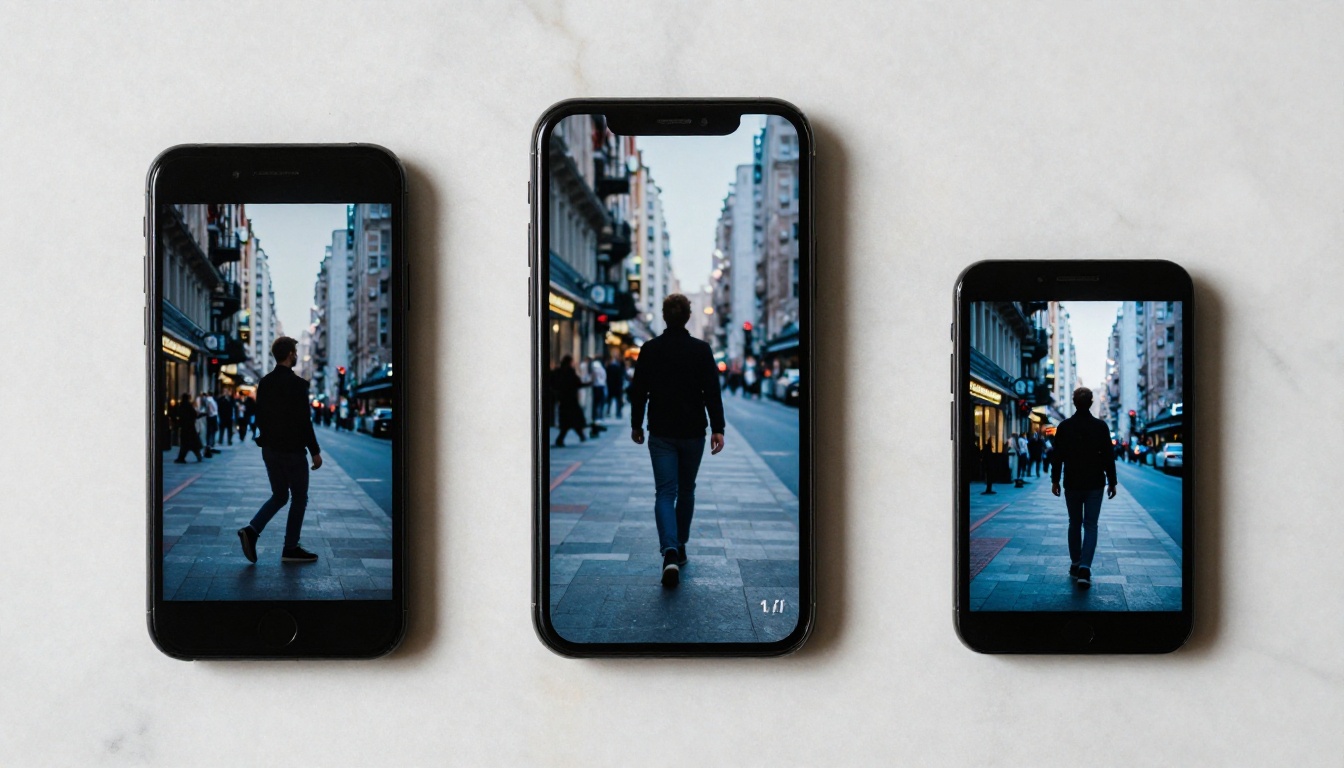
AI reframing is not the same as cropping. Manual cropping picks a static region and holds it. AI reframing tracks subjects in motion and repositions the frame dynamically throughout the entire clip, following whatever matters most in the scene.
Subject Detection vs. Manual Crop
A standard crop locks a fixed rectangle over your original footage. If someone walks from left to right in the frame, a static 9:16 crop will show them enter from the right edge and exit to the left, potentially cutting off their face for most of the clip.
AI reframing uses computer vision to identify the primary subject, whether a face, a person, a product, or a moving object, and follows it throughout the video. The output crop stays centered on what matters. The subject stays in frame. The motion feels natural and intentional, not chopped.
For interview footage, the AI anchors to the speaker's face. For sports content, it tracks the moving athlete. For product demos, it prioritizes the product in the frame. The model adapts to what it detects rather than applying a one-size-fits-all rule.

3 Reframing Approaches Compared
Not all tools work the same way. Here is how the main methods differ in practice:
| Method | Quality | Speed | Subject Tracking |
|---|
| Manual crop (static) | Low | Fast | None |
| Rule-based auto-crop | Medium | Fast | Basic (center bias) |
| AI subject-aware reframe | High | Medium | Yes, dynamic |
AI subject-aware reframing is the only method that produces professional results consistently. The other two are workarounds. Static crops work acceptably for footage where nothing moves, like a static product shot or a locked-off interview. For everything else, only AI tracking produces a watchable result.
Note: For footage where the subject stays centered and does not move, static crops can work fine. For travel footage, sports, unscripted talking-head content, and anything with real motion, only AI tracking produces a result that does not feel amateur.
How to Reframe Video with Luma on Picasso IA
Picasso IA has a dedicated reframing tool built directly into the platform. Luma Reframe Video handles aspect ratio conversion with AI-driven subject tracking, outputting clean, platform-ready clips without requiring any video editing software or timeline knowledge.
Here is how to use it step by step.
Step 1: Upload Your Clip
Open Luma Reframe Video on Picasso IA. The interface accepts MP4 and MOV files. Upload your original footage in its native format, whether 16:9, 9:16, or any other ratio you recorded in.
Before uploading: If your original clip is heavily compressed or recorded at low resolution, consider running it through Bria Video Increase Resolution first to upscale before reframing. Cropping into a low-resolution clip compounds quality loss. Starting from a sharper source file always produces a significantly better output, especially for 9:16 exports where faces are larger in frame and compression artifacts are more visible.
Step 2: Select Your Target Aspect Ratio
Choose your output format from the available ratio presets. The standard options cover every major platform:
- 9:16 for TikTok, Instagram Reels, YouTube Shorts, Facebook Reels
- 1:1 for Instagram Feed, LinkedIn square posts
- 4:5 for Instagram Feed portrait posts
- 16:9 for YouTube, LinkedIn video, X (Twitter)
- 2:3 for Pinterest
The AI preview shows how the subject-aware crop will apply across the full timeline. If the tracking drifts on a specific section, you can manually adjust anchor points before committing to the export. This combination of automatic tracking with manual override gives you precise control without losing the speed benefit of AI automation.
Step 3: Export and Distribute
Once the reframe preview looks correct, run the export. Luma Reframe Video outputs a clean video file at the target ratio, ready to upload directly to the platform without additional processing steps.
For a complete multi-platform workflow, batch export the same clip in multiple ratios back to back. The AI tracking is re-applied cleanly for each export format, so you do not need to re-upload the source file or redo any configuration between exports.
Workflow tip: Export 16:9 first for YouTube, then 9:16 for short-form platforms, then 1:1 for Instagram Feed. This order matches typical distribution priority and makes the batch review process faster to work through.
Knowing the numbers is one thing. Knowing how each format performs in practice is different.

Short-Form Vertical Platforms
TikTok, Instagram Reels, YouTube Shorts, and Facebook Reels all run natively on 9:16. These platforms penalize anything that does not fill the phone screen. A black bar at top or bottom is a clear signal to the algorithm that the content was not designed for the platform.
For talking-head content, 9:16 feels natural because the face fills the frame naturally. For landscape footage like travel videos, drone shots, or wide-angle scenes, AI reframing is the only viable path to a proper 9:16 output. Without it, a 16:9 clip converted to 9:16 loses 44% of the original horizontal width, and you have no control over which part of the scene stays visible.
Key fact: Properly reframed 9:16 clips consistently outperform letterboxed reposts on TikTok and Reels. The algorithm treats native-format content as a signal of quality. The difference in organic reach is not marginal.
Horizontal and Square Formats
YouTube remains the dominant platform for 16:9 long-form. If you are reframing from 9:16 vertical to 16:9 horizontal, AI reframing typically adds contextual background fill to complete the wider canvas, so the scene does not simply show black bars on the sides.
Instagram Feed and LinkedIn both perform well with 1:1 square format. Square posts occupy more vertical screen space in the feed scroll than landscape posts, which translates to higher stop rates as users move through their feed. The additional space does not hurt performance and typically helps it.
Pinterest prefers 2:3 portrait, sitting between square and full vertical. A 9:16 clip can be trimmed to 2:3 cleanly, and AI tracking ensures the subject stays centered in the slightly wider crop rather than being cut off.
After Reframing: Polish Your Clip
Reframing is step one of platform-ready distribution. Two additional steps make the difference between a clip that performs and a clip that gets skipped.
Upscale After Cropping
When you crop into footage, you work with a smaller pixel area than the original. For high-resolution source files this is not a problem. For clips shot on a phone or from a compressed export, cropping magnifies compression artifacts that were not visible at the original scale.
The fix: run your reframed clip through Real ESRGAN Video to upscale to 4K after reframing. The AI upscaling model restores detail that compression removed, producing a sharper final output than the original compressed source. For 9:16 exports where faces are prominent in the tight crop, this step is particularly valuable.
Alternatively, Bria Video Increase Resolution can push your clip up to 8K if your distribution workflow requires maximum quality for large-screen viewing or future-proofing.
Add Captions for Silent Viewers
On TikTok and Instagram Reels, the majority of video views happen with sound off. Captions are not optional for short-form content. They are the difference between someone watching your clip through and someone swiping past it in the first two seconds.
Autocaption on Picasso IA generates synchronized subtitles automatically from any uploaded clip. After reframing, run the output through Autocaption to add styled text overlays that match the spoken content frame by frame. The model handles multiple languages and accents with high accuracy and does not require transcript preparation.
The complete three-step post-reframe workflow:
- Reframe the clip using Luma Reframe Video
- Upscale the reframed output with Real ESRGAN Video
- Caption the final clip using Autocaption
This sequence produces a distribution-ready clip without manual editing at any step.

Beyond Reframing: Edit the Clip Itself
Sometimes reframing reveals a problem with the footage that simple cropping cannot fix. A background element that looked fine in 16:9 becomes distracting in the tighter 9:16 frame. A product on the desk that was safely off-screen now appears at the edge. A person enters the frame from the side in the new crop area.
For these situations, Picasso IA has text-based video editing tools that let you modify footage without re-shooting:
- Lucy Edit 2 accepts plain text instructions to edit any part of a video, including removing objects, changing backgrounds, and modifying visual elements mid-clip.
- Wan 2.7 Videoedit uses text prompts to restyle or modify video content directly, without requiring separate compositing software.
- Gen 4 Aleph by Runway allows recut and restyling of entire clips with AI-driven temporal consistency.
These tools are most useful when reframing exposes unwanted elements in the new crop area. Rather than accepting the problem or re-shooting the scene, you describe the change in text and the AI applies it.

Real Results: What Proper Framing Changes
The data on this is consistent across platforms and content categories. Creators who switch from letterboxed reposts to AI-reframed native content report significant differences in reach, completion, and saves:
| Metric | Letterboxed Reposts | AI-Reframed Native |
|---|
| TikTok reach (same clip) | Baseline | 2 to 4x higher |
| Instagram Reels saves | Baseline | 30 to 60% higher |
| YouTube Shorts CTR | Baseline | 15 to 25% higher |
| Watch time (completion rate) | Lower | Noticeably higher |
The completion rate difference is particularly significant. When a video fills the screen natively, viewers are more likely to watch through to the end. Letterboxed content creates visual dead space that signals to both the viewer and the algorithm that the content was not created for this environment.
Engagement Differences by Format
Square posts on Instagram Feed perform differently from vertical posts on Reels, even if they show identical content. Understanding which format drives which type of engagement matters for planning a distribution strategy:
- 9:16 Reels: Discovery-oriented. The algorithm actively pushes to new audiences. Best for reach and new follower acquisition.
- 1:1 Feed posts: Engagement-oriented. Reaches existing followers in the main feed. Best for depth of connection and comments.
- 16:9 YouTube: Watch-time oriented. Rewards longer completion rates. Best for building total watch minutes and channel authority.
Reframe for all three if the content is strong enough to justify multi-platform distribution. The batch workflow on Picasso IA makes this fast enough that the decision is no longer about effort. It is purely about whether the content works in each format.
Start with the Clip You Already Have
Every video you have already recorded is potentially three platform-native pieces of content. The raw footage already exists. The only missing step is the reframe.
Luma Reframe Video on Picasso IA is ready to use without any editing software, technical knowledge, or timeline work. Upload your clip, choose your target ratio, and the AI handles the tracking, crop positioning, and export automatically.
From there, the full video editing suite on Picasso IA covers every step: upscaling with Real ESRGAN Video, background removal with Bria Video Remove Background, automatic captions with Autocaption, and text-based editing with Lucy Edit 2.
Take the clip sitting in your camera roll right now. Reframe it for TikTok, square it for Instagram Feed, keep the original for YouTube. Three posts from one shoot, each platform-native, each formatted exactly the way the algorithm expects.