Kling 3.0 is not an incremental update. Every prior generation of AI video struggled with the same three problems: faces that drift between frames, camera moves that feel slapped on in post, and physics that breaks down the moment anything soft or fluid enters the frame. Kling 3.0 addresses all three at once, and the results are immediately obvious. Clips come back with the kind of frame-to-frame coherence that used to require hours of rotoscoping and compositing to fake.
This article covers how Kling v3 Video works, how to write prompts that produce genuinely cinematic output, and how to run it on PicassoIA from first prompt to finished clip.

What Kling 3.0 Does Differently
Most video diffusion models handle frames independently. Each frame is sampled from the same learned distribution without reference to what the frame before it contained. This is why characters drift, why fabric moves like it is underwater, and why hair becomes someone else's by frame 12. It is a fundamental architecture problem, not a prompting problem.
The Physics Layer
Kling 3.0 uses a temporal consistency mechanism that carries physical state forward through the entire clip. Instead of resetting on every frame, it tracks:
- Fabric folds that maintain their position and move with correct inertia as the subject moves
- Liquid that follows gravity through the full clip duration instead of flickering into noise
- Hair that holds consistent position and lighting rather than shifting style between frames
- Skin and facial features that remain the same identity from the first frame to the last
The practical result is footage that passes the casual viewing test. A person who has never used AI video will not immediately clock it as artificial. That threshold is everything for anyone using AI video in production.
Reading Cinematic Prompts
Earlier Kling releases had a ceiling on prompt complexity. Sophisticated camera instructions, multi-clause descriptions, and film-specific terminology often collapsed into generic output. Kling 3.0 reads these prompts at a fundamentally different level of fidelity.
Asking for a "low-angle Dutch tilt, tracking left at knee height, 50mm equivalent, backlit by morning sun from the right" now produces exactly that, not a rough approximation. The gap between what you describe and what you get has narrowed significantly, which is what makes precise cinematic prompting viable rather than aspirational.
Which Model to Use When
Before writing a prompt, it helps to know which variant in the Kling family fits the job. PicassoIA carries the full lineup.
The standard workflow: prototype on Kling v2.6 for speed and economy, then finalize on Kling v3 Video for quality. Switch to Kling v3 Motion Control when you have a reference image and need a specific camera path that text prompting alone cannot reliably produce.
Prompts That Actually Work
The most common failure mode in AI video is prompting it like a search engine. "Mountain sunset with dramatic clouds" is a query. It is not a description of a shot. Kling 3.0 responds to cinematographer-level specificity, and the difference in output quality between a query and a real cinematic description is not subtle.
The Four-Part Structure
Every strong Kling prompt has four components, written in this order:
- Subject and action: Who or what, with specific details of appearance, clothing material and color, and behavior
- Camera specification: Angle, height, movement type, and focal length equivalent
- Environment and lighting: Location, time of day, light source position and color quality
- Atmosphere and texture: Film stock feel, grain, color temperature, mood
Weak prompt:
A woman walking through a rainy city at night.
Cinematic prompt using the four-part structure:
A woman in her early 30s in a dark wool coat walks alone down a rain-slicked city street at 2am, camera tracking at hip height from her left side at 85mm equivalent, shallow depth of field blurring string of streetlights into warm amber orbs behind her, volumetric light from a sodium vapor lamp directly overhead creating a soft halo on her dark hair, Kodak Vision 3 film grain, blue-black shadows with warm highlights, quiet and contemplative atmosphere.
The second prompt eliminates ambiguity at every decision point the model would otherwise fill in randomly. The output difference is dramatic.
What to Leave Out
Several common inclusions consistently damage output quality:
- Vague mood words without physical grounding: "dramatic," "cinematic," "powerful" without specifying what creates those qualities
- More than one primary camera movement: combining "dolly-in" with "orbit" in a single 5-second clip almost always produces incoherent spatial motion
- Multiple simultaneous character actions: one primary action per clip is reliable; two or more usually produce artifacts or blending
- Contradictory spatial instructions: requesting extreme close-up and full-body in the same prompt
💡 Tip: Read your prompt as if briefing a real director of photography. If anything is ambiguous to a human professional, it will be ambiguous to the model. Specifying the light source direction in every prompt is the single highest-leverage change most people skip entirely.
Camera Moves and Focal Length
Camera movement is where Kling 3.0 shows the sharpest improvement over earlier versions in the family. The model now responds to specific cinematography vocabulary in ways that produce verifiable, predictable results rather than loose approximations.

Moves That Work Every Time
| Prompt Term | What It Produces |
|---|
slow dolly-in | Gradual push toward subject, clean and stable |
gentle pan left or pan right | Horizontal sweep, strong for landscapes and reveals |
low-angle upward tilt | Makes subjects feel imposing, creates dramatic perspective |
aerial crane descending | Bird's-eye view descending to ground level |
handheld slight shake | Documentary realism with controlled jitter |
orbit 180 degrees | Camera circles subject, strong for character reveals |
rack focus foreground to subject | Focus pull that creates a cinematic depth transition |
Use one camera move per clip. Combining two camera movements in a single generation produces spatial incoherence by the midpoint of the clip. Pick one and execute it fully.
Picking Your Focal Length
Kling 3.0 interprets focal length descriptions as actual spatial compression instructions, not just style tags. Specifying a focal length changes the geometry of the scene:
- 24mm: Wide angle with environmental context and slight edge curvature. Strong for establishing shots.
- 50mm: Natural perspective closest to human vision. Versatile and perceptually neutral.
- 85mm: Shallow depth of field with strong background separation. The workhorse for character shots.
- 135mm: Extreme background compression that pulls distant elements visually close, creating an intimate compressed-space feel.
💡 Tip: Default to 85mm for any shot involving a person. It flatters subjects, creates visual separation from backgrounds, and delivers the look most closely associated with professional narrative film. Start there and deviate only when the shot demands something specific.
Keeping Characters Consistent
Character consistency across a multi-clip sequence is one of the hardest problems in AI video generation. A face that shifts subtly between generations destroys the illusion of a coherent scene. Kling 3.0 handles this better than any previous version in the family, but it still requires deliberate prompting discipline across a sequence.
The Reference Image Method
The most reliable approach to character consistency is image-to-video generation. Create a reference still of your character using a text-to-image model first, then pass that image to Kling v2.1 or Kling Avatar v2 in image-to-video mode. The reference image anchors the character's appearance and the model carries it through the clip with high fidelity.
For pure text-to-video character work without a reference image, use highly specific descriptors in every clip prompt:
- Exact age, hair color and length, eye color
- Specific clothing item with material texture and precise color
- Distinguishing features: a particular scar, freckles, a specific accessory
- Repeat these descriptors identically in every clip prompt in the sequence
The moment you vary a descriptor, the model treats it as permission to vary the character.
Bridging Scenes in a Sequence
Kling 3.0 does not automatically inherit state between separate generations. Each clip is independent with no memory of what came before. To maintain visual continuity across a sequence:
- End each clip prompt description with the character in a specific, stable position
- Begin the next clip prompt from that exact position
- Carry all character descriptors forward identically
- Keep the lighting setup consistent unless you are intentionally cutting to a new environment
This is the same work a script supervisor does on a real film set. The model cannot do it automatically, but it honors the information you supply precisely.
How to Use Kling v3 on PicassoIA
PicassoIA gives you direct access to the full Kling v3 lineup with no API setup, local installation, or developer account. The workflow from prompt to finished clip runs in five steps.
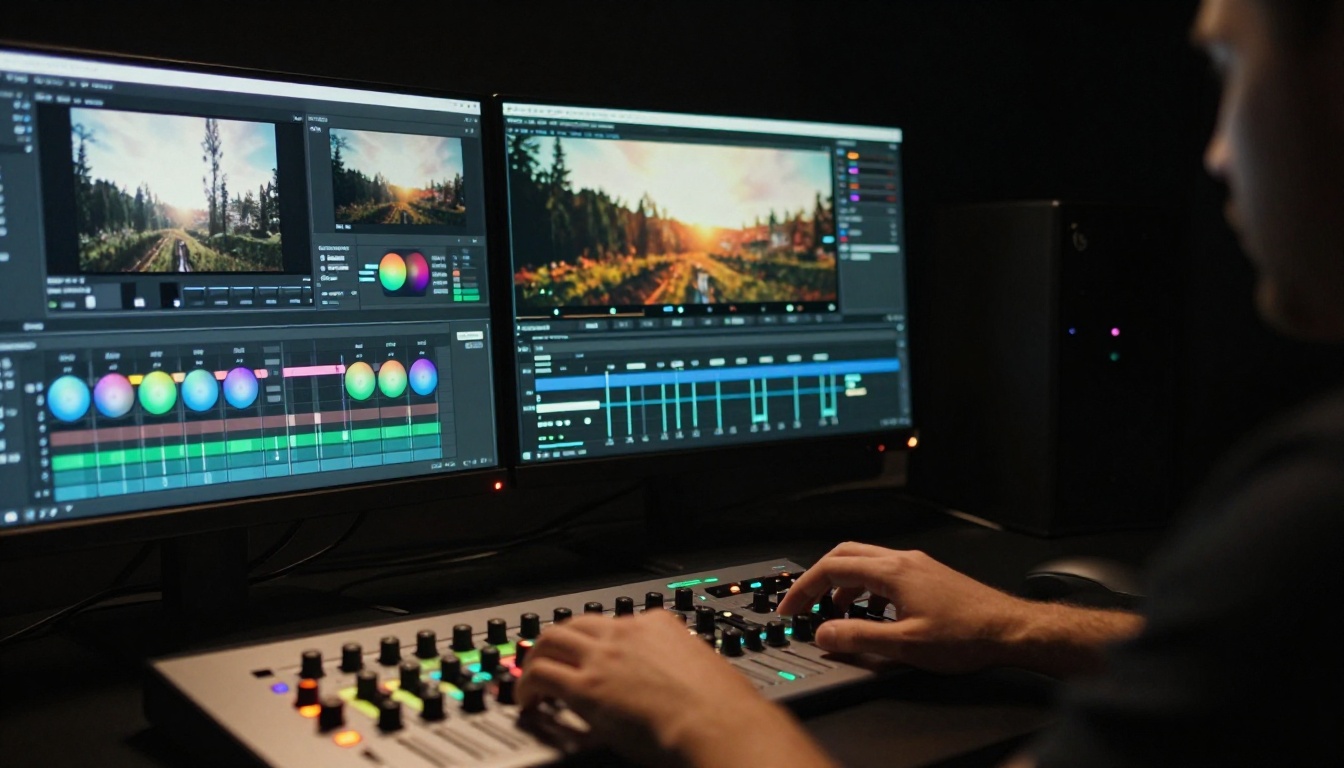
Step 1: Choose your model. Go to Kling v3 Video for standard text-to-video cinematic work. If you are animating a reference image with a specific camera path, open Kling v3 Motion Control instead. For face animation from a still photo, Kling Avatar v2 is the right tool.
Step 2: Set parameters before writing. Choose 16:9 for standard cinematic output. Set duration to 5 seconds, the ideal window for one complete camera move. Select 1080p for any clip intended for a final cut. Use 720p only for testing.
Step 3: Write the prompt using the four-part structure. Subject, camera, environment, atmosphere, in that order. Target 80-120 words. Under 50 words and the model fills gaps arbitrarily. Over 150 words and conflicting details produce incoherence.
Step 4: Lock the camera move first. Your first generation tests whether the camera behavior is correct. If the motion is right, everything else is easier to fix through iteration. If the motion is wrong, the rest does not matter. Confirm the camera, then refine subject and atmosphere.
Step 5: Chain clips in your editing software. Each clip in a sequence is a separate generation. Keep character descriptors identical across all prompts. Add audio in post, since Kling does not generate native audio.
💡 Tip: Kling v2.1 Master and Kling v1.6 Standard offer solid character consistency at lower cost. Use them for early-stage iteration before moving to v3 for finals.
How Kling 3.0 Stacks Up Against the Competition
The AI video space has several strong models right now. Where Kling 3.0 fits relative to the others depends on what your specific clip needs.
Side-by-Side Comparison
When Kling Wins
Kling 3.0 is the right model when:
- Character stability across multiple clips is non-negotiable: only Sora 2 matches it here
- Camera language precision matters: Kling reads cinematography terminology more reliably than most alternatives
- Physics-heavy scenes are involved: water, fabric, hair, and soft-body motion behave more naturally than in comparable models
- Audio will be handled separately in post: the absence of native audio is not a limitation if your workflow adds sound in editing
When you need native audio generated with the video, Seedance 2.0 or Veo 3 are the practical choices. When raw speed matters more than peak quality, Kling v2.6 delivers fast 720p output while maintaining the same temporal consistency the v3 family is built on.
4 Mistakes to Stop Making
Most bad AI video outputs trace back to the same four errors. Addressing them directly moves results into a noticeably different quality range.
No Light Direction in the Prompt
Generic lighting descriptions produce generic output. "Dramatic lighting" tells the model nothing about the physical setup of the shot. "Volumetric light from the upper left at 45 degrees, casting long shadows to the right, warm 3200K color temperature" gives the model a specific physical configuration to replicate. This single change produces the biggest visible quality jump of anything you can adjust in a prompt.
Testing on Premium Before the Concept Works
Running Kling v3 Video before the prompt concept is confirmed wastes both time and credits. The correct workflow is to prototype on Kling v2.6, confirm the camera move and basic composition work, then finalize on v3. The prompt behavior transfers well between versions in the same model family.
Changing Multiple Variables Per Iteration
When a generation comes back wrong and you simultaneously change the subject, camera, and lighting, you lose the ability to diagnose what fixed it. Change one variable per iteration and treat each generation as a controlled experiment. Output improves faster, and you build a reliable prompting vocabulary in the process.
Describing Quantity Instead of Precision
A 200-word prompt full of mood language produces worse output than a 90-word prompt with precise physical specifications. More words about how something "feels" or "conveys" do not help the model. More words about exactly where the light source is, what the focal length is, and what material the character's clothing is made of help the model significantly.
💡 Tip: Cut any sentence from your prompt that does not describe a physical object, position, material, or action. If it would not appear in a camera setup sheet, it probably belongs in a mood board instead.
What to Try on PicassoIA Right Now
The Kling v3 suite is the current production standard for cinematic AI video. Kling v3 Video handles the majority of narrative work. Kling v3 Motion Control takes over when you need a precise camera trajectory from a reference image. Kling v3 Omni Video covers versatile mixed-input scenarios.
Beyond Kling, PicassoIA carries Seedance 2.0 for audio-native generation, Kling Avatar v2 for face animation and talking-head clips, and PicassoIA Video for free unlimited generation when you want to test ideas without any cost pressure. The full catalog spans over 87 text-to-video models from Google, OpenAI, ByteDance, Luma, and Minimax, all accessible from the same interface.
The gap between an average AI video and a genuinely cinematic one is not a model gap. It is a prompting gap. The camera move, the focal length, the light direction, the film stock reference: these are the physical specifications the model needs to produce footage that actually holds up on screen.
Pick a scene you have been imagining. Apply the four-part structure. Write it with precision. Run it on Kling v3 Video. The first successful cinematic clip changes what you believe AI video can actually produce. See what the full catalog can do at picassoia.com/en/all-models.


