There's a good chance you've already used a large language model today without thinking about it. When you asked a chatbot to draft an email, when autocomplete finished your sentence, when a writing assistant rewrote a clunky paragraph: that was an LLM at work. This article cuts through the noise and explains what these systems actually are, how they function under the hood, and which ones deserve your attention right now.
What an LLM Actually Is

A large language model is a type of artificial intelligence trained on massive amounts of text to predict and generate language. That might sound simple, but the implications run deep. These are not search engines that retrieve stored answers. They are statistical systems that have absorbed so much text that they can generate coherent, contextually accurate responses from scratch.
The "language model" part has been around for decades in computational linguistics and natural language processing. What changed with LLMs is the scale: billions or even trillions of parameters, trained on text spanning books, articles, code repositories, and web pages across dozens of languages. The result is a foundation model that can write, reason, translate, summarize, and code, often at a level that would have seemed implausible a decade ago.
These models are sometimes called pre-trained models because the bulk of their capability comes from an initial large-scale training run, after which they can be adapted (or fine-tuned) for specific domains or tasks. That two-phase approach, broad training followed by narrow adaptation, is a big part of why LLMs have become the dominant architecture across AI applications.
Words as math, not magic
At their core, LLMs do not read text the way humans do. They convert words into numbers. Every token (roughly a word or word-fragment) gets mapped to a high-dimensional vector in a mathematical space where similar concepts cluster together. The word "cat" ends up close to "feline" and "kitten." The word "London" ends up near "Paris" and "capital."
Training pulls these vectors into meaningful positions by having the model predict what comes next in billions of sentences. Over millions of training steps, the model learns relationships between words, grammar patterns, factual associations, and stylistic tendencies, all encoded as floating-point numbers across billions of parameters in a neural network.
Why "large" changes everything
The word "large" is doing serious work in this name. Small language models, those with tens of millions of parameters, can handle narrow tasks reasonably well. But something interesting happens when you scale past a certain threshold. Capabilities that were never explicitly trained for begin to emerge. A model trained only to predict the next token starts being able to do basic arithmetic, write structured code, and follow multi-step instructions.
This is called emergent behavior, and it's one of the most studied phenomena in AI research today. Nobody programs these capabilities in; they appear as a side effect of scale and data volume.
How LLMs Process Your Words

When you type a message and hit send, a specific sequence of operations fires before a single word comes back.
Tokenization, step by step
Your message doesn't enter the model as words. It enters as tokens, chunks of text produced by a tokenizer. The word "running" might be one token. The word "unbelievably" might be split into three. A typical English sentence tokenizes into slightly fewer tokens than words, while less common languages often produce more tokens per word.
Why does this matter? Because LLMs have a context window, a hard limit on the number of tokens they can process at once. GPT 4.1 handles up to 1 million tokens. Older models cap at 4,096. If your input plus the model's generated response exceeds the limit, earlier content gets cut off. For long documents or extended conversations, this limit becomes a real workflow consideration.
What a transformer does
The architecture powering nearly every modern LLM is called the transformer, introduced in the 2017 research paper "Attention Is All You Need." Before transformers, models processed text sequentially, left to right. Transformers introduced self-attention: the ability for every token to simultaneously weigh its relationship with every other token in the context window.
This parallel processing is why LLMs can hold the subject of a sentence in mind while generating its end, why they can reference something mentioned 3,000 tokens ago, and why they handle ambiguous pronouns correctly most of the time. Attention is the mechanism that makes language generation feel coherent rather than a probabilistic guess at each word in isolation.
💡 Practical tip: You don't need to memorize transformer internals to use LLMs well. But knowing that attention keeps context coherent helps you write better prompts. Specifically, it's worth front-loading the most important context in your message rather than burying it at the end.
What Parameters Really Mean

You'll constantly see models described by their parameter count: "7 billion parameters," "70B," "405B." Here's what that actually means.
A parameter is a single number in the model's neural network, a weight that determines the influence of one connection on another. When a model trains, it adjusts billions of these weights to minimize prediction errors over the training dataset. By the end of training, the weights collectively encode everything the model "knows." More parameters mean more capacity to store patterns, nuance, and factual associations.
Size vs. speed
More parameters also mean slower inference (the process of generating a response) and higher memory requirements. Running a 70B model locally requires a high-end GPU with 40+ GB of VRAM. A 7B model can run on a modern consumer laptop GPU. In the cloud, larger models cost more per token to run.
The practical tradeoff at a glance:
| Parameter Count | Typical Use Case | Speed |
|---|
| 2B – 8B | Lightweight chat, code completion, Q&A | Very fast |
| 13B – 34B | General-purpose reasoning, summaries | Moderate |
| 70B+ | Complex reasoning, long-document tasks | Slower |
| 400B+ | Research-grade, frontier multimodal tasks | Slowest |
When a smaller model wins
Bigger is not always better for your specific task. A smaller model with targeted fine-tuning often outperforms a massive general model on narrow applications. Granite 4.1 8B by IBM, for instance, performs exceptionally well on structured tasks and code despite its compact size. If you're doing quick summarization, short-form writing, or simple Q&A, there's no reason to route to a 400B model when an 8B model does the job faster and at lower cost.
Top LLMs You Can Use Right Now

The LLM landscape moves at a disorienting pace. Here's a clear snapshot of what's worth using today, across the major model families.
OpenAI's GPT family
OpenAI remains the most recognized name in this space. GPT 5 is their flagship model, capable of writing, coding, reasoning, and vision tasks in a single interface. For faster, more cost-effective day-to-day work, GPT 5 Mini and GPT 4.1 Mini are both excellent options. If your task requires structured outputs, GPT 5 Structured returns clean JSON, making it ideal for applications and automation pipelines. For heavy reasoning tasks involving multi-step logic, O4 Mini and O1 use chain-of-thought reasoning to work through complex problems step by step.
Anthropic's Claude models
Anthropic's Claude family is known for long context windows, careful output calibration, and strong writing quality. Claude 4 Sonnet is the precision choice for coding and structured reasoning tasks. Claude Opus 4.7 brings multimodal capability to the table, handling images alongside text natively. Claude 3.5 Sonnet remains a top pick for long document processing and nuanced creative writing.
Meta's Llama 4
Meta's open-weight models have closed the performance gap with proprietary systems significantly. Llama 4 Maverick Instruct handles general-purpose chat and reasoning with strong results. Llama 4 Scout Instruct is optimized for fast text generation at scale. Because the weights are publicly available, these models can be deployed privately, which is valuable for organizations with strict data privacy requirements.
DeepSeek, Gemini, Grok, and more
DeepSeek R1 attracted broad attention for its transparent reasoning chains and strong performance at a lower operational cost than most proprietary alternatives. DeepSeek V3.1 builds on this with stronger coding ability. Google's Gemini 3.1 Pro integrates naturally with Google Workspace and excels at multimodal tasks. Gemini 2.5 Flash trades some capability for dramatically faster response times. xAI's Grok 4 is built specifically for complex reasoning that requires sustained multi-step thinking.
How to Use LLMs on PicassoIA
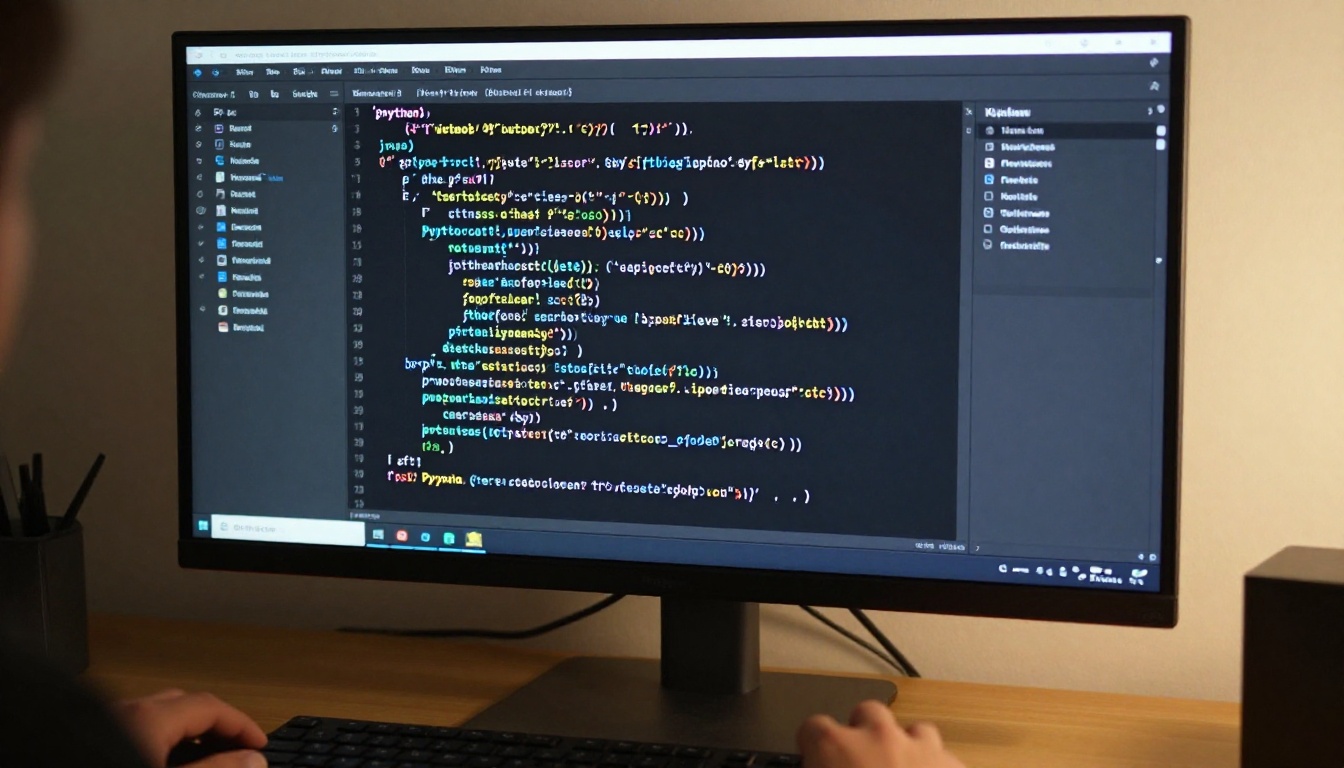
PicassoIA hosts over 65 large language models in its collection, all accessible from a browser with no API keys, local GPU requirements, or technical configuration. Here's how to use them effectively from the start.
Step 1: Pick the right model
Each task maps well to a different model profile. Use this as your starting reference:
Step 2: Write prompts that actually work
The single biggest variable in LLM output quality is prompt specificity. Vague inputs produce vague outputs. The most reliable patterns are:
- Role + Task + Format: "You are a senior data analyst. Summarize the following report in 5 bullet points. Each bullet should be no longer than 20 words."
- Context before question: Provide relevant information first, then ask. This uses the model's attention more effectively.
- Specify your output format: Table, list, JSON, a short paragraph: the model adapts readily when told what shape the answer should take.
Step 3: A real example in action
Say you want to distill a long research paper into something readable. Navigate to Claude 4.5 Sonnet on PicassoIA, paste the paper text within the model's context limit, and enter a prompt like:
"You are a science communicator writing for non-experts. Summarize this paper in 200 words. Focus on the main finding, the method used, and why it matters. Avoid jargon."
The model returns a tight, readable summary in seconds, with no technical setup required on your end.
3 Common Mistakes People Make

Most LLM frustration traces back to a handful of repeatable errors. Here are the ones worth knowing about.
Prompts that are too vague
"Write me something about marketing" is a topic, not a prompt. The model will produce something, but it won't be what you actually needed. Specificity is the most reliable lever for improving output quality. Who is the audience? What's the tone? How long? What should be left out?
💡 Rule of thumb: If your prompt fits in one sentence, it's probably too vague. Add a role, an audience, a format constraint, and at least one thing to avoid.
Ignoring the context window
Long conversations and large document pastes can push earlier content out of the model's active context. When this happens, the model loses access to what was said earlier, not because it's broken, but because that content was literally truncated from its working memory. If a model gives an inconsistent answer midway through a long session, start a fresh conversation and provide only the most relevant context.
Using a heavy model for a simple task
Running GPT 5.4 to answer a simple factual question is like using a freight truck for a grocery run. It works, but it's slow and unnecessary. For lightweight classification, simple rewrites, or short factual queries, a fast small model like GPT 4.1 Nano or Gemini 3 Flash saves time without sacrificing meaningful quality.
What You Can Actually Build

LLMs are most powerful when integrated into repeatable workflows, not just used for one-off questions.
Writing and content at scale
Blog posts, product descriptions, email sequences, social captions: LLMs are strong at first drafts. The most effective workflow is to generate a structured draft, then edit aggressively and inject your own voice, specific facts, and original perspective. The model handles fluency and structure; you supply accuracy, distinctiveness, and judgment.
💡 Always fact-check LLM-generated content before publishing. Models produce plausible-sounding text, including dates, statistics, and names, that can be factually incorrect.
Code generation and debugging
Kimi K2 Instruct and DeepSeek V3.1 are particularly strong for code generation tasks. The pattern that works best: describe what you want in plain language, specify the programming language and relevant constraints, paste in existing code when debugging, and ask for an explanation alongside any fix. Models with transparent reasoning like DeepSeek R1 are especially useful for debugging because they show their work step by step.
Summarization and data work
Feed a long document, a meeting transcript, or a customer support thread into a model and ask for a structured summary with action items. Meta Llama 3 70B Instruct handles this well at no cost. For structured data extraction tasks, a model that returns JSON like GPT 5 Structured makes downstream processing trivial and reliable.
Start Using Them Today

Reading about LLMs only gets you so far. The real shift happens when you start using them on actual work and iterating on your prompts with intention.
The models on PicassoIA span the full spectrum, from fast, free, open-weight models all the way to the most capable proprietary systems on the market, all available from a browser with zero setup. Pick one task you do regularly that involves text: drafting, condensing, researching, or debugging code. Load up GPT 4o or Claude 4.5 Haiku on PicassoIA, write a specific prompt, and look at what comes back. Then refine it. Change the role in your prompt. Add a format constraint. Ask for a shorter or longer output.
You'll develop intuition for what these systems do well and where they need human correction faster than any article can teach you. The real value of large language models isn't in any single conversation. It's in how they shift the ratio of time you spend on rough drafts versus refinement, on searching for information versus synthesizing it. That shift compounds quickly once it becomes a regular part of how you work.
Start with one model, one task, one prompt. That's all it takes.


