Google has a long history of releasing AI tools that quietly reshape what's possible for everyday creators. Nano Banana 2 follows that tradition, bringing a refined AI image generation model that sits at the intersection of efficiency, realism, and accessibility. If you have been tracking Google's generative AI projects, this one deserves your full attention.
What Nano Banana 2 Actually Is
Nano Banana 2 is Google's AI image generator built on a compact but powerful architecture. The "Nano" in the name signals its design philosophy: engineered to run efficiently without sacrificing output quality. Unlike heavier models that demand massive compute resources, Nano Banana 2 delivers photorealistic image generation at a speed and cost that makes it practical for a wider range of applications and devices.
The original Nano Banana established Google's intent to build image generation models that work across diverse hardware environments. Nano Banana 2 refines that foundation with improved prompt interpretation, sharper output detail, and more consistent results across different subject types, from landscapes and architecture to portraits and product photography.
How It Differs From the First Version
The jump from Nano Banana to Nano Banana 2 is not cosmetic. Users who tested both versions consistently report noticeable improvements across multiple dimensions:
- Better prompt adherence: Nano Banana 2 interprets nuanced, multi-part prompts with greater accuracy, especially when subjects involve complex spatial relationships or multiple interacting elements
- Sharper fine detail: Hair, fabric textures, architectural elements, and natural surfaces render with noticeably more precision at equivalent resolutions
- Reduced artifacts: The second version has fewer issues with anatomical rendering, particularly hands, faces, and reflective surfaces that historically trip up diffusion models
- Faster generation: An optimized inference pipeline produces quicker results without quality loss
- Improved color science: More natural, film-like color grading in default outputs, closer to how a real camera sensor captures a scene rather than the oversaturated look common in earlier AI models
💡 Worth knowing: The "Banana" codename reflects Google's internal culture of using playful, disarming names for serious research projects. The name signals confidence, not a lack of rigor.
What "Nano" Actually Means for Performance
The "Nano" designation is not a downgrade. It refers to Google's model compression and distillation methodology, a process where a larger, more computationally expensive teacher model passes its learned image intelligence to a smaller, faster student model. The result is a generator that runs faster and on lower-spec hardware while producing output that rivals much larger models.
This matters for three groups in particular: developers who need to run image generation at scale without prohibitive compute costs, creators on devices that cannot support massive model weights, and businesses building image generation into products where latency directly affects user experience.
The Technology Behind the Model
Nano Banana 2 operates on a diffusion-based architecture, the same foundational approach used by most leading image generators today. What sets Google's implementation apart is how the model was trained and what it was optimized for.
Google used a combination of supervised fine-tuning on curated photographic datasets and preference optimization methods to steer the model toward outputs that match real photographic standards, rather than the slightly synthetic look that characterized earlier AI image generators. The result is a system that interprets not just what subjects look like, but how light, shadow, depth of field, and film grain interact in real photographic conditions.
Resolution and Output Formats
Nano Banana 2 supports multiple output resolutions and aspect ratios, with smart defaults for different use cases:
| Output Setting | Resolution | Best Use |
|---|
| Standard | 1024x1024 | Social media, quick drafts |
| Wide | 1344x768 | Blog headers, banners |
| Portrait | 768x1344 | Mobile content, vertical ads |
| Ultra | 1536x1024 | Print, detailed editorial work |
The model handles 16:9 compositions particularly well, making it a natural fit for web content, digital editorial, YouTube thumbnails, and horizontal banner formats.
What Nano Banana 2 Generates Best
Not all image generators excel at the same subject categories. Nano Banana 2 shows clear strengths in specific areas, and knowing those strengths is what separates average results from outstanding ones.
Portraits and Human Subjects
Facial realism has historically been the most challenging area for AI image models. Nano Banana 2 addresses this directly with training that includes a large volume of diverse, high-quality portrait photography. This produces:
- Natural skin tones across diverse ethnicities and lighting conditions
- Realistic eye detail including accurate catchlights, iris texture, and subtle moisture
- Consistent facial symmetry without the uncanny valley distortions common in earlier models
- Natural hair rendering across different textures, from tight coils to loose waves and straight strands
Natural Environments and Landscapes
Where the model genuinely performs at the top of its category is complex natural scenes. Ask it for a foggy mountain valley at dawn, a tropical beach at golden hour, or a dense forest with volumetric light rays, and the results hold up at close inspection. The atmospheric rendering specifically, how mist scatters light or how water surfaces reflect their surroundings, is among the best in any current text-to-image model.
Product and Commercial Photography
For commercial creators, Nano Banana 2 delivers clean, professional-grade product visuals. It interprets surface materials ranging from matte packaging to glossy ceramics to brushed metal, and renders them with accurate light interaction and specular highlights. This makes it a powerful tool for e-commerce visuals, ad creative, and concept mockups.
💡 Tip: When prompting for product photography, describe the material surface explicitly. "Matte cardboard packaging with embossed logo on a white acrylic surface" yields dramatically better results than just "product box."
How to Write Prompts That Actually Work
The biggest variable in any AI image generator is not the model itself. It is the quality of the prompt. Nano Banana 2 responds particularly well to prompts that follow a specific structural approach.
The Four-Part Prompt Formula
A high-performing prompt for Nano Banana 2 contains four distinct components working together:
- Subject: Who or what is in the image, with specific identifying details
- Environment: Where the subject exists and what the surrounding space looks like
- Lighting: The direction, color temperature, and quality of light in the scene
- Camera and technical: The lens type, aperture, photographic style, and film stock
Weak prompt: "A woman sitting at a desk"
Strong prompt: "A young woman with natural curly hair sitting at a minimalist oak desk facing a large window overlooking a garden, warm morning light from the left casting soft shadows across the desk surface, shot with an 85mm f/1.8 lens, Kodak Portra 400 film grain, shallow depth of field, 8K RAW photography"
The output quality difference between these two prompts is significant. Specificity is not optional here. It is the mechanism.
Words That Consistently Improve Output Quality
| Add These Terms | Why They Work |
|---|
| Film grain (Kodak Portra 400) | Adds organic texture, removes synthetic sheen |
| Volumetric light | Creates atmospheric depth and three-dimensionality |
| Shallow depth of field | Focuses viewer attention, adds photographic realism |
| 8K RAW photography | Signals high-fidelity output expectations |
| [lens]mm f/[aperture] | Calibrates perspective distortion and bokeh quality |
| Natural skin texture | Triggers more realistic portrait rendering |
| Cinematic composition | Applies rule-of-thirds and professional framing principles |
Common Mistakes That Hurt Output Quality
Most poor results from AI image generators trace back to a handful of recurring prompt issues:
- Being too vague on location: "Outdoors" is far weaker than "on a sandy beach with low tide, wet sand reflecting golden sunset light"
- Ignoring lighting entirely: Lighting descriptions alone can shift results from flat and mediocre to cinematic and vivid
- Stacking conflicting styles: Asking for "photorealistic, oil painting, watercolor" in one prompt confuses the model's style interpretation
- Overloading with subjects: Multiple equal-priority subjects in one prompt often result in awkward compositions. Pick one clear focal point
- Forgetting scale indicators: Words like "wide shot," "close-up," "macro," or "aerial view" are critical for composition control
Where Nano Banana 2 Stands Among AI Generators
The AI image generation space in 2027 is crowded with capable models. An honest comparison helps set realistic expectations.
Speed vs. Quality Positioning
Nano Banana 2 occupies an interesting position in the current landscape:
- Faster than: Most full-size diffusion models and DALL-E 3 on complex prompt processing
- Slower than: Distilled fast models like FLUX.1 Schnell optimized for speed above all else
- Quality comparable to: FLUX.1 Dev on natural scenes and Juggernaut XL on portrait realism
Where Other Models Still Have an Edge
Honest assessment requires acknowledging where Nano Banana 2 does not lead:
- Stylized art and illustration: Models like Stable Diffusion XL with specialized fine-tuned weights maintain advantages for artistic and non-photorealistic styles
- Consistent character generation: Dedicated character-consistency models with ControlNet support offer finer control for multi-image series requiring the same person across scenes
- Ultra-high resolution: Some specialized models output at 4K native resolution, beyond Nano Banana 2's current ceiling
- Hyper-stylized aesthetics: Models trained specifically on anime, digital illustration, or concept art styles produce more convincing results in those genres
💡 The real takeaway: No single model dominates every category. The most capable creators keep access to multiple generators and choose based on what each specific job demands.
Nano Banana 2 for Professional Workflows
The model's efficient architecture and high photorealism output open up genuinely useful applications for professional creators across industries.
Content Marketing and Editorial Teams
Marketing teams are adopting AI image generators for several recurring workflows:
- Blog and article header images: Custom photorealistic scenes that avoid stock photo clichés and fit specific brand aesthetics
- Social media visuals: Platform-optimized images generated from a brief description, without a photography budget
- Ad creative testing: Rapid iteration on visual concepts before committing to a full production shoot
- Email newsletter imagery: On-brand visuals across a campaign that maintain a consistent visual language throughout
Creative Direction and Concept Visualization
Art directors find particular value in using AI image generators early in a project lifecycle. Before scheduling studio time or hiring a photographer, they can:
- Visualize lighting setups and test different time-of-day moods
- Show clients photorealistic concepts instead of rough wireframe sketches
- Test color palette and composition across different scene configurations
- Generate reference imagery that communicates intent clearly to photographers, stylists, and set designers
The Accessibility Factor
One of Nano Banana 2's most significant contributions to the field is making high-quality image generation more accessible. Its efficient architecture directly benefits:
- Developers: Lower API costs for building image generation into products at scale
- Solo creators: Faster iteration without expensive hardware or compute budgets
- Businesses: Broader device compatibility for edge or on-device deployment scenarios
This accessibility shift aligns with a broader industry trend: image generation moving from an experimental novelty into a standard component of professional creative workflows.
If you want to work with top-tier text-to-image models without building your own infrastructure, several platforms offer curated access to multiple generators in a single interface.
What Separates Good Platforms From Great Ones
The best image generation platforms share several characteristics:
| Feature | Why It Matters |
|---|
| Multiple model access | Different subjects and styles need different models |
| Negative prompt control | Precisely exclude unwanted elements from output |
| Aspect ratio flexibility | Native output for any platform or format without cropping |
| Batch generation | Efficient creation of variations from a single prompt |
| Super-resolution upscaling | Take web-resolution outputs up to print quality |
| Inpainting and editing tools | Refine specific areas without regenerating the full image |
Platforms with access to a broad model library let you choose the right tool for each specific job, rather than forcing every project through one model's particular strengths and limitations.
Upscaling Your Results
Even when a model's native resolution works for web content, print and large-format projects need more pixels. The best workflow is to generate at the model's optimal native resolution first, then apply a dedicated super-resolution upscaling model to take a 1024px output up to 4096px without sharpness loss or artifacts. In-model high-res generation often creates issues that a separate upscaling step avoids entirely.
What to Do When a Prompt Does Not Work
Every creator hits a wall with AI image generation at some point. When results consistently miss the mark, run through this checklist before abandoning the prompt:
- Isolate the problem: Remove all secondary elements and generate with the core subject only. See what changes.
- Rewrite the lighting description: Lighting is often the single biggest variable in output quality. Be brutally specific.
- Swap the model: Some subjects genuinely work better in specific models. If portraits are failing, try a model trained specifically on portrait photography.
- Use negative prompts: Explicitly exclude what you do not want. "No blurry backgrounds, no artificial skin texture, no lens distortion" can significantly sharpen results.
- Run multiple seeds: The same prompt with different random seeds produces dramatically different outputs. Variation is built into the process.
Your Turn to Create
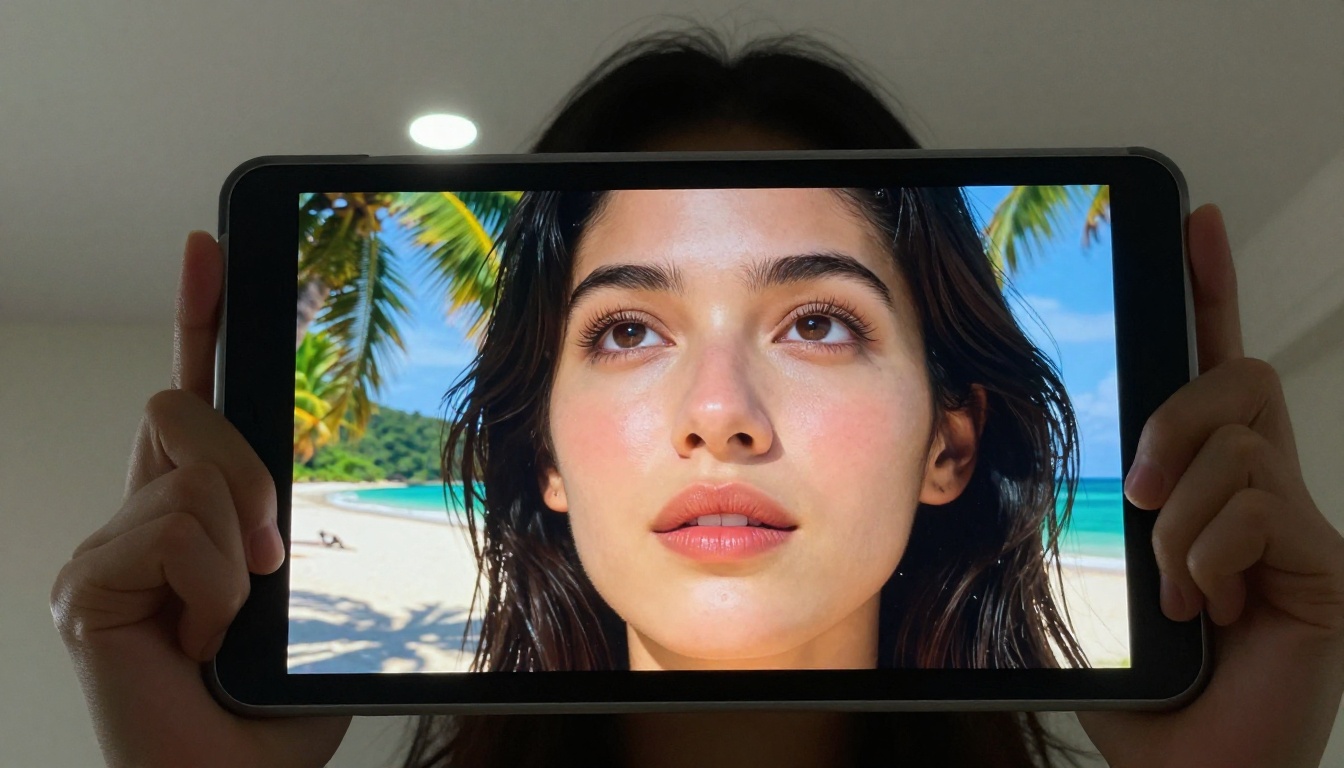
The attention around Nano Banana 2 confirms what creative professionals have been observing for the past two years: photorealistic AI image generation is no longer a novelty. It is a production-ready tool that sits alongside photography, illustration, and design in the professional creator's workflow.
PicassoIA puts this level of image quality directly in your hands. With access to FLUX.1 Dev, FLUX.1 Schnell, Juggernaut XL, Stable Diffusion XL, and dozens of other leading text-to-image models, you have more creative firepower in one platform than most professional studios had access to just two years ago.
You do not need a Google research team or a high-performance computing cluster. You need a strong prompt, a clear creative vision, and access to the right tools. Start with a specific subject. Describe the light in detail. Name the lens. Add film grain. Then run it.
Every great image started with someone deciding to try.


