If you've ever looked at a photograph and felt like it should just breathe, then you already understand the appeal of image-to-video AI. Seedance 2.0 from ByteDance takes that instinct and turns it into a practical tool. Drop in a still photo, add a motion prompt, and within seconds you have a video clip with natural movement, coherent physics, and audio that matches the scene.
The technology has been moving fast. What felt speculative two years ago is now accessible through platforms like PicassoIA in a few clicks. But a lot of people still aren't sure what image-to-video actually means, how it differs from text-to-video, or what makes Seedance 2.0 worth paying attention to. That's exactly what this article addresses.
What Is Image to Video, Exactly?
The name is almost too simple. Image-to-video (often written i2v) is a process where an AI model receives a static image as input and produces a short video clip as output. The video preserves the visual content of the original photo but adds motion, depth, and in some cases, synchronized sound.
The concept sounds straightforward, but the engineering challenge underneath it is enormous. The model has to read a single frozen frame, infer the three-dimensional structure of the scene, decide what could plausibly move and how, and then generate a consistent sequence of 60 to 150 frames that all feel like they belong to the same physical reality.
Still input, moving output
Your original photo is the anchor for everything the model produces. It reads the composition, lighting conditions, subject positions, and spatial depth relationships, then calculates plausible motion for each element in the scene.
A portrait of a woman becomes a clip where her hair shifts slightly in a breeze and her chest rises with a breath. An ocean photograph becomes 5 seconds of waves rolling in with a natural rhythm. A cityscape gains drifting clouds and shadows that crawl across the pavement below.
The model doesn't invent new visual content. It extends what's already there into the time dimension.
Not the same as text-to-video
Text-to-video models start from zero, constructing every visual element from a written prompt. Image-to-video starts from something real: your photograph. That's a fundamentally different task with different strengths.
The model has to respect the existing composition, colors, perspective, and subject identity while making everything move believably. This constraint is actually a feature. When you want a specific scene to come alive, a specific face to animate, or a particular location to feel cinematic, image-to-video is the right tool. Text-to-video gives you more creative freedom from scratch but far less control over specifics.
How Seedance 2.0 Works
Seedance 2.0 is built on a video diffusion architecture. If that phrase means nothing to you, here's the plain-language version.
Diffusion models, in plain terms
Diffusion models were originally developed for image generation. The core idea is elegant: start with random noise, then progressively refine it into something structured, guided by a conditioning signal like a text prompt or an input image. For video, this same process runs across the time axis, generating not just one frame but a coherent sequence of frames that flow naturally from one to the next.
Seedance 2.0 conditions this diffusion process directly on your input image. The first frame of the output video is constrained to match your photograph. Subsequent frames are generated to be physically consistent with that starting point. The result is motion that feels like it belongs to the original scene rather than being imposed on top of it.
Temporal consistency matters more than you think
One of the hardest problems in video generation is keeping elements consistent across frames. A character's face shouldn't subtly morph between seconds two and three. Lighting shouldn't flicker in ways that ignore the scene's physics. Objects shouldn't drift or teleport. This property is called temporal consistency, and it's where many earlier video AI models fell apart visibly.
Seedance 2.0 places heavy emphasis on temporal coherence during its training process. ByteDance trained the model on large volumes of high-quality video with tight frame-to-frame supervision. The result is a significant reduction in jitter, morphing artifacts, and the "boiling texture" effect, where surfaces appear to bubble and shift incorrectly, that plagued earlier generations of video generation models.
Scene dynamics and motion inference
What separates a good i2v model from a basic one is the quality of its motion inference. A basic model interpolates: it makes things move in simple, predictable paths. A sophisticated model reasons about scene dynamics: it recognizes that water flows downhill, that fabric drapes according to gravity, that hair has mass and responds to wind in organic ways.
Seedance 2.0 has been trained extensively on naturalistic video to internalize these physics. When you upload a photo of a waterfall, the model doesn't just add a blur effect. It generates water that falls with weight, splashes at the base, and catches light as it moves. That distinction is visible immediately in the output.
Audio isn't an afterthought
Unlike most image-to-video models that produce silent clips, Seedance 2.0 includes built-in audio generation. The audio is synthesized to match the visual content inferred from your source image: ocean sounds for water scenes, ambient traffic for urban photography, birdsong and wind for outdoor nature shots, quiet room tone for interior portraits.
💡 The audio generation isn't always perfect for unusual scene types. Treat it as a rough sound bed and layer your own audio on top in post when the output matters professionally.
What Changed from Seedance 1.x
ByteDance has been iterating at speed. Seedance 1 Pro and Seedance 1 Lite were already capable models when they launched. Seedance 1.5 Pro pushed quality further with better resolution and improved subject handling. Version 2.0 represents a more substantial architectural step.
Motion quality, not just resolution
The most visible upgrade is in motion quality rather than pixel count. Version 1.x models produced good clips but struggled with complex motion involving multiple independent moving parts, detailed fabric behavior, or fine-strand hair. Seedance 2.0 handles these scenarios with notably better fidelity, producing motion that reads as physically plausible rather than algorithmically interpolated.
Subtle differences here matter a lot for how a clip reads to a human viewer. Motion that feels wrong breaks the illusion immediately even when the visual content is technically correct.
Better text prompt adherence
In Seedance 1.x, your written motion prompt was a rough suggestion. The model might follow it loosely, especially for specific camera movement directives like "slow pan left" or "pull focus from foreground to background." Seedance 2.0 responds more precisely to motion descriptions, making it far more practical for directed creative work where you need the output to match a specific vision.
| Feature | Seedance 1 Pro | Seedance 1.5 Pro | Seedance 2.0 |
|---|
| Max resolution | 720p | 1080p | 1080p |
| Built-in audio | No | Partial | Yes |
| Motion prompt adherence | Moderate | Good | Strong |
| Temporal consistency | Good | Good | Excellent |
| Complex motion handling | Fair | Fair | Strong |
| Subject identity preservation | Good | Good | Excellent |
The speed variant option
If you need faster outputs at the cost of some quality, Seedance 2.0 Fast runs alongside the full model. It generates significantly quicker and is a practical choice for iteration, prototyping, and testing multiple image inputs before committing to a full-quality render. Use Fast to find what works, then switch to the standard model for final output.
Seedance 2.0 vs Other Models
The image-to-video and text-to-video space has several strong contenders in 2027. Here's an honest assessment of how Seedance 2.0 sits relative to the competition.
Seedance 2.0 vs Kling v2.6
Kling v2.6 is one of the top competitors for animated portraiture and dramatic cinematic motion. Kling tends to produce slightly more theatrical, high-energy motion, especially for portrait subjects and dynamic action sequences. Seedance 2.0 has an edge on natural, subtle motion: environments, textures, fabric, and gentle atmospheric movement. Seedance also wins on audio inclusion, which Kling doesn't currently offer as a native output feature.
Seedance 2.0 vs Wan 2.7 I2V
Wan 2.7 I2V is a formidable open-weights alternative with strong image-to-video capabilities and wide subject coverage. Wan's motion is fluid and it handles a broad range of content types competently. Where Seedance 2.0 pulls ahead is in prompt responsiveness and integrated audio. Wan 2.7 I2V is the better choice if you want to run a self-hosted pipeline or need fine-grained control over model parameters. For out-of-the-box quality with audio on a managed platform, Seedance 2.0 is the faster path.
Seedance 2.0 vs Veo 3
Veo 3 from Google is primarily a text-to-video model with native audio, exceptional prompt fidelity, and cinematic quality that sits at the top of the current field. It's arguably the highest-quality video AI available right now, but it operates best when generating from text descriptions. For image-to-video workflows where you need to animate a specific photograph, Seedance 2.0 is more specialized and often produces more consistent results because it's explicitly optimized for i2v conditioning.
How to Use Seedance 2.0 on PicassoIA
Seedance 2.0 is available directly on PicassoIA. No API key required, no local GPU needed, no developer background assumed. Here's the process from start to finish.

Step 1: Pick the right source image
Not every photograph animates equally well. Seedance 2.0 performs best with:
- Clear subjects with defined foreground and background separation
- Natural motion potential: water, hair, fabric, foliage, clouds, smoke
- Realistic lighting rather than heavy filters, HDR overlays, or graphic stylization
- Horizontal or landscape orientation since the output is 16:9 by default
Avoid: heavily compressed JPEGs with block artifacts, images with dense on-screen text, abstract artwork, severely low-light photos with significant noise, and photos with extreme lens distortion.
Step 2: Write a focused motion prompt
Your motion prompt is the direction you give the model. The more specific you are about what moves and how, the better the output matches your intent:
- "Gentle ocean waves rolling toward the shore, camera static, golden hour light"
- "Hair moving softly in a light breeze, subject breathing naturally, shallow depth of field"
- "Slow pan right across the cityscape, clouds drifting overhead at medium speed"
- "Subtle fabric movement in the dress, subject turns head slightly left, warm ambient light"
- "Water rippling from a stone dropped into a still lake, concentric circles expanding outward"
💡 Vague prompts like "make it look alive" or "add movement" produce inconsistent results. Describe one or two specific motions rather than asking for general animation.
Step 3: Choose duration and iterate
PicassoIA lets you select clip length within the model's supported range. Start with 5 seconds for initial testing. Review the output, note what's working and what isn't, then adjust your motion prompt. If the motion direction is off, rewrite that part specifically. If the overall motion quality is good but you want a different speed, describe that explicitly in the next iteration.
Use Seedance 2.0 Fast during the iteration phase to save time, then run the final version through the standard Seedance 2.0 model for the highest quality output.
Where Results Shine and Where They Don't
Real-world outputs from Seedance 2.0 range from impressive to outstanding, depending on input quality and how well the source image suits what the model was trained to handle.
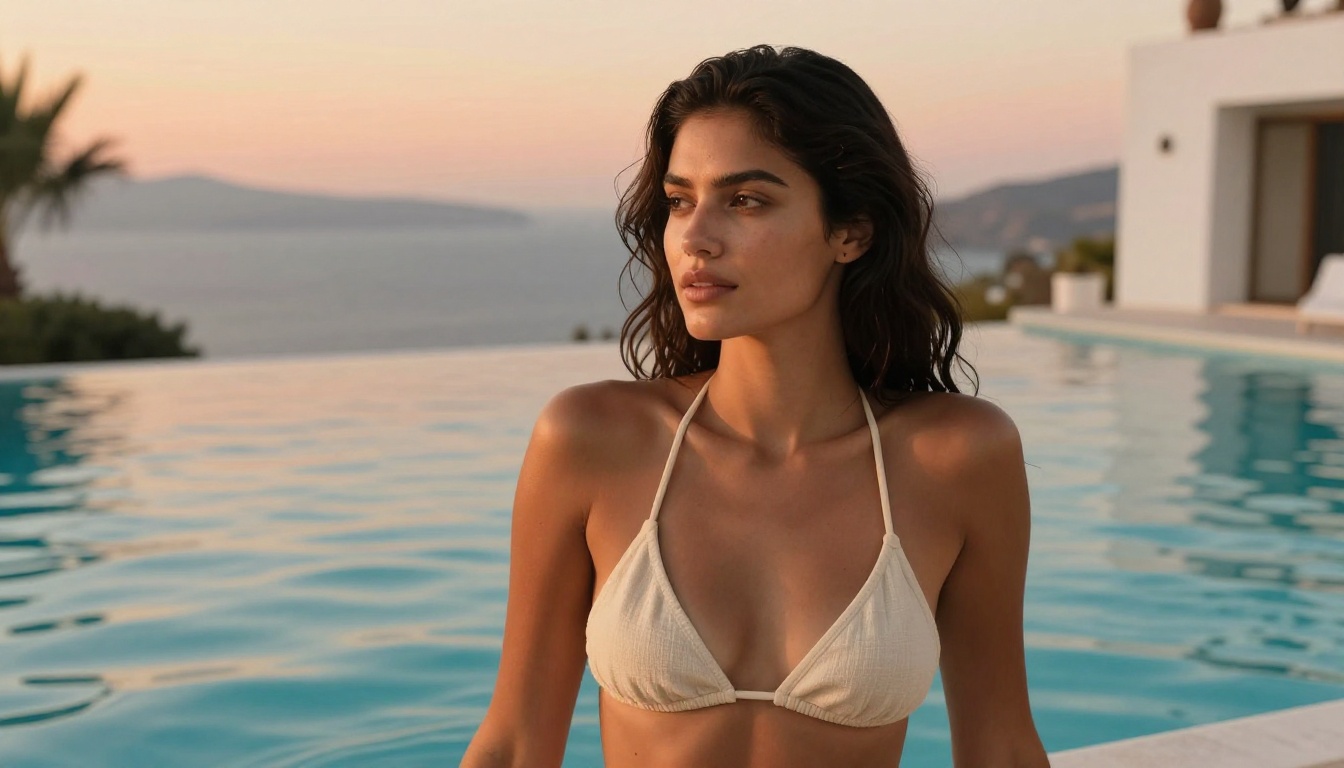
Where Seedance 2.0 produces its best work
Nature and landscape photography is consistently the strongest category. Water movement, wind through trees, drifting clouds, and fog behavior are all rendered with physical accuracy. The model has clearly been trained on enormous quantities of naturalistic environment footage.
Portrait animation produces clips that look like high-end fashion video when the source photo is sharp and well-lit. Subtle breathing motion, hair response to wind, and natural micro-expression movement in the eyes make static portraits feel genuinely alive.
Architectural and urban shots gain atmosphere through sky movement, crawling shadows, and gentle ambient dynamics without the building structures themselves distorting or drifting.
Product photography with interesting textures responds well: a leather bag with detailed grain, a silk dress catching a light shift, a jewelry piece with light reflecting off facets.
Honest limitations
Fast action is the clearest weak point. High-velocity movement involving running, sports, or rapid gestures tends to introduce spatial artifacts. Seedance 2.0 is optimized for naturalistic, measured motion rather than action.
Dense crowd scenes with many independently moving humans in frame are challenging for any i2v model at current capability levels. Expect occasional merging or morphing at the edges of crowd groups.
On-screen text within photographs frequently deforms during animation. This is a known limitation across the video diffusion model category, not specific to Seedance.
Very dark or noisy photography can cause temporal flickering as the model struggles to read scene structure consistently across frames. Running a noise reduction pass before uploading measurably improves outputs in this category.
💡 For low-light photos, apply a quick denoise in any photo editor before uploading. Even basic sharpening and noise reduction gives the model cleaner signal to work from.
The Infrastructure Behind the Quality
Understanding why video AI has improved so dramatically in a short period requires a quick look at what training at ByteDance's scale actually involves.

Training a model like Seedance 2.0 requires thousands of high-end GPUs running in parallel for weeks, processing curated libraries of high-quality video paired with motion labels, physical annotations, and caption metadata. ByteDance has the infrastructure and data access to do this at a scale that most research organizations cannot match. The result is a model with an intuitive internalized grasp of how physical things move, because it has processed more real-world motion than any previous training dataset of this kind.
That scale is precisely what makes the outputs feel physically grounded rather than algorithmically guessed. Rain falls correctly. Hair has mass. Fabric drapes according to gravity. Water behaves like water. These behaviors aren't programmed rules. They're patterns extracted from millions of hours of real video that the model has absorbed and can now apply to a single still photograph you hand it.
What You Can Actually Build with This
The practical applications extend well beyond personal curiosity about the technology.
Content creators can turn a single hero image from a photoshoot into a video asset for social platforms. One photography session produces both static and motion content without a separate video shoot, significantly reducing production cost.
Photographers can offer clients animated versions of portraits, wedding shots, and product images as a premium add-on. The workflow on PicassoIA takes roughly 5 to 10 minutes per image, making it viable at scale.
Marketing and advertising teams can animate product photography for campaign content without hiring a video production crew. A clean product photo becomes a looping clip with ambient motion that consistently outperforms static images in paid social ad formats.
Filmmakers and storyboard artists use i2v to create animatics for shot composition testing before committing to a live shoot or full production. Running a concept photograph through Seedance 2.0 gives you a rough motion test in under a minute.
E-commerce brands are increasingly animating product photography for hero sections and category pages. A static shoe photograph becomes a clip where the shoe rotates slightly in natural light. A watch ad animates the hands and catches light off the case. These small motion additions increase time-on-page and conversion rates in A/B tests.
Start Animating Your Photos on PicassoIA
If you've read this far, the best next move is to actually run Seedance 2.0 on a photograph you care about. Theory only takes you so far. The model's behavior becomes intuitive after 5 or 6 iterations because you start to feel what kind of input it responds to and how your motion prompts translate into output.
Pick a landscape or portrait you're proud of. Write a prompt describing one specific motion. Run it at 5 seconds. See what comes back. Then adjust one variable at a time: the motion description, the clip length, or the source image itself.
PicassoIA also has Seedance 2.0 Fast for quicker iteration cycles, and the full Seedance 1 Pro and Seedance 1.5 Pro if you want to compare how the model line has evolved across versions.
If you want to test across different model approaches, Kling v2.6, Wan 2.7 I2V, and Hailuo 2.3 are all available on the same platform. Running the same photograph through three different models side by side tells you more about each model's character than any written comparison.
The photograph you took is sitting there, frozen in a single moment. Give it time to move.


