The AI video generation race has never been tighter. In 2027, three tools are pulling ahead of the pack: Sora 2 Pro from OpenAI, Veo 3.1 from Google, and Kling 3.0 from Kuaishou. Each brings something genuinely different to the table, and choosing the wrong one for your project can mean wasted credits, missed deadlines, and videos that just don't look the way you imagined them.
This comparison breaks down everything that matters: video quality at the pixel level, how motion holds up under close inspection, how accurately each model interprets complex prompts, raw generation speed, pricing per video, and the real-world use cases where each one shines. By the end, you'll know exactly which model to reach for.
What Sets These Three Apart
The AI video space has matured fast. Early text-to-video tools produced flickering, artifact-heavy clips that looked like fever dreams. That era is over. These three models are producing work that holds up under professional scrutiny, and the differences between them are now subtle enough that the wrong choice genuinely costs you.
The New Benchmark for AI Video
What separates the top tier in 2027 isn't just resolution. It's temporal consistency, meaning that objects, faces, and lighting stay coherent from frame to frame without ghosting or morphing. It's audio-video sync, where native sound generation matches on-screen action. And it's prompt fidelity, meaning the model actually delivers what you asked for, including the right number of people, the correct object placement, and the intended mood.
All three models have cleared the basic bar. The question is where each one excels and where it stumbles.
Sora 2 Pro: OpenAI's Cinematic Powerhouse
Sora 2 Pro is OpenAI's most capable video generation model as of mid-2026. Built on the same diffusion transformer architecture that powers their image models, it generates videos up to 1080p at 24fps with native audio and a default clip length of 5 to 20 seconds.
What immediately stands out about Sora 2 Pro is its handling of cinematic camera language. It understands prompts like "slow dolly push toward the subject with slight lens flare" and executes them believably. The model has clearly been trained on a vast library of professional filmmaking, and it shows in how it handles depth of field, bokeh, and natural lighting transitions.
💡 Tip: Sora 2 Pro responds exceptionally well to specific camera direction in your prompt. Instead of writing "a woman walks down the street," try "medium tracking shot of a woman walking, slight handheld shake, golden hour backlight." You'll get dramatically better results.
The model's weakness shows up in highly structured scenes: anything with text, precise object counts, or complex spatial relationships can drift. If you need exactly three glasses on a table or a sign that reads a specific phrase, Sora 2 Pro will often get it wrong or introduce subtle inconsistencies by the clip's midpoint.
Veo 3.1: Google's Physics-Aware Model
Veo 3.1 is where Google's research into physics simulation and photorealistic rendering converges. This model has a fundamentally different strength profile than Sora 2 Pro: it's built to handle physical world accuracy.
Water behaves like water. Cloth folds and unfolds with realistic weight. Hair moves in a breeze with strand-level fidelity. Google has trained Veo 3.1 on a proprietary dataset that appears to include extensive physics simulation data, and it produces videos where the world itself feels convincingly real even when the subject is stylized.
Veo 3.1 also ships in multiple variants. The standard Veo 3.1 targets the highest quality output. Veo 3.1 Fast cuts generation time significantly for rapid iteration, producing 1080p output in roughly 60 to 90 seconds. And Veo 3.1 Lite offers a more accessible entry point with 720p output and native audio for shorter projects.
The main limitation of Veo 3.1 is its character consistency across clips. When generating multiple clips intended to feature the same person, Veo 3.1 will often shift facial features, body proportions, or outfit details between generations, even with identical character descriptions. For single-clip projects this is irrelevant, but for anyone building a narrative sequence it's a meaningful constraint.
Kling 3.0: The Speed and Style Challenger
Kling v3 Video from Kuaishou represents the most significant international competition to the US-based models. Kling 3.0 launched with a distinctive combination of advantages: raw generation speed, a strong grasp of human anatomy in motion, and an output aesthetic that many creators describe as more filmic than its competitors.
Where Sora 2 Pro excels at camera language and Veo 3.1 excels at physics, Kling 3.0's standout strength is human subject handling. Faces, hands, and body movement are rendered with noticeably higher fidelity than either competitor. Dancing, athletic movement, and facial expressions hold up frame-by-frame without the subtle distortions you'll often catch in the other two models.
Kling 3.0 also offers the most granular motion control through Kling v3 Motion Control, allowing creators to define camera trajectories and subject movement paths. For content creators building product showcases or social media clips featuring people, this level of control is genuinely valuable. The Kling v3 Omni Video variant extends this to full 1080p text-to-video generation with native audio.
Video Quality Side by Side
Quality comparisons at this level require looking at multiple dimensions simultaneously. Raw sharpness is table stakes. The meaningful differences live in color science, motion consistency, and how each model handles the hardest edge cases.
Resolution, Sharpness, and Detail
| Model | Max Resolution | Frame Rate | Clip Length |
|---|
| Sora 2 Pro | 1080p | 24fps | Up to 20 seconds |
| Veo 3.1 | 1080p | 24fps | Up to 8 seconds |
| Kling v3 | 1080p | 24fps | Up to 10 seconds |
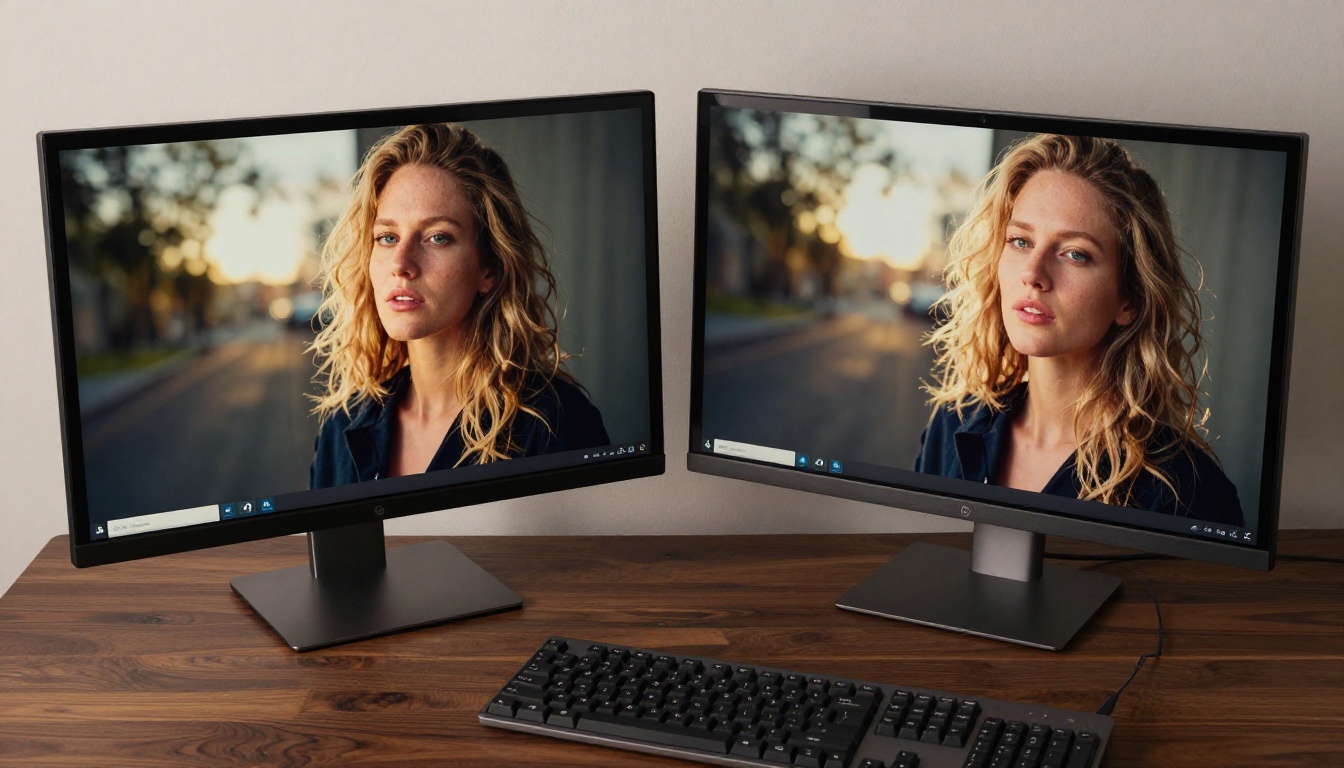
On paper these look identical, and in many cases the output quality is genuinely comparable at a glance. The differences emerge when you zoom in. Sora 2 Pro tends to produce the sharpest fine details in architectural and environmental elements. Bricks, foliage, and fabric textures are rendered with exceptional clarity.
Veo 3.1 produces slightly softer imagery at the same resolution, but the trade-off is a more natural, filmic quality that many creators prefer. It's less "digital-sharp" and more "35mm lens." Kling v3 sits between the two: sharper than Veo 3.1 in most cases, particularly on faces and foreground subjects, but slightly behind Sora 2 Pro on complex background detail.
Color Grading and Tonal Range
Color science is where taste enters the equation. Sora 2 Pro defaults to a neutral to cool color palette, which works well for corporate, documentary, and dramatic content but can look sterile for lifestyle or fashion videos without prompt-level color correction instructions.
Veo 3.1 produces a warmer, richer tonal range by default, with natural color gradation that feels closer to a well-graded RAW film scan. Kling v3 leans into high contrast with slightly lifted blacks, giving its output a punchy, social-media-ready look straight out of the box.
💡 Tip: All three models respond well to explicit color grading instructions in prompts. Phrases like "warm golden hour color grade," "desaturated cinematic tones," or "high contrast editorial color" will meaningfully shift the output palette.
Temporal Consistency and Artifacts
This is where the real gaps show. AI video generation has a persistent problem with temporal consistency: objects morphing between frames, hair changing length mid-clip, background elements appearing and disappearing. The best models suppress these artifacts but rarely eliminate them entirely.
Kling v3 is the current leader in temporal consistency, particularly for clips featuring people. In side-by-side tests, it produces the fewest artifacts in human subjects across a 10-second clip. Sora 2 Pro is close behind, with its main weakness in fast-moving complex scenes with multiple overlapping subjects. Veo 3.1 occasionally shows temporal drift in longer clips (6 to 8 seconds) but compensates with stronger physics consistency.
Motion Realism: How Each Model Handles Physics
Motion realism is arguably the most important quality dimension for anyone creating content where the physical world needs to be convincing.
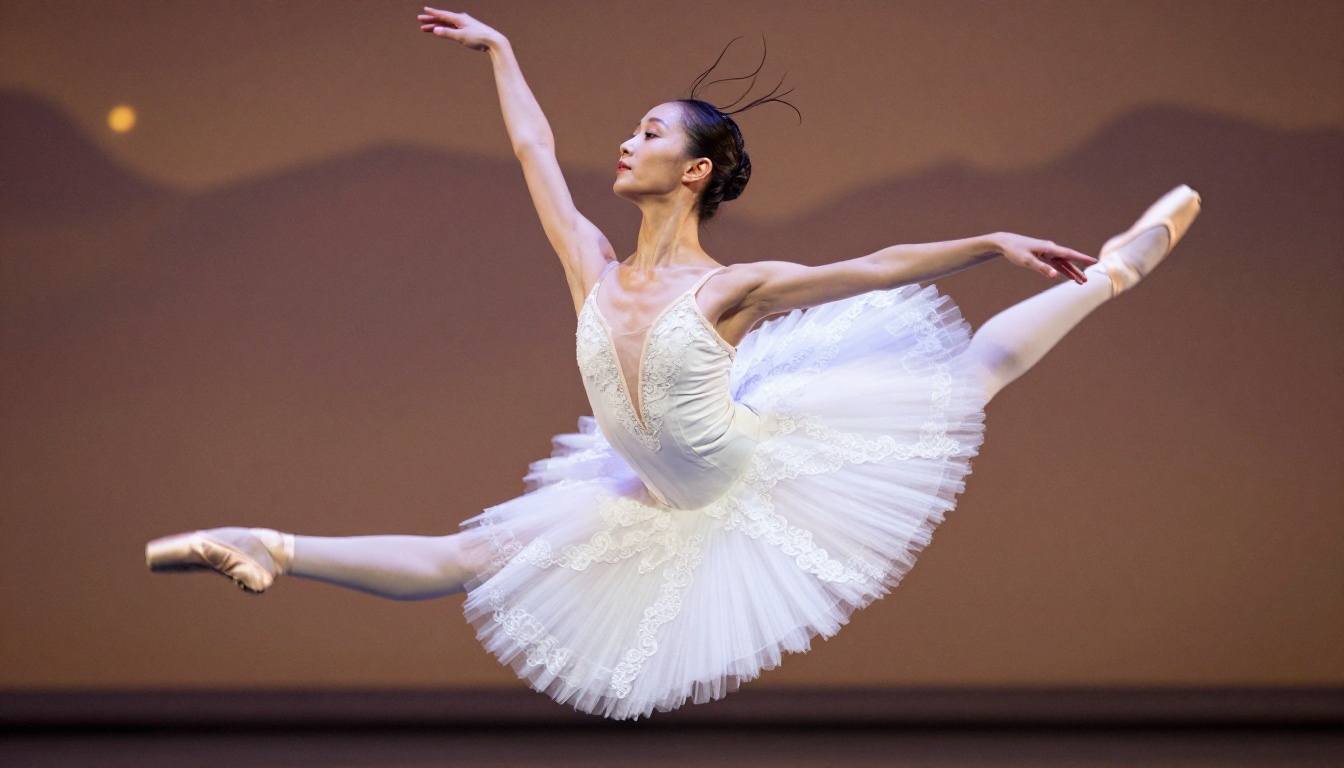
Physics Simulation Depth
Veo 3.1 is in a class of its own here. Google's investment in physics-aware training shows clearly in how this model handles:
- Liquids: Water splashes, pours, and ripples with convincing surface tension
- Soft bodies: Cloth drapes and moves with realistic weight and inertia
- Hair and fur: Individual strand behavior under wind or motion
- Particle systems: Smoke, dust, and debris behave with natural dispersion
Sora 2 Pro handles physics well for common scenarios but struggles with edge cases. A glass of water tipping over looks correct. A complex fabric blowing in wind while a character moves through it may show subtle inconsistencies. Kling v3 sits in the middle, with its strongest physics performance on human body mechanics and realistic clothing interaction.
Character Movement Accuracy
For any video involving human subjects, this dimension matters most. The comparison here is stark.
Kling v3's training on human motion data gives it a clear edge. Athletic movements, dance sequences, and even subtle gestures like someone raising an eyebrow or turning their head maintain anatomical correctness throughout the clip. Hands, historically the hardest element for AI generation, are handled notably better by Kling v3 than either competitor.
Sora 2 Pro handles casual human movement well but shows strain in athletic or complex choreographed movement. Veo 3.1 produces naturally moving subjects in static or slow-moving scenarios but can introduce subtle distortions in faster movement sequences.
Prompt Adherence: What You Ask For vs What You Get
Every AI video creator has experienced the gap between a carefully crafted prompt and the actual output. How reliably each model closes that gap is critical for professional workflows.

Interpreting Complex Scenes
Sora 2 Pro demonstrates the strongest understanding of narrative prompts: sequences with implied storytelling, specific emotional tone, and complex scene composition. It reliably translates prompts like "an empty diner at 3am, rain on the windows, one waitress refilling coffee for herself while looking at her phone" into a coherent, atmospherically accurate scene.
Veo 3.1 excels at descriptive prompts focused on visual specifics: lighting conditions, surface materials, environmental details. Ask it for "overcast diffused daylight on a wet cobblestone street with steam rising from a drainage grate" and it delivers with precision.
Kling v3 responds best to action-focused prompts: specific physical movements, athletic sequences, and interpersonal interactions between subjects. Its prompt adherence for character-driven content is consistently stronger than the other two.
Shot Type Performance at a Glance
| Shot Type | Best Model | Notes |
|---|
| Cinematic dolly/push | Sora 2 Pro | Excellent camera language comprehension |
| Static landscape | Veo 3.1 | Best physics and environment detail |
| Action and sports | Kling v3 | Superior human motion fidelity |
| Close-up product | Veo 3.1 | Material and surface accuracy |
| Narrative scene | Sora 2 Pro | Strong compositional intelligence |
| Dancing/choreography | Kling v3 | Temporal consistency with motion |
Speed and Generation Time
For professional workflows, generation time directly translates to iteration speed and cost.

How Long Does Each Model Take?
Generation times vary with prompt complexity, server load, and output length. These are representative averages for a 5-second 1080p clip:
- Sora 2 Pro: 3 to 7 minutes per clip
- Veo 3.1 Standard: 4 to 8 minutes per clip
- Veo 3.1 Fast: 60 to 90 seconds per clip
- Kling v3 Video: 2 to 5 minutes per clip
- Kling v3 Omni: 3 to 6 minutes per clip
For rapid iteration, Veo 3.1 Fast is the clear winner, offering near real-time feedback at a quality level that's still suitable for many use cases. Kling v3 is the fastest among the premium-quality options for standard generation. Sora 2 Pro is consistently the slowest but often produces results that require fewer retakes.
💡 Tip: For rapid creative direction and prompt development, use Veo 3.1 Fast for quick iteration, then switch to your preferred high-quality model for final production renders.
Pricing: What Each Video Actually Costs
Pricing models across these three tools differ enough that the "cheapest" option depends entirely on your usage pattern.

Cost Per Video Comparison
| Model | Approx. Cost Per 5s Clip | Notes |
|---|
| Sora 2 Pro | ~$0.50 to $1.20 | Higher cost, fewer retakes needed |
| Veo 3.1 Standard | ~$0.40 to $0.90 | Strong value at this quality level |
| Veo 3.1 Fast | ~$0.15 to $0.25 | Excellent for rapid iteration |
| Veo 3.1 Lite | ~$0.08 to $0.15 | Budget-friendly for drafts |
| Kling v3 Video | ~$0.30 to $0.70 | Competitive for human-focused content |
Prices represent typical platform rates and may vary based on subscription tier, clip duration, and resolution.
All three models are accessible through Picasso IA's platform, where you can use credits across models without committing to a single provider's subscription. This is particularly valuable for creators who switch between models depending on the project type.
Free Tier and Budget Options
Veo 3.1 Lite offers the most accessible free tier, allowing limited generation at 720p with audio. Kling's earlier models like Kling v1.5 Standard and Kling v1.5 Pro are available at lower price points for creators who want the Kling architecture at reduced cost before committing to v3 credit spend.
When to Pick Each Model
The best model isn't a universal answer. It's a workflow question.
Sora 2 Pro Is Right For You If...
- Your content is primarily cinematic or narrative in nature
- You're creating content for film, streaming, or broadcast contexts where production quality is paramount
- You work with complex scene compositions that require strong editorial intelligence
- You can afford slightly longer generation times in exchange for fewer retakes
Sora 2 Pro is the go-to for directors, cinematographers, and high-end commercial producers who need to communicate a specific visual language and can't afford to have the AI interpret their prompt loosely.
Veo 3.1 Is Right For You If...
- Your content features natural environments, materials, or physics-driven scenarios
- You're generating product videos where surface texture and material accuracy matters
- You work in documentary, nature, or travel content where environmental realism is the core value
- You need to iterate rapidly using Veo 3.1 Fast before committing to full-quality renders
Veo 3.1 is exceptional for content that lives or dies on how convincingly real the world looks, even when the subject is stylized or conceptual.
Kling 3.0 Is Right For You If...
- Your content features people as the primary subjects: athletes, dancers, models, presenters
- You need strong temporal consistency for social media clips that will be watched on loop
- You want granular motion control via Kling v3 Motion Control
- You're producing fashion, fitness, beauty, or lifestyle content where human appearance quality is non-negotiable
Kling v3 Omni Video is particularly strong for creators building content pipelines around human subjects at high volume.
Start Creating: Try All Three on Picasso IA
You don't need to choose one and commit before seeing results. All three models are available on Picasso IA, where you can run them with the same prompt and compare outputs directly before deciding which one fits your project.

Start with Sora 2 Pro for cinematic content, Veo 3.1 for environment-heavy scenes, and Kling v3 Video for human-focused clips. Run each with your actual production prompt, not a test prompt, so you're comparing outputs that reflect your real workflow needs.
The right tool is whichever one produces the best result for your specific content type. With access to all three on a single platform, you don't have to guess.
Also worth testing in your workflow:
- Seedance 2.0 from ByteDance, which matches Kling 3.0's human motion quality with built-in audio generation
- Veo 3 for Google's previous flagship if you want a slightly different output style at comparable quality
- Kling v2.6 as a cost-effective alternative to v3 for high-volume production workflows
Pick your prompt, open the platform, and let the output decide.


