Tips for Prompting Coding Agents Well: What Actually Works in 2027
You're not getting the most from your coding agent because your prompts aren't specific enough. This article breaks down exactly how to structure prompts, pick the right context, and write instructions that produce working code on the first try.
You've seen the demos. The AI writes perfect code in seconds, the developer leans back, done. The reality most developers face is different: vague output, wrong imports, logic that almost works, and responses that completely miss the point. The gap between those polished demos and actual daily use comes down almost entirely to how you prompt. Better inputs produce dramatically better outputs, and the rules are not obvious.
Why Most Coding Prompts Fail
The most common misconception is that a coding agent is "smart enough to figure it out." It isn't. A coding agent is a prediction engine, and it predicts based on what you give it. Garbage in, garbage out remains brutally true even with frontier models.
Vague Instructions = Vague Code
Ask an agent to "write a function to process user data" and it will write something. It might even look reasonable. But it will process the wrong data, in the wrong format, with no error handling, and with variable names that mean nothing to your codebase. The agent did not fail. You did, by providing an incomplete specification.
The agent cannot read your mind. It cannot see your codebase unless you show it. It does not know what "process" means to your application. Every assumption it makes is a guess.
What Agents Actually "Hear"
When you send a prompt, the model sees only tokens. No tone, no intent, no assumed domain knowledge. The difference between these two prompts is enormous:
Bad: "Write a login function"
Good: "Write a Python function called authenticate_user(email: str, password: str) -> dict that checks credentials against a PostgreSQL database using bcrypt for password comparison. Return {success: True, user_id: int} on success or {success: False, error: str} on failure. Use the existing db_connection() helper from src/database.py."
The second prompt eliminates dozens of guesses. Language, function signature, data types, database type, hashing library, return format, and project structure are all specified. The output will be usable without rewriting.
The 5 Prompt Patterns That Ship Code
These are not theory. These are patterns used by developers who consistently get working code from AI agents on the first or second attempt.
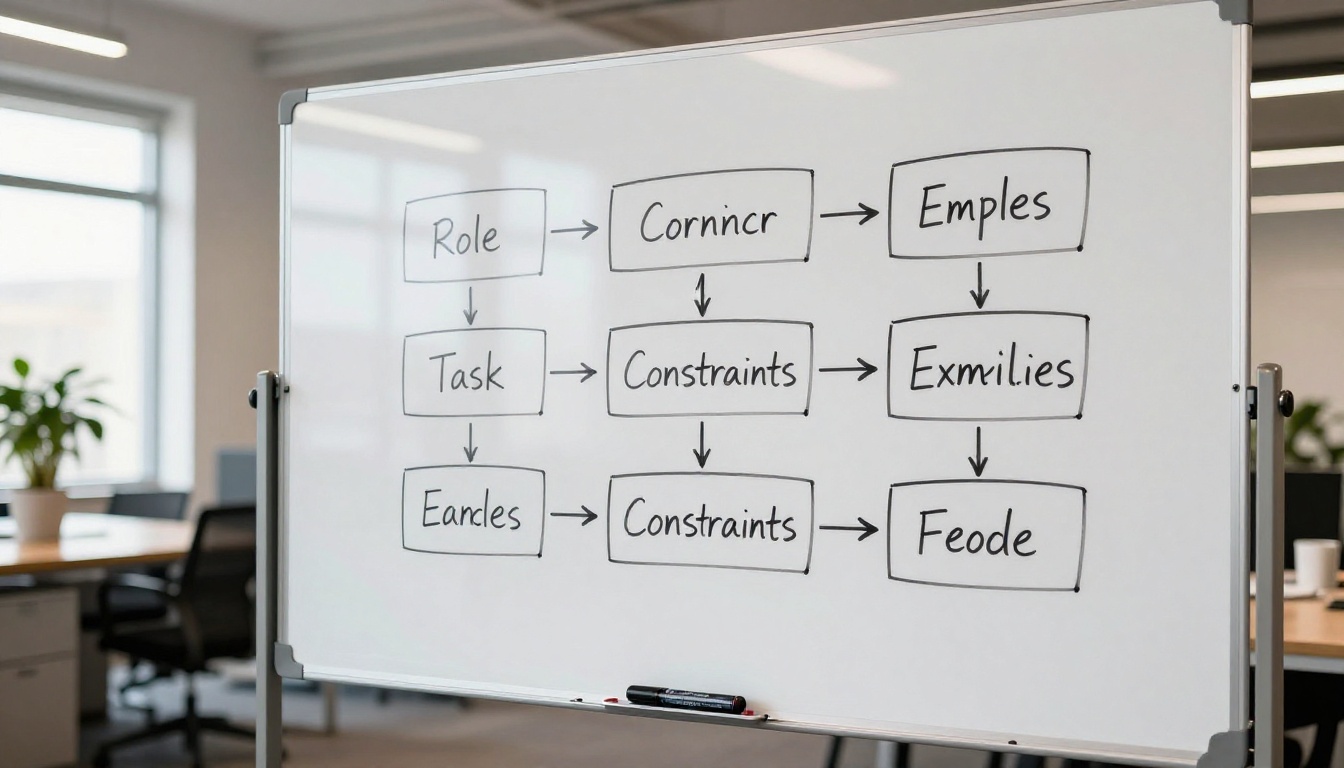
Role + Task + Constraint Format
Structure every non-trivial prompt with three components:
Role: Tell the agent what kind of expert it is acting as
Task: Describe specifically what needs to be built
Constraints: List what it must not do, what libraries to use, what the output format is
💡 Example: "You are a senior Python backend engineer. Write a rate-limiting middleware for a FastAPI application. Use Redis for storage. Do not use any third-party rate-limiting libraries. Return the middleware as a class that can be registered with app.add_middleware()."
This three-part structure alone will improve output quality by a measurable margin.
Give Examples, Not Just Instructions
Few-shot prompting is one of the most underused approaches in practical coding workflows. Instead of describing what you want, show it.
If you want a function that follows a specific pattern in your codebase, paste an existing similar function as an example first. Say "follow this exact pattern" and then describe the new one. The agent will mirror the naming conventions, error handling style, logging patterns, and docstring format without you having to list all of those requirements explicitly.
Without example: "Write a helper function for parsing dates from strings"
With example:
Here is an existing helper in our codebase:

def parse_currency(value: str) -> Decimal:
    """Parses a currency string like '$1,234.56' into Decimal."""
    try:
        cleaned = value.replace('$', '').replace(',', '')
        return Decimal(cleaned)
    except InvalidOperation:
        raise ValueError(f"Cannot parse currency: {value!r}")

Write a similar helper called parse_date(value: str) -> date that handles formats:
'YYYY-MM-DD', 'MM/DD/YYYY', and 'DD-Mon-YYYY'.
The second version will produce a function that fits your codebase on the first try.
Scope It Tight, Not Broad
One of the most damaging habits in AI-assisted development is asking for too much at once. "Build me a full authentication system" will produce bloated, generic output that touches your architecture in ways you do not expect.
Break large tasks into atomic units:
Bad Prompt
Better Prompt
"Build a payment system"
"Write the create_payment_intent function"
"Refactor the entire user module"
"Refactor get_user_by_email to use async/await"
"Add logging to the app"
"Add structured logging to order_service.py"
"Write tests for the API"
"Write pytest unit tests for POST /api/orders"
Small scope, specific output. You can always chain prompts.
Context Is Everything
Context is the most powerful lever you have. More relevant context almost always improves output. The challenge is knowing what to include and what to leave out.
What to Include in Every Prompt
At minimum, every non-trivial prompt should include:
The language and version: Python 3.11, TypeScript 5.2, Go 1.22
Relevant existing code: Paste the function, class, or file being modified
The error message (if debugging): The full stack trace, not a summary
The expected behavior: What it should do vs. what it does
Libraries already in use: What is available so it does not invent new ones
Missing even one of these produces an output that needs significant correction.
How Much Context Is Too Much
Token limits exist, and stuffing every file in your project into a prompt is counterproductive. The agent starts to lose focus on the actual task when given too much irrelevant material.
A practical rule: include only what is directly adjacent to the change. If modifying a function, paste the function and its immediate dependencies. If debugging a route, paste the route handler and the model it uses. Leave out unrelated modules.
💡 Pro tip: Use comments to summarize what omitted code does. // The UserService class handles DB reads. It has find_by_id(id) and update(id, data) methods. This gives the agent the API surface without burning tokens on the full implementation.
Debugging With AI Agents
AI agents are exceptional debugging partners when given the right input. The typical mistake is asking an agent to fix something without giving it the full picture.
The "Reproduce First" Rule
Before asking an agent to fix a bug, include the minimal reproduction case. Not the entire codebase, not a description of the bug. The actual failing code, the input that triggers it, and the exact error output.
Weak prompt: "My API is returning a 500 error sometimes, can you fix it?"
Strong prompt:
This function throws a KeyError intermittently:

def process_webhook(payload: dict) -> None:
    user_id = payload['user']['id']   # crashes when 'user' is absent
    update_subscription(user_id)

Error: KeyError: 'user'
Input that triggered it: {"event": "payment.failed", "amount": 49.99}

Fix the function to handle missing 'user' gracefully. If 'user' is absent, log a warning and return early.
The second prompt gives the agent everything it needs. The fix will be correct and follow your intent.
When to Ask for Explanation vs. Fix
Not every interaction should end with "fix this." Sometimes you need to read what a piece of code does before changing it.
Ask for explanation when:
Inheriting code you did not write
Working in an unfamiliar library or framework
Trying to see why a fix worked
Ask for a fix when:
The expected behavior is already clear
You have a reproduction case
The scope is small enough to verify quickly
Mixing both in the same prompt often produces a wall of text that explains everything and changes nothing. Keep them separate.
Picking the Right Model for Code
Not all language models perform equally on coding tasks. The differences are significant, and using the wrong model for a task adds friction to your workflow.
Speed vs. Accuracy Tradeoff
Smaller, faster models are excellent for:
Autocomplete suggestions
Simple utility functions
Quick format conversions
Boilerplate generation
Larger, more capable models are worth the extra latency for:
Architectural decisions
Complex algorithmic problems
Debugging subtle race conditions
Refactoring with strict constraints
The goal is matching model capability to task complexity. Using a frontier reasoning model to rename a variable is wasteful. Using a small fast model to design a distributed caching strategy is a mistake.
Models Built for Coding Tasks
Several models available on PicassoIA are specifically strong at code generation and reasoning. Claude 4 Sonnet is built for precise coding and instruction-following, making it one of the top choices for agentic coding workflows. Claude 4.5 Sonnet extends this with stronger debugging capabilities across multiple languages.
For developers who want strong reasoning alongside code generation, DeepSeek R1 handles step-by-step problem decomposition well before producing output. Kimi K2 Instruct is another solid choice, rated highly for reasoning and coding tasks.
If you need code-specialized models trained specifically on programming datasets, Granite 8B Code Instruct 128K and Granite 20B Code Instruct 8K from IBM are worth testing. Both are tuned for code completion and instruction following in a programming context.
For broad tasks that combine writing, analysis, and code generation, GPT 5.1 and Kimi K2.6 offer flexible agent-building capabilities. Kimi K2.6 in particular is designed for multi-step AI agent tasks where reasoning and code output must work together.
Real Examples That Ship Clean Code
Abstract advice is hard to apply. These are concrete before-and-after examples that show how prompt quality directly affects code quality.
Refactoring a Function
Before: "Refactor this function to be cleaner"
After:
Refactor the following Python function. Requirements:
1. Extract the database query into a separate helper called _fetch_user_records
2. Replace the nested if/else with early returns
3. Add type annotations to all parameters and return value
4. Do not change the external behavior or function signature

Current code:
[paste function here]
The output of the second prompt requires zero rewriting. It follows your stated requirements exactly because you stated them.
Writing Tests From Scratch
Tests are where AI coding agents add enormous value when prompted correctly. The approach is specifying what behaviors to test, not just what file to test.
Weak: "Write tests for the user service"
Strong:
Write pytest tests for UserService.create_user in src/services/user_service.py.

Test these specific cases:
1. Successful creation returns a user dict with 'id', 'email', and 'created_at' keys
2. Duplicate email raises DuplicateUserError
3. Invalid email format raises ValidationError
4. Missing required fields raises MissingFieldError

Mock the database with unittest.mock.patch. Do not write integration tests.
The second prompt produces four focused, meaningful test cases that cover the real-world failure modes of the function, without any post-processing on your end.
Iterating Without Restarting
One underrated skill is iterative prompting: refining output without abandoning the conversation context. Instead of regenerating from scratch when output is almost-right, prompt the correction directly:
"The function is correct but change the error handling to use custom exceptions from src/exceptions.py instead of built-in ones"
"Keep everything the same but rename all variables to follow snake_case"
"Add docstrings in Google format to every function you wrote"
Iterative corrections preserve what worked and change only what did not. This is orders of magnitude faster than starting a new session each time the output misses a detail.
How Teams Use Coding Agents Effectively
Solo use is one thing. When a team shares AI coding workflows, a few practices separate high-output teams from chaotic ones.
Shared Prompt Templates
The best teams create reusable prompt templates for repeated tasks. A template for "add a new API endpoint" might include placeholders for route path, HTTP method, request schema, response schema, and authentication requirements. New team members fill in the blanks and get consistent, on-pattern output every time.
This eliminates the variation that happens when five developers each ask for the "same thing" in five completely different ways and get five structurally different implementations.
Review Before Merge
AI-generated code must be reviewed with the same rigor as human-written code. The agent does not know your security requirements, your data sensitivity, or your business edge cases. It writes code that looks correct. Your job is verifying that it is correct.
💡 Critical habit: Never merge AI-generated code without running it against your actual test suite. The agent optimizes for producing code that reads well, not code that handles your specific production edge cases.
Prompt Libraries as a Team Asset
Document prompts that consistently produce good results. Share them in your team's wiki or repository. A prompt that reliably generates correct database migrations for your stack is more valuable than any individual piece of code it produces. The prompt is the reusable asset. The code is the output.
Try These Patterns on PicassoIA
Every tip in this article is immediately applicable. You do not need new tools. You do not need to change your editor. You need to write better prompts, and better prompts start with specificity, structure, and context.
PicassoIA gives you direct access to the models discussed here, side by side, without switching platforms. Whether you want the deep reasoning of Claude 4 Sonnet, the code-specific training of Granite 8B Code Instruct 128K, or the agent-building capabilities of Kimi K2.6, you can run the exact same prompt against multiple models and compare output quality in seconds.
Start with one function you are actually working on right now. Apply the role + task + constraint format. Include the relevant existing code as context. Specify the expected output format. Then compare that result to what your previous vague prompt would have produced. The difference will be obvious, and the habit will stick.
Your coding agent is only as effective as the instructions you give it. Give it better instructions, and ship better software.