If your voice notes folder is full of recordings you've never revisited, you're not alone. The bottleneck isn't capturing the idea. It's turning a raw audio file into something you can read, search, organize, and act on. That's the exact problem AI transcription solves, and it solves it fast enough that it changes how you think about recording in the first place.
Why Voice Notes Beat Typing
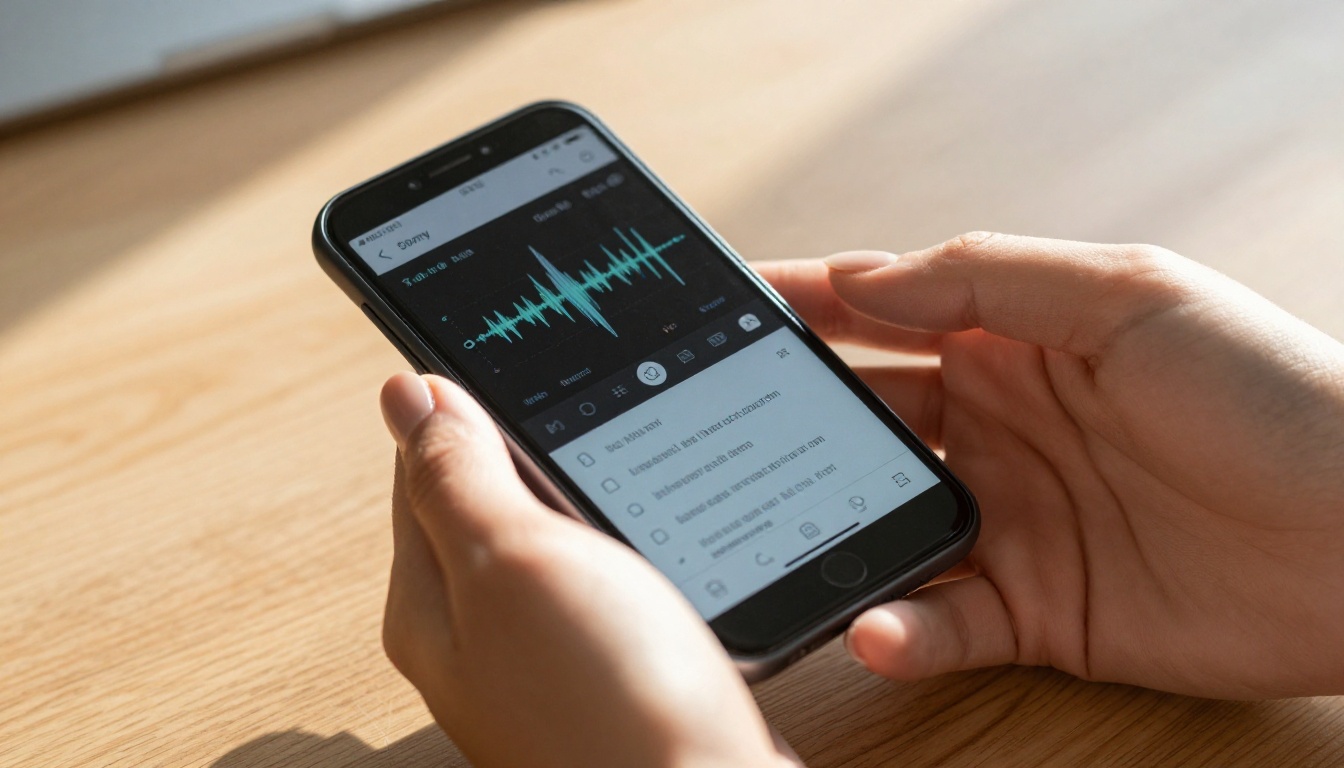
Speaking is three to four times faster than typing on a mobile keyboard. Whether you're catching a burst of inspiration on the subway, capturing a meeting idea between conference rooms, or narrating observations while walking the dog, voice notes let you record at the speed of thought.
The catch is that most people never go back to listen to those recordings. Audio is slow to consume, impossible to search, and awkward to share with colleagues. The solution is not to stop recording. It's to pair recording with automatic AI transcription the moment you're done speaking, so your voice becomes text before you've even reached your destination.
The Speed Advantage
A typical person speaks around 130 words per minute. Mobile typing averages between 40 and 50 words per minute. That gap is where ideas get lost, compressed, and diluted. Voice recording preserves the full-speed thought. Transcription converts it into searchable, editable, shareable text you can actually use.
The Transcription Gap
The problem with older voice-to-text tools was reliability. Background noise, regional accents, and overlapping speakers destroyed the output. Modern AI speech-to-text models have closed that gap dramatically. The best ones today achieve over 95% word accuracy even in challenging real-world conditions, with punctuation applied automatically and proper nouns capitalized correctly.
Not all speech-to-text tools perform equally when you're outside the controlled environment of a quiet room. Three factors determine whether a model is genuinely useful for on-the-go capture.
Accuracy That Holds Up Outside the Studio
Lab accuracy numbers look clean. Real-world conditions are not. You're recording in a coffee shop, a moving cab, or a busy airport corridor. The best AI transcription models are trained on diverse acoustic environments and handle background noise, fast speech, mumbling, and crosstalk without falling apart on you.
Speed and Latency
If you're transcribing a 10-minute voice memo and the tool takes 8 minutes to return results, you've gained very little. Truly useful tools deliver transcripts fast. Some are near real-time. For on-the-go workflows, low latency often matters more than marginal accuracy improvements, especially for daily note capture.
Multilingual and Accent Support
For anyone who works across languages or with international teams, multilingual capability is a hard requirement. Models trained on diverse phoneme sets handle accented speech far better than English-only systems. The strongest tools today support anywhere from 6 to over 100 languages out of the box.

The Best AI Models for Voice Transcription
PicassoIA gives you direct access to the most capable speech-to-text models available right now. Here's what each one brings to your workflow.
GPT-4o Transcribe
OpenAI's GPT-4o Transcribe is widely regarded as the most accurate transcription model for general-purpose use. It handles noisy environments, rapid speech, and mixed-language content with a level of robustness that older Whisper-based systems couldn't come close to matching. It automatically applies punctuation, capitalizes proper nouns correctly, and produces output that's often close to publication-ready without heavy manual editing.
Best for: Journalists, content creators, consultants, and professionals who need polished text from raw audio without spending significant time cleaning up output.
GPT-4o Mini Transcribe
GPT-4o Mini Transcribe is the faster, leaner sibling. It trades a small amount of accuracy for significantly lower latency and reduced processing cost. For quick voice memos and everyday personal dictation, the quality difference compared to the full model is barely perceptible in practice, while the speed difference is immediate and real.
Best for: High-volume transcription, quick daily note capture, and any situation where you need results in seconds rather than tens of seconds.
Granite Speech 4.1 2B
IBM's Granite Speech 4.1 2B is a compact, efficient model that supports transcription across six languages. Despite its smaller parameter count, it produces clean transcriptions with solid accuracy on clear audio and performs well in resource-constrained environments where a heavyweight model isn't practical.
Best for: Multilingual teams, privacy-sensitive recording workflows, and any scenario where a lightweight but genuinely capable model fits better than a larger one.
Granite Speech 3.3 8B
The larger Granite Speech 3.3 8B brings more parameters and deeper training to IBM's lineup. It handles longer recordings and more complex sentence structures better than the 2B variant. For transcribing hour-long technical meetings or detailed subject-matter discussions, this is the stronger choice within the Granite family.
Best for: Long-form audio, technical content with specialized vocabulary, and teams requiring consistent quality over extended recordings.
Gemini 3 Pro
Google's Gemini 3 Pro brings multimodal intelligence to the transcription process. Beyond simple speech-to-text, it understands conversational context, handles speaker overlaps better than most single-model systems, and can produce structured summaries alongside the raw transcript when prompted. It's particularly strong with natural, unscripted conversation audio.
Best for: Meeting transcription, podcast processing, interview recordings, and any multi-speaker audio where speaker intent matters as much as the words themselves.

Using GPT-4o Transcribe on PicassoIA
Since speech-to-text models are available directly on PicassoIA, here's how to get a clean transcript from your voice notes in a few minutes, with no technical setup required.
Step 1: Open the Model Page
Navigate to GPT-4o Transcribe on PicassoIA. The input interface is immediately ready to accept an audio file.
Step 2: Upload Your Voice Note
Click the upload area and select your audio file. Supported formats include MP3, M4A, WAV, and WebM. Most smartphone voice memo apps export in M4A format, which works directly without any conversion needed on your end.
💡 Recording tip: Hold the phone 8 to 12 inches from your mouth when recording. Built-in microphones pick up breathiness and plosive sounds if you record too close. A small gap dramatically improves the raw audio quality.
Step 3: Run the Transcription
Hit the generate button. For a typical 5-minute voice memo recorded in a quiet or semi-quiet environment, results appear within 15 to 30 seconds. The output is clean text with punctuation already applied.
Step 4: Review the Output
Scan the transcript once for proper nouns, technical terms, or anything the model might have misheard due to audio quality issues. On clear audio, accuracy is high enough that this review step takes under two minutes even for a 10-minute recording.
Step 5: Export and Put It to Work
Copy the text directly into your notes app, document editor, email, or project management tool. The transcript is plain text, so it works in every context with no formatting headaches.
Choosing the Right Model for Your Situation
Different recording conditions call for different tools. This comparison covers the most common real-world scenarios.
| Situation | Recommended Model | Why It Fits |
|---|
| Quick personal voice memos | GPT-4o Mini Transcribe | Fast, low cost, accurate enough for daily notes |
| Publication-ready content | GPT-4o Transcribe | Highest accuracy, minimal editing required |
| Multi-speaker meetings | Gemini 3 Pro | Handles overlap, understands conversational context |
| Multilingual team recordings | Granite Speech 4.1 2B | Six-language support, efficient processing |
| Long technical discussions | Granite Speech 3.3 8B | Better performance on extended, complex audio |
💡 Rule of thumb: If you're unsure where to start, GPT-4o Transcribe handles the widest range of input conditions with the least need for optimization. It's the right default for most people.
Practical Workflows for On-the-Go Transcription
The real value of AI transcription isn't in any single use case. It's in building a consistent habit where voice becomes a first-class input for all your information capture, not just a backup option when you can't type.
Capture Ideas While Commuting
The commute is one of the most underused cognitive periods of the day. You're alert, you're mentally active, but your hands and eyes are occupied. Speaking your thoughts into a voice memo app takes three seconds to start. By the time you arrive at your destination, you might have five minutes of raw material that AI can convert to structured notes before your first meeting begins.
A simple naming convention for your recordings makes the resulting transcripts immediately useful. Try: date, topic, and context. Something like "2026-05-27 product ideas morning commute." That alone makes files searchable and organized without any additional effort on your part.
Turn Meetings Into Structured Notes
Most meetings produce no useful written record. People nod, agree to things, and then forget the specifics within hours. Recording a meeting and running the audio through Gemini 3 Pro produces a full transcript you can then pass to a large language model for summarization, action item extraction, or decision logging.
The combination of transcription and AI summarization replaces the need for a dedicated note-taker in most meeting types. The transcript also serves as an accurate record when team members disagree about what was actually decided.
💡 Important: Always inform everyone in a meeting before recording. Many jurisdictions require explicit consent from all participants before audio recording is legally permissible.

Dictate First Drafts
Writers who resist dictation usually do so because they're thinking in polished written prose. The shift is to think in spoken paragraphs instead. Give yourself permission to be imperfect. Record a 10-minute voice note walking through your ideas as if you were explaining them to a smart colleague over coffee.
Run that audio through GPT-4o Transcribe. What comes back isn't a finished draft, but it's 800 to 1,200 words of raw material that is far faster to edit and refine than to generate from scratch. The spoken version captures your authentic voice and reasoning patterns in ways that typed outlines rarely do.
Capture Client Feedback in the Field
Sales representatives, field consultants, and account managers regularly lose valuable client feedback because they rely on memory after a conversation ends. A 90-second voice note recorded immediately after a client interaction, transcribed right away, captures specific language, tone, and concerns that memory distorts or discards within an hour.
Those verbatim details are often exactly what a product team, marketing team, or executive needs to hear in the client's own words. A transcribed voice note is more useful than a polished write-up because it preserves the texture of how the client actually spoke about the problem.
Accuracy Tips That Actually Move the Needle
Even the best AI transcription model performs better with good input. These habits make a meaningful and measurable difference in output quality.
Control your recording environment:
- Step away from background music, television, or dense crowd noise when possible
- In windy outdoor conditions, cup your hand lightly over the microphone opening
- Speak at a consistent, conversational pace rather than rushing to compress more into less time
Help the model with unusual terms:
- Spell out proper nouns or specialized terms the first time you use them in a recording, for example: "We're using a platform called Replicate, spelled R-E-P-L-I-C-A-T-E"
- Pause briefly and naturally between sentences rather than running thoughts together
- Avoid letting your voice drop or trail off at sentence endings, since AI models rely on acoustic cues to detect sentence breaks accurately
Prepare your files for better results:
- Keep individual recordings under 30 minutes per file for faster and more consistent processing
- Save in M4A or WAV format for the best quality-to-file-size balance
- Avoid heavily compressed formats like 32kbps MP3 for any recording you care about transcribing accurately

Beyond Transcription: Closing the Audio Loop
Once you have a transcript, you're working with text. And text can travel in both directions. If you need to convert written content back into natural-sounding audio, PicassoIA's text-to-speech models complete the loop.
ElevenLabs V3 produces expressive, emotionally nuanced voiceovers from any text input, with control over pacing and tone. Gemini 3.1 Flash TTS supports over 70 languages with 30 distinct voices, making it a strong option for international content production.
This bidirectional capability opens up workflows that weren't practical before. Dictate in one language, transcribe the audio, translate the text, then generate a voiceover in another language. The entire chain runs on the same platform without requiring additional tools or integrations.

Voice-to-text isn't a productivity trick. It's a structural shift in how you interact with your own thinking. Once transcription is fast and reliable, voice becomes a genuine first-class input alongside typed text. Your commute becomes a writing session. Your post-meeting debrief becomes structured notes before you've reached the parking lot. A passing observation becomes a searchable, shareable paragraph in your knowledge base.
The models available on PicassoIA today, including GPT-4o Transcribe, Gemini 3 Pro, GPT-4o Mini Transcribe, and the Granite Speech family, are accurate enough in real conditions that editing time is genuinely minimal. The friction that historically made transcription impractical for everyday use is simply gone.
The only thing left is to build the habit of recording in the first place.
Start Capturing Your Ideas Now
The fastest way to see what AI transcription actually feels like in practice is to run one real voice note through it. Not a demo clip. Not a test file. Your own audio, from your own environment, about something you actually want to capture.
PicassoIA's speech-to-text collection puts the best available models in one place with no setup required. Pick the one that fits your situation, upload a recording, and see the transcript appear in seconds.
Start with GPT-4o Transcribe if you want the broadest accuracy on varied audio. Try GPT-4o Mini Transcribe if speed and volume matter more. For multilingual teams or long technical recordings, Granite Speech 3.3 8B is worth testing directly.
Your ideas are worth capturing accurately. The tools to do it are already there.


