Transcribing Interviews with AI Accurately: What Actually Works
AI-powered interview transcription has changed how journalists, researchers, and content creators work. This article breaks down the tools that deliver real accuracy, the audio mistakes that derail even the best models, and step-by-step instructions for using PicassoIA's speech-to-text models to get clean, formatted transcripts in minutes.
Every journalist, researcher, and podcast producer has been there: an hour-long interview recording sitting on their phone, and the prospect of spending four to six hours manually converting it to text. AI transcription has changed this math completely, but not all tools perform equally well. The difference between 95% accuracy and 70% accuracy is the difference between a transcript you can use immediately and one that requires so much correction it would have been faster to type it yourself. This article cuts through the noise on transcribing interviews with AI accurately, covering what actually drives precision, which tools handle real-world conditions, and how to use GPT-4o Transcribe and other top-tier models on PicassoIA today.
Why Most People Get Poor Transcription Results
The problem is rarely the AI model
When transcription results disappoint, most users blame the tool. Nine times out of ten, the real issue is upstream. Poor microphone placement, background noise, overlapping speakers, and highly compressed audio files all reduce accuracy dramatically before the AI even processes a single word.
Recording conditions that wreck accuracy
Condition
Impact on Accuracy
How to Fix It
Background music or TV noise
Up to 30% accuracy drop
Record in a quiet room or use a directional mic
Phone microphone from 3+ feet away
15-25% accuracy drop
Use a clip-on lavalier or tabletop condenser
MP3 at 64kbps or lower
10-20% accuracy drop
Record in WAV or MP3 at 192kbps minimum
Heavy overlapping speech
20-40% accuracy drop
Ask one speaker to pause before the other responds
Strong unfamiliar accent
5-15% accuracy drop
Choose a model trained on multilingual data
When speakers talk over each other
Speaker diarization, the AI's ability to separate "who said what," is one of the hardest problems in automatic transcription. Most models attempt it, but the results break down when two people speak simultaneously. The fix is simple at the recording stage and nearly impossible to apply after the fact: train your interview subjects to wait half a second before responding. It feels unnatural in the moment, but it produces transcripts that need almost no editing.
Tip: Record a short 30-second test with both speakers before the full interview. Play it back to catch room echo, buzz from HVAC systems, or mic positioning problems before they ruin an hour of footage.
How AI Transcription Actually Works
From audio waveform to written words
Every AI transcription model starts with the same raw material: an audio waveform, a visual representation of how air pressure changes over time when someone speaks. The model analyzes this waveform using acoustic modeling, breaking it into small segments called phonemes (the individual sounds that make up words). It then applies a language model to predict what sequence of words makes statistical sense given those sounds.
This two-stage process is why high-quality language models like GPT-4o Transcribe outperform older rule-based tools: the language model component is vastly more powerful, capable of inferring correct spelling of technical terms, proper nouns, and industry jargon even when the audio is imperfect.
Why some models handle accents better
Models trained on narrow datasets perform poorly with unfamiliar accents because they have rarely encountered those phoneme patterns. Models like Granite Speech 3.3 8B from IBM are trained on multilingual corpora covering six languages, giving them broader phoneme coverage and better performance across regional speech patterns.
Timestamps and speaker labels
Premium transcription outputs include:
Word-level timestamps: each word tagged with its start and end time in the audio
Speaker diarization labels: segments marked "Speaker A" and "Speaker B"
Confidence scores: low-confidence words flagged for human review
Punctuation inference: commas, periods, and question marks inserted automatically based on speech patterns
The Models That Deliver on PicassoIA
PicassoIA hosts five dedicated speech-to-text models, each suited to different use cases. Here is what each one does and when to choose it.
GPT-4o Transcribe: for demanding work
GPT-4o Transcribe by OpenAI is the most capable option for professional interviews where accuracy is non-negotiable. It handles:
Technical jargon across dozens of industries
Multiple speakers with rapid turn-taking
Audio with moderate background noise
Spontaneous speech including false starts and filler words
This is the model to choose for journalism, qualitative research interviews, legal depositions, or any project where a single missed word changes meaning.
GPT-4o Mini Transcribe: faster for high volume
GPT-4o Mini Transcribe delivers most of the accuracy of its larger sibling at significantly lower latency. For bulk transcription work, where you are processing dozens of interviews at once and can tolerate occasional minor corrections, this is the practical default.
Gemini 3 Pro: for long recordings
Gemini 3 Pro by Google has a long context window advantage that makes it particularly strong for extended interview recordings over 30 minutes. It maintains coherence across long files where some models lose track of speaker patterns or drift in punctuation quality.
Granite Speech 3.3 8B: for multilingual interviews
When your interview subjects speak languages other than English or mix languages in a single recording, Granite Speech 3.3 8B from IBM provides solid multilingual coverage across six languages. Its 8-billion parameter size makes it more capable than the smaller 2B variant for nuanced phoneme discrimination.
Granite Speech 4.1 2B: for fast first-pass drafts
Granite Speech 4.1 2B is IBM's lightest model in this category. It is ideal when you need a rough first-pass transcript quickly, perhaps to decide whether a recorded interview is worth transcribing in full, or to generate rough notes for an editor to clean.
Tip: For academic qualitative research, GPT-4o Transcribe with timestamps exported to a spreadsheet creates a citation-ready data structure that most research methodology standards accept directly.
The PicassoIA Workflow, Step by Step
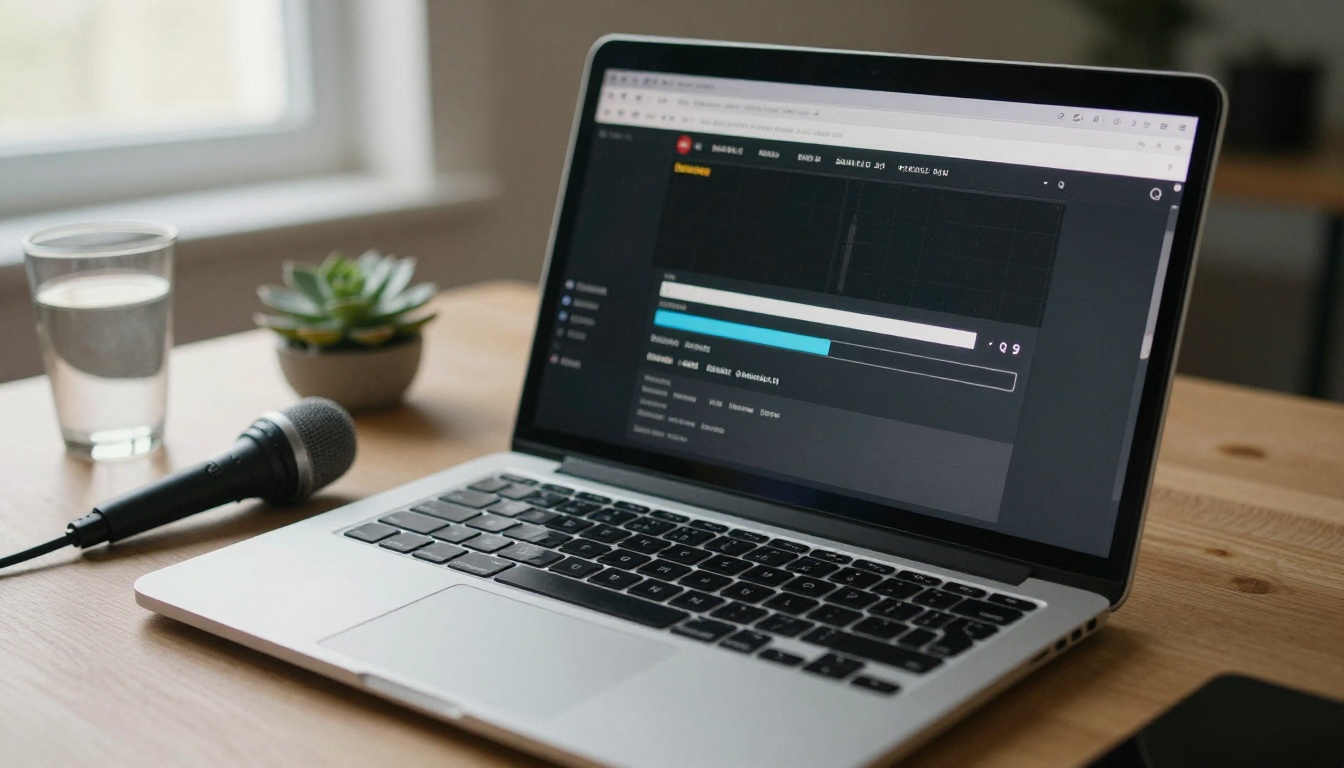
PicassoIA provides browser-based access to all five speech-to-text models with no software to install. Here is the complete workflow from raw audio file to finished transcript.
Step 1: Prepare your audio file
Before uploading, run your recording through these checks:
Format: WAV or MP3 at 128kbps or higher. Avoid OGG or AMR formats from voice memo apps.
Length: Split recordings longer than 60 minutes into segments for faster processing and better accuracy.
Labeling: Name your files clearly (e.g., interview-smith-2026-06-14.wav) so outputs are easy to match.
Step 2: Choose your model
Navigate to the speech-to-text category on PicassoIA. Select based on your interview type:
Drop your audio file into the model interface. For GPT-4o Transcribe, you can optionally provide a prompt with technical vocabulary or speaker names to pre-condition the model. Example:
Interview with Dr. Elena Vasquez (EV) and Interviewer (INT) discussing CRISPR gene therapy. Technical terms: base editing, Cas9, off-target effects, homology-directed repair.
This type of pre-prompt dramatically improves spelling accuracy for proper nouns and specialist vocabulary.
Step 4: Review and export
Once processing completes:
Scan for low-confidence segments first
Check proper nouns: names, places, and organizations have the highest error rate
Verify numbers and dates: "fourteen" vs. "forty" errors are common in audio
Export as plain text, SRT subtitle format, or JSON with timestamps
What Audio Quality Really Costs You
Most users treat audio quality as a minor variable. It is not. A controlled comparison of the same 10-minute interview recorded with a USB desk microphone versus a built-in laptop microphone, then transcribed with GPT-4o Transcribe, typically yields a 12-18% accuracy gap between the two setups. On a 60-minute interview with roughly 8,000 words, that is 960 to 1,440 words requiring manual correction in the lower-quality version.
Microphone options by budget
Under $50: Blue Snowball iCE (USB, cardioid pickup pattern, reduces side and rear noise)
$50-150: Audio-Technica AT2020USB+ (condenser, excellent clarity for solo interviews)
Two-speaker in-person interviews: Two clip-on lavaliers recorded to separate tracks, merged before uploading
Tip: If you are transcribing older archive recordings made on poor equipment, PicassoIA's Super Resolution audio enhancement tools can recover clarity from degraded recordings before transcription.
Room acoustics: the underestimated factor
Hard surfaces create echo. Echo creates reverb. Reverb confuses acoustic models because the same phoneme appears twice in rapid succession, separated by milliseconds. A simple fix: interview in a carpeted room, or drape a heavy blanket over a surface behind the speaker. The acoustic difference on transcription accuracy is measurable and consistent across models.
Mistakes That Cost Hours of Correction
Not splitting multi-speaker files by track
If your recording software (Audacity, Riverside, Zencastr, or similar) supports multi-track recording, always record each speaker on a separate track. Merge for transcription, but keep originals. This way, if diarization fails, you can manually assign segments with certainty rather than re-listening to the entire file.
Using transcription as a verbatim record when you need a clean quote
AI transcription is verbatim by default. It captures "um," "uh," "like," and false starts. For journalism or published content, decide upfront which output you need:
Verbatim transcript: captures every word including filler (used for legal, academic, or archival purposes)
Clean transcript: removes fillers, corrects grammar, tightens phrasing (used for articles, social posts, published interviews)
Most models can handle both modes, but you need to specify in your prompt or settings which output format you want.
Skipping the post-processing step entirely
A raw AI transcript is a first draft. Budget 10-15 minutes of review per hour of audio into your workflow. This is still four to six times faster than manual transcription, but skipping review entirely creates downstream errors in your published content that are difficult to catch later.
Tip: Use Large Language Models on PicassoIA after transcription to auto-clean filler words, reformat quotes for publication, and generate a summary of the interview's key points in a single step.
Relying on one model for all content types
Different interviews warrant different models. A 45-minute research interview with two non-native English speakers in a moderately noisy room needs a different tool than a 5-minute phone call with a single English speaker in a quiet room. Matching the model to the conditions is how you consistently hit accuracy targets above 93%.
Accuracy Benchmarks: What to Realistically Expect
Understanding realistic accuracy rates prevents disappointment and helps you plan correction time accurately.
Audio Condition
GPT-4o Transcribe
Granite Speech 3.3 8B
Studio-quality, single speaker
97-99%
93-96%
Good USB mic, quiet room
94-97%
89-93%
Phone recording, quiet room
88-93%
82-88%
Phone recording, some background noise
78-87%
72-82%
Multiple overlapping speakers
70-82%
65-78%
Heavy accent, technical vocabulary
85-92%
79-87%
These ranges represent word-error-rate performance across common interview scenarios. For reference, professional human transcriptionists working under good conditions achieve roughly 98-99% accuracy, so GPT-4o Transcribe in ideal conditions approaches human-level performance.
What these numbers mean for your workflow:
At 97-99% accuracy on a 60-minute interview (roughly 8,000 words): expect 80-240 words to correct
At 88-93% on a phone recording: expect 560-960 words to correct
At 70-82% with overlapping speakers: expect 1,440-2,400 words to correct, which is why audio setup matters so much
Getting More From Your Transcripts
A transcript is not an endpoint; it is raw material. Once you have a clean, accurate transcript, here is how to extract maximum value from a single interview recording.
Repurposing for content creation
Pull 5-7 strong quotes for social media posts and captions
Create a summary article from the main themes using PicassoIA's Large Language Models
Generate FAQ sections by extracting question-answer pairs from the dialogue
Build a timestamped show notes document for podcast episodes with direct jump links
Archiving for qualitative research
Researchers running qualitative studies can:
Tag transcript segments by theme using keyword search
Export to NVivo, Atlas.ti, or Dedoose for qualitative coding
Generate word-frequency analysis to surface dominant themes
Create coded datasets from speaker-labeled segments for comparative analysis
Accessibility and distribution
Transcripts feed directly into:
Subtitle files (SRT) for video accessibility compliance
Translation workflows using multilingual LLMs for international audiences
Audio descriptions for hearing-impaired audiences
Search indexing so interview content becomes searchable and discoverable
Tip: Run your finished transcript through PicassoIA's Text to Speech models to create a cleaned-up audio version of the interview with consistent voice quality, useful for podcast highlights reels or accessibility-focused audio formats.
Put AI Transcription to Work Right Now
The gap between a time-consuming manual transcription workflow and a near-instant AI-powered one comes down to a single decision: which tool to use and how to set it up correctly. PicassoIA brings five of the most capable speech-to-text models into one platform, accessible from any browser without installation or API keys.
Start with GPT-4o Transcribe for professional interview work, or GPT-4o Mini Transcribe for high-volume batch processing. If your interviews span multiple languages, Granite Speech 3.3 8B is the right call. For very long recordings, Gemini 3 Pro handles extended audio files with consistent quality throughout. And when you need a quick rough draft in seconds, Granite Speech 4.1 2B gets you there fast.
Once you have your transcript, PicassoIA's ecosystem of Large Language Models can clean, reformat, summarize, and repurpose that content without switching platforms. Upload your first recording at picassoia.com/en/all-models and see the difference a purpose-built AI transcription model makes to your interview workflow.