Every business owner knows the feeling. You open your review platform, see a dozen new responses waiting, and immediately feel that sinking weight in your chest. You want to reply thoughtfully, professionally, and fast. But writing 12 personalized replies takes hours you don't have. That's exactly where AI changes everything.
Using AI to reply to reviews faster isn't about cutting corners. It's about removing the mechanical, repetitive part of response writing so you can focus on the judgment calls: what to say, not how to say it. Modern large language models can read a review, detect its sentiment, and generate an on-brand reply in under 3 seconds. The result? A reply rate that actually matches the volume of feedback coming in.
Why Response Time Is a Reputation Signal
Most business owners think of review replies as a courtesy. They're actually a ranking factor.
The Numbers Behind the Delay
Google's algorithm rewards businesses that respond to reviews consistently. According to BrightLocal data, 53% of customers expect a response to a negative review within a week, and nearly a quarter want one within 24 hours. On platforms like Amazon or Airbnb, a delayed response directly affects your visibility in search results.
The average small business owner spends 4.5 hours per week on review management. For multi-location businesses or e-commerce brands with hundreds of weekly reviews, that number multiplies fast. The math is simple: manual review response doesn't scale.
What a Slow Reply Costs You
When a negative review sits unanswered for days, potential customers read the silence as indifference. It signals that you either don't care or don't have the capacity to handle customer issues. On the flip side, a quick, personalized reply to a negative review actually converts skeptical readers into buyers in 33% of cases, according to Harvard Business Review data.
Reputation management isn't just damage control. It's active revenue protection.
💡 Pro tip: Replying to positive reviews matters too. It signals to future customers that you read every piece of feedback and that their opinion will be acknowledged.
How AI Reads and Writes Review Replies
The real power of AI for review management isn't speed alone. It's the combination of speed and context-awareness.

Sentiment Detection in Seconds
Modern LLMs don't just read the words in a review. They read the emotional weight behind them. A 3-star review that says "food was great but the wait was too long" carries completely different emotional context from "waited 45 minutes and the food was cold." A well-prompted AI model will recognize that difference and adjust the tone, the urgency, and the specific apology accordingly.
This is called sentiment analysis, and it's built into every top-tier LLM. When you paste a review into a model like GPT-5 or Claude 4 Sonnet, the model parses the emotional context automatically. You don't need to label the review as positive or negative. The model already knows.
Tone-Matching by Review Type
Good AI replies don't all sound the same. A reply to a 5-star enthusiastic review should be warm, specific, and brief. A reply to a 1-star complaint should be empathetic, accountable, and include a clear path to resolution. A reply to a neutral 3-star review needs careful calibration: acknowledge what went wrong without over-apologizing for the parts that were fine.
AI handles this tonal differentiation well when you give it clear instructions. The quality of the output depends entirely on the quality of your prompt.
The Real Difference Between Good and Lazy AI Replies
Not all AI-generated review responses are created equal. There's a clear line between a reply that builds trust and one that destroys it.

Why Generic Responses Backfire
The most common mistake is using a template-based approach without context injection. If every reply starts with "Thank you for your feedback, we're sorry you had this experience," customers start to notice. And when they notice, the reply reads as automated indifference rather than genuine care. Several review platforms now flag repeated identical responses, which can hurt your search visibility.
Generic responses also fail because they don't address the specific complaint. A customer who said "the left speaker on my new headphones rattled" doesn't want to read "we're sorry to hear your product didn't meet expectations." They want to know you heard the specific issue, not a paraphrase of it.
What a Strong AI Reply Includes
| Element | Why It Matters |
|---|
| Name or order reference | Shows you looked at the actual record |
| Specific acknowledgment | Proves the complaint was read, not skimmed |
| Ownership without excuses | Builds trust faster than deflecting |
| Clear next step | Converts complaints into return customers |
| Warm, human closing | Doesn't feel like a support ticket being closed |
The best AI-generated replies feel like they were written by someone on your team who actually cares. That only happens when you feed the model enough context about your brand voice and the specific review it's responding to.
Best LLMs for Writing Review Responses
PicassoIA gives you direct access to the most powerful large language models available today, all from one place, with no API setup required.

Models Worth Using
Here's a breakdown of the top LLMs for review response work available on PicassoIA:
| Model | Best For | Speed |
|---|
| GPT-5 | Long, nuanced negative review replies | Medium |
| GPT-4o | Balanced tone, general-purpose replies | Fast |
| Claude 4 Sonnet | Brand voice consistency, empathetic replies | Fast |
| Gemini 2.5 Flash | Bulk processing, fast turnaround | Very Fast |
| GPT-4.1 | Structured replies with specific instructions | Fast |
| Llama 4 Maverick | Cost-effective, high volume use | Very Fast |
| Deepseek R1 | Reasoning through complex complaints | Medium |
When to Use Which One
For most small business owners, GPT-4o or Claude 4 Sonnet will cover 90% of use cases. They're fast, contextually aware, and produce natural-sounding text with minimal editing required.
If you're managing a high volume of reviews across multiple locations, Gemini 2.5 Flash or Llama 4 Maverick gives you the throughput you need without sacrificing coherence.
For genuinely complex, emotionally charged reviews where the customer is very upset or where there may be legal sensitivity, Deepseek R1 applies step-by-step reasoning before generating the output, producing more measured and careful replies. It's the model you want when a situation could escalate if handled poorly.
How to Use LLMs on PicassoIA for Review Replies
This is the practical part. Here's exactly how to build a fast, consistent AI-powered review response workflow using PicassoIA.

Step 1: Pick Your LLM Model
Open PicassoIA and go to the Large Language Models collection. For most review reply tasks, start with GPT-4o or Claude 4 Sonnet. Both run directly in your browser with no installation or API key required. Click the model, and the chat interface opens immediately.
Step 2: Write Your Prompt
The quality of the reply depends entirely on the context you provide. Here's a prompt structure that consistently produces strong results:
"You are the customer service manager for [Business Name], a [type of business]. Our brand voice is [professional/friendly/warm]. Write a reply to the following customer review. Be specific about the issue mentioned. Keep it under 100 words. Review: [PASTE REVIEW HERE]"
Adjust the brand voice descriptor and length based on the platform. Google Reviews typically works best with shorter, direct replies. Amazon and Airbnb tolerate more detail.
For negative reviews, add this line to your prompt: "Do not start the reply with 'I' or 'We are sorry'." This single instruction forces the model to vary its opening, which prevents the cloned-reply problem that makes responses feel scripted.
Step 3: Paste, Edit, Post
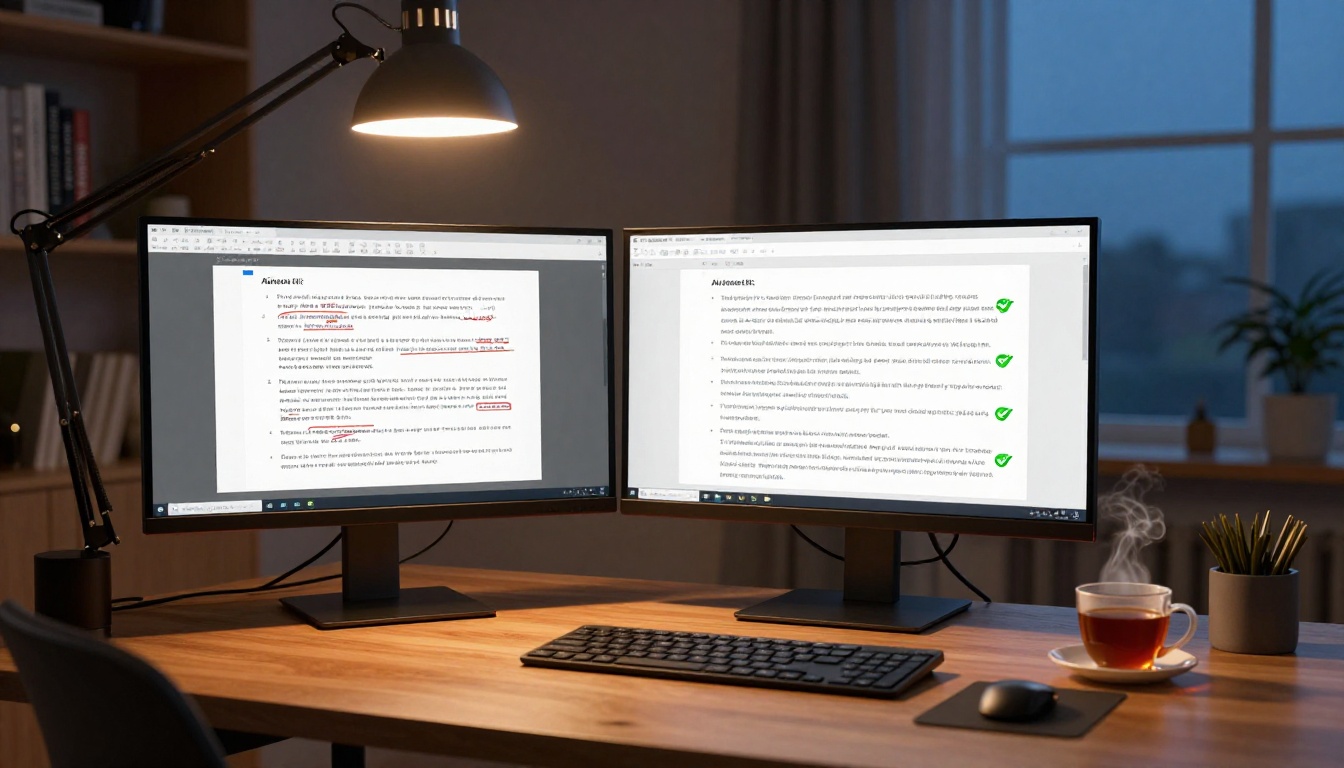
Copy the AI output. Read it once. Look for anything that sounds off, misquotes the specific complaint, or doesn't fit your brand voice. Make one or two edits if needed, then post.
💡 The 80/20 rule applies here: AI handles 80% of the writing. You handle 20% of the judgment. That's the right ratio for fast, authentic customer feedback automation.
In practice, most replies need less than 30 seconds of editing before they're ready to post. For high-volume businesses, this workflow cuts review response time by more than 80% compared to writing each reply from scratch.
Prompts That Actually Work
The difference between a mediocre AI reply and a great one is almost always the prompt structure.

For Negative Reviews
Negative reviews require the most care. The goal isn't to apologize and move on. It's to show the specific customer, and every potential buyer reading the thread, that you take problems seriously and actually fix them.
Template for negative reviews:
"Write a professional, empathetic reply to this 1-star review for [Business Name]. Acknowledge the specific issue directly. Apologize once, clearly. Offer a concrete next step (refund, call, replacement). Keep it under 120 words. Do not start with 'I' or 'We are sorry'. Review: [PASTE REVIEW]"
What this prompt does well:
- Forces specificity by referencing the actual issue
- Limits the response length so it doesn't over-explain
- Varies the opening so replies don't look templated
- Requires a concrete resolution path
For Positive Reviews at Scale
Positive reviews still need a response. Bulk-responding to 5-star reviews manually is tedious, but bulk-copying a single reply looks worse.
Template for positive review batches:
"Write 5 different, warm replies (under 60 words each) for a 5-star review left for [Business Name]. Each reply should feel unique. Reference that you're glad their experience was positive. Encourage them to return. Here is the review: [PASTE REVIEW]"
Run this once per batch of similar positive reviews. You get 5 unique variations to rotate through, so no two back-to-back replies look identical.
3 Mistakes That Make AI Replies Sound Fake
Even with good models and solid prompts, there are patterns that undermine the result.

Overusing the Customer's Name
Saying "Hi Sarah" is fine. Saying "Hi Sarah, we really value you, Sarah, and we hope to see you again, Sarah" is what LLMs sometimes produce when you say "personalize this" without guardrails. Instruct the model to use the reviewer's name once, at the start, and nowhere else. One mention reads human. Three mentions reads like a marketing email.
Skipping the Specific Complaint
Pasting a review but only giving vague context leads to vague replies. If the review mentions a specific product, an employee's name, or a visit date, include that in your prompt. The more specific the context you give the model, the more specific the reply, and the more authentic it sounds to anyone reading it.
A customer who complained about a specific issue and receives a reply that directly names that issue will almost always soften their stance. A customer who gets a generic apology will often escalate.
Posting Without a Quick Edit
AI-generated text occasionally produces phrases that feel slightly off: overly formal in a context that calls for casual warmth, or with a word choice that doesn't match how your team actually talks. Reading the reply out loud before posting catches these instantly. It takes 20 seconds. It's the difference between a reply that sounds like you and one that clearly doesn't.
💡 Quick filter: If you wouldn't say it in a phone call with this customer, don't post it as a review reply.
The same core workflow applies across every major review platform, with minor adjustments for tone and expected length.
Google Reviews
Google Reviews are publicly visible in search results, which means every reply functions as marketing as much as customer service. Keep replies between 60 and 120 words. Mention your business category naturally within the reply (not your business name repeatedly, which looks spammy) and always include a path to resolution for negative reviews.
Using GPT-5 for Google Review replies works particularly well because of its ability to produce natural-sounding text without inadvertent keyword stuffing, which matters for local SEO. A well-written owner reply on a negative Google review can actually boost your local pack ranking over time.
Amazon and E-commerce Platforms
Amazon seller replies aren't primarily about SEO. They're about buyer confidence. Reviews are read by people actively deciding whether to purchase. A detailed, specific reply to a complaint that says "we've updated the packaging on this product since your order" tells future buyers you actually fix things, not just say you will.
For bulk e-commerce review management, Gemini 2.5 Flash is ideal: fast enough to process large batches in a session while maintaining distinct phrasing across responses that prevents the copy-paste appearance.
Yelp, TripAdvisor, and Hospitality Platforms
Hospitality and food service reviews carry emotional weight. Customers often write them because they had a strong feeling, positive or negative. Matching that emotional register in your reply is critical. Claude 4 Sonnet performs particularly well here, given its natural handling of tone, nuance, and empathy in written communication.
TripAdvisor and Yelp both allow longer replies than Google. Use that space to provide context, not excuses. If a reviewer mentioned that a dish was underseasoned, use the space to explain what your chef has done since. Show readers that feedback actually gets acted on.
Start Responding Smarter Today

Review management is one of those tasks that's easy to deprioritize because it never feels urgent, right up until your rating drops or a competitor's rising reputation starts pulling customers away. With the right LLM in your workflow, it stops being a burden and becomes a consistent, low-effort habit.
You don't need to write every reply from scratch. You don't need to hire a content team. You need a solid prompt, the right model, and 30 seconds to review the output before posting.
PicassoIA puts GPT-5, Claude 4 Sonnet, Gemini 2.5 Flash, and dozens of other powerful large language models directly in your browser. No setup. No subscriptions to juggle. Open a model, paste your review, and get a reply that sounds like your team wrote it.
Pick a model from the Large Language Models collection, drop in your first review, and see how fast your response workflow can actually be.


