Most people type a single sentence into Veo 3.1 and wonder why the result looks like a screensaver. The difference between forgettable AI clips and genuinely cinematic video comes down to one thing: how precisely you describe the world you want to see. This is not about magic keywords. It is about thinking like a cinematographer and translating that thinking into language the model actually responds to.
What Veo 3.1 Changed
Native Audio in Every Scene
Veo 3 introduced synchronized audio generation, but Veo 3.1 pushed that further. The model now reads audio cues from within the prompt itself, not as a separate parameter. If your prompt says "the rain drums against a metal roof," the model generates that sound alongside the visual. This changes how you write prompts fundamentally: sound is now part of scene description, not a bonus afterthought.
Higher Fidelity on Motion
Where earlier models like Veo 2 struggled with fabric movement, water surfaces, and facial micro-expressions under motion, Veo 3.1 handles these with noticeably better fidelity. The reward for detailed prompts is proportionally higher now. The model has the capacity to process dense, layered descriptions and deliver on them.
Prompt Length Now Pays Off
Short prompts produce generic clips. A 60-word prompt outperforms a 10-word prompt by a wide margin on cinematic quality. That is not a quirk. It is how the model was trained. Specificity is the variable that separates a film-quality clip from content that looks AI-generated.
The Anatomy of a Great Prompt
Every high-quality Veo 3.1 prompt contains five distinct layers. Missing any one of them usually pulls the result toward generic.
Subject, Action, and Intent
Start with who or what is in the frame and exactly what they are doing. Vague subjects produce vague videos. "A woman walks" is not a subject with intent. "A woman in her 30s, wearing a worn canvas jacket, walks through a crowded Tokyo train station at rush hour, eyes scanning the departure boards" gives the model something to render.
What to include:
- Age range and physical specifics
- Clothing with texture details
- A clear action verb with qualifier
- Emotional or psychological state if relevant
Environment and Background
The world behind your subject is not decoration. It carries mood, time, and context. Describe it with specificity: city or countryside, time of day, weather conditions, and what sits in the foreground versus the background.
Lighting Conditions
This is the most skipped layer, and it shows. Specify:
- Direction: "light from the upper left" or "backlit from the horizon"
- Quality: "diffused through thin clouds" or "harsh midday sun"
- Color temperature: "warm 3200K tungsten" or "cool overcast daylight"
- Shadows: "long shadows stretching right across wet pavement"
Camera Angle and Lens
Veo 3.1 responds to camera direction when written as a director of photography would speak it, not as casual description.
| Camera Term | What It Does in Output |
|---|
low angle, 24mm | Makes subjects imposing, emphasizes sky |
eye level, 85mm | Natural portrait, slight background compression |
overhead, wide | Establishes scale, removes ground context |
dutch angle, 35mm | Adds tension and disorientation |
tracking shot, handheld | Introduces movement and realism |
Motion and Tempo
Tell the model how fast the world moves. "Slow motion" is vague. "Shot at 120fps, played back at 24fps" is precise. Specify whether the camera moves, whether subjects move, and at what relative pace.
15 Copy-Ready Cinematic Prompts
These prompts are structured for direct use in Veo 3.1. Each follows the five-layer structure above.
Drama and Tension Prompts
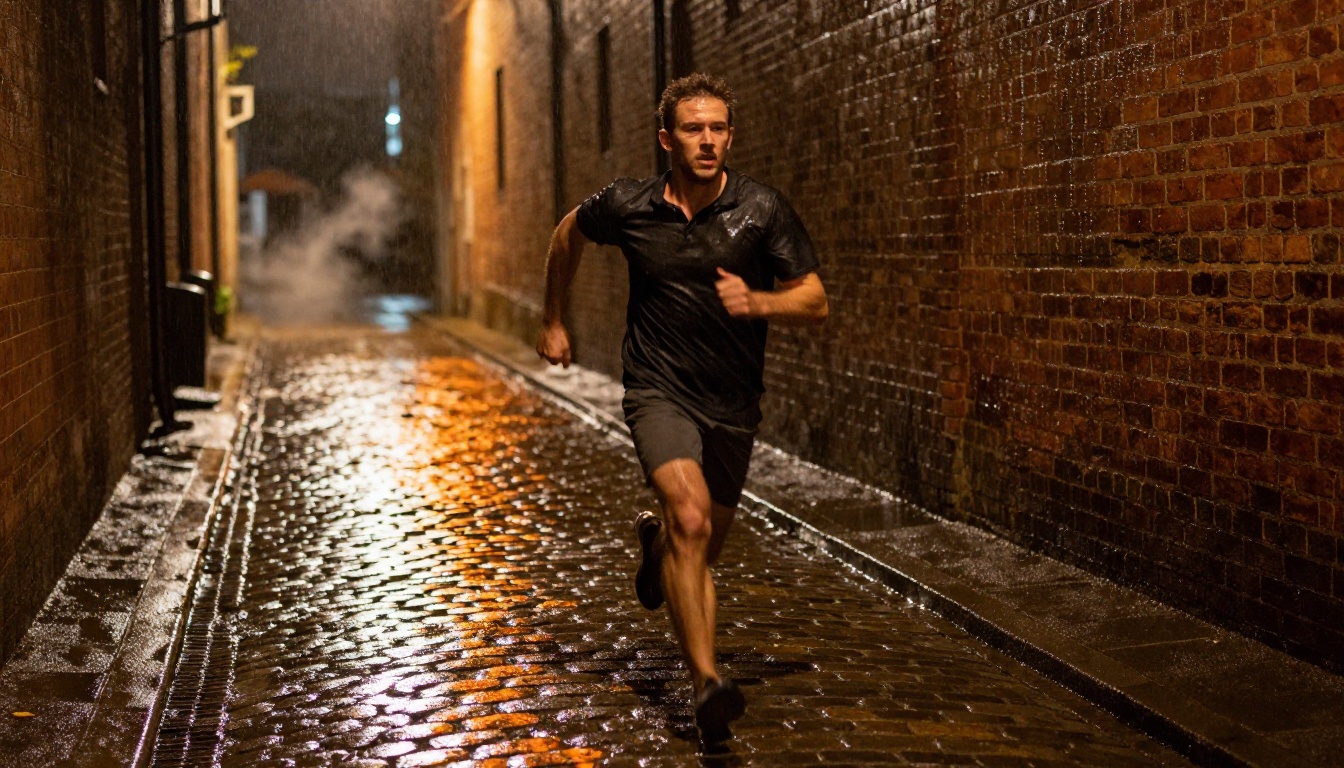
Prompt 1: The Night Chase
A man in his mid-30s sprints through a narrow rain-soaked alley at night, captured from ankle height on a low tracking angle. Sodium vapor lights cast amber pools on wet cobblestones. Motion blur on his legs, face sharp and jaw set. Brick walls show aged mortar and water streaks. The sound of footsteps slapping wet stone, distant police radio. 35mm f/1.4, Kodak Portra 800, shallow depth of field. No music, only ambience.
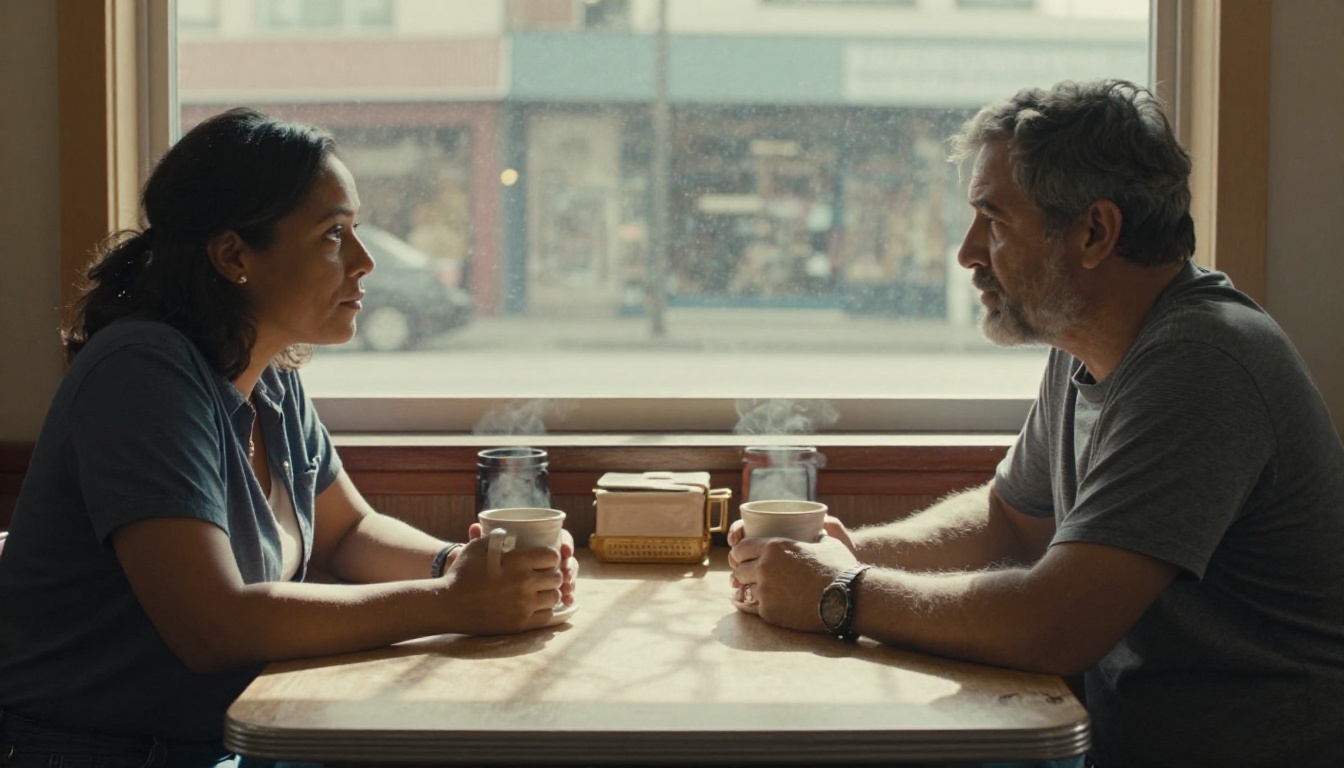
Prompt 2: The Last Conversation
A man and woman sit at opposite ends of a worn diner table in mid-afternoon. Window light from the left casts a soft grid shadow across the formica surface. He watches her without speaking, ceramic mug between both hands. She looks down at her coffee, then up. Steam rises between them. The muffled sound of traffic outside, a distant coffee machine. 50mm f/2 at seated eye level, warm grain, candid reportage.
Prompt 3: The Decision
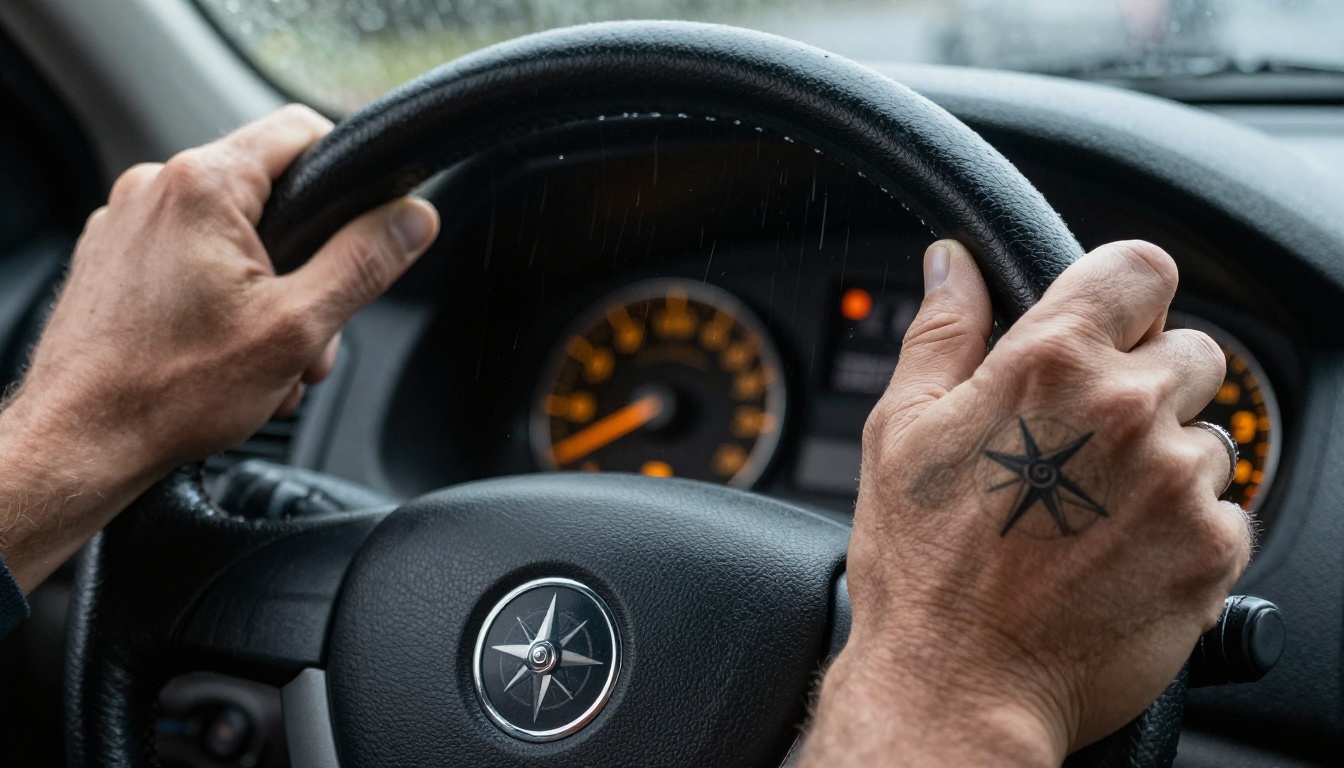
Close-up of weathered hands gripping a leather steering wheel. Rain streaks the windshield in diagonal lines. Dashboard instruments glow amber in peripheral blur. The knuckles are white. A compass tattoo on the inner right wrist. The sound of heavy rain on glass, windshield wipers at slow cadence. 100mm macro from the passenger seat, downward 45-degree angle, Kodak Vision3, natural motion blur on background.
Landscape and Nature Prompts
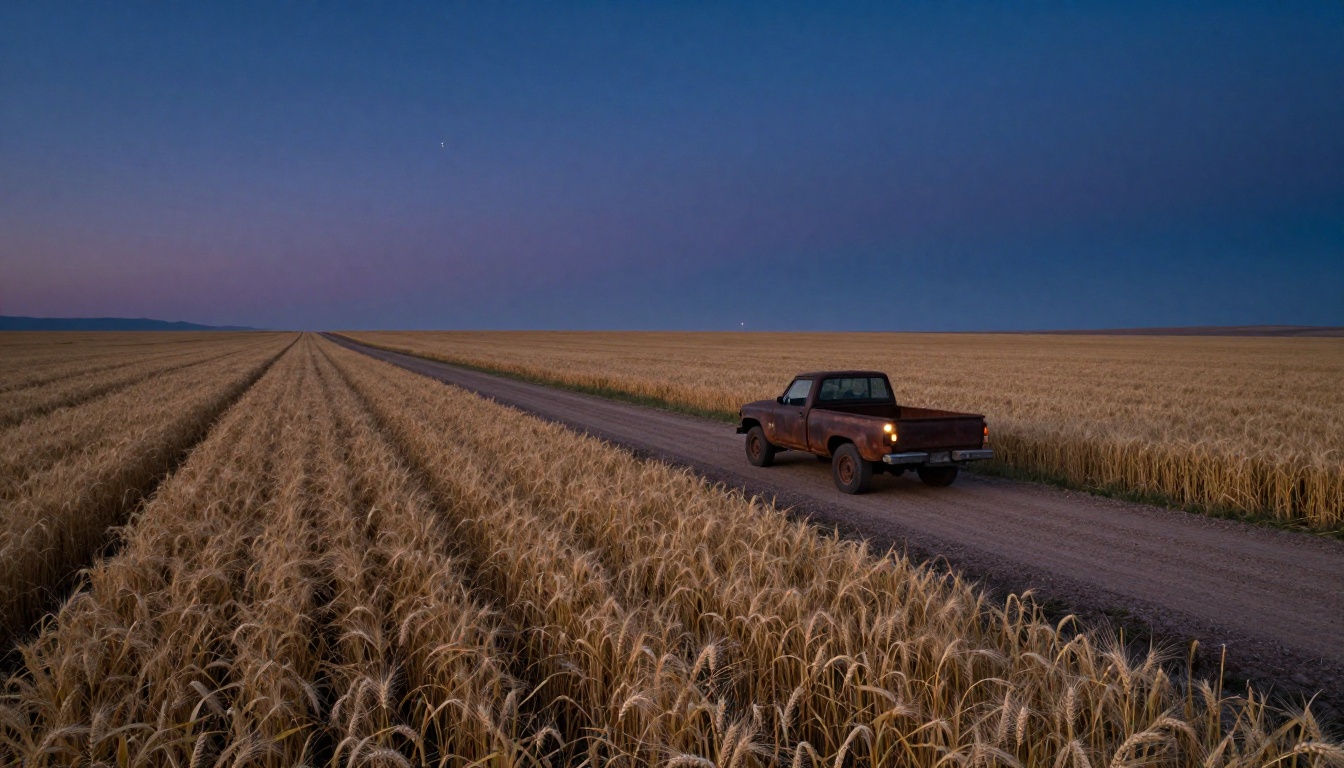
Prompt 4: Pre-Dawn Highway
Aerial shot of a lone dirt road cutting through a Montana wheat field at pre-dawn. Road stretches to the vanishing point at the left horizon. A single truck with one headlight on sits at the roadside. Deep navy-to-violet sky, Venus bright near the horizon. Dew on every wheat stalk in sharp foreground detail. The sound of wind across open grass, a distant truck engine idling. Drone at 40 feet, 24mm wide, natural haze, Kodak Ektar 100.
Prompt 5: Forest at Dawn
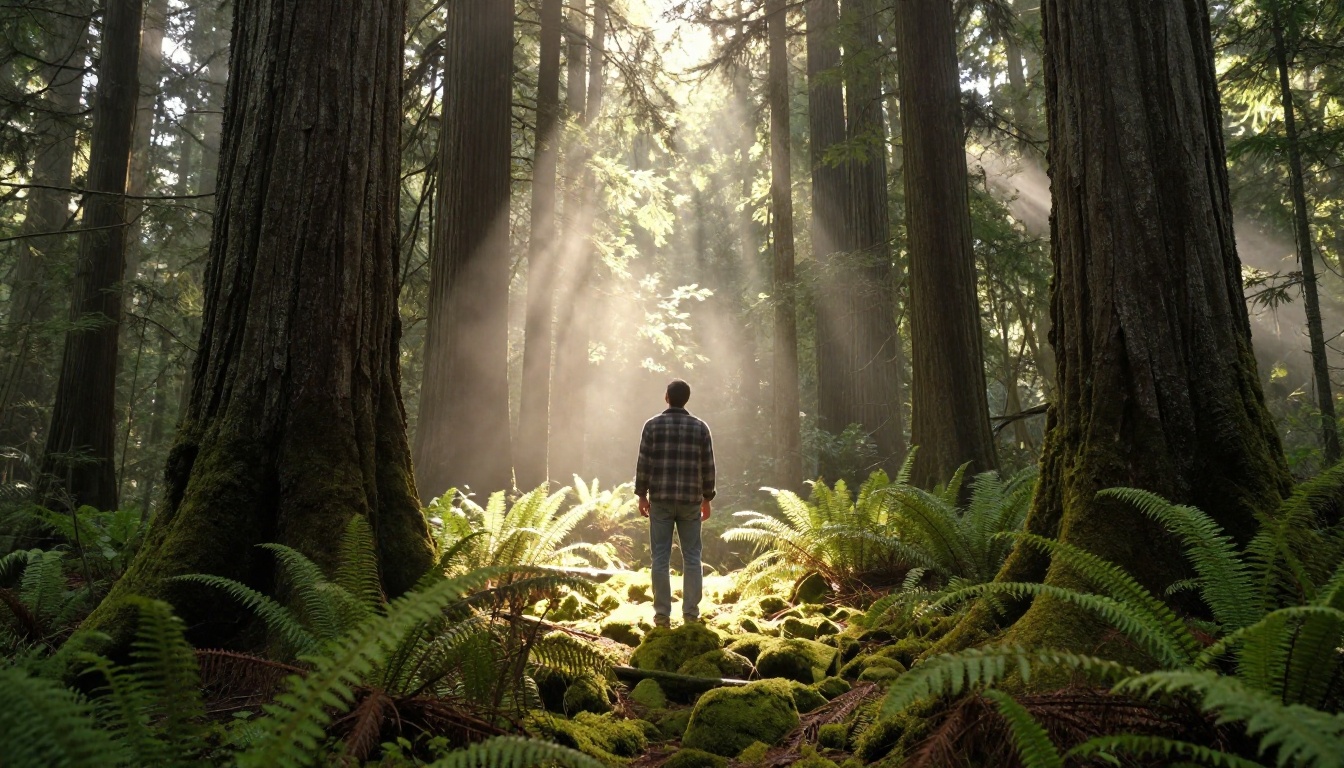
A man facing away from camera stands inside a Pacific Northwest old-growth forest at dawn. Massive Douglas fir trunks disappear upward into a thick canopy. Volumetric shafts of morning light break through above, catching swirling mist at mid-height. He is still, looking up. Bird calls far away in the canopy, a single distant woodpecker. 35mm f/2 from knee height, natural color, Kodak Portra 400, deep depth of field.
Prompt 6: Sunrise at the Shore
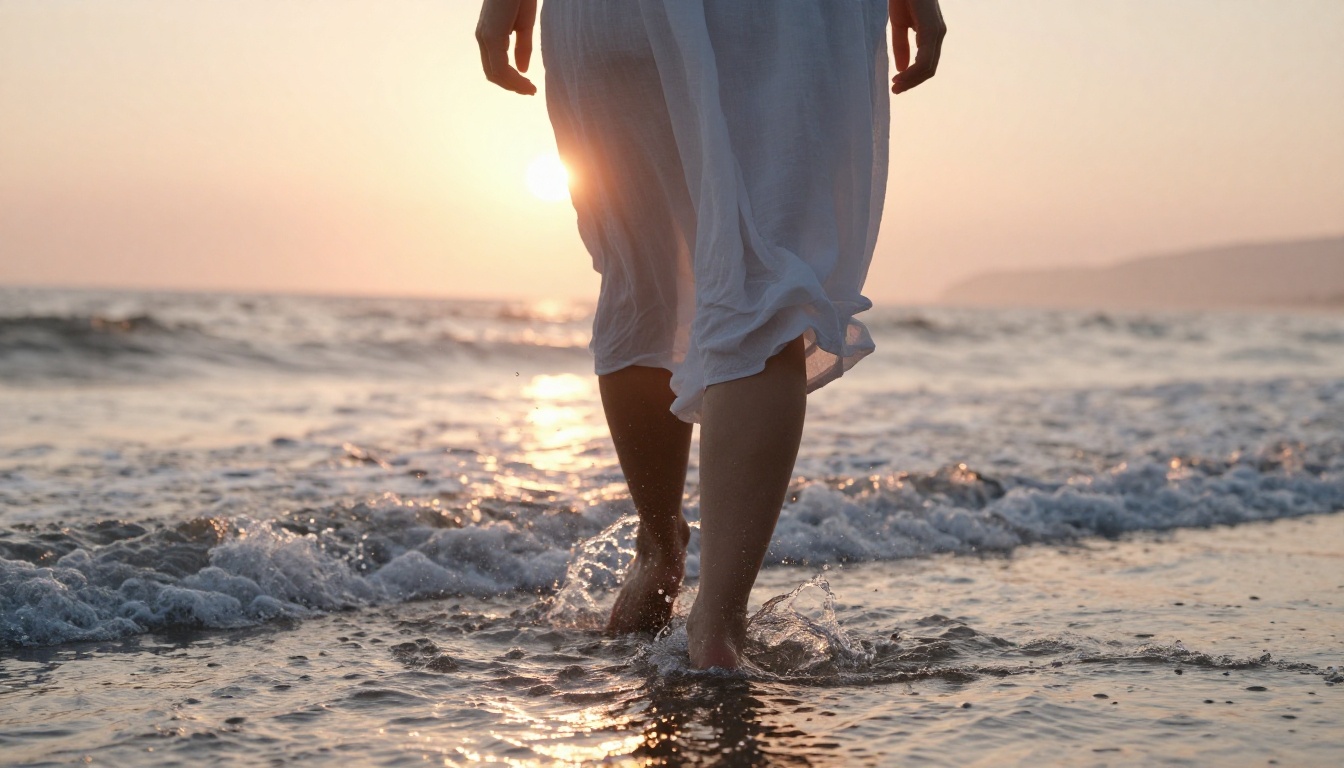
A woman walks barefoot through ankle-deep surf at sunrise, captured from waist height in a slow pan. Backlit by rose-gold sunrise, her silhouette is dark with a rim of warm light. White linen dress catches the wind. Individual water droplets catch sunlight mid-air at each footfall. The sound of breaking waves, wind, and distant seabirds. 70mm f/2.8 with a quarter black mist filter, Fujifilm Pro 400H, salt spray diffusion in foreground air.
Portrait and Emotion Prompts
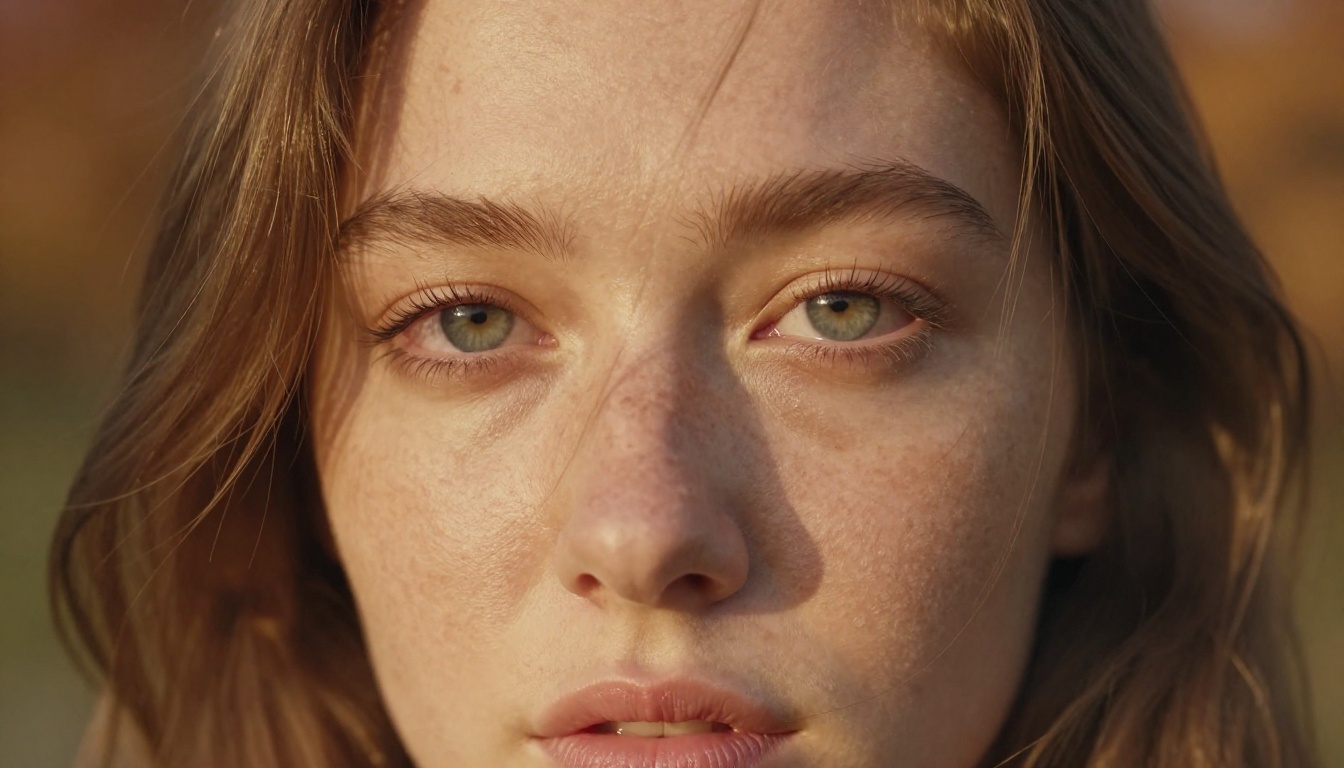
Prompt 7: The Close-Up
Extreme close-up of a young woman's face at golden hour, freckled skin, pale grey-green eyes. Soft volumetric light from the left. A single tear forms at the inner corner of the left eye. Hair strands drift across her forehead in a faint breeze. Background is shallow autumn bokeh in amber. No dialogue, only ambient wind and the faint sound of dry leaves. 85mm f/1.2, RAW, Fujifilm Eterna 500, no makeup.
Prompt 8: The Witness
Medium close-up of an elderly man seated at a window, 70s, deeply lined face turned in profile toward outside light. Dust particles float in a shaft of afternoon light from the left. His hands are folded on the table, still. He does not speak. The sound of a clock ticking somewhere in the room, a car passing slowly outside. 85mm f/2 at eye level, Kodak Portra 160, warm late afternoon color.
Urban and Night Prompts
Prompt 9: Rooftop Perspective
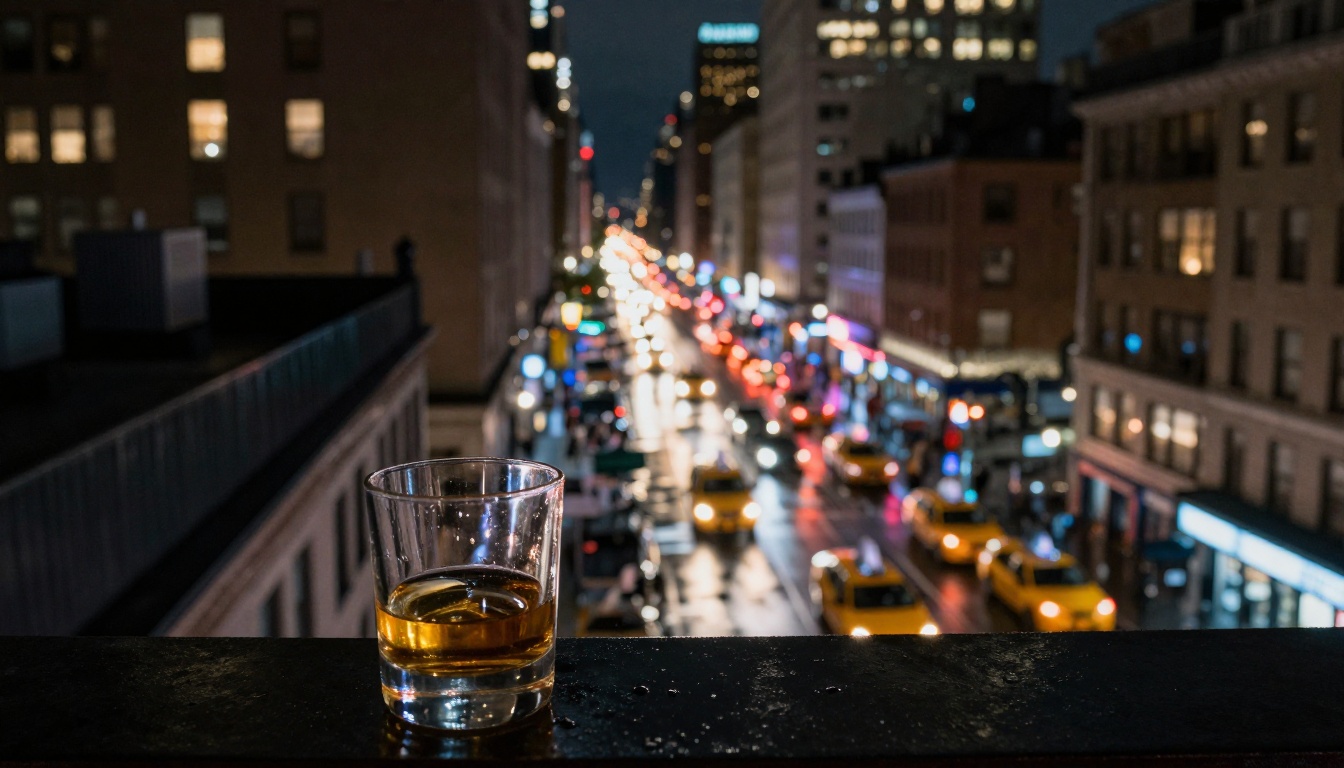
High-angle wide shot from a New York rooftop thirty floors up, looking down onto a rain-wet street. Yellow taxi light trails streak through the frame below. A single whiskey glass sits in sharp focus at the rooftop ledge in the extreme foreground. The whole city is out-of-focus bokeh behind it. The sound of distant sirens, rain, and traffic from far below. 28mm f/2, Kodak Ektar 100, available night light only.
Prompt 10: The 3am Room
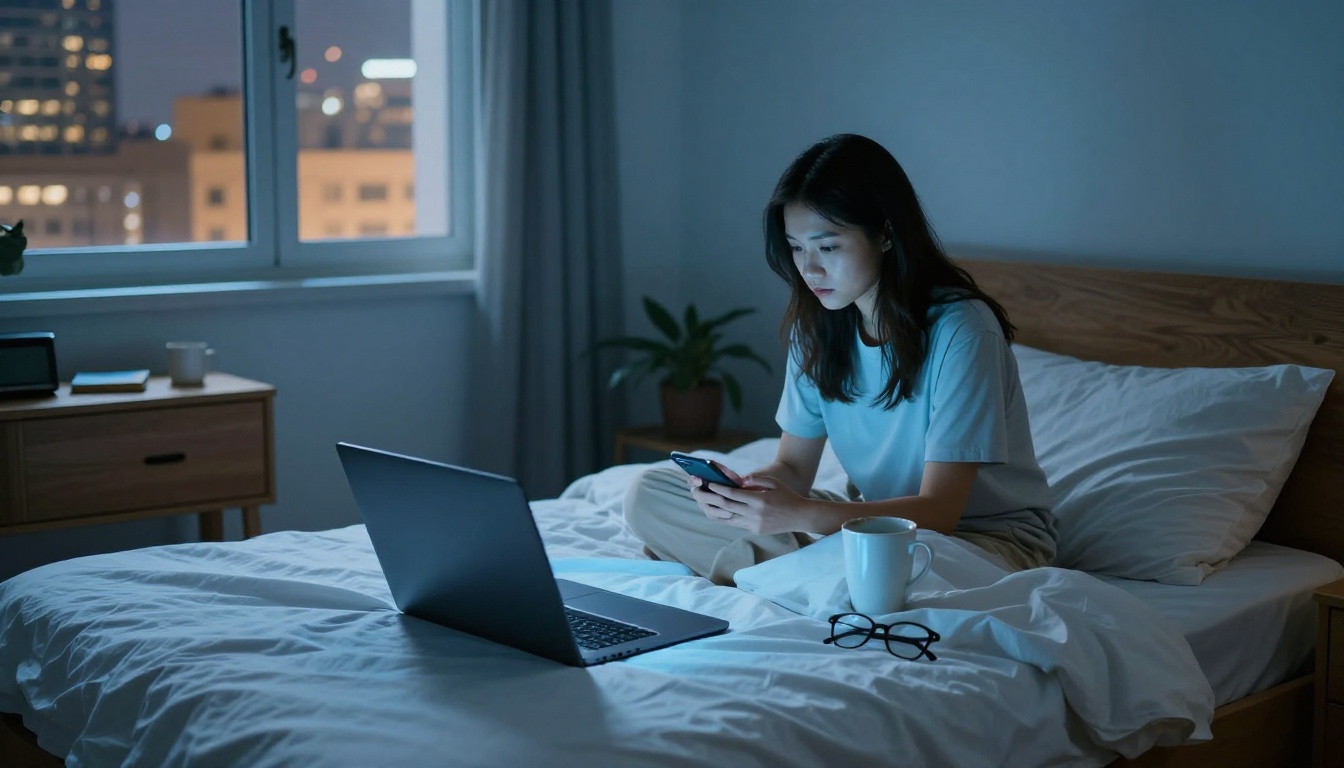
Interior wide shot of a sparse apartment bedroom at 3am, lit only by a laptop screen glow. A young woman sits cross-legged on the bed in the background, face half in pale blue light. Sharp foreground of unmade sheets, a coffee mug, a dog-eared paperback. The city glows amber through the window behind her. Silence, then the faint sound of the city far below. 24mm f/1.4, available light, high ISO grain, cool ambient palette.
Prompt 11: The Empty Bar
Wide shot of an empty bar interior at 3am. Neon beer signs cast red and blue across rows of upturned chairs on tables. A single bartender wipes the counter without looking up. Rain on the windows. The sound of a jukebox playing the tail end of a song, then the room going quiet. 28mm f/2.8, available light, candid, high ISO grain, Kodak Vision3.
Prompt 12: Midnight Train Platform
A woman stands alone on a deserted train platform at night, lit by a single overhead fluorescent with a faint flicker. She holds a small bag, watching the far end of the track. Wind moves through the platform, picking up a paper cup on the concrete. The sound of distant train wheels on metal rails, the fluorescent hum above. 50mm f/1.8, eye level, available light, cool color cast.
Prompt 13: After the Rain
Wide shot of a European city square at dawn after heavy overnight rain. Cobblestones reflect the pale grey light of early morning, puddles holding the first blue of the sky. A lone figure crosses far left in the background. The sound of dripping water, a distant church bell, a single pigeon. Static locked-off camera, 35mm f/4, Kodak Portra 160, overcast diffused light.
Prompt 14: The Wait
A man in his 50s sits on a wooden bench inside a hospital corridor, coat on, hands between his knees, staring at the floor. Fluorescent overhead lighting makes the walls look institutional beige. The corridor stretches to a set of double doors far behind him. The sound of a distant PA system, soft footsteps down the hall, the hum of HVAC. 50mm f/2 at seated eye level, static, warm color grade to counter the institutional setting.
Prompt 15: Arriving at Dawn
From the passenger seat, looking through a windshield at a small coastal town appearing on a cliff edge at first light. The road descends in curves, each revealing more of the sea below. Mist hangs in the valleys between headlands. No dialogue. The sound of the engine, wind, and the first distant sounds of the sea growing louder. 28mm f/2, natural dawn light, Fujifilm Pro 400H, no music.
Audio-Aware Prompts: The Veo 3.1 Advantage
Veo 3.1 generates sound from your text description alongside the video. That is a significant shift from models that produce silent clips by default.
Writing Sound into Your Scene
Mention sound the same way you mention light: with specificity, source, and distance.
- Too vague: "ambient sound"
- Precise: "the low hum of an air conditioning unit in the next room, traffic three floors below, someone cooking in a distant kitchen"
💡 Write audio from far to near. Start with the most distant sound layer and move toward what is closest to camera. This mirrors how human ears perceive space and the model picks up on it.
Dialogue Cues
If your scene has characters, you can imply speech without writing a script. "She speaks quietly, words inaudible, expression intent" tells the model to produce the visual pattern of speech without generating words that might not render clearly.
Veo 3.1 Lite vs Full Model
Veo 3.1 Lite is optimized for speed at the cost of audio fidelity. For purely visual scenes it holds up well. For audio-critical prompts, use Veo 3.1 or Veo 3.1 Fast.
Camera Movements That Work
Veo 3.1 responds to camera movement directives when written as production terminology rather than casual description.
Dolly, Pan, and Tilt
These are the three most reliably rendered movements. Write them as "slow dolly toward the subject" or "gradual pan left revealing the background." Avoid vague terms like "camera moves around the scene."
Effective camera movement phrases:
slow dolly in toward face, ending in close-upgentle pan left following the subject at walking pacetilt up from hands to face over 3 secondstracking shot from behind, matching subject's running pacestatic wide locked-off shot, no camera movement
Handheld vs. Tripod
Specifying "handheld" adds subtle organic motion to the frame. Specifying "tripod-mounted, static" tells the model to produce a locked-off, stable composition. Both are valid cinematically. The choice depends on the mood you are building.
Slow Motion in Veo 3.1
For slow-motion results, specify the effective frame rate. "Shot at 120fps, played back at 24fps" produces a more convincing output than simply writing "slow motion."
Prompts That Always Fail
Not all approaches work. These are the most common ways people write themselves into poor outputs:
| What You Write | Why It Fails |
|---|
| "Cinematic video of a beautiful sunset" | No subject, no action, no lighting specifics |
| "Professional looking footage of..." | Tells the model nothing actionable |
| "A scene like from a movie" | Vague reference without any actual descriptors |
| "Make it dramatic" | No physical description of what dramatic means |
| "High quality, realistic video" | Quality requests do not substitute for scene description |
💡 Every word in your prompt should describe something physical or sensory: a texture, a movement, a sound, a color, a direction. Abstract quality words are invisible to the model.
How to Use Veo 3.1 on PicassoIA
PicassoIA offers three Veo 3.1 variants, each with a different speed and quality tradeoff.
Step 1: Choose Your Variant
- Veo 3.1: Full quality, native audio, 1080p output. Best for final results where generation time is not a constraint.
- Veo 3.1 Fast: Faster generation at comparable quality. Good for iterating on prompt variations quickly.
- Veo 3.1 Lite: Fastest option, slightly reduced audio fidelity. Useful for visual-only tests before committing to full generation.
Step 2: Write with Five Layers
Subject, environment, lighting, camera, motion. All five layers should be present before you submit. If any layer is missing, the model fills it with a generic default.
Step 3: Iterate One Variable
Change one layer at a time between attempts. If the scene composition is right but the lighting is flat, revise only the lighting descriptor. Changing everything at once makes it impossible to diagnose what was working.
Step 4: Compare Outputs Side by Side
Veo 3.1 Fast is worth using for your first two or three variations. Once the scene feels right, run the same prompt through Veo 3.1 for the final version.
Veo 3.1 vs. Other Models
PicassoIA's video model library includes strong alternatives to Veo 3.1. Here is where each sits on the cinematic quality spectrum.
Veo 3.1 vs Kling v3
Kling v3 Video handles slow-motion scenes and character movement with high fidelity. However, Veo 3.1 pulls ahead on native audio and prompt-to-output coherence for complex multi-layer scenes. If audio is essential to your scene, Veo 3.1 wins. For purely visual slow-motion or action work, Kling v3 is a legitimate alternative.
Veo 3.1 vs Sora 2
Sora 2 produces impressive spatial coherence, particularly in architectural and urban scenes. Its strength is maintaining consistent object positions over longer clips. Veo 3.1 tends to produce warmer, more film-like aesthetics when you include film stock references in your prompts.
Veo 3.1 vs Seedance 2.0
Seedance 2.0 delivers 1080p output with built-in audio at competitive speed. For fast-paced content where turnaround matters, it is a practical option. Veo 3.1 retains the edge for prompts that require precise lighting interpretation and cinematic grain.
Quick Comparison
| Model | Audio | Best For | Output |
|---|
| Veo 3.1 | Native | Film aesthetics, audio scenes | 1080p |
| Kling v3 Video | Optional | Slow motion, character action | 1080p |
| Sora 2 | Synced | Urban, architectural scenes | HD |
| Seedance 2.0 | Built-in | Fast iteration, general content | 1080p |
| Veo 3.1 Fast | Native | Rapid prototyping | 1080p |
Try It Yourself
The 15 prompts above are not templates to fill in robotically. They are examples of a way of seeing. The real skill is picturing a scene in full before you describe it: the light source and its angle, the texture of every surface it touches, the sound that would be present, and the exact lens a cinematographer would choose to tell that story.
Start with a single scene you can picture clearly. Write it out using all five layers. Run it through Veo 3.1 on PicassoIA, compare it against Veo 3.1 Fast for iteration speed, then try changing just the lighting layer on your second attempt. When the output starts looking like something you would actually want to watch, you will know what changed.


