The battle for Reels supremacy in 2027 has come down to two AI video giants: Veo 3.1 from Google and Seedance 2.0 from ByteDance. If you're a content creator pumping out short-form video and wondering which model deserves a spot in your workflow, you're in the right place. Both models generate 1080p video with native audio, both arrived within months of each other, and both are accessible right now on PicassoIA. The real difference only shows up when you push them on what matters: motion quality, audio sync, prompt faithfulness, generation speed, and how the final clip actually performs in a vertical 9:16 Reel format.
What Each Model Actually Does
Before jumping to comparison tables, let's get concrete about what you're working with when you fire up either model.
Veo 3.1 at a Glance
Veo 3.1 is Google's latest evolution of the Veo architecture. It generates up to 1080p video from text prompts, with built-in native audio that runs synchronized to the visual output. Ambient sound, music beds, dialogue stubs, and environmental audio come baked into the clip. There's also Veo 3.1 Fast for quicker outputs and Veo 3.1 Lite for lightweight previews.
Google trained Veo 3.1 on cinematic footage, which shows in its motion. Camera panning feels intentional. Scene lighting reacts physically. Human subjects move with weight and natural inertia. For lifestyle Reels, travel content, or cinematic narrative short-form video, this matters enormously.
Seedance 2.0 at a Glance
Seedance 2.0 comes from ByteDance, the same company behind TikTok. That origin story is relevant: ByteDance understands short-form video at scale. Seedance 2.0 also outputs 1080p with native built-in audio, and its prompt adherence is remarkably tight. You also get Seedance 2.0 Fast when turnaround time takes priority over maximum quality.
What sets Seedance 2.0 apart is how it handles subject consistency across frames. Prompt a person walking down a street and the model maintains clothing details, facial structure, and proportions across the full clip far more reliably than most competitors. This matters for brand content, product demos, and any Reel where a recognizable human subject appears.
Head-to-Head: The Core Numbers
Here's a straight-line comparison of the specs that matter for Reels production:
| Feature | Veo 3.1 | Seedance 2.0 |
|---|
| Max Resolution | 1080p | 1080p |
| Native Audio | Yes | Yes |
| Aspect Ratio Support | 16:9, 9:16, 1:1 | 16:9, 9:16, 1:1 |
| Subject Consistency | Good | Excellent |
| Cinematic Motion | Excellent | Good |
| Prompt Adherence | Strong | Very Strong |
| Generation Speed | Moderate | Fast |
| Text Rendering in Frame | Limited | Better |
| Available on PicassoIA | Yes | Yes |
Neither model is objectively better across every metric. The winner depends entirely on what type of Reel you're building.

Motion Quality: Where They Diverge
This is the clearest difference between the two models, and it's the most important for Reels creators to internalize.
Veo 3.1's Cinematic Motion Language
Veo 3.1 treats motion like a cinematographer would. Objects accelerate and decelerate with physical weight. Water reflects light realistically. When a person sits down or walks, body mass shifts naturally. If you prompt "slow dolly-in on a woman drinking coffee at a sunlit cafe," Veo 3.1 delivers that specific camera intention with impressive fidelity.
For travel Reels, lifestyle vignettes, and nature-forward short-form content, Veo 3.1's motion physics make the output feel like something captured on a Sony A7, not something that came from a prompt box.
Seedance 2.0's Action-First Motion
Seedance 2.0 is tuned for dynamic, high-energy motion. Dance sequences, product reveals, urban action, and fast-cut movement scenarios all play to its strengths. The model handles abrupt transitions within a clip better than Veo 3.1, which tends to smooth everything into cinematic arcs.
For fitness Reels, product demos, fashion clips, and anything cut to a high-BPM track, Seedance 2.0's motion language fits the format better.
💡 For hybrid workflows: Generate the b-roll with Veo 3.1 and use Seedance 2.0 for the action-forward hero clips. Cut between them and neither audience nor algorithm will notice the seam.

Native Audio: The Feature That Changes Everything
Both models ship with native audio baked directly into the generated clip. This was a major shift when Veo 3 first introduced it, and Seedance 2.0 matched pace almost immediately.
How Veo 3.1 Handles Audio
The audio in Veo 3.1 is environment-driven. Prompt a forest scene and you get wind through leaves, distant birds, soft footsteps on dirt. Prompt a cafe interior and there's espresso machine hiss, low conversation murmur, clinking cups. The audio feels physically plausible because it's treated as part of the scene's physics simulation.
For narrative Reels and ambient content, this is extraordinary. You can drop the raw output clip directly into an edit with minimal audio work needed.
How Seedance 2.0 Handles Audio
Seedance 2.0 leans into musical rhythm awareness. When your text prompt implies motion or performance, the audio output tends to include rhythmic elements that naturally sync to the visual action. This is ByteDance solving the problem they know best: audio-visual sync for short-form content that people scroll through with sound on.
The tradeoff is that ambient realism takes a slight back seat. Seedance 2.0's audio shines in performance and energy contexts; Veo 3.1's audio wins in atmospheric and narrative settings.
💡 Both platforms allow you to replace or layer custom audio post-generation. The built-in audio serves as a quality foundation, not a ceiling.
Prompt Adherence: Getting What You Asked For
Veo 3.1's Interpretation Style
Veo 3.1 interprets prompts somewhat liberally. It applies "creative judgment," which in practice means it sometimes adds compositional elements, camera moves, or visual details you didn't ask for. This can be a feature (the outputs often look better than the prompt deserved) or a frustration (you wanted a static shot and got a slow push-in).
If your Reels rely on precise visual execution, be very specific in your Veo 3.1 prompts. Add explicit directives: "static camera, no pan, no zoom."
Seedance 2.0's Fidelity
Seedance 2.0 follows the prompt more literally. The subject you described appears where you described it, doing what you described, wearing what you described. For content creators with an exact visual brief, Seedance 2.0 is less likely to surprise you.
For brand clients with strict visual guidelines, or for creators who want repeatable outputs across a series of Reels, this fidelity advantage is significant.
Speed and Production Volume
Generation Times
Veo 3.1 Fast and Seedance 2.0 Fast both exist for creators who prioritize throughput over maximum quality. The Fast variants cut generation time significantly while retaining most of the core quality.
For anyone running a high-volume Reels operation, this practical breakdown matters more than theoretical benchmarks:
| Scenario | Recommended Model |
|---|
| 1-3 Reels per week, max quality | Veo 3.1 |
| Daily posting, speed matters | Seedance 2.0 Fast |
| Batch production, consistency | Seedance 2.0 |
| Cinematic single-hero clip | Veo 3.1 |
| Client deliverable with exact brief | Seedance 2.0 |
| Experimental or artistic output | Veo 3.1 |
When to Mix and Match
PicassoIA's text-to-video library hosts both models alongside other strong performers like Kling v3 Video, LTX 2.3 Pro, and Wan 2.7 T2V. Real-world creators rarely commit to one model for all output. They use the right tool for the clip type and assemble the final Reel in post.

Use Case Breakdown by Reel Type
Travel and Lifestyle Reels
Winner: Veo 3.1
The cinematic motion, environment-aware audio, and natural scene physics give Veo 3.1 a clear advantage. A clip of someone walking through a Moroccan market, coffee steam rising in a Paris apartment, or waves crashing on a Pacific coast beach all benefit from Veo 3.1's physical realism.
Fitness and Dance Reels
Winner: Seedance 2.0
High-energy motion, consistent subject representation across frames, and audio with rhythmic energy make Seedance 2.0 the clear choice. A fitness creator needs the same person to look the same in clip two as they did in clip one. Seedance 2.0 delivers that.
Fashion and Product Reels
Winner: Seedance 2.0
Prompt fidelity wins for fashion. If you need a specific dress in a specific color against a specific background, Seedance 2.0's literal adherence reduces the iteration cycle significantly.
Narrative and Storytelling Reels
Winner: Veo 3.1
Reels that tell a story, whether a mini-documentary format or a day-in-the-life narrative, rely on cinematic motion language that Veo 3.1 handles better. The model's ambient audio also reduces the voiceover dependency that narrative Reels typically require.
Comedy and Quick-Cut Reels
Winner: Seedance 2.0
Comedy Reels live and die on timing. The tight prompt control and action-focused motion of Seedance 2.0 make it easier to get the exact visual beat you need without the model improvising cinematography you didn't request.
How to Use Both Models on PicassoIA
PicassoIA hosts both Veo 3.1 and Seedance 2.0 in its text-to-video collection, and switching between them in a single workflow is seamless. Here's the workflow that maximizes both models:
Step 1: Define Your Reel Blueprint
Before generating anything, write a one-paragraph description of your Reel: the tone, the primary subject, the setting, the energy level, and the target emotion. This blueprint determines which model to start with.
Step 2: Generate a Draft in Both Models
For your first production run on any Reel series, generate the same core clip in both Veo 3.1 and Seedance 2.0. The output difference will immediately tell you which model fits your visual language for that project.
Step 3: Assign by Clip Role
Once you've calibrated to your project:
- Hero clips (primary subject in motion): Use whichever model won Step 2
- B-roll and transitions: Swap to the other model for visual variety
- Environment shots: Default to Veo 3.1 for atmospheric realism
Step 4: Layer Additional Effects
PicassoIA's effects library and Pixverse v6 are strong options for adding post-generation visual treatment to your AI-generated clips without a separate editing suite.
Step 5: Export and Post
Once your clips are assembled, export at native 1080p and post with native audio intact. The built-in audio from both models often holds up well as the primary audio track for ambient-style Reels.
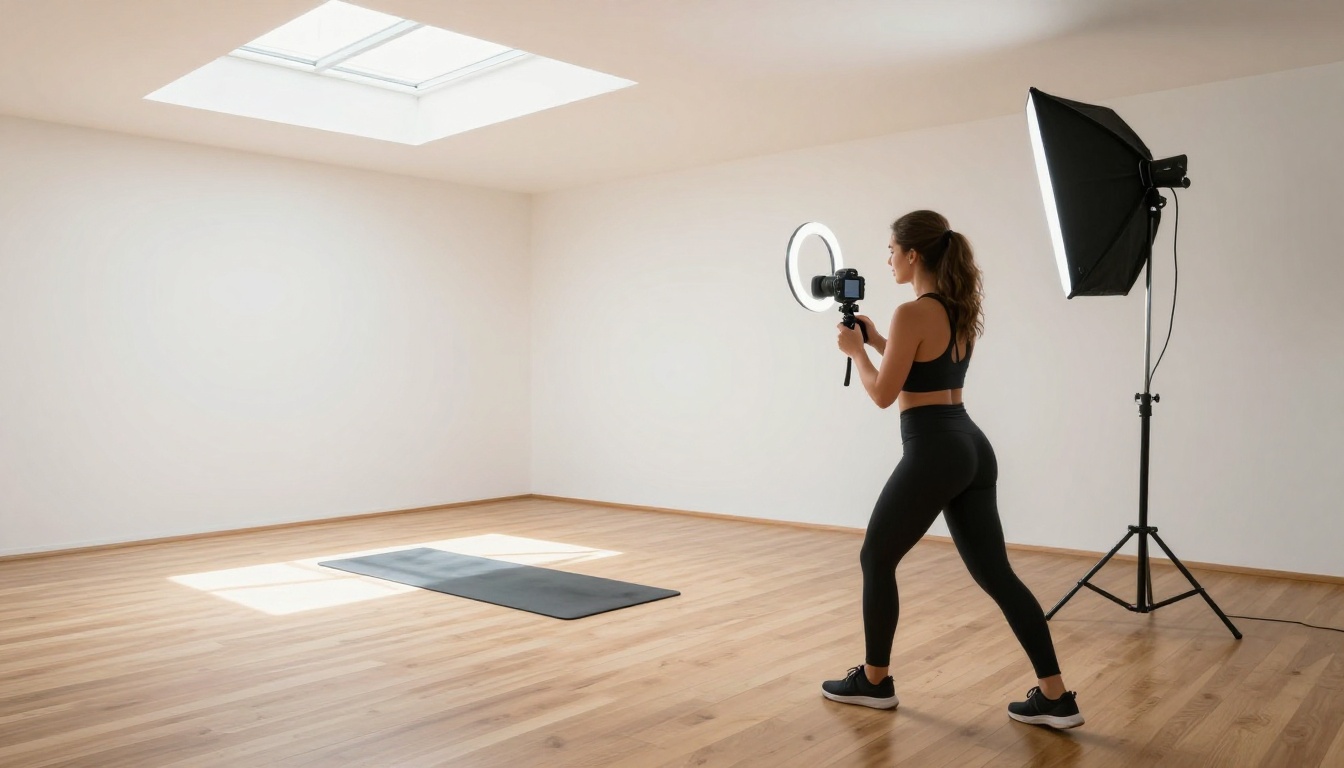
The Practical Verdict
If you had to pick one model for everything, the honest answer is that the choice maps to what platform you care about most right now.
Instagram Reels tend to reward cinematic quality and atmosphere, the territory where Veo 3.1 consistently delivers. TikTok-style short-form content and anything built around character or product consistency sit better in Seedance 2.0's wheelhouse.
The more interesting observation is that the creators who perform best with AI-generated Reels in 2027 aren't loyal to either model. They treat both as assets in a toolkit and route each clip to the model best suited to it. That flexibility is now trivially easy, because both models live in the same platform.
💡 Run a calibration batch at the start of any new content series. Generate the same 5-second clip with identical prompts in both Veo 3.1 and Seedance 2.0. The results tell you more than any benchmark about which model fits your visual aesthetic.
Other Strong Alternatives Worth Knowing
While this comparison focused on Veo 3.1 and Seedance 2.0, PicassoIA's text-to-video library has over 100 models. A few worth benchmarking for Reels:
- Kling v3 Video: Strong cinematic motion, competitive with Veo 3.1 in many travel scenarios
- Pixverse v6: Excellent for styled and atmospheric content with built-in audio
- LTX 2.3 Pro: 4K output for creators who need premium resolution before downscaling
- Wan 2.7 T2V: Fast 1080p generation, excellent for high-volume output batches
- Seedance 1.5 Pro: The predecessor to Seedance 2.0, still competitive and often faster for certain prompt types
- PicassoIA Video: Free unlimited video generation for creators who want to experiment without constraints

Start Generating Your Reels Today
The most useful thing you can do after reading this isn't bookmarking a comparison chart. It's opening Veo 3.1 and Seedance 2.0 side by side on PicassoIA and generating one clip from each with the same prompt.
The quality difference is immediately visible. The model that matches your aesthetic for your next project becomes your default for that series. And when your content needs shift, the other model is one click away in PicassoIA's text-to-video collection, alongside over 100 additional models for every format and style imaginable.
Both models are live, both are accessible without specialized hardware, and the comparison you just read plays out in real-time the moment you start generating. Try both. Ship more Reels. Let the output decide which one earns the spot in your workflow. Visit picassoia.com/en/all-models to see every video generation option available right now.


