Flux changed what people expect from AI-generated photos. Not through a flashy product launch or a viral demo, but through consistent, quiet excellence across the four things that actually make a photo look real: skin texture, light behavior, material surfaces, and spatial depth. If you have ever studied an AI image and felt it was unconvincing, the model was almost certainly failing at one of these. Flux, the architecture developed by Black Forest Labs, addresses each one with more precision than most competing models manage even with aggressive prompt engineering.
This is a specific breakdown of what Flux does better, why those things matter visually, and where to apply that capability in practical image generation.
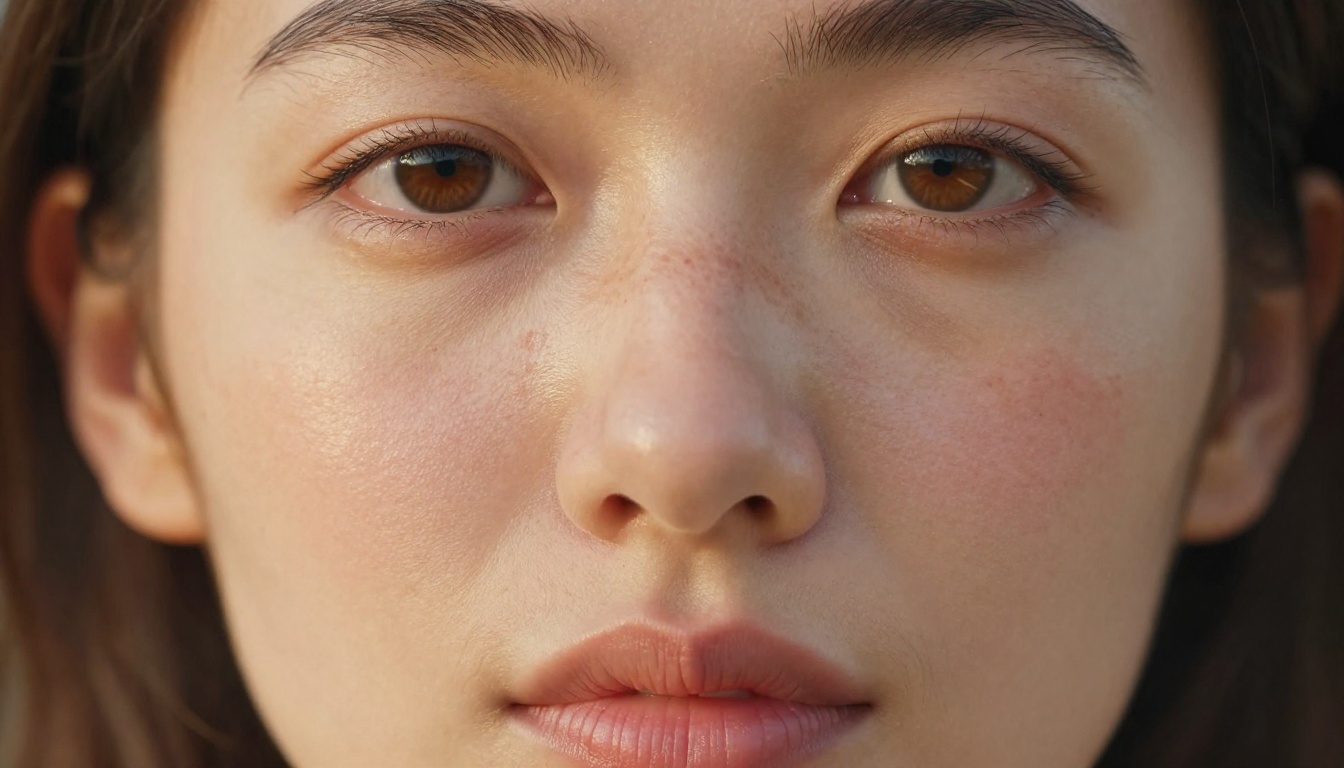
Skin That Actually Looks Like Skin
The pore and texture problem
The single biggest giveaway of a fake AI portrait is the skin. Most models produce skin that reads like poured silicone: uniform, smooth, slightly waxy, with zero micro-detail. Flux behaves differently. When given a structured prompt, it renders visible pore structure on the nose and cheeks, fine vellus hair (the nearly invisible fuzz that catches sidelight), and the natural unevenness of real skin tone throughout the face.
Real skin carries color variation: pink near the nostrils, a touch of redness on the nose bridge, subtle blue-grey in shadow areas from sub-dermal veins, and a warm orange-yellow cast in highlight zones where tissue is thin. Flux handles subsurface scattering in a way that produces this color variation without you needing to engineer every tone explicitly into the prompt.
Imperfections Flux preserves
Flux also tends to keep imperfections that other models erase. A prompt specifying "a light dusting of freckles across the nose bridge" will reliably produce distinct, naturally spaced freckles that vary in size and shade rather than repeating a stamped pattern. A slight smile line, a visible blemish, or a small scar near the chin will land in the image without requiring obsessive prompt precision.
Tip: Add "natural skin texture, no retouching, visible pores, natural imperfections" to portrait prompts. This signals the model to retain rather than smooth detail, which is the opposite of most default model behavior.
The consistent result is portraits that pass the "squint test": when you look at them with slightly unfocused eyes, they read as real photographs rather than polished renders.
How Flux Handles Light
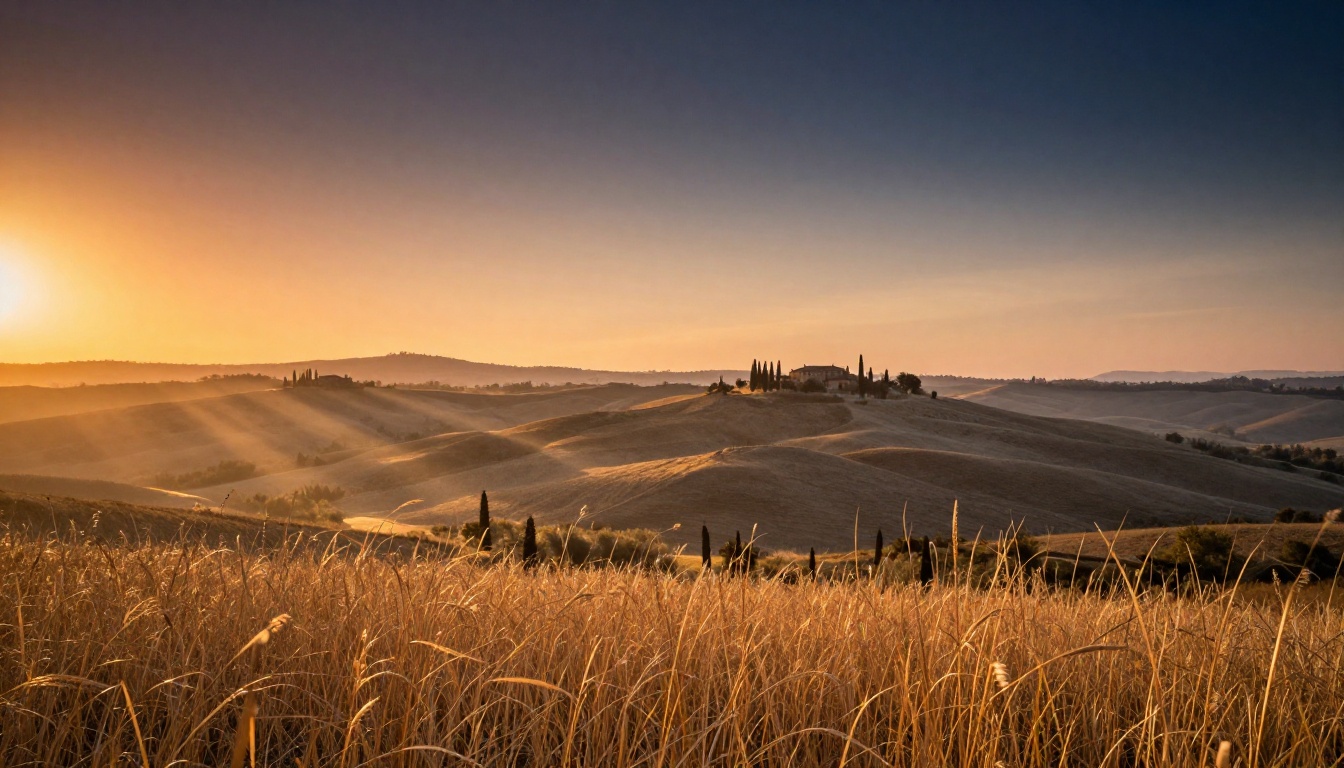
Directional light and shadow logic
Flux understands that light comes from a source and obeys physics. When you specify a directional light in a prompt, the shadows fall on the correct side of every surface in the scene. A "strong side light from the left" will create the appropriate shadow under the nose, a highlight ridge along the left cheekbone, and shade in the ear cavity, all simultaneously and correctly.
Many competing models fail the light-source consistency test: the face might be lit from the left while the hair appears lit from the right, or shadows fall in different directions on objects in the same scene. Flux holds this consistency at a level that removes one of the most common tells of AI image generation.
Volumetric light and atmosphere
Beyond point-source directional light, Flux handles volumetric light well. When your prompt includes language like "early morning haze," "light through fog," or "dust particles in sunbeams," the model renders light scattering through atmosphere in a believable way. Rays appear where they should, the light falloff is gradual, and the color temperature of the scattered light shifts toward warmer or cooler tones depending on the described conditions.
This is particularly strong in landscape and outdoor photography prompts. Specifying "golden hour light breaking through two hills creating visible light shafts through mist" produces a scene where the rays have correct directionality, the mist appears at the right elevation, and the foreground falls progressively into deeper shade as distance from the light source increases.
| Light Type | Flux Performance | Notes |
|---|
| Directional (studio) | Excellent | Consistent shadow direction across all surfaces |
| Soft diffused overcast | Excellent | Natural shadow falloff, even fill |
| Volumetric/atmospheric | Very Good | Requires descriptive prompt language |
| Mixed temperature (warm + cool) | Very Good | Handles color contrast without clipping |
| Backlight and rim light | Good | Works best with specific lens reference |
Material Surfaces Done Right
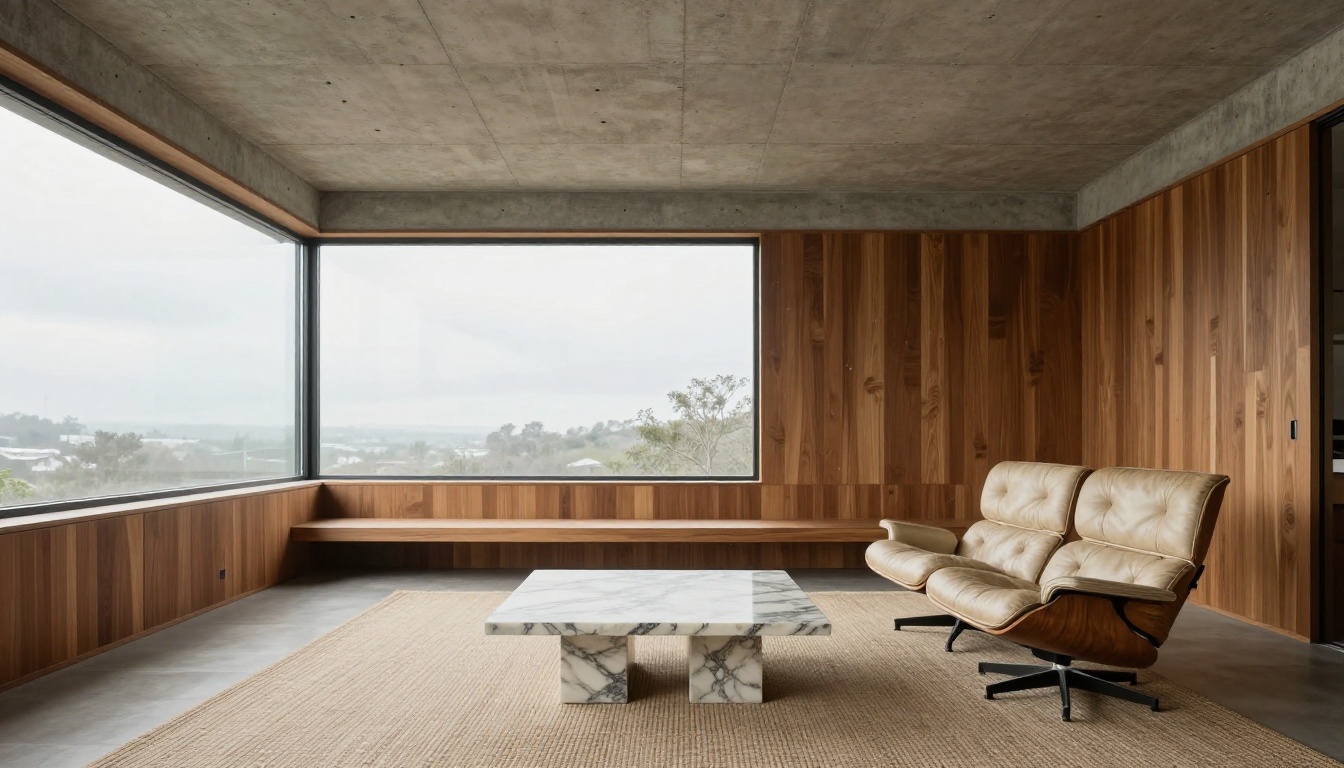
Wood, stone, concrete, and fabric
One of the areas where Flux most clearly separates itself from earlier diffusion models is material rendering. Each material in a Flux image tends to have a physically plausible surface appearance.
Concrete shows form texture, tie-hole patterning, and slight color variation from pour-line differences. Wood shows grain direction variation between boards, different widths of growth rings, slight color changes from age and light exposure, and the natural sheen from surface treatment. Stone shows crystalline variation, veining in marble, and the rough micro-texture of granite. Fabric shows weave structure in textiles, the directional nap of flannel or velvet, and natural drape physics.
This is not automatic. Prompts need to specify the material explicitly. But when you do, Flux responds with a level of surface fidelity that makes architectural renders, product photography, and still-life work look convincing.
Reflective and wet surfaces
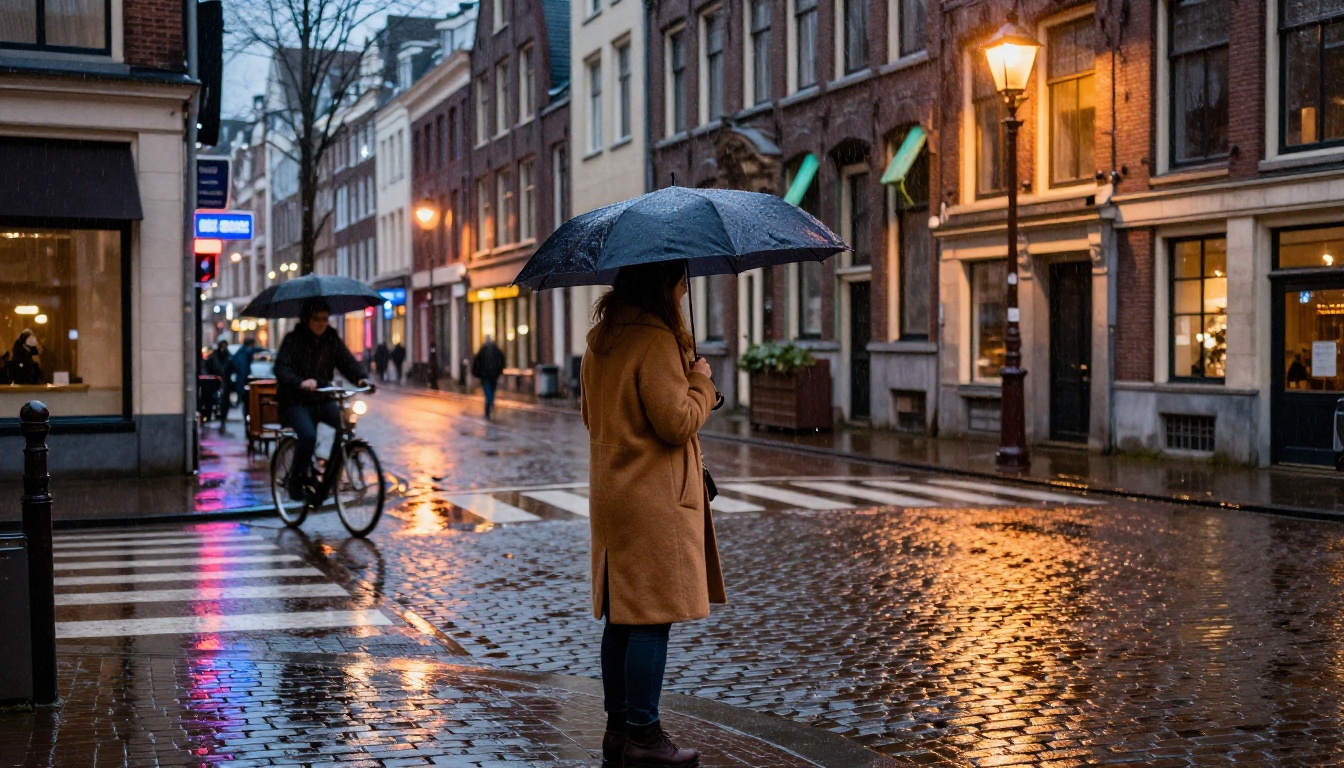
Flux handles reflective surfaces with particular strength. A wet cobblestone street will show per-stone puddle reflections that contain the correct inverted scene elements. A glass tabletop will show the specular highlight from the light source plus a soft reflection of the objects resting on it. A chrome surface will show the correct environment map deformation.
Tip: For wet surface prompts, include "wet cobblestones reflecting warm streetlight, individual stone-scale puddles with inverted reflections" rather than just "rainy street." The specificity helps Flux resolve the reflection physics accurately.
Depth of Field and Spatial Realism
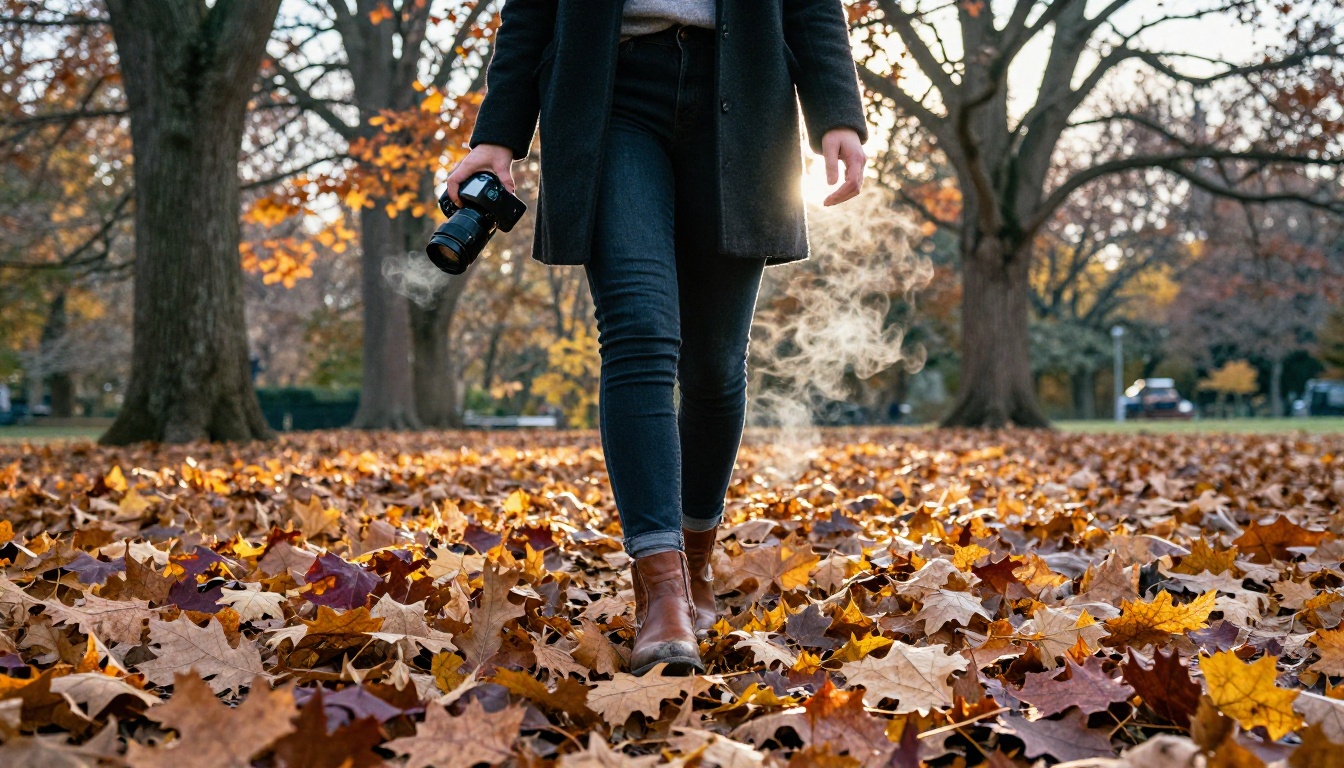
Bokeh that behaves optically
Depth of field in Flux feels optical rather than algorithmic. When you specify a wide aperture, the out-of-focus areas show circular bokeh highlights that have the correct shape (including the subtle polygonal structure from the aperture blades at higher f-stops), and the transition from sharp to soft is gradual and smooth rather than hard-edged or digitally blurred.
This matters enormously in portrait work. The transition zone between a sharp eye and a soft ear or background is one of the most noticeable differences between a photograph and an AI render. Flux gets this transition right most of the time, creating the visual sensation of genuine optical falloff.
Foreground sharpness, background softness
Flux also handles the depth relationship between subject layers correctly. In a scene with a sharp foreground subject, a mid-ground human subject, and a soft background, all three planes behave according to their relative distance from the implied focal plane. Objects at the same distance from the camera share the same degree of sharpness, which creates three-dimensional spatial believability.
Specify the lens and aperture in your prompt for best results: "85mm f/1.8, focus on eyes, background soft" is more reliable than just "blurry background."
Color Accuracy Without Over-Saturation
The AI candy color problem
Many image generation models default to over-saturated, hyper-vivid color palettes because these look impressive at a glance. Flux, when prompted toward realism, produces color that reads as photographic: accurate to how film or a calibrated camera sensor would capture the scene, not optimized for visual impact.
Skin tones are a precise test here. A person with warm olive skin photographed under overcast daylight should appear with a specific, subtle blend of yellow, orange, and pink. Flux handles this accurately when the prompt specifies the skin tone and lighting condition. Most competing models default to either too-warm or too-neutral results that fail to match the described conditions.
Shadow color and ambient light interaction
Shadows in Flux photographs contain color. In outdoor scenes under blue sky, shadow areas carry a cool blue-violet cast from the skylight fill. Near warm artificial light, shadows shift toward deeper amber or brown rather than pure grey. This color behavior in shadows is a primary realism marker that separates photographic results from flat, lifeless renders.
The model also handles mixed color temperature scenes well. A scene lit by warm tungsten lamps on one side and cool daylight from a window on the other will produce a warm-to-cool gradient across the subject with believable color rendition on both sides rather than averaging them out incorrectly.
Complex Scenes With Multiple Subjects
Environmental portraits
Flux handles environmental portraits, where a person exists within a richly detailed environment, better than most models. The subject and environment share lighting consistency, material detail continues throughout the background, and the spatial relationship between person and setting feels physically grounded.
A craftsman in a workshop will have workshop-appropriate lighting on their skin, sawdust on their clothing, and the tools and wood behind them will show their own material detail rather than dissolving into a vague background wash.

Busy backgrounds that hold together
One failure mode common in earlier models: the background becomes visually incoherent when it contains complex detail, turning into a textured noise pattern rather than recognizable objects. Flux maintains scene coherence at a higher level. A busy street background will contain readable (if soft) building facades, recognizable human figures in motion, and environmental details that reinforce the sense of a real place.
This makes Flux particularly strong for street photography prompts, travel imagery, and any scene where the background carries narrative weight rather than just filling space.
Fine Detail at Macro Scale
Extreme close-ups that hold up
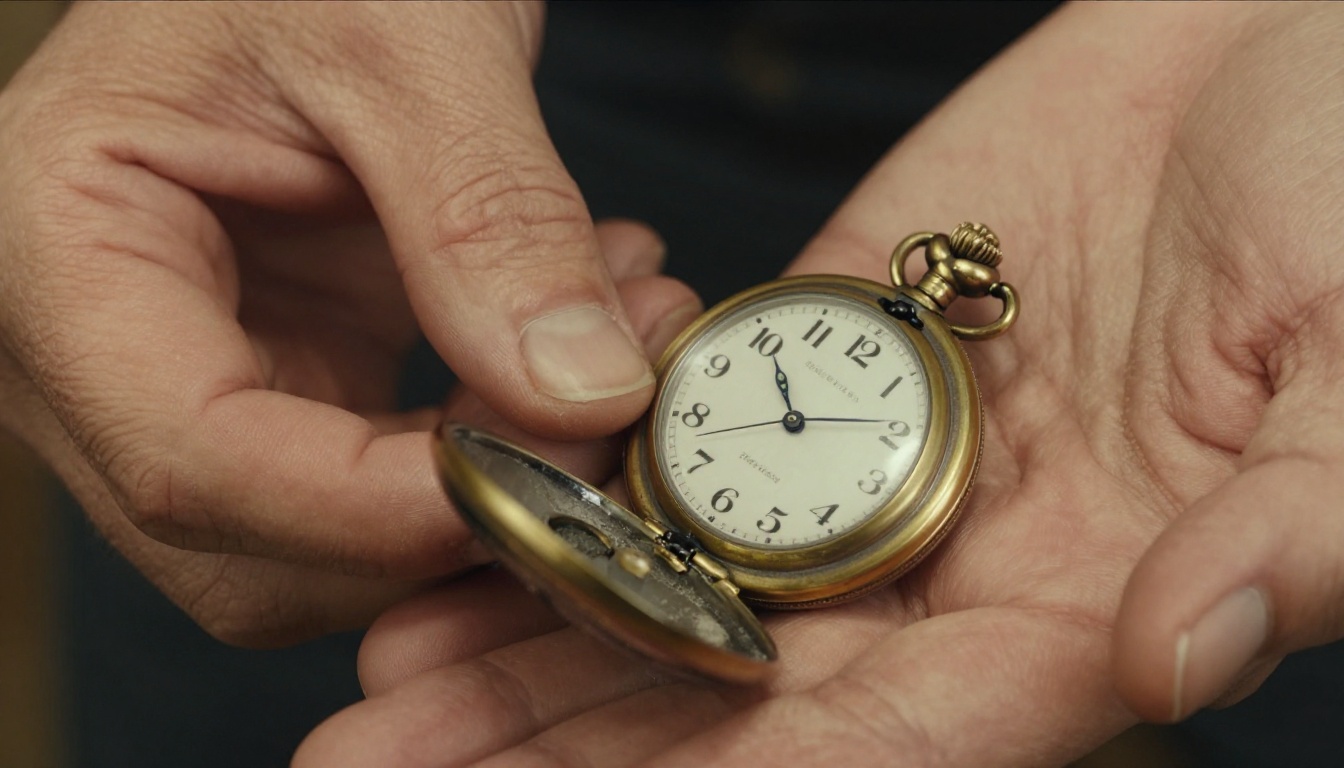
Macro and close-up photography is one of the most demanding realism tests because every surface imperfection is visible at full resolution. Flux holds up well under these conditions. Skin at macro scale shows knuckle ridge detail, vein structure visible beneath thin skin, natural color variation across the palm, and the correct micro-sheen of moisturized versus dry skin.
Objects at macro scale also maintain material fidelity: a vintage pocket watch shows hairline scratches on the crystal, patina on the brass case edge, fine engraving detail on the case back, and the printed numerals render their typography correctly at close range.
Still life and product photography
For product photography and still-life work, Flux handles the combination of precise surface detail and controlled lighting better than most alternatives. A ceramic bowl shows the slight imperfections of handmade pottery. A glass of water shows correct light refraction and the slight distortion of objects viewed through the water surface. A leather wallet shows the grain pattern of the hide and the stitching detail at the seam edge.

Tip: For product photography, describe the light setup explicitly: "single light source from upper left at 45 degrees, soft box modifier, raking light to reveal surface texture, white card fill from the right." This gives Flux the information it needs to produce directional surface detail rather than flat, even illumination.
Where Flux Still Struggles
Before treating Flux as the universal choice for realistic photography, a few honest limitations deserve mention. Text rendering within images remains a challenge: while Flux handles short words better than many models, complex typography or multiple text elements often render incorrectly. Hands are a persistent difficulty across all image generation models, though Flux performs better than average. And very complex multi-person scenes with specific spatial relationships between multiple subjects can produce arrangement errors that require regeneration.
These are not reasons to avoid the model. They are prompting challenges with workarounds. But setting accurate expectations matters more than overpromising results.
Start Creating Photorealistic Images

The strengths described above are not theoretical. You can test every one of them directly using the Flux models available on PicassoIA right now, without local installation, API keys, or expensive compute resources.
Flux Redux Dev lets you generate photorealistic image variations that maintain the lighting and material consistency of a reference image, ideal when you need several outputs from a single creative direction.
Flux 2 Klein 9B Base LoRA brings custom fine-tuning capability to the Flux 2 architecture through LoRA adapters, letting you apply trained styles while retaining Flux's underlying photorealism across skin, light, and material surfaces.
Flux 2 Klein 4B Base LoRA offers the same LoRA integration at a lighter parameter count, suitable for faster iteration when testing prompt variations and comparing outputs side by side.
The most direct way to internalize what Flux does well is to run your own side-by-side experiments. Generate the same portrait prompt with Flux and with another model. Look at the skin, the shadow direction, the material surfaces, and the depth transition. The differences are visible within seconds, and they teach you more about what makes a photorealistic image than any written comparison could.
Start with a portrait prompt including specific lighting conditions, skin description, and lens specification. Then push it further: add environmental detail, material surfaces, and complex background elements. Each iteration builds a clearer picture of how to write prompts that produce genuinely convincing, photographic results.


