What Imagen Does and When to Use It (and When Another Tool Wins)
Google's Imagen model generates strikingly photorealistic images from text prompts, but most people don't know its real strengths or when other tools do the job better. This breaks down exactly what Imagen does, how it works, how it compares to Flux, Midjourney, and Stable Diffusion, and the exact scenarios where it genuinely pulls ahead.
If you've spent any time around AI image generation, you've probably seen "Imagen" mentioned alongside Midjourney and Stable Diffusion without anyone explaining what actually makes it different. Google's Imagen is not just another text-to-image model. It takes a fundamentally different approach to translating language into pixels, and that architecture gives it specific, measurable advantages in certain workflows. But those same choices come with real constraints that make it the wrong pick for plenty of use cases. This breakdown covers exactly what Imagen does, how it works, where it earns its reputation, and where you should reach for something else.
What Imagen Actually Is
Imagen is Google's text-to-image AI model, developed by the Google Brain team and first publicly introduced in May 2022. Its performance on photorealistic human faces and complex prompt-following immediately set it apart from the open-source field at the time. But what it does differently is not just a matter of training data or model scale. The core architecture separates two distinct problems: understanding what you asked for, and building the image that answers it.
The language model at its core
Most diffusion-based image generators use CLIP, a model trained jointly on images and text, to connect prompts to visual representations. Imagen takes a different path. It uses T5-XXL, a large frozen language model with 11 billion parameters trained exclusively on text. No images in its training data. Just text.
This turns out to matter in practice. T5-XXL has a far richer understanding of language structure, spatial relationships, and conceptual hierarchies than CLIP. When you write a prompt describing a complex arrangement ("a ceramic mug to the left of a blue notebook, casting a shadow toward the upper right"), Imagen's text encoder processes that with a depth of comprehension that guides image generation more faithfully than earlier CLIP-based approaches.
From text to pixels, step by step
Once T5-XXL produces a text embedding, a cascade of diffusion models takes over. The first generates a small 64x64 base image. Two progressive super-resolution diffusion models then upscale it: first to 256x256, then to the final output resolution. Each upscaling step is itself a learned model that adds real detail rather than interpolating existing pixels. Fine textures, facial features, and material rendering in the final image were synthesized at each resolution layer, not stretched from a low-resolution base.
Imagen 2 (released December 2023) and Imagen 3 (2024) built on this cascade architecture with improved training, better prompt adherence, and faster generation times. Each generation narrowed the gap on weaknesses while extending strengths in portrait fidelity and compositional accuracy.
Where Imagen Genuinely Shines
Not all photorealistic AI image generators perform best at the same tasks. Imagen has specific scenarios where it consistently outperforms tools with bigger brand recognition.
Portrait quality that holds under scrutiny
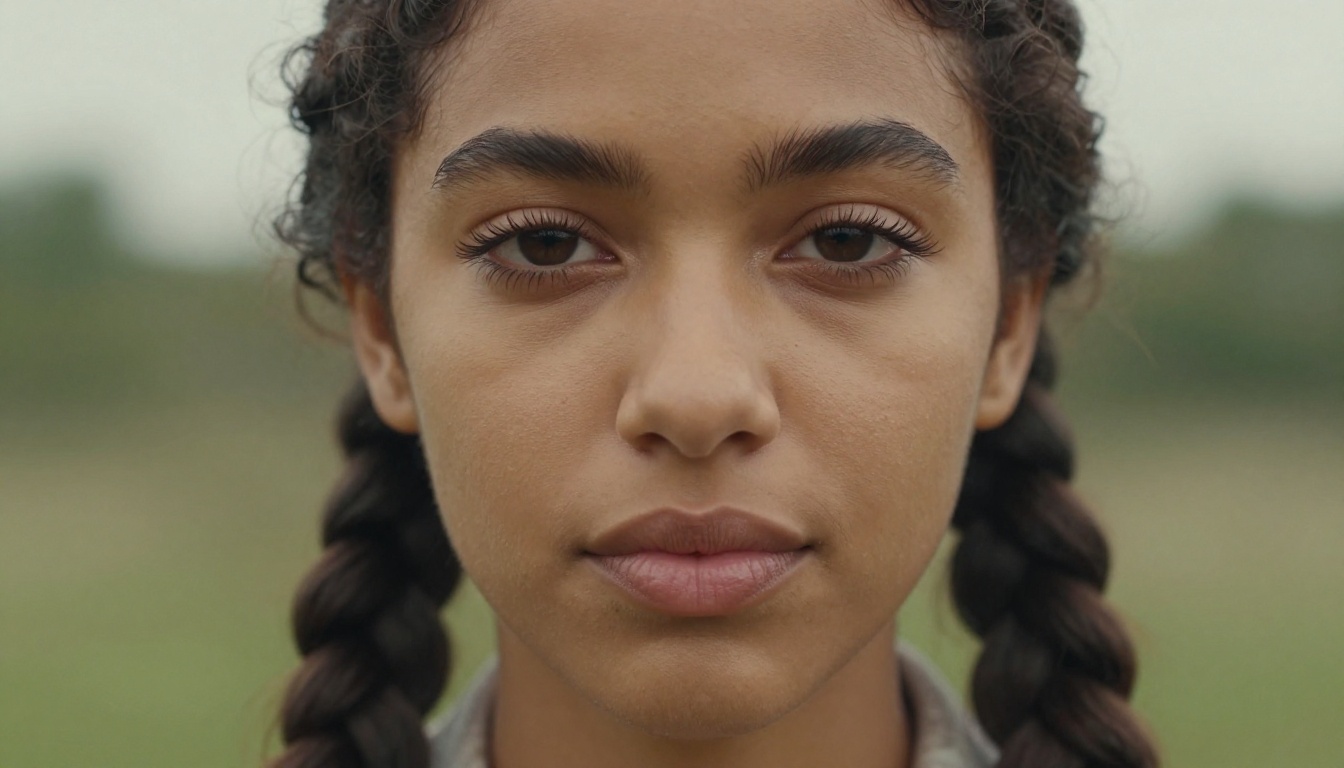
Generating convincing human faces has historically been one of the hardest problems in diffusion-based image generation. Anatomy issues, uncanny skin rendering, and lighting inconsistencies are common failure modes. Imagen's T5-based language backbone and cascade architecture produce faces that read as photographs with a consistency that is difficult to replicate in most open-source systems without careful fine-tuning. Skin pores, subsurface scattering in ear cartilage, the subtle geometry of realistic eyes: these details come through in Imagen outputs without the post-processing that similar prompts often require in other systems.
💡 Note on usage: Generating images of specific real people without authorization violates Google's content policy. Imagen's portrait strength applies to generating realistic fictional individuals, not likenesses of real subjects.
Text rendering that actually works
This is Imagen's clearest technical lead over most competitors. Diffusion models have long struggled with legible text inside generated images. Stable Diffusion frequently produces garbled characters. Midjourney has shown improvement but still produces typographic errors in complex compositions. Imagen handles in-image text with substantially higher accuracy. Product labels, readable storefront signage, typographic poster elements: these render correctly in Imagen far more reliably than in alternatives. For any workflow where the words inside the image need to be right, this advantage is immediate and practical.
Commercial and product photography
E-commerce teams generating product imagery at scale have found Imagen's output consistency valuable. Correct material rendering across categories, such as specular highlights on glass, appropriate roughness on fabric, and metallic sheen on hardware, holds up reliably across large batches. When output consistency across 200 product images matters as much as individual image quality, Imagen's predictability is a genuine operational advantage over fine-tuned open-source models that can drift between outputs.
The Real Weaknesses
No honest look at Imagen skips the parts where it falls short.
Closed weights, no fine-tuning
Imagen is a proprietary model. Google has not released the weights publicly. You cannot fine-tune it on your own dataset, cannot train a LoRA for a specific visual style, and cannot run it locally. For creators building a consistent visual identity across a product or brand, this is a hard architectural limit. Flux Redux Dev with a custom LoRA, or SDXL-based fine-tunes, offer style control that Imagen's closed system simply cannot provide.
Safety filters with real creative impact
Google's content policies are enforced at the model level. They are more restrictive than open-source alternatives. This surfaces as friction in creative workflows involving darker themes, suggestive content, or anything triggering Google's safety classifiers. Enterprise teams with conservative content requirements will appreciate this. Independent creators working in adjacent creative territory will encounter refusals that would not happen with open models.
API access adds real friction
Unlike Stable Diffusion which runs on a consumer GPU, Imagen sits behind Google Cloud's Vertex AI API. You need a Google Cloud account, project setup, service account credentials, enabled APIs, and a billing account before generating a single image. For rapid experimentation, this setup cost is real. Platforms that let you write a prompt and generate immediately remove this friction entirely.
Imagen vs. The Competition
Tool
Photorealism
Text in Images
Fine-tuning
Open Source
Access
Imagen 3
Excellent
Very Good
None
No
Paid API
Midjourney v6
Good
Fair
None
No
Subscription
Stable Diffusion XL
Good
Fair
Excellent
Yes
Free/Self-hosted
Flux Dev
Very Good
Good
Good
Partially
Free/API
DALL-E 3
Very Good
Very Good
None
No
Paid API
💡 Reading this table: "Excellent" means best-in-class. "Good" means professional-grade output. The differences matter most at production volume and for specific use case requirements. For one-off casual generation, the gap between these tools is smaller than it appears in benchmark comparisons.
When to Use Imagen
Situations where it earns its place
Photorealistic people at volume. Generating dozens or hundreds of realistic portrait-style images with consistent quality is where Imagen's architecture delivers. Output stability across a large batch is difficult to match without careful prompting and manual post-selection in other systems.
Text accuracy is non-negotiable. Labels, signage, typographic elements in compositions: if the words inside the image must be correct, Imagen is the safer choice over most alternatives currently available.
Google Cloud ecosystem integration. Teams already inside Vertex AI, BigQuery, and Google's MLOps infrastructure get a short integration path. Adding Imagen to an existing Google Cloud pipeline is a straightforward API connection.
Compliance-sensitive environments. Organizations in regulated industries or with strict content governance find Imagen's built-in safety layers operationally useful rather than limiting. The same filters that frustrate some creative users provide compliance assurance in healthcare, finance, and legal contexts.
Situations where a different tool wins
You need style control. No LoRA support, no fine-tuning, no custom visual identity embedding means Imagen cannot consistently deliver a specific branded aesthetic. Flux Redux Dev with a trained LoRA is the more practical solution for style-consistent outputs.
Budget constraints are real. Every Imagen image costs money via the API. PicassoIA's text-to-image tools offer comparable photorealistic generation with significantly lower per-image overhead and no account infrastructure to manage.
Fast iteration matters. Imagen's API setup creates friction for rapid creative prototyping. A platform that lets you write a prompt and see a result without credential management accelerates the exploration phase significantly.
You want artistic rather than photographic output. Imagen is built for photorealism. Stylized illustration, concept art, painterly rendering: dedicated stylistic models handle these better and with fewer safety filter refusals.
How to Access Imagen
Google Cloud Vertex AI
Imagen is accessed through Google Cloud's Vertex AI API. Setup requires a Google Cloud project, billing account, enabled Vertex AI API, and a service account with appropriate IAM permissions. Google provides SDKs in Python, Node.js, and Java. A minimal Python call looks like this:
from vertexai.preview.vision_models import ImageGenerationModel

model = ImageGenerationModel.from_pretrained("imagegeneration@006")
images = model.generate_images(
    prompt="a ceramic coffee mug on a birch wood table, morning window light, photorealistic",
    number_of_images=1
)
images[0].save("output.jpg")
The API accepts parameters including number of images per request, aspect ratio, a seed value for reproducibility, and safety filter strength level. Imagen 3 is the current recommended version for production use.
The pricing reality
As of 2025, Imagen on Vertex AI costs approximately $0.02 to $0.04 per image depending on resolution and model version. For occasional use, this is reasonable. At production scale, 10,000 images per month generates a $200 to $400 line item before storage, compute, or other infrastructure costs. Open-source alternatives on accessible platforms eliminate this per-image cost at the expense of some output consistency.
What Photorealism Looks Like in 2027
The photorealism bar has moved substantially since Imagen first appeared. What distinguished it in 2022 has been approached by several well-developed alternatives. Imagen's lead in portrait fidelity and material rendering has narrowed significantly over the past two years.
Flux, available via PicassoIA's image generation platform, produces outputs with naturalistic quality that rivals Imagen for most photorealism use cases. Flux Redux Dev is particularly strong on portrait-style images and complex compositions, without any Google Cloud access requirements or per-image billing.
What remains genuinely distinctive about Imagen is the text rendering accuracy and enterprise integration story. These are real advantages that competing open-source tools have not fully closed. For everything else in the photorealism category, the choice depends more on your workflow, budget, and iteration speed than on which model wins a theoretical quality benchmark.
💡 Practical rule: If your workflow already runs on Google Cloud and you need accurate in-image text, Imagen earns its place. If you're building outside the Google ecosystem and can afford to experiment with prompt precision, modern Flux models cover most photorealism needs at lower operational cost.
Start Creating Photorealistic Images Now
You do not need a Google Cloud account, Vertex AI setup, or a billing account to generate high-quality photorealistic images from text.
PicassoIA's text-to-image tools put models including Flux Redux Dev directly in your browser. Write a detailed prompt, specify lighting, composition, and subject, and generate. No credentials, no infrastructure setup, no per-image billing to track.
The PicassoIA Image Editor Pro adds inpainting, outpainting, and image-to-image workflows that let you iterate on results rather than starting from scratch each time. If your reference image is close but not quite right, those tools close the gap.
The distance between what Google's closed API offers and what accessible platforms now provide is narrower than most people expect. The photorealistic image quality that made Imagen noteworthy is available in tools you can reach right now, in a browser, without a cloud account. Start with a specific prompt, be precise about lighting and texture, and the output quality will demonstrate exactly why photorealistic AI generation has become as practical as it has.