Reddit has become the most reliable signal for which AI image generators are actually worth using. While tech blogs spend weeks writing round-ups, Reddit's r/AIArt, r/StableDiffusion, and r/artificial communities surface the best tools in real time, with real results and brutally honest feedback from thousands of creators.
Right now, a handful of AI image generator apps are absolutely dominating those feeds. The posts are getting 5k, 10k, even 30k upvotes. The comment sections are full of people asking "what model is this?" and "how did you get such clean results?" This article cuts through the noise and tells you exactly what's blowing up, why it works, and how you can start creating the same quality images yourself.
Why Reddit Spots AI Trends First
Reddit users who post in r/AIArt are not casual observers. They are daily users who generate hundreds of images, compare models side by side, and call out fake or manipulated results immediately. When a new model drops and a post goes viral on Reddit, it is a stronger signal than any press release or marketing campaign.
The community rewards genuinely impressive outputs with upvotes and saves specific prompts and settings in comments. They also roast bad results without mercy. That two-way pressure creates an incredibly accurate feedback loop that identifies which tools produce real quality versus which ones just sound impressive in a product launch email.

Three specific models keep appearing at the top of these threads right now: Flux 2 Pro from Black Forest Labs, Imagen 4 from Google, and Ideogram V3 Quality from Ideogram AI. Each has carved out a specific type of content it dominates, and knowing those differences is what separates people getting 100 upvotes from people getting 10,000.
Flux 2 Pro Is Everywhere Right Now
No model has dominated Reddit's AI art discussions more consistently over the past few months than Flux 2 Pro. The thread titles say it all: "Flux 2 Pro just generated the most realistic portrait I've ever seen from an AI," "This is Flux 2 Pro with a three-word prompt and I can't believe it," "Flux changed how I think about what AI can do."
What makes it stand out is the combination of prompt adherence and photorealism. Most models force you to choose between following your prompt closely and producing an image that actually looks real. Flux 2 Pro does both. You can write a detailed, specific prompt about a scene, a lighting setup, a mood, and it will generate something that matches your intent while looking like it was shot on a Sony A7 III.
The community particularly loves Flux for portrait work. Skin texture, hair detail, the way light falls across a face. These are notoriously difficult to get right, and Flux 2 Pro handles them at a level that regularly shocks people in comment sections.
For those who want even higher resolution or want to push into commercial quality, Flux 1.1 Pro Ultra takes everything that makes Flux great and outputs it at significantly higher fidelity. Reddit threads comparing the two models show clear differences in fine detail, particularly in fabrics, architectural elements, and natural textures.
If you want speed without sacrificing too much quality, Flux Schnell is the version to try. It is designed for rapid iteration, and content creators who post on Reddit frequently use it for initial drafts before switching to Pro for final outputs.
What Reddit Users Actually Say About Flux
The most upvoted Flux posts share a few consistent patterns. First, the prompts tend to be specific about lighting. Phrases like "volumetric morning light from the left," "diffused overcast skylight," or "warm golden hour backlight" appear constantly. Second, the top results almost always include camera specifications in the prompt: the focal length, aperture, and film stock.
This is not because the model needs that information to function. It is because specifying a camera and lens tells the model what the aesthetic quality of the image should be. Saying "85mm f/1.4, Kodak Portra 400" is shorthand for "I want a portrait with beautiful background blur, warm tones, and an organic, film-like texture."
💡 The fastest way to improve your Flux results is to stop writing generic prompts. Instead of "a woman standing outside," write "a woman in her late twenties standing in a sunlit wheat field, afternoon backlight creating warm rim lighting on her loose linen dress, 85mm f/1.8, Kodak Portra 400, natural skin texture."
The SDXL Legacy That Still Matters
Before Flux took over the conversation, SDXL from Stability AI was the model Reddit could not stop talking about. It still has a massive, active user base and it is where thousands of creators built their prompt-writing skills.
The reason SDXL still shows up in 2027 is its flexibility. The model's architecture supports LoRA fine-tuning, ControlNet, and a huge ecosystem of custom checkpoints. Reddit users who want precise control over composition, pose, and style still reach for SDXL-based workflows because the tooling is so mature.
Stable Diffusion 3.5 Large is Stability AI's most capable model and the one actively discussed in threads about photorealistic results. The architecture improvements over SDXL are significant: better text rendering, more accurate anatomy, and improved handling of complex scenes with multiple subjects.
The subreddit r/StableDiffusion has threads with thousands of comments breaking down exact workflows for both models. That community depth is part of what keeps Stability AI's models relevant even as newer competitors enter the field.
SDXL vs. Flux: What Actually Performs Better
| Feature | SDXL | Flux 2 Pro |
|---|
| Photorealism | Good | Excellent |
| Prompt Adherence | Moderate | Very High |
| LoRA Support | Excellent | Growing |
| Speed | Fast | Moderate |
| Community Ecosystem | Massive | Growing Rapidly |
| Portrait Quality | Good | Outstanding |
For most users posting to Reddit right now, Flux 2 Pro produces better out-of-the-box results. But for users who want precise compositional control, custom fine-tuning, or specific stylistic outputs, the SDXL ecosystem still has real advantages.
Imagen 4 Is a Quiet Monster
Google's Imagen 4 does not get the same volume of Reddit posts as Flux, but the posts it does get are consistently in the top tier of quality. People post Imagen 4 results with captions like "I cannot tell if this is a photograph" or "this level of detail should not be possible from a text prompt."
Imagen 4's particular strength is scene coherence. When you describe a complex environment with multiple light sources, weather conditions, and a specific time of day, it renders everything working together as a unified whole. Other models might nail the main subject but produce a background that feels disconnected or flat. Imagen 4 makes the whole frame feel real.

For users who need fast results without hitting the full quality ceiling, Imagen 4 Fast provides a balance between speed and output quality that Reddit users have been using for rapid iteration. The quality gap between Fast and standard is smaller than most people expect, making it a practical choice for creators who generate a large volume of images.
💡 Imagen 4 responds particularly well to atmospheric descriptions. "Overcast morning, muted color palette, wet cobblestone reflecting diffused sky light" will produce outputs that feel emotionally coherent, not just technically correct.
Ideogram V3 and the Text Problem That Plagued AI Forever
For years, AI image generators had one embarrassing weakness: text in images. Ask any model to include readable words and you would get garbled, illegible symbols that looked like someone had a stroke while writing. This was so common it became a running joke in AI art communities.
Ideogram V3 Quality changed that. Reddit's typography-focused design communities have been posting examples of Ideogram V3 generating crisp, accurate, stylistically appropriate text within images. Business card mockups with correct names. Poster designs with readable headlines. Packaging designs with proper typography.
The Reddit reaction was immediate. Posts showing Ideogram V3 text quality versus other models get heavily upvoted because the gap is so visible. Designers who previously had to manually add text in Photoshop after generating an image base are now creating complete designs in a single prompt.
For speed, Ideogram V3 Turbo delivers similar text handling at faster generation speeds. The quality difference is minimal for most use cases.
When to Choose Each Model
GPT Image 1.5 and the Instruction-Following Gap
GPT Image 1.5 has been getting significant Reddit attention for a different reason than photorealism. It is being praised for instruction following. If your prompt is detailed, conditional, or involves specific relationships between elements, GPT Image 1.5 tends to produce something that actually matches what you described.
This makes it a favorite for illustrators and content creators with complex, specific requirements. Reddit's r/ChatGPT regularly features posts where users are amazed by how precisely GPT Image 1.5 interpreted an unusual or technically difficult prompt.
The model's output style leans toward polished commercial photography rather than raw, film-like results. For brands, marketers, and content teams, that polish is exactly what they need. For people chasing that organic, RAW photography aesthetic that Flux does so well, GPT Image 1.5 is not the first choice.
Free vs. Paid: What Reddit Actually Says
One of the most persistent Reddit debates is which AI image generators are worth paying for versus which free options hold up. The verdict from the community is nuanced.
The honest free tier situation:
Most platforms offer free credits that run out fast if you are generating seriously. The community consensus is that free tiers are useful for experimenting and testing prompts, but anyone who wants consistent volume at quality will eventually hit limits.
Where Reddit gets particularly opinionated is on the quality gap between free and paid tiers. For some models, the gap is enormous. For others, the free version is genuinely capable. Flux Dev is one model that consistently gets praised in "what can I use for free" threads because of its strong output quality relative to its accessibility.
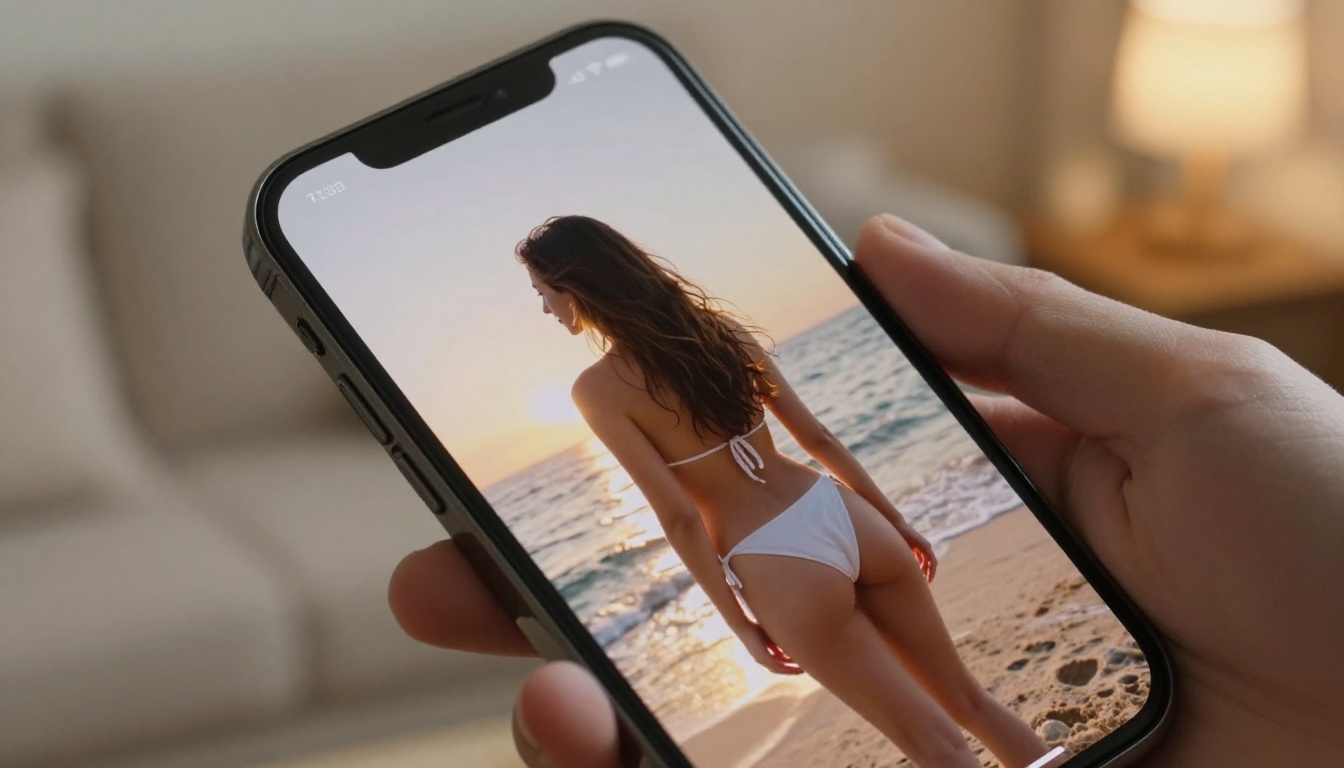
3 Prompt Habits Reddit's Best Creators Share
Reading through thousands of Reddit comments and high-upvote posts, three habits separate the creators consistently producing stunning results from those stuck with mediocre outputs.
1. Lighting first, subject second. The most common mistake beginners make is describing the subject in detail and ignoring the lighting. The best prompt writers treat light as the most important element. They specify the direction (from the left, backlit, overhead), the quality (diffused, harsh, volumetric), and the color temperature (warm golden, cool blue overcast, neutral studio white).
2. Specify failure prevention. The Reddit community has developed a practice of negative prompting, explicitly telling the model what to avoid. Adding phrases like "no text, no watermarks, natural anatomy, no distortion" prevents the specific failure modes that tank otherwise strong prompts.
3. Reference photography, not art. Prompts that reference photographic qualities, including film stock, lens, and aperture, consistently outperform prompts that reference artistic styles when the goal is realism. "Kodak Portra 400, 85mm, f/1.4" tells the model more about what you want than "photorealistic" alone.
Recraft V4 Pro and the Design Community
While most Reddit AI art discussion centers on photorealism and portraits, the design and branding communities have their own favorite: Recraft V4 Pro. This model gets consistent praise in subreddits focused on graphic design, brand identity, and visual communication.
What sets Recraft apart is its design sensibility. The outputs feel intentional and polished in a way that maps to professional design aesthetics rather than trying to replicate photography. Posts showing Recraft V4 Pro outputs in r/graphic_design draw strong positive responses from working designers who are incorporating AI into their workflows.
For vector and SVG work specifically, Recraft V4 SVG is the model that Reddit's design community reaches for first. Being able to generate scalable graphics directly from a text prompt has dramatically changed how some designers approach early-stage work.
How to Use Flux 2 Pro on PicassoIA
PicassoIA gives you direct access to Flux 2 Pro alongside 90+ other text-to-image models in a single platform. Here is how to get the best results from the exact model that Reddit keeps talking about.
Step 1: Open the model page. Navigate to Flux 2 Pro on PicassoIA. You will see the prompt input, model settings, and output display.
Step 2: Write a detailed prompt. Use the structure that Reddit's top creators have proven works. Start with your subject and action, add specific environment details, specify lighting conditions, include camera and lens information, and note the film stock or texture you want.
Example prompt: "A woman in her late twenties sitting at a marble kitchen counter in a bright modern apartment, warm afternoon sunlight streaming from large windows on the left illuminating her relaxed expression and loose white dress, 85mm f/1.4, shallow depth of field blurring the background kitchen appliances, Kodak Portra 400 film grain, natural skin texture with visible pores"
Step 3: Set your aspect ratio. For most social media content, 16:9 works well. For portraits intended for Instagram, switch to 4:5 or 9:16.
Step 4: Generate and iterate. Your first output is a starting point, not a final result. Adjust specific elements of the prompt based on what needs improvement and regenerate. The biggest mistake is abandoning a good prompt because the first generation was not perfect.
Step 5: Use Flux Kontext Pro for edits. If your image is nearly perfect but one element needs adjustment, Flux Kontext Pro allows text-based image editing. You can change specific parts of a generated image without regenerating the whole thing.
💡 PicassoIA also has Super Resolution tools that can upscale your Flux 2 Pro outputs to print quality without losing the detail that makes Flux results so impressive.

Start Creating Right Now
The models Reddit's AI art community is most excited about are all available in one place. Whether you want the photorealistic portrait quality of Flux 2 Pro, the scene coherence of Imagen 4, the typography skills of Ideogram V3 Quality, or the design sensibility of Recraft V4 Pro, PicassoIA has them all ready to use without setup, installation, or technical configuration.
The gap between results that get 50 upvotes on Reddit and results that get 50,000 is almost entirely about prompt quality and model selection. You now know which models are winning and exactly what makes their outputs so impressive.
The only thing left is to open the platform, write a detailed prompt, and start generating. Try your first image on PicassoIA with Flux 2 Pro today. Write the most specific, lighting-rich, camera-referenced prompt you can and see what comes out. The Reddit community that keeps posting jaw-dropping results started the exact same way.


