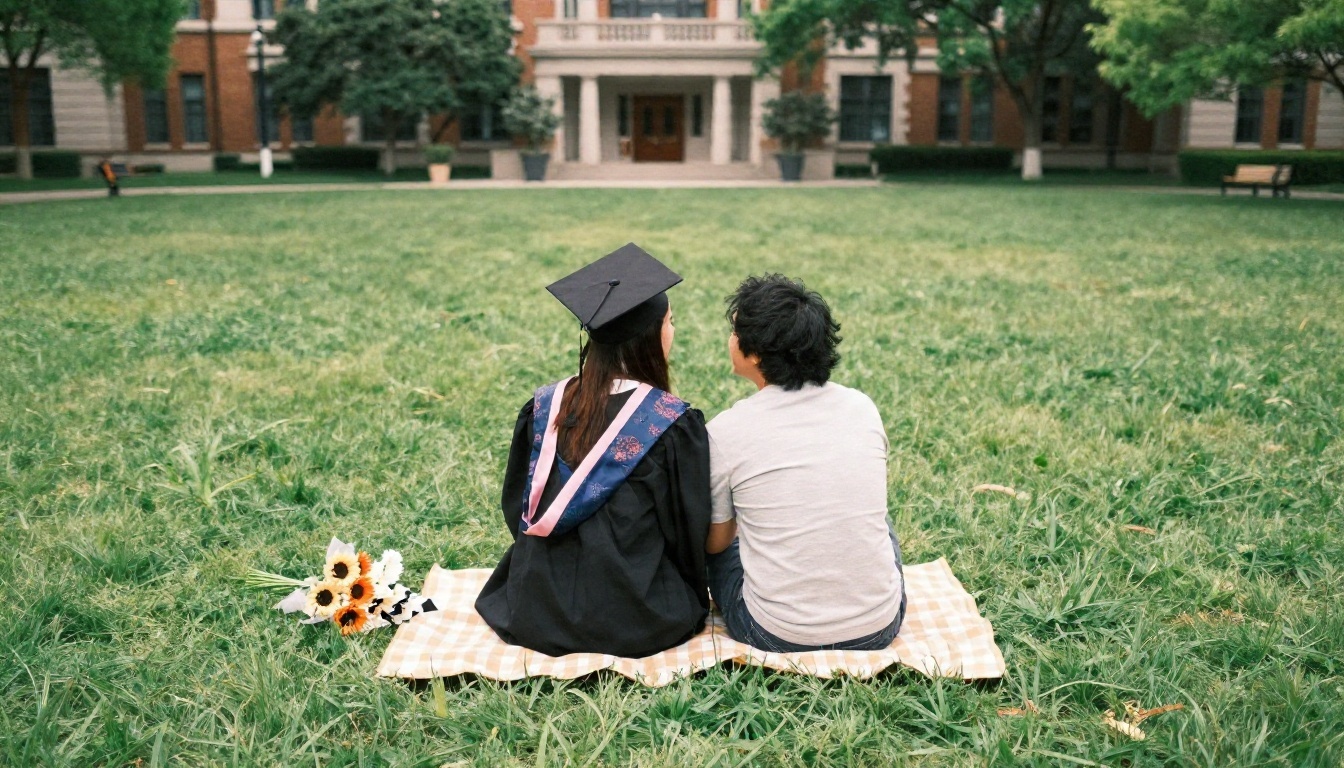
AI Senior Photos: Free Options, Prompts and Examples for Graduation Portraits
Want a cap and gown portrait without paying a photographer? This article shows free ways to make AI senior photos, copy-and-paste prompts for campus, studio and outdoor looks, real examples, and fixes for common flaws before you print or post.
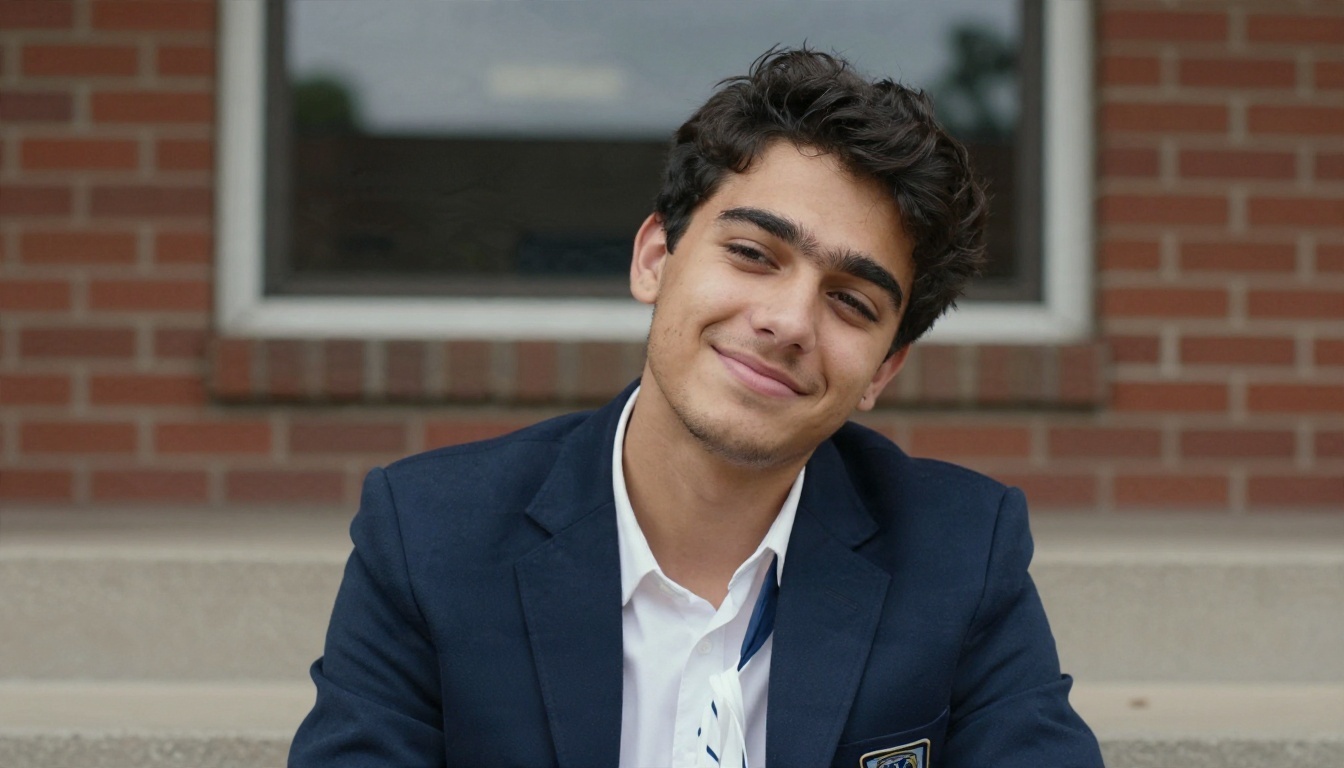
Senior portrait season hits fast. Between finals, applications and a calendar that never stops, booking a photographer, picking an outfit and finding a sunny Saturday can feel like another exam. That is why AI senior photos have taken off: you type a few lines, wait a few seconds, and get a cap and gown portrait that looks like it came from a professional session. Some are good enough to fool a yearbook editor. Others have six fingers and a tassel growing out of an ear.
This article sorts the good from the bad. You will see free options that actually work, copy-and-paste prompts for campus, studio and outdoor looks, real examples of what a strong result looks like, and the mistakes that make AI portraits look fake. Everything here is built around photorealism, because a senior photo should look like you, not like a painting or a video game character.
💡 Quick answer: For the most realistic results, describe a real photographer's setup (lens, light direction, location, film look) instead of vague words like "beautiful" or "professional".
Why AI Senior Photos Are Everywhere
What They Actually Are
An AI senior photo is an image created by a text-to-image model, or an edit of a real selfie, that shows a student in a graduation or senior portrait style. There are two paths:
Text to image: you describe a fictional or generic graduate and the model invents the person, the gown, the background and the lighting.
Image editing: you upload your own photo and ask the model to change the outfit, background or lighting while keeping your face recognizable.
The first path is perfect for mockups, invitations, poster ideas and creative projects. The second is what most students want when they say "senior photos", because the person in the picture has to be them.
Who Gets the Most Out of Them
AI portraits are not a replacement for every photo session, but they fit certain situations very well:
Students who cannot afford a $150 to $500 photographer package
Families spread across cities who want matching portraits for a graduation announcement
Seniors who missed picture day or had a bad hair day when it happened
Creators building a graduation slideshow, social post or party invitation
Anyone who wants to test five different locations before booking a real shoot
Think of AI as a rehearsal room. Even if you still hire a photographer later, you can arrive with a clear mood board and a shot list.
Free Ways to Make Senior Photos
Text-to-Image Models
The fastest route is a text-to-image model. On PicassoIA you can try Seedream 4.5 for crisp, high-resolution portraits, Imagen 4 for natural skin and light, or Qwen Image 3 for clean photographic scenes. For quick drafts, Flux Schnell returns images in seconds, which makes it handy for testing prompt wording before you commit to a slower, sharper model.
Selfie Editing Models
If the portrait has to look like you, use an editing model that accepts a reference photo. Nano Banana Pro and Nano Banana both edit and generate images, so you can upload a well-lit selfie and write something like "put this person in a black cap and gown standing on a brick campus lawn at golden hour, keep the face unchanged". GPT Image 2 is another solid choice when your instructions are long and specific.
Phone Apps and Free Editors
Plenty of phone editors offer free background swaps and basic retouching. They are fine for small fixes such as brightening a face or removing a messy bedroom behind you. They rarely build a convincing gown, cap or full location from scratch, so they work best as a finishing step after a generator.
Quick Comparison
Option
Best for
Face likeness
Realism
Speed
Text-to-image model
Mockups, ideas, invitations
Not your face
High
Seconds
Selfie editing model
Real senior portraits of you
High when the selfie is clear
High
Seconds to a minute
Phone background editors
Small fixes
Your real face
Medium
Instant
Traditional photographer
Official yearbook, prints
Perfect
Perfect
Days to weeks
💡 Tip: Free usage limits change often on every platform. Check the current allowance before you plan a big batch, and generate your best three prompts first.
Prompts That Actually Work
The Formula Behind Every Good Prompt
Vague prompts produce stock-photo faces. Specific prompts produce believable portraits. Use this order every time:
Subject and pose: who, what they wear, what they are doing with their hands
Location: one real, concrete place with two or three details
Light: direction, time of day, quality (soft, hard, diffused)
Camera: lens length, aperture, angle
Texture and mood: skin, fabric, film grain, color grade
Add the phrase "natural skin texture, visible pores, fine film grain" and you will cut the plastic look that gives AI faces away.
Classic Cap and Gown Campus Portrait
This is the shot everyone wants: gown, brick, golden light.
Photograph of an 18 year old woman in a black graduation gown and mortarboard with a gold tassel, holding a rolled diploma, standing on a university lawn in front of a red brick building with ivy. Golden hour sunlight from camera left, 85mm f/1.4 lens, eye level, shallow depth of field, natural skin texture, fine film grain, Kodak Portra 400 color.
Why it works: each element tells the model something physical. The lens controls the background blur, the light direction shapes the face and the film reference sets the color.
Walking and Candid Shots
Stiff poses are the biggest tell in AI portraits. Ask for motion instead:
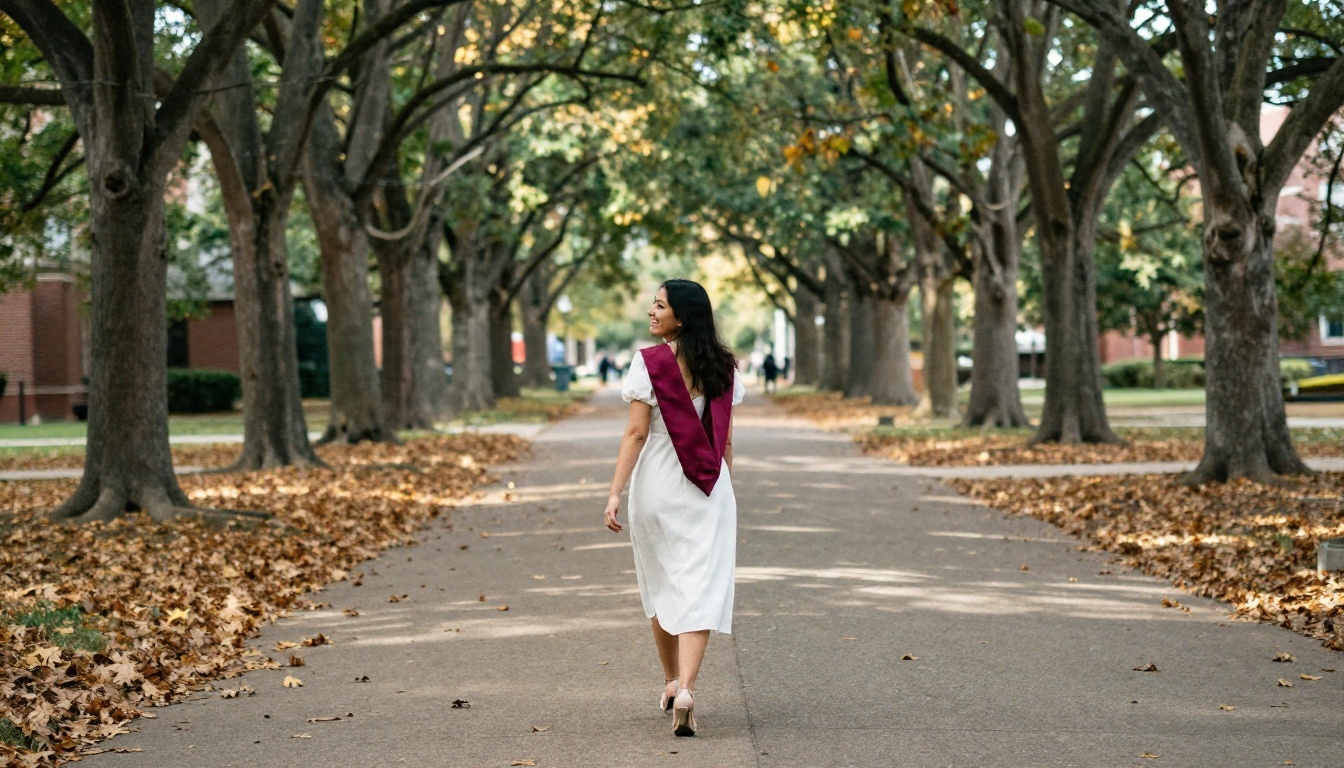
Wide shot of a female graduate in a white dress and maroon stole walking away down a tree-lined campus path in autumn, looking back over her shoulder with a laugh. Low sun behind her, 35mm f/2 lens from a low angle, scattered leaves, realistic fabric texture, film grain.
The over-the-shoulder glance gives you a natural expression and a pose that real photographers use constantly.
Outdoor and Nature Backdrops
Fields, beaches, forests and city rooftops are common senior locations, and models handle them well because there is so much real photography to learn from.
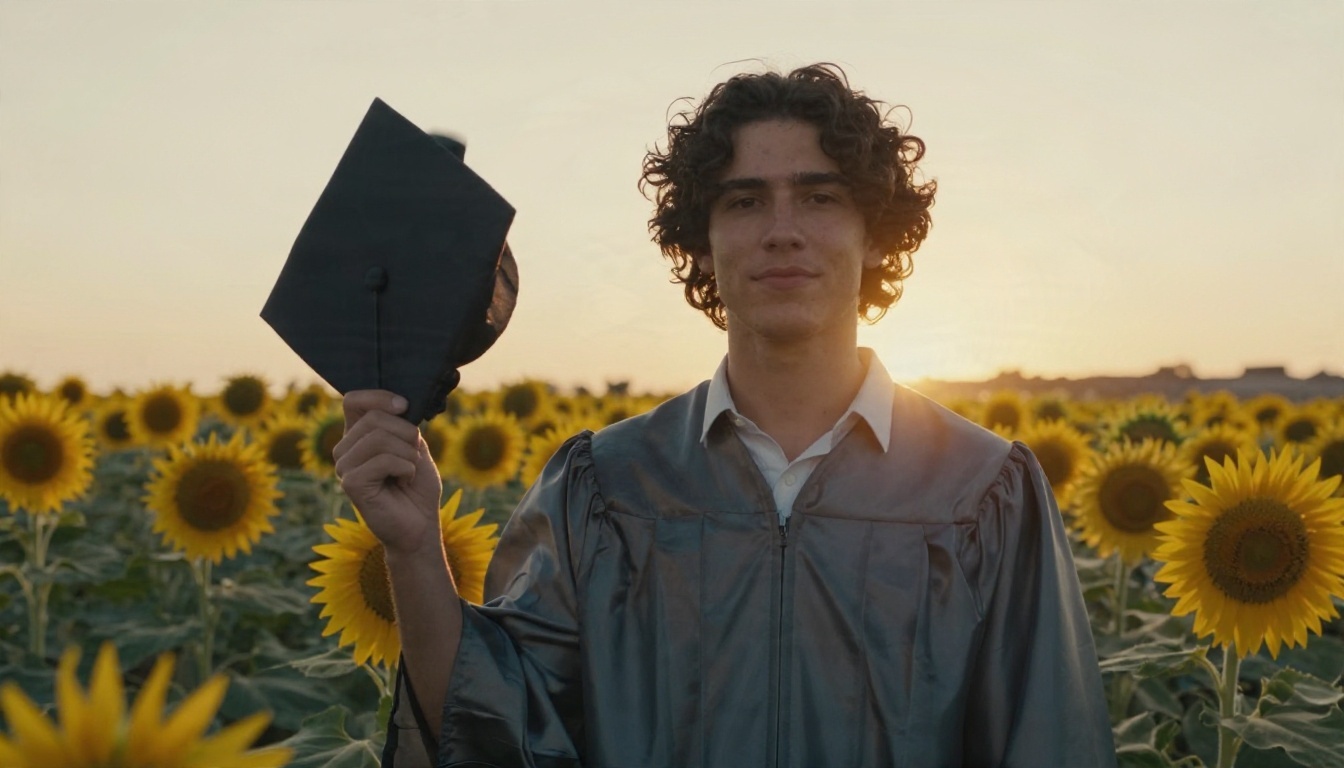
Medium shot of a young man with curly dark hair in a cap and gown standing in a sunflower field at golden hour, holding his cap at his side, calm confident expression, warm backlight from the right, 85mm f/1.4, realistic skin pores, petals and stems in detail, film grain.
Clean Studio Portraits
A plain backdrop is the safest choice for yearbook-style framing, and it removes background errors entirely.
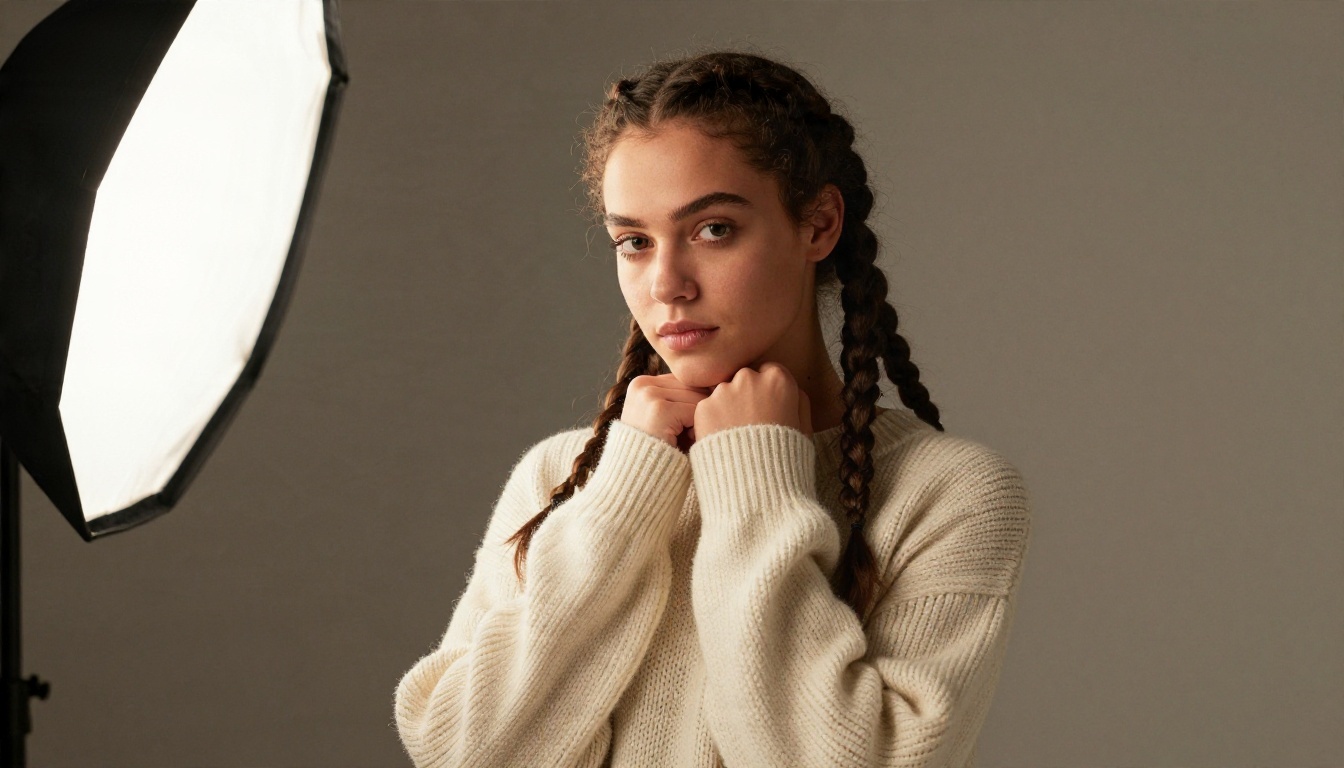
Studio portrait of a young woman with long braids in a cream knit sweater against a plain warm gray backdrop, hands resting under her chin. Large softbox from camera left with a subtle reflector fill, 105mm f/2.8 lens, tight framing, detailed skin and knit texture, gentle film grain.
Sports and Hobby Portraits
Many seniors want a shot that shows what they loved in school. Name the object and the setting, and keep the light low and warm.
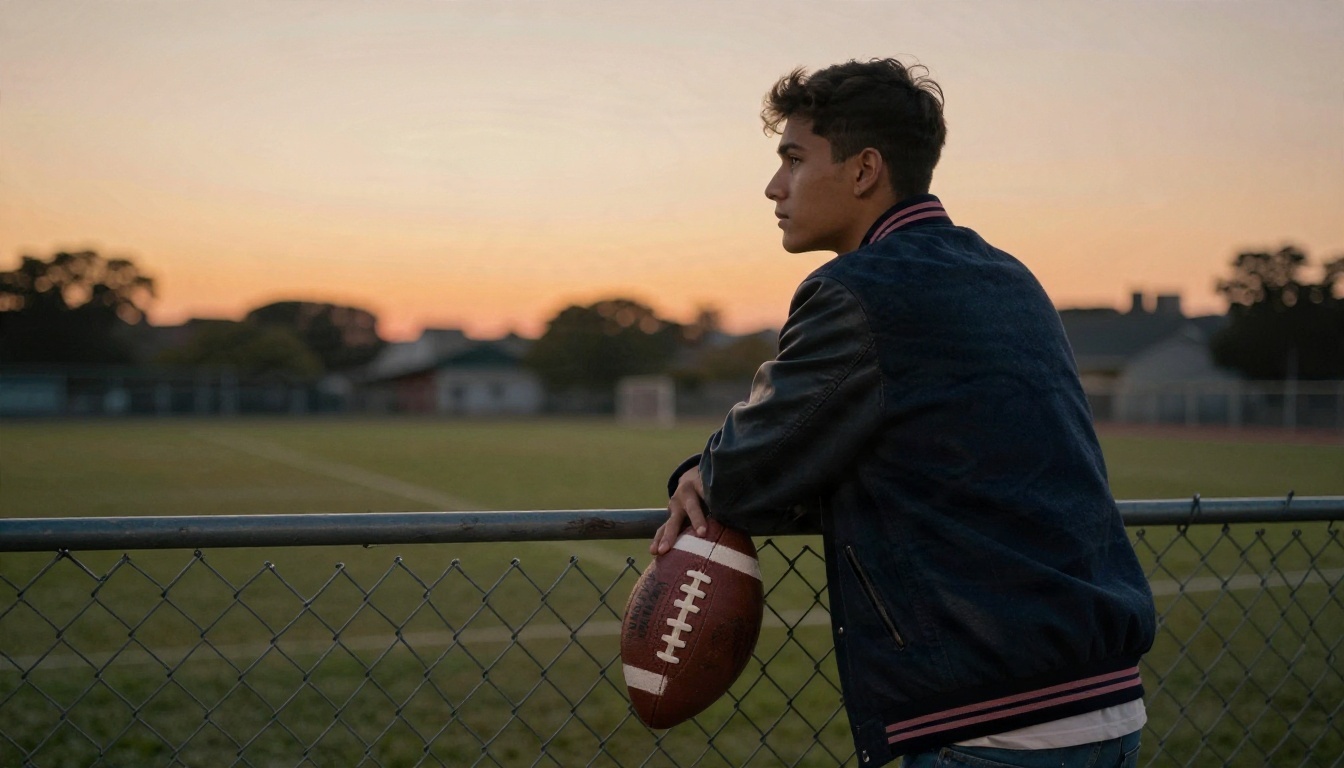
Candid shot of a young man in a varsity jacket leaning against a chain-link fence at an empty football field at sunset, football under one arm, orange sky behind, side light from the left, 70mm f/2 lens, realistic leather and wool texture, light haze, film grain.
Group and Cap Toss Shots
Group scenes are harder because the model has to keep several faces consistent. Keep the number of people at three or fewer and ask for a wide lens and daylight.
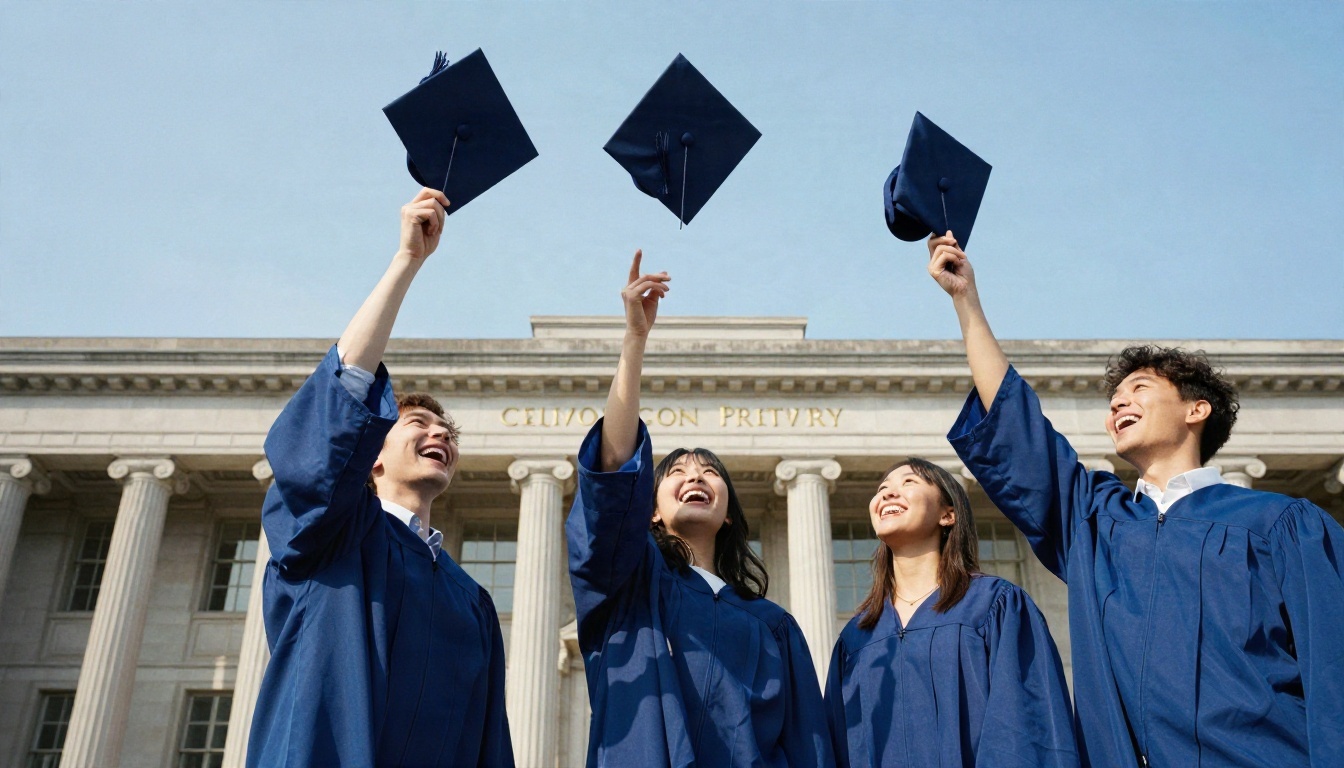
Low-angle shot of three diverse graduates in royal blue gowns tossing their caps into a clear sky in front of a stone library with columns, joyful faces mid-laugh, bright midday sun, 24mm f/2.8 wide lens, caps frozen in motion, realistic gown fabric, fine film grain.
💡 Prompt swap list: Change only one thing at a time. Try "overcast daylight" instead of "golden hour", "35mm" instead of "85mm", or "linen shirt" instead of "blazer". Small edits show you which words do the work.
How to Use Seedream 4.5 on PicassoIA
Seedream 4.5 is a strong pick for senior portraits because it keeps fine detail in skin, hair and fabric at high resolution. Here is a simple workflow.
Paste your prompt. Start with the campus portrait prompt above, or write your own using the five-part formula.
Choose the aspect ratio. Pick 3:4 or 4:5 for a classic portrait, or 16:9 for a wide announcement banner.
Generate two or three versions. Faces and hands vary a lot between runs, so never settle for the first result.
Pick the winner and refine. Change one detail, such as the hairstyle or the sky, and run it again.
Download and upscale if needed. Use Real ESRGAN to push a good image to print size.
Parameter Tips
Be literal with clothing. "Black gown with a satin sash, gold tassel on the right side" beats "graduation outfit".
Name the hands. "Holding a rolled diploma tied with a ribbon" gives the hands a task, which lowers the odds of odd fingers.
Keep one subject. One person produces cleaner faces than a crowd.
Avoid text on the gown or banner. If you need a school name, add it afterward in a normal photo editor.
Using Your Own Selfie
What Makes a Good Reference Photo
Editing models only work as well as the photo you feed them. Before you upload anything, check these points:
Face is sharp and fully visible, with no sunglasses or heavy filters
Even light from a window or open shade, not a harsh flash
Shoulders and some of the chest in the frame so the model can place a gown
Neutral or slight smile, because extreme expressions are hard to preserve
No heavy beauty filter, which flattens skin and confuses likeness
An Editing Prompt That Keeps Your Face
Use short, firm language about what must not change:
Edit this photo: dress the person in a black graduation gown and mortarboard with a gold tassel, place them on a sunlit brick campus lawn at golden hour. Keep the face, skin tone, hairstyle and expression exactly the same. Natural film look, soft background blur.
Try this on Nano Banana Pro first. If the face drifts, re-upload the selfie and shorten the instruction to just the outfit.
Fix Common AI Portrait Problems
Hands, Teeth and Eyes
These three areas expose AI faster than anything else. Check them at full zoom before you share an image:
Problem
Quick fix
Extra or fused fingers
Give the hands an object, or crop below the wrists
Uneven eyes
Regenerate with "symmetrical eyes, natural catchlights"
Too-perfect teeth
Ask for a "closed-mouth soft smile"
Waxy skin
Add "visible pores, natural skin texture, no retouching"
Odd earrings or jewelry
Remove jewelry from the prompt entirely
Gown and Cap Details
Graduation clothing has strange rules: tassels hang on one side, stoles sit evenly, caps are flat and square. Models sometimes tilt the cap like a pizza box. If that happens, add "flat square mortarboard sitting level on the head" or change the angle to a straight-on view.
Backgrounds and Cutouts
If a background looks wrong but the face is perfect, do not throw the image away. Use Remove Background to cut yourself out cleanly, then drop the portrait onto a real photo of your campus. This hybrid approach gives you accurate school colors and buildings, which AI often invents.
Soft or Low-Resolution Output
A portrait that looks fine on a phone can turn blurry on an 8x10 print. Run the final image through Real ESRGAN for a 4x upscale, then check the hair edges and eyelashes for artifacts.
Yearbook, Print and Honesty Rules
Check What Your School Accepts
Some yearbooks only take photos from approved photographers. Others take any portrait that meets size and cropping rules. A few schools ask students to confirm that submitted images are real photographs of themselves. Read your yearbook submission page or ask your adviser before you upload an AI image. If the rules say real photos only, use the AI version for invitations, social posts and gifts instead.
Be Straight About It
If you share AI portraits online, a short note such as "made with AI" avoids awkward questions from relatives who think you flew to Paris for graduation. It also protects you if someone reposts the picture with the wrong story.
Print Sizes and Resolution
Print size
Minimum pixels (at 300 dpi)
4x6 in
1200 x 1800
5x7 in
1500 x 2100
8x10 in
2400 x 3000
11x14 in
3300 x 4200
If your file falls short, upscale first, then print a small test copy. Colors on a screen are brighter than ink on paper, so lift the shadows slightly if the print looks muddy.
Privacy Basics
Only upload photos of yourself, or of people who agreed. Avoid uploading classmates' faces without asking, and keep your school name, address and student ID out of any image you post.
Make Yours Today
You do not need a big budget to end up with a senior portrait you are proud of. Pick one location, copy one of the prompts above, and run three versions. Change a single detail each time until the light, the pose and the expression feel right. Upscale the winner, check the hands, and print a test copy.
Ready to try it? Open PicassoIA, start with Seedream 4.5 for a fresh portrait, or upload a clear selfie to Nano Banana Pro to see yourself in a cap and gown. Experiment with campus, studio and sunset looks, and keep the versions you love. Your graduation day only happens once, and now you can walk into it with a whole gallery of ideas.