Anime generators multiplied faster than anyone could test them. Every few weeks a new app promises studio-grade characters, a "free" plan that runs dry after three images, or an "uncensored" mode that turns out to be a paywall in disguise. If you just want good anime art without burning through credits, the choices get confusing quickly.
This article sorts the noise. You will see how the popular tools compare on free limits, content rules, monthly cost and mobile apps, which models on PicassoIA are worth your time, and how to turn a finished anime image into a short animated clip.
💡 Quick answer: For anime art with generous limits and fewer content restrictions, start with Seedream 4.5 and PicassoIA Image Editor Pro. Both are covered in detail below.
What Makes an Anime Generator Good
Plenty of tools can draw a girl with big eyes. Fewer can do it twice in a row with the same face, clean linework and hands that have five fingers. Before you compare prices, judge each tool on three things.
Line quality and consistency
Good anime output has confident outlines, flat or softly cel-shaded color, and eyes that match each other. Weak output smears the lines into a painterly blur, which looks fine at thumbnail size and falls apart when you zoom in. Test any generator with the same prompt three times. If the character changes age, hair length or outfit every run, you will struggle to build a comic page, a profile picture set or a visual novel.
Speed and daily limits
A slow generator kills creativity. Anything above 30 seconds per image makes you stop iterating. Daily limits matter just as much: a free plan that gives 25 images a day is useful, while one that gives 3 is a demo. Watch for hidden throttles too, such as slower queues for free users or a lower resolution cap.
Content rules
Some tools block anything beyond a school uniform. Others allow stylish, mature themes within reasonable limits. Read the content policy before you pay, because a refund after you hit a filter is rarely easy.
Free Anime Generators Worth Using
Free is a moving target, so treat every number below as a snapshot and check the app before you commit.
Daily credit apps
Several popular apps run on daily credits that reset every 24 hours:
- StarryAI is often praised for a generous free allowance and a long list of art styles, with iOS and Android apps.
- PixAI is built around anime and manga, with a web version and mobile apps. Reported free allowances vary between sources, so check what your account actually receives each day.
- Mage.space has offered sign-up gems on its free tier, handy for a first test.
- NovelAI reportedly has a free tier with a small monthly number of images, with paid plans starting around ten dollars a month.
- Niji Journey usually offers only a short trial, then asks for a paid plan.
The pattern is the same everywhere: free credits are enough to test, rarely enough to build a project.
Free models on PicassoIA
PicassoIA takes a different route. Instead of one locked app, you pick from a library of image and video models in a browser. Some of them are marked free and unlimited. Flux 2 Klein 9B Base LoRA is a free option for styled images, and Seedance 2.5 Lite is a free, unlimited video generator for clips up to 10 seconds.
Uncensored Options Explained
"Uncensored" is the most searched word around anime generators, and the most misused.
What the word really means
In practice, it means fewer blocked prompts. It does not mean anything goes. Reputable platforms still refuse illegal content, depictions of minors and non-consensual material, and you should avoid any service that claims otherwise. What most users actually want is simple: swimwear, glamour poses, mature outfits, dramatic lighting and artistic styling without a filter flagging a harmless prompt.
Three types of tools exist:
| Type | Content limits | Typical cost | Catch |
|---|
| Strict mainstream apps | Heavy filtering | Free to cheap | Frequent false blocks |
| Community platforms | Varies by site and domain | Subscription tiers | Rules and domains change |
| Local models on your own PC | Set by you | Hardware and electricity | Setup time, needs a strong GPU |
Community platforms such as Civitai have reportedly moved some unrestricted content to a separate domain, and tier names and prices change often. Confirm the current rules before you subscribe.
Where PicassoIA fits
PicassoIA keeps content suggestive and attractive but never explicit: bikinis, glamour, mature styling and artistic poses are fair game, while pornographic output is not. That balance makes the generator easy to use for character art, fan art, cosplay concepts and pin-up style illustrations. For this kind of work, two models come first.
- Seedream 4.5 handles stylized prompts, lighting and skin or fabric detail very well, with output up to 4K.
- PicassoIA Image Editor Pro gives you unlimited generations and lets you edit an existing image, so you can retouch outfits, backgrounds and poses without paying per attempt.
💡 Tip: Unlimited generations change how you work. You stop writing one perfect prompt and start running ten quick variations, which is how good anime art actually happens.
Real Pricing Compared
Prices below are the figures reported at the time of research. They shift constantly, so use them as a rough guide, not a quote.
| Tool | Free option | Paid entry | Top tier reported |
|---|
| NovelAI | Small monthly allowance | About $10 per month | About $25 per month |
| Niji Journey | Short trial | About $10 per month | Up to about $60 per month |
| Civitai | Daily buzz style credits | About $10 per month | About $50 per month |
| PixAI | Daily credits | Optional paid plans | Varies |
| StarryAI | Daily credits | Optional paid plans | Varies |
| Local Animagine style models | Free model | Hardware cost | GPU and power bill |
| PicassoIA | Free and unlimited models | Per model credits | Browse all models |
Subscription traps
Three habits keep people overspending:
- Annual plans that renew silently. Set a calendar reminder the day you subscribe.
- Credit packs that expire. Unused credits often vanish at the end of the month.
- Paying for several apps at once. Ten dollars here and twenty-five there add up to a studio budget for hobby results.
A single platform that offers many models usually costs less than three separate subscriptions.
The hidden cost of going local
Running an anime model on your own PC sounds free. It is not. A capable graphics card, a bigger power bill, and hours of installing drivers, checkpoints and extensions all count. If you already own the hardware and enjoy tinkering, it is a great option. If not, a browser tool saves you a weekend.
Best Phone Apps for Anime
Most anime art gets made on a phone these days, often on a train or in bed.
iOS and Android picks
- StarryAI and PixAI are the most talked-about free mobile choices for anime.
- Dream by Wombo and several "AI anime art" apps on the App Store are easy to start with, but premium features and higher limits usually sit behind an in-app subscription.
- NovelAI and Niji Journey are mostly accessed through a browser or Discord rather than a polished native app.
Why a browser often wins
Native apps push weekly subscription offers and sometimes cap resolution. A mobile browser pointed at a model library avoids both. You get the full model list, normal download quality, and no app store billing surprises. PicassoIA works in a phone browser, so you can generate, edit and save from the same screen.
💡 Tip: Add the site to your home screen. It opens like an app, without the weekly upsell.
Best AI Anime Models on PicassoIA
PicassoIA hosts many image models. These are the ones that matter for anime, in the order I would try them.
Seedream 4.5 first
Seedream 4.5 is my first stop for anime and glamour art. It follows long prompts closely, keeps lighting clean and holds up at high resolution. Describe the character, outfit, pose, setting and lighting in plain language, and add "anime style, clean lineart, cel shading" to steer the look.
Image Editor Pro for edits
PicassoIA Image Editor Pro is where you polish. Upload a draft, then ask for a new outfit, a different background, softer lighting or a pose change. Because generations are unlimited, you can keep iterating until the result is right.
Krea 2, Proteus and photo to anime
- Krea 2 Medium makes anime and painterly art with a soft, artistic finish.
- Proteus v0.3 is built for anime character art and works well for stylized portraits.
- Qwen Image Edit Plus LoRA Photo To Anime converts a photo into an anime version, which is perfect for avatars and profile pictures.
- Nano Banana Pro is a strong all-rounder when you need precise edits or readable details.
- Qwen Image 3 Pro is useful when you want a more photographic look before converting a character to anime.
Make Your First Anime Image in Five Steps
You do not need a long prompt to get a strong result. Follow this order on PicassoIA.
- Open Seedream 4.5. Use the model page linked above and choose a 16:9 or 3:4 ratio depending on whether you want a wallpaper or a portrait.
- Write the subject first. Example: "an anime girl with silver hair and a red scarf, standing on a rooftop at sunset".
- Add the style words. Use "anime style, clean lineart, cel shading, detailed eyes, soft rim light".
- Generate three versions. Pick the one with the best face and composition.
- Refine in Image Editor Pro. Change the outfit, fix the background or adjust the lighting without starting over.
Here is a prompt template you can copy:
"anime heroine with long teal hair, summer outfit, laughing, golden hour beach, clean lineart, cel shading, detailed eyes, soft light, high quality"
Parameter tips
| Setting | Recommended | Why |
|---|
| Aspect ratio | 3:4 for characters, 16:9 for scenes | Matches typical use |
| Prompt length | 30 to 60 words | Enough detail, not noise |
| Variations | Run 3 to 5 | Best face wins |
| Negative cues | Avoid contradictions | Keeps style consistent |
Three common mistakes
- Mixing styles. Asking for "anime, photorealistic, oil painting" gives muddy results.
- Ignoring hands and eyes. Mention them in your prompt and zoom in before you save.
- Changing everything at once. Edit one thing per round so you can see what works.
Turn Anime Images Into Video
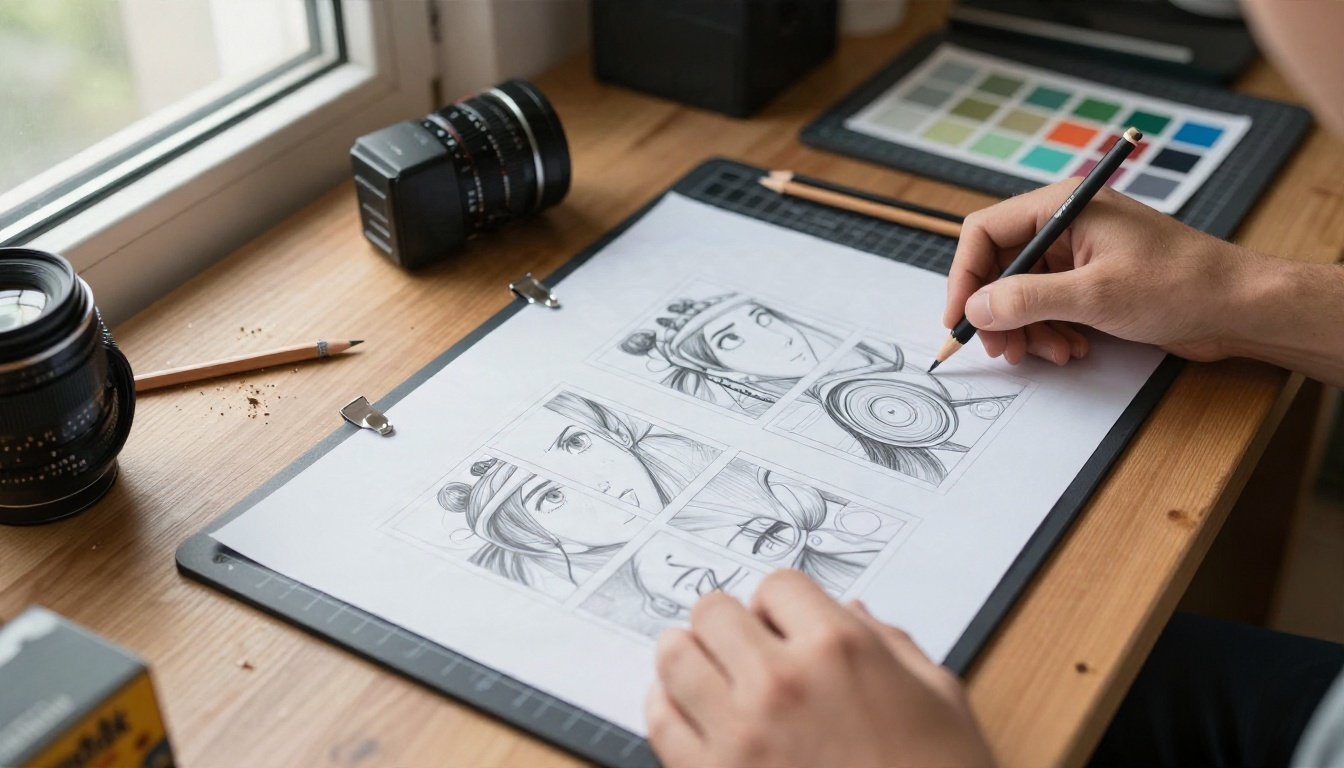
A still image is only half the story. Several video models on PicassoIA can animate a finished picture into a short clip with moving hair, drifting clouds and camera motion.
A simple workflow: generate the character in Seedream 4.5, polish it in Image Editor Pro, then send it to an image to video model with a short motion prompt such as "hair blowing in the wind, slow camera push-in, soft sunlight".
💡 Tip: Keep motion prompts short and physical. "Slow pan, gentle breeze, blinking" beats a paragraph of story.
Here is the short version. Use a daily credit app like StarryAI or PixAI if you only want to test the waters on your phone. Choose NovelAI or Niji Journey if you want a dedicated anime community and accept a monthly fee. Go local if you already own a powerful GPU and like tinkering.
If you want anime art with fewer restrictions, unlimited retries and a path from still image to video in one place, use PicassoIA. Open Seedream 4.5, write your first prompt, refine it in PicassoIA Image Editor Pro, and animate the best result with Seedance 2.5 Lite.
Want more options? Browse the full model library at picassoia.com/en/all-models and try a different model for every character idea you have. Your next favorite anime image is one prompt away, so go make it.


