The free tier in AI video generation hit a turning point in 2026. Tools that once required subscriptions, GPU credits, or professional workflows are now openly accessible, producing 720p and 1080p footage with native synchronized audio from a single text prompt. Whether you're creating content for social media, animating a product photo, or generating a cinematic clip for a pitch deck, the barrier to entry is now essentially zero.
This article ranks and breaks down the best free AI video makers available in 2027, what each model does better than the rest, and how to get the most from them without paying a dollar.
What Changed in AI Video This Year
From 5-Second Clips to Full Scenes
Two years ago, free AI video tools capped output at 2-3 seconds of low-resolution footage that rarely matched the input prompt. The gap between paid and free was enormous. That gap has closed considerably.
In 2027, models like Seedance 2.0 Fast and Ray Flash 2 720p produce clean 720p output with coherent motion, consistent subjects across frames, and scene-level logic. The jump in quality happened because underlying model architectures shifted toward diffusion transformers that scale more efficiently with training data, producing output that was previously only possible with heavy compute and paid access.
The practical result: creators who could not afford subscription tiers six months ago now have access to models that outperform what premium tools offered in 2024.
Audio Changed Everything
The introduction of native audio synthesis inside video models was the single biggest shift of 2025 carried into 2026. Models like Seedance 2.0 and Veo 3.1 no longer require a separate audio track added in post. The ambiance, foley, and even dialogue-level audio is generated in sync with the visual content. For quick social clips and presentations, this alone saves hours of editing work.
Before audio-native models existed, every AI video clip was silent by default. Creators needed to license music, record voiceovers, or add sound effects manually before any clip was usable. That friction is now optional.
The Best Free AI Video Makers Right Now
These are not ranked by hype or press releases. They are ranked by what actually works on a free plan in 2026, based on output resolution, motion quality, prompt adherence, and how much you can create before hitting a paywall.
1. Seedance 2.0 Fast
Best for: Quick social-ready clips with synchronized audio
Seedance 2.0 Fast by ByteDance is the fastest version of the Seedance 2.0 architecture. On a free plan through platforms like PicassoIA, you get text-to-video generation with native audio output at 720p resolution. The prompt adherence is notably strong, meaning the generated footage actually matches what you typed rather than producing a generic interpretation.
What sets it apart: Built-in ambient audio that syncs to the scene content without additional prompting. A clip of rainfall generates the sound of rain. A street scene generates traffic noise. This level of automatic audio fidelity is rare in free tools.
2. Kling v2.1
Best for: Image-to-video animation with natural motion
Kling v2.1 from Kwai remains one of the most capable free image-to-video models available. Upload a photo, write a motion prompt, and the model generates fluid, physically coherent animation. It handles human subjects particularly well, making it ideal for portrait photos, product shots, or any footage where motion needs to look plausible rather than surreal.
💡 Tip: Use a clean, well-lit photo as your source image. Kling v2.1 performs significantly better when the input image has minimal noise and a clear subject separated from the background.
3. Ray Flash 2 720p
Best for: Text-to-video with fast iteration cycles
Ray Flash 2 720p from Luma AI delivers 720p output at speeds that make iteration actually practical. On a free plan, you can generate multiple clips and pick the best result without waiting several minutes per attempt. The motion quality is smooth and scene coherence is solid for most exterior and environment-based prompts.
The flash architecture specifically reduces latency without proportionally reducing output quality, which is why it sits above slower free models despite not being the highest-resolution option available.
4. Hailuo 02 Fast
Best for: Near-instant generation for drafting and testing
Hailuo 02 Fast by MiniMax is the lightweight counterpart to the full Hailuo 02 model. At 512p output on free tiers, it sacrifices some resolution but compensates with near-instant generation speeds. For drafting, storyboarding, or testing multiple prompt variations quickly, it's the most efficient free option when speed matters more than output resolution.
5. LTX 2.3 Fast
Best for: High texture fidelity on a free plan
LTX 2.3 Fast from Lightricks is architecturally identical to the paid LTX 2.3 Pro, running at a lower resolution tier on free plans. It still benefits from the same underlying 4K training data, which means scene detail and texture fidelity are noticeably higher than competing free models at equivalent resolutions. For close-up shots where surface texture matters, this model consistently outperforms its free-tier peers.
How to Use PicassoIA Video Free
PicassoIA offers direct access to PicassoIA Video, a free unlimited AI video generator that runs entirely in the browser with no software installation. Here is how to create your first clip:
Step 1: Write a Scene-Level Prompt
Do not write abstract descriptions. Write what the camera sees. "A woman walks along a sunlit cobblestone street in the early morning, pigeons scattering as she passes, soft golden backlight" outperforms "beautiful woman walking in a city" by a substantial margin. Specificity in the subject's action and the lighting conditions are the two variables with the most impact on output quality.
Step 2: Select Text-to-Video or Image-to-Video Mode
If you have a source image, switch to image-to-video mode and upload it. If you are starting from scratch, use the text input. The PicassoIA Video model handles both inputs natively with the same interface.
Step 3: Set Your Duration and Resolution
Free generation supports 5-second clips at standard resolution with no credits required. If you need longer clips or higher resolution output, the platform's credit system operates without a subscription, meaning you pay only for what you generate rather than committing to a monthly plan.
Step 4: Download and Iterate
Download your clip, review the motion, and refine your prompt if needed. The most impactful prompt revision is usually adding more specificity to the subject's movement rather than changing the environment description.
Free vs Paid: What You Actually Get
The free tiers across today's top AI video platforms are not trial periods with arbitrary caps. Many are functional tools with real output quality that produces usable content without ever entering a credit card.
💡 Note: On PicassoIA, many models that require paid subscriptions on their native platforms are accessible through a unified credit system, effectively making premium model access available at lower per-generation cost than individual subscriptions.
Best Models for Specific Use Cases
Not every free model is optimal for every task. Picking the right model for the job saves generation credits and produces better results than defaulting to a single tool for everything.
Short-Form Social Content
For TikTok, Reels, and YouTube Shorts, the priority is speed, audio, and vertical output compatibility. Seedance 2.0 Fast leads this category because native audio means no additional editing before posting. Pixverse v5.6 is a strong backup with its motion control at 1080p output, particularly for clips where the subject needs to follow a specific trajectory.
Cinematic Scene Generation
For narrative projects, pitch decks, or portfolio pieces that require genuine cinematic quality, Kling v2.6 and Wan 2.7 T2V are the strongest free-accessible options. Wan 2.7 T2V outputs at 1080p and handles complex scene compositions with multiple subjects better than most models in its resolution class.
Image-to-Video Animation
When you already have a strong still image and want to animate it, Wan 2.7 I2V is the current benchmark for free use. It preserves the visual identity of the source image across all frames while adding convincing motion. Competing models often lose subject consistency between frames when the source image has strong directional lighting or unusual angles.

The Wan 2.7 Family Explained
Wan Video's 2.7 series represents one of the most capable open-architecture video model families available in 2027. Three variants handle distinct generation modes, and knowing which to use for which job saves significant time.
T2V, I2V, and R2V
- T2V (Text to Video): Wan 2.7 T2V takes a text prompt and generates video from scratch. The 1080p output puts it ahead of most free competitors. Best when you have no source asset.
- I2V (Image to Video): Wan 2.7 I2V animates a still image using a motion prompt. Best for product animation, portrait animation, and architectural visualization.
- R2V (Reference to Video): Wan 2.7 R2V uses a reference subject image to generate video while preserving the subject's appearance across frames. Useful for projects requiring character consistency across multiple clips.
Which Wan 2.7 Model to Start With
For most free users, start with T2V for pure generation work and I2V when you have a source image you want to animate. R2V is more compute-intensive and better suited to projects where character consistency across several separate clips is a production requirement.

3 Mistakes That Ruin AI Video Prompts
Getting mediocre results from a capable free model is almost always a prompt problem, not a model limitation.
Mistake 1: Describing emotion rather than action
"An emotional reunion between two people" produces vague, generic output every time. "Two people embrace tightly at an airport arrivals gate, one person's eyes visibly wet, natural overhead fluorescent lighting, medium shot at eye level" gives the model concrete visual information to work with. Describe what the camera sees, not what you want the audience to feel.
Mistake 2: Conflicting motion instructions
Asking for "a slow cinematic zoom while the subject sprints toward the camera" creates opposing speed references that confuse motion planning. Keep camera movement and subject movement at compatible speeds and directions. If you want drama, use camera movement. If you want energy, use subject movement. Combining opposing speeds in the same clip reliably degrades output.
Mistake 3: Overloading the scene with subjects
More than three distinct elements in a 5-second clip usually degrades quality across the board. Pick one subject, one action, one environment. Complexity compounds errors in every single frame of a generated video. The models that handle complex scenes well do so at higher resolution tiers, not on free plans.
💡 Pro tip: Write your prompt in chronological order. Subject first, action second, environment third, lighting last. Models process prompts sequentially and this ordering produces the most coherent output consistently.

Google and OpenAI Models: Worth Accessing?
Veo 3.1 and Sora 2
Veo 3.1 from Google and Sora 2 from OpenAI sit at the top of the quality spectrum for text-to-video in 2027. Both support native audio and generate footage at 1080p with exceptional prompt fidelity. Scene complexity, physics simulation, and subject consistency across frames are all demonstrably better than any open-access alternative.
The access limitation: direct use through their parent platforms requires a paid subscription or API credits. Through third-party multi-model platforms, limited free generation with both models is available, making them accessible for occasional high-quality jobs without committing to a full subscription.
Veo 3.1 Fast is the distilled version of the full model, trading a small amount of quality for speed and lower cost per generation. For most short-form content at 720p, the fast variant produces output that is functionally equivalent to the full model in casual use.
Gen 4.5 from Runway
Gen 4.5 remains one of the most consistently reliable text-to-video models for cinematic motion quality. Runway's generation pipeline handles camera moves, like dollies, pans, and tilts, better than most competing models, which makes it the go-to choice when the camera movement itself is part of the creative intent.
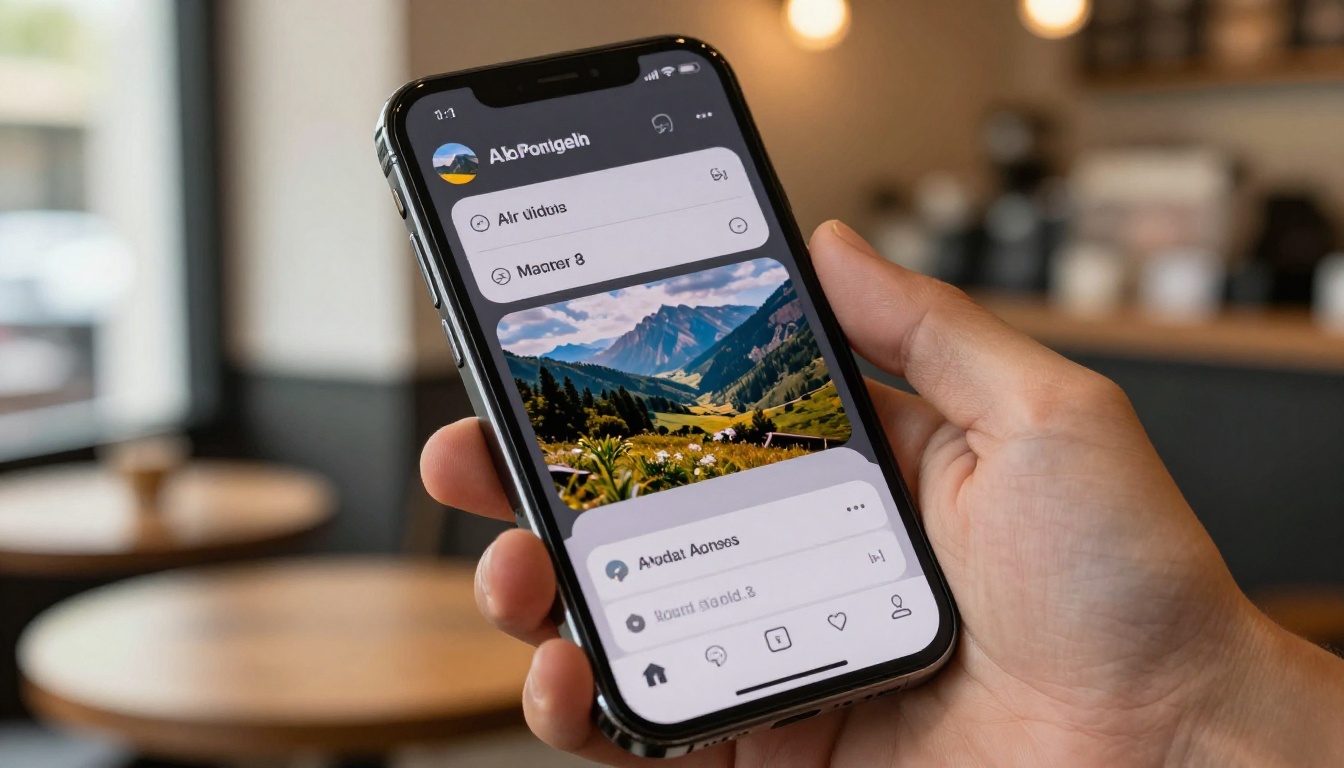
One of the most practical shifts in 2027 is the rise of multi-model platforms. Rather than managing separate accounts across Luma, ByteDance, Kwai, MiniMax, and Lightricks, platforms like PicassoIA aggregate over 87 text-to-video models in a single interface.
This matters for free users specifically because:
- No subscription fragmentation: You do not need separate free accounts on every model provider to access their best models.
- Side-by-side iteration: Running the same prompt on Ray Flash 2 720p and Kling v2.1 simultaneously costs fewer total credits than running each on their respective platforms.
- Consistent prompt interface: Once you learn the prompt structure that works, the same format applies across all 87+ video models without relearning platform-specific quirks.
Kling v3 Video, Seedance 1 Pro, and Wan 2.6 T2V are all accessible through the same dashboard. The friction of managing multiple accounts, credit systems, and interfaces is replaced by one login and a model selector.
For teams or individual creators working at volume, this consolidation alone reduces overhead enough to meaningfully change what is practical on a free or low-budget workflow.
Start Creating AI Videos Now
The best free AI video makers of 2026 are not stripped-down demos. They are production-capable tools with real output quality that serves real creative projects. From Seedance 2.0 Fast with its built-in audio to Wan 2.7 T2V at 1080p, the free tier in 2026 delivers what paid tools could barely promise two years ago.
The fastest way to see what today's free AI video generation actually looks like is to run a prompt. PicassoIA gives you direct access to Seedance 2.0 Fast, Kling v2.1, Wan 2.7 T2V, and over 80 other video models in a single browser tab with no software installation.
Write a prompt. Pick a model. See what 2027 free AI video can do.
Visit picassoia.com/en/all-models to browse every available model, or jump straight into PicassoIA Video for unlimited free text-to-video generation.