Ten agents, forty tools, five MCP servers, and one leaked credential waiting to happen. That is what a team's setup looks like about three weeks after the first successful demo. Everyone wired their own server into their own client, nobody tracks who can call what, and one runaway loop burns through an upstream quota before lunch. The best MCP gateway for your team is the one that puts a single, controlled door in front of all of it. This article compares the open source options, the cost nobody puts on a pricing page, how to design rate limits that survive real traffic, and what to check before you trust any of it in production.
💡 Quick note on sources: most public comparisons of MCP gateways are written by vendors who rank their own product first. Treat any ranking, including mine, as a starting point and run your own test with your own tools before you commit.
What an MCP Gateway Does
The Model Context Protocol lets an AI model call tools: query a database, open a ticket, search a repository, send a message. Each tool lives on an MCP server. Without a gateway, every client talks to every server directly. With a gateway, clients talk to one endpoint, and the gateway decides which server handles the call, who is allowed to make it, and how often.

One Door for Many Servers
Think of the toll plaza above. Dozens of roads feed into a single controlled point. A gateway gives you the same shape for tool traffic:
- Routing: one URL for clients, many servers behind it.
- Authentication: users and agents sign in once, not once per server.
- Policy: allow or deny specific tools per team, per agent, per environment.
- Rate limiting: protect upstream APIs and your own budget.
- Logging: a single audit trail of who called which tool with which arguments.
The language models that sit on the other side of this door matter less than people think. Whether the caller is Claude Sonnet 5, GPT 5.6 Sol, or Kimi K2.6, the gateway sees the same thing: a stream of tool calls that need to be authenticated, limited and recorded.
When You Can Skip One
Not every project needs this layer. If you have a single developer, two MCP servers, and everything runs on a laptop, a gateway adds moving parts without removing risk. The tipping point usually arrives when one of these becomes true:
- More than one team or agent shares the same tools.
- A tool touches production data or spends real money.
- You need to answer an auditor, a customer, or your own security lead.
- Upstream APIs have quotas you cannot afford to exhaust.
Open Source Options Compared
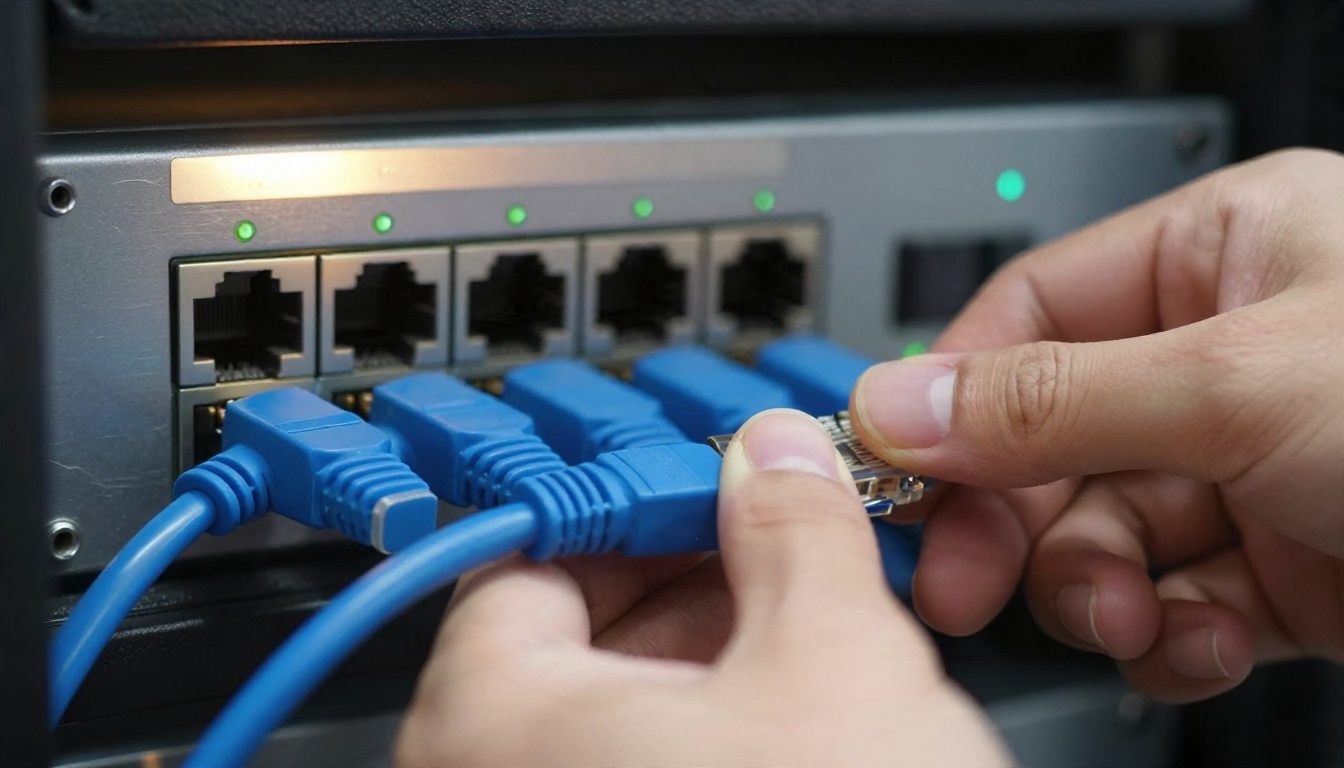
The Main Contenders
The open source field has settled around a handful of projects. The table below summarizes what public comparisons and project descriptions say. Details change fast, so confirm licences and features on each project's own repository before you build on one.
| Gateway | Licence and model | Best fit | Watch out for |
|---|
| IBM ContextForge | Apache 2.0, free, self hosted | Teams that want governance features and can run Python services | You carry all hosting and operations work |
| Docker MCP Gateway | MIT, free open source version | Teams already living in containers and Docker tooling | A governed enterprise variant is sold through sales, not self serve |
| Microsoft MCP Gateway | Open source reverse proxy for Kubernetes | Azure and Kubernetes shops | Cost is the Azure resources underneath it |
| Bifrost | Open source core with an enterprise tier | Teams that want an LLM gateway and MCP routing together | Its performance numbers come from the vendor |
| Obot | Open source with a commercial offering | Teams that care about a catalog and access control for engineers | Check which features sit in the paid tier |
| Agentgateway | Open source proxy project | Teams comfortable with infrastructure level proxies | Younger ecosystem, fewer production stories |
Stars Do Not Equal Depth
A common mistake is picking by GitHub popularity. One public analysis pointed out that Apache APISIX has far more stars than IBM ContextForge, yet ContextForge documents far more of the MCP specific governance features. APISIX is an excellent general API gateway, but general gateway strengths (routing, plugins, rate limiting) are not the same as understanding MCP sessions, tool catalogs and per tool permissions.
💡 Quick test: open the project's documentation and search for "tool allowlist", "session" and "per user". If none of these appear, you are looking at a general proxy with an MCP label, not an MCP gateway.
The Real Cost of Running One

Licence Is Not the Bill
"Free and open source" describes the licence, not your invoice. A realistic monthly cost for a self hosted gateway has five parts:
- Compute: at least two instances for availability, plus a database or cache for sessions and rate counters.
- Observability storage: logs and traces grow quickly, because every tool call generates several records.
- Engineering time: upgrades, security patches, config reviews. This is usually the biggest line and the one most often left out.
- Identity integration: wiring your single sign on provider, groups and service accounts.
- Upstream usage: the tools behind the gateway still cost what they cost. A gateway that works perfectly can still forward a very expensive loop.
For a small team, the infrastructure part can be modest. The engineering time is what separates a cheap pilot from an expensive habit. Traefik's comparison makes a similar point: open source gateways suit cost sensitive teams that have platform engineering capacity to run them.
Paid and Managed Tiers
Pricing in this category is inconsistent, and published numbers disagree between sources, so treat the following as orientation only and check current prices yourself:
| Option | What public sources say |
|---|
| IBM ContextForge | Free to use; your cost is hosting and operations |
| Docker MCP Gateway | Open source version is free; the governed version is quoted through sales |
| Microsoft MCP Gateway | Open source; you pay for the Azure resources it runs on |
| Kong AI Gateway | Sources disagree: one lists an entry tier from about $25 a month plus usage, another describes MCP proxying as enterprise only |
| Cloudflare MCP Server Portals | In open beta for Cloudflare One customers with a free seat allowance; the Workers platform has a free daily request tier, with paid plans starting at a low monthly fee for millions of requests |
💡 Rule of thumb: if a vendor says "contact us" for MCP gateway pricing, budget for a sales cycle of weeks, not days, and ask for the rate limit and audit log features in writing.
Rate Limits That Hold Up

Public roundups say surprisingly little about how gateways behave when limits are hit, so this is where you should do your own testing. A rate limit in front of tools is not the same as a rate limit in front of a web API. Agents retry, loop and fan out in ways human users never do.
Limit by Caller and Tool
A single global counter is the weakest design. Prefer limits that combine several dimensions:
- Per identity: each user and each agent gets its own budget.
- Per tool: a read only search tool can take hundreds of calls a minute, while a "send email" tool should take a handful.
- Per upstream: protect the third party API behind the tool with its own ceiling, set below the vendor's quota.
- Per session: cap how many calls one conversation can make, so a loop ends itself.
A sensible starting policy for a new team:
| Tool type | Starting limit | Why |
|---|
| Read only search | 120 calls per minute per user | Cheap and safe |
| Database query | 30 calls per minute per user | Protects the database |
| Write or update | 10 calls per minute per user | Limits damage from mistakes |
| Money or message sending | 3 calls per minute per user, with approval | Hard to undo |
These numbers are placeholders. Start strict, watch the logs for two weeks, then loosen what is clearly safe.
Handle Bursts and Retries
Agents often fire several tool calls at once. A strict per second limit rejects legitimate bursts, while a token bucket with a modest burst allowance absorbs them. Check three behaviors in any gateway you test:
- What does the client receive? A clear "too many requests" response with a retry hint lets the model back off. A silent timeout makes it retry harder.
- Are counters shared across instances? If each replica counts on its own, your real limit is the configured limit multiplied by the number of replicas.
- What happens when the counter store is down? Decide whether the gateway fails open (risk of overload) or fails closed (risk of outage), and make that a conscious choice.
Security Before Scale

A tool call is code execution with extra steps. Prompt injection, where text inside a document or web page convinces the model to call a tool it should not, is the main risk. The gateway is your best place to enforce rules that do not depend on the model behaving well.
Auth and Tool Allowlists
- Single sign on: every call maps to a real person or a named service account.
- Allowlists: an agent sees only the tools it needs. A support agent has no reason to list your deployment tools.
- Scoped credentials: the gateway holds upstream secrets, so clients never do. Rotate them centrally.
- Approval steps: require a human confirmation for destructive actions.
Audit and Data Handling
Log the tool name, caller, timestamp, outcome and a hash or redacted version of arguments. Raw arguments often contain personal data, so decide up front what you store and for how long. If you route calls to models for classification or moderation, a small safety model such as Llama Guard 4 12B is a typical choice for screening content before it reaches a tool.
Production Checklist

Observability You Will Actually Use
The person on call at 2 a.m. needs four answers fast: which tool is failing, which caller is causing it, what changed, and whether upstream is down. Make sure the gateway emits:
- Metrics: request rate, error rate and latency per tool and per server.
- Traces: one trace ID that follows a call from client through gateway to the MCP server.
- Structured logs: machine readable, with caller and tool fields.
- Alerts: on rate limit rejections spiking, on auth failures, and on a server going silent.
Treat Latency Claims Carefully
Some vendor pages quote overhead in microseconds at thousands of requests per second. Another vendor declined to publish latency figures at all, because numbers measured under different conditions are not comparable. Both positions are reasonable. For tool calls, the gateway's own overhead is almost always dwarfed by the tool itself: a database query or an API round trip takes milliseconds to seconds. Measure your end to end latency with your real tools and payload sizes, not the vendor's benchmark.
Plan for Failure
- Run at least two replicas behind a load balancer.
- Keep session state outside the process so a restart does not drop active conversations.
- Set timeouts per tool, shorter for reads and longer for slow batch tools.
- Add circuit breakers so one failing server does not stall every agent.
- Test upgrades in staging with replayed traffic from real logs.
How to Pick Yours

Match the Gateway to Your Stack
The right answer depends less on features and more on what your team already runs and maintains well:
| Your situation | Likely starting point |
|---|
| Heavy Docker use, small team | Docker MCP Gateway |
| Kubernetes on Azure | Microsoft MCP Gateway |
| Governance and audit are the priority, platform team available | IBM ContextForge |
| Want LLM routing and MCP routing in one place | Bifrost |
| Already use a large API gateway for everything else | Check its MCP plugin, then compare against a dedicated gateway |
| Cloudflare is already your edge | Cloudflare's portal and Workers options |
Run a One Week Trial

Shortlist two gateways and run the same trial against each:
- Put three real MCP servers behind it.
- Connect two different clients, for example a coding assistant and a chat agent powered by Gemini 3.5 Flash.
- Set the rate limits from the table above and deliberately exceed them.
- Kill one MCP server and watch what the client sees.
- Read the audit log as if you were an auditor.
- Record how many hours setup took, because that number is your real cost.
A gateway that passes this test in a week will usually keep passing at ten times the volume. One that needs heroic effort in week one will not get easier.
Common Mistakes to Avoid
- Choosing by star count alone.
- Using one shared service account for every agent.
- Setting limits once and never checking the logs.
- Exposing every tool to every agent "for now".
- Skipping the staging environment because the gateway is "just a proxy".

Build Smarter Agents on PicassoIA
A gateway controls the door, but the agents behind it still need a capable model. On PicassoIA you can test several language models side by side before you decide which one drives your tool calls: Claude Sonnet 5 for careful multi step coding work, GPT 5.6 Terra for production text tasks, Qwen3.7-Plus when you need text and image input, or Granite 4.1 8B as a light model for classification and routing steps.
Pick a prompt that mirrors one of your real tool workflows, run it through two or three models, and compare how each one chooses tools and handles errors. That ten minute experiment tells you more about your gateway needs than any benchmark table.
Ready to try? Browse every language, image and video model at picassoia.com/en/all-models and start experimenting with your own ideas today.


