Type "uncensored AI chatbot" into a search bar and you get a wall of near-identical listicles, each one claiming to be the only honest ranking. Most of them are affiliate pages, the prices contradict each other, and almost none tell you what you give up when you pick a tool with fewer filters. This article does the opposite. You will see what the label actually means, which online platforms and phone apps people use, what they typically cost, what the free plans really allow, and where the real risks hide.
One caution before the details. Prices and free limits in this niche change almost monthly, and the sources I checked disagreed with each other. Treat every number below as a reported range, then confirm it on the vendor's own pricing page before you enter a card.
What "Uncensored" Really Means
The word sounds absolute, but in practice it is a sliding scale. No hosted chatbot that real people can reach is a blank slate with zero rules. Payment processors, app stores, hosting providers and local law all push on the operator, so even the most permissive platforms still block some categories.
Lighter Filters vs No Filters
Mainstream assistants refuse a lot of borderline requests, add warnings and steer away from adult roleplay. "Uncensored" platforms mostly do something narrower: they allow fiction, mature themes, dark storylines and flirtatious conversation that the big assistants decline. That is different from "anything goes", and it is worth remembering when a landing page promises total freedom.
💡 Tip: When a site says "no filter", look for its content policy page. If it lists banned categories, you have found the real boundary, and it is usually reasonable.
Why People Look for Them
The reasons are less dramatic than the keyword suggests:
- Fiction writers who need villains, violence or romance that a cautious model keeps sanitizing.
- Roleplay fans who want a persistent character with memory and a consistent voice.
- Researchers and students who get frustrated by refusals on medical, legal or historical topics.
- Privacy-minded users who dislike having every prompt tied to a major account.
- Adults looking for companionship in an app that does not lecture them.

Best Online Options Right Now
Browser-based platforms are the easiest entry point. You open a tab, create an account and start talking. Here are the names that come up most often in 2027 roundups, described by what they are rather than by marketing copy.
Venice AI
Venice AI is usually described as the privacy-first, lighter-filter option. It runs open-weight models, markets itself on not logging conversations to a central profile, and has a free tier with a small daily allowance of text and image prompts. One roundup listed roughly 10 text prompts and 15 image prompts per day on the free plan. Paid plans were quoted anywhere from about $10 to $18 per month depending on the source, which tells you to check the live price.
Best for: general chat, writing help and image prompts from one account, with less filtering than a mainstream assistant.
Candy AI
Candy AI is a paid companion platform focused on romantic and adult roleplay with generated images and voice. Reported pricing sits around $12.99 per month on a monthly plan, with cheaper effective rates on annual billing. Several guides also mention token-style charges for extras such as images and calls, so the sticker price is not always the final bill.
Best for: users who want a polished companion character with images and voice, and who accept an in-app token economy.
SpicyChat and CrushOn
These two are the budget leaders. SpicyChat has been reported at roughly $4.99 to $9.99 per month on entry tiers, with a free option that allows a generous number of messages. CrushOn AI has been quoted from about $5.99 per month, and its free plan reportedly caps daily messages in the dozens. Both are text-first roleplay tools with huge libraries of user-made characters.
Best for: people who want many characters, long roleplay threads and low monthly cost.
Janitor AI
Janitor AI works differently. The front end is free, and many users connect their own model access, which means the cost depends on whichever model you plug in. Hosted options have been reported in a roughly $5 to $15 monthly range. It suits tinkerers who like to swap models and tune character cards.
Best for: users comfortable with a little setup in exchange for flexibility.

Best Apps for Phone Use
Most conversations with these tools now happen on a phone, in bed or on a commute, so the app experience matters as much as the model underneath.
Companion Apps
Replika is the long-running name in this category, with a Pro tier reported around $19.99 per month and an adult mode limited to verified adult subscribers. Candy AI and CrushOn both ship mobile-friendly experiences, and SpicyChat is built around a phone-first scroll of characters. What separates them in daily use is memory: the best ones recall your last conversation, your character's backstory and small details you mentioned a week ago.
When you test an app, ask three questions in the first session:
- Does it remember something you said twenty messages ago?
- Does it keep the character's voice consistent?
- How quickly does the free message limit run out?
Mainstream Assistants as a Baseline
It helps to keep a mainstream assistant around as a yardstick. ChatGPT, Claude and Gemini all offer free plans, with paid tiers reported at roughly $17 to $20 per month. They are not uncensored, but they are far better at reasoning, research and code. Many people end up using one of them for work and a roleplay platform for fiction, which is a sensible split.

Pricing and Free Plans Compared
Here is a side-by-side of reported ranges. These are not verified quotes. They come from comparison pages that frequently disagree, so use them to set expectations, not to budget to the cent.
| Platform | Free plan | Typical paid range (per month) | Strength | Watch out for |
|---|
| Venice AI | Yes, daily prompt cap | About $10 to $18 | Privacy focus, text plus images | Price differs by source |
| Candy AI | Limited trial | About $12.99, cheaper annually | Images, voice, polished characters | Token charges for extras |
| SpicyChat | Yes, generous messages | About $5 to $10 | Huge character library | Queue speed on free tier |
| CrushOn AI | Yes, daily cap | From about $6 up to higher tiers | Cheap entry, text roleplay | Context window by tier |
| Janitor AI | Free front end | Varies, about $5 to $15 hosted | Flexible model choice | Setup effort, model costs |
| Replika | Basic free | About $20 for Pro | Long-running companion | Higher price |
| Mainstream assistants | Yes | About $17 to $20 | Reasoning and research | Not uncensored |
Free Plan Limits
Free plans in this category are built to let you feel the product, then nudge you to pay. Expect some mix of:
- A daily message cap, often 10 to 50 messages.
- Slower queues during busy hours.
- Shorter memory, meaning the character forgets earlier scenes sooner.
- No image or voice features unless you buy credits.
If your goal is casual fiction a few evenings a week, a free tier can last a long time. If you roleplay daily, you will hit the wall fast.
Hidden Costs
The monthly figure is rarely the whole story. Watch for per-image fees, per-minute voice charges, premium character packs, and annual plans that renew at a higher rate. A $6 subscription that adds $20 of credits each month is a $26 subscription. Check the refund policy and cancellation path before you pay, not after.
💡 Tip: Set a calendar reminder for the day before any annual plan renews. It is the cheapest way to avoid paying for a service you have stopped using.

Run an Open Model Locally
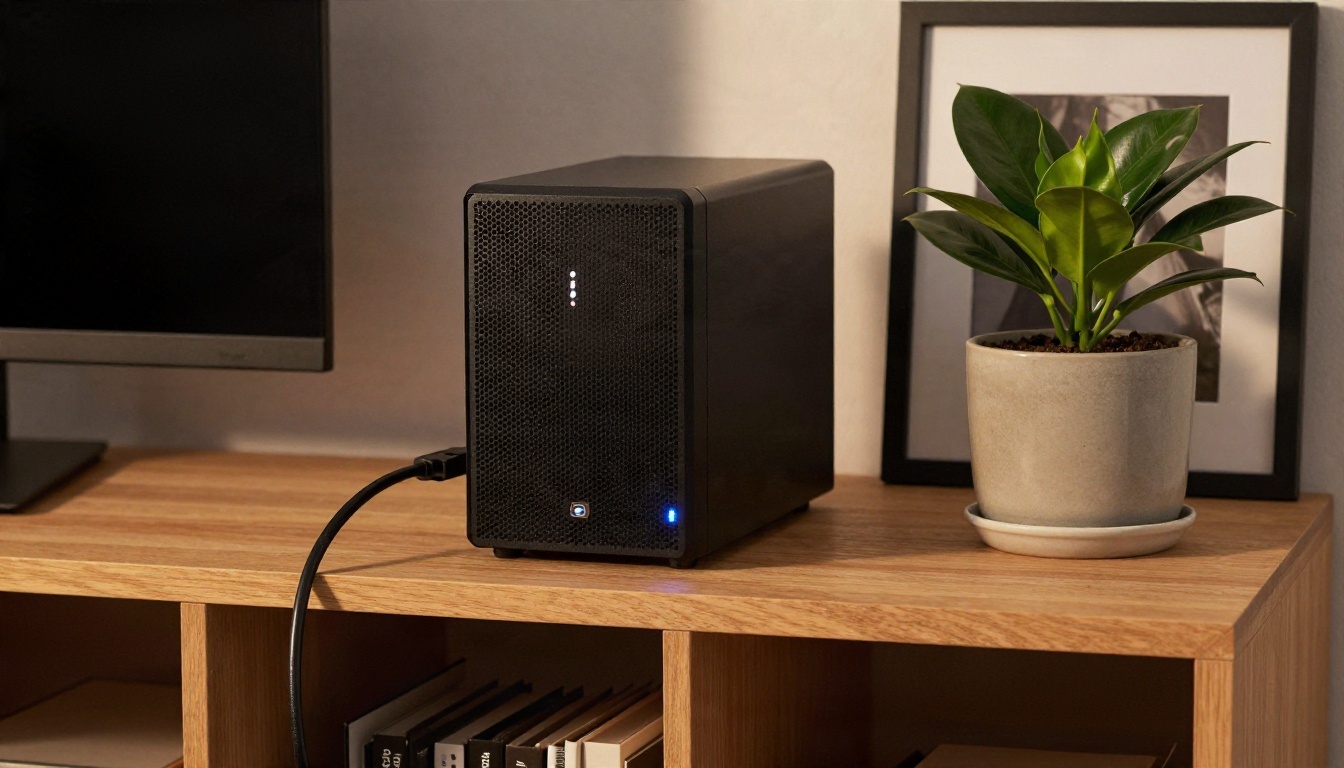
If you want the least filtering and the most privacy, the strongest answer is not a website at all. It is an open-weight model running on your own hardware. Nothing leaves your machine, there is no subscription, and no operator can change the rules overnight.
Hardware You Need
A modern laptop with 16 GB of memory can run a small model comfortably. A desktop with a recent graphics card and 12 to 24 GB of video memory can handle much larger models with good speed. You download a model file, load it in a local chat app, and write your own system prompt to set the tone and character.
Trade-offs
Local setups cost time instead of money. You choose the model, manage updates and accept that small models are weaker at long-term consistency than the big hosted ones. You also get no built-in safety net, which means the responsibility for what you generate sits entirely with you. For many users that trade is worth it. For others, a managed platform is simply less hassle.
Real Risks to Check First
Fewer filters mean fewer guardrails for you too. A few minutes of checking saves a lot of regret.
Privacy and Data Retention
Intimate conversations are some of the most sensitive data you will ever type. Many NSFW platforms say very little about how long they store chats or who can read them. Before you sign up, look for a clear statement on retention, deletion and whether conversations are used to train models. Use a unique password and consider a separate email address.
Age and Consent
Reputable platforms require adult verification, and you should avoid any that do not. Never roleplay scenarios involving minors, real people without their consent, or anything illegal. That is not just a platform rule, it is a legal boundary in most countries, and responsible operators enforce it.
Emotional Dependence
Companion bots are designed to be agreeable, attentive and always available. That is comforting, and it can also crowd out real relationships if you let it. Keep an eye on how much time you spend and how you feel afterwards. If a subscription starts to feel like a habit you resent, that is useful information.

Pair Chat With Images on PicassoIA
A text conversation gets richer when you can picture the scene. That is where PicassoIA fits in. It is not a roleplay chat platform, but it gives you two useful things alongside one: general-purpose language models for writing and character development, and image generators for turning a scene or character description into a photo-style picture.
Seedream 4.5
For adult-leaning, non-explicit glamour imagery such as swimwear, boudoir-style portraits and fashion editorials, start with Seedream 4.5. It produces sharp, photorealistic results with believable skin, fabric and lighting, and it follows long descriptive prompts well. Paste a character sheet from your chat, add the location and lighting, and you get a portrait that matches the story.

Image Editor Pro
When you want to keep refining a picture, the PicassoIA Image Editor Pro is the tool to reach for, because it offers unlimited generations. That matters if you iterate: change the outfit, adjust the lighting, swap the background, and run it again without watching a credit counter drain. Speed is another plus, so a few rounds of edits take minutes, not an evening.
Chat Models for Writing
For drafting characters, backstories and dialogue, PicassoIA hosts several general-purpose language models. These follow their own providers' rules, so they are not marketed as uncensored, but they are strong collaborators for worldbuilding and plotting:
A Simple Workflow
- Draft a character profile with a language model: age, personality, outfit, setting.
- Copy the visual details into a text-to-image prompt.
- Generate the first image, then refine it in Image Editor Pro.
- Bring the finished portrait back to your story or your favorite chat app for reference.
💡 Tip: Describe lighting and lens in your image prompt, for example "85mm lens, warm window light from the left". It nudges the result toward a photographic look.

How to Pick Your Setup
There is no single winner, because "best" depends on what you want from the tool. Use this quick map:
| If you want | Pick |
|---|
| Lowest cost and many characters | SpicyChat or CrushOn AI |
| Polished companion with images and voice | Candy AI |
| Privacy and a mix of chat and images | Venice AI |
| Maximum flexibility | Janitor AI or a local model |
| Reasoning, research and work tasks | A mainstream assistant |
| Pictures of your characters | Seedream 4.5 and Image Editor Pro on PicassoIA |
Start free, test memory and voice consistency in your first session, and only pay once a tool has proven itself over a week. Keep a note of the renewal date, and read the privacy policy before you share anything personal.
Try It Yourself Today
If you already have a character or scene in your head, the fastest way to bring it to life is to picture it. Open Seedream 4.5, paste a few lines of description, and see how close the first render gets. Then move to the PicassoIA Image Editor Pro and keep refining with unlimited generations until it feels right. When you want to experiment further, browse every available model at picassoia.com/en/all-models and mix chat, writing and image tools in whatever combination suits your story.


