There's a frustrating myth floating around creative communities: that professional-quality AI videos require expensive subscriptions, API credits, or enterprise accounts. That myth is wrong. Right now, today, you can create stunning AI videos without spending a single cent, and the results will impress you.
The free-tier landscape for AI video generation has changed dramatically. Models that were premium-only 18 months ago are now freely accessible. Open-source architectures from ByteDance, Lightricks, and Tencent have been deployed on accessible platforms, and the quality gap between free and paid has collapsed to near zero for most use cases.
This is your practical roadmap to cinematic AI video output without opening your wallet.

The Subscription Trap Nobody Talks About
Most AI video platforms are designed to get you hooked on a free tier, then push you toward monthly plans ranging from $20 to $200+. They limit your resolution, add watermarks, cap your generations per day, or simply make the free experience frustrating enough that you reach for your credit card.
The alternative? Use platforms with genuinely free models, not artificially crippled trial accounts. There is a real difference.
What "Free" Actually Means Here
When we say free, we mean:
- No credit card required to get started
- No watermarks on the output files
- Resolution that holds up on social media
- Enough daily generations for real creative work
This isn't about sneaking around paywalls. Several state-of-the-art video models are open-source or offered with free tiers that are fully functional for creative use.
Why Subscriptions Often Disappoint
Even paid tiers on many platforms give you limited monthly minutes, not unlimited generation. You pay $30/month and burn through your allocation in a single afternoon of serious work. The economics simply do not favor the creator.
💡 Smart move: Use platforms with free credit systems that reset regularly, or open-source models that run without usage limits.

The Best Free Text-to-Video Models Right Now
Not all free models are created equal. Here's what's actually worth your time in 2027.
LTX-2 Distilled: The Standout Free Option
LTX-2 Distilled from Lightricks is the most impressive free text-to-video model available right now. It generates fluid, coherent video clips with strong prompt adherence and cinematic motion. The distilled architecture makes it fast, often generating 5-second clips in under 30 seconds.
What makes it special:
- Strong temporal consistency: Objects and faces don't drift frame to frame
- Natural camera motion: Pans, zooms, and tracking shots all look organic
- Prompt accuracy: Describe a scene in detail and the model actually renders it
For creators who need quick free video generation, this is the starting point.
WAN 2.6 and WAN 2.5 Fast
The WAN series represents some of the most capable open-source video models available. WAN-2.6-T2V is the latest text-to-video release, offering 720p-quality output with excellent motion fidelity.
WAN 2.5 T2V Fast is optimized for speed without sacrificing too much quality. If you need rapid iterations to test prompt variations, this is the model to reach for.
Both models handle:
- Outdoor environments: landscapes, urban scenes, nature footage
- Character movement and gestures
- Cinematic wide shots and close-ups
- Abstract and atmospheric prompts
Seedance 1 Lite: Reliable and Consistent
Seedance 1 Lite from ByteDance is the lightweight variant of their Seedance series. It generates smooth, visually consistent video clips, particularly strong for lifestyle content, product showcases, and simple narrative scenes.
Compared to its Pro sibling Seedance 1 Pro, the Lite version uses fewer resources while still delivering results that look genuinely professional on a phone or laptop screen.
CogVideoX-5B and HunyuanVideo
Two open-source heavy hitters round out the free tier:
CogVideoX-5B excels at conceptual and abstract prompts where other models struggle. If your creative vision involves something unusual or stylistically specific, this model handles it better than most.
HunyuanVideo from Tencent is technically impressive at rendering human movement, making it ideal for content involving people walking, dancing, or performing realistic actions.
How to Use LTX-2 Distilled on PicassoIA
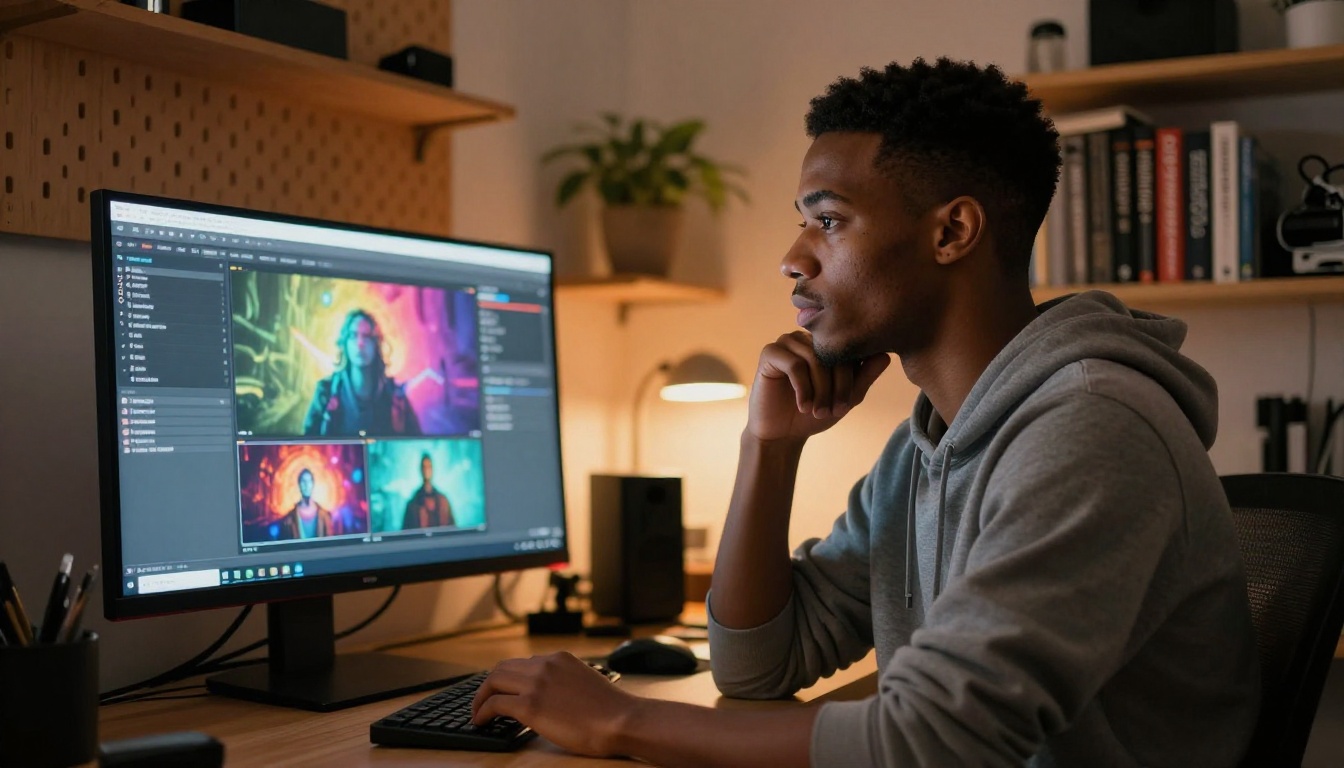
Since LTX-2 Distilled is the top free recommendation, here is a step-by-step walkthrough for generating your first video clip.
Step 1: Open the Model Page
Go directly to the LTX-2 Distilled page on PicassoIA. No account setup required to begin. The interface loads directly in your browser.
Step 2: Write a Strong Prompt
The single biggest factor in your output quality is the prompt. Use this structure:
[Subject] + [Action] + [Environment] + [Lighting] + [Camera movement] + [Style/Mood]
Example:
"A woman in a white summer dress walking slowly through a sunlit wheat field, golden hour light, slow cinematic push-in, warm and peaceful atmosphere"
Keep prompts between 20 and 60 words. Too short lacks direction; too long confuses the model.
Step 3: Set Your Parameters
| Parameter | Recommended Setting | Notes |
|---|
| Duration | 4-6 seconds | Optimal quality range for free tier |
| Resolution | 720p or 540p | Balances quality and generation speed |
| Motion | Medium | Prevents jitter on fast-moving subjects |
| Steps | 25-30 | Best balance of detail and wait time |
Step 4: Generate and Download
Click generate. For a 5-second clip at 720p, expect roughly 30-60 seconds of processing time. Once complete, download directly. No watermarks are added to the output.
💡 Prompt tip: If the first generation misses your vision, change just one element of your prompt before retrying. Changing too many variables at once makes it hard to identify what improved the result.

Prompts That Actually Work
Writing good video prompts is different from writing image prompts. Video requires motion, so you need to describe what happens, not just what the scene looks like.
The Right Prompt Structure
Bad prompt: "A forest"
Good prompt: "Tall pine trees swaying gently in a morning breeze, mist rising from the forest floor, slow upward tilt from ground to canopy, early morning diffuse light"
The difference is motion instruction and environmental specifics. Motion direction is not optional.
10 Ready-to-Use Free Prompts
These work reliably across most free models including LTX-2 Distilled and WAN-2.6-T2V:
- "Ocean waves crashing on a rocky shore at sunset, slow motion, telephoto lens compression, deep orange sky"
- "A barista pouring latte art into a ceramic cup, close-up, soft café morning light, steady shot"
- "Cherry blossoms falling from a tree in a Japanese garden, gentle breeze, slow pan left, pastel colors"
- "A city street at night with light rain, reflections on wet pavement, tracking forward at walking pace"
- "A campfire burning in a forest clearing at dusk, crackling flames, slight zoom out, warm golden tones"
- "A woman reading a book on a sunny balcony, light breeze moving her hair, locked camera with natural motion"
- "Mountain peaks above clouds, aerial slow drift forward, morning blue hour light, breathtaking scale"
- "A coffee cup steaming on a windowsill with rain outside, static close-up, moody and introspective"
- "Children running through a field of sunflowers, wide shot, warm summer light, playful handheld energy"
- "Snow falling silently on an empty city plaza at night, slow push in toward a single lit window"

Free vs. Paid: The Honest Comparison
Before assuming you need to pay, here's what the real comparison looks like in 2026:
| Feature | Free Tier | Paid Tier ($20-50/month) |
|---|
| Max resolution | 720p | 1080p-4K |
| Watermarks | None (on quality platforms) | None |
| Daily generations | 5-20 | Unlimited or high cap |
| Max clip length | 5-8 seconds | 10-30 seconds |
| Queue priority | Standard | Priority |
| Model access | Core models | Latest and exclusive |
| Commercial use | Check per model | Typically included |
For most content creators, the free tier is completely sufficient. Short-form content for Instagram Reels, TikTok, or YouTube Shorts sits comfortably within the 5-8 second sweet spot anyway.
The only compelling reason to pay is commercial licensing certainty and longer clip duration for narrative projects. For everything else, free works.
💡 Important: Always check the specific model's license for commercial use before publishing monetized content.

Beyond Text-to-Video: More Free Capabilities
The free tier extends far beyond basic text-to-video generation. Here's what else you can do without spending anything.
Animate a Still Image for Free
Several models let you animate a still image into a video clip. Upload a photo and describe how it should move. WAN 2.6 Image-to-Video handles this excellently, with smooth motion and strong fidelity to the source image.
The workflow:
- Generate a photorealistic image for free using any of PicassoIA's 91 text-to-image models
- Upload it to the WAN 2.6 I2V model
- Describe the motion: "gentle camera drift left, subject remains still, subtle environmental movement"
- Generate a 5-second clip
This is the fastest path to polished video content: build a great still image first, then animate it.
Speed vs. Quality: Picking the Right Variant
Most model families offer both speed-optimized and quality-optimized versions:
The strategy: draft with a fast model, finalize with the best quality model. This preserves your free generation credits for polished output.

Getting More From Your Free Credits
Even with generous free tiers, smart credit management makes a significant difference in what you can produce per session.
Batch Your Prompts Before Generating
Most people generate one video, evaluate it, tweak the prompt, then generate again. This burns credits on incremental changes.
Instead: Write 5-10 prompt variations on paper first. Then batch-generate them in one session. You'll use credits more efficiently and get better comparative results from the same number of generations.
Reuse Strong Seeds
When a generation impresses you, note the seed number visible in most model interfaces. Using the same seed with a modified prompt often preserves composition and motion style while changing the content. It's the fastest way to build a consistent visual language across multiple clips.
Build a Free Model Pipeline
The best free workflow is a pipeline, not a single model:
- Text-to-image (free, 91 models): Build your visual foundation
- Image-to-video with WAN 2.6 I2V: Animate your best stills
- P-Video: Generate direct text-to-video for cinematic sequences
- Vidu Q3 Turbo: Fast turnaround when speed matters more than maximum quality
Each step adds value without adding cost.
Right Model, Right Task

Three Mistakes That Kill Quality
These three issues account for the majority of disappointing free AI video output, and all three are completely preventable.
Vague Prompts
"A beautiful scene" is not a prompt. It's a suggestion. The model has no context for what beautiful means to you. Specificity is the single most valuable thing you can add to any generation request.
Expecting Long Clips From Free Tiers
Free models shine at 4-6 second clips. Trying to squeeze 15-second videos from them usually results in temporal drift, inconsistent motion, or visual artifacts appearing mid-clip. Work within the format, not against it. Four seconds of stunning footage beats fifteen seconds of mediocre footage every time.
Ignoring Motion Direction
Video is time-based. If your prompt doesn't describe what changes over time, the model defaults to minimal, often unconvincing motion. Always include at least one temporal element: a camera move, a subject action, or an environmental change like wind, rain, or fire.
💡 Worth remembering: The difference between amateur and professional AI video output is almost always the prompt quality, not the model choice.
What You Can Build Right Now
To put this in concrete terms, here is a list of genuinely viable content types you can produce today, for free:
- Instagram Reels and TikTok clips: 5-6 second cinematic loops and transitions
- YouTube intro sequences: Short atmospheric openers under 6 seconds
- Product showcase backgrounds: Abstract or nature loops behind product photography
- Social media visual content: Animated versions of your best still images
- Personal projects: Short films, art pieces, experimental visual work
- Client presentations: Dynamic backgrounds and transitions for pitch decks
None of these require a subscription.
Your First Video, Starting Now
Every model covered in this article is accessible through PicassoIA's platform right now. The text-to-video collection has 87 models, a mix of free and premium, and the free options are among the most capable available anywhere online.
The honest truth about AI video creation in 2027 is that the barrier to entry has collapsed. The gap between free and professional output is a matter of prompt craft, not payment. Spend the time you would spend comparing subscription tiers on writing better prompts instead, and your results will show it immediately.
Pick one prompt from the list above, open LTX-2 Distilled, and generate your first clip. The whole process takes under two minutes. Once you see what's possible without spending a cent, the subscription pitch becomes a lot harder to justify.
Experiment with WAN 2.6 for landscapes, HunyuanVideo for human subjects, and PixVerse v5.6 for social content. Use LTX-2.3-Fast for quick drafts and LTX-2.3-Pro when you're ready to finalize. The full toolkit is there, it's free, and it's waiting for your ideas.


