These Flux 2 Pro image prompts deliver consistent, photorealistic results across portrait, landscape, and commercial photography. Each template includes specific lighting conditions, camera settings, and style modifiers tested for reliability. Transform your AI-generated images from generic outputs to cinematic masterpieces using these working prompt structures. Learn photographic language that Flux 2 Pro understands, avoid common mistakes that produce artificial results, and create images indistinguishable from professional photography. Whether for commercial projects, portfolio work, or content creation, these prompts provide the framework for successful image generation every time.
Every photographer knows the frustration: you write what seems like a perfect prompt, but what you get back looks like a cheap digital rendering. The lighting is wrong, the textures feel artificial, and the composition lacks that human touch. With Flux 2 Pro, this doesn't have to be your reality. The difference between mediocre AI-generated images and photorealistic masterpieces comes down to one thing: prompt engineering that understands photography fundamentals.
These aren't theoretical concepts—they're working prompt templates that deliver consistent results. Each one includes specific lighting conditions, camera settings, and style modifiers tested across hundreds of generations. Whether you're creating content for commercial projects, portfolio work, or social media, these prompts transform generic AI outputs into cinematic visuals that could pass for professional photography.
Why Standard Prompts Fail with Flux 2 Pro
Most users approach Flux 2 Pro with simple descriptions: "beautiful woman smiling" or "mountain landscape." The model tries its best, but without photographic context, it defaults to digital art aesthetics. The problem isn't the model—it's the input.
💡 Critical Insight: Flux 2 Pro responds to photographic language, not just descriptive language. When you specify lens focal lengths, aperture settings, lighting conditions, and film stocks, the model accesses its training on actual photography rather than digital illustration.
The Photographic Elements Flux 2 Pro Understands
Flux 2 Pro has been trained on millions of professional photographs, which means it recognizes these specific elements:
Element
What Flux 2 Pro Understands
Example Keywords
Lenses
Focal length characteristics, depth of field, perspective distortion
85mm f/1.8, 24mm wide-angle, 70-200mm telephoto
Lighting
Natural light conditions, studio setups, quality of light
golden hour backlight, softbox lighting, north-facing window light
Film/Format
Specific film stocks, digital sensor characteristics
Kodak Portra 400, Fujifilm Provia, 8K RAW photography
Composition
Photographic rules and framing techniques
rule of thirds, negative space, leading lines, diagonal composition
Atmosphere
Environmental conditions and mood elements
atmospheric haze, light fog, dust particles in sunbeams
When you incorporate these elements, you're speaking Flux 2 Pro's native language. The model stops guessing what you want and starts executing photographic concepts it knows work.
Portrait Photography That Looks Real
Portraits are where most AI image generators struggle most. The uncanny valley effect—where faces look almost human but not quite—ruins otherwise good images. With Flux 2 Pro, you can bypass this entirely by focusing on photographic realism rather than facial perfection.
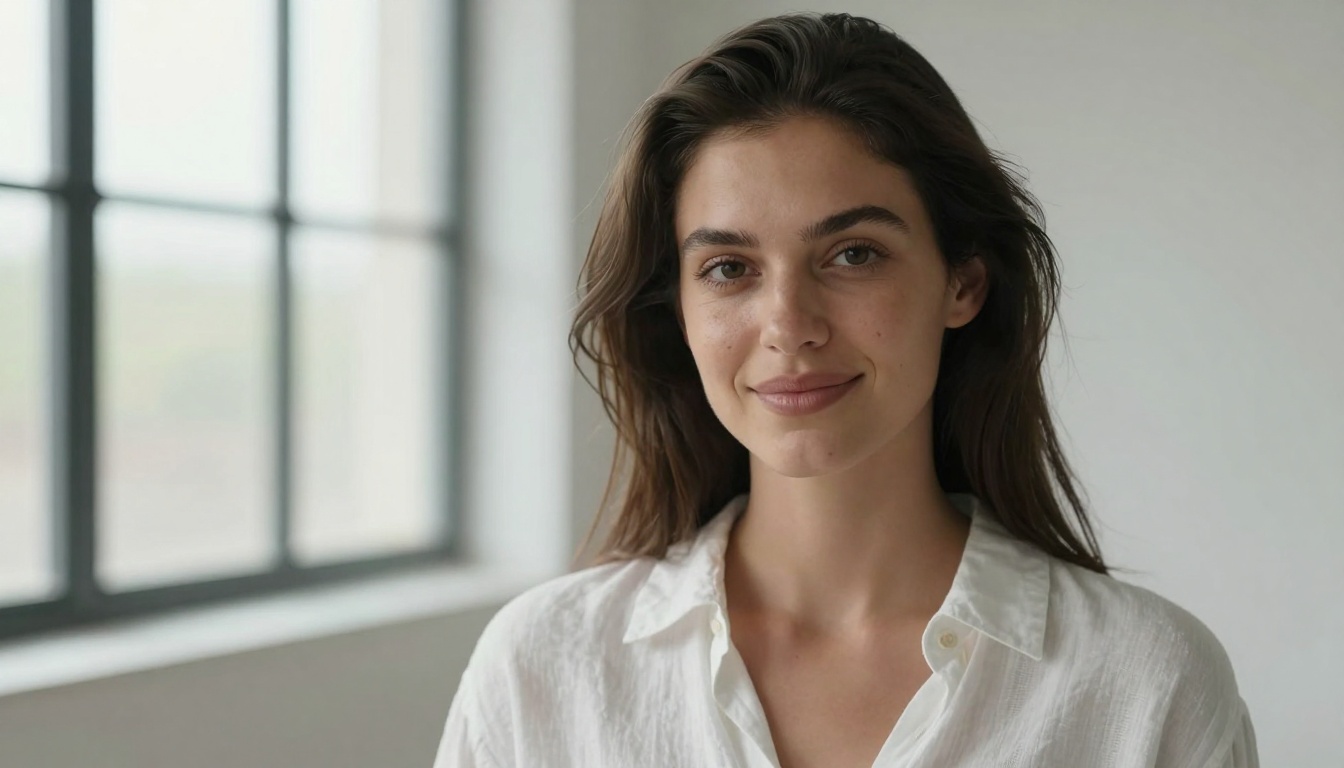
Hyper-realistic portrait photography. Subject: woman in late 20s with natural beauty, wearing simple white linen shirt. Shot in minimalist studio with large north-facing windows, soft diffused afternoon light creating gentle shadows on face. Subtle genuine smile with slight crinkles around eyes. Hair dark brown with natural texture, slightly tousled by gentle breeze. Skin texture shows realistic pores, fine lines around eyes, natural skin variations with subtle freckles. Shot with 85mm f/1.8 lens at f/2.8, shallow depth of field with eyes in sharp focus. Color grading: natural skin tones with slight warmth, Kodak Portra 400 film simulation. Classic portrait framing with slight negative space on left. --ar 16:9 --style raw
Why This Works:
Specific lens details (85mm f/1.8) tell Flux 2 Pro to use portrait lens characteristics
Missing lighting context: Just describing the person without how they're lit
Generic lens references: "professional camera" vs. "85mm f/1.8 lens"
No texture specifications: Skin looks plastic without pore and line details
Landscape and Nature Photography with Cinematic Quality
Landscape photography with Flux 2 Pro achieves National Geographic-level results when you treat it like actual location photography rather than fantasy art generation. The key is environmental specificity and atmospheric conditions.
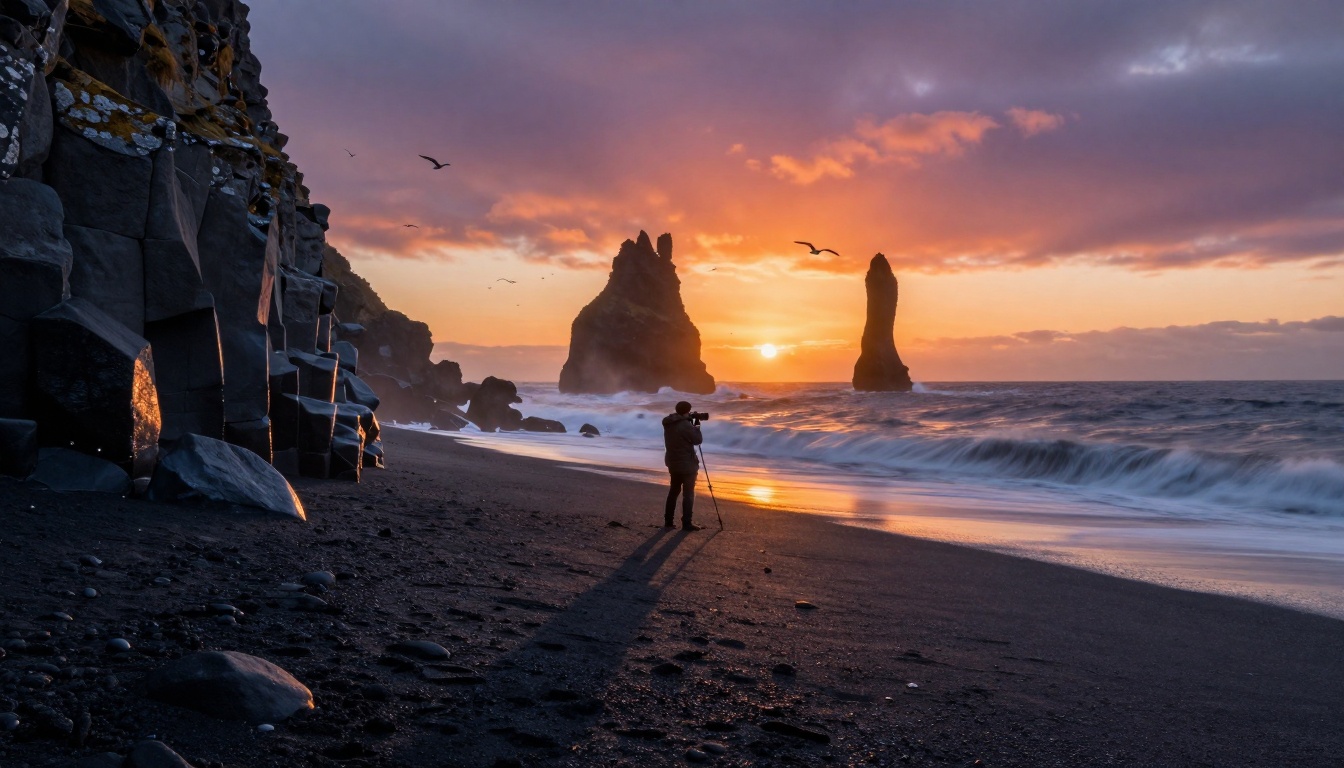
Cinematic landscape photography. Icelandic coastline at sunset, volcanic black sand beach meeting turbulent Atlantic ocean. Single photographer silhouette against vibrant orange and purple sky. Golden hour light creates long shadows across textured sand, illuminating water droplets on basalt rock formations. Ocean waves show realistic motion blur with foam patterns. Shot from low angle with 24mm wide-angle lens, deep depth of field. Atmospheric details: light mist rising from cold ocean meeting warmer air, seagulls flying in formation. Textures: wet volcanic sand with granular details, weathered basalt with lichen patches. Style: National Geographic documentary photography, photorealistic, 8K resolution. --ar 16:9 --style raw
Critical Elements for Landscape Success:
Specific location references: "Icelandic coastline" vs. "beach"
Time and lighting: "golden hour" vs. "sunset" (more photographic)
Comparison: Generic vs. Photographic Landscape Prompts
Generic Prompt
Photographic Prompt
Result Difference
"Beautiful mountain scene"
"Alpine landscape at blue hour, 16mm wide-angle lens capturing foreground wildflowers to distant peaks, light fog in valleys"
Generic vs. specific composition
"Ocean waves"
"Atlantic storm waves at golden hour, 70mm lens capturing motion blur, sea spray catching light, realistic water texture"
Basic vs. dynamic action
"Forest path"
"Pacific Northwest forest trail after rain, 35mm lens with deep depth of field, mist between trees, wet bark texture visible"
Flat vs. atmospheric depth
Commercial Photography for E-commerce and Marketing
For business applications, Flux 2 Pro becomes a cost-effective production studio. Product photography, architectural interiors, and food photography benefit enormously from photographic prompt engineering. The commercial advantage comes from consistent styling and professional presentation.
Commercial product photography. High-end mechanical wristwatch on minimalist black slate surface. Shot from overhead perspective with macro lens details showing intricate watch mechanics. Watch positioned at 10:10 position, stainless steel bracelet draped naturally. Lighting: professional studio setup with softbox creating soft shadows, rim light highlighting metallic edges, fill light revealing dial details. Realistic metal textures with brushed and polished surfaces, sapphire crystal with anti-reflective coating showing slight blue tint. Background: black slate with subtle texture. Style: luxury product photography, clean commercial aesthetic, realistic materials and lighting. --ar 16:9 --style raw
Commercial Applications:
E-commerce product images without photoshoot costs
Lifestyle product placement in realistic environments
Packaging mockups with photorealistic materials
Architectural visualizations for real estate
Food photography for restaurant menus and delivery apps
Food Photography That Actually Makes People Hungry
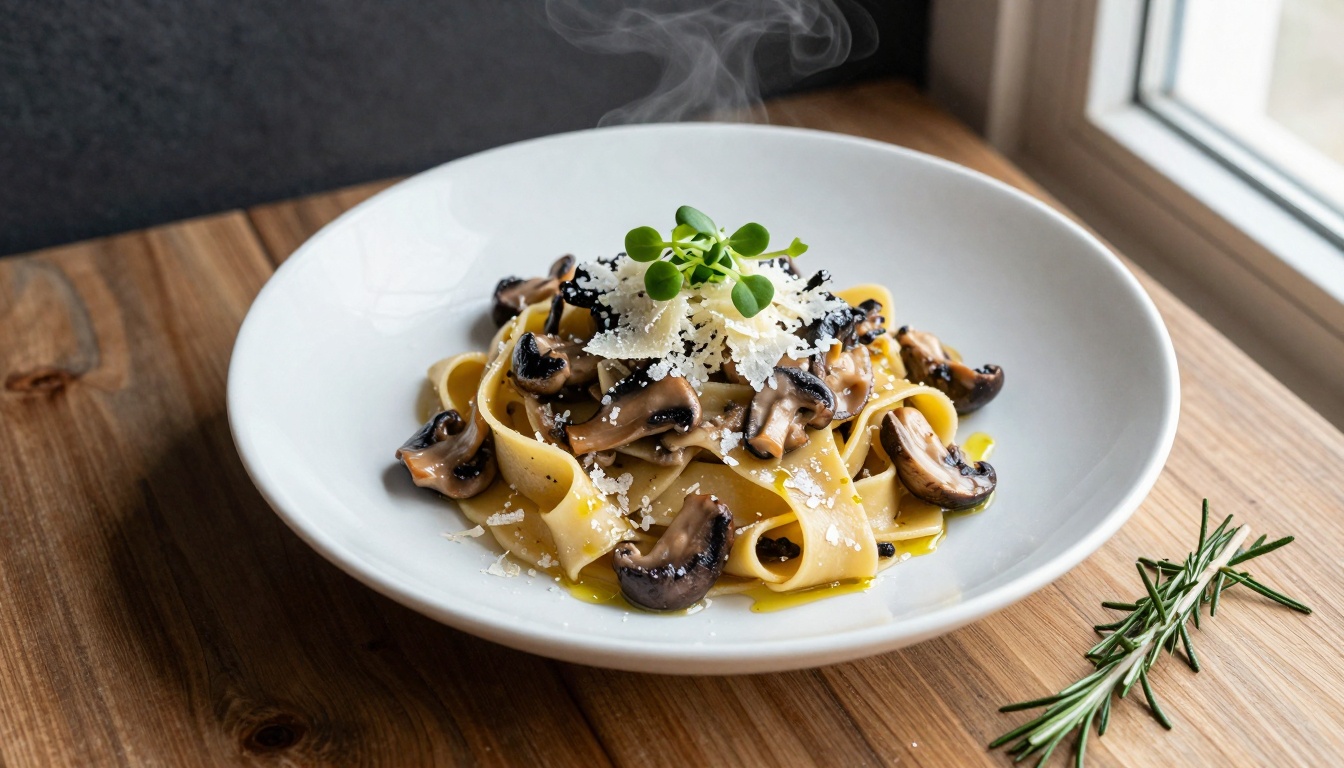
Food photography depends on texture representation and appetite appeal. Generic prompts produce sterile images, while photographic prompts create images that could run in gourmet magazines.
Working Food Prompt:
Food photography for restaurant marketing. Artisanal pasta with fresh ingredients: handmade tagliatelle with wild mushroom ragù, topped with microgreens and Parmigiano-Reggiano shavings. Shot from overhead perspective with macro details showing individual ingredients. Soft window light from right side creating gentle shadows that highlight texture. Pasta plate rests on rustic wooden table with natural grain visible. Individual pasta strands with flour dusting, realistic mushroom texture with earthy tones, cheese shavings with crystalline structure, olive oil droplets with light reflections. Steam rising subtly from hot dish. Centered dish with ingredients spilling naturally onto table. Style: gourmet food photography, natural lighting, realistic textures. --ar 16:9 --style raw
Fashion and Editorial Photography
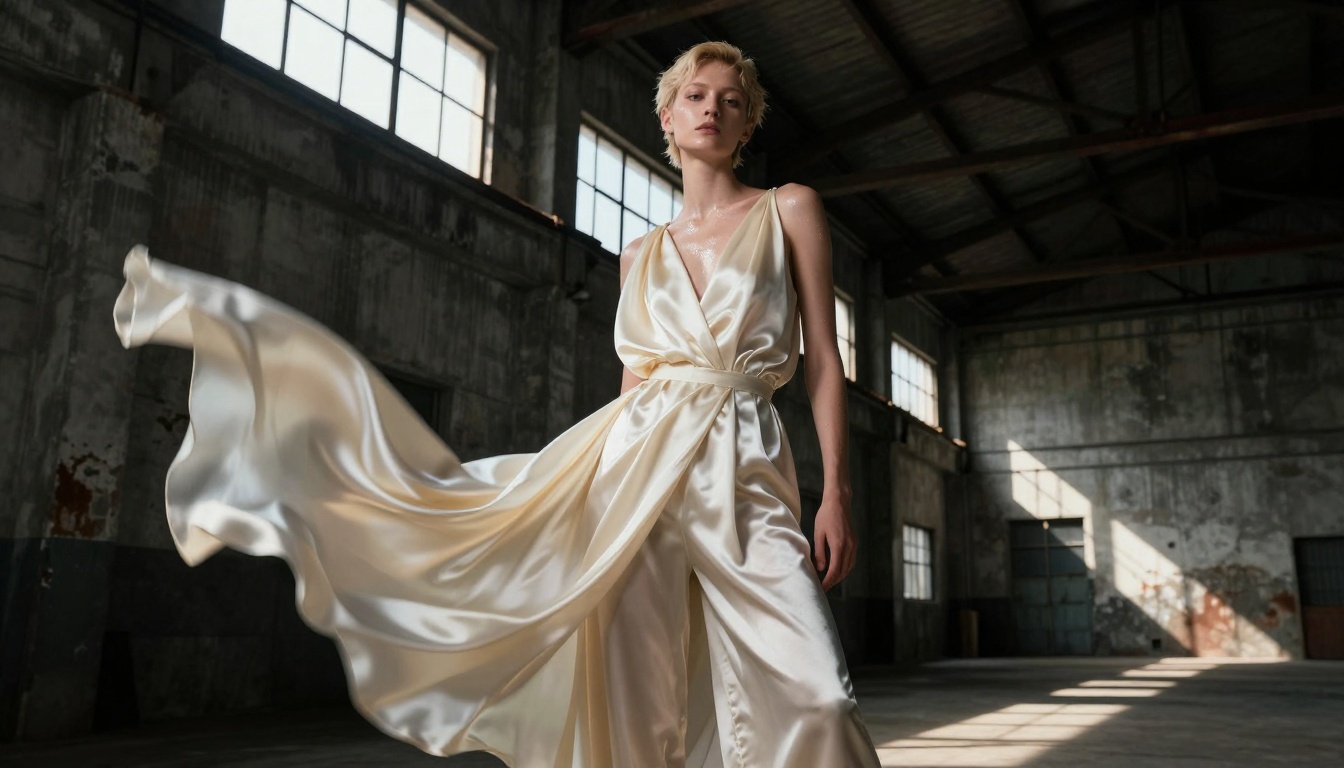
Fashion photography with Flux 2 Pro achieves editorial quality when you focus on styling details, fabric textures, and location context. The difference between costume and couture comes down to specific material descriptions.
Fashion editorial photography. Androgynous model with short blonde hair, wearing avant-garde draped garment in cream-colored silk. Location: industrial warehouse with concrete walls and steel beams, afternoon light streaming through broken windows creating dramatic light beams. Model poses dynamically, fabric flowing in motion captured with slight motion blur. Shot from low angle with 50mm lens at f/4. Lighting: dramatic chiaroscuro with strong contrast between light and shadow. Silk fabric with realistic drape and sheen, concrete texture with weathering marks, steel surfaces with rust patches. Style: high-fashion editorial, dramatic lighting, realistic textures, cinematic quality. --ar 16:9 --style raw
Fashion Photography Elements Flux 2 Pro Understands:
Fabric types and behaviors: silk drape, wool texture, leather grain
Location aesthetics: studio vs. environmental fashion
Model posing: dynamic vs. static, editorial vs. catalog
Lighting moods: dramatic, soft, high-key, low-key
Street Photography and Documentary Style
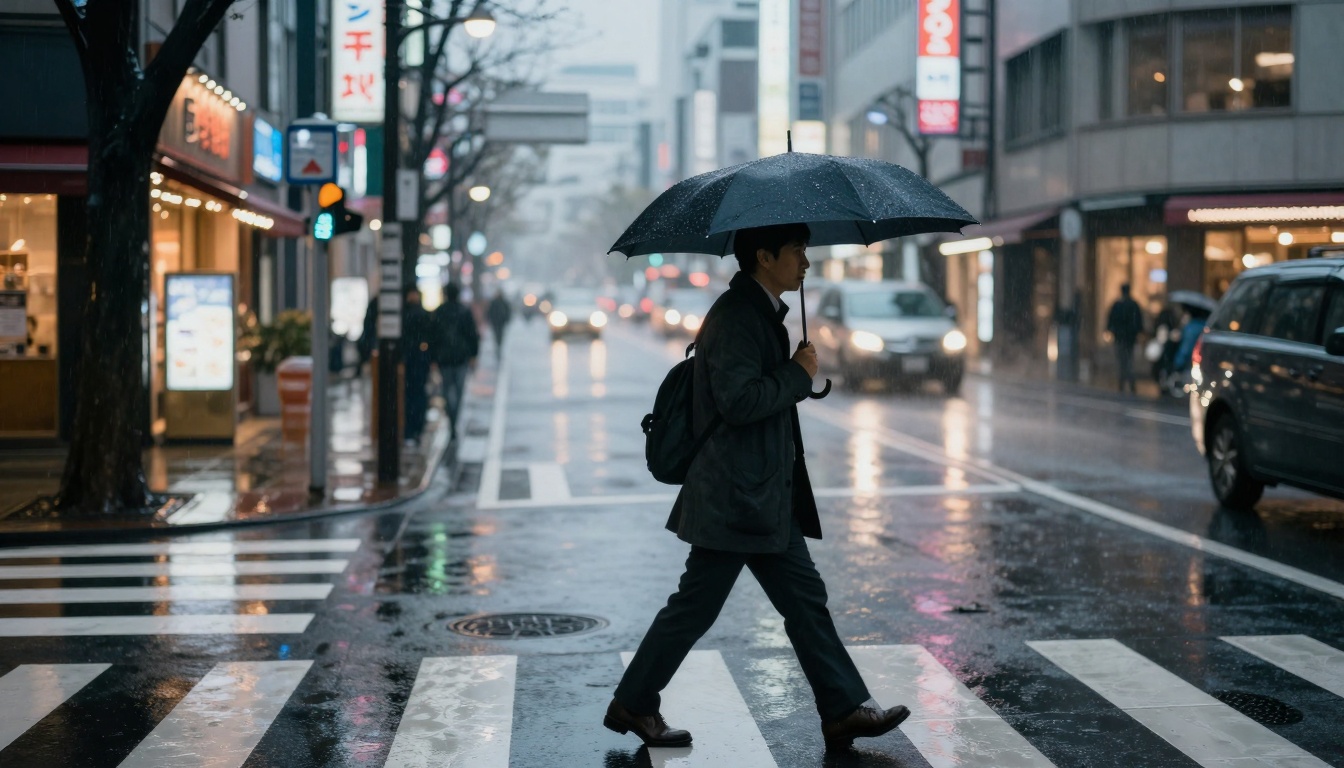
Street photography depends on authentic moments and urban atmosphere. Flux 2 Pro can capture this when prompts focus on environmental storytelling rather than posed scenes.
Street photography with cinematic quality. Rainy evening in Tokyo neighborhood, neon signs reflecting on wet asphalt. Businessman with umbrella walks through crosswalk, silhouette highlighted by storefront lights. Shot from across street with 85mm lens. Lighting: mixed sources including neon signage, street lamps, shop window displays creating colorful bokeh. Realistic rain droplets on umbrella and pavement, wet surface reflections with accurate color bleed, clothing texture on wool coat. Atmospheric: light fog creating depth, motion blur on passing vehicles. Style: documentary street photography, cinematic mood, realistic urban atmosphere. --ar 16:9 --style raw
Street Photography Authenticity Tips:
Specific urban locations: "Tokyo neighborhood" vs. "city street"
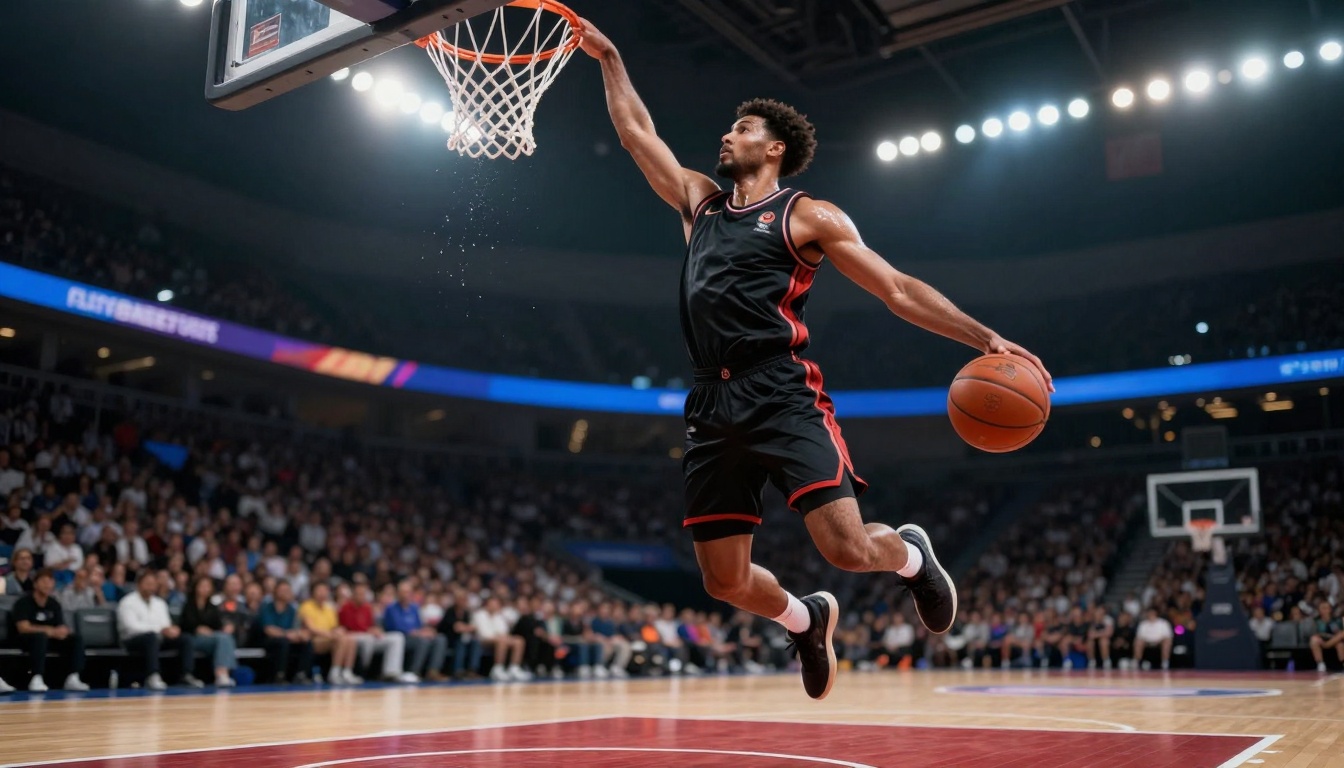
Action photography requires motion representation and dynamic composition. Flux 2 Pro handles this exceptionally well when prompts include specific athletic contexts and photographic timing.
Sports action photography. Professional basketball player mid-jump for slam dunk, captured at peak of action. Arena setting with stadium lights creating dramatic shadows. Shot from low angle perspective with 70-200mm telephoto lens at 1/1000s shutter speed, freezing motion while showing slight motion blur in trailing arm. Lighting: arena spotlights creating dramatic rim light on athlete's body, sweat droplets glistening. Realistic muscle definition with sweat sheen, jersey fabric texture with team logo details, basketball with genuine leather texture. Style: professional sports photography, action freeze, realistic athletic details. --ar 16:9 --style raw
Action Photography Elements:
Specific sports moments: "mid-jump for slam dunk" vs. "basketball player"
Camera settings: shutter speed references for motion control
Professional style: references to sports photography standards
Wedding and Event Photography
Event photography depends on emotional authenticity and storytelling moments. Flux 2 Pro captures this when prompts focus on human interaction and natural settings rather than posed formality.
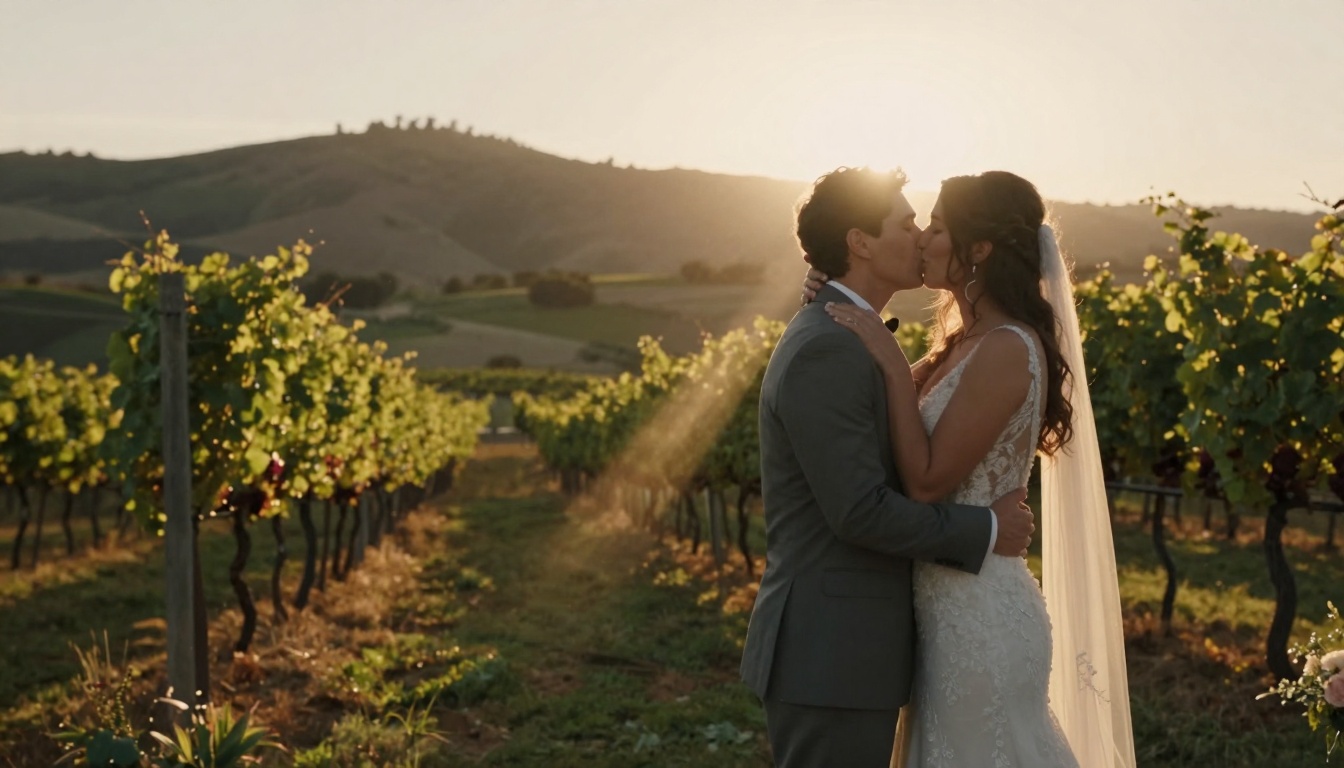
Wedding photography with emotional storytelling. Intimate outdoor ceremony at golden hour, couple sharing first kiss as married partners. Location: vineyard with rolling hills in background, evening sun creating backlight with lens flare. Shot from side angle with 35mm lens. Lighting: golden hour backlight creating halo effect around couple, fill flash subtlety revealing facial expressions. Realistic fabric textures on wedding attire, natural skin tones with emotional expressions, vineyard foliage with accurate leaf details. Genuine emotional moment, natural setting, timeless quality. Style: documentary wedding photography, natural lighting, emotional storytelling. --ar 16:9 --style raw
Event Photography Authenticity:
Specific moments: "first kiss as married partners" vs. "wedding couple"
Detail attention: fabric textures, environmental elements
Documentary style: candid vs. posed photography
Technical Parameters That Matter in Flux 2 Pro
Beyond the prompt structure, specific technical parameters influence Flux 2 Pro's output quality. These aren't just optional tweaks—they're essential for consistent results.
Resolution and Aspect Ratio Considerations
Aspect Ratio
Best Use Cases
Recommended Resolution
16:9
Landscape, commercial, editorial
1920x1080 (Full HD) or 3840x2160 (4K)
1:1
Product, social media, portraits
1080x1080 or 2048x2048
4:3
Traditional photography, prints
1600x1200 or 3200x2400
3:2
35mm film standard, professional prints
1800x1200 or 3600x2400
💡 Pro Tip: Always specify --ar 16:9 in your prompt for widescreen compositions. For maximum quality, include 8K resolution or 4K photography in your style description.
Style Modifiers That Actually Work
Flux 2 Pro responds to specific style keywords that trigger photographic rather than artistic rendering:
Effective Style Keywords:
photorealistic (triggers realism over stylization)
cinematic photography (cinematic lighting and composition)
RAW photography (minimal processing, natural look)
film photography (film grain, specific film stock characteristics)
Ineffective Style Keywords to Avoid:
digital art (triggers illustration style)
3D render (computer graphics aesthetic)
painting (artistic rather than photographic)
illustration (drawing style)
concept art (fantasy/digital art)
Negative Prompting for Photographic Control
Negative prompts remove unwanted elements from Flux 2 Pro's generation. For photographic results, these are essential:
Recommended Negative Prompts for Photography:
digital art, 3D render, illustration, painting, cartoon, anime, drawing, sketch, CGI, computer graphics, neon, glowing, fantasy art, surreal, abstract, distorted, deformed, blurry, pixelated, low quality, watermark, text, logo, signature
Why Negative Prompts Matter: Flux 2 Pro's training includes both photographs and digital art. Without negative prompts, it might blend styles. Specifying what you don't want is as important as what you do want.
Advanced Prompt Engineering Techniques
Once you master the basic photographic prompt structure, these advanced techniques elevate your Flux 2 Pro results to professional level.
Seed Control for Consistency
Seed values determine the random starting point for generation. Using consistent seeds allows you to:
Create variations on successful images: Generate multiple options from a working prompt
Maintain character consistency: Keep the same subject across different scenes
Test prompt modifications: See how specific changes affect the output
How to Use Seeds Effectively:
Start with a successful generation and note the seed
Use that seed for subsequent variations: --seed 1234567890
Modify one element at a time to see its effect
Create character sheets for consistent subjects
Prompt Weighting for Emphasis
Flux 2 Pro understands emphasis through syntax. These techniques control which elements receive priority:
Emphasis Techniques:
Parentheses for importance: (85mm f/1.8 lens) increases weight
Square brackets for reduction: [slightly] decreases emphasis
AND connectors: golden hour AND backlighting AND lens flare combines elements
Example of Weighted Prompt:
(portrait photography) with (85mm f/1.8 lens) at (f/2.8 aperture), [slightly] diffused afternoon light, natural skin texture with (realistic pores and fine lines), Kodak Portra 400 film simulation
Sequential Prompting for Complex Scenes
For particularly complex images, break the prompt into logical sections:
Section 1 - Photographic Context: Establish the photographic style and approach
Section 2 - Subject and Composition: Describe the main elements and framing
Section 3 - Lighting and Atmosphere: Specify lighting conditions and mood
Section 4 - Technical Details: Include camera, lens, and technical specifications
Section 5 - Style and Quality: Final style modifiers and quality requirements
Example Sequential Structure:
[Cinematic landscape photography] [Icelandic coastline at golden hour] [Volcanic black sand beach with ocean waves] [Shot with 24mm wide-angle lens, deep depth of field] [National Geographic documentary style, 8K resolution, photorealistic]
Common Problems and Solutions
Even with perfect prompts, you might encounter specific issues. Here are solutions for the most common Flux 2 Pro challenges.
Problem: Faces Look Artificial or "Doll-Like"
Solution: Increase specific texture details and decrease perfection emphasis.
Before: "Beautiful woman with perfect skin smiling at camera"
After: "Portrait of woman in late 20s with natural skin texture showing realistic pores and fine lines, subtle genuine smile with slight crinkles around eyes"
Problem: Lighting Looks Flat or Artificial
Solution: Specify natural light conditions with photographic terminology.
Before: "Well-lit room with person"
After: "North-facing window light creating soft shadows, afternoon sun at 45-degree angle, volumetric light with dust particles visible"
Problem: Composition Feels Random or Unbalanced
Solution: Include specific composition rules and framing details.
Before: "Person in room"
After: "Rule of thirds composition with subject positioned left of center, negative space on right, leading lines from architectural elements"
Problem: Textures Look Digital or Repetitive
Solution: Add specific material descriptions with variation mentions.
Before: "Wooden table"
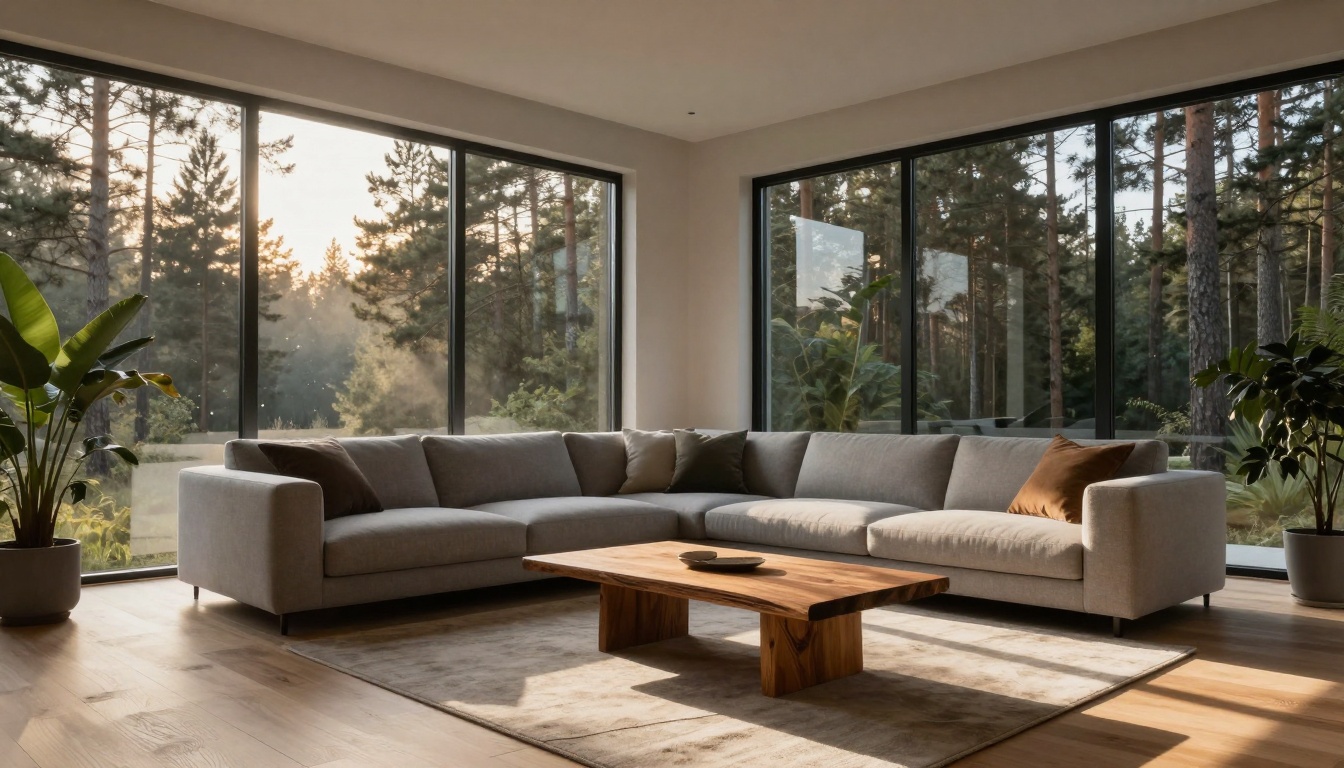
After: "Live edge wooden table with visible grain variations, natural knots and imperfections, slight weathering on surface"
Problem: Colors Look Oversaturated or Unnatural
Solution: Reference specific film stocks or color treatment styles.
Before: "Vibrant colors"
After: "Kodak Portra 400 film simulation with natural color palette, slight warmth in skin tones, realistic saturation levels"
Integrating with Other PicassoIA Models
Flux 2 Pro works exceptionally well with other models on PicassoIA. For comprehensive workflows, consider these integrations:
Create cinematic sequences from photographic concepts
Develop multimedia content from single images
Practical Workflow for Consistent Results
For professional use, establish a systematic workflow with Flux 2 Pro:
Start with photographic reference: Find actual photographs that represent your desired style
Analyze photographic elements: Identify lens, lighting, composition, and technical details
Build prompt structure: Use the core formulas provided in this article
Generate test images: Create 3-5 variations with different seeds
Analyze results: Identify what works and what needs adjustment
Refine prompt: Make specific modifications based on analysis
Create final batch: Generate the required number of images with consistent parameters
Post-process if needed: Use enhancement tools for specific requirements
Next Steps for Your Photography Projects
The prompts in this article provide working templates, but the real power comes from adaptation to your specific needs. Start with these templates, then modify them based on your projects:
Commercial clients: Focus on product details and professional presentation
Portrait work: Emphasize natural textures and authentic expressions
Landscape projects: Highlight atmospheric conditions and location specificity
Event coverage: Capture emotional moments and storytelling elements
Fashion editorial: Develop styling concepts and fabric representations
Each successful generation teaches Flux 2 Pro's response patterns better. Document what works, analyze why it works, and build your personal library of effective prompts. The more you work with photographic language, the more consistently Flux 2 Pro delivers professional-quality images.
Try these prompts with your next project on PicassoIA. Start with the portrait or landscape examples, make specific modifications for your needs, and observe how photographic prompt engineering transforms your results from generic AI outputs to images that could grace magazine pages or commercial campaigns.