Most people type a vague sentence into an image model, get something that looks like a stock photo from 2015, and decide the tool is overrated. Flux Pro 1.1 punishes that habit and rewards the opposite one: specific, photographic, well-ordered prompts. Give it a real camera, a real light source and a real subject, and it returns images with believable skin, clean edges and almost no of the plastic sheen older models were known for.
This article walks through what the model is, how to write prompts for it, which settings deserve your attention, and how to try it without paying. Every example prompt below follows the same structure, so you can copy the pattern and swap in your own subject.
What Flux Pro 1.1 Actually Is
Flux Pro 1.1 is a text-to-image model from Black Forest Labs, the team behind the original Flux family. It sits above Flux Dev and Flux Schnell in quality, and it replaced the first Flux Pro as the default choice when you want the best output from the line without training anything yourself.
The reasons people pick it are practical:
- Prompt adherence. It follows long, multi-part descriptions without dropping half the details.
- Speed. It generates noticeably faster than the first Flux Pro, which matters when you iterate ten times on one idea.
- Photographic realism. Skin pores, fabric weave, wet stone and glass reflections come out with convincing texture.
- Clean composition. Subjects are placed deliberately, with fewer warped hands and melted backgrounds than in earlier generations.
💡 Quick positioning: Flux Pro 1.1 is the "daily driver" for photorealism. Flux 1.1 Pro Ultra pushes resolution to roughly 4 megapixels, and Flux 2 Pro is the newer generation if you also want to edit from reference photos.
Where It Fits in the Flux Family
| Model | Best for | Speed | Typical use |
|---|
| Flux Schnell | Fast drafts | Very fast | Testing a prompt idea |
| Flux Dev | Balanced quality | Medium | Personal experiments |
| Flux 1.1 Pro | Final quality, strong adherence | Fast | Client work, posts, mockups |
| Flux 1.1 Pro Ultra | High resolution | Medium | Prints, large banners |
| Flux 2 Pro | Text and photo inputs | Medium | Editing and reference work |
Flux Pro 1.1 reads natural language well, so you do not need comma-soup or keyword stuffing. What it does respond to is order. Put the most important thing first and the finishing details last.
Use this five-part structure:
- Subject and action: who or what, doing what.
- Environment: where, with two or three concrete props.
- Light: direction, quality and time of day.
- Camera: lens, aperture, angle.
- Texture and mood: surfaces, grain, atmosphere.

Why Light Comes Before Style
Beginners add style words like "cinematic" and "epic" and wonder why every image looks the same. Light does far more work. Compare "a woman in a cafe" with "a woman in a cafe, soft window light from the left, cool overcast daylight, shallow depth of field". The second one gives the model a lighting setup it can render physically, and you get shadows that fall in the right direction.
Lens Language Is a Shortcut
Lens and aperture numbers act like compressed instructions:
- 24mm f/8: wide, deep focus, good for landscapes and interiors.
- 35mm f/2: street feel, a little environment around the subject.
- 50mm f/1.8: natural perspective, soft background.
- 85mm f/1.8: portrait compression, creamy bokeh.
- 100mm macro f/2.8: tiny subjects, razor thin focus.
💡 Tip: Pick one lens per prompt. Mixing "wide angle" with "85mm" confuses the framing.
Ten Prompt Patterns With Examples
The images in this section are illustrations of each prompt style. The wording shown is the pattern; replace the nouns and keep the structure.
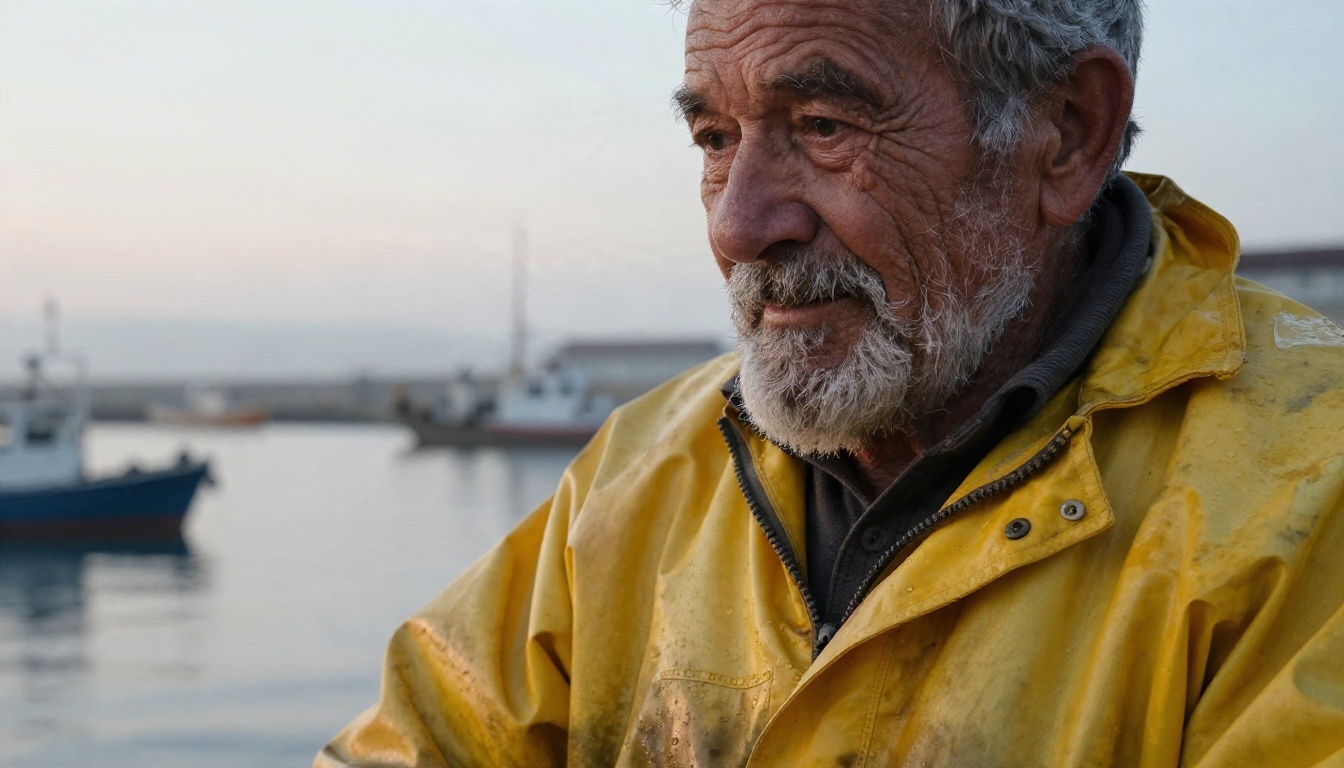
1. Documentary Portrait
Close-up portrait of an elderly fisherman with deep wrinkles and a salt-and-pepper beard, weathered yellow oilskin jacket, misty harbor dock at dawn, soft overcast light from the right, 85mm f/1.8, visible skin pores, water droplets on fabric, Kodak Portra 400 grain.
Portraits are where Flux Pro 1.1 shines. The words visible skin pores and overcast light push it away from airbrushed faces.
2. Product Shot
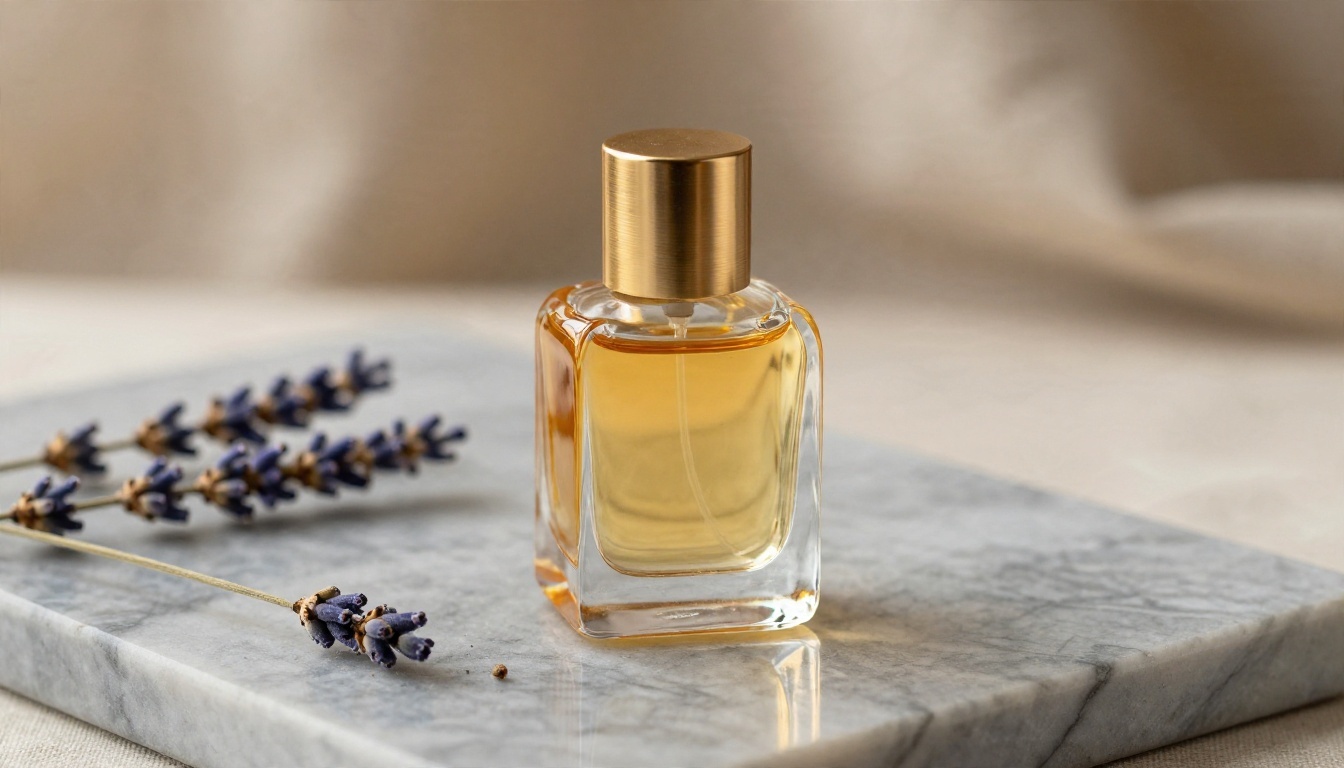
Amber glass perfume bottle with a brushed brass cap on grey marble, dried lavender stems beside it, soft window light from the left, 45 degree high angle, 100mm macro f/4, crisp glass edges, fine marble veining, warm linen backdrop.
Product prompts need a surface, a single light source and a neutral backdrop. Name the material (glass, brass, marble) and the model handles reflections convincingly.
3. Aerial Landscape
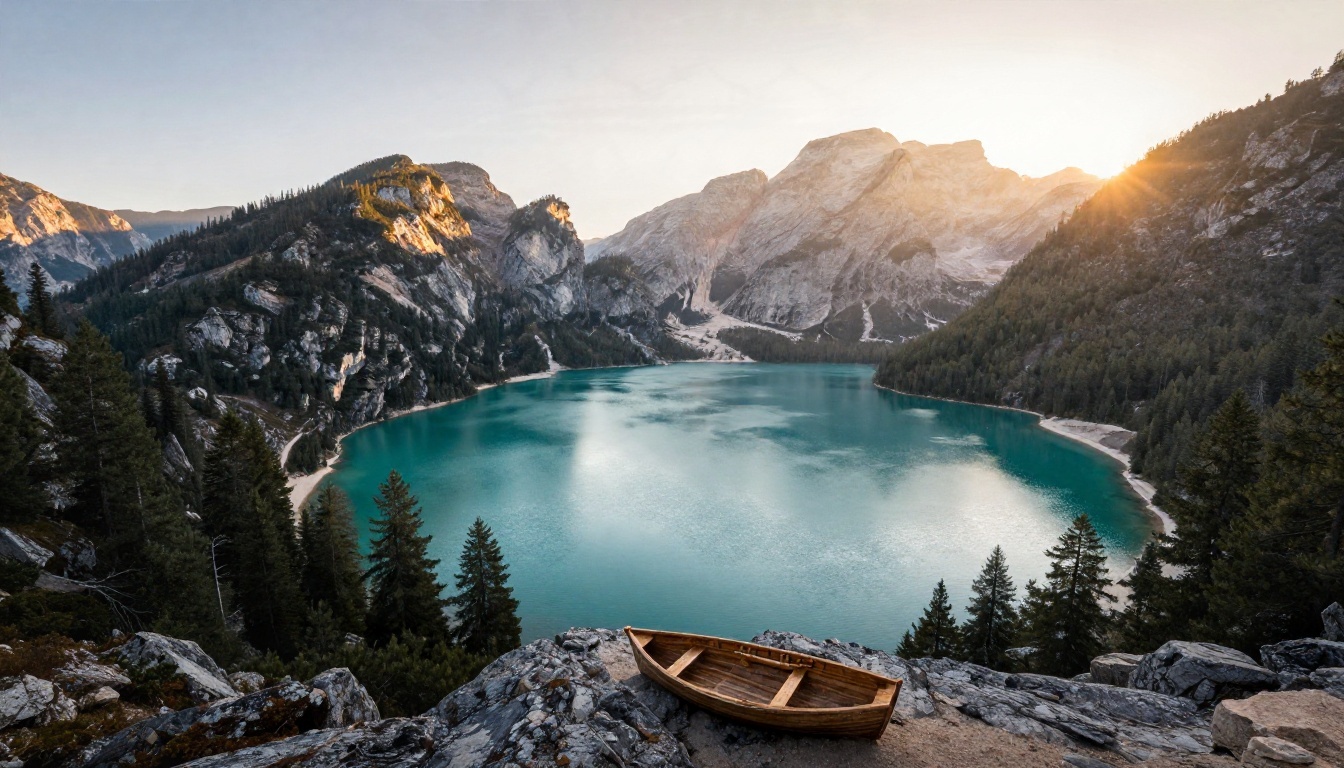
Wide aerial view of a turquoise alpine lake surrounded by dark pine forest and granite peaks at golden hour, low sun raking warm light across the ridge from the right, small wooden rowboat near the shore, 24mm f/8, valley mist, ripples on the water.
For landscapes, state the time of day and the direction of the sun. Add one small human-scale object, like the rowboat, so the scene has a sense of distance.
4. Street Photography
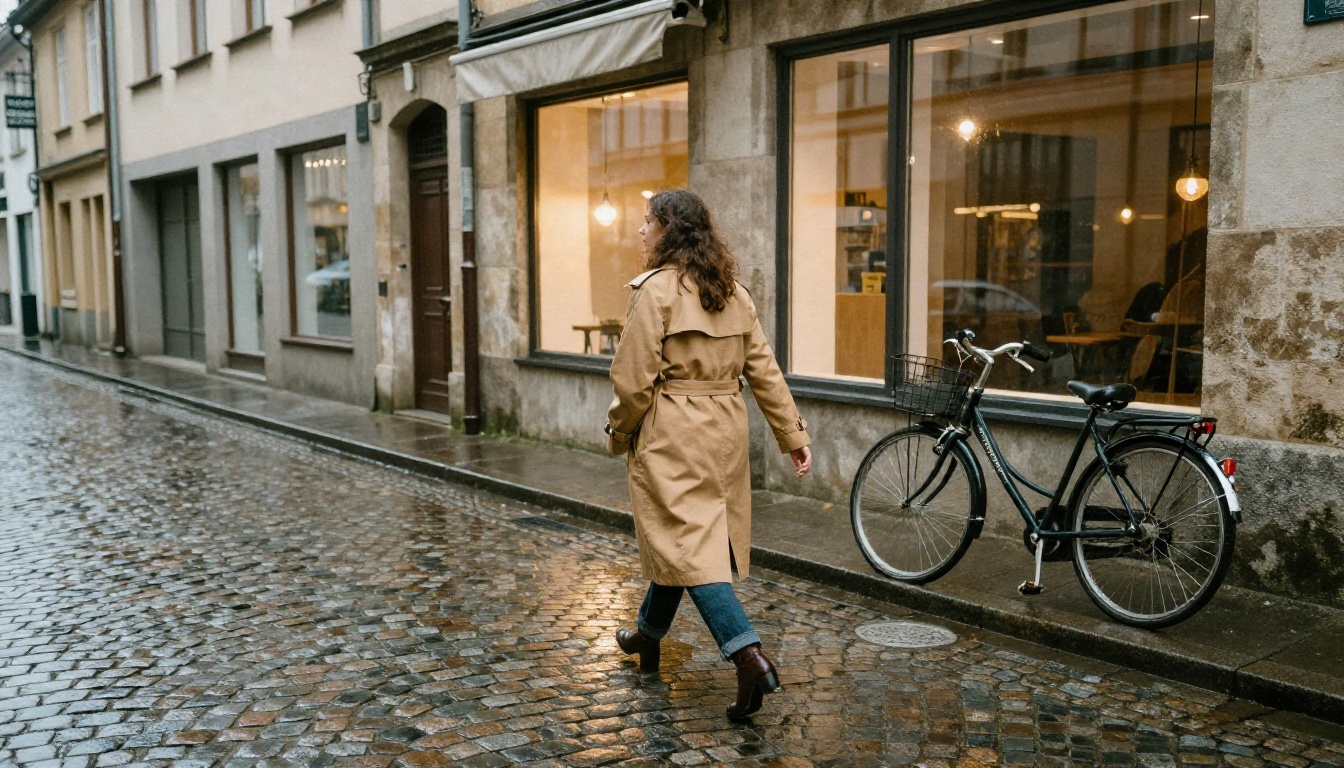
Woman in a camel trench coat crossing a wet cobblestone lane in an old European town after rain, shop windows reflecting warm light, bicycle against a stone wall, low angle from the pavement, 35mm f/2, puddle reflections, late afternoon diffused light from behind.
Wet surfaces are a gift for realism. Rain, puddles and window reflections give the model many places to show believable light.
5. Food Flat Lay
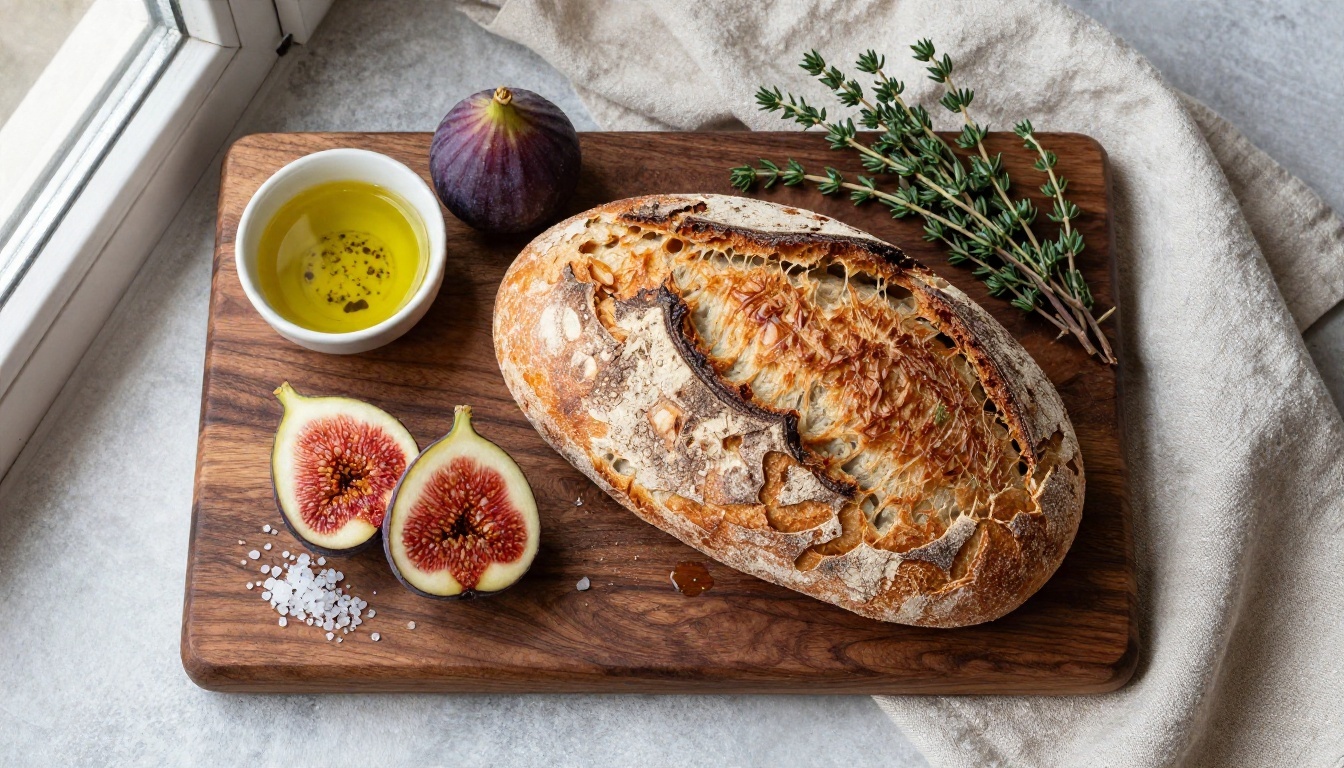
Overhead flat lay of a sliced sourdough loaf on a dark walnut board with ripe figs, olive oil in a small bowl, thyme sprigs and flaky sea salt, daylight from the left window, 50mm f/5.6 top-down, visible crumb structure, linen napkin.
Food needs texture words: crumb, crust, glossy, flaky. Without them the result looks flat and waxy.
6. Architectural Interior
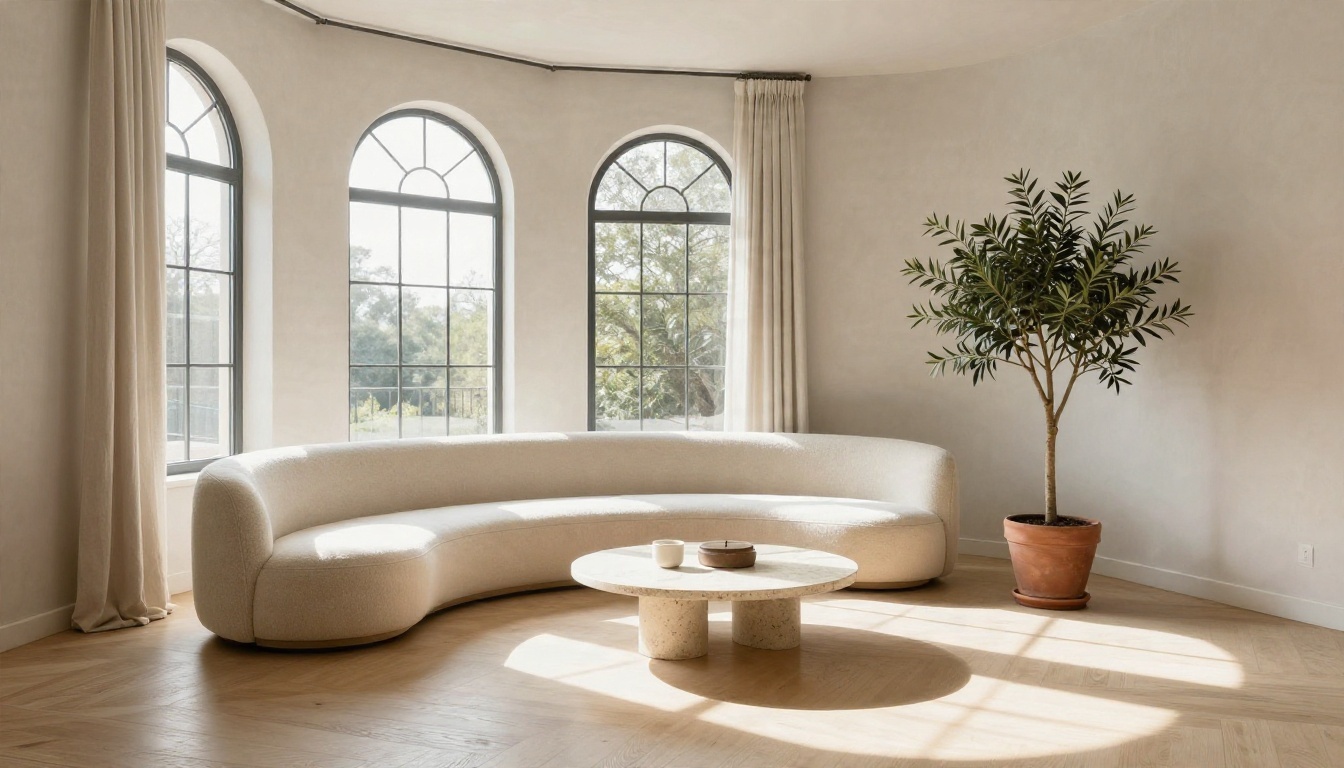
Minimalist living room with a curved cream bouclé sofa, travertine coffee table and tall arched windows, afternoon sun from the right casting diagonal shadows on pale oak floor, 24mm tilt-shift f/8, straight verticals, plaster wall texture, olive tree in a terracotta pot.
The phrase straight verticals keeps walls from leaning. Naming materials (travertine, bouclé, plaster) gives interior shots a high-end look.
7. Lifestyle Candid
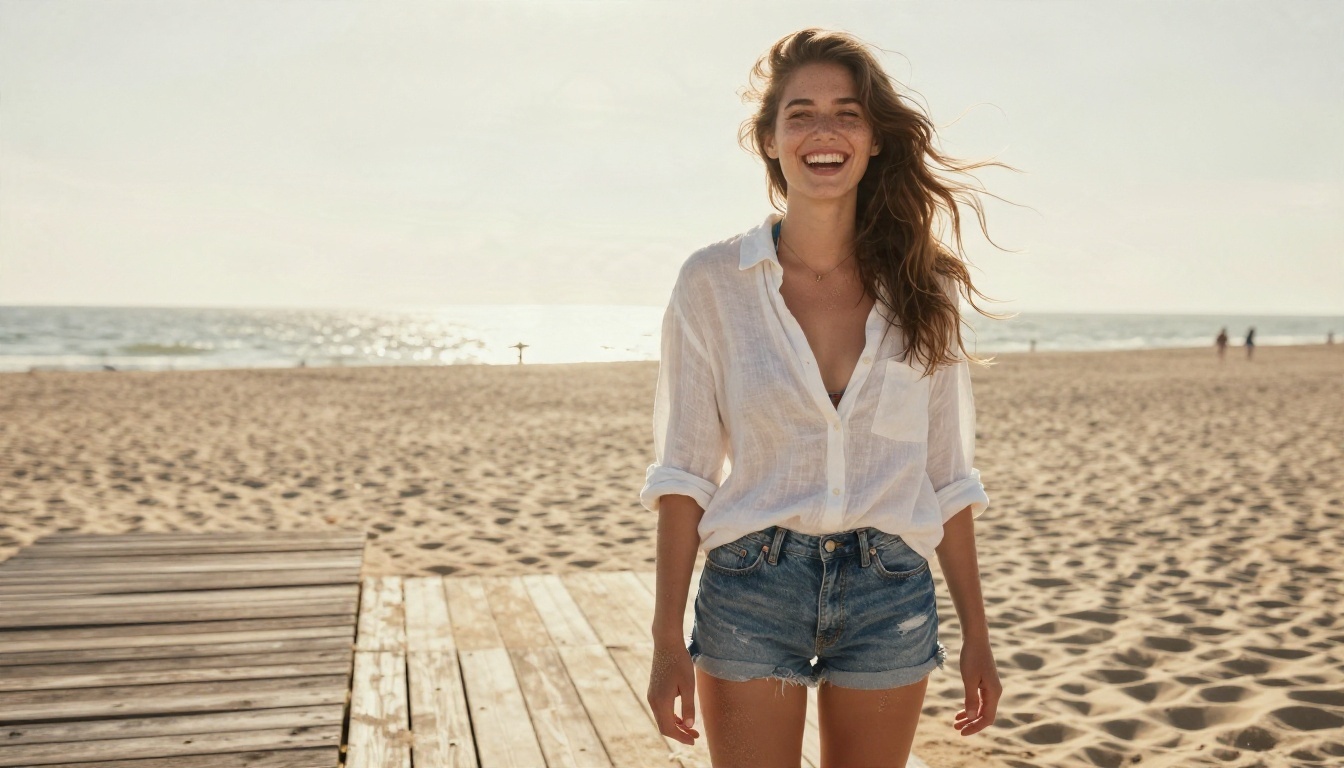
Young woman in a white linen shirt and denim shorts laughing on a sunlit beach boardwalk, wind lifting her hair, backlit golden hour light with a soft rim on her hair, 70mm f/2, medium shot from slightly below, sand grains on skin, weathered wood planks, sea haze.
Backlight plus a candid action ("laughing", "wind lifting her hair") produces natural expressions instead of stiff posing.
8. Macro Nature
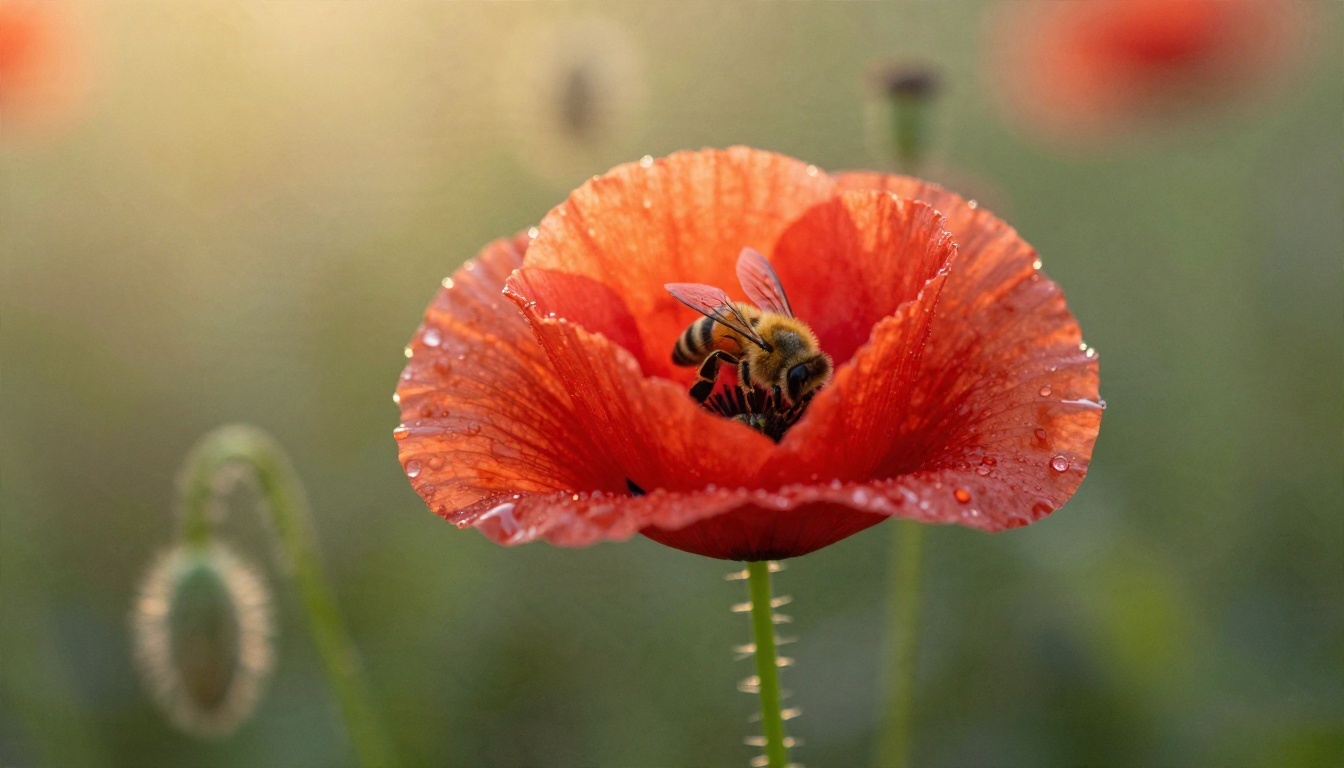
Dewy red poppy in a wild meadow at sunrise, a honeybee landing on the petals, golden backlight, 100mm macro f/2.8, very shallow depth of field, translucent petal veins, pollen, water droplets, fine hairs on the stem.
Macro prompts reward tiny details. List three or four small textures and the model fills the frame with them.
9. Lifestyle Scene With Props
Over-the-shoulder shot of a man in a grey sweater at a cafe table by a window, laptop screen turned away, open notebook, flat white with latte art, rain streaking the glass, cool daylight from the left, 50mm f/1.8, knit texture, ceramic glaze.
Notice that the laptop screen is turned away. Hiding screens and signs is a clean way to avoid garbled text, which is still a weak spot for most image models.

10. Editorial Studio Scene
Photographer in a cream knit sweater at an oak desk reviewing portraits on a monitor, tall industrial windows, morning light from the left, concrete floor, film camera with a 50mm lens in the foreground, 85mm f/1.8, dust motes in the sunbeam, Kodak Portra 400 grain.
This is the cover image style: a person, a workspace and a clear story. Scenes with a narrative feel less like generated output and more like frames from a shoot.
Settings That Change the Result
Flux Pro 1.1 has a short list of inputs. Names can vary slightly between platforms, but these are the ones that appear on most hosted versions.
| Setting | What it does | Practical advice |
|---|
| Prompt | Your description | Follow the five-part structure |
| Aspect ratio | Frame shape | 16:9 for banners, 3:2 for photos, 9:16 for stories |
| Width / Height | Custom size | Usually multiples of 32, roughly 256 to 1440 pixels per side |
| Prompt upsampling | Lets the system rewrite your prompt | Off for control, on for short prompts |
| Seed | Repeatable randomness | Fix it when testing small prompt edits |
| Safety tolerance | How strict the filter is | Leave at the default for most work |
| Output format | JPG, PNG or WebP | PNG for editing, WebP for the web |
Aspect Ratio First
Choose the ratio before you write. A 16:9 frame wants wide compositions, so write "wide aerial view" or "medium shot with environment". A 9:16 frame wants a vertical subject, like a full-length figure or a tall building.
Seeds and Small Edits
Here is the fastest way to improve a prompt: lock the seed, change one phrase, and compare. If you change the seed and the wording at once, you cannot tell which one caused the difference.
When to Use Prompt Upsampling
Upsampling rewrites your prompt for more creative variation. That is useful when you only have a rough idea like "foggy forest path". It is a bad choice when you need exact details, such as a specific jacket colour or a lens look, because the rewrite can drop them.
💡 Rule of thumb: Detailed prompt, upsampling off. Three-word prompt, upsampling on.
Common Mistakes and Quick Fixes
| Problem | Likely cause | Fix |
|---|
| Plastic, airbrushed skin | No texture or light words | Add "visible skin pores" and a real light direction |
| Flat, boring framing | No camera angle | Add "low angle" or "over the shoulder" |
| Everything looks the same | Style words without detail | Replace "cinematic" with a lens and light setup |
| Garbled text on signs | Text-heavy scene | Hide screens, or limit text to one or two English words |
| Wrong colours | Vague colour words | Name objects with colours: "mustard cardigan" |
| Cluttered background | Too many props | Keep to three props maximum |
Three Mistakes Worth Avoiding
- Prompt overload. Past roughly 150 words, the later details start getting ignored. Be selective.
- Negative phrasing. "No hands in frame" often makes hands appear. Describe what you want instead, such as "arms folded behind her back".
- Contradictory light. "Golden hour" and "overcast" in the same prompt cancel each other.
Free Ways to Try Flux Pro 1.1
You do not need to commit to a paid plan to see what the model can do.
- Run it in the browser on PicassoIA. Flux 1.1 Pro is available as a hosted model, so there is nothing to install and no GPU needed.
- Draft with the open siblings. Flux Schnell is built for quick tests, and Flux Dev gives a closer look at Pro quality for personal experiments. Refine the prompt there, then run the final version on Pro.
- Compare against other models. Run the same prompt on Seedream 4.5 or Nano Banana Pro to see which one suits your subject.
💡 Budget trick: Draft at low cost, then spend your generations on the final prompt. Ten rough tries on a fast model plus two on Pro costs less than twelve tries on Pro.
Availability and free allowances change over time, so check the model page for your current limits before you plan a big batch.
How to Use Flux 1.1 Pro on PicassoIA
The workflow takes about two minutes the first time.
- Open the model page. Go to Flux 1.1 Pro on PicassoIA.
- Write your prompt. Use the five-part structure: subject, environment, light, camera, texture.
- Pick the aspect ratio. 16:9 for wide scenes, 9:16 for vertical posts, 1:1 for avatars and thumbnails.
- Set the seed if you are testing. Leave it random when you are exploring ideas, and fix it when you are comparing small edits.
- Decide on prompt upsampling. Off if your prompt is detailed.
- Generate and compare. Look at lighting direction, hands and edges first.
- Iterate one change at a time. Adjust a single phrase, regenerate, and keep the better version.
- Upscale if needed. For large prints, switch to Flux 1.1 Pro Ultra or run the result through a super resolution model from the platform.
💡 Workflow tip: Keep a text file of prompts that worked. Reusing a proven structure and changing only the subject is the fastest way to get consistent results across a whole series.
When to Pick a Different Model
Flux Pro 1.1 is strong, but it is not always the right tool.
Quick Decision List
- Fast and cheap test: Flux Schnell.
- Best everyday photorealism: Flux 1.1 Pro.
- Large, detailed output: Flux 1.1 Pro Ultra.
- Reference photos and edits: Flux 2 Pro.
Try Your Own Prompts on PicassoIA
The fastest way to get good at Flux Pro 1.1 is to run a prompt, change one phrase, and look at what moved. Pick one pattern from the ten above, swap in a subject from your own life or project, and generate it. A fisherman becomes your grandfather's workshop, a perfume bottle becomes your own product, a cafe scene becomes your next blog header.
Open Flux 1.1 Pro on PicassoIA, paste your first prompt, and see how far a good light setup and a real lens number can take you. Then try the same prompt on a couple of other models and keep whichever one gives you the frame you pictured.


