You have a tired living room, a rough idea of what you want, and no patience for a three-week wait on a designer's mood board. That is exactly the gap Nano Banana fills. Type a few lines, or upload a photo of your own room, and you get a believable picture of the finished space in seconds. This article gives you the prompts, the room examples, and the free ways to try it, so you can stop imagining and start comparing.
Everything below is practical. You will see the prompt structure that gives clean results, copy-paste prompts for six rooms, a method for restyling a real photo without changing the layout, and an honest look at what free access really looks like in 2026.
Why Designers Reach for It
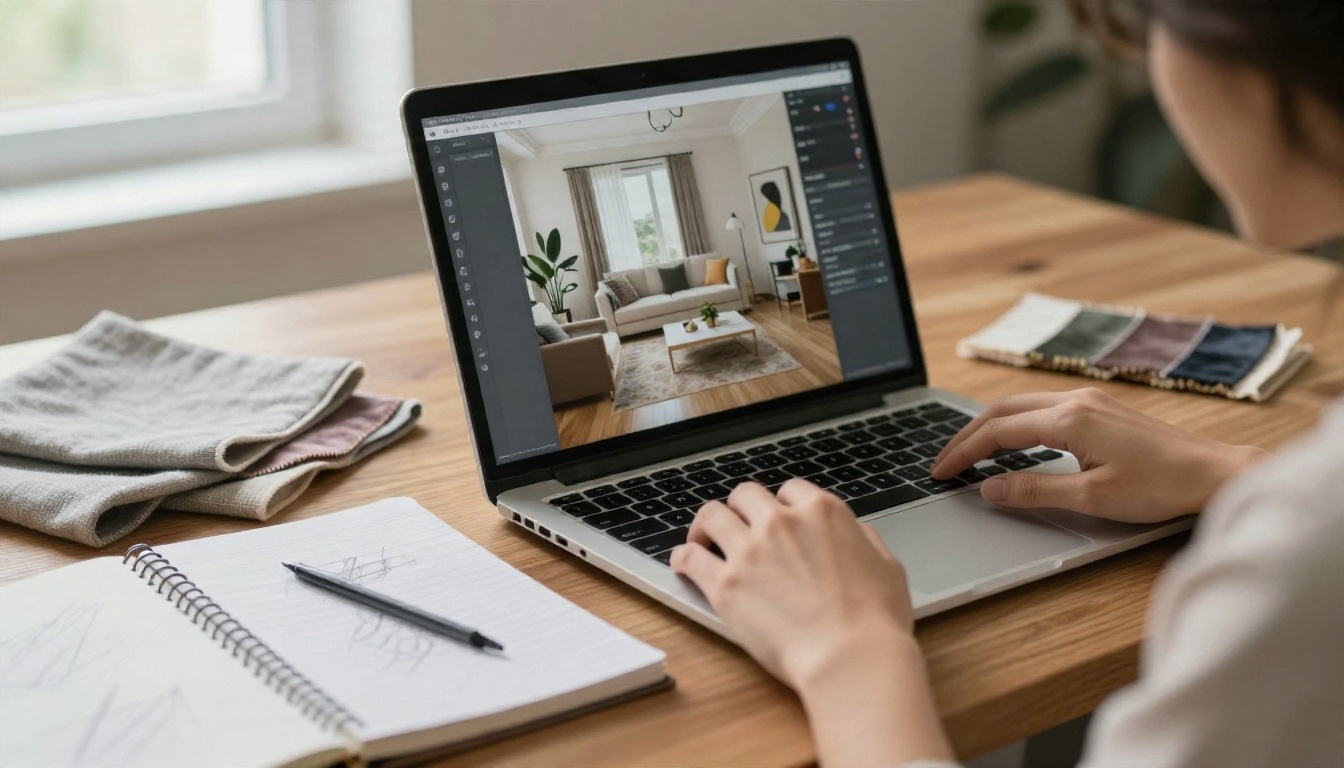
Nano Banana is Google's image model, built on Gemini 2.5 Flash Image. It became popular because it does two things in one tool: it generates a room from words, and it edits an existing photo while keeping most of the scene intact. For interior work, the second ability matters most. You rarely want a random room. You want your room, with a different sofa.
Newer versions followed. Nano Banana Pro (Gemini 3 Pro Image) pushes toward sharper detail and higher resolution. Nano Banana 2 is the faster, lighter generation, and Nano Banana 2 Lite trades a little detail for speed when you want to test many ideas quickly.
What It Does Well
- Style swaps: turn a dated room into Japandi, mid-century, industrial or coastal while the windows and walls stay put.
- Material changes: try oak against walnut floors, or a limewash wall against painted drywall, in one prompt.
- Staging empty rooms: furnish a bare space so buyers, clients or family can picture it.
- Lighting moods: the same room at golden hour, overcast noon or a lamp-lit evening.
- Fast variations: ten palette ideas in the time a human would sketch one.
Where It Falls Short
It is a visualization tool, not a drafting tool. Furniture dimensions are approximate, and a "three-seater sofa" may be drawn a bit too small or too large for your real wall. Text on books, labels and art tends to be unreliable. Treat the output as a direction, then confirm sizes with a tape measure before buying anything.
💡 Tip: Generate for taste, measure for reality. The picture tells you whether you like the idea. It cannot tell you whether the sofa fits through your door.
Vague prompts give vague rooms. "Nice modern living room" returns the same beige stock photo everyone else gets. A prompt that reads like a photographer's brief gives you a specific, believable result.
The Five Parts
Use this order. Each part narrows the result.
| Part | What to write | Example |
|---|
| Room and style | Room type plus a named style | "Japandi living room" |
| Layout | Where the big pieces sit | "low sofa facing a window, round coffee table" |
| Materials | Surfaces you can touch | "limewash walls, white oak floor, boucle sofa" |
| Light | Direction and time of day | "soft morning light from the left" |
| Camera | Lens, angle, film feel | "24mm lens, eye level, Kodak Portra 400 look" |
A complete prompt looks like this:
A Japandi living room with a low oatmeal boucle sofa facing a tall window, round travertine coffee table, jute rug, limewash walls and white oak floor. Soft morning light from the left, long gentle shadows. Shot with a 24mm lens at eye level, natural colors, subtle film grain, photorealistic interior photography.
Camera and Light Words That Help
Interior photography has its own vocabulary, and the model responds to it. These phrases shift results more than you would expect:
- "24mm, vertical lines straight" gives clean, magazine-style perspective.
- "Soft window light from the left" gives believable shadows instead of flat lighting.
- "Overcast daylight" is forgiving and great for kitchens and bathrooms.
- "Warm lamp light, dusk" works for bedrooms and reading corners.
- "Subtle film grain, natural colors" pulls the image away from the over-smooth, plastic look.
- "Slightly lived-in" adds a throw, a mug or a book, so the room feels real.
💡 Tip: Name two or three materials, not ten. Too many competing textures and the model starts averaging them into mush.
Room Prompts You Can Copy
Here are six prompts, each tested against the style you see in the example image. Swap the materials and colors for your own taste.
Living Room
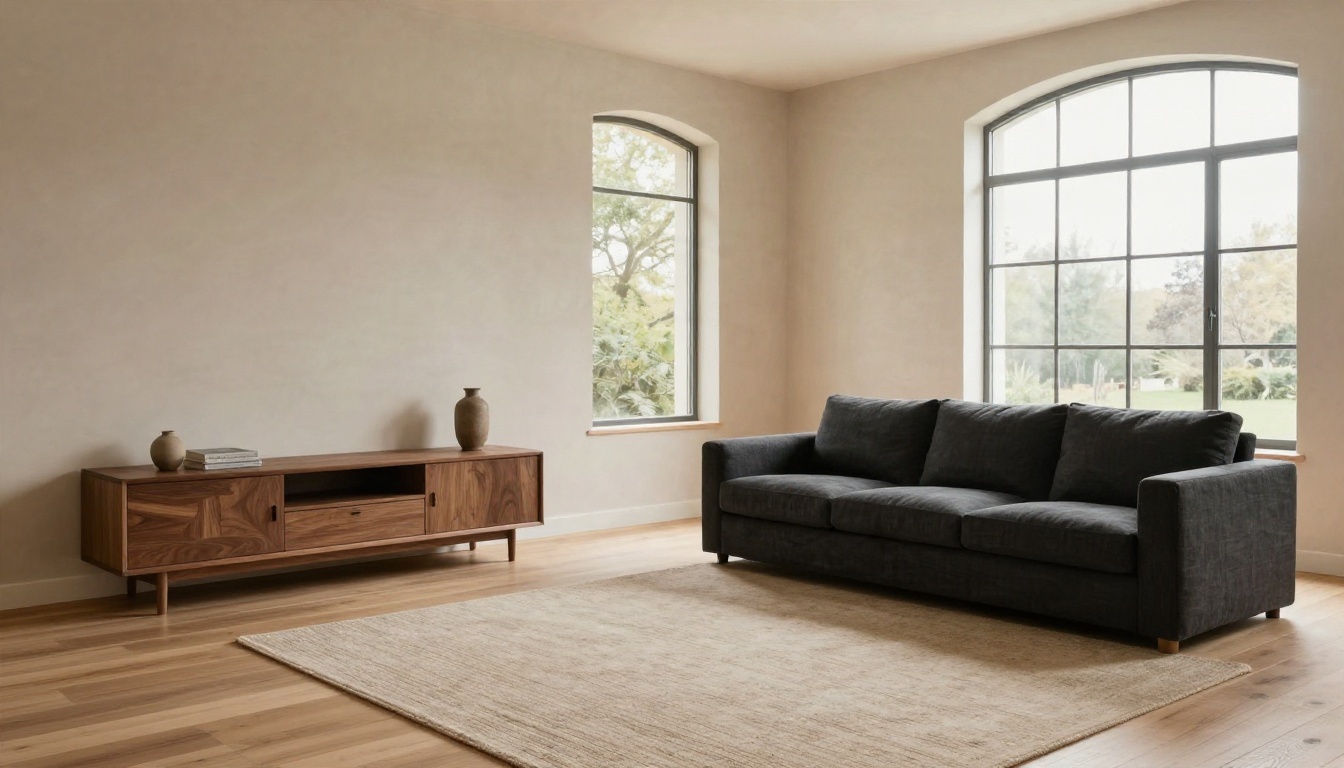
A modern living room with a charcoal linen sofa, walnut media console, large arched window and warm plaster walls. Wool rug on a pale oak floor. Soft morning light from the right, 28mm lens, eye level, natural colors, subtle film grain, editorial real-estate photography.
The arched window is a good test. Models often flatten arches, so naming the shape directly keeps it intact. If the sofa comes out too dark, add "lighter fill from the floor bounce" to open the shadows.
Kitchen
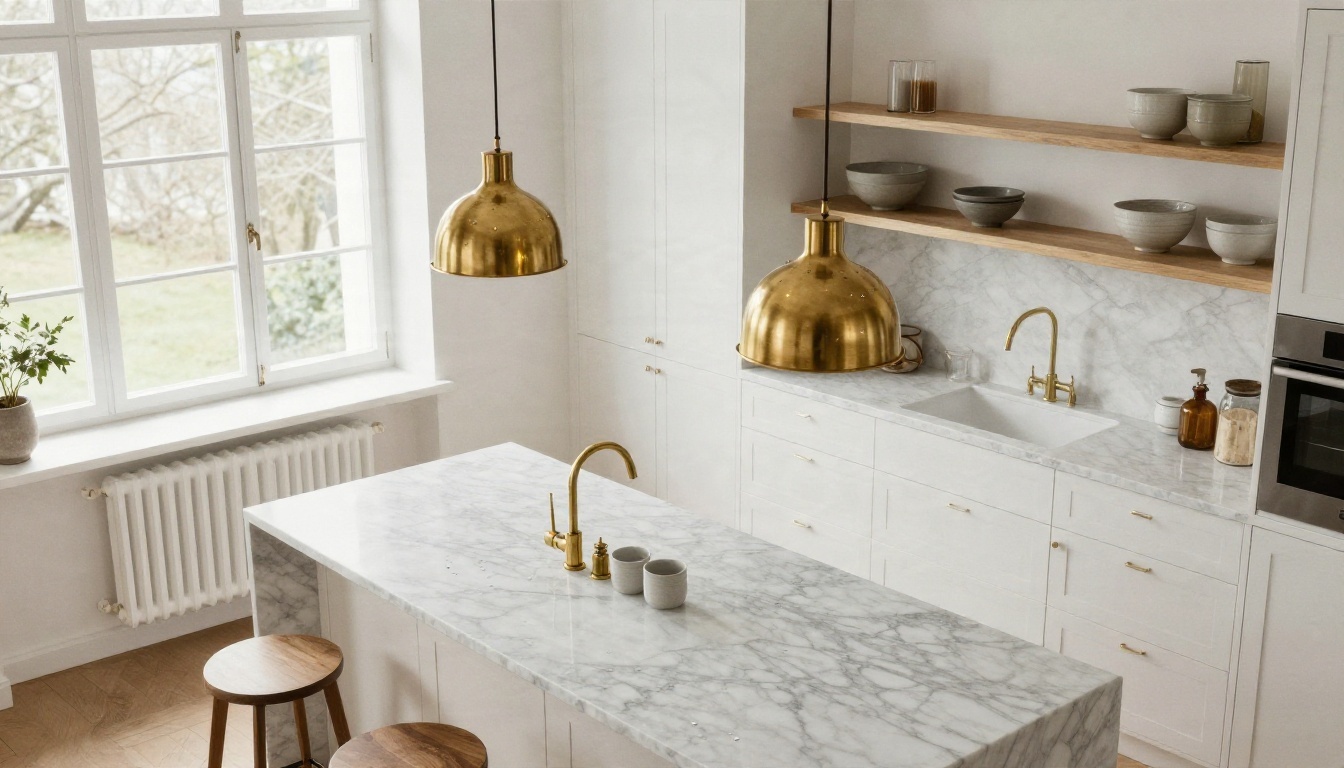
A bright Scandinavian kitchen with white shaker cabinets, honed marble island, brass pendant lights and open oak shelves with ceramic bowls. Overcast daylight from a large window on the left. High-angle view, 35mm lens, realistic stone veining, fine film grain.
Kitchens reward specificity about stone and metal. "Honed marble" and "brushed brass" read very differently from "marble" and "gold". If you are weighing cabinet colors, keep the prompt identical and change only one phrase, such as "sage green shaker cabinets".
Bedroom
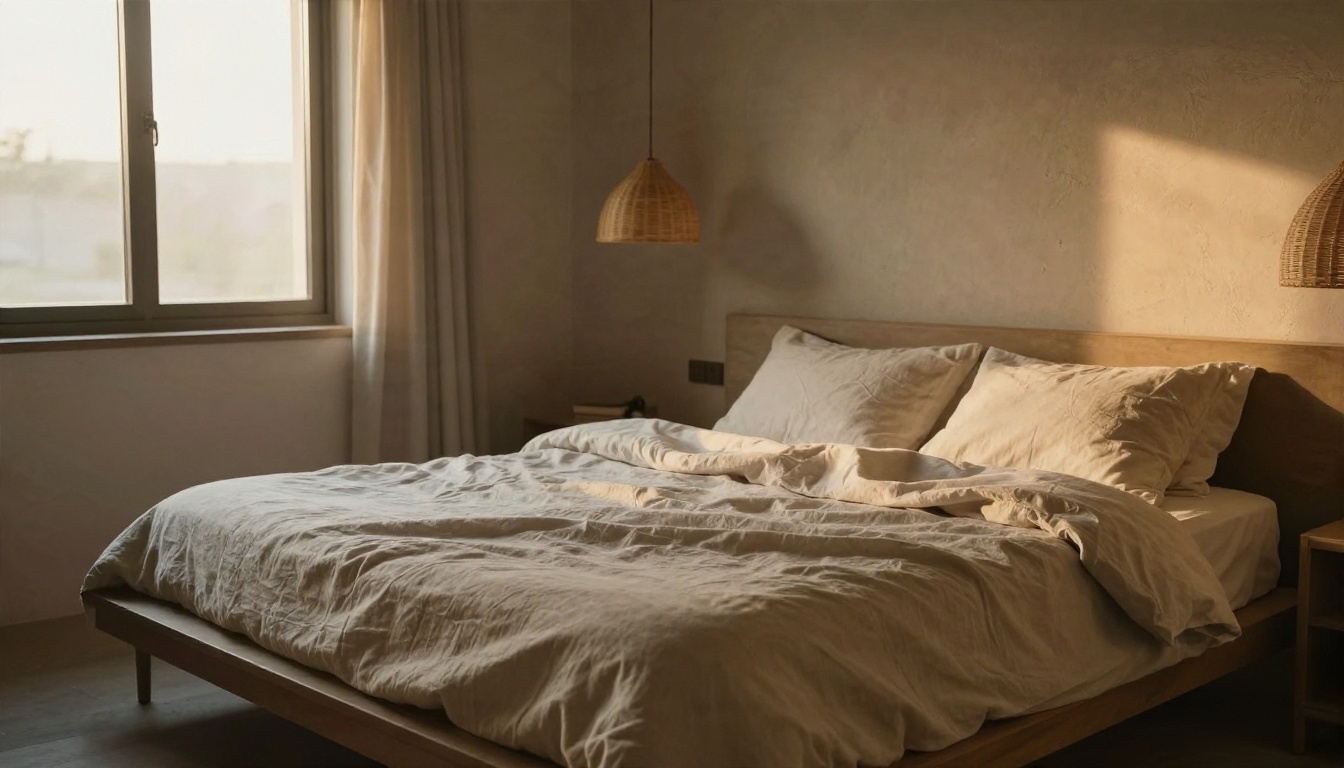
A serene primary bedroom with a low platform bed in natural linen bedding, slightly rumpled. Rattan pendant lamp, sheer curtains, textured limewash wall. Warm golden-hour light from the left window, low camera angle, 24mm lens, soft grain.
Asking for "slightly rumpled" bedding is a small trick with a big payoff. Perfectly smooth sheets are the fastest giveaway of an AI render.
Bathroom
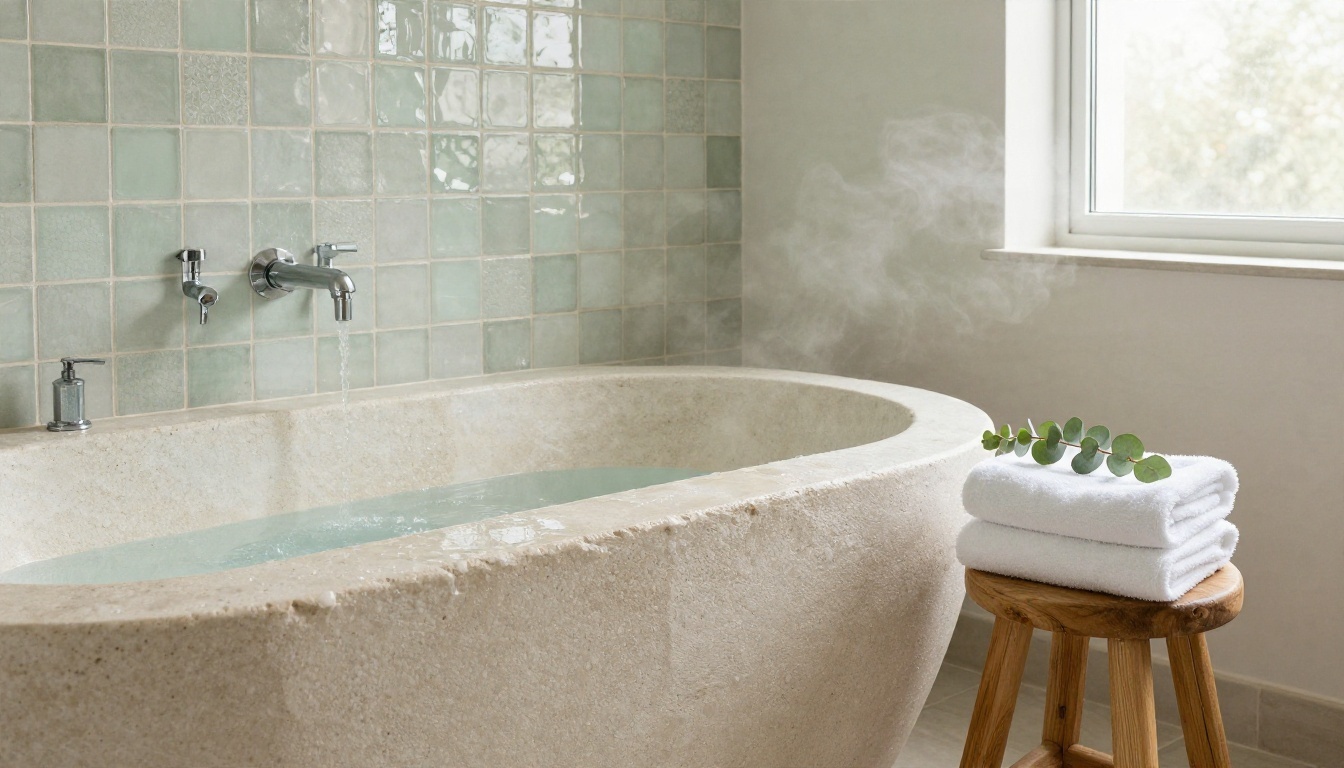
A spa-like bathroom with a freestanding stone tub, handmade sage zellige tiles with uneven glazed reflections, a teak stool with folded white towels and eucalyptus. Diffused daylight from a frosted window on the right. Straight-on view, 35mm lens, natural colors.
"Uneven glazed reflections" is the phrase that makes handmade tile look handmade. Without it, tile tends to look like a flat digital pattern.
Home Office
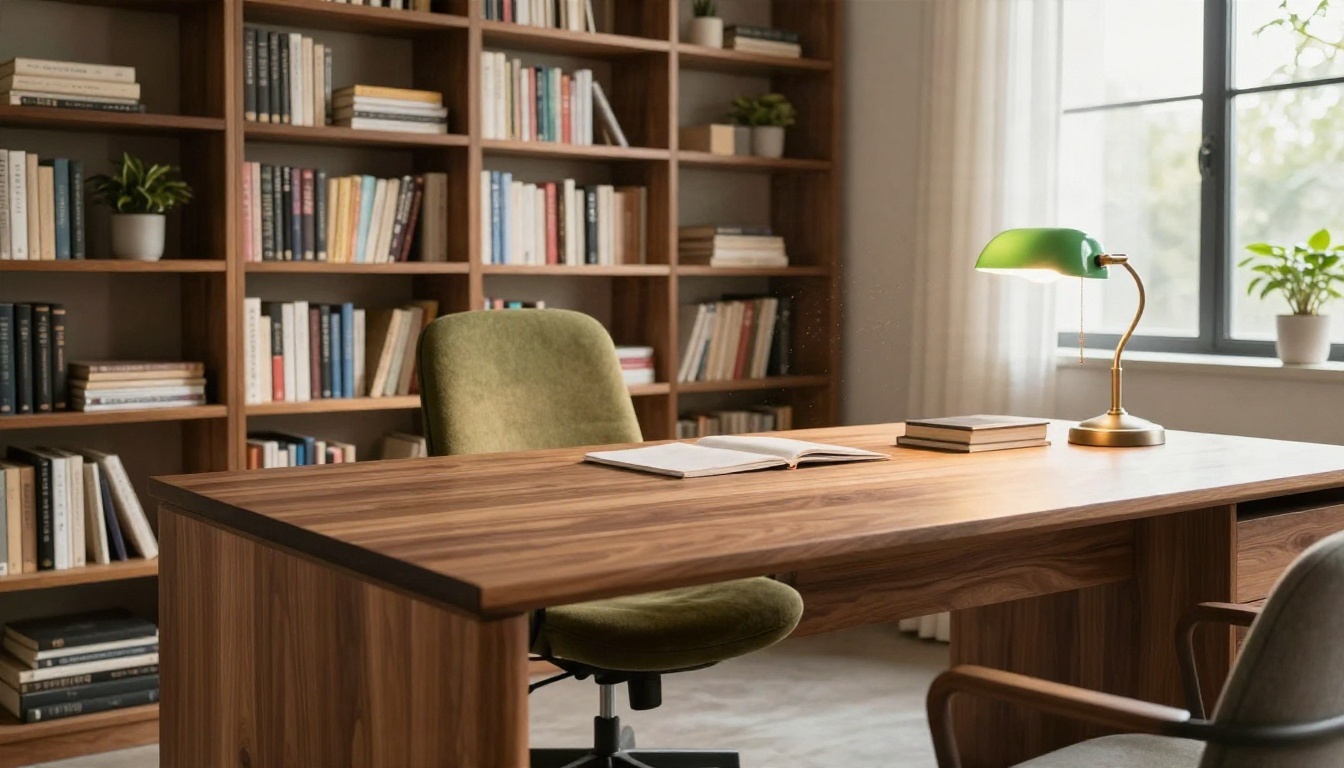
A home office with a solid walnut desk, olive wool ergonomic chair, floor-to-ceiling bookshelves with plants, and a green banker's lamp glowing softly. Late afternoon sun from the right, 28mm lens, visible wood grain, dust motes in the beam.
Bookshelves are where text problems show up. Ask for "book spines without text" or "plain linen-bound books" and you avoid the garbled lettering.
Balcony Nook
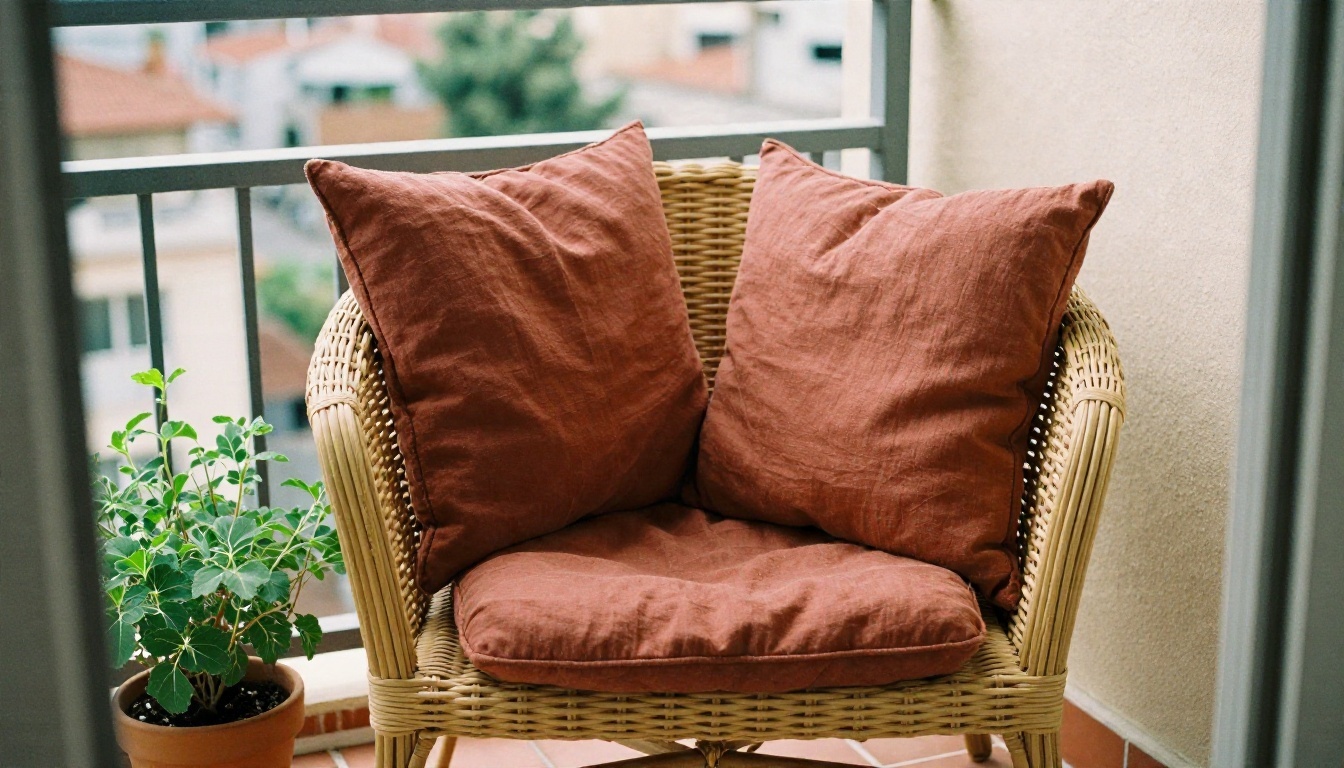
A small sunlit balcony reading nook with a woven cane chair, rust linen cushions, potted herbs and a terracotta-tiled floor. City rooftops softly blurred behind. Warm low sun from the left, 50mm lens at f/2, gentle grain.
Outdoor and small-space prompts benefit from a wider aperture phrase. It blurs the background and keeps attention on the furniture you actually care about.
Redesign a Real Room Photo
Generating a room from scratch is fun. Editing your own is useful. This is where Nano Banana earns its place in a renovation plan.
Stage an Empty Room
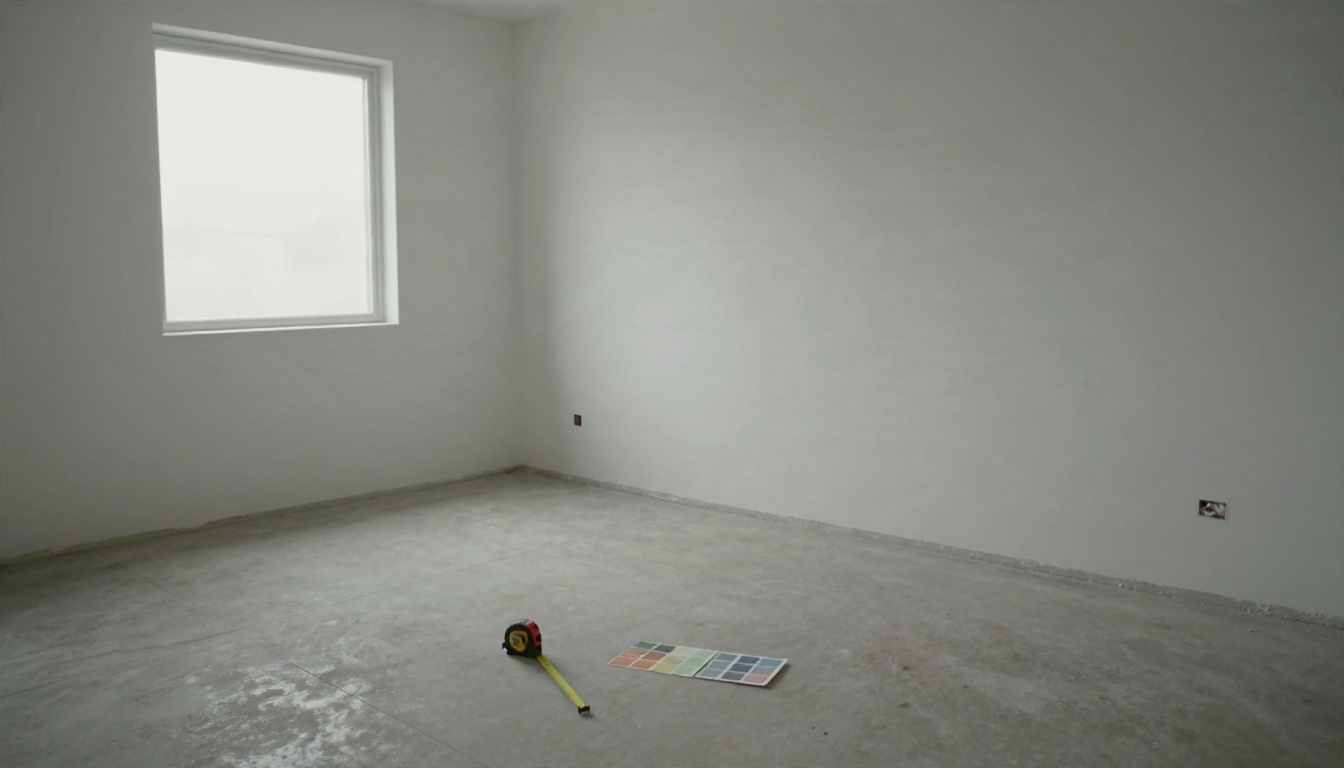
Take a straight, well-lit photo like the one above. Upload it and write:
Furnish this empty room as a warm modern living room. Add a linen sofa on the left wall, a round oak coffee table, a wool rug and a floor lamp. Keep the walls, windows, floor and camera angle exactly as they are. Match the existing daylight.
The last two sentences matter. "Keep the walls, windows, floor and camera angle exactly as they are" tells the model what is off limits. Without it, you may get a bigger window or a different floor.
Keep the Layout Locked
When you want a style change rather than new furniture, name what must stay: "Keep the room geometry, window positions and door unchanged. Change only the materials and colors." This prompt works well for testing paint, flooring and cabinet finishes on a room you already own.
Swap One Thing at a Time
If you change the sofa, rug, wall color and lighting in one pass, you will not know which change made the room better. Run one edit per generation:
- Wall color first.
- Flooring second.
- Large furniture third.
- Small accessories last.
Each result becomes the starting photo for the next edit. You end up with a chain of before-and-after images, which is also the easiest thing to show a partner, a landlord or a contractor.
Build a Material Board First
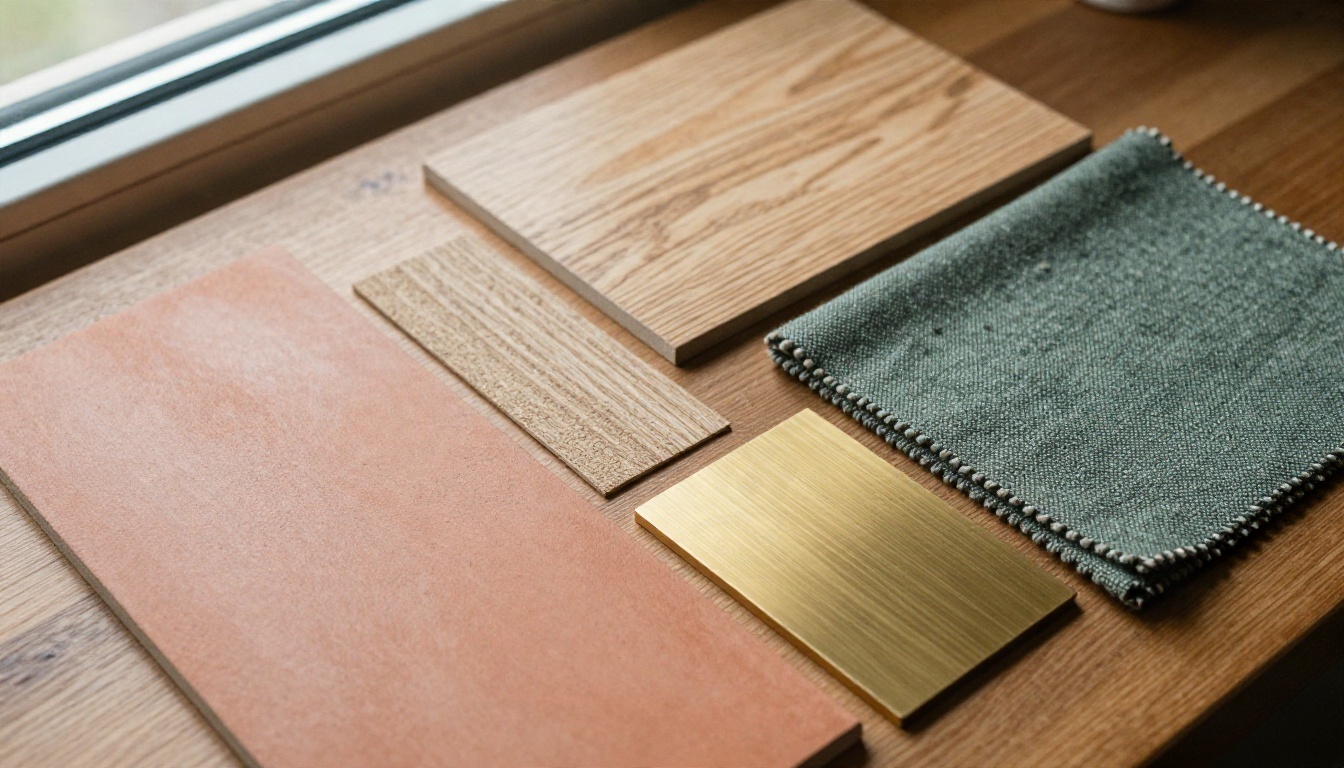
Before prompting, pick two or three real materials, the way a designer would. A boucle fabric, an oak finish, a brass sample. Then describe those exact things in the prompt. Models handle "oak veneer with a pale matte finish" far better than "nice wood". And if you later buy the real product, the render will be much closer to the result.
💡 Tip: Upload a photo of a fabric swatch or tile sample alongside your room photo and write "use the material from the second image on the sofa". Image-to-image fusion is a real strength of the Nano Banana family.
Free Options Compared
"Free" depends on what you need. Here is how the main routes stack up.
| Route | Cost | Best for | Watch out for |
|---|
| Gemini app | Free tier with daily limits | Quick experiments | Free users get only a few Pro generations before it falls back to the standard model |
| Google AI Studio | Free to try in supported regions | Testing prompts with more control | Interface is built for developers |
| PicassoIA | Free access to several Nano Banana versions | Generate, edit and compare models in one place | Credits and limits can vary by model |
Names and limits change often. The Gemini app's default model has shifted more than once, so check which model your session is really using before you compare results. If you are testing a prompt, always note the model name next to the image. Otherwise you cannot repeat a good result.
Which Version for Which Job
A workable routine: explore with the Lite model, narrow down with Nano Banana 2, then render your single favorite with Pro.
How to Use Nano Banana on PicassoIA
You do not need a Google account or any setup to try it on PicassoIA. Here is the process.
Step by Step
- Open the model page. Go to Nano Banana for photo editing, or choose Nano Banana Pro when you want maximum detail.
- Upload your room photo. A straight-on, daylight picture with the whole room in frame works best. Avoid heavy filters.
- Paste your prompt. Start from one of the six prompts above. Put the "keep unchanged" instruction at the end.
- Set the aspect ratio. Use 16:9 for wide rooms and 4:3 or 3:2 for a more natural phone-photo feel.
- Generate and compare. Run two or three versions, then pick the one where the proportions look believable.
- Refine with one change. Re-upload the winner and request a single edit, such as "make the rug a pale gray wool".
Parameter Tips
- Reference images: add a second image for a material, a piece of furniture or a style you want to borrow.
- Resolution: generate at normal size while testing, then use the Pro model for your final render.
- Seed or repeat runs: if the tool lets you keep a seed, keep it while you adjust the wording. That isolates the effect of your prompt changes.
Sharpen the Final Render
Once you have a render you like, upscale it for printing or client presentations. Clarity Pro Upscaler adds fine detail to fabrics and wood grain, P Image Upscale is a quick option when speed matters, and Recraft Crisp Upscale is a clean choice for sharp edges on furniture and window frames.
Mistakes That Waste Credits
Most disappointing results come from the same handful of habits.
Asking for Too Much at Once
A prompt with twelve furniture items and four styles leads to a cluttered, confused room. Pick one style, three main pieces, and let the model fill in the rest.
Forgetting the Light Source
If you do not say where the light comes from, the model invents it, and often invents flat, shadowless light. Always include a direction and a time of day.
Trusting the Dimensions
A render can make a narrow hallway look wide and a small sofa look generous. Before buying, measure the real space and compare it with the real product size, never the generated one.
Skipping the "Keep Unchanged" Line
When editing a photo, this one sentence protects your window, your ceiling height and your layout. Leave it out and the model feels free to "improve" things you did not ask to change.
Using the Same Prompt for Every Room
A kitchen needs material words like stone, metal and cabinet finish. A bedroom needs textile words like linen, wool and velvet. A bathroom needs surface words like glazed, honed and matte. Match the vocabulary to the room.
💡 Tip: Keep a simple notebook of working phrases. After ten renders you will have a personal prompt library that beats any list you can copy from the internet.
Redesign Your Own Room Today
You now have the formula, six room prompts, a method for restyling a real photo, and a clear view of where free access works. The fastest way to see whether any of this holds up is to try it on the room you actually live in.
Open Nano Banana on PicassoIA, upload one photo, paste the "keep unchanged" prompt from above, and change a single thing: the wall color, the sofa, or the light. Then try the same prompt on Nano Banana 2 and Nano Banana Pro and compare. Ten minutes of experimenting will tell you more about your own taste than a month of saving pins, and you may find the room you have been imagining was one prompt away.


