Most AI video generators block adult content at the server level. You type a suggestive prompt, hit generate, and get a content policy error before the model ever tries. Seedance 2.0 changed that conversation in 2025. ByteDance's flagship text-to-video model delivers native audio, cinematic 1080p output, and physics-accurate motion, but whether it actually passes NSFW prompts depends entirely on which platform you use to run it. This article breaks down exactly how Seedance 2.0 handles adult content, which platforms genuinely remove the filters, and where you can access it free right now.
What Seedance 2.0 Actually Is
Seedance 2.0 is ByteDance's second-generation commercial video foundation model, built to compete with Sora and Veo at the very top of the AI video market. On pure technical benchmarks, it holds its own. The model supports text-to-video and image-to-video generation, outputs at resolutions up to 1080p, and generates native synchronized audio alongside the visual content. No separate audio model required.
The Technical Specs That Matter
What separates Seedance 2.0 from earlier models is the physics engine underneath it. Motion is more realistic: fabric folds correctly, hair responds to environmental conditions, water behaves with realistic surface dynamics. Faces retain identity across frames instead of drifting, which was a persistent problem with earlier diffusion-based video models.
The model supports multiple aspect ratios and adjustable clip duration. Prompt adherence is noticeably tighter than Seedance 1 Pro or Seedance 1.5 Pro, which means what you describe maps more accurately to what you see in the output. If you want speed without sacrificing most of the quality, Seedance 2.0 Fast is the lighter variant.
Native Audio Is a Real Differentiator
Most video generators require you to add audio separately after generation. Seedance 2.0 synthesizes audio in sync with the visual content during the generation pass itself. Fabric rustling, ambient environment sounds, and movement are all generated contextually. For suggestive or intimate content, this creates a far more immersive result than a video with audio dubbed on after the fact. You get a single, coherent output where the sound feels physically tied to what you see.
The Free NSFW Problem
The word "free" appears in a lot of AI video tool marketing. The reality is more nuanced. There are several categories of "free" that mean very different things for NSFW content:
- Free tier with strict content filters: Most mainstream platforms offer free generations but enforce NSFW blocks at the prompt level before the request reaches the model
- Free trial with NSFW access: Platforms like PicassoIA offer limited free generations where content filters are not applied to adult content
- Open-weight models you run locally: Technically free if you have the hardware, but Seedance 2.0 is a closed commercial model, not open-weight
Which Platforms Block Adult Content
The following platforms that provide Seedance 2.0 access all enforce content moderation at the API wrapper level:
| Platform | Seedance 2.0 | NSFW Allowed | Free Tier |
|---|
| ByteDance Direct | Yes | No | Limited credits |
| Runway | No | No | Limited credits |
| Kling | No | Restricted | Yes |
| PicassoIA | Yes | Yes | Free trial |
The pattern is consistent: platforms operating under US app store policies or serving general consumer audiences cannot allow adult content by their terms of service, regardless of the underlying model's capability.
What the Model Can Do vs. What Platforms Allow
This is a critical distinction. Seedance 2.0 as a raw model does not have hard-coded filters preventing adult content generation. The restrictions exist at the platform API wrapper level — the interface you use to submit prompts adds a moderation step before the request reaches the model weights.
A platform without that wrapper can run the same model and pass NSFW prompts through without intervention. That is exactly what PicassoIA does.
💡 The direct path: Access Seedance 2.0 through PicassoIA to bypass platform-level content restrictions. The model's native output quality is identical. Only the filter layer is removed.
How Seedance 2.0 Handles NSFW Content
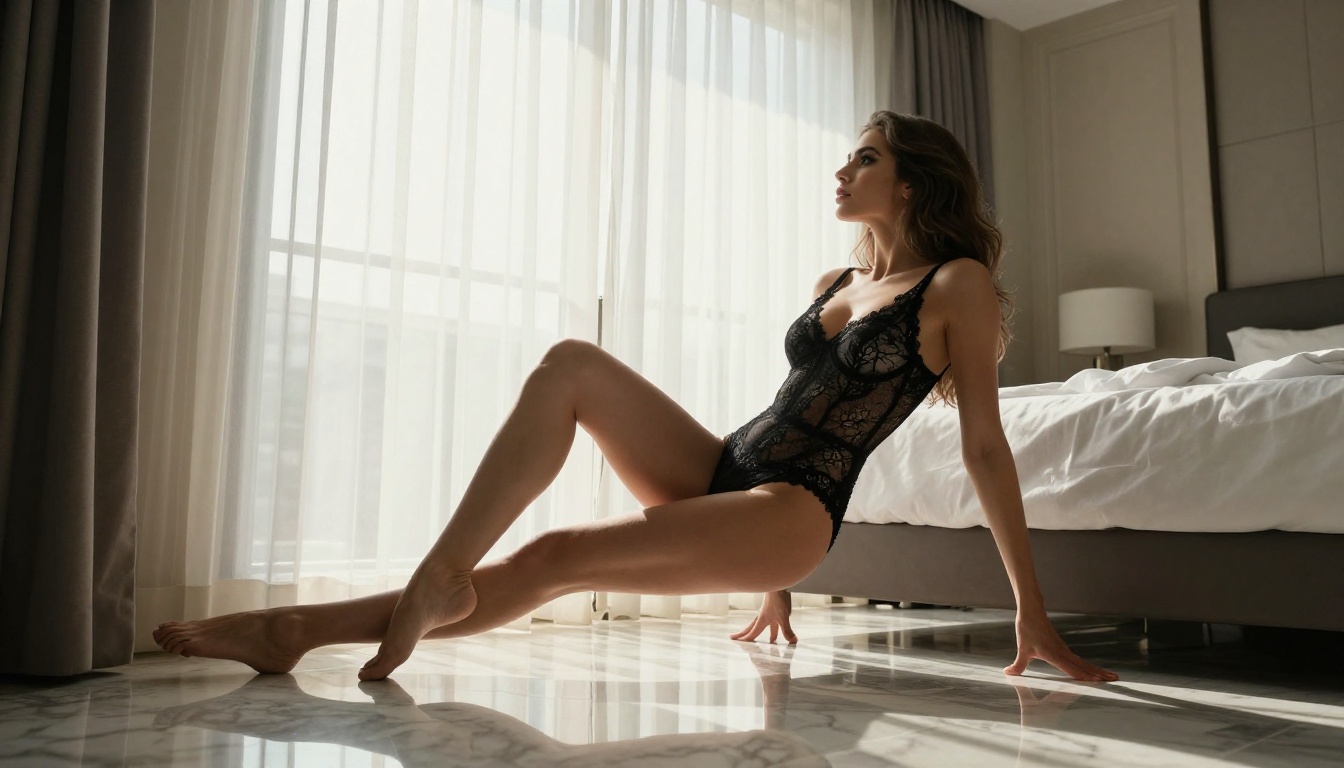
When accessed through a platform that removes content filters, Seedance 2.0 produces suggestive, glamorous, and adult-themed content with a high degree of realism. The physics fidelity that makes clothing and hair behave realistically in action scenes applies equally to intimate content: fabric texture, skin rendering, lighting on the body, and fluid motion all benefit from the same underlying physics engine.
What It Accepts
With content filters removed, Seedance 2.0 accepts:
- Glamour and bikini content: Beachwear, lingerie, and swimwear scenarios with natural body physics
- Implied nudity: Artistic and implied scenarios without explicit depiction
- Suggestive scenarios: Intimate settings, romantic contexts, and sensual motion
- Fashion and editorial styles: High-fashion adult content rendered at magazine-quality visual fidelity
Prompt Specificity Matters More Than You Think
The difference between a mediocre NSFW output and a genuinely high-quality one from Seedance 2.0 comes down to prompt detail. The model rewards specificity. Vague prompts produce average results. Detailed prompts that specify lighting, camera angle, fabric type, body positioning, and environmental context produce outputs that rival professional video production.
Weak prompt: "Woman in bikini on beach"
Strong prompt: "Young woman in a red string bikini walking slowly at the shoreline of a white sandy beach at golden hour, the camera tracking her from a low 15-degree angle, warm amber sunlight creating rim light on her silhouette, waves breaking gently at her feet, fabric of the bikini reacting naturally to movement and a light ocean breeze, 85mm cinematic lens with shallow depth of field"
The second prompt gives the model enough information to make directorial decisions. The first gives it almost nothing to work with.

Image-to-Video for Better Control
Seedance 2.0's image-to-video mode gives you significantly more control than text-to-video. You generate a still image first, with full control over the composition, lighting, and subject, and then animate it. The model uses that first frame as a locked reference and generates motion from there.
For NSFW content, this is a major workflow advantage. You can get the exact look, lighting, and body positioning right in the image stage, then animate only the elements you want to move. Seedream 4.5 is the top choice for generating those source images, producing NSFW content with exceptional realism in under 3 seconds.
Best Models for NSFW AI Video on PicassoIA

PicassoIA runs a full lineup of models that support NSFW content without platform-level content filters. Here is the complete breakdown, ordered by recommendation:
- Seedream 4.5 ⭐ — The best all-around NSFW image model. Accepts adult content, supports image editing, and generates ultra-realistic results in under 3 seconds. (Its successor, Seedream 5 Lite, does not allow NSFW.)
- PicassoIA Image Editor Pro: Image-to-image with unlimited generations included in Elite or Infinite plans. Need 1,000 images? They are free — the same volume costs ~$100 on models like Nano Banana 2. Accepts NSFW, returns results in under a second, and includes a 3-generation free trial with no credit card required.
- Qwen Image 2: Open-source model that edits or creates any image in seconds with very detailed realism and no content filters.
- Grok Imagine Image: Realistically converts any image to bikini format with precise skin tone and fabric rendering.
- Recraft V4: Very realistic results from text prompts only.
- P-Image: NSFW text-to-image in under 1 second.
- prunaai-wan-2.2-image: Generate highly realistic images from text descriptions without content filters.
- Wan 2.2 I2V Fast: Turn static images into dynamic videos with smooth, natural animations and NSFW support.
- PicassoIA Video: Unlimited video generation from text prompts at up to 720p and 5 seconds per clip. No per-generation cost.
- P-Video: Text, image, or audio to video at up to 1080p. Safety filter off by default. Draft mode delivers instant low-res previews before rendering the full clip.
- Grok Imagine Video: Clips up to 15 seconds from text, an image, or an existing video. No watermarks. 720p or 480p output.
- LTX 2.3 Pro: Highest fidelity at up to 4K/50fps with retake and extend editing for precise clip-level control.
Unlike mainstream AI platforms, PicassoIA gives creators full creative freedom with uncensored, high-performance models across both image and video generation.
👉 Browse the full catalog at picassoia.com/en/all-models.
How to Use Seedance 2.0 on PicassoIA
Seedance 2.0 on PicassoIA runs the full model with content restrictions removed. Here is the exact workflow:
Step 1: Open the Model
Go to picassoia.com/en/collection/text-to-video/bytedance-seedance-20. No special setup is required. The model loads directly in your browser.
Step 2: Choose Your Generation Mode
For maximum control over NSFW content, image-to-video is the better starting point. Generate your source image first with Seedream 4.5, refine the composition until it's exactly right, then upload it as the first frame for Seedance 2.0 to animate.
For text-to-video, you input a detailed prompt and the model generates from scratch. Results are good, but you have less control over the initial frame composition compared to starting from a pre-generated image.
Step 3: Write a Detailed Motion Prompt
For image-to-video, your motion prompt should describe what moves, not what exists. The first frame handles the static composition. The prompt handles the animation:
"Camera slowly tracks left as the subject turns to face it, hair responding to a gentle wind, fabric moving with natural physics, warm sunlight shifting slightly as the camera angle changes over five seconds"
For text-to-video, your prompt handles both the composition and the motion in a single description. Be specific about camera angle, lighting direction, subject positioning, and what action occurs across the clip's duration.
Step 4: Set Resolution and Duration
Seedance 2.0 supports up to 1080p. For most creative applications, 720p offers the best balance of generation speed and output quality. Set your aspect ratio based on your intended output format.
Step 5: Generate and Review
Submit the generation. The model returns the clip with native audio already synchronized to the visual content. Review the motion physics, check that the subject maintains consistent identity across frames, and verify that lighting behaves realistically throughout the clip.
💡 If the first result is not quite right: Adjust the motion prompt to be more specific about camera movement and subject action. Seedance 2.0 responds well to directorial language. Think of yourself as writing a shot description for a cinematographer rather than a description for a search engine.
Seedance 2.0 vs. Other NSFW Video Models

How does Seedance 2.0 compare to the other NSFW-capable video models available on PicassoIA?
Choose Seedance 2.0 when: You need native synchronized audio alongside your video content, or when you want the best available motion physics for fabric and skin rendering. It is the strongest option for cinematic, realistic NSFW video where audio atmosphere is part of the creative intent.
Choose P-Video when: Generation speed matters more than native audio, or when you want to bring your own audio file and sync it to the video output after generation.
Choose PicassoIA Video when: You want unlimited generations at no extra cost. At 720p and 5 seconds per clip, it is the highest-volume option for creators who need many iterations.
Choose LTX 2.3 Pro when: Output resolution and fidelity are the priority, and you want retake and extend editing to refine specific moments without regenerating the entire clip.
Prompt Strategies That Actually Work

Getting consistently good results from Seedance 2.0 for NSFW content requires a structured approach to prompt writing. Here is what works reliably:
Structure Your Motion Description Chronologically
The model reads your prompt as a sequence of events unfolding over time. Write it that way:
"Subject begins seated at the edge of the bed, slowly rises, turns toward the window, the camera tracking from a low angle as morning light catches the fabric of her slip dress during the turn"
This chronological structure gives the model a clear temporal roadmap for the 5-10 second clip duration.
Specify Camera Movement Explicitly
Static camera shots are easier for the model but often less interesting visually. Camera movement prompts that work well with Seedance 2.0:
- "Slow dolly-in from wide to medium close over five seconds"
- "Gentle pan right following the subject as she walks"
- "Static wide shot with the subject walking toward the camera"
- "Orbital track around the subject at waist height"
Use Lighting as a Mood Anchor
Lighting descriptions have an outsized effect on the emotional tone of the output. "Golden hour rim light from behind" and "cool diffused window light from the left" produce dramatically different atmospheres even with identical subject descriptions. Specify lighting direction, quality (hard vs. soft), and color temperature.
Reference Photorealistic Film Aesthetics
Adding cinematic references in your prompt pulls Seedance 2.0 toward higher-quality output:
"35mm film look, Kodak Portra 400 color grading, natural skin tones, no digital processing artifacts, shallow depth of field with natural bokeh"
The model has absorbed enough cinema training data to respond meaningfully to these references. They act as quality anchors that bias the output toward more naturalistic, less artificial-looking results.
💡 Batch your generations: Write 4 to 5 variations of the same prompt with different camera angles and motion descriptions, generate them all, then select the strongest output. Seedance 2.0's generation-to-generation variance is low enough that the best of five attempts is reliably excellent.
The Workflow That Gets the Best Results
The most effective NSFW AI video workflow on PicassoIA combines image and video generation in a deliberate sequence:
Phase 1: Image generation. Use Seedream 4.5 to generate your reference image. Iterate on it until the composition, lighting, and subject look exactly right. This is where you lock in the visual foundation.
Phase 2: Image refinement. Use PicassoIA Image Editor Pro for any adjustments: inpainting to fix specific areas, outpainting to extend the frame, or overall style editing. Unlimited generations mean you can iterate without cost constraints.
Phase 3: Animation. Feed the final image into Seedance 2.0 as the first frame. Write a motion-only prompt describing what moves and how the camera behaves.
Phase 4: Fine-tuning. For clip-level corrections, LTX 2.3 Pro offers a retake mode that replaces specific seconds of the clip without regenerating the whole video. This is useful for fixing a single moment without losing the rest of the output.
This image-to-video pipeline consistently outperforms pure text-to-video for NSFW content because you lock in the composition at the image stage where control is highest, then animate from a known-good starting point. The model is not guessing what your subject should look like — it already knows, from the first frame you provided.
Start Creating Now

The combination of Seedance 2.0 and the models available on PicassoIA is the most accessible way to generate high-quality NSFW AI videos in 2027 without hitting the content walls that block generation on mainstream platforms. Native audio, physics-accurate motion, and 1080p output — all available through PicassoIA with no content restrictions applied.
Whether you start with text-to-video for fast experimentation or build a precise image-to-video pipeline with Seedream 4.5 as your source image generator, the tools to produce exactly what you are imagining are already available right now.
PicassoIA offers a free trial with no credit card required. Try Seedance 2.0 directly, or browse the complete catalog of NSFW-capable models and find the one that fits your creative workflow at picassoia.com/en/all-models.


