Picking between Grok Imagine Image and FLUX.2 Max for adult AI content is one of the more meaningful choices you'll make as a creator in 2027. Both sit at the top of what's currently available for uncensored AI image generation, yet they produce results through entirely different processes, and the gap between them shows up in ways most comparison articles don't bother to explain. This piece breaks down both models across the metrics that actually matter for adult content creation: realism, prompt control, speed, skin detail, anatomical accuracy, and how each one performs when you push it toward genuinely challenging subject matter.
Two Models, Very Different Approaches
The first thing to get right before comparing output quality is understanding what each model was built for, because the architecture differences determine everything.
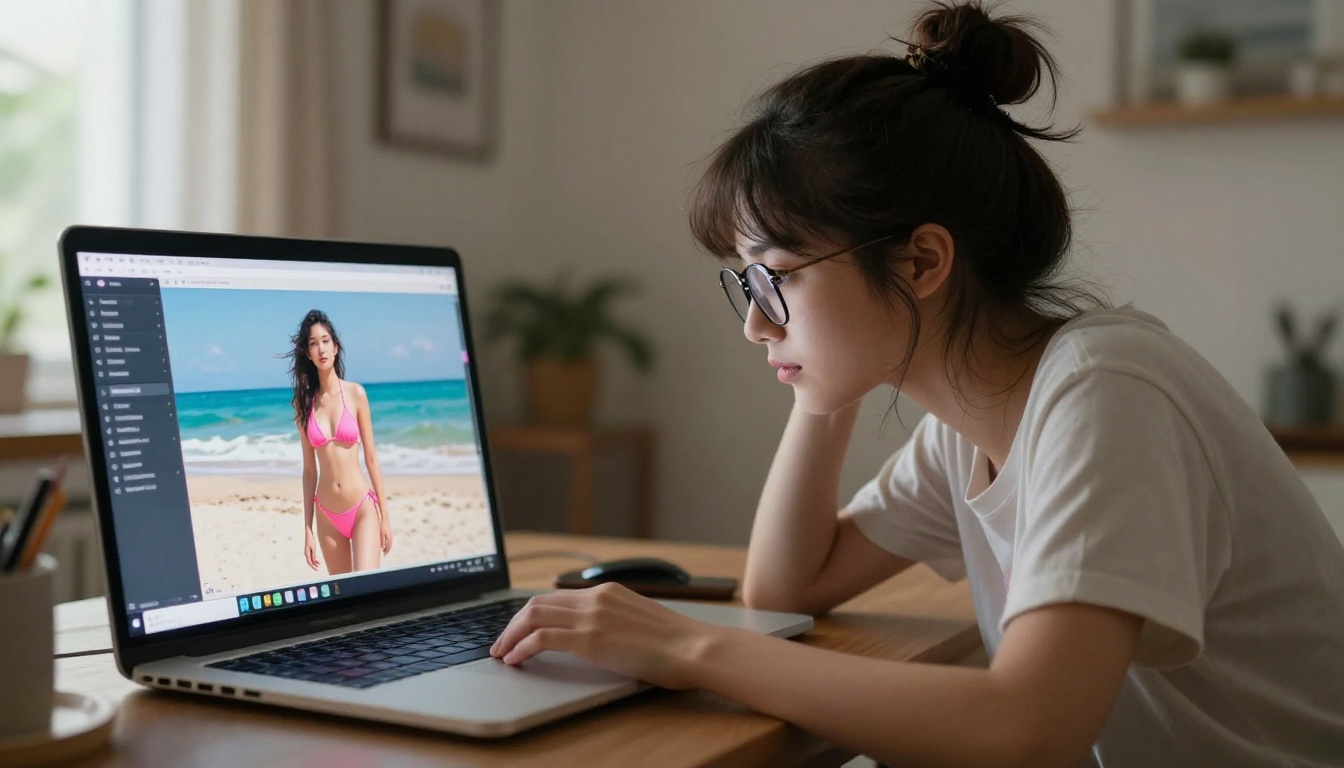
Grok Imagine Image is an image-to-image model from xAI. It takes a real photo as its primary input and uses the prompt to direct how that photo gets converted. Its standout capability is taking a clothed person in a photo and producing a realistic bikini version of that same person, preserving the original lighting, pose, skin tone, and background context. The result looks convincing because it is derived from a real image rather than constructed from scratch.
FLUX.2 Max is a pure text-to-image model at the top of Black Forest Labs' current lineup. You describe what you want in text, and the model builds the entire scene from scratch. What makes Max different from standard FLUX variants is its capacity for high-fidelity detail rendering, particularly in skin texture, hair, fabric, and complex lighting setups. It reads long, detailed prompts accurately and produces results that reflect specific instructions rather than approximating them.
These two tools do not actually compete on the same axis. One converts what is real. The other creates what is imagined. That distinction is everything when it comes to choosing between them.
Grok Imagine Image: What It Actually Does
Grok Imagine Image on PicassoIA sits in the text-to-image model collection and its workflow is simple: upload a source photo, write a prompt describing the output you want, and the model produces a modified version of the original image.
Its specific strength is realistic bikini conversions from regular photos. The execution is what sets it apart from generic image-to-image models:
- Facial likeness retention: The output typically preserves the face from the source image without distorting it, which is a problem most image-to-image models fail at consistently
- Lighting inheritance: The model reads the lighting in the source photo and keeps it consistent in the output, rather than applying a generic studio look
- Pose accuracy: Body positioning from the source image carries through to the output with minimal warping
- Skin tone matching: The model maintains the skin tone of the subject in the source rather than averaging it to a generic color profile
What makes this valuable for adult content creation is that the result has a photorealistic quality that comes from starting with an actual photo. You are not fighting to make an AI model generate convincing skin from text prompts alone. The real image does that work for you.
The ceiling: Grok Imagine Image is bounded by what is in your source photo. Poor source lighting creates poor output. Low-resolution source images produce lower-quality results. And you cannot easily create entirely new scenes or characters with it, which limits it for creators who want full compositional control.
Who it is for: Creators who have existing photos and want to see a realistic converted version. It is particularly effective for creating content that needs to look like a real person in a different outfit or setting.
💡 Tip: For best results with Grok Imagine Image, use high-resolution source photos with clean, even lighting. Front-facing or 3/4 angle portraits work better than extreme side profiles or heavily shadowed shots.
FLUX.2 Max: The Realism Powerhouse
FLUX.2 Max is the highest-tier model in the FLUX.2 generation from Black Forest Labs. Compared to FLUX.2 Pro and FLUX.2 Dev, the Max variant is tuned for detail density and prompt adherence at the cost of slightly longer generation times.
For adult content creation, the Max configuration delivers measurable advantages:
Skin detail: This is where FLUX.2 Max genuinely pulls ahead of most text-to-image models. The output includes visible pores, natural skin variation, subsurface scattering effects (the way light passes slightly through skin), and natural imperfections. It does not produce the smooth, plastic look that plagues cheaper or lighter models.
Anatomical accuracy: Proportions are maintained across different body types. The warping and distortion artifacts that made older FLUX versions frustrating for human subjects are substantially reduced in the Max version.
Long prompt fidelity: Write a 60-word prompt specifying lighting angle, clothing color, scene environment, skin tone, and pose, and FLUX.2 Max will follow those specifications with high accuracy. This makes it valuable for creators with a specific creative vision rather than those who want to roll the dice on randomized outputs.
Scene composition: Backgrounds stay coherent. When you specify an environment, the model places the subject in it convincingly rather than producing that unmistakable "subject pasted on background" look.
The tradeoff is generation time. FLUX.2 Max generates slower than P-Image or Seedream 4.5. On PicassoIA's GPU infrastructure, this is significantly mitigated compared to running it locally, but it is worth knowing if you are doing high-volume batch creation.
💡 Tip: FLUX.2 Max rewards detailed prompts. A vague prompt like "woman on beach" will produce a generic result. A detailed prompt describing clothing texture, lighting direction, camera angle, and background details will produce something notably better.
Head-to-Head: Quality That Actually Matters
Here is a direct comparison across the factors that matter most for adult AI art creation:
| Feature | Grok Imagine Image | FLUX.2 Max |
|---|
| Generation Type | Image-to-image | Text-to-image |
| Realism Level | High (inherits source photo) | Very high (built from scratch) |
| Skin Texture Detail | Dependent on source quality | Exceptional |
| Prompt Control | Limited (image is source) | Full text control |
| Anatomical Accuracy | Follows source pose | Strong, occasionally inconsistent |
| Generation Speed | Fast | Moderate |
| NSFW Support | Yes | Yes |
| Available on PicassoIA | Yes | Yes |
| Best For | Converting existing photos | Creating new scenes entirely |
| Source Input Required | Reference photo | Text prompt only |
| Creative Flexibility | Lower | Higher |
| Consistency Across Runs | High (real reference anchor) | Medium (prompt-dependent) |
The table makes it clear: these tools are complementary rather than competing. If you have a source image and want to convert it, Grok Imagine Image wins on ease and realism. If you want to generate from a prompt with full creative control, FLUX.2 Max gives you more to work with.
Skin and Texture Rendering
Grok Imagine Image inherits skin texture from the source image. Because it is working from a real photo, the output skin looks real. FLUX.2 Max has to create skin texture from text descriptions. In the Max configuration, it does this impressively: pores, skin variation, natural lighting interaction with skin are all present. However, the quality floor for FLUX.2 Max requires specific prompt language to trigger these details. Without it, you get competent but generic skin rendering.
If your primary metric is "does this look like a real person," Grok Imagine Image wins when you have a good source photo. FLUX.2 Max wins when you do not have a source and need to create from scratch.
Prompt Adherence
This is FLUX.2 Max's clear strength. With Grok Imagine Image, your prompt is secondary to the input image. With FLUX.2 Max, a well-written 50-word prompt describing lighting, pose, environment, and clothing will be followed with high accuracy. For creators who want control over every element of an image, FLUX.2 Max is the stronger option.
Output Consistency
Grok Imagine Image produces more consistent results across multiple generation runs because the real photo acts as an anchor. The model has a fixed reference point. FLUX.2 Max is more variable because small wording changes in a prompt can shift the output significantly. This variability is a feature for creative work but a drawback if you need reproducibility across a batch.
Speed and Workflow: Which Is Faster?
For high-volume adult content creation, speed matters as much as quality. Slow generation means slower iteration, which means fewer chances to find the shot you actually want.
Grok Imagine Image is the faster option for image-to-image work. Upload your source, submit, and the conversion returns quickly. The bottleneck is preparing your source photos, not waiting for the model to finish.
FLUX.2 Max takes more time per image because of its detail density. A generation that includes high-quality skin rendering, complex background detail, and accurate clothing texture requires more compute than a simpler model. The quality floor is higher, though, which means less time regenerating results that missed the mark.
For workflow efficiency:
- Use Grok Imagine Image when processing a batch of source photos with a consistent style conversion
- Use FLUX.2 Max when crafting specific scenes where first-try accuracy matters more than raw speed
Both models are available on PicassoIA's optimized GPU infrastructure, which runs measurably faster than typical cloud API access or local generation on a consumer machine.
Using Grok Imagine Image on PicassoIA
PicassoIA has Grok Imagine Image available directly without needing API credentials or an xAI account. Here is how to use it for adult content with the best results:
Step 1: Prepare Your Source Photo
The output quality ceiling is determined by the source photo. For best results:
- Use high-resolution images (1024px or higher on the short side)
- Choose photos with clear, directional lighting rather than flat studio flash
- Pick a clean background or one that will not create visual noise in the conversion
- Use portraits or full-body shots where the subject is clearly separated
Heavily filtered photos with strong presets produce worse results. The model has an easier time with natural-looking source images.
Step 2: Write Your Conversion Prompt
Even though Grok Imagine Image uses your photo as a base, the prompt still directs the output. Specific prompts produce better results than vague ones.
What to include:
- Target clothing style, color, and type
- Any environment changes you want
- Lighting instructions if you want to shift the mood
- Body framing ("full body," "from waist up," "close-up portrait")
Example prompt: "Wearing a coral string bikini, beach background with soft waves, natural skin tones, golden afternoon light, high resolution"
Step 3: Run Multiple Variations
Grok Imagine Image produces slight variations across generation runs. Running 3-5 versions and selecting the best takes less time than perfecting a single attempt. Variation mostly shows up in minor details, background rendering, and how the clothing sits.
Step 4: Refine Based on Results
If the first round produces 80% of what you want, refine the prompt rather than starting over. Being more specific about problem areas, such as "ensure full-length pose preserved" or "maintain original background detail," usually gets you to the result faster.
💡 Pro tip: If facial similarity is being lost in the output, add "preserve exact facial features and expression from source" to your prompt. If the result looks too close to the original, reduce the image strength setting.
More NSFW Models Worth Using
If neither Grok Imagine Image nor FLUX.2 Max fits your specific workflow, PicassoIA has a broader lineup of models that support adult content without restrictions:
-
Seedream 4.5 ⭐ The best all-around NSFW model on the platform right now. Accepts adult content, supports image editing, and generates ultra-realistic results in under 3 seconds. Its newer sibling, Seedream 5 Lite, does not support NSFW content, so stay with 4.5 for this category.
-
PicassoIA Image Editor Pro An img2img model with unlimited generations included in Elite and Infinite plans. Need 500 images? They are all free with your subscription. On models like Nano Banana 2, that same volume would cost around $50-100. Accepts NSFW, returns results in under 1 second, and offers a 3-generation free trial with no credit card required.
-
Qwen Image 2 Open-source with no content restrictions. Create or edit detailed realistic images from text in seconds with very detailed realism.
-
Recraft V4 Text-to-image with very realistic outputs. No img2img capability, but the quality for pure text generation is consistently strong.
-
P-Image The fastest option on PicassoIA for NSFW text-to-image. Results in under 1 second make it ideal for rapid iteration across many prompt variations.
| Model | Type | NSFW | Speed | Unlimited |
|---|
| Seedream 4.5 | Text + Edit | Yes | Under 3s | No |
| PicassoIA Image Editor Pro | Image-to-image | Yes | Under 1s | Yes (Elite/Infinite) |
| Qwen Image 2 | Text + Edit | Yes | Fast | No |
| Grok Imagine Image | Image-to-image | Yes | Fast | No |
| FLUX.2 Max | Text-to-image | Yes | Moderate | No |
| Recraft V4 | Text-to-image | Yes | Fast | No |
| P-Image | Text-to-image | Yes | Under 1s | No |
💡 Seedream 5 Lite does not support NSFW content. If you see it alongside Seedream 4.5 in a model list, they are not interchangeable for adult content creation.
Create Your Own AI Art Right Now
Grok Imagine Image and FLUX.2 Max are both live on PicassoIA without any API credential setup, local GPU requirements, or technical configuration. You open the model page, upload a photo or write a prompt, and generate immediately.
The fastest way to decide which fits your workflow is to run a real test on your actual use case:
- Have a photo you want to convert realistically? Start with Grok Imagine Image.
- Want to build a specific scene with full creative control from a text description? Start with FLUX.2 Max.
- Want the fastest NSFW text-to-image on the platform? Try Seedream 4.5 or P-Image.
- Need unlimited generations without per-image costs? PicassoIA Image Editor Pro is the only model on the platform with that offering on Elite and Infinite plans.
The adult AI generation space is moving quickly, and both models represent the current state of what is possible without content restrictions. PicassoIA brings them all into one place, optimized and ready to use without compromise.
👉 See the full model catalog and start generating at picassoia.com/en/all-models.