Two of the most-discussed AI video tools right now sit on opposite ends of the philosophy spectrum. Grok Imagine Video from xAI leans into intuitive, open-ended prompting. Kling v3 Video from Kuaishou prioritizes cinematic precision and structured control. If you have been trying to figure out which one actually fits your workflow, this breakdown cuts through the noise on three things that genuinely matter: output quality, generation speed, and how each tool responds to your prompts.
Before going into the specifics, it helps to know where each of these tools is coming from and what they were built to do well.
Grok Imagine Video at a Glance
Grok Imagine Video is xAI's entry into the video generation space, building on the same conversational intelligence that powers the Grok chatbot. It accepts text prompts and images as input, generating short video clips that aim for natural, fluid movement with a strong bias toward photorealism. It was built with content creators and social media producers in mind, and that shows in how forgiving it is with loosely written prompts.
The model is particularly strong at:
- Natural human motion (walking, gestures, facial expressions)
- Scene transitions that feel organic rather than mechanical
- Open-ended prompts where the tool fills in creative details
- Image-to-video workflows that preserve source composition
Kling 3.0 at a Glance
Kling v3 Video is Kuaishou's third major iteration of their flagship video model. It builds on a lineage that has progressively improved on physics simulation and temporal coherence, and version 3 represents a significant jump in both. It also supports motion control, a feature that lets you guide exactly how subjects move within the frame through reference inputs.
The Kling V3 Omni Video variant takes this further, accepting text and image inputs simultaneously for more compositionally precise outputs.
Kling 3.0 shines in:
- Physics-accurate object interactions (water, cloth, rigid bodies)
- Long-form temporal consistency across 5 to 10 second clips
- Camera movement control using cinematic language
- Structured scene building from detailed, descriptive prompts

Thing 1: Video Quality Is Not the Same
The biggest question most people ask is simple: which one looks better? The honest answer is that it depends on what "better" means for your specific use case.
Realism and Scene Complexity
Grok Imagine Video produces output that is visually clean and consistently polished. Colors are saturated without being oversaturated, motion blur is applied naturally, and the model rarely produces jarring visual artifacts. It handles close-up shots of people exceptionally well, and skin texture in portrait-style videos reads as genuinely photorealistic.
Where Grok starts to show limits is in complex multi-element scenes. Ask it to generate a crowded street at night with a moving car, a rain effect, and a specific architectural style, and you will likely get a plausible interpretation rather than a precise rendition.
💡 Practical tip: Grok works best when you describe one or two dominant elements in detail. The model fills in supporting elements generously, so over-specifying can actually hurt your results.
Kling 3.0 approaches quality differently. The Kling V3 Motion Control variant is particularly notable for how it handles the physics of the world inside the frame. Water pours with real-looking weight and splash dynamics. Fabric reacts to movement with directional crumple patterns. Fire spreads with variable intensity rather than looping.
For product visualization, architectural walkthrough simulations, or any content where the physical plausibility of objects matters, Kling 3.0 is in a different category.
Motion Artifacts and Temporal Consistency
This is where the two tools have their most pronounced difference.
Grok Imagine Video occasionally produces what creators call "floaty" movement: subjects seem to drift slightly rather than move with weight. It is most noticeable in full-body motion shots, particularly walking sequences on varied terrain.
Kling 3.0, especially the Kling V3 Omni Video model, has near-zero temporal drift in most standard scenes. Objects maintain their position relative to the frame without warping, and face and body consistency across the full clip length is markedly better.
| Metric | Grok Imagine Video | Kling 3.0 |
|---|
| Portrait realism | Excellent | Excellent |
| Physics simulation | Good | Excellent |
| Motion consistency | Good | Excellent |
| Scene complexity | Moderate | High |
| Artistic flexibility | Excellent | Good |
Thing 2: Speed and Access Are Very Different
Getting access to either of these tools and waiting for your output are two separate conversations worth having.
Generation Time in Practice
Grok Imagine Video runs at a pace that aligns with its casual, consumer-facing positioning. Standard clips in the 5 to 8 second range typically process in under two minutes, and the model is optimized for throughput, meaning you can queue multiple generations without significant wait stacking.
Kling 3.0 is slower by design. The physics and temporal coherence calculations it performs require more compute, and a high-quality 10-second clip can take anywhere from 3 to 7 minutes depending on scene complexity and resolution settings. This is not a flaw so much as a natural consequence of running a more computationally intensive inference pipeline.
💡 Practical tip: If you are doing iteration work and need to see multiple prompt variations quickly, Grok's faster turnaround is genuinely useful. Use Kling for final renders where quality is the priority.
Access and Pricing Reality
Both models are available directly through PicassoIA, which removes the friction of separate platform accounts and credit systems.
On PicassoIA, you can access Grok Imagine Video alongside a library of 89+ text-to-video models including Seedance 2.0, Veo 3, and the full Kling v3 lineup from a single interface. This matters practically: you do not need to test each model in isolation when you can run comparative generations side by side.

Thing 3: Prompt Handling Tells Very Different Stories
How you write your prompts, and how much work the model does versus how much work you do, is where the character of each tool becomes most apparent.
Creative Flexibility with Grok
Grok Imagine Video inherits conversational intelligence from the broader Grok ecosystem. It is built to interpret natural language prompts the way a person would, filling in gaps with contextually appropriate content. You can write prompts the same way you would describe a scene to a friend, and the model will generally produce something coherent and on-tone.
This has real creative upside. It lowers the barrier for people who are not fluent in the cinematic vocabulary that most video generation models expect. You do not need to specify "rack focus," "dolly push," or "motivated lighting" to get a good-looking result. Grok can figure out a reasonable interpretation of "a person walking through a rainy street at night, moody."
Where this becomes a limitation is in precise creative control. If you have a specific shot in mind and want the model to execute it faithfully rather than interpret it, Grok will sometimes deliver a plausible but different version of your vision.
Kling's Structured Control
Kling 3.0 rewards detailed, structured prompts. The more specifically you describe your subject, the environment, the lighting conditions, and the movement you want, the more precisely Kling delivers.
The Kling V3 Motion Control model makes this even more explicit: you supply a reference image or motion sequence, and Kling applies that motion pattern to your subject. For anyone doing character animation, dance content, or synchronized performance videos, this is a capability that Grok simply does not have.
💡 Practical tip: For Kling, include camera direction language in your prompts. Phrases like "slow dolly left," "tracking shot following subject from behind," or "static wide establishing shot" dramatically improve the cinematic quality of outputs.
Prompt comparison for the same scene:
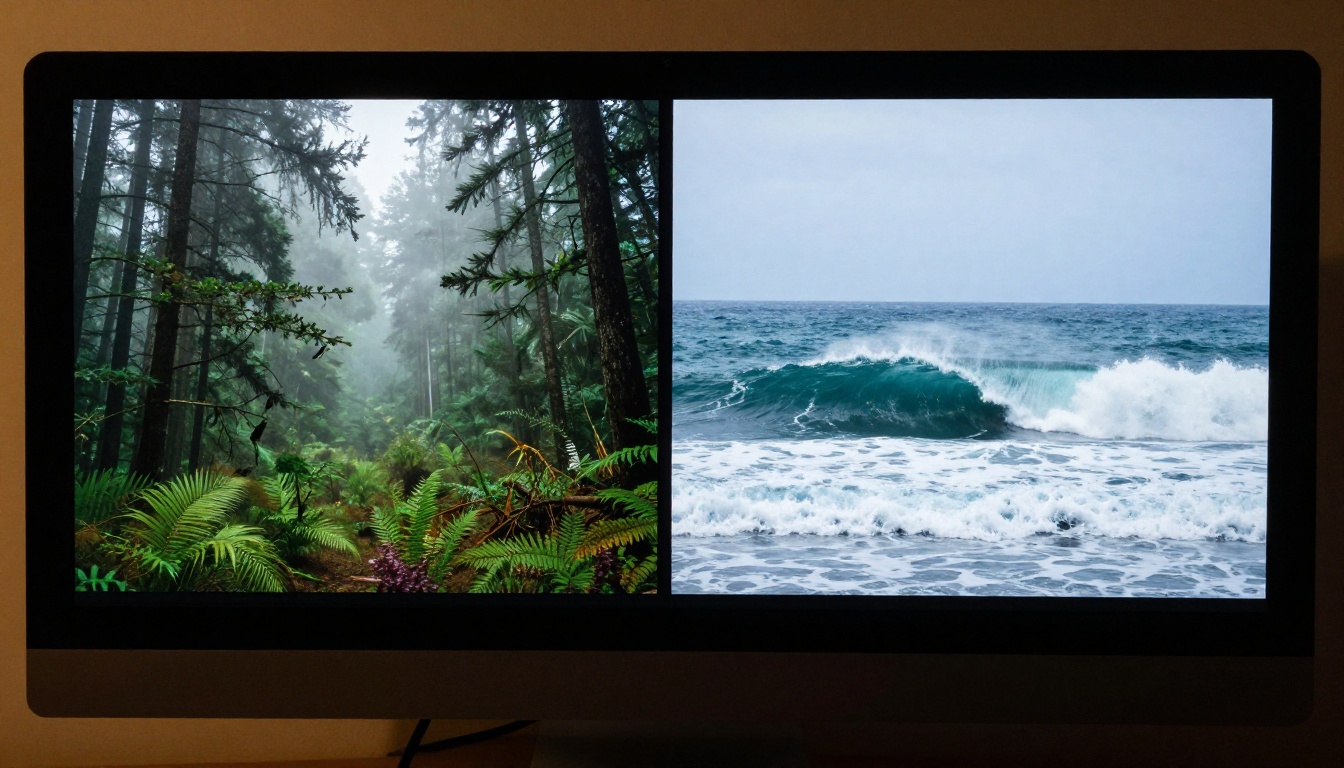
- Grok prompt: "A woman walks slowly through a sunlit forest in the early morning"
- Kling prompt: "A woman in her 30s walks through a dense deciduous forest at 7am, dappled golden light filtering through oak canopy, slow tracking shot from behind at knee height, visible breath mist, wet ground underfoot, natural ambient birdsound implied"
Grok produces something beautiful with the first. Kling produces something cinematic with the second.
How to Use Both Models on PicassoIA
Both Grok Imagine Video and Kling v3 Video are available directly on PicassoIA with no additional setup required.
Using Grok Imagine Video on PicassoIA
- Go to the Grok Imagine Video model page on PicassoIA.
- Write your prompt in natural language. No special formatting is required.
- Optionally upload a reference image if you want image-to-video generation.
- Select your desired clip duration (typically 5 to 8 seconds for best results).
- Click generate and wait for the output, usually within 1 to 2 minutes.
Best for: Social content, portrait videos, casual creative projects, rapid iteration.
Using Kling v3 on PicassoIA
PicassoIA offers the full Kling v3 lineup: the standard Kling v3 Video, the Kling V3 Omni Video for text and image combined inputs, and Kling V3 Motion Control for motion transfer.
- Go to the Kling v3 Video model page on PicassoIA.
- Write a structured prompt with subject, environment, lighting, and camera movement details.
- Choose your aspect ratio (16:9 for cinematic, 9:16 for vertical content).
- For motion control, upload your reference motion image or clip to the Kling V3 Motion Control variant.
- Generate and review. Kling rewards iteration: refine your prompt based on what the first output shows you.
Best for: Cinematic content, product visualization, branded video, longer-form narrative clips.
Full Spec Breakdown
| Feature | Grok Imagine Video | Kling 3.0 |
|---|
| Input types | Text, Image | Text, Image, Motion Reference |
| Max clip duration | ~10 seconds | ~10 seconds |
| Physics simulation | Standard | High fidelity |
| Motion control | No | Yes (V3 Motion Control) |
| Prompt style | Natural language | Descriptive/structured |
| Generation speed | Fast (1 to 2 min) | Moderate (3 to 7 min) |
| Best output type | Portrait, social | Cinematic, commercial |
| Aspect ratios | Multiple | Multiple |
| Available on PicassoIA | Yes | Yes |

Which One Fits Your Workflow
There is no wrong answer here. The right choice depends entirely on what you are making.
When Grok Makes More Sense
- You need fast turnaround for social content
- Your prompts are conceptual rather than technical
- You are doing portrait or lifestyle video content
- You want to iterate quickly through multiple ideas
- You are newer to AI video generation and want something forgiving
For quick ideation and social-first content, Grok Imagine Video is the more practical daily driver. It does not demand deep technical knowledge to produce good results, and its speed makes it well-suited to workflows where volume matters as much as quality.
When Kling 3.0 Wins
- You need physically accurate object or material behavior
- You have a specific cinematic vision to execute
- Motion consistency across the full clip length is non-negotiable
- You are creating commercial, branded, or narrative content
- You want motion control from a reference source
For anything where the video needs to hold up to professional scrutiny, Kling v3 Video delivers. The investment in prompt writing pays off visibly in the output, and the physics engine makes it the right tool for product shots, architectural visualization, and motion-reference character work.
It is also worth noting that these are not mutually exclusive. Many creators use Grok for concept drafts, then move to Kling for the final production render once the creative direction is locked in.

Worth Knowing About the Broader Landscape
Grok and Kling do not exist in a vacuum. The text-to-video space has expanded significantly in the past year, and both tools are competing alongside Seedance 2.0 from ByteDance, which adds native audio generation to the video output, and Veo 3 from Google, which sets a high bar for scene realism and multi-shot narrative coherence.
The fact that PicassoIA gives you access to 89+ text-to-video models in one place means you are not locked into a binary Grok vs. Kling decision. You can test LTX-2.3-Pro for its speed, Gen-4.5 for its creative range, or Kling V3 Omni Video for combined text and image control, all from one dashboard.
For anyone doing professional video work, having that breadth of options without switching platforms is a significant practical advantage.
💡 Worth trying: Run the same prompt through both Grok and Kling on PicassoIA and compare the outputs directly. The differences become immediately apparent when you see them side by side.
Start Creating Your Own AI Videos
If you have been holding off on testing either of these tools, now is the moment to stop comparing on paper and start seeing what they actually do with your prompts.
PicassoIA gives you direct access to Grok Imagine Video, the full Kling v3 lineup, and over 87 additional text-to-video models without needing separate accounts or subscriptions. Drop in a prompt, pick a model, and run a test. The results will tell you more than any comparison article can.
Start with a scene you already have in mind. Write it once for Grok (natural, loose) and write it once for Kling (structured, detailed), then watch how differently each tool interprets the same idea. That experiment alone will tell you more about which one belongs in your workflow than any spec table.


