Hailuo is one of those AI video tools that people either rave about or quietly abandon after the credits run out. MiniMax, the company behind it, built a reputation on smooth human motion and surprisingly good physics, and for a while Hailuo clips were the ones that made people stop scrolling. But reputation is not the same as value. So this review looks at what you actually get: how pricing works, whether the free plan is worth your time, what the output looks like, and where other tools do the same job for less.
Short version: Hailuo is still a strong motion engine, but its credit-based pricing and shrinking free tier make it a poor fit for anyone who generates a lot of clips. If you want to try the Hailuo models without worrying about a monthly bill, you can run them on PicassoIA, and I will show you how further down.
💡 Quick note on accuracy: AI video pricing changes fast, and third-party sites disagree with each other. Treat every number below as a snapshot from late 2026 and check the official pricing page before you pay for anything.
What Hailuo MiniMax Actually Is
Hailuo AI is the consumer-facing video generator from MiniMax, a Chinese AI company that also builds language, speech and music models. You type a prompt or upload a still image, pick a model, and get a short clip back, usually 6 to 10 seconds long.

The Model Lineup in Plain English
The Hailuo family has grown quickly, which makes the names confusing. Here is the simple version:
| Model | What it is best at | Typical output |
|---|
| Hailuo 02 | Physics, complex motion, instruction following | Up to 1080p, 6 to 10 seconds |
| Hailuo 02 Fast | Cheap, quick drafts | 512p, short clips |
| Hailuo 2.3 | Better realism, facial detail, stylized looks | 768p to 1080p, 6 seconds |
| Hailuo 2.3 Fast | Image-to-video at a lower cost | 768p, 6 seconds |
One recent pricing breakdown also notes that MiniMax now lists Hailuo 2.3 as an older generation, with a newer flagship model sitting above it. That matters because the free credits and promotions people talk about online often apply to a specific model version, not to the whole lineup.
Who It Is Built For
Hailuo works best for short social clips, product shots with simple camera moves, character animation from a single image, and quick concept visuals. It is less suited to long narrative scenes, because every clip is a separate generation and keeping a face or outfit consistent across ten shots takes patience.
Hailuo MiniMax Pricing Explained
Pricing is where most reviews get vague, so let me be specific about how it works and where the uncertainty sits.

How Credits Work
Hailuo runs on a credit system. Each generation burns credits, and the number depends on three things:
- Model version: Fast variants cost less than standard ones.
- Resolution: 512p and 768p are cheaper than 1080p.
- Duration: 10 second clips cost more than 6 second clips, and some modes limit the longest option to lower resolutions.
Subscriptions bundle a monthly credit allowance. Older guides put the entry paid plan at roughly 10 dollars a month for around 1,000 credits, with higher tiers adding more credits and perks like faster queues and watermark removal. Those figures have moved more than once, so use them as a rough range, not a promise.
What a Single Clip Costs
Because many people use Hailuo through API resellers, per-clip prices are easier to compare. One reseller lists a 6 second Hailuo 2.3 clip at 768p at about 28 cents, and the Fast version at about 19 cents. That sounds cheap until you remember that real projects need retakes.
💡 The retake tax: In practice you rarely keep the first result. If you need three tries to get one usable shot, your real cost per good clip is three times the sticker price. Always budget for retakes.
A Realistic Monthly Budget
Here is a simple way to think about it using the per-clip figures above:
| Use case | Clips per month | Rough cost at Hailuo 2.3 rates |
|---|
| Casual hobby use | 20 | About 6 dollars |
| Weekly social content | 60 | About 17 dollars |
| Small brand or agency work | 200 | About 56 dollars |
| Heavy daily production | 600 | About 168 dollars |
These numbers include no retakes. Add 2x to 3x if you iterate the way most creators do.
Is the Free Plan Worth It?
This is the question people search for most, and the honest answer is: it is good for a test drive, not for real work.

What You Get for Free
Reports on the free plan do not agree, which tells you the terms have changed over time. The most common description is a one-time allowance of around 200 credits, enough for a handful of short 512p clips. Some guides mention daily trial credits that refresh every 24 hours, but that seems to have been a launch promotion on specific models. Another recent write-up says no free quota is documented at all for the API.
So the safe expectation is this: you can generate a few clips to judge quality, and then you will hit a wall.
The Catches
- Lower resolution: Free credits usually stretch furthest at 512p or 768p.
- Watermarks: Free output commonly carries a watermark that paid tiers remove.
- Slower queues: Free users wait longer during busy periods.
- Expiring credits: Trial credits can expire within days if you do not use them.
- No unlimited tier: No MiniMax plan appears to offer unlimited Hailuo video generation.
If you want to try the Hailuo model family without any of that anxiety, run it through PicassoIA instead. The next sections show how.
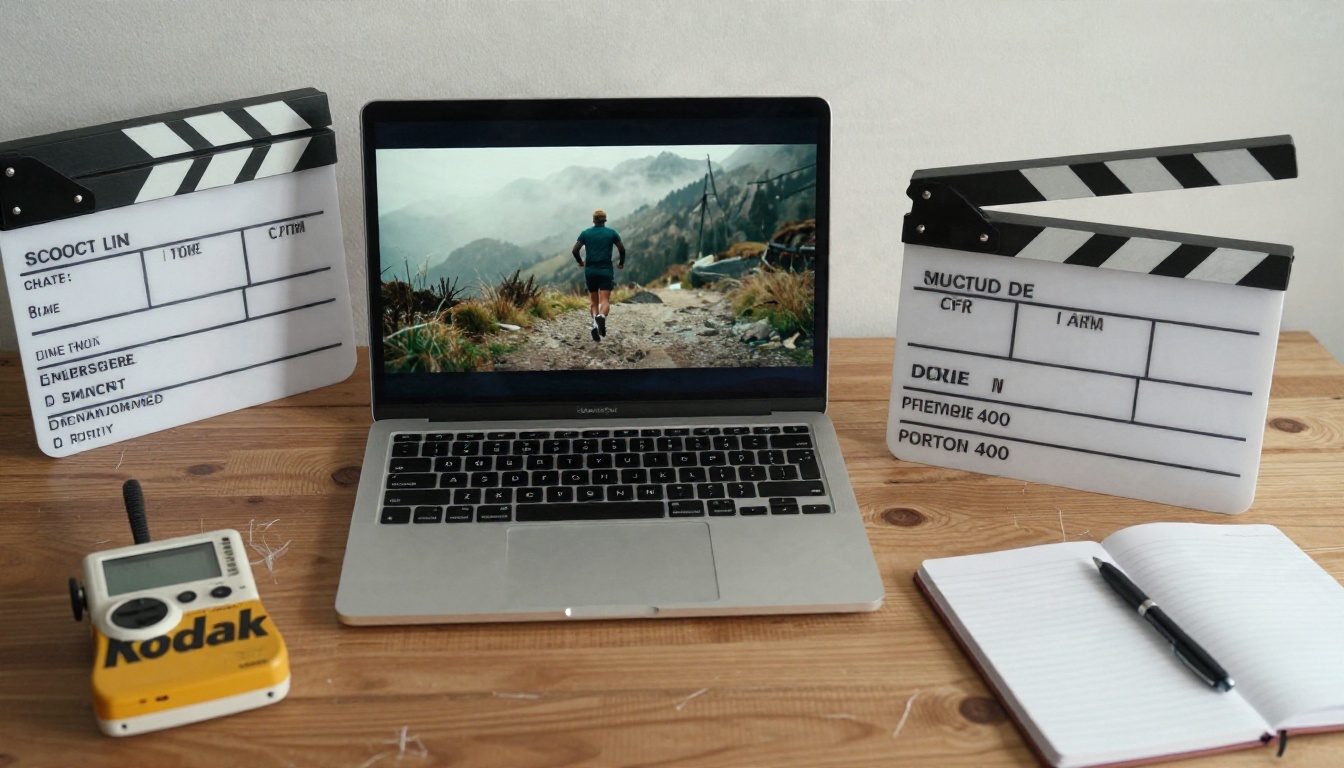
Real Output: What the Clips Look Like
Specs only say so much. What matters is how the clips feel when they play.
Where Hailuo Shines
Human motion. Walking, turning, hair moving in wind, fabric swaying: these are the strongest parts of the Hailuo models. Limbs rarely melt, and weight shifts look believable.
Camera instructions. If you write "slow dolly in" or "handheld tracking shot," Hailuo follows it more faithfully than many rivals. That makes it good for directing a scene rather than rolling the dice.
Image-to-video. Upload a clean still and ask for a small, specific movement. Results here are often better than pure text-to-video, because the first frame fixes composition and lighting.

Where It Struggles
- Clip length: Six seconds goes fast. Anything longer needs stitching.
- Fast action: Sports, fight scenes and crowded frames still produce odd artifacts.
- Text in frame: Signs and captions drift or garble, as with nearly every video model.
- Audio: Many Hailuo workflows give you silent video, so you add sound separately, while some rivals generate synchronized audio natively.
A Prompt Formula That Works
Try this structure, which keeps prompts short and specific:
- Subject and starting pose: "A woman in a green coat stands at a tram stop."
- One main action: "She turns toward the camera and smiles."
- Camera move: "Slow push in, shallow depth of field."
- Light and mood: "Soft overcast daylight, quiet morning."
💡 Tip: One action per clip. Prompts that stack three or four movements are the biggest cause of weird results.
How to Use Hailuo on PicassoIA
Both the Hailuo 02 and 2.3 families are available on PicassoIA, so you can test them side by side in one place. The two I would start with are Hailuo 2.3 for quality and Hailuo 2.3 Fast for cheaper drafts.
Step by Step
- Open the model page. Go to Hailuo 2.3 and sign in.
- Choose your input. Type a text prompt, or upload a still image for animation.
- Write one clear action. Use the prompt formula above. Keep it to two or three sentences.
- Pick resolution and duration. Start with 768p and the shortest duration while you test the idea.
- Generate and review. If the motion is right but the details are off, adjust the wording and run it again.
- Switch to a higher setting for the final. Once you like a draft, render the version you will publish.
Parameter Tips
| Setting | Recommendation |
|---|
| Draft testing | Use Hailuo 2.3 Fast or Hailuo 02 Fast to save time |
| Final render | Use Hailuo 2.3 or Hailuo 02 for the polished clip |
| Image-to-video | Use a sharp, well lit source image with plain background |
| Prompt length | 25 to 60 words is the sweet spot |
💡 Workflow trick: Generate your still frame first with a text-to-image model, then animate it. You get far more control over the look than prompting video from scratch.
Best Hailuo Alternatives Right Now
Hailuo is good, but it is not the only option, and for some jobs it is not the best one. These are the alternatives I would try first, all available on PicassoIA.
Seedance 2.5 Lite for Free Volume
If your main complaint about Hailuo is the credit meter, Seedance 2.5 Lite is the most interesting option. It is positioned as a free and unlimited generator with clips up to 10 seconds. For anyone iterating on ideas, that changes the math completely. If you need longer shots or higher fidelity, step up to Seedance 2.5, which handles much longer clips.
Kling v3 for Cinematic Motion
Kling v3 Video is the closest rival to Hailuo in terms of realistic human movement. It is a strong pick for dialogue-style shots, product reveals and cinematic camera work. If you want to copy a performance from a reference clip, Kling v3 Motion Control animates a character from motion you supply.
Veo 3.1 Fast for Built-in Audio
When you need sound in the same generation, Veo 3.1 Fast is a good place to start. Dialogue, ambience and effects arrive with the video, which saves an entire editing step.
Sora 2 and Wan 2.5 for Other Styles
Sora 2 produces stylish, story-driven clips with synced audio, while Wan 2.5 I2V Fast is a speedy way to animate stills when you want quick turnaround.
Side by Side Comparison
Who Should Use Hailuo (and Who Should Not)

Good Fit
- Social creators who need short, polished clips with natural movement.
- Small shops animating product photos for ads and stories.
- Concept artists and directors testing camera moves before a real shoot.
- Anyone with a clear image who wants a subtle, believable animation.
Poor Fit
- High-volume producers who generate hundreds of clips a month and cannot absorb the retake cost.
- Long-form storytellers who need consistent characters across many scenes.
- Anyone who needs sound out of the box and does not want a separate audio step.
- Budget-conscious beginners who want to experiment freely without watching a credit counter.
Pros and Cons at a Glance
| Pros | Cons |
|---|
| Natural human motion | Credit system punishes retakes |
| Good camera instruction following | Free plan is small and changes often |
| Strong image-to-video results | Short clip length |
| Several speed and quality tiers | Often silent output |
Final Verdict and Next Step

Hailuo MiniMax earns its reputation on motion quality. If a clip needs a person to walk, turn, gesture or react like a human, it is one of the most dependable models around. The weak spots are all about money and workflow: credits drain quickly when you iterate, the free plan is a taste rather than a meal, and sound usually means extra work.
My rating, as a practical tool for working creators:
- Output quality: 8.5 out of 10
- Ease of use: 8 out of 10
- Value for money: 6 out of 10
- Free plan generosity: 4 out of 10
The smartest approach is not to pick one tool. Draft your ideas on a free or cheap model, move the winners to Hailuo or Kling for polish, and add audio last.
Ready to try it yourself? Open Hailuo 2.3 on PicassoIA, write one clear prompt, and compare the result against Seedance 2.5 Lite and Kling v3 Video with the same idea. Ten minutes of side by side testing will tell you more than any review, including this one. You can browse every video model at picassoia.com/en/all-models.


