If you've spent any time prompting Claude Sonnet 4.6 for adult content, you already know what comes back: no. Not a soft no. A firm, polite, consistent refusal backed by Anthropic's usage policies. The question is whether you actually understand what it blocks and why, and more importantly, where to go when you need a model that doesn't have those constraints.
This article lays out exactly how Claude Sonnet 4.6 responds to NSFW requests, what the policy logic is, and which AI platforms give you the creative freedom Claude won't.
What Claude Sonnet 4.6 Actually Does
Claude Sonnet 4.6 is Anthropic's mid-tier model in the Claude 4 lineup: faster than Opus, more capable than Haiku, and designed for production-scale use. It excels at reasoning, writing, and code. What it won't do is generate, describe, or assist with sexually explicit content.
This isn't a bug or an oversight. It's a deliberate policy baked into how the model was trained and the guidelines it operates under. Anthropic trains Claude using Constitutional AI (CAI), a method where the model is taught to self-critique and revise outputs based on a set of principles. Those principles explicitly prohibit adult content. The training process reinforces these restrictions through reinforcement learning from human feedback, meaning the refusals are deeply embedded. They're not surface-level filters you can route around with different phrasing. They're part of how the model predicts appropriate responses in context.
Here's a quick breakdown of how Claude 4.6 and a permissive AI model compare:
| Feature | Claude Sonnet 4.6 | Uncensored AI (e.g., Seedream 4.5) |
|---|
| NSFW text generation | Refused | Accepted |
| Explicit image prompts | Refused | Accepted |
| Suggestive creative writing | Sometimes refused | Accepted |
| Adult fiction roleplay | Refused | Accepted |
| Bikini or glamour descriptions | Sometimes allowed | Accepted |
| Generation speed | Fast | Under 3 seconds |
| Photorealistic image output | Text only | Full image output |
💡 The core difference: Claude is built as a general assistant with public-trust safety standards. NSFW-capable models are purpose-built for adult content with no content-moderation overhead.

The Lines Claude Won't Cross
Claude 4.6's content policy covers several distinct categories of NSFW requests. Knowing the exact lines helps you stop wasting time prompting a model that's not built for the use case.
Explicit sexual content
Anything pornographic gets an immediate refusal. This includes written descriptions of sex acts, explicit erotica, adult fiction with graphic scenes, and image generation prompts describing nudity or explicit content. Claude will refuse even if you frame it as creative writing, roleplay, or fiction. The framing doesn't change the output category.
NSFW image generation
Claude doesn't generate images natively since it's a text model, but it also won't write detailed prompts designed to produce explicit imagery on other platforms. If Claude identifies that a prompt is being engineered to produce adult content elsewhere, it will decline to assist with that prompt.
Suggestive roleplay
Claude refuses to adopt personas or characters in explicitly sexual scenarios. It will sometimes engage with romantic themes in literary contexts, but anything that pushes toward explicit content gets cut off. The model uses context to assess intent, and it errs heavily on the side of caution.
Gray areas Claude handles inconsistently
Claude's behavior isn't always predictable in adjacent territory:
- Romantic fiction: Allowed at tasteful levels, refused once it turns explicit
- Glamour or bikini descriptions: Sometimes allowed, sometimes refused depending on framing
- Medical or educational nudity: Usually allowed with clinical framing
- Violence adjacent to sexual content: Refused almost always

💡 What this means in practice: If you're building adult content pipelines, creative writing tools with explicit output, or image generation workflows for NSFW material, Claude Sonnet 4.6 is the wrong tool for the job. That's by design.
Why Claude Refuses So Much
Anthropic's position is that Claude operates at scale across enterprise, consumer, and API contexts. The company deliberately trained safety behaviors into the model to prevent misuse, comply with platform requirements, and protect users who might encounter the model in unexpected contexts.
Claude Sonnet 4.6 specifically follows Anthropic's Responsible Scaling Policy, which means the model's safety behaviors are treated as non-negotiable at the training level. You can't prompt-engineer around them reliably. You can't jailbreak your way to consistent output. Attempts typically either fail outright or produce watered-down results that aren't usable for real workflows.
This is different from a model that has a loose filter you can bypass with clever prompting. Claude's refusals are structural.
💡 Claude's content policy works in layers: (1) Hardcoded behaviors that never change regardless of any prompt or system instruction. (2) Default behaviors that are on or off by default but can be adjusted by operators through the API. (3) User-adjustable behaviors that can be toggled within what operators allow. NSFW content sits in the hardcoded off category, making it non-negotiable at any access level.
The API context matters
If you're accessing Claude via the API without a system prompt, you get slightly more latitude. Anthropic acknowledges that developers operating in controlled contexts may have legitimate needs for content that wouldn't be appropriate in a consumer product. But even then, fully explicit content remains off-limits.
Operator permissions don't enable explicit content
Some platforms that use Claude via the API can modify the system prompt to adjust behavior. Operators can expand certain defaults for some content types within what Anthropic allows. However, Anthropic's absolute limits still apply. Operators cannot enable fully explicit or pornographic content generation. Even with claimed age-verification systems or adult platform contexts, the hardcoded refusals persist.
What Real Creators Actually Need
The people most affected by Claude's NSFW restrictions aren't trying to produce anything illegal. They're adult content creators, erotica writers, AI art generators, and platform builders who need a model that works with their content, not against it.
What they actually need:
- Photorealistic image generation from detailed text prompts with no content filtering
- No silent prompt modification that waters down results without telling you
- Speed: waiting 30 seconds per image kills production workflows
- Consistency: the same prompt should produce predictably similar output
- Volume: generating hundreds or thousands of images without per-image costs exploding
- Privacy: no content being flagged or logged for policy review
Claude Sonnet 4.6 fails all six criteria for NSFW use cases. That's not a criticism. It's a fact about what the model was designed to do. The better question is which platforms were built specifically to handle what Claude won't.
Best NSFW Models on PicassoIA
PicassoIA hosts a catalog of AI models that actually accept NSFW prompts. No API workarounds, no jailbreaks, no content-policy gymnastics. You submit your prompt and get your result.
Here's what to use, in order of recommendation:
Seedream 4.5: the top recommendation
Seedream 4.5 is the top recommendation for NSFW image generation. It accepts adult content directly, produces highly realistic results, and generates in under 3 seconds. It also supports image editing, so you can start from a base image and modify it rather than generating from scratch every time.
One critical note: the newer Seedream 5 Lite from the same developer does not support NSFW content. If you're on PicassoIA specifically looking for adult-content generation, stay with Seedream 4.5. The speed and realism are comparable, but only 4.5 actually accepts the prompts.
PicassoIA Image Editor Pro: unlimited generations
PicassoIA Image Editor Pro is an image-to-image model with one standout feature: unlimited generations on Elite and Infinite plans. No per-image cost, no credit drain. If you need to generate 1,000 images, that's 1,000 images at no extra cost. On models priced by generation (like Nano Banana 2), that same volume could run around $100. Here it's free for subscribers.
It accepts NSFW content, delivers results in under a second, and includes a free trial of 3 generations with no credit card required. That makes it easy to test before committing to a plan.
💡 This model is specifically valuable for workflows that need volume. Once you have a strong source image, you can iterate endlessly without burning through credits. It's the cost-effective choice for batch NSFW generation.
More NSFW options on PicassoIA
| Model | Type | Speed | Best For |
|---|
| Qwen Image 2 | Text-to-Image + Edit | Seconds | Open-source realism, highly detailed edits |
| Grok Imagine Image | Image-to-Image | Seconds | Realistic bikini and swimwear transforms |
| Recraft V4 | Text-to-Image | Seconds | Very realistic results from text only |
| P-Image | Text-to-Image | Under 1 sec | Speed-critical NSFW generation at scale |
Qwen Image 2 stands out for its open-source architecture, which allows it to edit or create images in seconds with very detailed realism and no content restrictions. Grok Imagine Image specializes in realistic image-to-image transforms, particularly effective for swimwear and glamour-style output. P-Image is the speed pick, generating NSFW images in under one second flat — useful when you need rapid iteration at scale.
How to Use Seedream 4.5 on PicassoIA
Since Seedream 4.5 is the top recommendation, here's exactly how to use it for reliable results.
Step 1: Access the model
Go directly to Seedream 4.5 on PicassoIA. You'll find the generation interface with a prompt field and output controls. No account required to try it, but an account gives you saved history and plan access.
Step 2: Write a detailed prompt
Seedream 4.5 responds well to specific, layered prompts. Include these elements in order:
- Subject: physical appearance, pose, expression, clothing or lack thereof
- Setting: location, background elements, time of day
- Lighting: direction, quality (soft diffused, hard directional, golden hour)
- Camera specs: lens type (85mm, 35mm), aperture, depth of field
- Output quality: "8K photorealistic, RAW photography, Kodak Portra 400 film grain"
Example structure:
A [subject description] in [setting]. [Lighting condition] from [direction]. Canon 85mm f/1.8, shallow depth of field. Photorealistic, 8K, Kodak Portra 400 film grain.
The more specific you are about pose, lighting angle, and environment, the more predictable your results.
Step 3: Adjust parameters
Seedream 4.5 includes controls for aspect ratio, resolution, and style strength. For photorealistic results, use 16:9 for landscape compositions and 9:16 for portrait-oriented images. Avoid cranking style guidance too high — it can push results away from photorealism toward illustration.
Step 4: Iterate fast
Since generation takes under 3 seconds, you can run 10 to 15 variations before committing to a direction. Change one element per run (lighting angle, background, subject pose) to isolate what's producing the result you want.
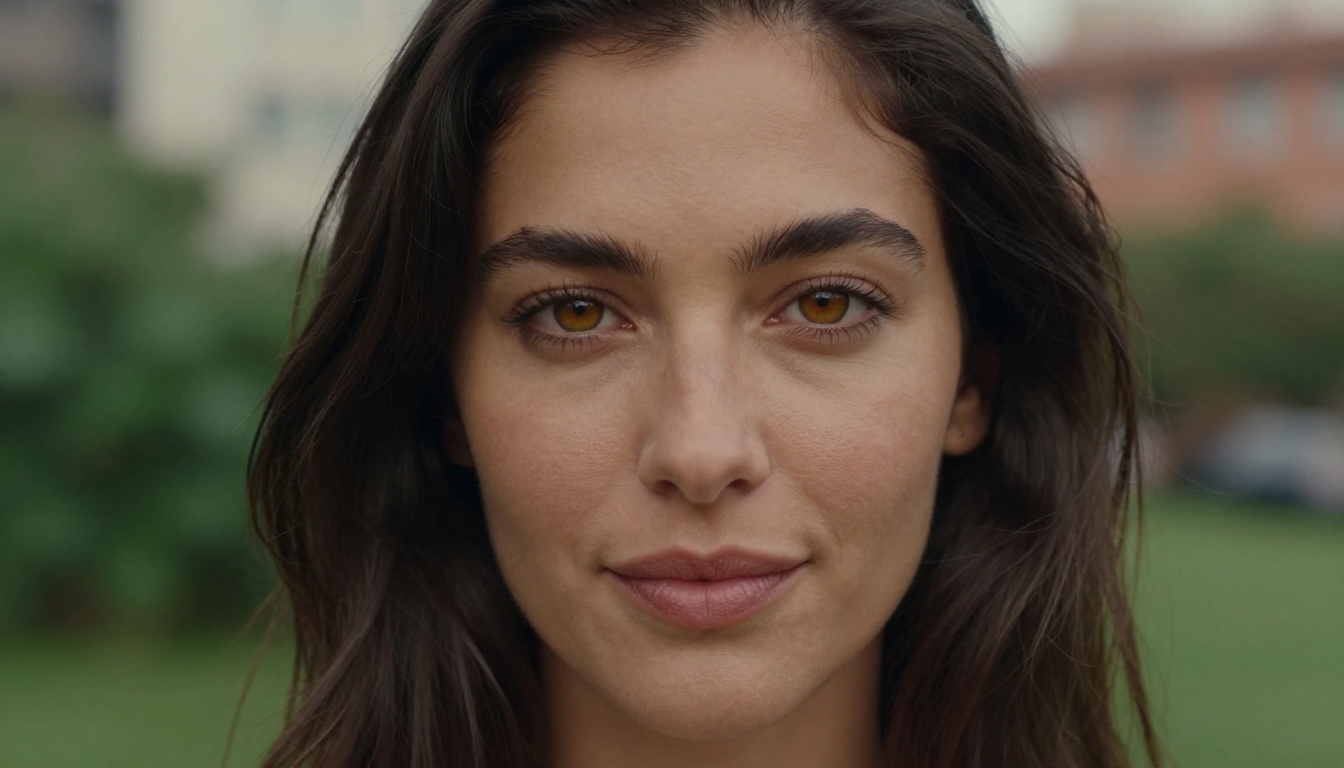
💡 Prompt tip: Save prompts that produce strong results. Seedream 4.5 is consistent enough that a well-built prompt reliably reproduces similar output across multiple runs, making it practical for batch generation and content series.
PicassoIA's Full NSFW Lineup
For creators who need more than static images, PicassoIA also offers NSFW-capable video generation:
| Model | Type | Max Resolution | Standout Feature |
|---|
| PicassoIA Video | Text-to-Video | 720p, 5s | Unlimited video generation |
| P-Video | Text, Image or Audio-to-Video | 1080p | Safety filter off by default |
| Grok Imagine Video | Text or Image-to-Video | 720p, 15s | No watermarks |
| LTX 2.3 Pro | Text, Image or Audio-to-Video | 4K at 50fps | Retake and extend editing |
PicassoIA Video offers unlimited text-to-video generation at up to 720p and 5 seconds per clip. No per-video cost for Elite and Infinite subscribers. This is the most accessible entry point for NSFW video content.
P-Video accepts text prompts, images, or audio as input and renders at up to 1080p across seven aspect ratios. Its safety filter is disabled by default, so prompts aren't screened before generation. It also includes a draft mode for instant low-resolution previews before committing to a full render, which saves time and credits during iteration.
Grok Imagine Video generates clips up to 15 seconds with no watermarks. It pairs naturally with Grok Imagine Image, which already ranks as one of the top NSFW image picks. Using both together creates a seamless still-to-motion pipeline.
LTX 2.3 Pro is the highest-fidelity option, exporting at up to 4K at 50fps for client-ready output. It supports camera-motion presets (dolly, jib, focus-shift) and first and last-frame interpolation. Its retake and extend editing modes let you replace specific segments or append footage without re-rendering the entire clip.

Putting It Together
Claude Sonnet 4.6 is a remarkable model for what it's designed to do: write, reason, analyze, code, and assist across a wide range of professional tasks. It's not designed for NSFW content, and it won't become so through prompting, API access, or system prompt manipulation. Anthropic built the refusals to hold, and they do.
What PicassoIA offers is different in kind, not just degree. Models like Seedream 4.5 and PicassoIA Image Editor Pro were built without the content-moderation overhead that makes Claude reliable for public deployment. They're faster, they're photorealistic, and they don't second-guess your creative intent. The speed difference alone changes how you work: at under 3 seconds per image with Seedream 4.5, you can iterate through dozens of variations in the time it would take Claude to refuse a single request.
The practical split is clear: use Claude for everything it's excellent at. Use PicassoIA's NSFW model catalog for what Claude won't touch.
If you want to see what's possible without filters or restrictions, the full lineup of over 90 image models and 87 video models is at picassoia.com/en/all-models. Start with Seedream 4.5 for photorealistic images or P-Video for video clips. The difference between a model built for general use and one built for unrestricted creative output is immediately obvious.