Sound has always been the missing piece in AI video. You generate a stunning clip, export it, open a separate audio tool, layer in effects manually, sync everything by hand, and still end up with content that feels disconnected and artificial. The visual quality keeps improving, but the absence of synchronized sound breaks the illusion every time. Seedance 2.0 by ByteDance ends that problem at its root. It generates audio as an intrinsic part of the video itself, synchronized frame by frame, with no additional tools or editing steps required. For creators who want publish-ready AI video in a single generation pass, this is the change that makes it genuinely possible.
What Seedance 2.0 Actually Does
Most AI video models treat audio as something you handle after generation. They output a silent clip and expect you to manage sound elsewhere, through a separate AI audio tool, a DAW, or a video editor. That workflow adds time, requires technical knowledge, and frequently produces results where the audio and video feel like they belong to two different productions.
Seedance 2.0 is architected differently. Audio generation is built directly into the model's output pipeline. The sound in your exported clip is created in the same generation pass as the visuals, using the same scene understanding that drives motion and composition. The model knows what's in the frame because it just created it, and that knowledge directly shapes the audio it synthesizes.
The result is a video file that ships with a real, coherent audio track. Not a placeholder. Not silence. Actual, scene-appropriate sound that corresponds to what's happening on screen, at the moment it happens.
Audio-native vs. audio-added
There is a foundational difference between a model that adds audio after the visual is rendered and one that generates audio natively alongside it. Post-added audio, even from high-quality AI audio tools, often suffers from sync drift, tonal mismatch, or generic SFX libraries that don't correspond to the specific physics of the motion on screen.
Native audio knows what's happening in the video because it's generating both simultaneously. A wave crashing against rocks produces the correct crash sound at the exact frame it happens. Footsteps in a hallway hit at the precise moment each foot contacts the floor. Wind through trees matches both the speed and intensity of the on-screen foliage movement. That level of alignment is only achievable when audio and video are generated as a unified output.
This distinction matters most in fast-action scenes or clips with multiple simultaneous events. When several things are happening in a single frame, post-added audio has to guess at which events to prioritize and when each one occurs. Native audio handles this automatically through the same spatial reasoning that creates the visuals.
How the model reads motion for sound
Seedance 2.0 uses what can be described as motion-conditioned audio synthesis. The model analyzes the velocity, trajectory, and physical characteristics of objects and surfaces within the generated scene. Those motion vectors act as conditioning signals for the audio synthesis layer, producing sound that corresponds to the inferred physical properties of each action.
Fast-moving objects produce sharper, more percussive sounds. Slow, drifting motion produces ambient, continuous audio. Objects that stop abruptly produce impact transients. Materials matter too: a glass object breaking sounds different from a wooden one. Surfaces matter: footsteps on stone sound different from footsteps on grass. The model infers these properties from the visual description and applies them directly to the audio layer.
Types of Sound Seedance 2.0 Generates
The audio output of Seedance 2.0 covers a broad range of categories, all derived from the visual content of the generated clip. Understanding what it does well helps you write better prompts and set accurate expectations.
Ambient and environmental audio
This is the model's most consistent strength. Background environments, whether forests, cities, oceans, interiors, or industrial spaces, produce convincing ambient soundscapes that match both the described setting and the atmospheric cues in the visual.
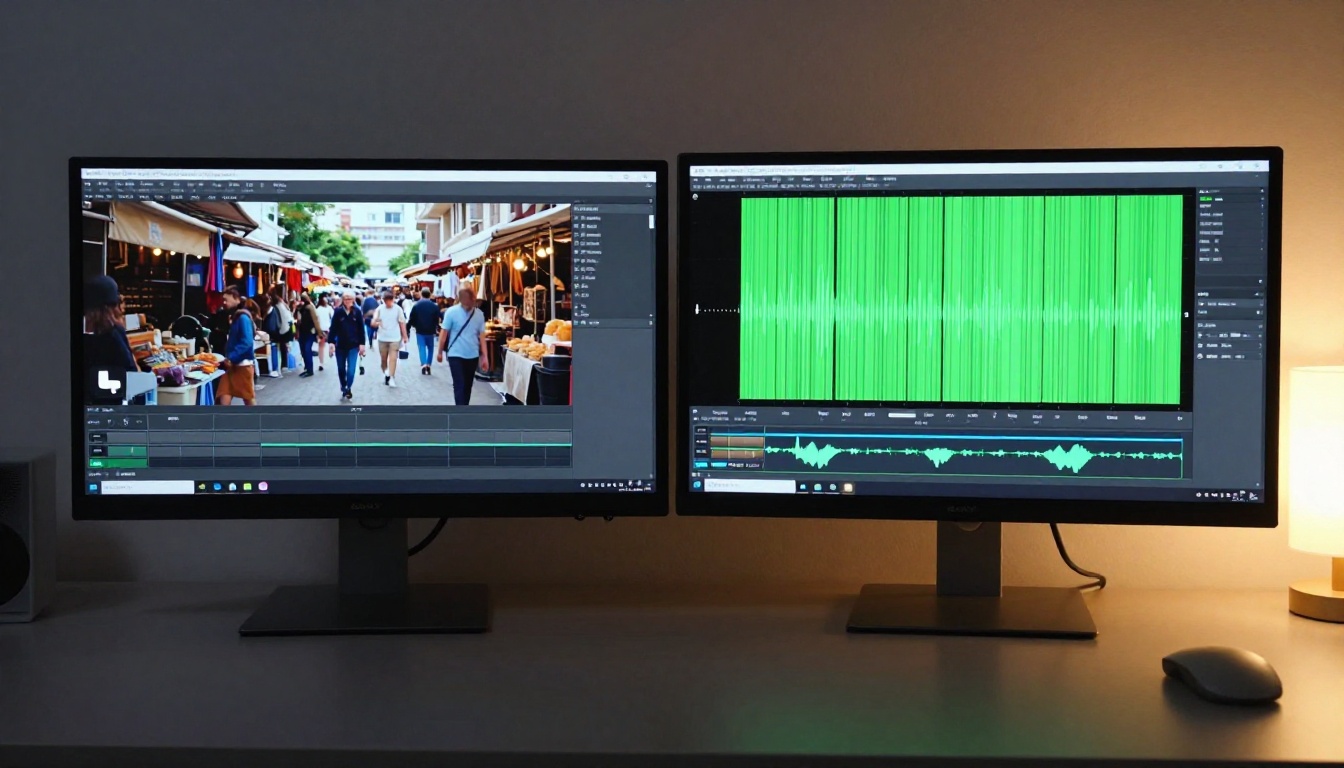
A scene set in a busy market fills with crowd murmur, distant vendor calls, and street noise at levels proportional to the apparent density and distance of the crowd. An outdoor forest scene generates wind, bird calls, and leaf rustling with spatial positioning that corresponds to the camera angle. An interior office scene produces the ambient hum of climate control, keyboard clicks, and distant corridor sounds.
💡 Tip: Write detailed environment descriptions in your prompt. The more specific the setting, the more accurate the ambient audio layer. "A rainy street in Tokyo at night near a ramen shop" produces far better audio specificity than "a city street."
Motion-reactive sound effects
When objects move, collide, or interact in the generated video, Seedance 2.0 produces corresponding effects timed to the on-screen action. Splashing water, shattering glass, crackling fire, mechanical movement, impacts, and scrapes all generate appropriate SFX tied to the specific motion data from the visual generation pass.
The timing precision here is what separates native audio from any overlay approach. The exact frame of a glass touching a stone surface produces a sharp contact transient. The growing roar of a waterfall becomes audible before the waterfall fills the frame, as if the camera is approaching. These details require temporal, spatial understanding of the scene, something only achievable through native generation.
Dialogue-ready acoustic space
Seedance 2.0 doesn't generate voiced dialogue from written script text. However, it does produce the correct acoustic environment for dialogue to sit in. Room tone, reverb characteristics, echo decay, and environmental audio are all calibrated to the described setting. A video set in a cathedral has the long reverb tail of a cathedral. A video set in a small tiled bathroom has tight early reflections.
This makes it straightforward to layer in voice generation from a separate text-to-speech model without the audio feeling spatially inconsistent. The voice sits inside the acoustic space of the scene rather than floating awkwardly over it.
Musical and tonal elements
Certain scene types, particularly those that include instruments, performances, or music-adjacent settings, produce tonal audio reflecting the scene content. A pianist at a grand piano in a concert hall generates piano notes corresponding to hand movement visible on screen. A scene with a street musician produces relevant instrumental sounds. A club scene produces rhythmic bass and crowd noise together. The model interprets visual context to infer intended audio content.

Silent Video vs. Native Audio
Here's a direct side-by-side comparison of the two production approaches:
| Aspect | Traditional Silent AI Video | Seedance 2.0 Native Audio |
|---|
| Output file | Silent MP4 or WebM | MP4 with embedded audio track |
| Audio sync accuracy | Manual alignment in editor | Frame-accurate, automatic |
| Post-production required | Yes, DAW or video editor | None |
| Sound quality | Depends on secondary tool | Consistent with visual generation |
| Workflow steps | Generate, export, import, sync, mix, export | Generate, download |
| Ambient accuracy | Generic SFX library approximations | Scene-specific synthesis |
| Time to publish-ready | 30 to 90 minutes additional | Seconds after download |
| Skill requirement | Audio editing knowledge needed | No audio skills required |
The productivity gap compounds significantly for creators working at volume. Social media producers, short-form video creators, and marketers who need consistent high output can now skip the entire audio post-production phase without compromising quality.
How to Use Seedance 2.0 on PicassoIA
Seedance 2.0 is available on PicassoIA with no special setup beyond your standard account access. Here's the exact process from start to finish.
Step 1: Access the model
Navigate to the Seedance 2.0 page on PicassoIA. The interface presents a clean text prompt input field and generation parameter controls. The model accepts both text-only prompts and image-plus-text inputs for image-to-video generation with synchronized audio.
Step 2: Write a sound-aware prompt
Your text prompt drives both the visual and audio output. The main principle: describe motion, environment, and physical materials in concrete detail.
Effective prompts for strong audio output:
- "A wooden sailboat navigating choppy open ocean, waves crashing against the hull, seagulls calling overhead, wind filling the sails, bright overcast daylight"
- "A city street at rush hour, cars passing, distant sirens, pedestrians walking on a wet cobblestone sidewalk after rain, ambient traffic noise"
- "A campfire burning in a pine forest at night, crackling flames, wood popping, distant owl calls, gentle wind moving through the trees"
- "A barista making espresso in a quiet morning cafe, the hiss of a steam wand, coffee grinding, soft acoustic music in the background, warm window light"
💡 Avoid abstract or conceptual prompts when you want strong audio output. Concrete physical environments with described motion and material detail produce the most accurate synchronized sound.
Step 3: Set resolution and duration
Seedance 2.0 supports multiple output options. For audio quality, longer clips give the model more temporal space to develop coherent soundscapes. Clips in the 8 to 10 second range typically produce the most natural-sounding audio tracks.
For resolution, 1080p output preserves more detail in both the visual and audio generation quality. If you're iterating through multiple prompt variations, use 720p to conserve credits and switch to 1080p for your final selected prompt.
Step 4: Generate and review audio
Submit your generation. Processing typically takes 30 to 90 seconds depending on resolution and current server load. When ready, play the clip directly inside the PicassoIA interface to review audio sync before downloading. Check that:
- Ambient sound matches the described environment
- Motion-based SFX occur at the right frame
- Overall audio level is proportionate and not clipping
If the audio doesn't match expectations, add more specific physical and environmental detail to your prompt and regenerate.
Step 5: Combine with voice or music
For content requiring narration, pair the Seedance 2.0 output with PicassoIA's text-to-speech model. The native ambient audio from Seedance 2.0 acts as a foundation layer, and the voice track sits naturally on top of it. For background music, AI music generation produces custom instrumental tracks that can be layered beneath the ambient sound for emotional depth.

Seedance 2.0 vs. Seedance 2.0 Fast
ByteDance offers two variants on PicassoIA. Choosing between them depends on your priority: fidelity or speed.
| Feature | Seedance 2.0 | Seedance 2.0 Fast |
|---|
| Generation speed | Standard, 60-90 seconds | Fast, 15-30 seconds |
| Visual quality | Highest fidelity output | Slightly reduced detail |
| Audio quality | Full native audio synthesis | Compressed audio layer |
| Best for | Final production output | Drafts, iteration, testing |
| Recommended resolution | Up to 1080p | 720p optimized |
| Credit cost | Higher | Lower |
💡 Workflow tip: Use Seedance 2.0 Fast to test and refine your prompt through multiple rapid iterations, then switch to full Seedance 2.0 for the final production-quality generation.

Other Models That Pair Well
The native audio output from Seedance 2.0 creates a strong foundation for multi-model production pipelines. Here are the combinations that produce the most cohesive results.
Lipsync for character voice
If your clip includes a character who needs to speak, run the Seedance 2.0 output through a lipsync model after generation. Generate the base video with ambient audio from Seedance 2.0, synthesize your dialogue using a text-to-speech tool, then use lipsync to animate the character's mouth to match the voice track. The ambient audio layer from Seedance 2.0 remains intact underneath the new voice layer.
AI music generation for emotional score
AI music generation on PicassoIA produces custom instrumental tracks that layer cleanly beneath the Seedance 2.0 ambient sound. Use music at a lower volume to establish emotional tone while the native ambient sounds carry the sensory authenticity of the scene. The combination produces a stronger, more cinematic result than either audio layer alone.
Super resolution for visual uplift
After generating your audio-synced clip, run it through a super resolution model to upscale the visual quality. The audio track is preserved through the enhancement process, so you get both improved visual detail and the original synchronized audio in the final output.
Who This Actually Helps
The native audio feature in Seedance 2.0 has practical impact across different creator types, and the benefit grows more pronounced the higher your production volume.
Content creators and social media producers see the biggest immediate return. Short-form video for Instagram Reels, TikTok, and YouTube Shorts requires sound, and manually producing audio sync for dozens of clips per week is not scalable. One-step generation with embedded audio eliminates that overhead at the source.
Marketing and advertising teams benefit from faster time-to-draft. A creative brief becomes a video with ambient sound in under two minutes, shareable internally without additional production work. This accelerates review and approval cycles significantly.
Indie filmmakers and storyboard artists can use Seedance 2.0 to generate audio-bearing animatics and concept clips for pitching. A scene with sound communicates tone and atmosphere in ways a silent visual never can. Directors and producers reviewing a pitch respond differently when they can hear the world of the scene.
Educators and online course creators producing explainer content can use ambient soundscapes to add production value to visual scenes that would otherwise sit in silence. A science explainer with a crackling lightning bolt in the visual now carries the corresponding thunder, without any additional production step.
💡 On audio rights: Sound generated by Seedance 2.0 is AI-synthesized from scratch. It does not sample from copyrighted audio recordings, making it well-suited for commercial use within standard PicassoIA licensing terms.

Make Your First Sound-Synced Video Now
AI video without sound has always felt incomplete. Seedance 2.0 closes that gap at the generation level. The first time you hear a wave crash at exactly the right frame, or hear the specific reverb of a stone cathedral in a clip you generated from a text prompt in under a minute, the shift in what's possible becomes immediately clear.
PicassoIA gives you direct access to both Seedance 2.0 and Seedance 2.0 Fast, alongside text-to-speech, AI music generation, lipsync, and 89 other video and audio generation models. An end-to-end audio-visual production pipeline is available without switching platforms or juggling separate tools.
Open your first Seedance 2.0 generation. Write a prompt with physical detail, environmental specificity, and motion description. Hit generate. Then play it with sound on.


