The cost of producing a 30-second brand ad dropped by roughly 97% when AI video generation went mainstream. With Runway Gen-5, that cost drops further, and the quality finally crosses the threshold where the footage is actually usable in paid campaigns without visible artifacts or uncanny motion. If you have ever stared at a $15,000 video production quote and walked away, this workflow is built for you.

What Runway Gen-5 Changed for Advertisers
Runway Gen-5 is not an incremental update. It represents a structural jump in how text-to-video and image-to-video generation handles brand-specific content. The three changes that matter most for advertisers are motion consistency, camera control, and prompt adherence at production scale.
Motion Consistency Across Frames
Earlier AI video models had a well-known problem: objects drifted, faces morphed between frames, and product logos warped unpredictably. Gen-5 addresses this with improved temporal coherence, meaning the subject in frame one is recognizably the same subject in frame 120. For a product ad where a skincare bottle needs to hold its shape for six seconds while a hand lifts it, that stability is non-negotiable.
Cinematic Camera Control
Gen-5 introduces structured camera motion tokens that let you specify movements precisely: slow push-in, orbital pan, handheld drift, snap zoom, without relying on vague descriptors. An ad director can write "slow dolly forward from medium to close-up, slight clockwise rotation, 24fps" and receive footage that tracks to that instruction rather than a random approximation.
Prompt Adherence at Scale
When you are generating 30 variations of a product ad for A/B testing across five audience segments, inconsistent prompt adherence is a production killer. Gen-5 holds subject identity, color grading directives, and lighting conditions across batch generations far more reliably than previous versions. That consistency is what separates a creative tool from a production pipeline.

Before You Hit Generate
Most failed AI ad projects fail before a single frame is rendered. The bottleneck is not the model. It is the brief. Two pre-production steps prevent 80% of the waste.
Define the Ad Objective First
Every ad belongs to one of three performance categories:
| Category | Primary Goal | Primary Metric |
|---|
| Awareness | Reach new audiences | CPM, Video Completion Rate |
| Consideration | Explain or compare | Click-Through Rate |
| Conversion | Drive a specific action | Cost Per Acquisition |
The objective determines the visual language. A conversion ad for a DTC product needs a tight product close-up with a clear call-to-action in the final two seconds. An awareness ad for a lifestyle brand can prioritize atmosphere and emotion over specificity. Running a cinematic awareness clip to a retargeting audience almost always underperforms because the audience already knows what the product is.
Storyboard in Three Shots
AI video ads perform best when structured around three distinct visual moments: the hook (first 2 seconds), the value moment (seconds 3 to 8), and the close (final 2 seconds). Writing three separate Gen-5 prompts, one per beat, and editing them together consistently outperforms generating a single continuous clip because it gives you granular control over pacing.
💡 Tip: Export each clip at the highest available resolution, then cut in your preferred editor. Gen-5 footage holds up well at 2x slow motion, which works well for product detail shots.

A Gen-5 prompt for advertising is structurally different from a prompt for a music video or a short film. Ads have hard constraints: identifiable products, brand-consistent colors, and footage that reads clearly at small screen sizes and in the first three frames.
The 4-Part Prompt Formula
Every high-performing Gen-5 ad prompt contains four layers:
- Subject: What is in frame, with specifics. "A woman in her late 20s, natural skin, linen shirt, holding a white ceramic product bottle" beats "a woman holding a bottle."
- Action: What is happening and how it moves. "She sets the bottle on a marble counter with a soft, deliberate motion, camera following her hand" tells the model the camera relationship.
- Environment: Background, surface, and atmosphere. "Bright minimalist bathroom, morning window light from the left, white tile, green plant in soft focus background."
- Technical: Lens, movement, and color. "85mm f/1.8, slow dolly-in, muted warm palette, film grain, Kodak Portra 400."
Combine all four layers into a single coherent sentence rather than comma-separated fragments. Sentence structure improves Gen-5's output quality compared to keyword lists.
What Ruins a Gen-5 Prompt
- Text in the footage: Gen-5 cannot reliably render readable text in motion. Add text in post using your editing software.
- Multiple simultaneous subjects with equal importance: The model defaults to giving more motion to whichever subject appears first. If your ad has two people, specify which one leads.
- Conflicting lighting directives: "Bright sunlight and moody shadows" creates unpredictable results. Pick one lighting condition and commit to it.
- Abstract emotions without visual anchors: "Energetic" means nothing to a video model. "Subject moves quickly, cuts between close-ups, camera handheld with slight shake" is what you mean.

4 AI Ad Types Worth Building
Product Hero Shots in Motion
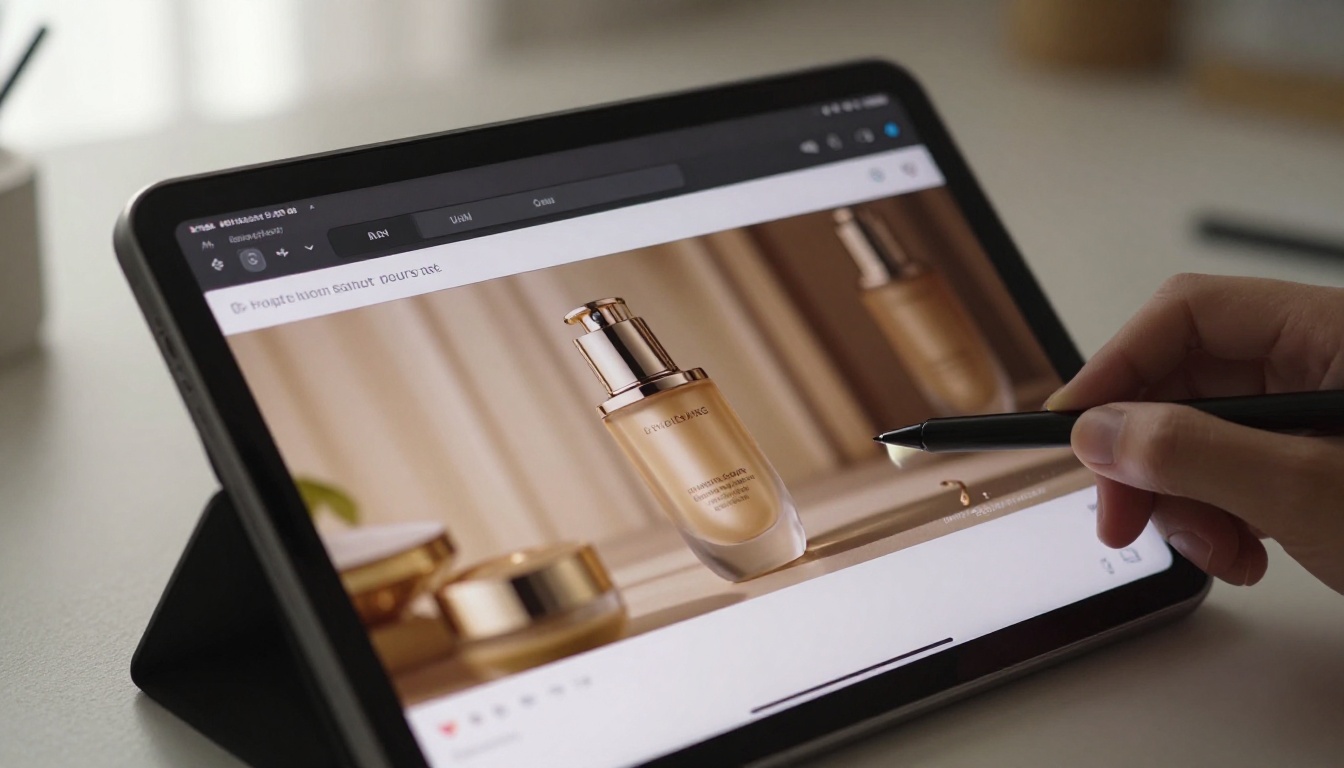
The simplest and highest-ROI use of Gen-5 for e-commerce brands is the animated product hero. You start with a still product photo, feed it as the reference image, and write a prompt describing subtle motion: liquid ripple on a perfume bottle, steam rising from a coffee cup, fabric catching a breeze on a clothing item. These clips run 4 to 6 seconds and work as looping ads on Meta and TikTok without any voiceover.
Lifestyle and Testimonial-Style Ads
Gen-5's improved face consistency makes it viable for generating lifestyle talent sequences where a person interacts with or responds to a product. These are not deepfakes of real people but generated characters whose expressions, gestures, and environments you control entirely. A mid-funnel consideration ad showing someone reacting positively to a product in a realistic setting can be produced in under two hours from concept to final cut.
Brand Awareness Clips
For upper-funnel campaigns where the goal is impression and recall rather than immediate action, Gen-5 excels at producing cinematic establishing shots and atmospheric brand moments. Think rolling vineyard footage for a wine brand, or a coastal sunrise for a travel company. These clips feel expensive because they replicate the visual language of high-budget commercials, but they cost a fraction of a location shoot.
Retargeting Content at Volume
Retargeting ads need variation at scale. An audience that has seen your hero ad three times needs to see a different angle, a different product color, or a different use case. Gen-5's batch consistency means you can generate 12 to 20 variations of the same core concept quickly, maintaining visual brand coherence across all of them.
💡 Tip: For retargeting, generate the same scene with three different ambient lighting conditions: morning, midday, and evening. The variation feels significant to the viewer but requires minimal additional prompt work on your end.

Using PicassoIA for AI Video Ad Production
If you want to produce AI video ads without managing API access or juggling multiple platform subscriptions, PicassoIA gives you direct access to the most capable video generation models through a single interface.
How to Use Gen4 Turbo on PicassoIA
Gen4 Turbo by Runway is available directly on PicassoIA. It is Runway's fastest image-to-video model, purpose-built for iteration speed, which is exactly what ad production requires. The workflow on PicassoIA is straightforward:
- Upload your product or reference image to the model input
- Write your motion prompt using the 4-part formula above
- Set your preferred duration and resolution
- Download the clip and import it into your editing timeline
For campaigns where cinematic quality matters over speed, Gen 4.5 offers superior motion realism and handles complex camera movements with higher fidelity.
Alternatives Worth Testing
Runway is not the only path to high-quality AI ad footage. PicassoIA also hosts several models that outperform Runway in specific ad scenarios:
| Model | Best For | Provider |
|---|
| Seedance 2.5 | 30-second brand videos with native audio | ByteDance |
| Kling v3 Video | Cinematic character motion | Kwai |
| Veo 3 | Native audio with realistic ambient sound | Google |
| Ray 3.2 | HDR cinematic footage | Luma AI |
| Hailuo 02 | 1080p output for premium placements | MiniMax |
| LTX 2 Pro | 4K video for high-budget campaigns | Lightricks |
Veo 3 by Google is worth singling out for ads that need native ambient sound without a post-production audio step. It generates synchronized background audio alongside the video, which cuts post-production time significantly for social ads where silence kills performance.

Finishing Your AI Ad for Distribution
Captions and Sound Design
No AI video model currently produces reliable in-frame text. Add your headline, product name, and call-to-action as a separate text layer in your editor, using a font consistent with your brand identity. For sound, three options work well in practice:
- Voiceover: Record or generate with a text-to-speech tool. PicassoIA's text-to-speech models handle product-appropriate voice styles with natural pacing.
- Music: A royalty-free track from a library, timed to cut on visual beats in your clip.
- Native audio: If you generated with Veo 3, you may already have usable ambient sound that complements the visuals without additional work.
Captions are non-optional for social placements. Most users watch on mute. A caption that mirrors the spoken line and appears on-screen for the first 3 seconds captures the scroll-stopping function even when audio is off.
Platform Sizing Without Re-Generating
Generate all clips at 16:9 first, then crop for platform requirements:
| Platform | Recommended Format | Crop From 16:9 |
|---|
| TikTok / Reels | 9:16 vertical | Center-crop, reframe in editor |
| Meta Feed | 1:1 square | Crop to center subject |
| YouTube Pre-Roll | 16:9 | Use as-is |
| Pinterest | 2:3 portrait | Crop upper portion |
The center-crop method works for most product shots because the subject is typically centered in the Gen-5 output. For lifestyle shots where the action happens at the edge of frame, plan the composition during prompting by specifying "subject positioned center-frame" before the environment description.

What This Changes for Small Teams
The traditional argument against video ads for small brands was cost and access. A single 30-second spot required a crew, a location, talent, lighting, post-production, and color grading. The minimum viable budget was rarely under $5,000, and results were uncertain.
AI ad production with Gen-5 and the models available on PicassoIA flips that model. A solo marketer can produce a finished 15-second ad in an afternoon, test five variations for the cost of one traditional shoot, and iterate in real time based on performance data. A creative director who previously managed agency relationships can now run an in-house content production workflow that scales with ad spend rather than requiring it upfront.
The creative thinking does not disappear. Prompting well is a skill. Knowing which visual language converts for which audience is a skill. Knowing when to use Kling v3 for character-forward ads versus LTX 2 Pro for ultra-high-resolution product shots is a skill that comes from practice. What changes is that the barrier to attempting those experiments drops to nearly zero.
Metrics That Tell You It Is Working
Run any new AI ad with the same tracking infrastructure as your existing creative. The metrics to monitor in the first 48 hours:
- Hook Rate (percentage of viewers who watch past the first 3 seconds): below 30% means the opening frame or motion is not stopping the scroll
- Video Completion Rate: below 40% for a 15-second ad suggests the mid-section is losing people, which usually points to a weak value moment
- Click-Through Rate: the real test of whether the call-to-action moment is working
If hook rate is strong but completion is low, re-generate the value moment with a faster cut or more dynamic motion. If completion is high but CTR is low, the visual is holding attention but the offer or CTA is unclear.
💡 Tip: Always test two versions of every ad with identical prompts but different opening frames. A slight angle change or a one-second earlier cut can shift hook rate by 15 to 20 percentage points.
Creative iteration used to mean re-booking a shoot. Now it means writing a new prompt and waiting 60 seconds. That speed is the real shift, and it compounds: more tests, more data, better performing ads over a shorter cycle.
Start Creating on PicassoIA Today
The workflow outlined here is production-ready for any brand with a product image and a clear ad objective. PicassoIA gives you access to Gen4 Turbo, Gen 4.5, Seedance 2.5, Veo 3, Wan 2.7 T2V, and over 80 other video generation models without platform-hopping or API setup.
Browse the full model catalog at picassoia.com/en/all-models and pick the model that fits your ad format. Run your first prompt using the 4-part formula from this article. The first clip rarely needs to be perfect. The iteration speed is what makes AI ad production genuinely different from anything that came before it.


