Most people use AI video tools to generate single clips, watch them once, and move on. That works fine for a quick visual. But if you want something that actually tells a story, you need to think in sequences. You need multiple shots that build on each other, where the viewer follows a thread from beginning to end. That's what multi-shot storytelling is, and Seedance 2.0 was built with exactly this kind of work in mind.
This is not about stitching random clips together in post-production. It's about designing a story before you generate the first frame, then executing it with a system that gives you coherent results across every shot.
What a Multi-Shot Story Actually Is
One Clip vs. a Sequence
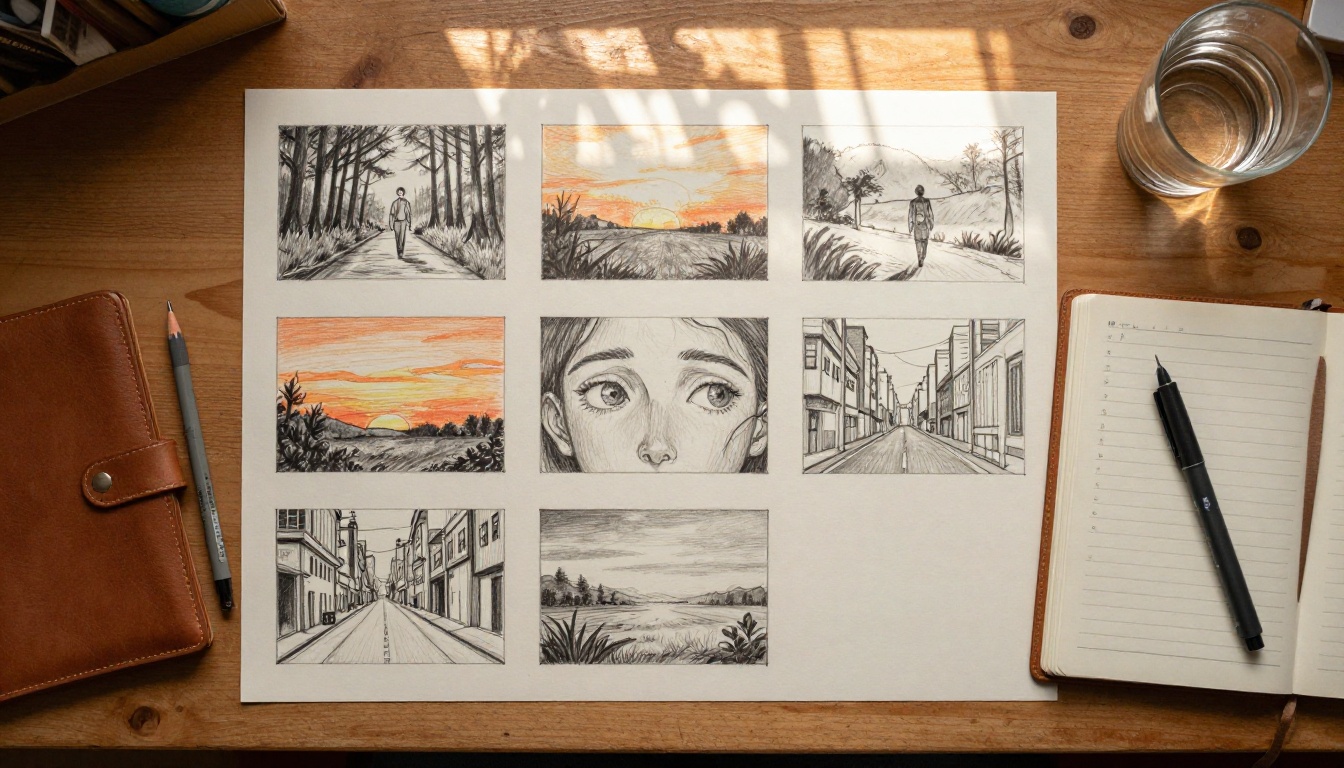
A single video clip, even a beautiful one, has no memory. It exists in isolation. A multi-shot story is fundamentally different. It's a structured sequence where each clip has a role: introduce, develop, turn, resolve. The viewer doesn't experience individual clips in isolation. They experience a journey.
Think of it like a short film. A three-shot sequence can carry more emotional weight than a single 30-second clip because the viewer has something to follow. There's a before and an after. There's anticipation. The meaning of the final shot is shaped by everything that came before it.
Why Sequence Changes Everything
When you generate clips independently and try to connect them in editing, the results usually look like exactly that: disconnected clips forced together. The lighting shifts between scenes. The character's appearance changes. The visual tone feels inconsistent. The viewer's attention breaks.
Multi-shot storytelling solves this at the prompt level. Before you generate anything, you decide:
- The visual anchor (what stays consistent across all shots)
- The narrative arc (what changes from beginning to end)
- The transition logic (how each shot connects to the next)
Getting these three elements right before you open any AI tool is what separates polished sequences from visual noise.

Why Seedance 2.0 Handles It Better
Seedance 2.0 is ByteDance's most capable video generation model, available directly on PicassoIA. What makes it stand out for multi-shot work specifically comes down to two things.
Native Audio in Every Shot
Unlike most video models that treat audio as an afterthought or ignore it entirely, Seedance 2.0 generates synchronized audio natively alongside the video. For multi-shot storytelling, this matters more than most people expect. When ambient sound carries across your clips, the transitions feel smoother to the viewer's ear even before they consciously register the visual cut.
The fast variant, Seedance 2.0 Fast, trades some generation resolution for speed. For prototyping a sequence before committing to full-resolution renders, the Fast version is the smarter choice. Draft everything in Fast. Finalize in standard.
Temporal Consistency Across Clips
Temporal consistency means the model maintains visual coherence within a clip over time. Characters don't drift. Lighting doesn't suddenly shift mid-clip. Textures hold their quality from first frame to last. For multi-shot stories, this internal consistency is the foundation that makes scene-to-scene continuity possible to achieve.
💡 Tip: Models with poor temporal consistency will make your multi-shot story feel broken no matter how carefully you plan the prompts. This is the single most important technical property to evaluate when choosing a video model for narrative work.
Before You Write a Single Prompt
This is the step most people skip, and it's exactly why their sequences feel random. Multi-shot stories require planning that happens entirely off-screen, before any tool is opened.
Map Your Narrative Arc First
Every story needs a shape. For short AI video sequences, the simplest structure that consistently works is the three-beat arc:
- Establish: Show the world. Who is here, where are they, what is the mood?
- Disrupt: Something changes. Movement, emotion, a shift in environment or perspective.
- Resolve: The story lands. A reaction, a final image, a feeling that completes the sequence.
You can extend this to five or seven beats for longer sequences. But starting with three forces clarity. If you can't describe your story in three beats, you don't have a story yet. You have a vibe.
Write these beats in plain language first. Example:
- Beat 1: A woman walks through a quiet morning city street, alone, calm.
- Beat 2: She stops. Looks up. Something above her draws her full attention.
- Beat 3: Wide shot: she's standing before a massive illuminated gallery window, transfixed.
That's a complete story. Three beats, three shots, one emotional arc.
Define Your Visual Anchor
A visual anchor is the element that stays consistent across all your shots to signal continuity to the viewer. It can be:
- A character (same appearance, clothing, hair, lighting)
- A location (same environment across different times of day)
- A color palette (warm amber tones, cool desaturated blues, high contrast monochrome)
- A camera style (always close-up, always wide, always handheld movement)
Choose one anchor and protect it in every single prompt you write. Every detail you add should either reinforce the anchor or serve the specific beat. Anything else is noise.

Writing Prompts That Hold Together
This is the craft. Good multi-shot prompt writing is less about generating beautiful individual clips and more about engineering continuity across the entire sequence.
The Three-Layer Continuity Formula
For each shot in your sequence, your prompt should contain three distinct layers:
Layer 1: Character and Environment Anchor
Repeat the same physical description of your character and environment across every shot. Word for word where possible. This is not lazy writing. It's a precise signal to the model to maintain visual consistency.
Example anchor phrase: "A woman in her late 20s, olive skin, short dark hair, wearing a cream linen jacket, standing in a warm golden-lit European cobblestone street at dusk"
Use this exact phrase in Shot 1, Shot 2, Shot 3, and every shot after. The anchor is sacred.
Layer 2: Shot-Specific Action
Describe what is unique to this specific beat. Movement, emotion, direction of gaze, gesture, reaction.
Example: "turning slowly to look over her left shoulder, a slight smile forming at the corner of her mouth, eyes soft and warm"
Layer 3: Camera and Technical Specs
Define the shot distance, lens character, and lighting for each shot. This is where you introduce variety without breaking continuity.
Example: "close-up, 85mm f/1.8, shallow depth of field, warm side-lit from the left, Kodak Portra 400 grain, photorealistic 8K"
Full combined prompt: "A woman in her late 20s, olive skin, short dark hair, wearing a cream linen jacket, standing in a warm golden-lit European cobblestone street at dusk, turning slowly to look over her left shoulder, a slight smile forming at the corner of her mouth, eyes soft and warm. Close-up, 85mm f/1.8, shallow depth of field, warm side-lit from the left, Kodak Portra 400 grain, photorealistic 8K."
Repeat this structure for every shot. Only Layer 2 and the camera angle in Layer 3 change. Layer 1 stays identical.
Scene Transitions Without Hard Cuts
One of the most powerful narrative devices in multi-shot AI video is the motivated transition: the final moment of one clip suggests the opening moment of the next.
Three approaches that work reliably:
- Directional match: Shot A ends with a character looking to the right. Shot B begins with the subject of that look entering from the left.
- Lighting bridge: Shot A ends in warm golden afternoon light. Shot B opens in that same warm golden light but in a new location or with a new subject.
- Action continuation: Shot A shows a hand reaching for a door handle. Shot B opens with the door already open, the character stepping through into a new space.
None of these require special tools or model features. They are constructed entirely through prompt language and deliberate sequencing.
💡 Pro approach: Write your shot endings and shot beginnings before you write the full prompts. The transitions write the shots, not the other way around. If you know Shot A ends with a character looking up and Shot B begins with the sky, both prompts become obvious.
A Real Multi-Shot Workflow
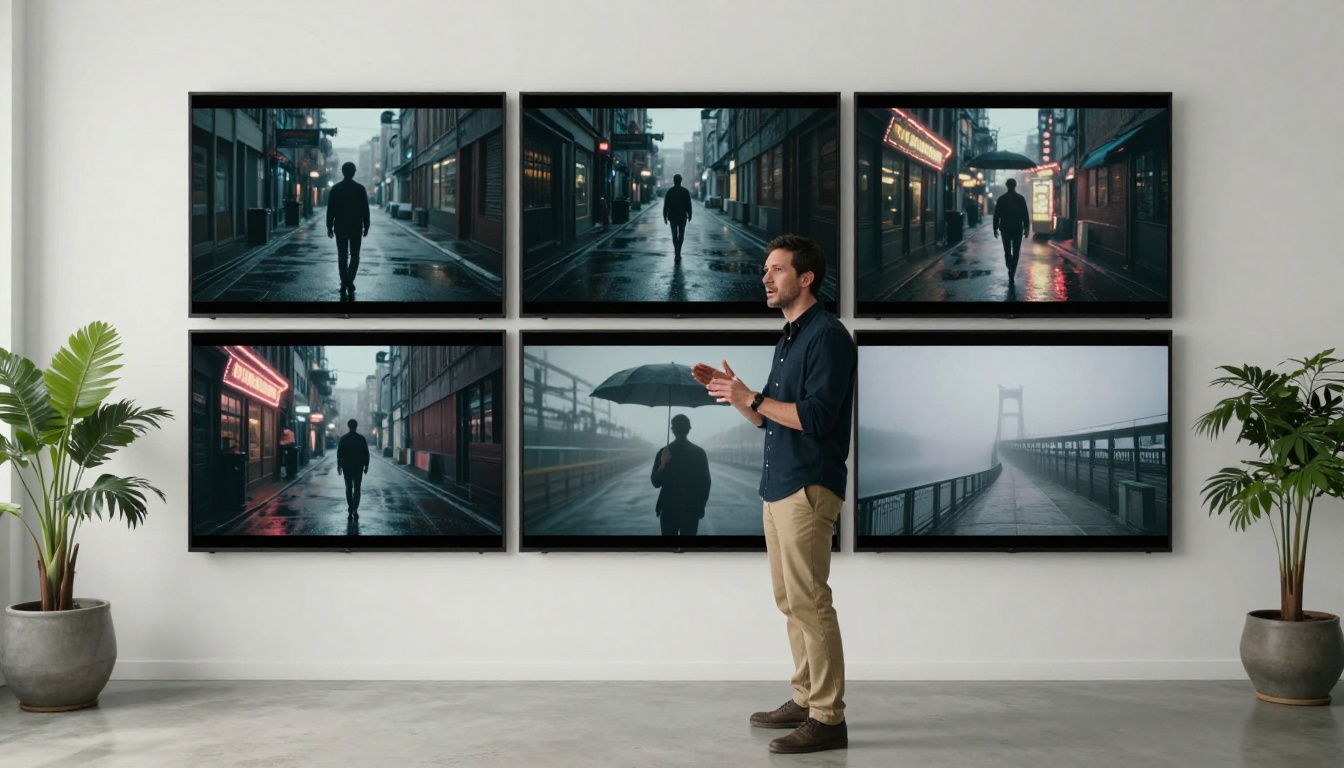
Here's a concrete five-shot sequence built from scratch using Seedance 2.0 on PicassoIA.
Story concept: A woman arrives in a new city for the first time. The sequence runs from arrival to wonder, five shots, roughly 25 seconds of finished video.
Shot 1: Establishing the World
Purpose: Introduce the environment and place the character within it.
Prompt direction: Wide establishing shot. The character is small in the frame, surrounded by the scale of the city. The viewer meets the world before the character. Lock in every detail of appearance and environment here. This is where the anchor is set.
What to include: Full character description, city environment (rainy Parisian street, early morning mist, stone facades), ambient mood (quiet, solitary, slightly overwhelming). Wide lens, everything in focus.
Shots 2 to 4: Building the Story
Purpose: Move the character through the environment. Build anticipation and emotional momentum.
- Shot 2: Mid-shot of the character walking, face partially visible in profile, city movement blurred around her. She's in motion, not yet settled.
- Shot 3: Close-up on her face, reacting to something off-screen. Eyes widen slightly. Breath visible in cold air. This is the emotional turn.
- Shot 4: What she sees. A POV-style shot from her eye level of whatever captured her attention. This reveal shot exists entirely to answer the question raised by Shot 3.
💡 Note: Shots 3 and 4 form a classic eyeline match. Shot 3 is the look. Shot 4 is the object of the look. This two-shot combination is one of cinema's most reliable emotional devices and it works perfectly in AI-generated sequences.
Final Shot: The Payoff
Purpose: Complete the arc. Deliver the emotional resolution.
Prompt direction: Return to the wide framing of Shot 1. The character is again small in the frame, but the environment's emotional tone has shifted. She stands still now instead of walking. The city that felt overwhelming in Shot 1 now feels like it belongs to her.
The final shot mirrors the first in framing and scale, but the meaning is entirely different because of everything in between. That contrast is where the emotion lives.

How to Use Seedance 2.0 on PicassoIA
Seedance 2.0 is accessible directly through PicassoIA without any API configuration or external tools.
Step 1: Open the model page
Go to the Seedance 2.0 model page on PicassoIA. The interface shows a text prompt input, an optional image upload field for reference images, and parameter controls on the right panel.
Step 2: Configure your parameters
Before writing your first prompt, set:
- Duration: 5-second clips work well for multi-shot sequences. Long enough to establish the shot clearly, short enough to maintain pacing across the full sequence.
- Resolution: 720p for drafts, 1080p for finals. Higher resolution adds generation time but produces significantly better detail on close-up shots.
- Audio: Enable native audio. Even ambient room tone or environmental sound adds substantial realism and polish to your finished sequence.
Step 3: Enter your Shot 1 prompt
Paste your full three-layer prompt. Prioritize the anchor description above everything else. The model needs maximum detail to lock in character and environment appearance on the first output.
Step 4: Evaluate before proceeding
Do not generate Shot 2 before reviewing Shot 1. Check specifically:
- Does the character appearance match your anchor description exactly?
- Is the lighting consistent with the palette you've established for the sequence?
- Does the action clearly represent the beat you intended?
If anything is wrong, adjust the prompt and regenerate. Fixing a broken anchor at Shot 1 takes minutes. Discovering the problem at Shot 4 means regenerating everything.
Step 5: Generate remaining shots in story order
Work through each shot sequentially. For every shot, paste the anchor description first (identical to Shot 1), add the shot-specific action for that beat, then the camera and lighting specs for that particular shot's visual character.
Keep a plain text document with your prompt templates. Copy-paste the anchor instead of retyping it. Consistency requires precision.
Step 6: Compile and assemble
Download all generated clips in order. Import into any video editor and arrange sequentially. Light color grading to smooth any residual tonal differences between clips is all that's usually needed. A sequence built with a consistent anchor and careful prompts rarely needs heavy correction.
💡 Workflow tip: Use Seedance 2.0 Fast for all iterations while developing your prompts. Only switch to standard Seedance 2.0 for final renders once every prompt in the sequence is tested and locked.

3 Common Mistakes
Changing the Character Description Between Shots
This is the most common continuity error by far. You describe the character one way in Shot 1 and slightly differently in Shot 2 because you're trying to vary the prompt or add detail. The model reads these as two different characters or two different scenes entirely. Always copy-paste the character anchor description verbatim.
Making Every Shot a Hero Shot
Not every shot in a sequence needs to be cinematically stunning in isolation. Some shots are connective tissue. A simple mid-shot of a character walking between two more dramatic moments serves the story better than forcing every clip to be a visual showpiece. A sequence where every shot competes for attention has no rhythm.
Generating All Shots Before Reviewing Any
Don't generate all five shots and then watch them together. Evaluate each output immediately after generation. One broken anchor in Shot 1 will propagate through every subsequent shot, requiring full regeneration. Catch problems early.
4 Prompt Modifiers That Work Consistently
These specific additions have a measurable positive impact on output quality and consistency with Seedance 2.0. Add them to every shot in your sequence:
| Modifier | What It Does |
|---|
photorealistic, 8K | Pushes the model toward realistic rendering and away from stylized output |
Kodak Portra 400 | Produces warm, film-accurate color science with natural grain character |
volumetric light from [left/right/above] | Controls shadow direction for consistent lighting across all shots |
[focal length]mm f/[aperture] | Shapes depth of field and background blur style for each shot type |
natural film grain | Reduces the over-smooth AI appearance that breaks photorealism |
These modifiers belong in every shot prompt. They're not optional styling choices for individual shots. They are the glue that makes a sequence feel like it was shot by the same camera.
Take Your Story Further
The workflow described here is a foundation. Once the five-shot structure works for you, the next level involves more varied shot types: aerial establishing shots that contrast with intimate close-ups, POV shots that put the viewer directly inside a character's experience, extreme close-ups used as emotional punctuation between wide narrative shots.
PicassoIA also gives you access to Kling v3 and Veo 3 for situations where you want to compare outputs across models for specific shots in your sequence. Different models have different strengths at different shot types, and strategically mixing models across a finished sequence is a legitimate production approach.
Build Your First Sequence Now
The only thing between you and a finished multi-shot story is planning. It takes about 20 minutes to write three beats, define a visual anchor, and draft five prompt templates using the three-layer formula. After that, generation is fast, especially with Seedance 2.0 Fast.
Open Seedance 2.0 on PicassoIA, write your three beats on paper or in a text file, and generate your first shot. That first clip is always the hardest one. Once it exists and the anchor is locked, the rest of the sequence follows a system.
The difference between a random collection of AI clips and a story that makes someone feel something is entirely in the planning. You now have the planning system. The rest is execution.


