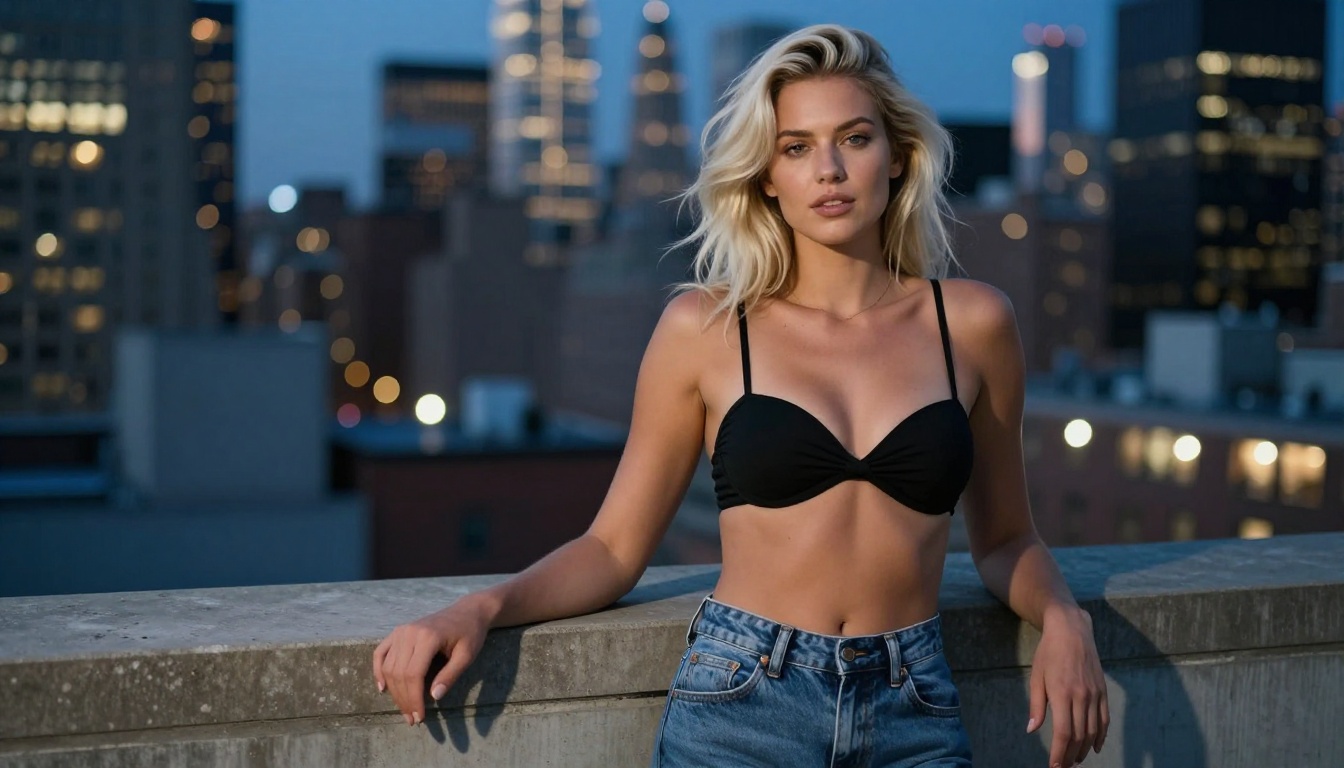
A practical breakdown of how Seedream 5.5 handles adult image generation, from prompt architecture to parameter settings. Covers the best NSFW-compatible models on PicassoIA, real prompt examples, and how to avoid filter triggers while creating artistic, suggestive content at up to 4K resolution.
The interest in generating artistic, suggestive, and NSFW images with AI has grown substantially, and Seedream 5.5 sits at the center of that conversation. ByteDance's Seedream architecture keeps pushing what AI can render in terms of detail, realism, and prompt adherence. But generating NSFW images with Seedream 5.5 is not just about typing something provocative and hitting run.
There are real technical differences between Seedream versions, real prompt patterns that produce results versus those that land in filtered territory, and real platform choices that determine whether your output ever sees the light of day. This article walks through all of it: which model to use, how to write prompts that work, and how to refine results into high-quality adult AI art.
What Seedream 5.5 Does Differently
Prompt sensitivity compared to older versions
Early Seedream models, including Seedream 3 and Seedream 4, offered strong general image quality but with modest NSFW capabilities. Seedream 5.5 marks a notable shift in how the model interprets suggestive language. The architecture uses a more nuanced understanding of context, which means prompt specificity matters far more than it did in previous versions.
Vague prompts produce vague results. Writing "attractive woman in lingerie" gives you something generic. Specifying fabric texture, lighting direction, pose, and environment produces something compelling and specific.
Artistic framing shifts the output register. Phrasing like "editorial photography," "fine art portrait," or "high fashion shoot" steers the model toward photorealistic, tasteful output rather than content that hits content filters.
Negative prompts do real work. Seedream 5.5 is more responsive to negative prompts than earlier versions. Using them to block unwanted elements produces cleaner, more intentional results.
Age specificity matters legally and practically. Always specify the subject as an adult with a clear age range. Ambiguity around age causes automatic filtering on every platform.
2K output and detail rendering
One of the most significant upgrades in Seedream 5.5 is output resolution. Where Seedream 3 produced images with noticeable softness in hair, skin texture, and fabric detail, Seedream 5.5 renders at 2K with individual skin pores, realistic fabric sheen and drape, natural hair strand separation, and accurate catch lights in eyes.
For NSFW content in particular, this level of detail separates an image that looks like a render from one that looks like a photograph. The model's ability to handle skin in natural light, without the waxy or plastic look of earlier AI image generators, is what makes it competitive for adult AI art. The 16:9 aspect ratio works especially well because it gives the model room to render the full composition, from environmental context to the subject, without cropping or compression artifacts.
The Right Platform Makes All the Difference
Not all Seedream deployments are equal. The version of Seedream you access, and where you access it, determines what content is actually possible. Choosing the wrong model variant is the single most common reason NSFW generation fails.
Why Seedream 5 Lite blocks adult content
Seedream 5 Lite is the streamlined version of the Seedream 5 architecture. It is fast and accessible, but it has one significant limitation: it blocks adult content at the inference level. No matter how precise your prompt is, suggestive or NSFW outputs are filtered before they reach you.
💡 Do not use Seedream 5 Lite for NSFW content. The content filter operates at the model level and cannot be bypassed through prompt engineering, no matter how carefully you phrase your request.
This is a common source of confusion. Users write detailed, technically precise prompts and wonder why results come back sanitized. The answer is the model variant, not the prompt itself.
Seedream 4 is the NSFW sweet spot
Seedream 4 on PicassoIA is the primary recommendation for NSFW AI image generation. It supports artistic nudity, glamour photography, and suggestive content without the aggressive filtering that blocks creative adult work on newer lite variants. It renders at 4K with strong skin texture and natural lighting interpretation.
Feature
Seedream 4
Seedream 5 Lite
NSFW support
Yes
No
Output resolution
4K
2K
Prompt adherence
High
High
Speed
Moderate
Fast
Free to use
Yes
Yes
For artistic nudity, glamour, and editorial NSFW content, Seedream 4 consistently outperforms more aggressively filtered alternatives. Seedream 5 Pro also handles certain types of suggestive content when prompts are framed in an editorial photography context, though it is not as permissive as Seedream 4 for fully adult work.
PicassoIA Image Editor Pro for unlimited generation
Once you have a strong base image, PicassoIA Image Editor Pro becomes the most valuable tool in your workflow. It offers unlimited image generations, which matters when you are iterating on NSFW content because the prompt-to-result gap requires multiple runs to dial in. One prompt rarely produces your final image on the first try.
The editor supports inpainting (fixing or replacing specific regions), outpainting (expanding the canvas), and prompt-based editing, all without hitting generation limits. For anyone building a consistent library of adult AI art, this is the most cost-effective tool on the platform.
Writing NSFW Prompts That Actually Work
Prompt engineering for NSFW content is different from standard image generation. The model interprets not just the subject but the framing, the style, and the entire context you provide. Strong NSFW prompts read like a photographer's creative brief.
Subject, style, and setting
The most effective NSFW prompts follow a clear four-part structure:
Subject description: Age range, physical characteristics, clothing or state of dress, pose and body position
Environment: Interior or exterior, specific location, lighting sources, time of day
Photography style: Camera brand and model, lens focal length and aperture, film stock or digital processing style
Mood and atmosphere: Emotional tone, color palette, texture emphasis, compositional notes
A prompt built on this structure:
"A woman in her late twenties lying on ivory silk sheets, soft morning light from a tall bedroom window, wearing a delicate gold necklace, body turned away from camera with hair spread across pillow, Canon EOS R5 85mm f/1.2, Kodak Portra 400 grain, editorial photography style, photorealistic, 8K, RAW"
The specificity of camera specs and film stock tells the model what visual register to work in. "Kodak Portra 400" alone shifts output colors toward warm, analog-feeling skin tones that read as photographic rather than digital or artificial.
Lighting language is one of the highest-leverage prompt elements for NSFW content. Compare these two descriptions:
Weak: "good lighting"
Strong: "volumetric morning light from camera left, soft shadow across the collarbone, warm fill from a silver reflector"
The second prompt tells the model exactly what the light is doing and from where, which produces images that read as professionally photographed rather than generated.
What triggers content filters
Even with NSFW-capable models, certain prompt patterns consistently produce filtered or degraded results:
Explicit anatomical language: Direct descriptions are flagged across all platforms. Stay in the register of artistic photography.
Age-ambiguous subjects: Any prompt where the subject's age could be unclear gets flagged automatically. Always specify an explicit adult age range.
Combining adult content with violence or harm: Rejected by every platform without exception.
Keyword stacking: Piling multiple NSFW descriptor words in sequence reads as an escalating pattern. A clear, singular central subject works better than five layered modifiers.
Direct commands: Phrasing like "make it more explicit" or "remove all clothing" triggers filters. Describe the scene as it appears, not as an instruction.
💡 The most effective NSFW prompts describe the scene like a photographer briefing a model, not like someone making a request. Specific aesthetic language reads as creative intent; explicit commands read as filter bypass attempts.
Negative prompts that refine results
Negative prompts tell the model what to exclude. For NSFW content, these are the most useful elements:
cartoon, illustration, anime, 3D render, CGI blocks non-photorealistic styles
blurry, low quality, deformed, bad anatomy improves technical quality
extra limbs, distorted hands, artifacts reduces common generation errors
text, watermark, logo keeps the output clean
plastic skin, waxy, glossy prevents the artificial skin texture common in AI images
For Seedream models specifically, including hyperrealistic, photorealistic, RAW photo in the positive prompt alongside a clean negative prompt consistently produces stronger results in the first one to two generations.
Best Models for NSFW on PicassoIA
PicassoIA hosts over 91 text-to-image models with varying capabilities for adult content. Here is a breakdown of the best options for NSFW AI image generation.
Seedream 4: Top pick for NSFW
Seedream 4 is the recommendation for anyone starting with NSFW AI image generation. It renders at 4K, handles complex prompts accurately, and produces photorealistic skin textures without the waxy rendering common in filtered models. Speed is moderate compared to lite variants, but output quality at 4K with strong prompt adherence makes it worth the generation time.
PicassoIA Image Editor Pro: Unlimited iterations
PicassoIA Image Editor Pro is the choice when volume of output matters. The unlimited generation model means you can run 20 iterations of a prompt without hitting credit limits, which is exactly what NSFW prompt refinement requires.
The inpainting tool is particularly useful: mask a region with a problem (deformed hand, background inconsistency, lighting mismatch) and regenerate just that area while the rest of the image stays intact.
Flux Dev: Strong alternative
Flux Dev from Black Forest Labs offers strong photorealistic output. It does not have explicit NSFW fine-tuning, but with precise prompting using the artistic photography framing described above, it handles glamour and suggestive content consistently. Flux Dev and Seedream 4 interpret lighting and composition differently, so alternating between them gives your image library visual variety.
Realistic Vision v5.1: Fine detail specialist
Realistic Vision v5.1 is purpose-built for photorealistic output. It excels at skin texture, hair detail, and natural lighting, which are exactly the elements that separate a compelling NSFW image from a generic one. The model has a steeper prompting learning curve, but once dialed in it produces images that are difficult to distinguish from photography.
Here is the exact process to generate your first high-quality NSFW image on PicassoIA using Seedream 4.
Step 1: Open the model page
Go to Seedream 4 on PicassoIA. No account is required for initial generations, but signing up gives you additional credits, generation history, and access to PicassoIA Image Editor Pro for refinements.
Step 2: Write a structured positive prompt
Use the subject-environment-style-mood structure:
[subject + age + clothing/state + pose] in [specific environment], [lighting conditions], [camera and lens], [film stock], [style modifiers]
Working example:
A woman in her early thirties sitting on a terracotta rooftop in Barcelona at golden hour, wearing an open white linen shirt over a bikini, looking off-camera with a relaxed expression, Canon EOS R5 85mm f/1.4, Kodak Portra 400, editorial photography, photorealistic, 8K, RAW
Step 3: Add a negative prompt
cartoon, illustration, anime, 3D render, blurry, bad anatomy, deformed hands, watermark, text, extra limbs, low quality, plastic skin, waxy, harsh lighting
Step 4: Set your aspect ratio
Use 16:9 for editorial and lifestyle shots. Use 9:16 for portrait-style content. Use 4:3 for beauty close-ups where facial proportions matter most.
Step 5: Run and iterate
The first generation is rarely the final output. Run three to five iterations, comparing how small prompt changes alter the output. Changing a single word, from "lying" to "leaning," or from "window light" to "candlelight," produces meaningfully different images. Document prompt variations that work so you can build on them.
💡 Keep a simple text file with your best-performing prompts and their outputs. NSFW prompt refinement is iterative, and the prompt combinations that produce strong results are worth saving.
Refining and Upscaling Results
Even a strong first-run image often has technical issues: a hand with extra fingers, hair that merges with the background, or lighting that is inconsistent across the frame. These are not failures of the model but normal outputs that require post-generation refinement.
Inpainting is the most effective refinement tool. PicassoIA Image Editor Pro lets you mask a specific region and regenerate just that area with a targeted prompt. The surrounding image stays intact. This is the difference between regenerating an entire image because of one bad hand versus fixing that hand in 30 seconds with a targeted inpaint.
For resolution, PicassoIA's super-resolution tools (available at picassoia.com/en/all-models) upscale a 1K output to 4K without the blurring that comes from simple interpolation. For NSFW images where skin texture and fine detail are the measure of quality, upscaling a well-composed but low-resolution output often beats regenerating from scratch.
When to regenerate vs. when to refine: If the lighting, composition, and subject pose are all wrong, regenerate. If only one element is off (a distorted hand, an odd background artifact, inconsistent lighting in a corner), refine with inpainting. Knowing which problem requires which solution saves significant time and credits.
Start Creating on PicassoIA
Seedream 5.5 is one of the most capable models for adult AI image generation, particularly when deployed on a platform that does not aggressively filter artistic content. The combination of 2K output, strong prompt adherence, and nuanced context interpretation gives you real creative control over what the model produces.
The practical starting point is Seedream 4 on PicassoIA for NSFW work. It handles the content that Seedream 5 Lite blocks, produces 4K output, and responds well to the structured prompt format described above. PicassoIA Image Editor Pro handles iteration and refinement without credit limits.
Once you have a workflow that produces consistent results, expanding to Flux Dev and Realistic Vision v5.1 gives you a broader range of aesthetics to work with. Each model interprets the same prompt differently, which is an asset for building a varied image library.
The full model catalog, including the entire Seedream lineup and 91+ text-to-image models, is at picassoia.com/en/all-models. Start with Seedream 4, use the prompt structure above, and iterate. The results improve significantly with each refinement cycle.