AI content filters blocked your last prompt? In 2027, a new class of AI image tools offers full creative freedom without automated refusals. This article breaks down which platforms allow truly unrestricted generation, which specific models produce the most realistic NSFW results, how to structure prompts for maximum impact, and what to do when you need thousands of images at zero extra cost.
Most AI tools will block your prompt before the image even starts rendering. You type something suggestive, hit generate, and get a refusal or a blurred placeholder. In 2027, this is still the default behavior across the biggest platforms. But a growing number of tools have taken a different approach, giving creators full control over what they make and how they make it.
Why Your Prompts Keep Getting Blocked
The filter problem nobody talks about
Every mainstream AI image generator ships with a safety classifier sitting between your prompt and the model. The classifier reads your text, flags anything it considers risky, and refuses generation before a single pixel is drawn. This sounds reasonable in theory. In practice, it blocks art direction that has nothing to do with harmful content. Bikinis, lingerie, clinical nudity for reference art, romantic scenes, all routinely caught in the net.
The frustrating part is that these filters are not consistent. The same prompt can pass on Tuesday and fail on Wednesday after a silent model update. There is no appeal process, no explanation, just a generic refusal message.
What actually gets caught
Content classifiers generally flag based on three signals: explicit vocabulary in the prompt, semantic similarity to adult content in training data, and keyword blacklists maintained by the platform's trust and safety team. All three methods produce false positives constantly.
Common false-positive scenarios:
Fashion photography prompts mentioning specific body areas
Swimwear campaign imagery with specific descriptors
Artistic nude references meant for fine art
The result is that professional creators, artists, and adult content producers are systematically blocked from tools that advertise "unlimited" or "creative" generation. Which is exactly why platforms that actually allow unrestricted work have become genuinely valuable in 2027.
The Platforms That Actually Work in 2027
PicassoIA's no-filter approach
PicassoIA hosts over 90 image generation models, several of which explicitly support NSFW and adult content without safety filters blocking generation. The platform's position is that creators should decide what they make, not an automated classifier.
This matters practically because it removes the trial-and-error cycle of trying to rephrase your prompt until something slips through. On PicassoIA, what you write is what gets generated.
💡 Speed note: Several PicassoIA models generate in under 1 second. For high-volume projects (product photography, scene variations, character sheets), this means getting 1,000 images in the time it would take other platforms to generate 50.
Why mainstream tools fall short
The major consumer AI platforms operate under strict content policies tied to their brand positioning and enterprise sales targets. They cannot allow NSFW content because their tools are used in corporate environments, schools, and by minors. That constraint makes sense for those products, but it makes them useless for adult creative work.
Specialized platforms fill this gap. PicassoIA is the most capable option in 2027 because it combines unrestricted content policies with a model library large enough to match any creative style.
Best Models for Uncensored AI Images
Seedream 4.5, the top pick
Seedream 4.5 is the strongest all-around model for uncensored image generation right now. It accepts adult content, supports both text-to-image and image editing modes, and produces results in under 3 seconds. The realism level is exceptional, particularly for skin texture, hair detail, and lighting reproduction.
One important note: the newer Seedream 5 Lite does not support NSFW content. If you specifically need unrestricted generation, stay with Seedream 4.5.
Specs at a glance:
Feature
Seedream 4.5
Type
Text-to-image + Image editing
NSFW support
Yes
Generation speed
Under 3 seconds
Realism level
Exceptional
Free trial
Yes
PicassoIA Image Editor Pro: unlimited runs
PicassoIA Image Editor Pro takes a different approach. It is an image-to-image model, meaning you provide a source image and describe how you want it changed. The model applies your direction and returns a new image in under 1 second.
The real selling point is the pricing structure: Elite and Infinite subscribers get unlimited generations. If you need 1,000 variations of a character for a project, that is 1,000 images at no additional cost. Compare that to models like Nano Banana 2, where the same volume would run around $100. The free trial offers 3 generations with no credit card required.
For any creative workflow that involves iteration, this is the most cost-effective model available.
The broader lineup
Qwen Image 2 is open source and handles both creation and editing. It offers very detailed realism and operates without content filters, making it a reliable option for creative projects.
Grok Imagine Image specializes in realistic image-to-image transformation. It is particularly effective at converting reference photos into bikini-format imagery in a natural, photorealistic way.
Recraft V4 is text-to-image only but delivers consistent, high-quality realistic output. Good for when you want precise control over a described scene without a reference image.
P-Image by PrunaAI generates in under 1 second. It supports NSFW content and is the fastest option in the library for high-throughput work.
Wan 2.2 Image generates highly realistic images from text descriptions without any content filtering, with strong performance on naturalistic outdoor and lifestyle scenes.
How to Write Prompts That Work
The structure that actually produces results
The biggest mistake creators make is writing vague prompts and expecting the model to fill in the creative direction. Uncensored models are more capable than filtered ones, but they still respond best to specificity.
A strong prompt for realistic image generation follows this pattern:
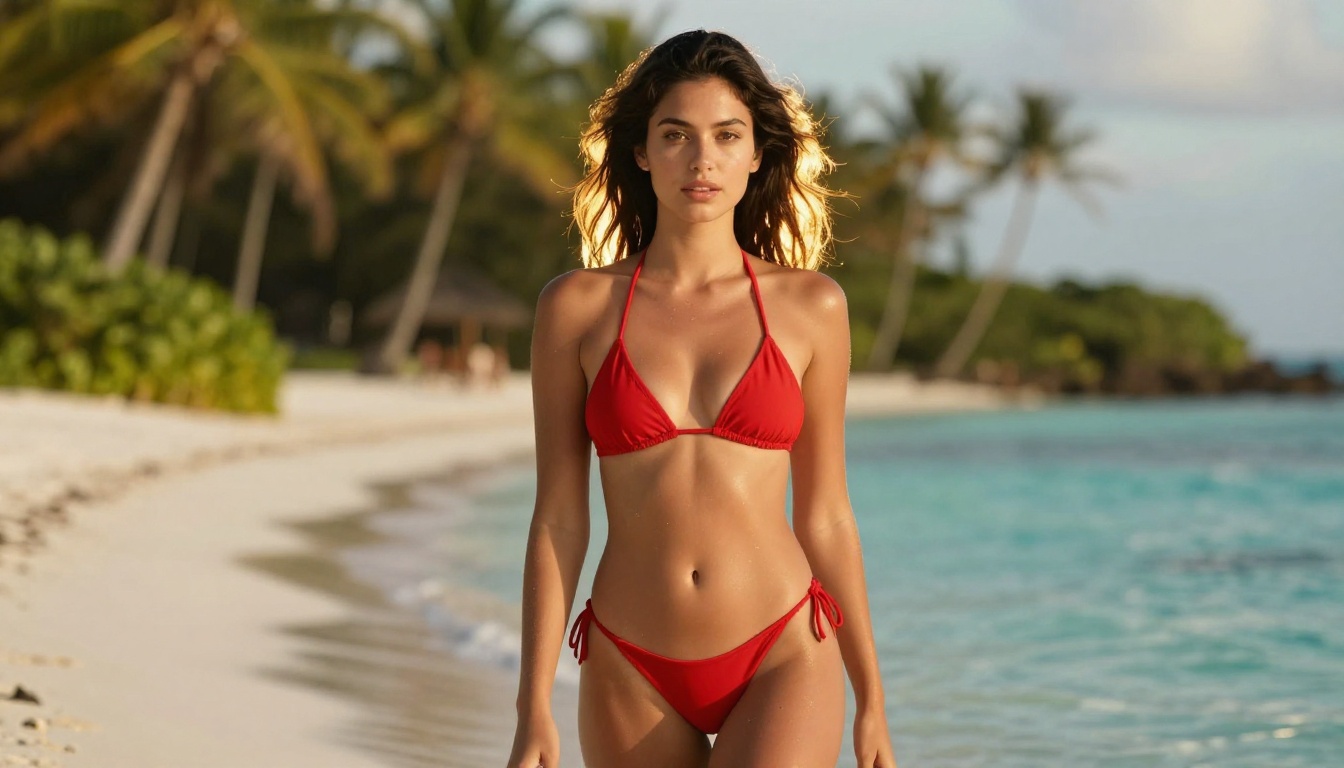
"Young woman in a red bikini standing at the waterline of a white-sand beach during golden hour, backlit by the setting sun creating a warm rim light on her skin and hair, fine wet sand texture underfoot, shot from hip level with an 85mm f/1.8 lens creating creamy background bokeh, Kodak Portra 400 warmth, ultra-realistic skin texture, 8K --ar 16:9"
The second prompt gives the model camera position, lighting direction, surface texture, color science reference, and aspect ratio. Every additional detail reduces how much the model has to guess.
5 prompt mistakes to stop making
No lighting direction. Unspecified lighting produces flat, unconvincing images. Always name the light source and position ("diffused morning light from the left window").
No camera information. Include lens focal length and aperture. "85mm f/1.4" signals bokeh and subject isolation to the model.
Generic style tags. "Photorealistic" alone is weak. Pair it with a film stock reference like "Kodak Portra 400" or "Fujifilm Provia 100F" for stronger results.
Ignoring aspect ratio. Always add --ar 16:9 or specify dimensions for consistent cropping.
Overloading contradictions. Asking for "natural lighting" and "dramatic studio shadows" in the same prompt creates confusion. Pick one and commit.
💡 Pro tip: Test your prompt with P-Image first (generates in under 1 second) to iterate quickly, then run the final version on Seedream 4.5 for maximum quality.
Speed vs. Quality: Choosing the Right Model
Under-1-second generators
For workflows where you need volume, three models on PicassoIA stand out:
P-Image: fastest overall, under 1 second, NSFW-capable
Qwen Image 2: open source, fast, strong detail realism
These are your iteration and volume models. Use them to test compositions, lighting setups, and character variations before committing to a slower, higher-fidelity render.
When to use high-fidelity models
Seedream 4.5 and Recraft V4 take a few seconds longer but produce images that can be used directly for professional output. Use them when you have a finalized prompt and need a hero image, a print asset, or something to present to a client.
Use Case
Recommended Model
Quick iteration / A-B testing
P-Image or PicassoIA Image Editor Pro
Character sheet / high volume
PicassoIA Image Editor Pro (unlimited)
Final hero image
Seedream 4.5
Photorealistic text-only
Recraft V4
Reference photo transformation
Grok Imagine Image
Upscaling Your AI Images
What super resolution does
Even when an AI model generates at its native resolution, the output often benefits from super resolution upscaling before it is production-ready. Upscaling does not just enlarge the image. It uses AI to reconstruct missing detail: skin pores, hair strand separation, fabric texture, and edge sharpness at larger print sizes.
PicassoIA's super resolution models can take a 512x512 or 768x768 output and produce a crisp 2048x2048 or 4096x4096 result. The difference is especially visible in portrait work where facial detail matters.
The workflow for print-quality results
Generate at the model's native resolution (do not upscale inside the generation prompt)
Evaluate the base output for composition and content
Upscale 2x for web and social media use
Upscale 4x for print, billboards, or large-format display
This two-step process gives you more control than asking the model to generate at maximum resolution directly, which often introduces artifacts and inconsistent sharpness across the frame.
💡 Running your image through super resolution after NSFW generation tends to sharpen fine details that matter most in glamour or portrait work: individual lashes, skin texture, fabric weave.
Who Creates Uncensored AI Art
The actual use cases
When people talk about uncensored AI generation, the conversation often skips over the legitimate and widespread use cases. Here is who is actually using these tools in 2027:
Adult content creators building subscription content, needing volume and variety without filter interruptions
Romance novel art directors who need suggestive but non-explicit imagery at scale
Fashion and swimwear brands testing campaign compositions before hiring a photographer
Fine art practitioners working with classical nude reference in a digital medium
Game developers generating character reference art for mature-rated titles
Social media content studios producing glamour, fitness, and lifestyle content at volume
The common thread is creative control. Professionals need the same freedom from their AI tools that they would expect from a camera. A camera does not refuse to photograph a subject in a bikini. A production-grade AI tool should not either.
Privacy and what you keep
One of PicassoIA's practical advantages for adult content creators is that you are not sending prompts through a corporate content moderation pipeline that logs, reviews, and potentially flags your account. This matters for creators whose livelihood depends on consistent platform access.
On the Elite or Infinite subscription tier, PicassoIA Image Editor Pro is fully unlimited. This is the only plan structure among major AI platforms that allows genuinely unlimited img2img generation. There is no per-image credit cost, no monthly generation cap, and no throttling.
For creators who regularly produce 500 to 1,000+ images per project, this math adds up fast. At typical per-image pricing on other platforms, that volume ranges from $50 to $200. On PicassoIA Elite, it is included.
You do not need to keep wrestling with platforms that block half your prompts. The tools exist right now to generate photorealistic, unrestricted images at high speed and at scale. Whether you are building a content library, testing campaign visuals, or creating art on your own terms, the generation workflow on PicassoIA removes the barriers that slow everything else down.
Start with Seedream 4.5 for your first images. Its speed and realism make it the fastest way to see what unrestricted generation actually looks like when the model is not constantly second-guessing your creative direction.
When you are ready to scale, PicassoIA Image Editor Pro gives you unlimited iterations included in the Elite plan. No per-image fees, no credit counting, just generate.