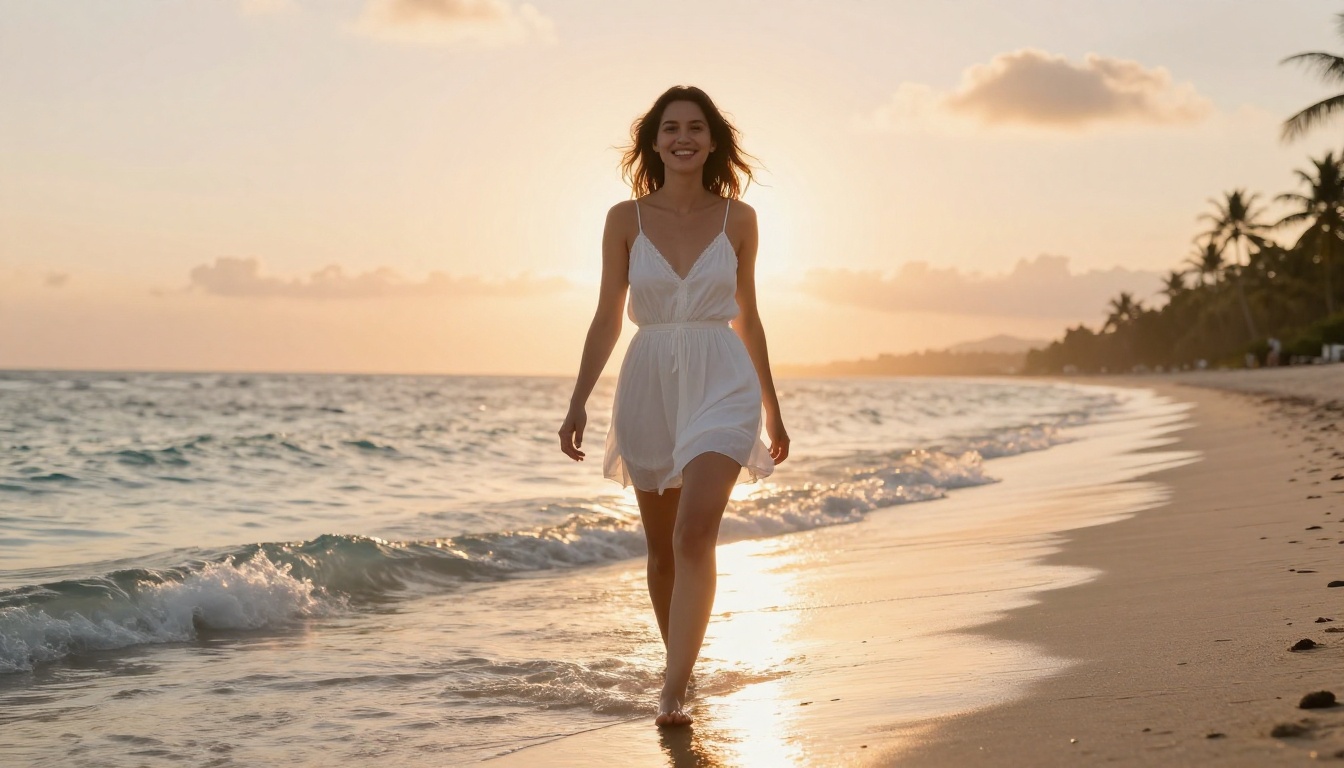
LoRA models are fine-tuned weights that push AI image quality far beyond standard checkpoints. This article breaks down how to pick the right LoRA for NSFW generation, how to apply them with precise strength values, how to stack multiple LoRAs for compound realism, and which models on PicassoIA consistently produce the most detailed, lifelike results.
LoRA models are the single biggest upgrade you can make to your NSFW AI image workflow. Most people stick with the base checkpoint and wonder why their results look soft, generic, or off. The answer is almost always the same: they're missing LoRA weights. This article breaks down exactly how these fine-tuned layers work, which ones to choose for better realism, and how to apply them step by step on platforms like PicassoIA.
What LoRA Models Actually Do
The Difference Between a Checkpoint and a LoRA
A checkpoint is the full model, millions of parameters trained on billions of images to generate anything from scratch. A LoRA (Low-Rank Adaptation) is a small, targeted set of weights layered on top of that checkpoint to specialize its output. Think of it as a filter that tells the model to focus on specific characteristics: skin texture, body type, lighting style, or artistic direction.
Checkpoints like Stable Diffusion 3.5 Large are powerful general-purpose tools. A LoRA on top of them shifts the generation toward your specific intent with far less compute than retraining the whole model. The file sizes reflect this: a full checkpoint can be 2-7GB, while a LoRA is typically 50-200MB. Small file, massive impact.
Why LoRA Weights Change Everything
The quality gap between a raw checkpoint output and a LoRA-assisted output is significant. LoRAs trained specifically for photorealistic human subjects inject:
Accurate skin texture with visible pores, natural undertones, and realistic subsurface scattering
Better anatomy with proper proportions that base models frequently distort
Consistent facial features across generations when using the same subject LoRA
Lighting responses that behave physically correctly instead of looking painted on
For NSFW work specifically, these differences are amplified. Skin realism, natural poses, and believable lighting are what separate images that look genuine from images that look like obvious AI output. Without a targeted LoRA, even powerful base models produce that uncanny, overly smooth look that immediately reads as artificial.
Which LoRA Models Work Best for NSFW
The Realism-Focused Options
Not every LoRA improves NSFW output. Style LoRAs designed for anime or illustration will actively hurt photorealistic results. For genuine photo-quality NSFW images, you want realism-specific weights built on photographic training data.
On PicassoIA, the most reliable LoRA-enabled models for photorealistic work are:
There are two broad categories you need to understand before building your workflow:
Subject LoRAs train on specific people, body types, or physical characteristics. They make the model consistently generate a particular look, whether that's a specific face, body shape, or ethnicity. These are what most people think of when they talk about "character LoRAs."
Style LoRAs train on lighting setups, photographic aesthetics, film stocks, or artistic styles. They control the feel of the image rather than the subject. A Kodak Portra film grain LoRA, for example, adds authentic analog warmth and texture without changing who's in the image.
For NSFW work, combining both types produces the best results. A subject LoRA handles anatomy and skin, while a style LoRA handles the lighting and atmosphere that makes the shot feel like real photography.
💡 Tip: Start with a realism LoRA at 0.7 strength and add a lighting style LoRA at 0.4. This ratio keeps the subject grounded while the aesthetic layer stays subtle.
How to Use p-image-lora on PicassoIA
p-image-lora is the flagship LoRA-enabled text-to-image model on PicassoIA. It supports external LoRA weights while maintaining photographic output quality across a wide range of subjects and settings. Here's how to use it effectively.
Step 1: Open the Model
Navigate to p-image-lora on PicassoIA. The interface shows standard prompt fields alongside a LoRA weight input section. This is where you paste the LoRA URL or select from pre-loaded options in the library.
Step 2: Write Your Prompt
Prompt structure matters enormously with LoRA models. The LoRA already handles certain characteristics automatically, so your prompt should complement it rather than repeat what the LoRA already controls. A clean structure to follow:
beautiful woman, white bikini, standing at shoreline, golden hour lighting,
volumetric light from left, 85mm f/1.4, shallow depth of field,
Kodak Portra 400 film grain, photorealistic, 8k
💡 Tip: Drop generic quality tags like "masterpiece" or "best quality" when using realism LoRAs. They were trained for SD1.5-era checkpoints and often conflict with newer model vocabularies, producing over-saturated, artificial results.
Step 3: Set the LoRA Strength
LoRA strength (also called weight or scale) is a multiplier from 0 to 1 that controls how strongly the LoRA influences the output. Some interfaces allow values above 1.0.
Strength Value
Effect
0.1 to 0.3
Subtle nudge, barely visible in output
0.4 to 0.6
Clear influence, well-balanced with base model
0.7 to 0.9
Dominant LoRA effect, strong character
1.0+
Strong override, risk of anatomy distortion
For photorealistic NSFW output, 0.65 to 0.80 is consistently the sweet spot. This lets the LoRA's skin texture and anatomy data come through without it overriding your prompt description.
LoRA Stacking: Using Multiple Weights
How Stacking Works
Stacking means loading two or more LoRAs simultaneously. Each one contributes its training data to the final output. When done correctly, you get compound benefits: one LoRA handles skin realism while another handles lighting or pose precision.
Realism LoRA at 0.7 (handles skin, anatomy, natural light response)
Lighting style LoRA at 0.4 (Kodak film, golden hour, studio look)
Pose LoRA at 0.3 (if you need specific body positioning)
Strength Values That Actually Work
The total combined strength of all stacked LoRAs should rarely exceed 1.5. Going beyond that creates competing influences the model can't reconcile cleanly, resulting in artifacts, color bleeding, and distorted anatomy.
A practical rule: reduce each individual LoRA strength by 0.1 for every additional LoRA you stack.
1 LoRA: use 0.75 strength
2 LoRAs: use 0.65 each
3 LoRAs: use 0.55 each
💡 Tip: When stacking produces artifacts, reduce all strengths by 0.1 and regenerate. Nine times out of ten, this solves anatomy issues without changing the visual direction.
Prompt Writing for NSFW LoRA Results
Trigger Words You Need to Know
Every LoRA has trigger words: specific terms that activate its trained content. Using a LoRA without its trigger word is like loading a plugin you forgot to enable. The model runs, but the LoRA's influence stays dormant.
Common trigger words for photorealistic NSFW LoRAs include:
photorealistic, hyperrealistic, RAW photo
skin texture, natural skin, pore detail
film grain, Kodak Portra, analog photography
cinematic lighting, volumetric light
8k, high detail, sharp focus
Always check the model documentation for the exact activator strings. p-image-lora and flux-dev-lora both list their specific trigger words on the model page.
What to Avoid in Your Prompts
Some prompt patterns actively conflict with LoRA behavior and degrade output quality:
Vague adjectives: "beautiful", "gorgeous", "stunning" without specifics add noise and dilute signal
Conflicting styles: Asking for "photorealistic" while also prompting "oil painting texture" confuses the LoRA's learned associations
Over-specifying anatomy: Detailed body description often fights the LoRA's trained anatomy data, producing unnatural results
Too many competing concepts: Every additional concept competes for the model's attention, reducing how much any single element influences the output
Focus your prompt on environment, lighting, and camera specifics. Let the realism LoRA handle skin and anatomy. That division of responsibility is what produces genuinely photographic results.
3 Common Mistakes That Ruin Your Output
1. Using a LoRA on an incompatible base model
LoRAs trained for SDXL will not work correctly on SD1.5 models, and vice versa. The architectures are fundamentally different. Always verify the LoRA's base model before loading it. sdxl-controlnet-lora is SDXL-specific. flux-dev-lora requires the Flux architecture. Mixing these produces garbled outputs that look nothing like either model.
2. Setting strength too high
Strength above 0.9 almost always introduces visible artifacts: unnatural skin sheen, asymmetrical facial features, distorted hands and extremities. The visual difference between 0.75 and 1.0 strength is rarely worth the quality trade-off. When in doubt, go lower.
3. Skipping the negative prompt
Even with a strong realism LoRA active, a focused negative prompt meaningfully improves results. For NSFW photorealistic work, use something like:
cartoon, illustration, 3d render, painting, blurry, watermark,
text, distorted anatomy, deformed hands, extra limbs, bad proportions,
oversaturated, plastic skin, doll-like, artificial lighting
💡 Tip: Pair realistic-vision-v5.1 with a focused negative prompt for some of the cleanest skin rendering available without custom LoRA stacking. It's a strong starting point before moving to more complex setups.
RealVisXL LoRA for Photorealistic Results
realvisxl-v3-multi-controlnet-lora is one of the most capable photorealism tools available on PicassoIA. It combines RealVisXL's pre-trained photographic bias with ControlNet for pose and structure control, plus multi-LoRA support for layered fine-tuning.
What makes it stand out for NSFW work specifically:
Pre-baked skin realism: The base model already handles skin texture well before any LoRA is added, giving you a strong foundation
ControlNet pose control: Feed a reference pose image and the model matches it precisely while maintaining photorealistic quality
Multi-LoRA slots: Stack a lighting LoRA and a style LoRA on top without the model destabilizing
Consistent subject rendering: Unlike some base models that produce highly variable results, RealVisXL maintains coherent anatomy across seeds
For best results with this model, keep your CFG scale between 5 and 7. Higher CFG values push the image toward over-saturation and reduce the natural photographic feel that makes the model worth using.
Add a photorealism realism LoRA at 0.65 in slot one
Add a film grain or analog style LoRA at 0.35 in slot two
Set CFG to 6, sampling steps to 28 to 35
Write your prompt around environment and lighting, not anatomy description
Also worth considering: qwen-image-edit-plus-lora for post-generation edits. If your initial NSFW output is 90% correct but needs refinement in specific areas, this model lets you make targeted edits while preserving the overall quality of the LoRA-generated image.
The Gap Between Flux and SDXL LoRAs
flux-dev-lora and SDXL-based LoRA models like sdxl-multi-controlnet-lora serve different priorities. Knowing which to reach for saves a lot of failed generations.
Flux LoRA strengths:
Superior lighting and shadow rendering with physically accurate gradients
Better coherence at high resolutions without tiling artifacts
More natural color grading without needing post-processing adjustments
Cleaner hair and fine detail rendering
SDXL LoRA strengths:
Larger community-trained LoRA ecosystem with more subject-specific options
Better ControlNet integration for precise pose and composition matching
Faster generation times at equivalent quality levels
More options for style combination and layering
For pure photographic realism where lighting is your priority, Flux-based models win. For pose-accurate, anatomy-precise work with custom character LoRAs, SDXL gives you more available weights to work with.
💡 Tip: If your NSFW output consistently looks artificially lit regardless of your prompt, switch to a Flux-based model. If anatomy and proportions are the recurring problem, SDXL with ControlNet LoRA gives you more precision tools.
Create Your Own Images Right Now
LoRA models aren't just for experienced AI artists with local setups. Every parameter discussed in this article is accessible through PicassoIA's interface without any installation or technical configuration. You select the model, input the LoRA, set the strength, write your prompt, and generate.
Start with p-image-lora if you want a straightforward entry point with solid default realism. Move to realvisxl-v3-multi-controlnet-lora once you want pose control and multi-LoRA stacking. Use flux-dev-lora when lighting quality becomes your primary concern.
The difference between a generic AI image and one that looks like genuine photography almost always comes down to LoRA selection and strength calibration. Now you know exactly how both work. Pick your model, write a focused prompt, and see the difference in your first generation.
PicassoIA has over 90 text-to-image models available including dedicated LoRA-enabled options ready to use from your browser. No local GPU required, no complex setup. Just the models, your prompt, and results that actually look real.