If you've tried to generate adult content with Veo 3.1 by Google, the experience is the same every time: a refusal, a generic error, or a completely sanitized output that ignores your actual prompt. That's not a bug. It's a deliberate design choice baked into every version of the model, including Veo 3.1 Fast and Veo 3.1 Lite. This article breaks down exactly what Veo 3.1 does, why it won't generate the content you're looking for, and which AI video tools on PicassoIA actually work for adult creators in 2027.
What Veo 3.1 Actually Is
Veo 3.1 is Google DeepMind's most capable text-to-video model to date. It generates 1080p video clips with native synchronized audio, an industry-first capability that puts it ahead of most competitors on raw technical quality. You can access it on PicassoIA in three tiers:
- Veo 3.1: Full-quality 1080p output with native audio, the full-power version
- Veo 3.1 Fast: Same quality, faster generation times
- Veo 3.1 Lite: Lower cost per generation, slightly reduced fidelity
All three share the same content policy. The model is outstanding for:
- Cinematic nature footage and landscapes
- Product demos and brand video
- Narrative storytelling and dialogue scenes
- Abstract visual content and artistic sequences
What it won't do is any of the following: suggestive content, implied nudity, romantic physical scenes, bikini or lingerie visuals, adult scenarios, or anything that could be interpreted as sexual in nature. The filter is aggressive. Even prompts that would be considered tasteful by most creative standards frequently get rejected.
💡 Fact: Veo 3.1 operates under Google's responsible AI policies, which classify any sexual or adult-adjacent content as prohibited regardless of whether it's artistic, implied, or explicit.
The Technical Reality
The restriction isn't something that can be worked around with clever prompt phrasing. Google applies content filtering at multiple stages of the pipeline, both on the input prompt and on the output video. Models like Veo 3 and all 3.1 variants have identical restrictions. There's no jailbreak, no workaround, and no tier of access that removes this limitation.
Why Veo 3.1 Blocks Adult Content
Google is a publicly traded company with advertising revenue, brand partnerships, and regulatory relationships across dozens of countries. That context defines everything about how Veo 3.1 operates. The content filter isn't a technical limitation at its core. It's a business requirement with several overlapping drivers:
- Advertising safety by default: All Google products must be deployable in brand-safe environments without exception
- Regulatory compliance: Operating across the EU, UK, and other major markets requires conservative default content policies
- Distribution integration: Veo 3.1 is embedded into broader Google products, including YouTube creator tools, where adult content has strict policy constraints
- Reputational risk: A publicly visible AI model generating adult content is a liability for a company operating at Google's scale
None of this is a criticism of the model itself. Veo 3.1 is genuinely one of the most impressive video generation systems available. The point is simply that adult content generation is not part of Google's roadmap for this product, and no amount of prompt engineering changes that. If adult content is what you're building toward, you need a different platform with different constraints.
The Real Demand for Adult AI Video
Adult content is one of the largest and most economically significant categories on the internet. The demand for AI-generated adult video isn't coming from a niche audience. It represents a meaningful portion of the creator economy:
- Solo creators on subscription platforms looking to scale production without hiring actors or paying for physical sets
- Studios testing AI-generated storyboard references and visual development assets
- App developers building adult-oriented tools for end users who need backend generation capabilities
- Photographers and artists working in glamour, boudoir, or artistic nudity who want AI as a production accelerant
These aren't edge cases. They're industries worth billions annually that have always been early adopters of any AI content tool that removes restrictive filters. The challenge has remained consistent: most of the most powerful AI video models are built by large companies that can't afford to enable adult content in a publicly visible way. Veo 3.1 is the most recent and prominent example. So where do adult AI video creators actually go?
Best AI Video Platforms for Adult Content
PicassoIA offers several video models that don't restrict adult content. Here's the lineup that matters most for adult creators, ranked by practical capability:
PicassoIA Video (Unlimited Generation, NSFW-Friendly)
PicassoIA Video is the first place to start if you're on a budget or need high iteration volume. It generates clips from text prompts at up to 720p, 5 seconds, and its biggest practical advantage is unlimited generation included in Elite and Infinite subscriptions. If you need to cycle through dozens of prompt variations to nail a specific scene, no other model lets you do that without burning credits on every attempt.
P-Video by PrunaAI (Safety Filter Off by Default)
P-Video converts text prompts, images, or audio files into clips at up to 1080p at 24 or 48 fps, with duration adjustable from 1 to 10 seconds across seven aspect ratios. The critical detail for adult creators: its safety filter is disabled by default, meaning prompts aren't screened for adult content before generation. Use draft mode for instant low-resolution previews, then commit to the final render. Generations complete in seconds.
Grok Imagine Video by xAI (Up to 15 Seconds, No Watermarks)
Grok Imagine Video generates clips of up to 15 seconds from text prompts, reference images, or existing video clips you want to re-edit. Outputs at 720p or 480p across eight aspect ratios with no watermarks. The image-to-video mode automatically matches your source photo's proportions, making it ideal when you're working from stills generated by an NSFW image model. Its companion image model, Grok Imagine Image, is also a top NSFW pick for the still generation step.
LTX 2.3 Pro by Lightricks (4K at 50fps, Full Editing Suite)
LTX 2.3 Pro is the highest-fidelity option available, exporting at 4K at 50fps for professional-grade deliverables. It runs five generation modes from one interface: text-to-video, image-to-video, audio-to-video, retake (replace a specific segment without re-rendering the entire clip), and extend (append footage at the start or end of an existing clip). Camera motion presets include dolly, jib, and focus-shift controls.
Wan 2.7 I2V by Wan Video
Wan 2.7 I2V animates any still image into video with smooth, natural motion. It's particularly strong at realistic human motion, making it one of the better options for taking an NSFW still and bringing it to life without the motion looking artificial or jerky.
Seedance 2.0 by ByteDance
Seedance 2.0 produces text-to-video content with built-in synchronized audio, competitive with Veo 3.1 on quality for most general scene types. It's a strong general-purpose model for adult creators who want cinematic output without the Google-imposed restrictions. For faster turnaround at similar quality, Seedance 1.5 Pro is also worth testing.
💡 Pro tip: Combine an NSFW image model for the still with an image-to-video model like Wan 2.7 I2V or Grok Imagine Video. You get precise control over the visual before animating it, which produces far more consistent results than text-to-video alone.

How to Use PicassoIA for Adult Video
The workflow that produces the best results for adult AI video on PicassoIA is a two-stage process: generate a high-quality still image first, then animate it. This approach gives you precise control over the visual before you commit to generating video.
Step 1: Generate Your Source Image
Start with one of the NSFW-capable image models. The best options for adult content on PicassoIA, in order of recommendation:
Seedream 4.5 by ByteDance is the top recommendation. It accepts adult content, supports image editing, and generates ultra-realistic results in under 3 seconds. Note that its successor, Seedream 5 Lite, does not support NSFW content, so stay on 4.5 for any adult work.
PicassoIA Image Editor Pro is the second pick for high-volume workflows. It's an img2img model with unlimited generations on Elite and Infinite plans. Need 1,000 iterations to find the right image? They're included at no extra cost. That same volume would cost around $100 on models like Nano Banana 2. It also accepts NSFW content and delivers results in under 1 second. There's a 3-generation free trial with no credit card required.
Qwen Image 2 is an open-source model with high realism and full editing capability. Strong for detailed adult content generation without content filters.
Grok Imagine Image is particularly good for converting any base image to a more revealing format in a realistic way.
Recraft V4 offers strong text-to-image realism and accepts adult content for text-to-image generation.
P-Image generates NSFW images in under 1 second for creators who need speed above all else.
Step 2: Animate the Image
Once you have a still you're satisfied with, copy its URL and pass it into an image-to-video model:
- Use Grok Imagine Video for clips up to 15 seconds with no watermarks
- Use Wan 2.7 I2V for smooth, natural human motion at high quality
- Use LTX 2.3 Pro when you need 4K output or precise segment-level editing
Step 3: Refine and Extend
If the initial clip doesn't fully capture the motion you intended, use LTX 2.3 Pro's retake feature to replace a specific segment without re-rendering everything. Use extend to add footage at the start or end of an existing clip. This makes it possible to build longer sequences from shorter generation runs.
Best NSFW Models on PicassoIA
Here's the complete ranked lineup for adult content generation across images and video:
| # | Model | Type | Speed | Key Advantage |
|---|
| 1 | Seedream 4.5 | Text-to-Image + Edit | Under 3s | Highest realism, accepts NSFW, supports image editing |
| 2 | PicassoIA Image Editor Pro | Image-to-Image | Under 1s | Unlimited generations on Elite/Infinite plans |
| 3 | Qwen Image 2 | Text-to-Image + Edit | Fast | Open source, no content filter, very detailed realism |
| 4 | Grok Imagine Image | Image-to-Image | Fast | Realistic image-to-bikini format transformations |
| 5 | Recraft V4 | Text-to-Image | Fast | Very realistic text-to-image output |
| 6 | P-Image | Text-to-Image | Under 1s | NSFW text-to-image generation in under a second |
| 7 | PicassoIA Video | Text-to-Video | Medium | Unlimited video generation at 720p |
| 8 | P-Video | Text/Image/Audio-to-Video | Fast | Safety filter off by default, 1080p output |
| 9 | Grok Imagine Video | Text/Image-to-Video | Medium | Up to 15 seconds, no watermarks |
| 10 | LTX 2.3 Pro | Text/Image/Audio-to-Video | Slower | 4K at 50fps, retake and extend editing |
💡 Important: Seedream 5 Lite does not support NSFW content. Always use Seedream 4.5 for adult image work.
Veo 3.1 vs PicassoIA Alternatives
How does Veo 3.1 stack up against the platforms that actually work for adult content?
| Feature | Veo 3.1 | P-Video | PicassoIA Video | Grok Imagine Video | LTX 2.3 Pro |
|---|
| Max Resolution | 1080p | 1080p | 720p | 720p | 4K |
| Native Audio | Yes | No | No | No | No |
| Adult Content | No | Yes | Yes | Yes | Yes |
| Max Duration | ~8s | 10s | 5s | 15s | Variable |
| Unlimited Generation | No | No | Yes (Elite) | No | No |
| Generation Speed | Fast | Fast | Medium | Medium | Slower |
| Image-to-Video | No | Yes | No | Yes | Yes |
The tradeoff is clear. Veo 3.1 wins on native audio and raw cinematic quality for content it allows. For adult creators, none of that matters if the model refuses the prompt entirely.
Tips for Writing Better Adult AI Video Prompts
The models that accept adult content still benefit significantly from well-structured prompts. These practices consistently produce better results:
Describe Motion, Not Just Appearance
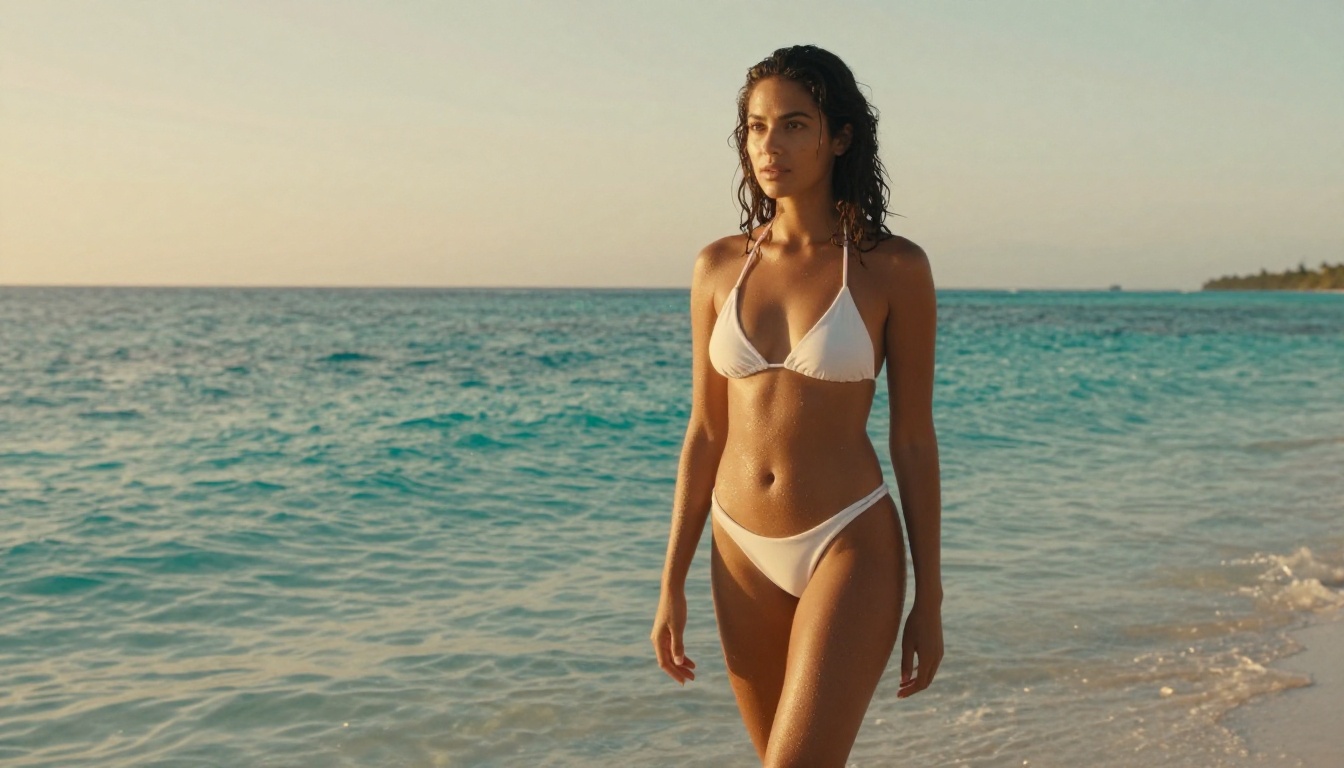
Instead of "woman in bikini at beach," try: "woman in white string bikini walking slowly toward the camera along a tropical shoreline, gentle ocean breeze moving her hair, warm golden-hour light from behind, slow dolly-in camera movement."
Specify the Camera
Add instructions like "slow dolly-in," "gentle pan right," "static wide shot," or "close-up follow." This dramatically improves cinematic quality. Without camera direction, most models default to a locked-off static shot that feels flat.
Set the Lighting Explicitly
"Soft morning light from the left" produces very different results than "harsh midday sun." Lighting direction is one of the most effective variables you can control in a prompt.
Anchor the Scene with Environment
Give context: "minimalist hotel suite with white linen curtains," "outdoor infinity pool at dusk," "private beach at golden hour." Grounding the scene reduces unpredictable outputs and keeps the model focused.
Use Image-to-Video for Precision
Generate a still with Seedream 4.5 first. Once you have a still you're satisfied with, the video model only needs to animate it rather than invent the character, composition, and environment from scratch. This produces dramatically more consistent, controllable results.

What to Avoid
Even on permissive platforms, certain prompt patterns consistently produce poor results:
- Vague subject descriptions: "beautiful woman" gives the model almost nothing concrete to work with
- Too many elements: Keep each scene focused on one subject, one clear action, and one environment
- No time reference: For a 5-second model, think in terms of what changes over 5 seconds, not what the final static frame looks like
- Missing camera direction: Without camera movement instruction, most models generate static shots
Why PicassoIA Works for Adult Creators
Unlike platforms built by companies with advertising dependencies or regulatory pressures that require conservative defaults, PicassoIA is built with creative freedom as a core design principle. The models available there, including Seedream 4.5, P-Video, and Grok Imagine Video, are selected and configured specifically to work for adult content creators without the filters that block the same underlying models on mainstream platforms.
The practical benefits for adult creators:
- No prompt refusals for suggestive, glamour, or adult-adjacent content
- Unlimited image generation with PicassoIA Image Editor Pro on Elite and Infinite plans
- Speed at scale: Seedream 4.5 generates realistic stills in under 3 seconds, P-Image in under 1 second
- Professional output ceiling: LTX 2.3 Pro at 4K and 50fps for client-grade video deliverables
- Iteration-friendly pricing: PicassoIA Video unlimited generation means you can experiment across many prompt variations without credit anxiety

Start Creating on PicassoIA
Veo 3.1 is a remarkable piece of technology for what it does, but it's not built for the work you're trying to create. The models on PicassoIA are. Start with Seedream 4.5 for your first NSFW still image, then pass it to Grok Imagine Video or P-Video to animate it. If you need volume without per-generation cost concerns, the Elite plan's unlimited generations through PicassoIA Image Editor Pro and PicassoIA Video make scaling production practical without runaway costs.
Every model referenced in this article, plus dozens more NSFW-capable options across image generation, video generation, and editing, is available in one place.
picassoia.com/en/all-models


