If you've been paying $30 a month for Midjourney and quietly wondering whether that cost is actually justified, you're not alone. The AI image generation space has shifted dramatically over the past year, and Midjourney is no longer the only platform producing stunning, publication-ready visuals. PicassoIA brings together over 91 text-to-image models, industry-standard upscaling tools, background removal, and much more, all under a single subscription that costs a fraction of what Midjourney charges. This article breaks down exactly where the money goes, what you get in return, and whether making the switch makes sense for your workflow.
The Real Cost of Midjourney
Midjourney's pricing has drawn criticism since it removed its free tier. At $10 per month for the Basic plan, you get roughly 200 image generations. The Standard plan at $30 per month gives you unlimited "relaxed" generations, but fast GPU hours remain capped at 15 per month. The Pro plan at $60 per month adds stealth mode and doubles those fast hours.
For freelancers, agencies, and content teams generating hundreds of images weekly, those caps become a daily frustration. You hit your fast generation limit on a Wednesday and spend the rest of the week waiting in the relaxed queue, sometimes for 3 to 5 minutes per image.
What You Pay Every Month
| Plan | Monthly Cost | Fast GPU Hours | Access |
|---|
| Midjourney Basic | $10 | ~3.3 hours | 1 model |
| Midjourney Standard | $30 | 15 hours | 1 model |
| Midjourney Pro | $60 | 30 hours | 1 model + stealth |
| PicassoIA | Much less | No caps | 91+ models |
What You Don't Get for That Price
Midjourney's subscription covers access to one model. A single, closed-source image generator with no API access on lower tiers, no built-in upscaling tools beyond its default output resolution, and no background removal. Every extra capability requires a separate paid service.
That's the part most comparisons skip. The sticker price looks competitive until you add the tools you actually need to run a real creative workflow: a dedicated upscaler for print work, a background remover for product shots, a text renderer that actually produces legible results. On Midjourney, each of those is a separate subscription.
The Hidden Productivity Cost
There's another cost Midjourney rarely mentions: the Discord interface. Every image you generate lives in a shared Discord server unless you're on the Pro or Mega plans with stealth mode. Your client work, your experimental ideas, your half-finished concepts are all visible to every other Midjourney user in that channel. For professionals, that's a real problem.
PicassoIA operates as a standard web platform. Your generations are yours, private by default, organized in your dashboard, and accessible without navigating a chat interface built for gaming communities.
What PicassoIA Actually Offers
PicassoIA is not a single-model platform. It's a curated library of the best AI generation and editing models available, all accessible from one interface and one subscription. The catalog spans text-to-image generation, super-resolution upscaling, background removal, face swap, video generation, music creation, speech synthesis, and more.
91 Models, One Subscription
The text-to-image category alone contains 91 models. That means you can switch based on the specific visual style each project demands, without paying extra or registering for additional services. A photorealistic product shot for an e-commerce listing requires a different model than a cinematic portrait or a hand-drawn illustration, and PicassoIA lets you use the right tool for each job without any extra friction.

The Models Worth Knowing
Four text-to-image models on PicassoIA directly rival or exceed Midjourney's visual output in specific categories:
Flux 1.1 Pro is the flagship fast generator from Black Forest Labs. It reads prompts with exceptional precision, handling complex compositions, specific lighting descriptions, and detailed subject matter better than most competing models. Generation completes in seconds, not minutes.
Flux Schnell is built for speed above everything else. It completes a generation in as few as four denoising steps, making it ideal for rapid concept iteration when you need to test 20 directions before committing to one. On PicassoIA, it runs with no credit caps and no usage quotas.
Recraft v3 covers over 18 distinct visual styles in a single model: photorealistic natural light photography, HDR landscapes, studio portraits, pixel art, hand-drawn illustration, and more. It also renders legible text inside images reliably, a capability that remains genuinely difficult for most AI generators including Midjourney.
Ideogram v2 was built specifically for any project where readable text needs to appear inside the generated image. Posters, product labels, ad creatives, and mockups with accurate headlines become achievable in a single generation step, without manual editing afterward.
Worth noting: These four models alone cover nearly every use case that Midjourney addresses. They sit alongside 87 more options in the same subscription, all available without switching platforms or paying extra.
Image Quality Side by Side
The honest answer to the quality question: the gap between Midjourney and the best open models has effectively closed. What was once a clear advantage in detail, coherence, and photorealism no longer holds as a reliable differentiator.
Flux 1.1 Pro vs Midjourney's Output
Flux 1.1 Pro consistently produces images that match Midjourney's detail levels across the categories that matter most to working creatives:
- Portrait photography: Natural skin tones, accurate facial structure, realistic hair and clothing textures at high resolution
- Architectural visuals: Sharp edges, consistent perspective, accurate material surfaces like glass, concrete, and wood
- Product photography: Clean backgrounds, accurate color reproduction, professional directional lighting
- Landscape and nature scenes: Atmospheric depth, realistic foliage, convincing time-of-day light quality
Realism That Competes at the Top
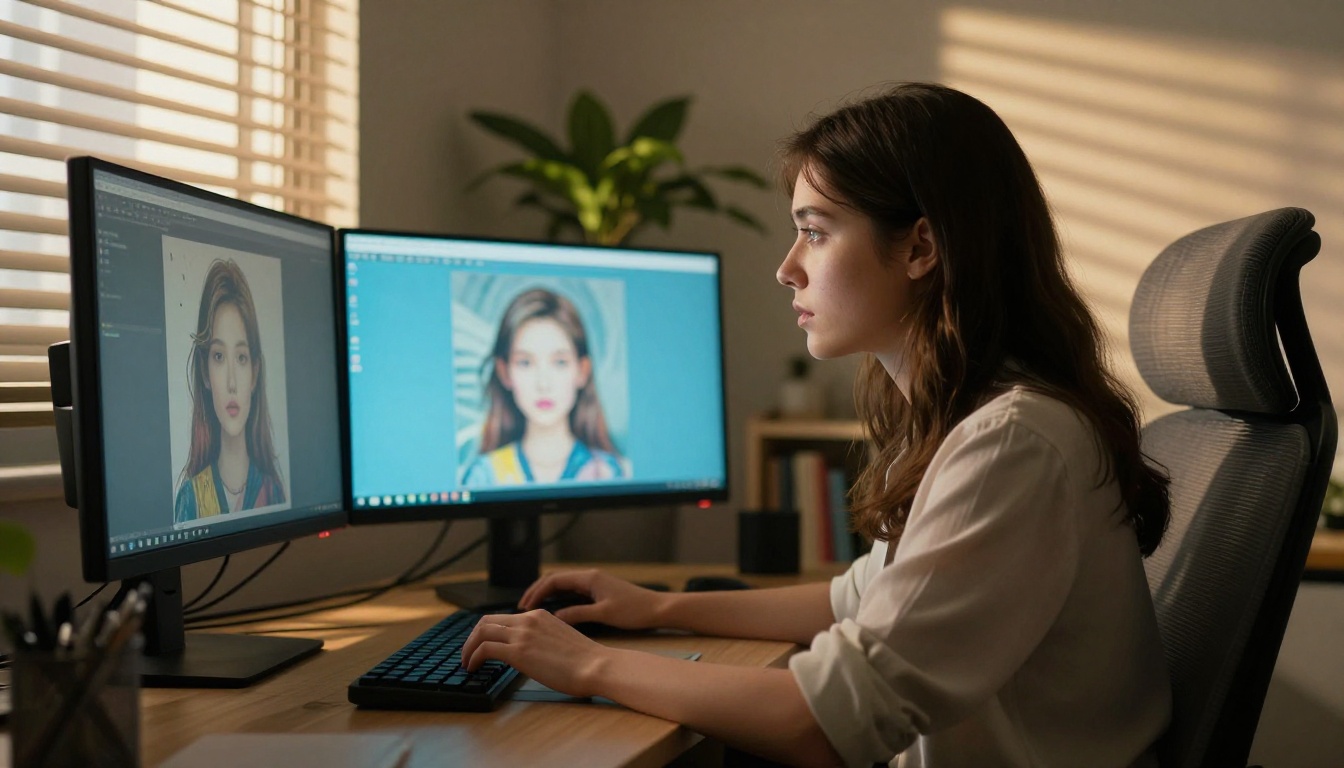
Where Midjourney historically led was in producing aesthetically polished, editorial-quality images from short prompts. Recraft v3's realistic_image/natural_light and realistic_image/studio_portrait styles produce images in exactly that register, with the added flexibility of switching to illustration or design modes in the same session at no additional cost.
For photographers and visual artists, the quality ceiling on PicassoIA is not a practical limitation for any commercial or personal use case.
How the Speed Difference Plays Out
Midjourney's relaxed queue can take 3 to 5 minutes per image during busy hours. Flux Schnell produces a 1-megapixel image in under 5 seconds. Flux 1.1 Pro at higher quality takes 10 to 15 seconds. In a session where you're iterating through 40 prompt variations, that difference in speed is the difference between a 2-hour session and a 10-minute one.
Features Midjourney Doesn't Have
This is where the comparison tilts decisively. Midjourney generates images. That's the extent of the platform. PicassoIA adds tools that make those images actually useful in production workflows.
Upscaling Built Right In
After generating an image, you often need a higher resolution version for print, large-format display, or detailed retouching. Midjourney's native upscaling has improved, but dedicated upscaling models still produce cleaner results at larger scales, particularly for portrait detail and fine texture recovery.
PicassoIA includes multiple super-resolution tools in the same subscription:
- Clarity Pro Upscaler: Photorealistic upscaling that adds genuine detail rather than just interpolating pixels. Strong performance on portraits and product photography.
- Real ESRGAN: 4x upscaling, well-proven across portraits, landscapes, and photography for over three years of consistent results.
- Image Upscale by Topaz Labs: Up to 6x enlargement without visible edge degradation, the industry standard for professional print preparation.

Background Removal Without Extra Tools
Clean subject cutouts for product photos, social media assets, or compositing work typically require a separate subscription to Remove.bg or a manual selection in Photoshop. PicassoIA includes Remove Background directly, so you generate the image and produce a clean cutout in the same session, in the same platform, without paying extra or switching tabs.
Text in Images Done Right
Midjourney has struggled with rendering legible text inside generated images since its earliest versions. It's a known limitation that forces designers to add text manually in a separate editing step, which adds time and breaks the one-prompt-to-finished-image workflow.
Ideogram v2 on PicassoIA was built specifically to address this. Posters with accurate headlines, product labels with readable copy, and ad creatives with precise typography all become reliable first-pass results. You describe the text you want in the prompt and it appears, readable, correctly spelled, and integrated naturally into the scene.
Who Should Make the Switch
Not everyone needs to switch immediately. The right call depends on how you use AI image generation day to day and what your workflow actually demands.
Solo Creators on a Budget
If you're a blogger, social media creator, or freelance designer generating images primarily for digital use, the math is straightforward. PicassoIA gives you access to more models, more tools, and comparable output quality at a lower price point. The only reason to stay on Midjourney at this level is familiarity with its specific aesthetic signature, and that's a reason that weakens every time you try Flux 1.1 Pro or Recraft v3.
Agencies and Teams
Content teams generating hundreds of images per week are exactly who PicassoIA's multi-model approach serves best. Different client projects have different visual requirements. Being able to use the right model for each brief, without paying extra per tool and without asking your team to manage accounts across five different platforms, changes the economics of AI-assisted production substantially.
For agencies: The ability to switch between Flux 1.1 Pro for photorealistic client deliverables and Recraft v3 for styled illustration in the same session, without extra cost, is a workflow advantage that compounds across dozens of projects per month.
Hobbyists and Experimenters
If you use AI image generation for personal projects, experimentation, or building a visual style, the depth of the model library on PicassoIA is genuinely exciting in a way that a single-model platform cannot replicate. Running the same prompt through Flux Schnell for speed, then through Flux 1.1 Pro for detail, then through Recraft v3 to compare a stylized version costs nothing extra. That kind of experimentation is expensive on Midjourney and often impossible within the fast-hour limits of a Standard plan.
How to Use Flux 1.1 Pro on PicassoIA
Flux 1.1 Pro is the best starting point for anyone coming from Midjourney. The output quality is immediately comparable, and the prompt behavior is direct: what you describe is what the model produces, without needing platform-specific syntax like --ar flags or --v version specifiers pasted into a Discord chat.
Your First Image in 3 Steps
Step 1: Open the model
Go to Flux 1.1 Pro on PicassoIA. No Discord server to join, no community channel to navigate, no waitlist.
Step 2: Write a specific prompt
Flux 1.1 Pro performs best with descriptive, detailed prompts. Instead of "a woman in a park," write "a young woman with dark curly hair sitting on a wooden bench in a sun-dappled urban park, afternoon golden light from the left, 85mm lens, shallow depth of field, natural colors, photorealistic."
Include:
- Subject and pose or action
- Environment and background setting
- Lighting direction and quality
- Camera details if realism is the goal
- Mood or atmosphere descriptors
Step 3: Pick your aspect ratio and generate
Choose from ten presets. Use 16:9 for cinematic and landscape work, 9:16 for social media verticals, 1:1 for square posts. Hit generate. Your image arrives in seconds.
Tips for Better Results
Lock a seed for iteration: Set a seed number to reproduce a consistent composition while you refine the prompt. This keeps the visual structure stable while you adjust details like lighting, clothing, or background.
Use prompt upsampling: When you want more creative variety from a short prompt, enabling this setting automatically adds vocabulary and detail that the model uses to produce richer, more varied results.
Supply a reference image: The image prompt input steers composition and visual tone toward your reference while still following the text description. Useful when you have a layout or color palette to match.
Combine with upscaling: After generating, run the output through Clarity Pro Upscaler for print-ready resolution. The combination of Flux 1.1 Pro generation and dedicated upscaling produces files that hold up at sizes Midjourney's output cannot match without visible degradation.
The Numbers Side by Side
Here's a direct breakdown of what both platforms offer across the capabilities that matter most to creative and commercial workflows:
| Capability | Midjourney | PicassoIA |
|---|
| Text-to-image models | 1 | 91+ |
| Built-in upscaling | Basic (included) | 9 dedicated models |
| Background removal | No | Yes (included) |
| Text rendering in images | Unreliable | Accurate (Ideogram v2) |
| Video generation | No | 87+ models |
| Music generation | No | Yes |
| Speech synthesis | No | Yes |
| Discord required | Yes (most plans) | No |
| Private generations | Pro plan only | Yes (all plans) |
| Monthly price | $30 (Standard) | Lower |
Start Creating Right Now
The case for Midjourney used to rest on one thing: nobody else produced images that looked like that. In 2027, that advantage is gone. Flux 1.1 Pro, Recraft v3, Ideogram v2, and the rest of the library on PicassoIA produce work that is visually indistinguishable from Midjourney's output in most real-world use cases, and surpasses it in categories like text rendering, generation speed, and stylistic range.
You get all of that, plus upscaling with Clarity Pro Upscaler and Real ESRGAN, background removal with Remove Background, video generation across 87 models, and audio tools, all for less than Midjourney's Standard plan costs.
If you haven't tried it yet, open Flux 1.1 Pro on PicassoIA, write a detailed prompt, and see what comes back. The first generation takes under 10 seconds. After that, the 90 other models are right there waiting for your next project.


