The AI image generation space changes fast, and right now Nano Banana 2 is sitting at the top of a very competitive pile. If you have spent time testing models this year, you know the gap between "good enough" and "actually photorealistic" is enormous. Nano Banana 2 closes that gap in ways most models still have not managed.
This breakdown addresses what makes it different, how it performs on real prompts, and exactly how to run it through PicassoIA to get professional-grade results from day one.
What Is Nano Banana 2?
Nano Banana 2 is a text-to-image diffusion model built specifically for photorealistic output. Where the first version showed strong promise for portrait work, version 2 represents a meaningful architectural improvement, not just a fine-tune applied to the same base.
The name might sound casual, but the results tell a different story. This model was trained on a heavily curated dataset of high-resolution photography with concentrated focus on four areas:
- Skin and surface textures that hold up at full resolution under scrutiny
- Lighting physics that behave realistically across every scene type
- Compositional coherence across complex, multi-element prompts
- Prompt fidelity that stays accurate even with long, specific descriptions
The Architecture Behind the Results
Nano Banana 2 uses a refined latent diffusion architecture with an improved cross-attention mechanism that allows it to parse and retain detail from longer prompts. Without going too deep technically: it handles intricate scene descriptions significantly better than its predecessor, and it maintains consistent spatial logic even when your prompt includes multiple subjects, layered backgrounds, and specific lighting requirements.
What separates it from most competitors is the training emphasis. Many diffusion models optimize for stylistic range at the cost of photographic accuracy. Nano Banana 2 went the opposite direction, treating photographic fidelity as the primary objective and stylistic flexibility as secondary.
What Changed from Version 1
Version 1 produced solid portrait results but struggled with architectural geometry, product photography edges, and scenes requiring strong directional lighting. Version 2 addresses all three with measurable improvements:
| Area | v1 | v2 |
|---|
| Portrait skin detail | Good | Excellent |
| Architectural geometry | Inconsistent | Reliable |
| Product photography | Soft edges | Sharp, commercial-grade |
| Complex directional lighting | Flat result | Three-dimensional |
| Long prompt following | Partial adherence | Strong adherence |
| Material surface texture | Variable | Consistently accurate |
The improvement in architectural and product output alone makes v2 worth switching to, even for users who were satisfied with v1's portrait capabilities.
Image Quality That Sets It Apart
Photorealism: Where It Wins

The first thing you notice in Nano Banana 2 outputs is micro-detail retention. In portrait work, individual pores are visible, fine hair has natural texture variation, and skin tones carry the subtle warmth of real human coloring. These are the details that separate a photograph from a render.
The model handles several photographic accuracy markers that others consistently get wrong:
- Film grain simulation that adds realism without looking artificially noisy
- Depth of field accuracy, especially in telephoto-style close-up prompts
- Color temperature consistency across an entire scene, from highlights to deep shadow
- Shadow detail preservation that neither crushes to black nor clips to white
💡 Tip: For maximum photorealism, include camera and lens specifications in your prompt. "85mm f/1.4, Kodak Portra 400 film emulation, volumetric morning light from upper-left" consistently produces more convincing results than vague quality modifiers like "ultra-realistic" alone.
For portrait and people photography, this is currently the closest any accessible diffusion model gets to real film photography.
Detail Retention in Complex Scenes

Complex scenes are where most models start to fail. Nano Banana 2 maintains detail fidelity in:
- Nature macro shots: individual water droplets with internal refraction, leaf vein micro-structures, fine petal surface texture
- Urban environments: correct building geometry, realistic wet pavement light scattering, legible distant signage
- Multi-subject compositions: coherent scale and perspective across three or more elements in a single frame
The defining improvement in v2 is spatial relationship handling. When you specify a foreground subject against a specific background environment, both elements read as physically present in the same space instead of floating disconnected in the composition.
💡 Note: Dense prompts with more than five distinct requirements may still need a few iterations to hit every element cleanly. Locking your seed once you have a strong base composition and refining prompt specifics from there is the most efficient approach.
Speed, Resolution, and Practical Output
Generation Time in Real Conditions
Iteration speed matters when you are testing prompt variations or producing a batch for a real project. Here is how Nano Banana 2 performs in actual use on PicassoIA:
| Quality Level | Output Size | Average Time |
|---|
| Draft (fast iteration) | 512px | 6-10 seconds |
| Standard | 1024px | 12-18 seconds |
| High quality | 1440px | 22-30 seconds |
| Upscaled 4x via super-res | 4096px | 45-65 seconds |
These generation times support a productive workflow. You can run five prompt variations in under two minutes and make informed decisions about direction without waiting periods breaking your concentration.
Resolution and Upscaling Options
Nano Banana 2 on PicassoIA generates natively up to 1440px, which is sufficient for most web and social media applications. For commercial print work, the Super Resolution upscaling tools push native outputs to 4x dimensions without visible quality loss, reaching sizes that hold up in professional print contexts.
For standard web use, 1024px native output is both fast and more than sufficient. For outputs that need to scale to billboard or large-format print, run the native output through super-resolution before delivery.
How to Use Nano Banana 2 on PicassoIA

PicassoIA makes Nano Banana 2 accessible without local GPU setup, hardware requirements, or technical configuration. Everything runs through the browser.
Step-by-Step on PicassoIA
1. Go directly to the model
Navigate to Nano Banana 2 on PicassoIA. The model runs on the platform's GPU infrastructure, so no local setup is involved.
2. Write your prompt in the text field
Click the prompt input and enter your scene description. The more specific you are, the better your output. Start with the subject, then add environment, then add lighting and camera details.
3. Select your aspect ratio before generating
For landscape and architectural work, 16:9 is ideal. For portrait work, 3:4 matches natural photographic framing. Choose before you generate to avoid aspect ratio corrections after.
4. Set quality level based on your goal
For quick prompt testing, mid-quality keeps generation fast. For final outputs and deliverables, push quality to maximum and accept the slightly longer generation time.
5. Generate, evaluate, and refine
Hit generate, study what worked and what missed, and adjust your prompt based on specific observations. Seed locking allows you to keep elements you like while changing specific descriptions.
Prompt Strategies That Work

Nano Banana 2 responds particularly well to structured, layered descriptions. The model was trained on rich, detailed captions, so detailed prompts outperform vague ones by a significant margin.
High-performing prompt structure:
[Subject + action] + [environment detail] + [lighting conditions] + [camera and lens] + [film emulation] + [quality specifics]
A prompt that consistently works well:
"Young professional woman, late 20s, naturally wavy dark brown hair, sitting beside a large window in a minimalist Nordic cafe, soft diffused morning light from camera-left, Canon EOS R5, 85mm f/1.8, shallow depth of field, background bokeh of warm wooden shelves and amber pendant lights, Kodak Portra 400 film emulation, photorealistic, RAW 8K, fine film grain"
What to include for photorealistic results:
- Camera body: Canon EOS R5, Sony A7R V, Phase One medium format
- Lens spec: 85mm, 50mm, 24mm, 100mm macro
- Film stock: Kodak Portra 400, Fuji Pro 400H, Cinestill 800T
- Lighting direction: "volumetric morning light from upper-left", "Rembrandt lighting at 45 degrees", "soft frontal ring light with warm fill"
- Texture specifics: "fine skin pores visible", "natural worn leather texture", "individual grain of sand visible"
What to avoid:
- Generic quality tags without specifics: "beautiful", "amazing", "ultra-realistic" alone do very little
- Mixed style requests: photorealistic and illustration in the same prompt create conflicts
- Vague background descriptions: "nice setting" gives the model nothing to work with
💡 Tip: Nano Banana 2 responds well to negative prompts. Adding "no CGI, no illustration, no cartoon, no neon, no digital artifacts" consistently improves photorealism in the output.
Settings That Change the Result
CFG Scale: Higher values (7-10) make the model follow your prompt more strictly. Lower values (3-5) give the model more creative latitude. For photorealism with specific requirements, 7-9 is the practical range.
Sampling Steps: 30-40 steps hits the quality sweet spot for most prompts. Below 20 produces soft, undercooked results. Above 50 rarely improves quality enough to justify the additional generation time.
Seed control: When you land a strong composition, lock the seed and change prompt details to refine specifics without losing the base arrangement that worked.
Nano Banana 2 vs the Competition

Side-by-Side: How Models Compare
| Feature | Nano Banana 2 | Flux Dev | Juggernaut XL |
|---|
| Photorealism | Excellent | Very Good | Good |
| Portrait skin detail | Best in category | Very Good | Moderate |
| Prompt accuracy | High | High | Moderate |
| Architecture output | Strong | Very Good | Moderate |
| Generation speed | Fast | Moderate | Fast |
| Film texture simulation | Natural | Stylized | Variable |
| Long prompt handling | Strong | Very Good | Moderate |
| Material surface accuracy | Excellent | Good | Moderate |
Nano Banana 2 leads specifically in the categories that matter most for commercial and professional work. Flux Dev is the closest competitor, with stronger stylistic versatility that makes it worth using alongside Nano Banana 2 for projects requiring a broader creative range. Juggernaut XL performs well on speed but falls behind on the photorealism metrics that define Nano Banana 2's output quality.
Where It Falls Short
No model is without weaknesses. For Nano Banana 2, the specific limitations to plan around are:
- Hands and complex finger poses: Like most diffusion models, intricate hand positions occasionally produce anatomical errors. Prompting explicitly ("hands resting at sides", "single hand raised, palm facing camera") reduces but does not eliminate this issue.
- Abstract and surreal scenes: This model was built for realism. For surrealism, impressionism, or highly stylized output, other models on the platform perform better.
- Rendered text within images: Legible words and numbers within generated images remain inconsistent. Avoid prompts that require readable text as part of the visual.
- Dense crowd scenes: Multiple people in close proximity at high complexity can produce blending and anatomy artifacts. Limit complex crowd prompts or generate subjects separately and composite.
These weaknesses do not meaningfully affect portrait, landscape, architectural, or product photography workflows where Nano Banana 2 consistently excels.
Real Results Across Three Categories
Portrait and People Photography
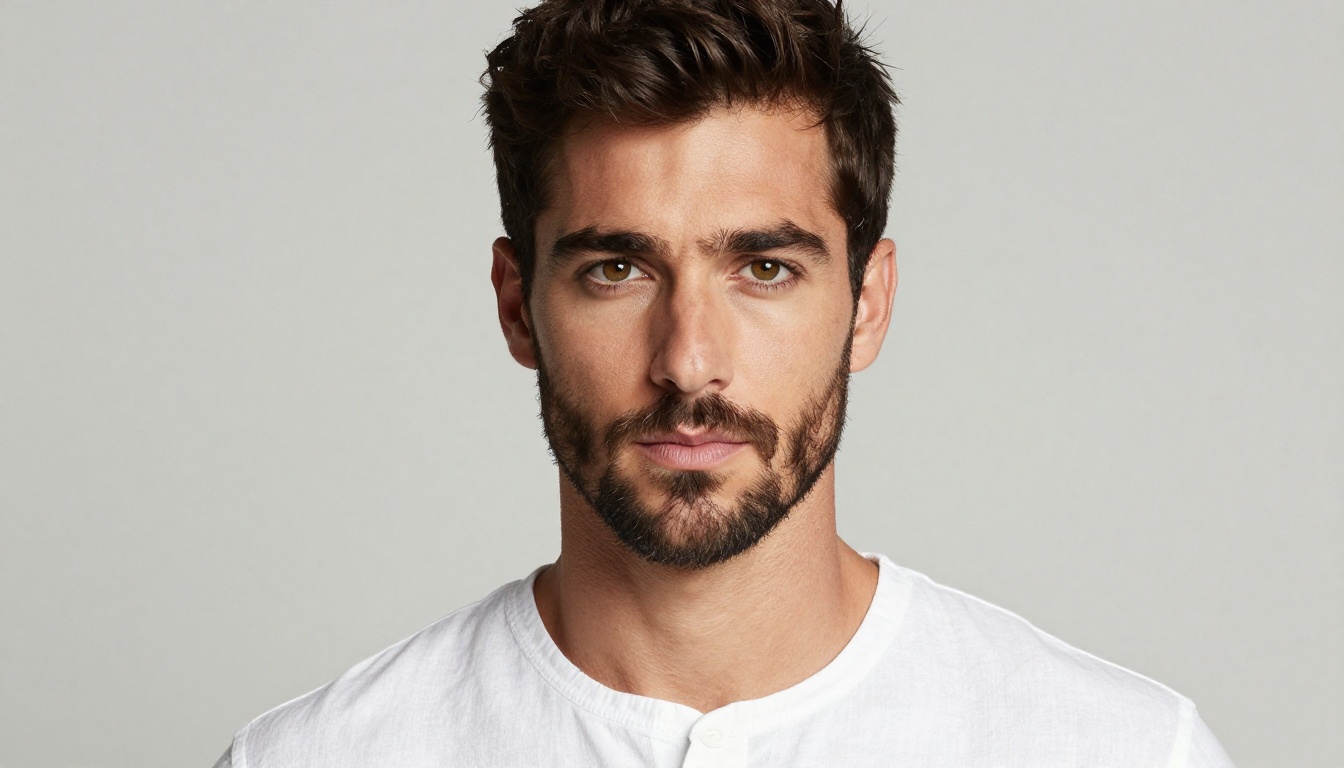
Portrait work shows the clearest advantage of Nano Banana 2 over comparable models. The output handles accurate skin tones across the full human complexion range, natural eye reflections and catch lights, and clothing material texture at a level that makes results usable for web applications without additional post-processing.
Portrait-specific strengths worth noting:
- Realistic iris detail and natural eye catch lights
- Accurate hair texture for straight, wavy, and curly hair types
- Convincing clothing material rendering: linen, cotton, knitwear, and denim all read accurately
- Clean background-to-subject separation without edge artifacts or halos
For content creators, photographers building reference libraries, or brands needing consistent talent imagery without a photoshoot budget, this model's portrait output is the most practical option on PicassoIA right now.
Landscapes and Architecture
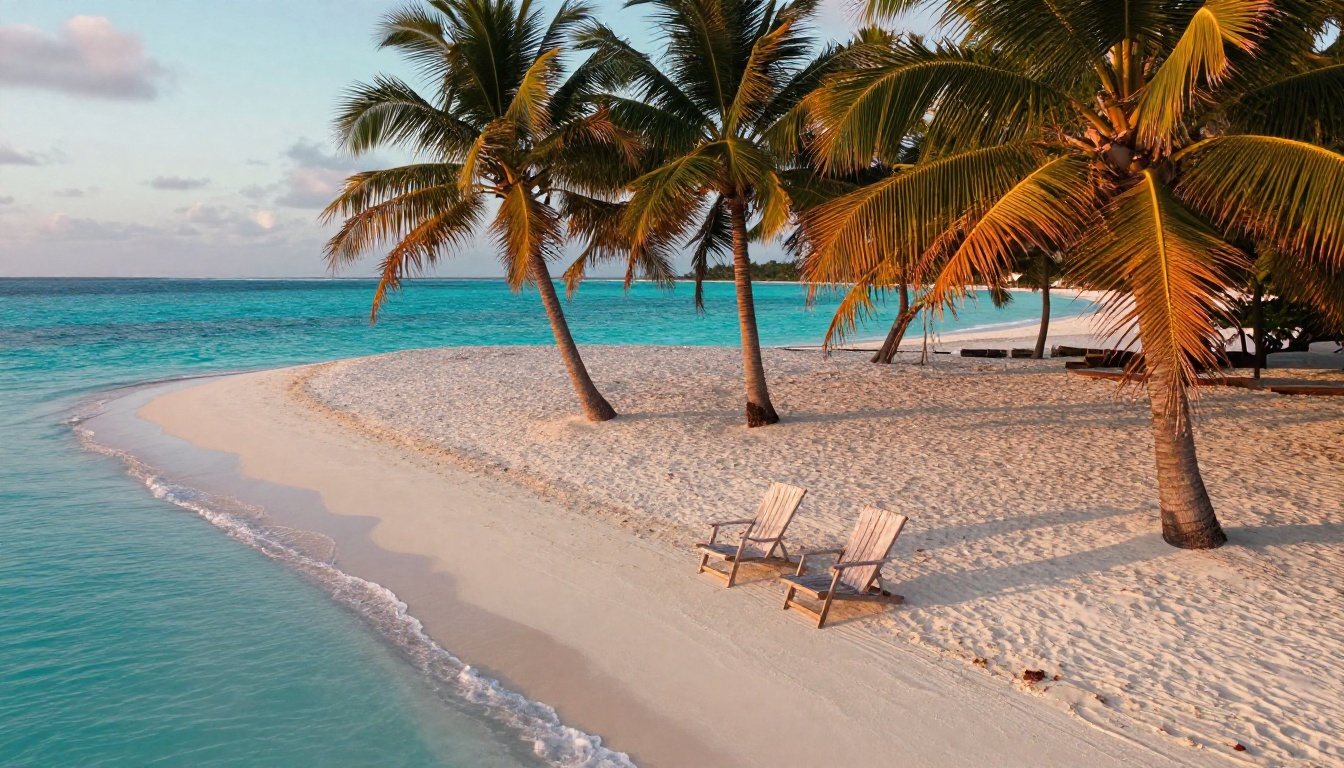
Landscape and architectural photography requires geometric accuracy, atmospheric perspective, and realistic light scattering across large scenes. Nano Banana 2 handles all three at a consistently high level.
For landscape prompts, include:
- Exact time of day and sun angle: "15-degree golden hour light from northwest"
- Atmosphere specification: "morning mist in mid-ground, sharp air in foreground, atmospheric haze in distant mountains"
- Ground surface detail: "fine river sand with individual grain visible in foreground"
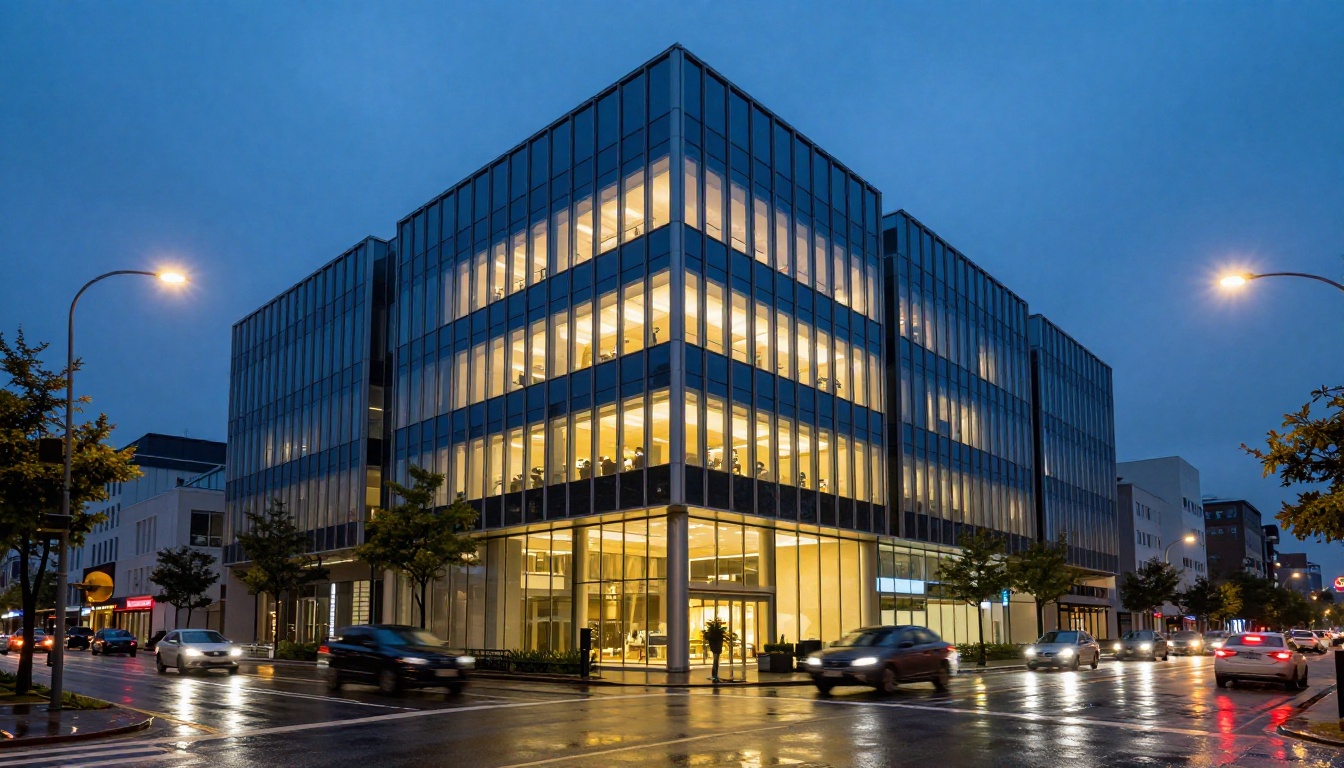
For architectural work, the model handles glass reflections, wet pavement light scattering, and interior-to-exterior lighting contrast with accuracy that holds up even on close inspection. Long-exposure stylizations like motion-blurred traffic and light trails are reliable when specified explicitly in the prompt.
Product and Commercial Work
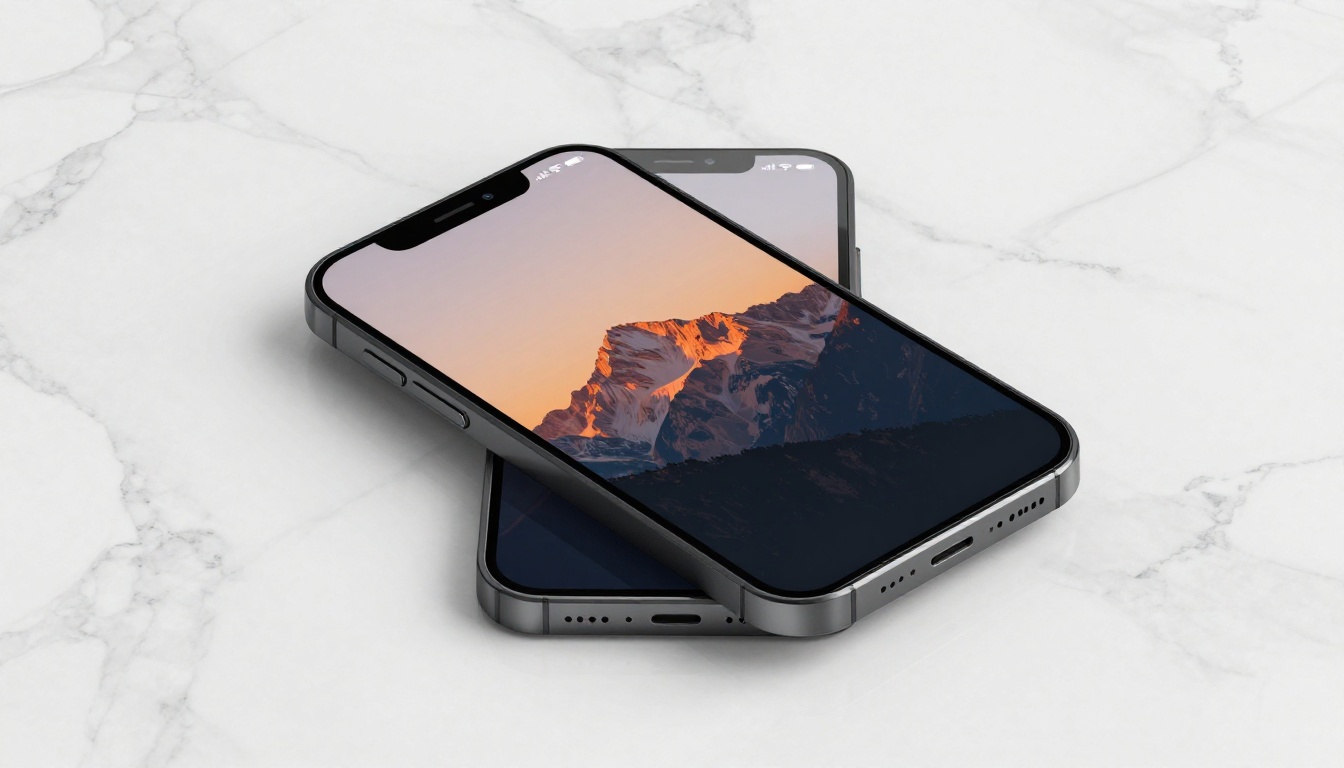
Product photography demands clean backgrounds, accurate material rendering, and commercial-grade sharpness throughout the frame. Nano Banana 2 consistently delivers on all three requirements when prompted correctly.
For product prompts, always specify:
- Surface material: "white Carrara marble with subtle grey veining", "brushed anodized aluminum", "matte black ABS plastic"
- Lighting rig: "dual softbox studio lighting from 45 degrees", "large diffused octabox overhead with fill reflector"
- Shot type and angle: "directly overhead at 90 degrees", "low 15-degree product angle"
- Display content: if the product has a screen, describe what appears on it
The results are clean enough for marketing material, social content, and e-commerce imagery in most cases without additional editing or compositing work.
Start Making Images on PicassoIA
If you have not tried Nano Banana 2 yet, the setup on PicassoIA takes under a minute and requires nothing but a browser. Start with a subject you know well, include camera and lighting specifics in your prompt, and compare the output to what you have been getting elsewhere.
The performance gap between Nano Banana 2 and standard options is consistent across portrait, landscape, architecture, and product categories. That consistency is what makes it the practical choice for professionals and creators who need reliable, high-quality output rather than occasional impressive results surrounded by mediocre ones.
PicassoIA hosts 90+ text-to-image models alongside Nano Banana 2, covering every creative niche from commercial product photography to abstract artistic work. Switching between models to match different project requirements takes seconds once you are familiar with the interface.
For outputs that need to scale beyond web use, the Super Resolution upscaling tools push native outputs to print-ready dimensions. For projects that involve both stills and motion content, PicassoIA's video generation tools work directly from generated images as source frames, extending your workflow without requiring a separate platform.
Try Nano Banana 2 on PicassoIA now and see where your first generation takes you.


