Nano Banana 2 Photorealism Prompts That Work Every Time
A deep breakdown of the photorealism prompt formulas that consistently produce film-grade results with Nano Banana 2. Inside: portrait recipes, lighting blueprints, landscape formulas, still life structures, a step-by-step tutorial, and the five most common mistakes that make AI images look fake.
Photorealism in AI-generated images is not about luck. It is about structure. When you feed Nano Banana 2 the right combination of subject description, lighting specification, and camera parameters, the results are indistinguishable from photographs shot on a professional mirrorless body with a prime lens. This article breaks down exactly which prompt structures produce those results, every single time, no guesswork.
What Sets Nano Banana 2 Apart
Nano Banana 2 is Google's fast text-to-image model built for speed without sacrificing output fidelity. It runs significantly faster than larger diffusion architectures while still delivering photographic-quality imagery when prompts are correctly structured. The model responds particularly well to camera-specific language, film stock references, and explicit micro-detail descriptions that other models tend to ignore.
Speed Without Sacrificing Realism
The generation latency on Nano Banana 2 is one of its biggest advantages. Where models like Flux 1.1 Pro Ultra take longer to produce ultra-high-fidelity outputs, Nano Banana 2 hits a practical sweet spot: it produces realistic results fast enough to iterate quickly. You can run four prompt variations in the time a slower model produces one, which means faster creative refinement cycles.
How It Handles Skin Tones
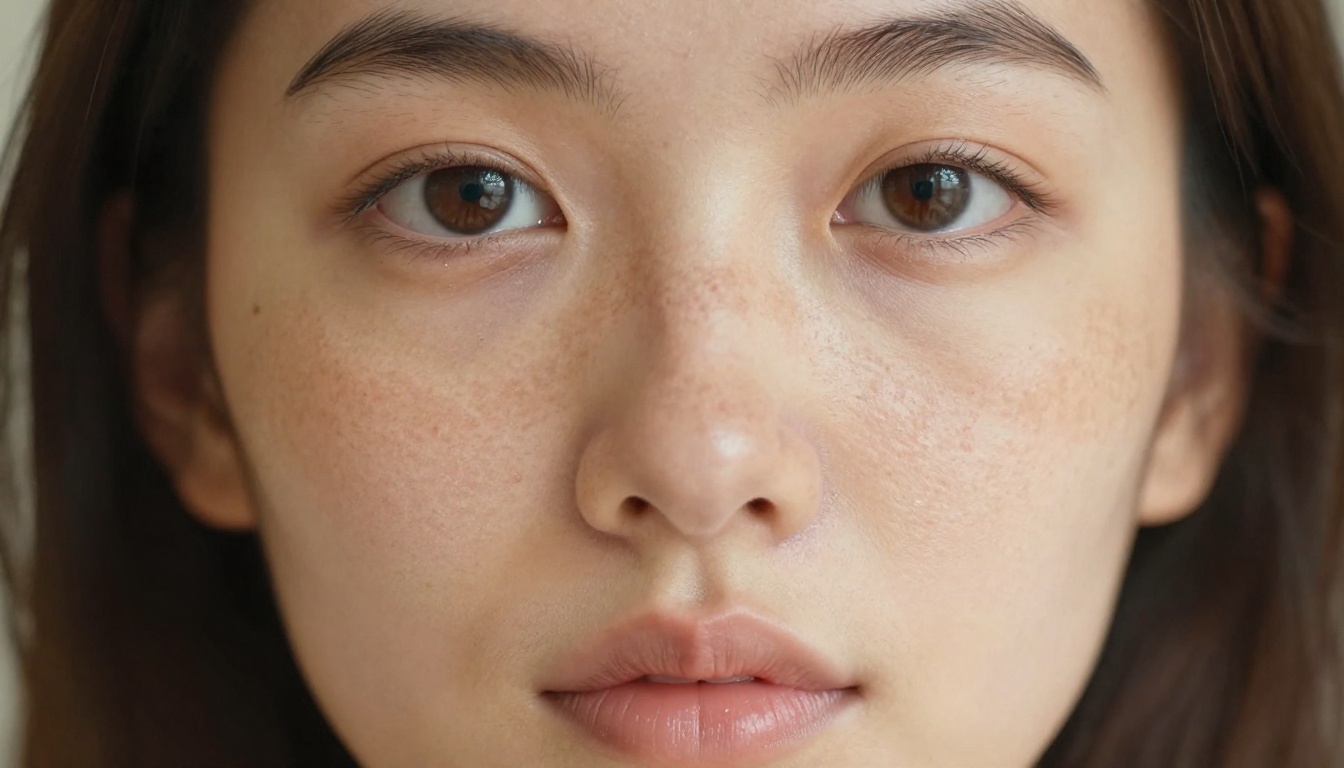
Skin rendering is where photorealism either succeeds or fails immediately. Nano Banana 2 handles melanin variation, subsurface scattering simulation, and pore-level texture better than its name suggests. The secret is specificity. Writing "skin" does nothing. Writing "visible pores across the nose bridge, subtle capillary flush at the cheeks, fine vellus hair catching sidelight" tells the model exactly what micro-level fidelity you want.
The Anatomy of a Perfect Photorealism Prompt
Every prompt that consistently produces photorealistic results follows the same skeleton. Memorize this structure and your output quality will jump immediately.
Without all six components, you are leaving the model to guess. And when a model guesses on photorealism, it fills the gaps with what it has seen most often: generic, flat, slightly plastic images that feel AI-generated the moment you look at them.
Subject and Environment Formula
The subject description must include posture or action, clothing with fabric texture, and at least one distinguishing physical detail. The environment must include distance, specific materials (moss-covered stone vs. concrete vs. sand), and atmospheric conditions (fog, haze, clear air, humidity shimmer).
Component
Weak Version
Strong Version
Subject
"a woman"
"a woman with auburn hair in a linen dress, slightly turned"
Environment
"in a forest"
"in a fog-heavy oak forest, narrow dirt path, wet fern fronds"
Lighting
"natural light"
"volumetric morning light shafts from upper-left at 40 degrees"
Camera
"DSLR"
"Sony α7R V, 85mm f/1.8, ISO 400, 1/800s"
Film
"realistic"
"Kodak Portra 400, film grain, warm tonal rolloff, slight vignette"
Lighting Is Everything
Lighting direction and quality single-handedly determine whether an image reads as a photograph or as a rendering. There are three lighting setups that work reliably for photorealism prompts in Nano Banana 2:
1. Golden Hour Side Light
Use for portraits, lifestyle, and nature. The light rakes at a low angle, exaggerates texture, and creates that unmistakable warmth associated with editorial photography.
Prompt fragment: warm amber light from upper-left at 25 degrees, long soft shadows, rim-light halo on hair
2. Diffused Window Light
Use for interior scenes, still life, and intimate portraits. This is the classic "north window" setup used in fine art and editorial photography.
Prompt fragment: soft diffused northern daylight from left window, Rembrandt triangle shadow on far cheek, visible dust motes in light shaft
3. Blue Hour Urban
Use for street scenes, architecture, and mood shots. The combination of artificial warm light sources against the cool blue ambient creates depth and color contrast that reads as highly cinematic.
Prompt fragment: deep blue-hour ambient with warm amber street lamp pools, neon reflections in wet cobblestone
Camera Specs That Actually Matter
Most people include "DSLR camera" and call it done. That is not specific enough. The lens focal length changes the perspective distortion and compression of the scene. The aperture drives depth of field. The ISO suggests grain level. All three should appear in your prompt.
Focal Length Rules:
24-35mm: Wide angle, environmental context, slight distortion at edges
50mm: Natural perspective, street and candid
85mm: Portrait compression, background isolation, flattering for faces
Portrait photorealism is the hardest to fake and the most immediately impressive when it lands. These formulas work reliably with Nano Banana 2.
The Golden Hour Formula
[Woman/Man] with [specific physical trait], [clothing with fabric detail], standing in [environment],
golden hour light from [direction] creating [effect on subject],
[micro skin detail: pores/freckles/flush],
[lens + aperture], ISO [value], Kodak Portra 400,
film grain, RAW photography, 8K resolution --ar 16:9 --style raw
Working Example:
A young woman with sun-kissed freckled skin in an off-white linen dress, standing in a golden wheat field, late afternoon amber light from upper-left creating a rim-light halo in her hair, visible pores on her nose bridge, fine vellus hair catching sidelight, Zeiss Batis 85mm f/1.8, ISO 400, Kodak Portra 400 film grain, RAW photography, 8K --ar 16:9 --style raw
Indoor Natural Light Portraits
Indoor portraits require you to define the light source precisely or the model will invent flat, even lighting that looks like a product photo backdrop.
Working Example:
Young woman reading a book by a large arched window, soft diffused northern daylight from left, Rembrandt lighting triangle on her right cheek, cream knit sweater with visible texture, dust motes in the light shaft, 85mm f/2.0, Kodak Portra 800, candid lifestyle photography, photorealistic 8K RAW --ar 16:9 --style raw
Tip: Adding "dust motes in the light shaft" and "visible knit texture" signals to the model that you want high micro-detail fidelity, not a smooth idealized render. These are cues that trigger texture-aware generation behavior.
Landscape and Environment Prompts
Landscape photorealism requires a different approach from portraits. You are no longer driving detail toward skin. Instead you are building atmospheric layering, material texture, and spatial depth.
Misty Morning Scenes
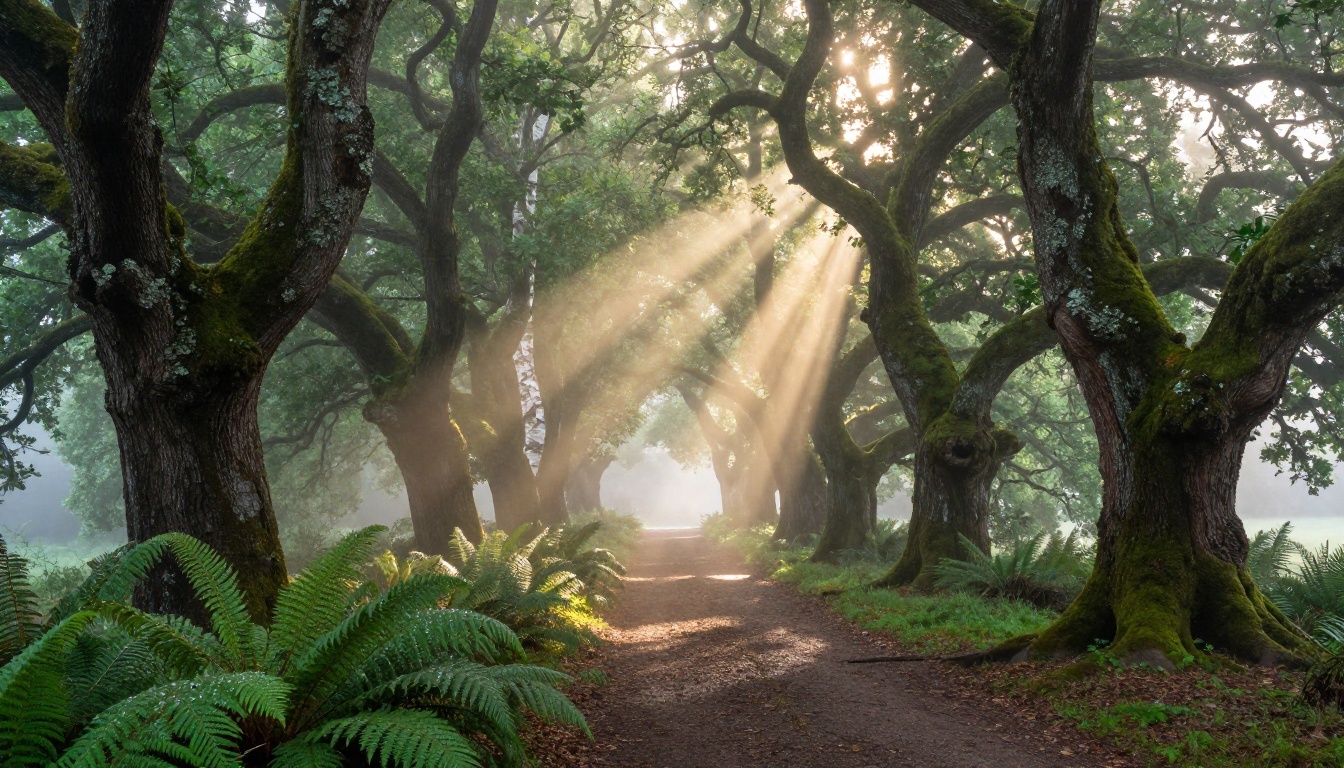
Fog and mist are among the hardest atmospheric effects to fake. When they work, the image looks pulled directly from a high-end nature documentary. The formula is layering the fog description with light direction.
Working Example:
Ancient moss-covered oak forest, dense canopy above, volumetric morning light shafts from upper-left penetrating through low-lying ground fog, narrow dirt trail disappearing into the mist, wet fern fronds foreground with water droplets, lichen texture on bark, 24mm f/8.0, Kodak Ektar 100 color science, tripod long exposure, photorealistic landscape, RAW 8K --ar 16:9 --style raw
Material specificity: "lichen on bark" and "wet fern fronds" signal texture complexity
Film choice: Kodak Ektar 100 is known for high saturation and fine grain, perfect for nature
Urban Street Photography
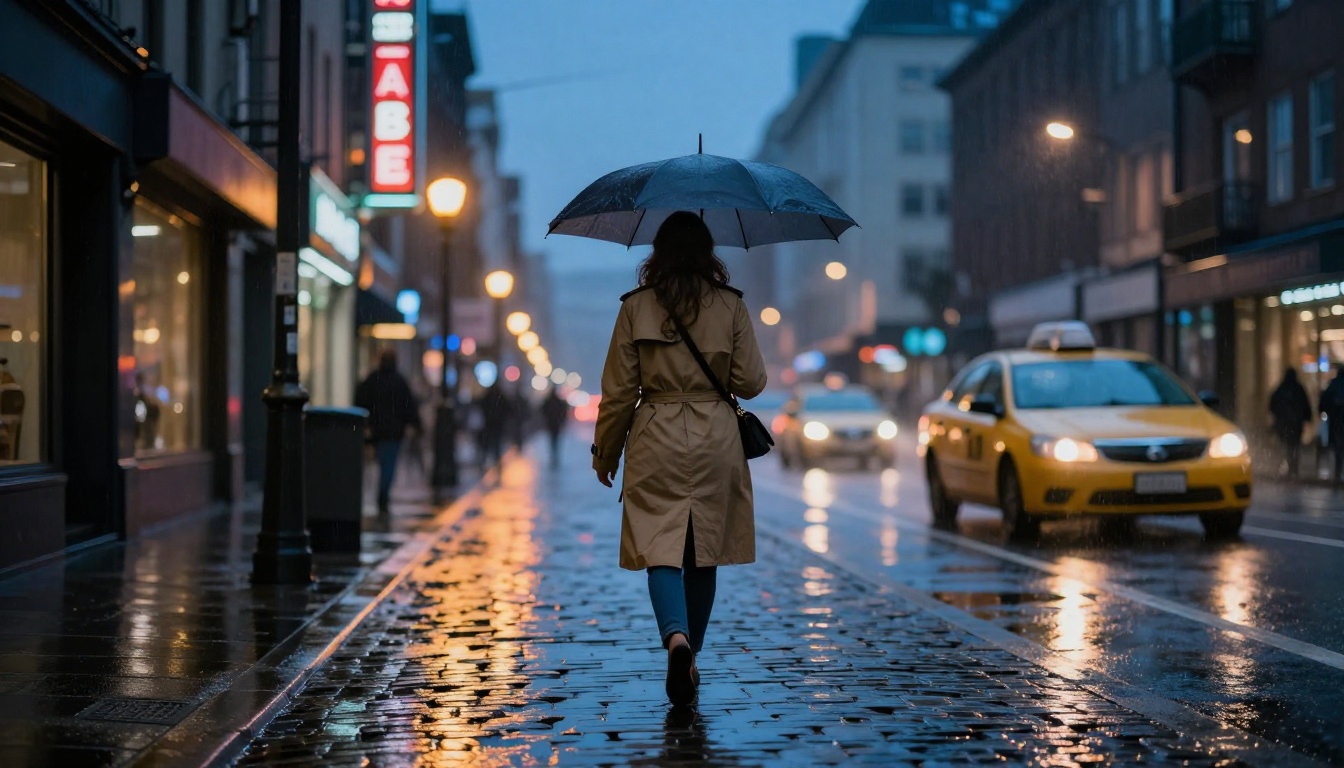
Urban photorealism depends on the contrast between artificial and natural light. Blue-hour timing with warm artificial point sources is the formula that consistently produces cinematic street imagery.
Working Example:
Rain-slicked cobblestone street at dusk, neon reflections in puddles, lone woman in khaki trench coat under a clear umbrella walking away, street lamps creating warm amber pools against deep blue ambient sky, blurred taxi in background, steam rising from a grate, 50mm f/1.4, high ISO grain, Fuji X-T4, photorealistic street photography, RAW 8K --ar 16:9 --style raw
How to Use Nano Banana 2 on PicassoIA
Nano Banana 2 is available directly on PicassoIA as a text-to-image model. Here is how to get started and get the most out of it.
Step 1: Access the Model
Go to Nano Banana 2 on PicassoIA. The model loads in the standard text-to-image interface. No special setup is required beyond having a PicassoIA account.
Step 2: Write Your Prompt Using the Formula
Paste your prompt into the text field. Follow the six-component formula above. For photorealism, always include:
A specific lens and aperture (e.g., 85mm f/1.8)
A film stock reference (e.g., Kodak Portra 400)
--style raw at the end of the prompt
--ar 16:9 for widescreen output
Step 3: Iterate on Micro-Details
The first output will often be close but not perfect. The most common adjustment is adding more micro-detail to the prompt. If skin looks too smooth, add: visible pores, fine vellus hair, capillary flush at cheeks. If the image lacks depth, add: foreground subject in sharp focus, background defocused into soft bokeh.
Step 4: Try Nano Banana Pro for Final Renders
For even higher fidelity on the same type of prompt, try Nano Banana Pro, the upgraded version of the same architecture. Use the same prompts and compare outputs side by side. The difference in fine detail and tonal rendering is immediately visible.
Parameter Tip: If your portrait is generating with slightly plastic-looking skin, the fix is almost always the same: add organic film grain, slight vignetting, warm shadow lift to the end of your prompt. These three phrases simulate analog photography imperfections that our brains associate with authenticity.
Still Life and Texture Prompts
Some of the most overlooked photorealism use cases are still life and macro texture shots. These require no people but still demand the same level of lighting and material specificity.
Macro Surface Prompts
Working Example:
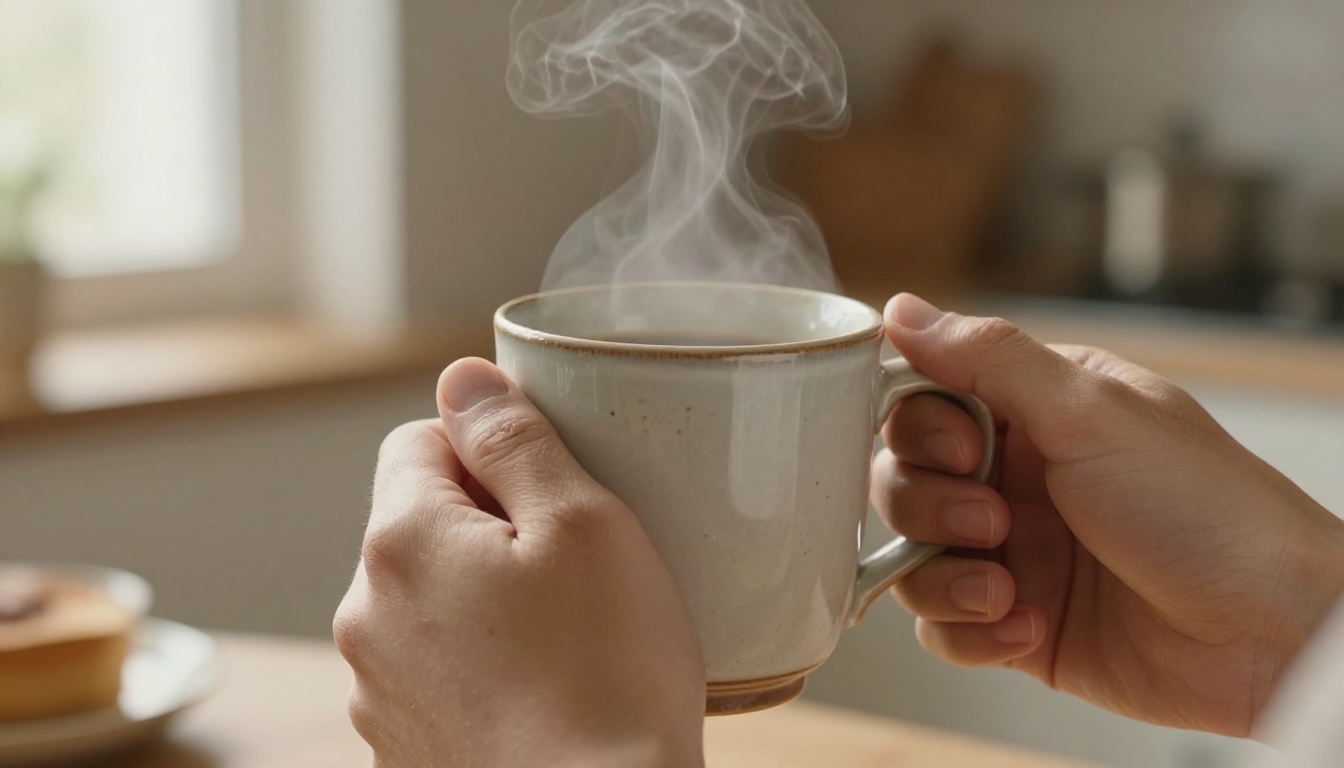
Two hands wrapped around a ceramic coffee mug with chipped glaze, steam rising in natural morning light, fine skin texture on knuckles, faint veins beneath the surface, warm linen surface underneath, 105mm macro f/2.8, overhead 45-degree soft light from left window, photorealistic RAW 8K, Nikon Z7, film grain --ar 16:9 --style raw
Tip: Notice the inclusion of "chipped glaze" on the mug. Imperfections signal realism to the model. Perfect objects without wear, scratches, or aging look CG. Adding deliberate imperfections and signs of age significantly improves authenticity.
Aerial and Overhead Shots
The aerial perspective creates a completely different spatial relationship and works particularly well for documenting scenes, markets, crowds, and architectural patterns.
Working Example:
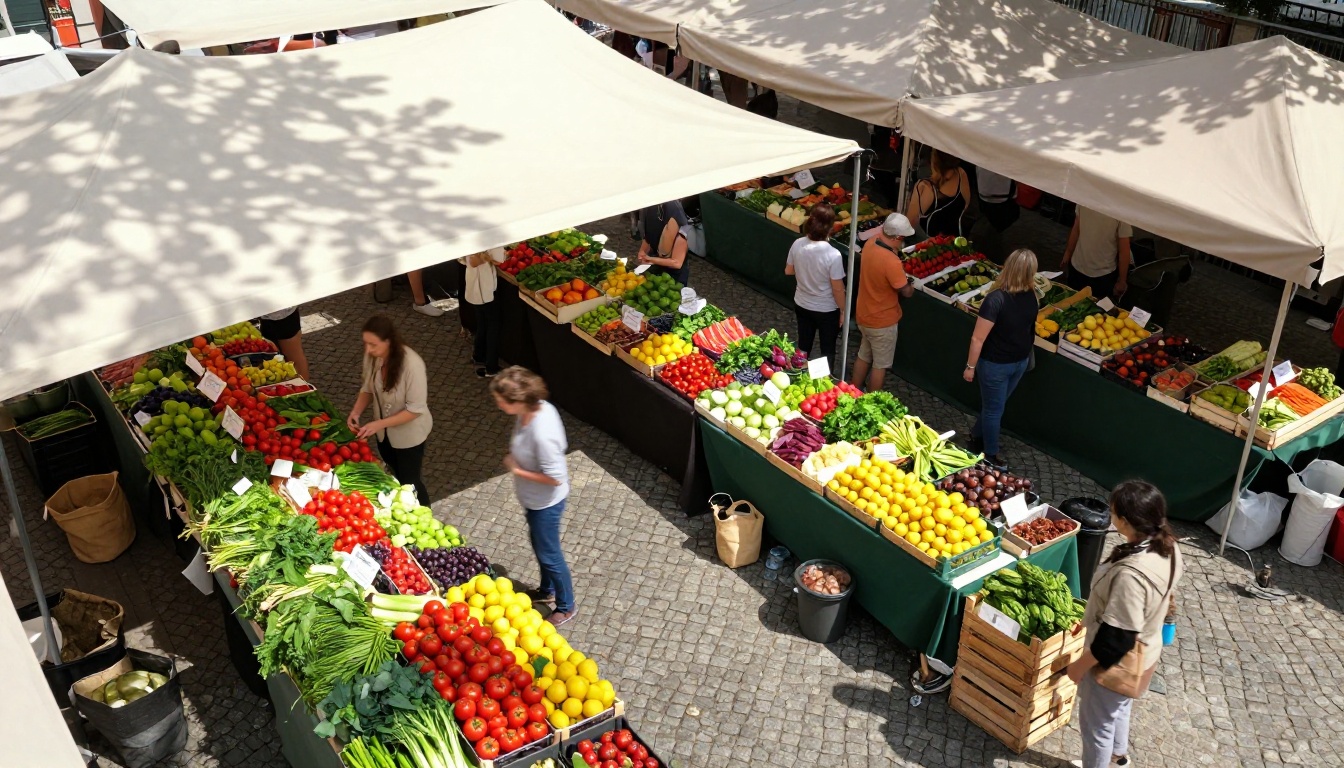
Aerial view of outdoor farmers market from 15 meters altitude, colorful produce stalls in organic arrangement, natural motion blur on browsing figures, red tomatoes and yellow lemons contrasting against green leafy vegetables, wooden crates and burlap sacks visible, dappled light through canvas awning, 35mm equivalent, photorealistic drone photography, RAW 8K --ar 16:9 --style raw
Architectural Photography Prompts
Architectural photorealism is about stone, glass, and light. The material texture of the building and the quality of the light source are the two variables that determine whether it looks real.
Working Example:
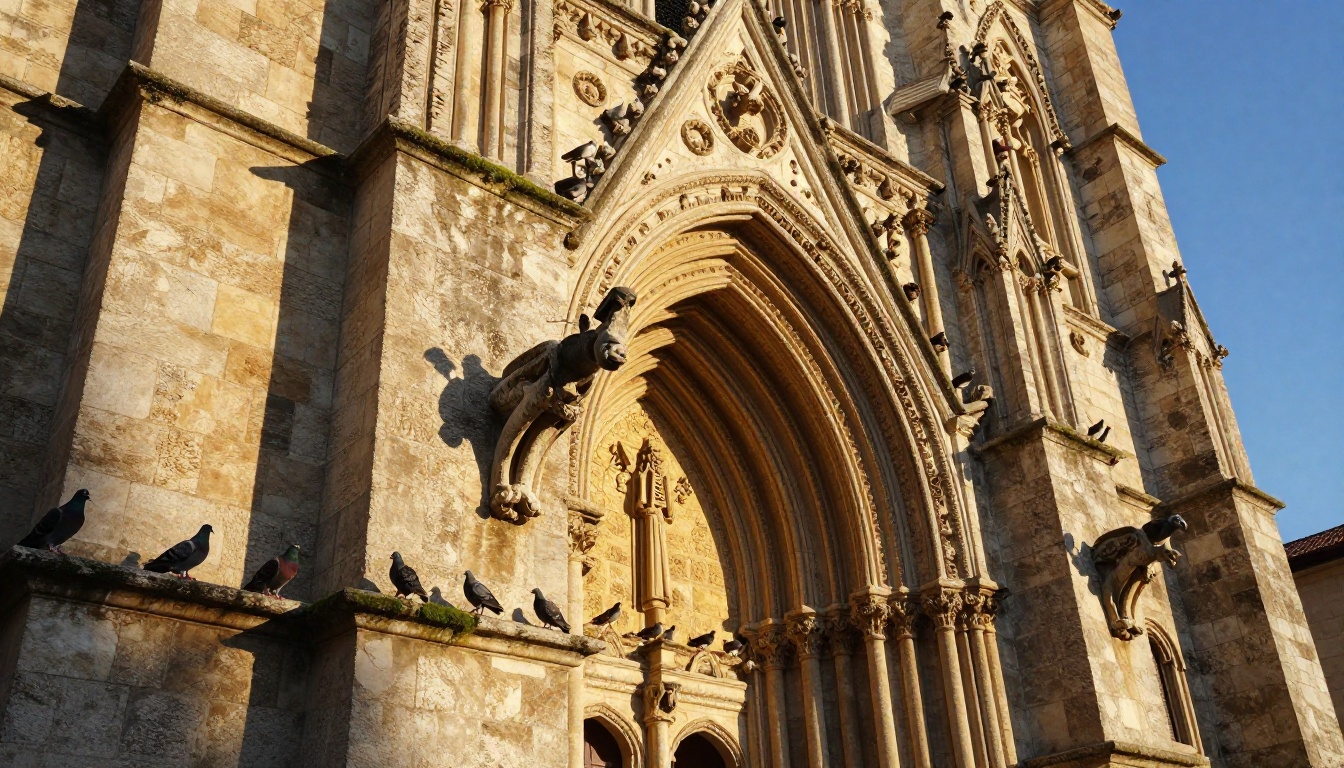
Ancient limestone cathedral facade in warm golden hour sidelight from the right, deeply raked light revealing carved stone texture and weathering detail, gargoyle sharp in foreground with Gothic archway defocused behind, moss in mortar joints, centuries of erosion and color variation visible on surface, pigeons on a ledge, 21mm tilt-shift lens, clear deep blue sky, Kodak Ektar 100, photorealistic RAW 8K --ar 16:9 --style raw
Specifying a tilt-shift lens tells the model you want a corrected perspective without keystoning, which is the trapezoidal distortion that happens when you point a wide-angle lens up at a building. This is a very specific photographic term that signals professional architectural photography intention.
5 Mistakes That Kill Photorealism
These are the most common reasons photorealism prompts fail, regardless of which model you use.
Vague Lighting Descriptions
Writing "natural light" or "good lighting" is a photorealism killer. The model defaults to flat, even illumination. Always specify the direction, quality (hard/soft/diffused), and color temperature of your light source.
Bad:good natural lightingGood:soft diffused northern daylight from upper-left, cool color temperature, slight shadow on the right side of the face
Missing Camera Specifications
No lens means the model invents one. The resulting perspective and depth of field will be generic. Always include at minimum: focal length, aperture value, and camera body or brand.
Overusing "Photorealistic"
Ironically, writing "photorealistic" repeatedly in a prompt makes the model treat it as a style word rather than a technical objective. Write it once. Then fill the rest of the prompt with the specific technical details that actually create realism: grain, film stock, lens, lighting direction, material texture.
No Film Stock Reference
Film stock names carry entire color science profiles, grain characteristics, shadow behavior, and tonal rolloff patterns that the model has learned to associate with specific visual aesthetics. They are among the most powerful single phrases you can add.
Film Stock
Best For
Characteristics
Kodak Portra 400
Portraits, lifestyle
Warm skin tones, fine grain, smooth shadows
Fuji Pro 400H
Outdoor, lifestyle
Cool-neutral tones, slightly flat contrast
Kodak Ektar 100
Landscapes, architecture
High saturation, ultra-fine grain
Kodak Portra 800
Low light, indoor
Warmer tones, more visible grain, lifted shadows
Asking for Perfection
Perfect skin, perfect light, perfect everything reads as CGI to the human eye. Include deliberate imperfections: a slight windblown strand of hair, a small shadow from a nose catching sidelight, a wrinkle in clothing, a scuff on a surface. Imperfection is what the brain uses to verify authenticity.
Fashion and Lifestyle Prompts
Fashion and lifestyle photography are among the highest-volume use cases for photorealism in AI generation. These require subject clarity, environmental storytelling, and light that flatters.
Sunflower Field Lifestyle
Working Example:
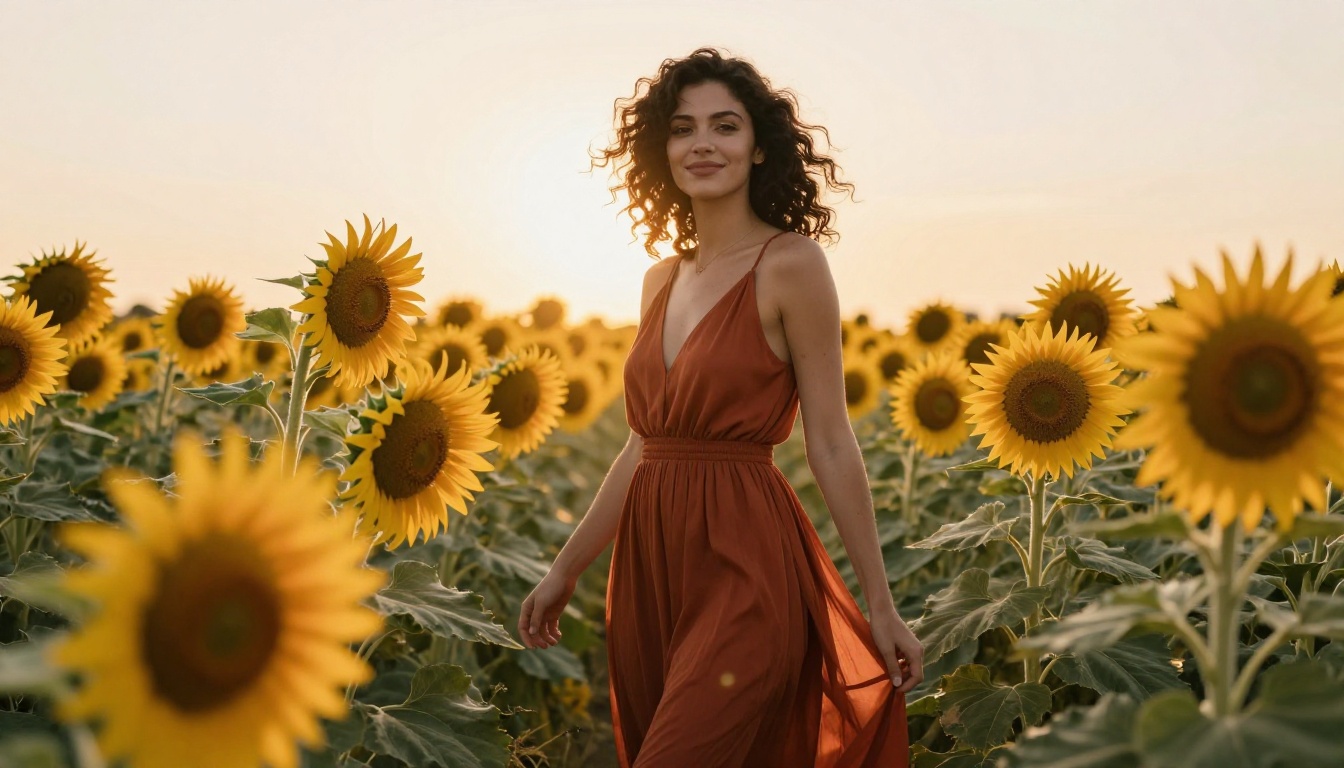
Beautiful woman in a rust-colored sundress standing in a sunflower field, late afternoon backlight creating a warm halo around her silhouette, translucent light through dress fabric, natural relaxed smile turning slightly toward camera, sunflower heads at varying heights framing her organically, visible weave texture in dress, natural curly dark hair catching backlight, 135mm f/2.8 telephoto, lifestyle editorial photography, Kodak Portra 400, photorealistic RAW 8K --ar 16:9 --style raw
The 135mm focal length compresses the background, making those sunflowers stack behind the subject as a wall of gold rather than spreading out. This compression effect is what makes editorial photography look intentional rather than accidental.
Nano Banana 2 vs. Other Photorealism Models
PicassoIA hosts several models strong in photorealism. Here is where Nano Banana 2 fits in the ecosystem:
For iteration and rapid testing of prompt variations, Nano Banana 2 is the fastest tool in this group. Once your prompt is dialed in, moving to Nano Banana Pro or Flux 1.1 Pro Ultra for the final render gives you the best of both workflows: speed for experimentation, power for production.
Try It Right Now on PicassoIA
Every formula in this article works right now on Nano Banana 2 at PicassoIA. Copy any of the working examples above, paste it into the text field, and run it. The results will be immediately different from generic prompts that produce flat, plasticky outputs.
Start with the golden hour portrait formula. Run it three times with small variations in lighting direction. Compare the results. Then add the film grain and tonal rolloff instructions and run it three more times. You will see, very clearly, exactly how each component contributes to the final image.
The difference between an AI image that looks like an AI image and one that makes people ask "what camera was that shot on?" is entirely in the prompt structure. You now have the structure.
PicassoIA also offers Super Resolution tools to upscale any output you generate with Nano Banana 2, giving you print-ready resolution from a fast generation model. Pair it with AI image restoration if you want to reduce grain or sharpen specific areas after generation.
The next great photorealistic image starts with a prompt written with intention. Use the formulas here and it will show.